


Description
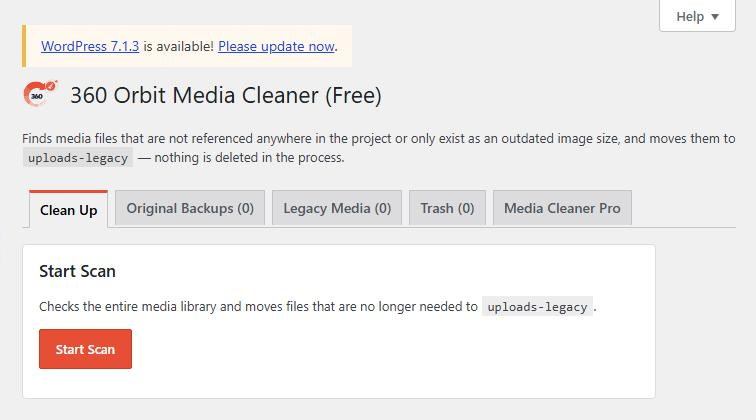
Media Cleaner scans your entire media library for files that are no longer needed:
- Media files that are no longer referenced in any post, ACF gallery or content block.
- Image sizes that your current theme no longer registers (for example after switching themes).
- Files in the uploads folder that were never registered in the media library (“filesystem orphans”).
Files that are found are not deleted. Instead they are moved to uploads-legacy, where they can be restored individually, by selection or all at once. Only the trash deletes files permanently, and only after you explicitly confirm it.
Free version vs. Pro
The free version includes the complete cleanup process (scan, legacy media management, trash). This is the core of the plugin and can be used without restrictions.
Media Cleaner Pro adds:
- Automatically regenerate missing image sizes (for example after switching themes).
- Downscale original images and optionally serve them as WebP/AVIF, including a safe backup area for the originals.
- Automatic update notifications directly in the WordPress admin.
Installation
- Upload the plugin ZIP under Plugins → Add New Plugin → Upload Plugin.
- Activate the plugin.
- Start a scan from the Media Cleaner menu.
FAQ
Are files deleted immediately?
No. Files that are found are first moved to uploads-legacy and can be restored from there at any time. Files are only permanently deleted from disk in the trash, after you explicitly confirm it.
Are ACF fields taken into account?
Yes. The scan checks featured images, ACF image fields, ACF galleries/repeaters as well as references in content (Gutenberg blocks, classic galleries).
What is the difference between “Legacy Media” and “Original Backups”?
Legacy media are the cleanup findings of the scan (unused files or outdated sizes). Original backups are only created by the Pro feature “Downscale Originals” and are kept strictly separate in a folder of their own.
Who is liable in case of damage?
This plugin is provided without any warranty (“as is”). The developer accepts no liability for data loss or damage resulting from the use of the plugin. We strongly recommend creating a complete backup of your files and database before using it.
Screenshots
Changelog
1.0.30
- Changed: the 360 WP Orbit overview shows the important boxes of the active plugins at the top, optionally also on the WordPress dashboard; all boxes and tables now use one width.
1.0.29
- Maintenance release for the free version; the Pro version gains a setup assistant.
1.0.28
- Changed: buttons, the License tab and Export/Import now look the same in all plugins of the suite (primary actions in the plugin colour, cards side by side).
1.0.27
- Fixed: the scan of the uploads folder no longer treats WebP and AVIF files next to known images as orphans (for example from “Also as WebP”); before they could be moved to uploads-legacy/ and the site lost its WebP images. If you scanned with an older version, check the Legacy list for .webp and .avif files and move them back.
- New: the texts of the plugin appear in German by default, also on sites in another language; under 360 WP Orbit > Overview the language can be switched to the language of the website. The WordPress.org package follows the language of the website and now ships the German translation itself, so no language pack is needed.
1.0.26
- Changed: content boxes are 960 px wide as in the other 360 Orbit plugins and the License tab.
1.0.25
- Changed: the Legacy Media filter by reason now sits in the bar above the table, like in the WordPress lists, with a “Filter” button.
- Changed: settings and license tab (Pro) use the layout of the WordPress settings pages; disconnecting the license has its own danger zone.
1.0.24
- Updated: German translation completed (license server notice in Pro).
1.0.23
- Changed: the 360 WP Orbit overview now picks up new suite plugins automatically, as every plugin registers itself. No more list to keep in sync.
1.0.22
- New: the plugin list now shows a “Settings” link for this plugin, as it already does for the other plugins of the suite.
1.0.21
- Fixed: a file that is only linked in the content via a size variant (for example image-300×200.jpg) or via the original of a scaled image now counts as used and is no longer moved.
1.0.20
- The brand name “360 WP Orbit” is no longer offered for translation, as it is the same in every language.
1.0.19
- Fixed a fatal error when the free and Pro versions were loaded together.
- The protective .htaccess in the legacy folders is now written through the WordPress filesystem API.