
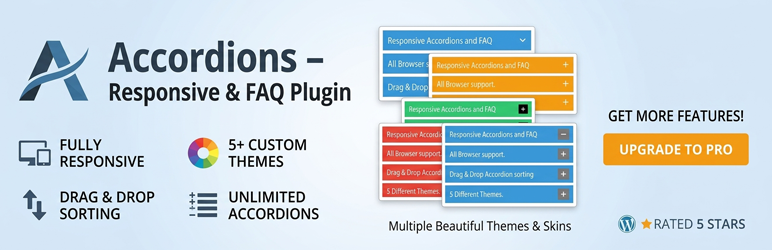

Description
Create beautiful, responsive accordions and FAQ sections with multiple styles, skins, and advanced customization—perfect for organizing content and improving UX.
Useful Links
Plugin Features
- Fully responsive.
- All Browser support.
- Unlimited Accordions anywhere in the theme.
- Unlimited items inside every accordion.
- Live search box, Expand/Collapse all buttons and shareable deep links.
- Two-column FAQ layout.
- Auto-open item, close other items and closeable options.
- Hover and open (active) colors for titles and icons.
- One-click “Duplicate” for items and for whole accordions.
- Gutenberg block with sidebar settings and per-page overrides (layout, search, expand/collapse all, deep links), plus shortcode attributes for the same.
- CSV import and export of accordion items (great for moving FAQs from other plugins or editing them in Excel / Google Sheets).
- Use via short-code.
- 8 different themes.
- Drag & Drop Accordion sorting.
- WP Editor for accordion content.
- Custom Title background color.
- Custom Title Font color.
- Custom Title Font Size & Line Height options.
- Title Text Alignment (Left, Center, Right).
- Show/Hide and Position Accordion Icons (Left, Right).
- Custom Content Background Color.
- Custom Content Font Color.
- Custom Content Font Size, Line Height & Letter Spacing options.
- Content Padding & Accordion Margin Options.
- Add and remove accordion item from backend.
- Highly customized for User Experience.
- And Many More…
Pro Version Features
- All features of the free version.
- Tabs layout (tabs on desktop, normal accordion on mobile).
- Horizontal accordion layout with adjustable height.
- Nested accordions: show another accordion inside any item.
- Groups / category filter tabs above the accordion.
- Dynamic content: build items from posts, custom post types or an ACF repeater.
- Analytics: Google Analytics events and a “most opened items” counter.
- Per-item icons and badges (New, Popular, Hot…).
- WooCommerce category rules: show or hide an accordion by product category.
- Open items on mouse hover.
- Animation speed control.
Installation
Using The WordPress Dashboard
- Install as regular WordPress plugin.
- Go your Pluings setting via WordPress Dashboard and activate it.
- After activate plugin you will see “Accordion” menu at left side on WordPress dashboard and find “Accordion Option Configuration”
Using FTP
1.Extract accordions-wp.zip to your computer.
2.Upload the accordions-wp directory to your wp-content/plugins directory.
3.After activate plugin you will see “Accordion” menu at left side on WordPress dashboard and find “Accordion Option Configuration”
How to use short-code?
When accordions options setup done please copy & paste shortcode into your theme any where you want to display this accordions.
Screenshots


Changelog
4.0.1
- Fix: Confirmation before removing an item in the editor.
- Fix: Update CSS and JavaScript with a fixed version number.
4.0.0
- New: Live search box above the accordion. It filters items by title and content as you type, with a custom placeholder and a “no results” message.
- New: “Expand all” and “Collapse all” buttons.
- New: Deep links. Every item gets a shareable link from its title (for example /faq/#return-policy). Opening the link opens and scrolls to the item. Works with non-Latin titles.
- New: Two-column FAQ layout, chosen from a new picture picker right below Accordion Themes.
- New: Hover and Open (active) colors for the title background, title text and icon in the Design tab. Hover colors work with a mouse and with keyboard focus.
- New: CSV import and export of items. Import can add to or replace the current items and accepts title / description, question / answer or post_title / post_content columns, separated by commas, semicolons or tabs. Export includes unsaved edits and opens correctly in Excel.
- New: Duplicate button on every item, and a Duplicate action on the Accordions list that copies a whole accordion into a new draft.
- New: Gutenberg “TCP Accordion (Reusable)” block with sidebar controls: accordion picker, “Edit this accordion” and “Create a new accordion” links, and a “Display for this page only” panel for layout, search, expand/collapse all, deep links and open item.
- New: Gutenberg “TCP Accordion (Inline)” block now has the full accordion settings in its sidebar: theme, layout, open item, close others, search, expand/collapse all, deep links, FAQ schema, icons, title / hover / open colors, content typography, spacing and border.
- New: FAQPage JSON-LD schema generator for search engine rich results (off by default).
- New: Border settings (style, width and color) in one compact row.
- New: Confirmation before removing an item in the editor.
- New (Pro): Tabs layout, which turns into a normal accordion on screens under 768px.
- New (Pro): Horizontal accordion layout with adjustable height.
- New (Pro): Nested accordions. Show another accordion inside any item.
- New (Pro): Groups / category filter tabs above the accordion.
- New (Pro): Dynamic content. Build items from posts, custom post types or an ACF repeater field.
- New (Pro): Analytics. Send Google Analytics events and see which items are opened most.
- New (Pro): Per-item icons and badges such as “New” or “Popular”.
- New (Pro): WooCommerce category rules. Show or hide an accordion by product category.
- New (Pro): Open items on mouse hover and control the animation speed.
- Changed: The 5-item limit is gone. Every accordion can have unlimited items.
- Changed: Close other items, Closeable and Auto-open item are now free, and all 8 themes are free.
- Changed: Pro features now ship in separate Pro-only files. The free version no longer contains locked or disabled premium code, and shows previews of Pro features with an upgrade link instead.
- Improved: WooCommerce product-specific accordion assignment from the product edit screen, and WooCommerce hooks reworked to support custom product tabs and display locations without duplicates.
- Improved: Content rendering now supports YouTube, Vimeo and other iframe embeds (allowfullscreen, loading, referrerpolicy and similar attributes).
- Improved: Query fallbacks and asset loading on single product pages.
- Improved: Screen reader state (aria-expanded) stays correct when items are opened by hover, Expand/Collapse all or a deep link.
- Improved: The icon style setting now shows correctly in the accordion editor’s Live Preview.
- Fixed: The Inline Gutenberg block now loads its CSS and JavaScript on the live site, and older Inline blocks keep working.
- Fixed: Item fields are renumbered correctly after sorting or removing items, so settings no longer end up on the wrong item.
- Developers: New hooks for extensions, including tcaccordion_layouts, tcaccordion_items, tcaccordion_item_title_html, tcaccordion_before_list and tcaccordion_save_settings, and a tcaccordion_max_items filter to set an item limit in code.
3.0.9
- Fix: Added full WCAG 2.1 AA accessibility compliance across all accordion layouts.
- Fix: Added tabindex=”0″ and keyboard navigation (Tab, Enter, Space) for accordion headers.
- Fix: Added ARIA role=”button”, aria-expanded, aria-controls, and role=”region” panel attributes.
- Fix: Resolved color contrast ratio requirements for badges and active header states.
- Updated: Sanitized input data (
sanitize_key) and output escaping across notice markup.
3.0.8
- Feature: Introduced native Gutenberg Block (
tcaccordion/select-accordion) with server-side preview rendering inside the block editor canvas. - Feature: Added complete InspectorControls (sidebar settings) to the Gutenberg Block for custom attribute overrides.
- Feature: Created dedicated Elementor Widget (
tcpaccordion_widget) for seamless live editing within the Elementor builder canvas. - Feature: Integrated state-aware dynamic CSS hooks and theme classes (
theme-shadow,theme-dark,theme-flat). - Feature: Added admin control fields for Title Line Height, Content Line Height, and Content Letter Spacing.
- Enhancement: Added real-time style enqueuing inside modern WordPress Gutenberg isolated iframe contexts (
enqueue_block_assets). - Enhancement: Implemented
MutationObserverand dynamic event re-binding in JavaScript for zero-latency preview interactions inside backend builders. - Enhancement: Optimized shortcode execution pipeline with output buffering to ensure complete compatibility with Divi, Beaver Builder, and WPBakery.
- Enhancement: Fully integrated Freemius SDK v2 with compliant opt-in routing and premium feature access control checks.
- Fix: Resolved critical rendering issue where single-item accordion posts failed to render or displayed “nothing found” in Elementor and dynamic builder previews.
- Fix: Standardized metadata key resolution between admin save routines, AJAX live preview rendering, and frontend shortcode display.
- Fix: Resolved CSS flexbox layout issue where
text-align(left, center, right) was failing on title text headers due to rigid flex spacing. - Fix: Corrected icon positioning for center-aligned accordion titles using absolute positioning offsets.
- Fix: Prevented silent PHP warnings and missing key exceptions during meta array iteration.
- Fix: Fixed asset loading context so Font Awesome icons and responsive layout CSS load seamlessly in both backend previews and frontend page loads.
3.0.7
- Refactored: Entire plugin architecture modernized to Object-Oriented Programming (OOP) standard with Singleton pattern.
- Refactored: Split admin views, shortcodes, and frontend theme logic into dedicated handler classes for better modularity and maintenance.
- Enhanced: Preserved active tab focus in admin metabox across page reloads during post updates with zero content flicker.
- Enhanced: Sanitized and validated all inline style declarations (color hex values, font sizes, paddings) to prevent broken HTML attributes.
- Security: Hardened escaping, input sanitization, and strict post type checks across all admin and shortcode inputs using WordPress Coding Standards.
3.0.6
- Update Options page.
- Fix CSS Issue.
3.0.5
- Fix Video Display Issue.
3.0.4
- Fix Security Issue.
3.0.3
- Update Option Page.
- Fix Security Issue.
3.0.2
- Update Option Page.
- Added New Options.
- Fix CSS Issues.
- Fix javascript Issues.
3.0.1
- Update Option Page.
- Added New Options.
- Added Color Picker.
3.0.0
- Update Option Page.
- Fix Security Issue.
- Fix Color Picker Issues.
2.9
- Update Option Page.
- Fix Security Issue.
2.8
- Update Option Page.
- Added New Options.
2.7
- Update Option Page.
- Fix Security Issues.
- Fix CSS Issue.
2.6
- Update Option Page.
- Fix CSS Issues.
2.5
- Update Option Page.
- Fix CSS Issues.
2.4
- Update Option Page.
- Fix CSS Issues.
2.3
- Update Option Page.
- Added New Options.
- Update Admin Interface.
- Fix CSS Issues.
2.2
- Update Option Page.
- Fix Color Picker Issues.
2.1
- Update Option Page.
- Fix Javascript Issues.
2.0
- Update Option Page.
- Fix CSS Issues.
- Fix javascript Issues.
1.9
- Update Option Page.
- Fix CSS Issues.
1.8
- Update Options Page.
1.7
- Fix shortcode inside accordion item issues.
1.6
- Fix Accordion wysiwyg content display issues.
- Update Font Size Options.
1.5
- fix accordion admin js issues.
1.4
- fix error issues.
1.3
- Fix Unlimited Accordion Support issue.
- Added Repeatable Field for accordion content.
- WP Editor for accordion content.
- Remove Old Option Page.
- Added New Option Page with new settings.
- Fix Css Issues.
- Added Support Option page.
1.2
- fix plugin Css Issues
1.1
- fix plugin header problem
1.1
- fix post limit.
- add option in setting page.
1.0
- Initial release