


Description
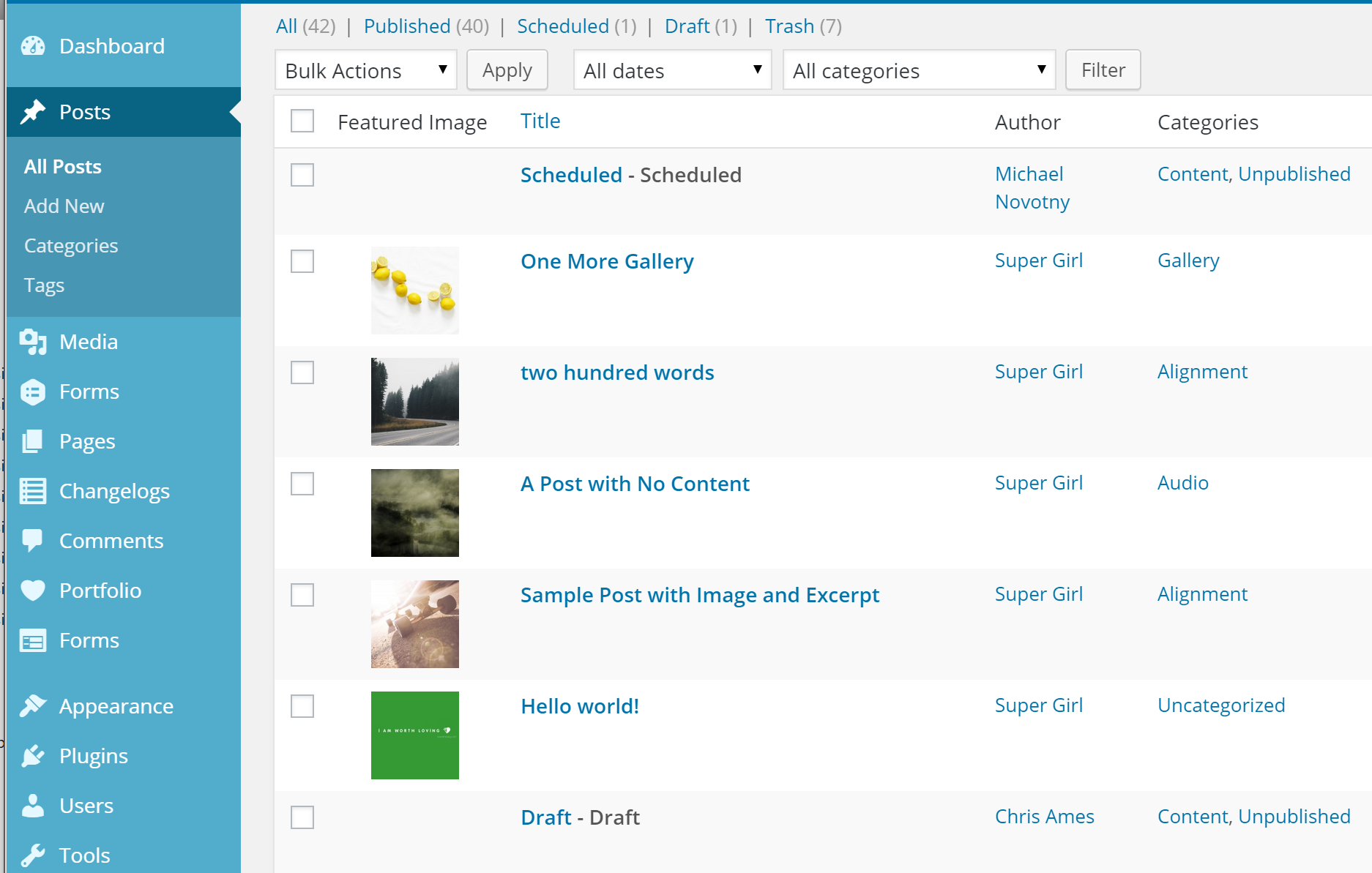
This is a little plugin which adds a featured image column to WordPress. It automatically adds a column to any post type which supports a featured image. The code is pulled almost directly from my plugin Display Featured Image for Genesis.
Banner/icon image credit: Lauren Mancke on Minimography.
Installation
- Upload the entire
add-featured-image-columnfolder to your/wp-content/pluginsdirectory. - Activate the plugin through the ‘Plugins’ menu in WordPress.
- Optionally, visit the Settings > Media page to change the default behavior of the plugin.
FAQ
No questions. Just activate and enjoy.
Screenshots
Changelog
1.1.7
- updated: minimum version requirements
1.1.6
- changed: featured image column no longer loads (duplicate) for WooCommerce products
1.1.5
- improved: output for posts with no featured image
1.1.4
- fixed: featured image column display on mobile
1.1.3
- Improved: any post type which supports featured images (including private post types) will display a featured image column
- Added: the args to get the list of post types has been added to the post types filter
- Changed: admin column heading is just “Image” instead of “Featured Image”
1.1.2
- Added: text_domain, language files
- Fixed (really): featured image column on mobile
1.1.1
- Fixed: featured image column on mobile
1.1.0
- Added: the featured image column is now sortable.
- Due to redundancy, this plugin now deactivates if Display Featured Image for Genesis is active.
1.0.1
- Added filter to exclude post types
1.0.0
- Initial release on WordPress.org
0.9.0
- Initial release on Github