


Description
Fix the broken layout when too many items are displayed in your admin bar, remove the annoying top margin, hide some unnecessary items from your admin bar
- fix multiline admin bar
- remove 32px margin inserted by WordPress
- hide admin bar for any user role
- hide admin bar on smaller screens
- hide admin bar items that you do not need
-
select from 3 admin bar styles:
- ghost – set lower opacity and smaller height and expand it on hover
- vertical – show admin bar as icons in a vertical panel and expand it on hover
- icon – hide admin bar into a single small icon and expand it on hover
- bottom – move admin bar to the bottom of your screen, you can also set similar things like in the ghost style
-
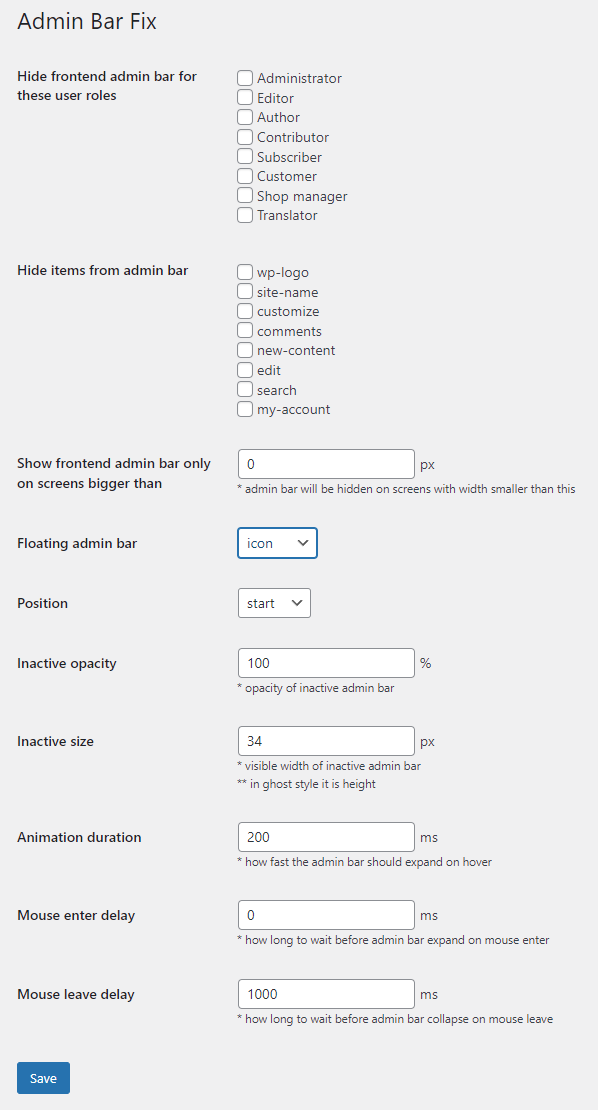
settings:
- Position
- Inactive opacity
- Inactive size
- Animation duration
- Mouse enter delay
- Mouse leave delay
Installation
- Upload the plugin files to the
/wp-content/plugins/directory, or install the plugin through the WordPress plugins screen directly. - Activate the plugin through the ‘Plugins’ screen in WordPress
- Manage your settings in ‘Settings >> Admin Bar Fix’
Screenshots


Changelog
2.5
- Tested on WordPress 6.9
2.4
- Tested on WordPress 6.5
2.3
- fixed PHP 8 deprecation notice
2.2
- Tested on WordPress 6.3
- new bottom position
2.1
- add option to remove
admin-barclass from body
2.0
- Tested on WordPress 6.1
- Fix for multisites/network
1.0
- First version