

Description
Admin and Site Enhancements (ASE) helps you to easily enhance various admin workflows and site aspects while replacing multiple plugins doing it.
Pro version with Lifetime Deal (LTD) is available at www.wpase.com.
Here’s a quick walkthrough of ASE Free at v7.1.5 by Jakson.
Here’s a detailed walkthrough of ASE Free at v7.0.3 by Pascal Claro.
What Users Say
“ASE easily replaces a dozen or more plugins I install on every website project. Super lightweight and easy to use.” ~NetzzJD
“I bought the lifetime deal and was blown away by the quality, and the free version replaces SO many other plugins too. LOVE THIS!” ~Jacob Wonder
“ASE is an amazing plugin! Time and money saver. Thank you!” ~Iulian Baciu
FEATURES & MODULES
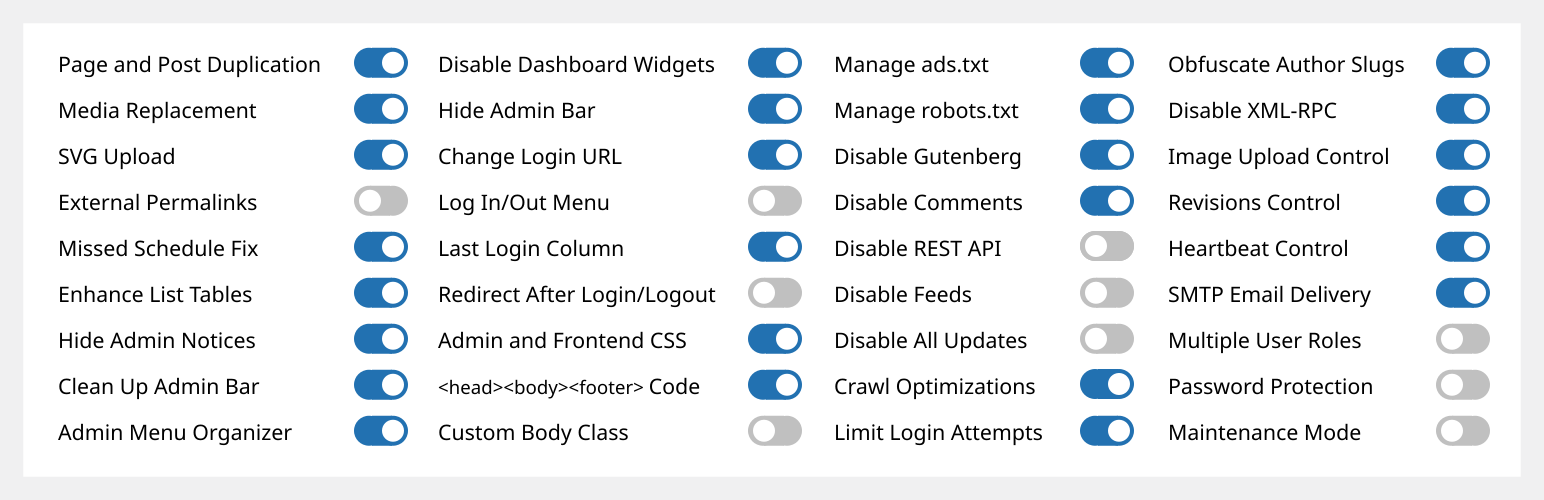
80 modules in total:
62 free modules (34 has Pro features) | 18 Pro modules
Content Management
- [ASE Pro] Custom Content Types. Register custom post types, taxonomies, field groups and options pages. Integrates with Bricks, Breakdance, Oxygen, Elementor and block themes, and works with WPML and TranslatePress. An alternative to ACF Pro, Meta Box, Pods or JetEngine.
- [ASE Pro] Post Type Switcher. Switch one or more posts to a different post type.
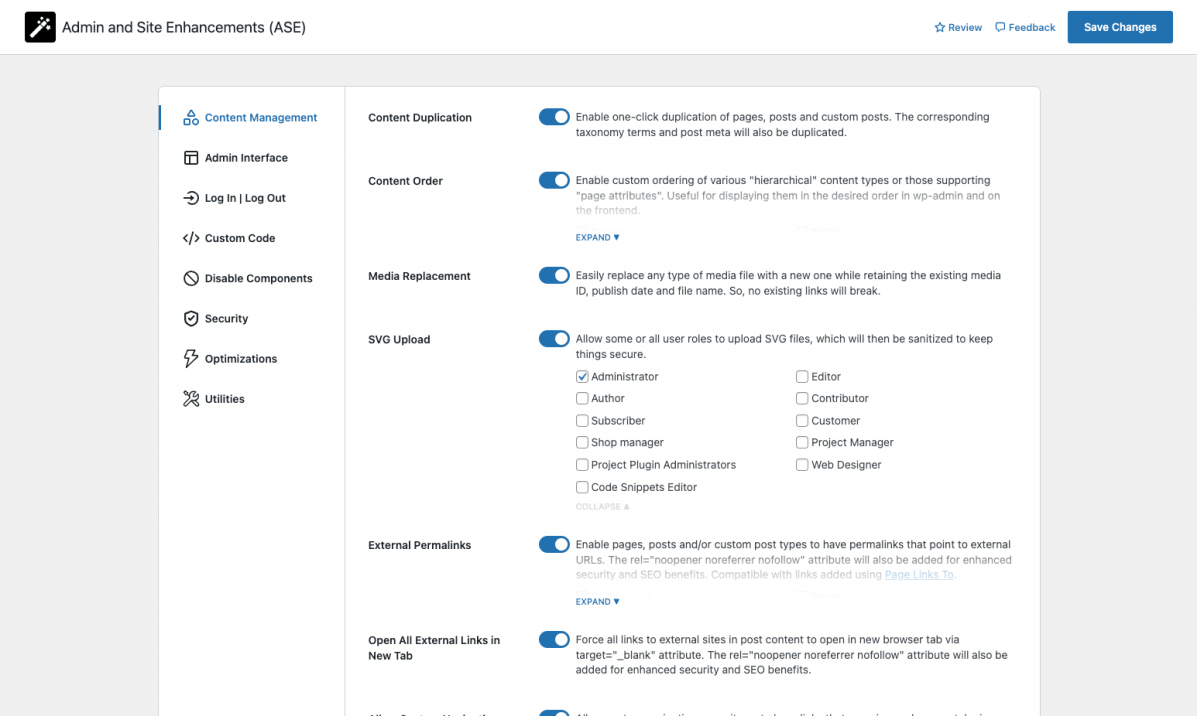
- Content Duplication. Duplicate pages, posts and public CPTs. ASE Pro adds per-role and per-post-type control and link location options.
- Content Order. Drag-and-drop ordering of hierarchical post types. ASE Pro adds non-hierarchical post types and media, parent changes, frontend ordering and WPML support.
- [ASE Pro] Terms Order. Drag-and-drop ordering of terms and child terms, applied on the frontend. WPML compatible.
- Media Files Visibility Control. Non-administrators only see media files they uploaded. ASE Pro adds per-role control.
- [ASE Pro] Media Categories. Hierarchical, drag-and-drop categories for the media library. WPML compatible.
- Media Replacement. Replace any media file without breaking existing links. ASE Pro adds grid view replacement, different file types and names, and sub-size replacement in posts and options.
- SVG Upload. Let some or all user roles upload sanitized SVG files.
- AVIF Upload. Enable AVIF uploads in the media library.
- [ASE Pro] Public Preview for Drafts. Share public previews of draft and scheduled posts.
- External Permalinks. Point permalinks of posts, pages or CPTs to external URLs. ASE Pro adds per-post-type targeting.
- Open All External Links in New Tab. Also adds rel=”nofollow”. ASE Pro adds domain exclusions.
- Allow Custom Navigation Menu Items to Open in New Tab.
- Auto-Publish Posts with Missed Schedule. Publish scheduled posts that missed their schedule.
Admin Interface
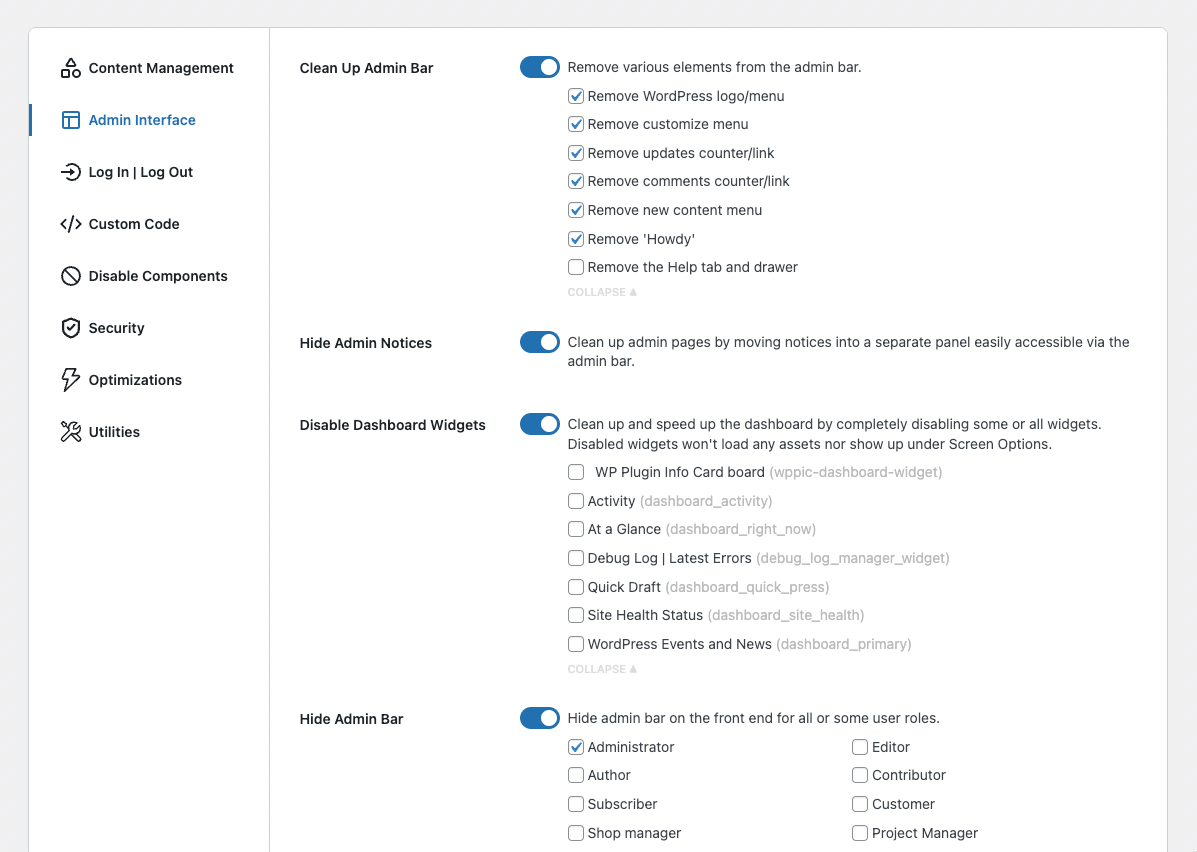
- Clean Up Admin Bar. Remove default admin bar elements. ASE Pro also removes items added by other plugins.
- [ASE Pro] Admin Bar Custom Elements. Add custom menu and submenu items to the admin bar.
- Hide Admin Notices. Move notices into a panel in the admin bar. ASE Pro can hide them entirely for non-admins.
- Disable Dashboard Widgets. Disable some or all dashboard widgets.
- Hide Admin Bar. Hide on the frontend for some or all roles. ASE Pro adds backend hiding and a toggleable frontend admin bar.
- [ASE Pro] Admin Logo. Show a custom logo in the admin bar or admin menu.
- Wider Admin Menu. Up to 300px wide.
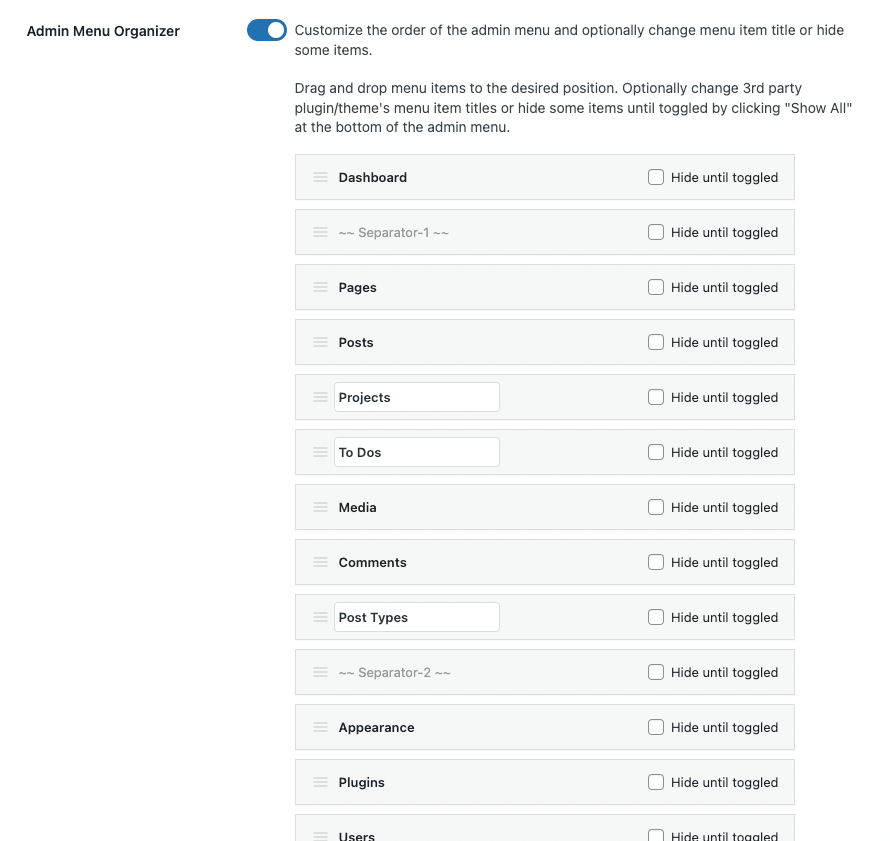
- Admin Menu Editor / Organizer. Reorder, rename or hide admin menu items. ASE Pro adds per-role hiding, custom menu and submenu items, submenu reordering, parent-to-submenu repositioning and access overrides.
- Navigation Menu Duplicator. Duplicate a navigation menu with one click.
- [ASE Pro] Admin Columns Manager. Organize list table columns, including ASE, ACF and Meta Box fields.
- Show Custom Taxonomy Filters. Add filters for hierarchical custom taxonomies to list tables. ASE Pro adds non-hierarchical taxonomies.
- Enhance List Tables. Add or remove list table columns and elements, e.g. featured image, excerpt, last modified, ID and file size.
- Various Admin UI Enhancements:
- Media Library Infinite Scrolling in the grid view.
- Display Active Plugins First on the plugins list.
- [ASE Pro] Preserve Taxonomy Hierarchy in the classic editor.
- [ASE Pro] Enable Dashboard Columns Settings (1 to 4 columns).
- [ASE Pro] Add User Role Slug(s) to Admin Body Classes.
- [ASE Pro] Add Username to Admin Body Classes.
- Custom Admin Footer Text. ASE Pro adds media insertion.
Log In/Out & Register
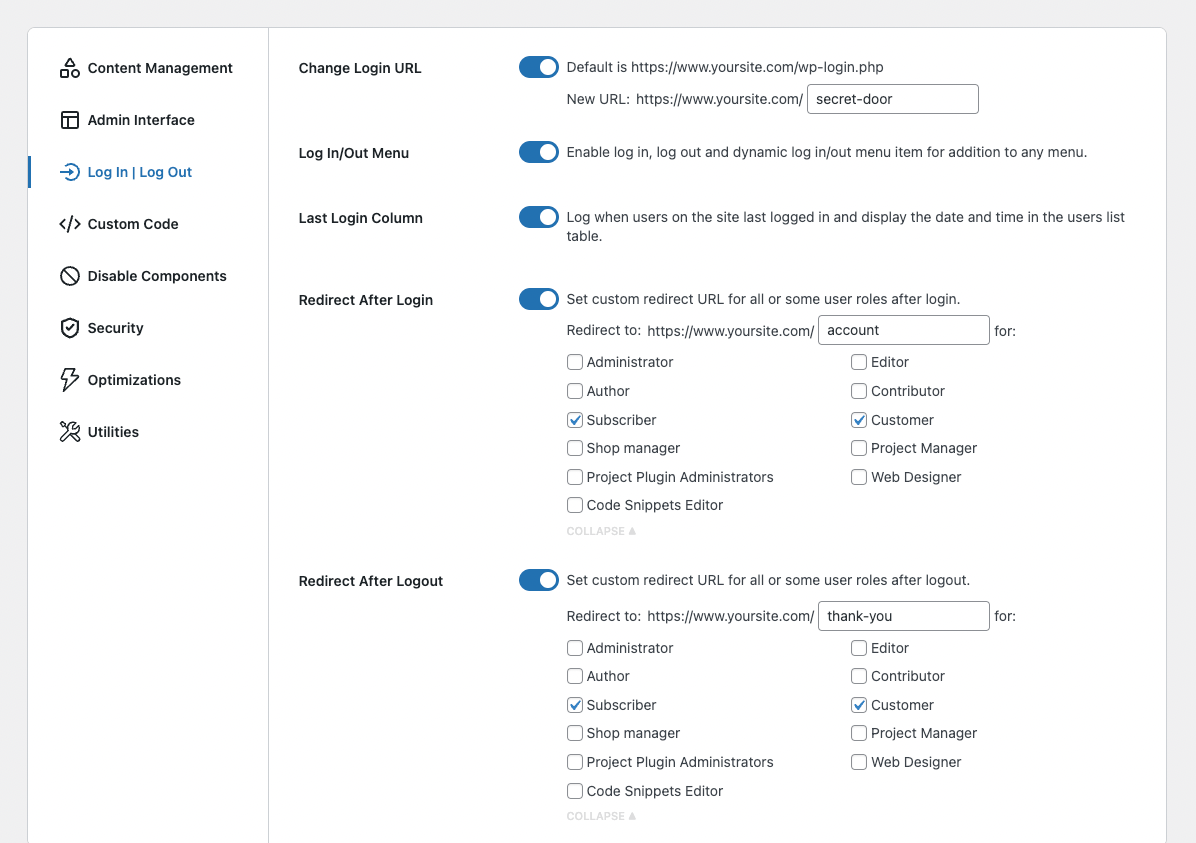
- Change Login URL. A custom, more secure login URL. ASE Pro adds WooCommerce login compatibility and a custom 404 redirect for default login URLs.
- Login ID Type. Allow login by username only or email only.
- [ASE Pro] Login Page Customizer. Customize the login page design.
- Site Identity on Login Page. Replace the WordPress logo with the site icon and URL.
- Log In/Out Menu. Add log in, log out and dynamic log in/out items to any menu. ASE Pro adds custom labels.
- Registration Column. Show user registration dates. ASE Pro makes it sortable.
- Last Login Column. Log and show each user’s last login. ASE Pro makes it sortable.
- Redirect After Login / Logout. Custom redirects for some or all roles. ASE Pro adds a separate URL per role.
- Disable User Account. Block login for individual users while keeping their content.
Custom Code
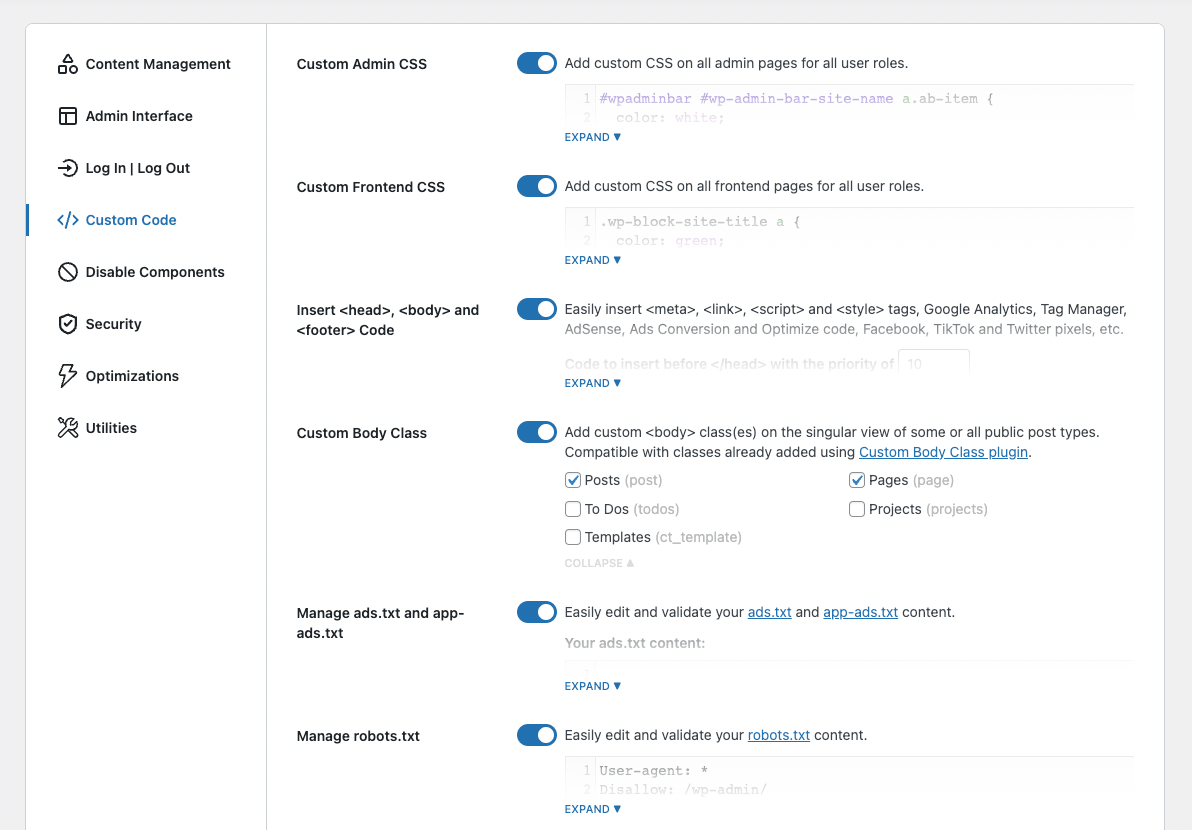
- [ASE Pro] Code Snippets Manager. Manage CSS / SCSS, JS, HTML and PHP snippets.
- Custom Admin CSS.
- Custom Frontend CSS.
- Insert <head>, <body> and <footer> Code. Add <meta>, <link>, <script> and <style> tags for tracking, analytics, etc.
- Custom Body Class.
- Manage ads.txt and app-ads.txt.
- Manage robots.txt.
Disable Components
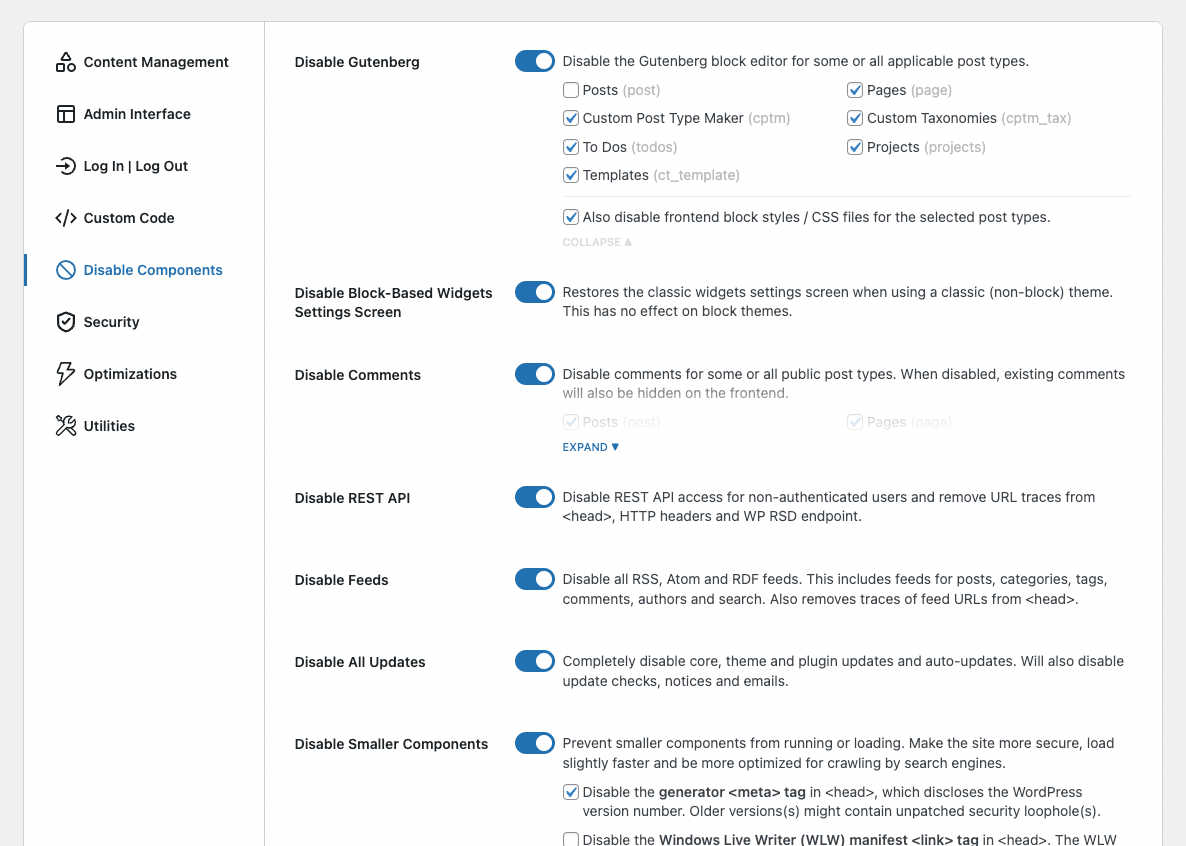
- Disable Gutenberg for some or all post types, optionally with frontend block assets. ASE Pro adds per-post-type targeting and per-post overrides.
- Disable Comments for some or all public post types. ASE Pro adds per-post-type targeting.
- Disable REST API for non-authenticated users and remove its traces. ASE Pro adds per-role access and route exclusions.
- Disable Feeds. Disable all RSS, Atom and RDF feeds.
- Disable Embeds. Stop your content from being embedded elsewhere and block non-whitelisted embeds on your site.
- Disable Updates. Disable core, theme and plugin updates, update checks, notices and emails. ASE Pro adds granular control per update type, a core security mode, and hiding of update notices, emails and menus.
- Disable Author Archives. Return a 404 for author archives and remove their links and sitemap entries.
- Disable Smaller Components, e.g. generator tag, WLW manifest, RSD and shortlink tags, dashicons, emoji, jQuery Migrate, block-based widgets, lazy load, application passwords, admin email verification and the plugin / theme editor.
Security
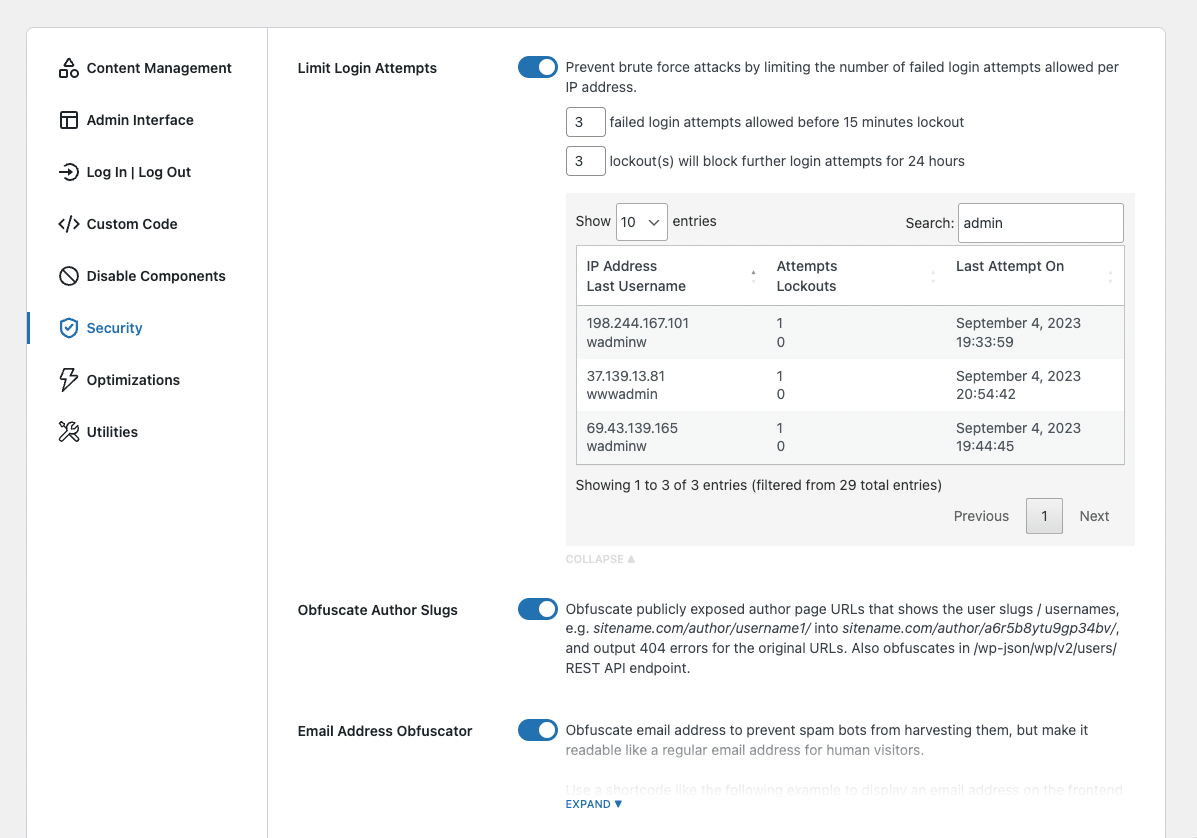
- Limit Login Attempts. Limit failed logins per IP address to stop brute force attacks. ASE Pro adds IP whitelisting.
- Password Policy. Enforce minimum length and complexity rules for user passwords.
- [ASE Pro] CAPTCHA Protection. ALTCHA (self-hosted, GDPR-compliant), Google reCaptcha v2 / v3 and Cloudflare Turnstile for WordPress and WooCommerce forms.
- [ASE Pro] Two-Factor Authentication (2FA). Per-role 2FA with a grace period, using an authenticator app (TOTP), recovery codes or email.
- Obfuscate Author Slugs. Hide usernames in public author URLs.
- Email Address Obfuscator. Hide email addresses from spam bots. ASE Pro adds mailto: links and auto-obfuscation in post content.
- Disable XML-RPC. Block brute force and DDoS attacks via XML-RPC, plus trackbacks and pingbacks.
Optimizations
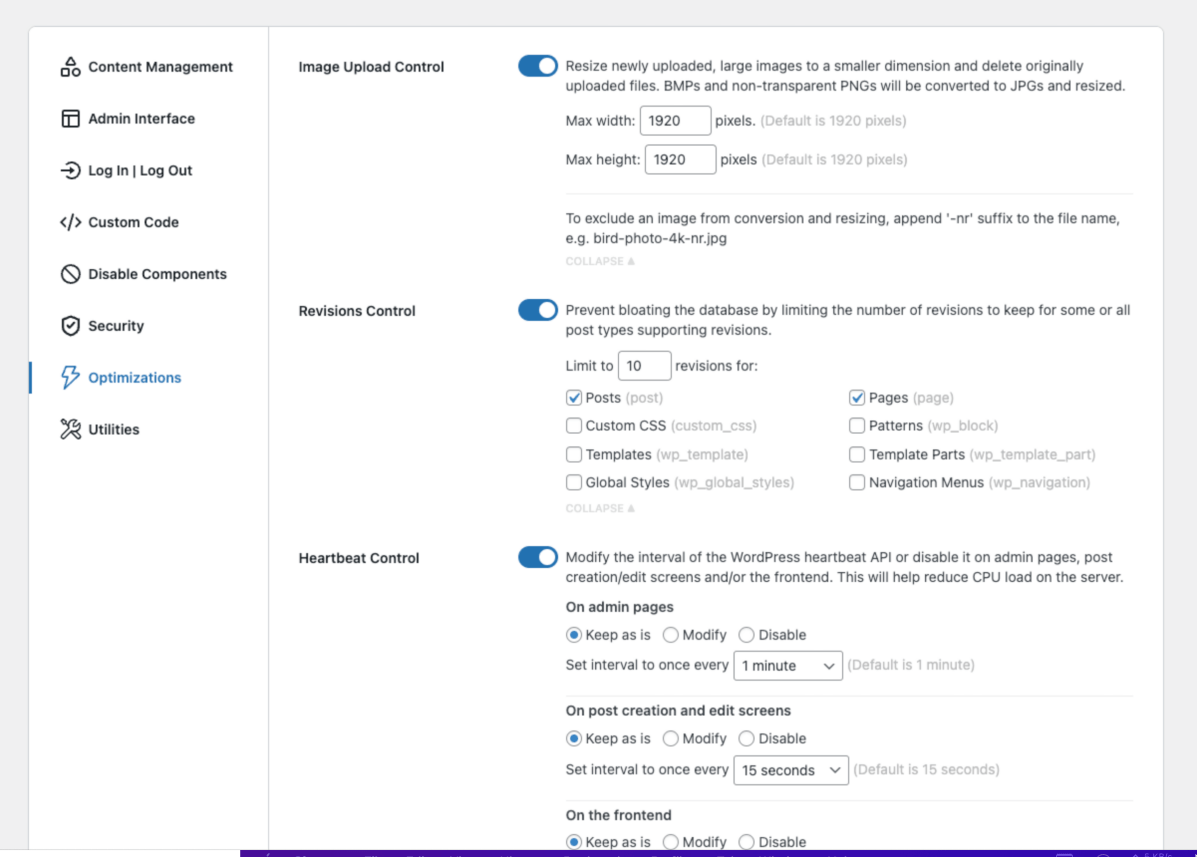
- Image Upload Control. Resize large uploads, delete originals, and convert BMPs and non-transparent PNGs to JPG. ASE Pro adds JPG quality, WebP conversion and disabling intermediate sizes.
- Clean Media Filenames. Convert uploaded filenames to a safe, lowercase, hyphenated form.
- Revisions Control. Limit revisions for some or all post types. ASE Pro adds per-post-type targeting.
- Heartbeat Control. Change or disable the heartbeat interval in the admin, the editor and the frontend.
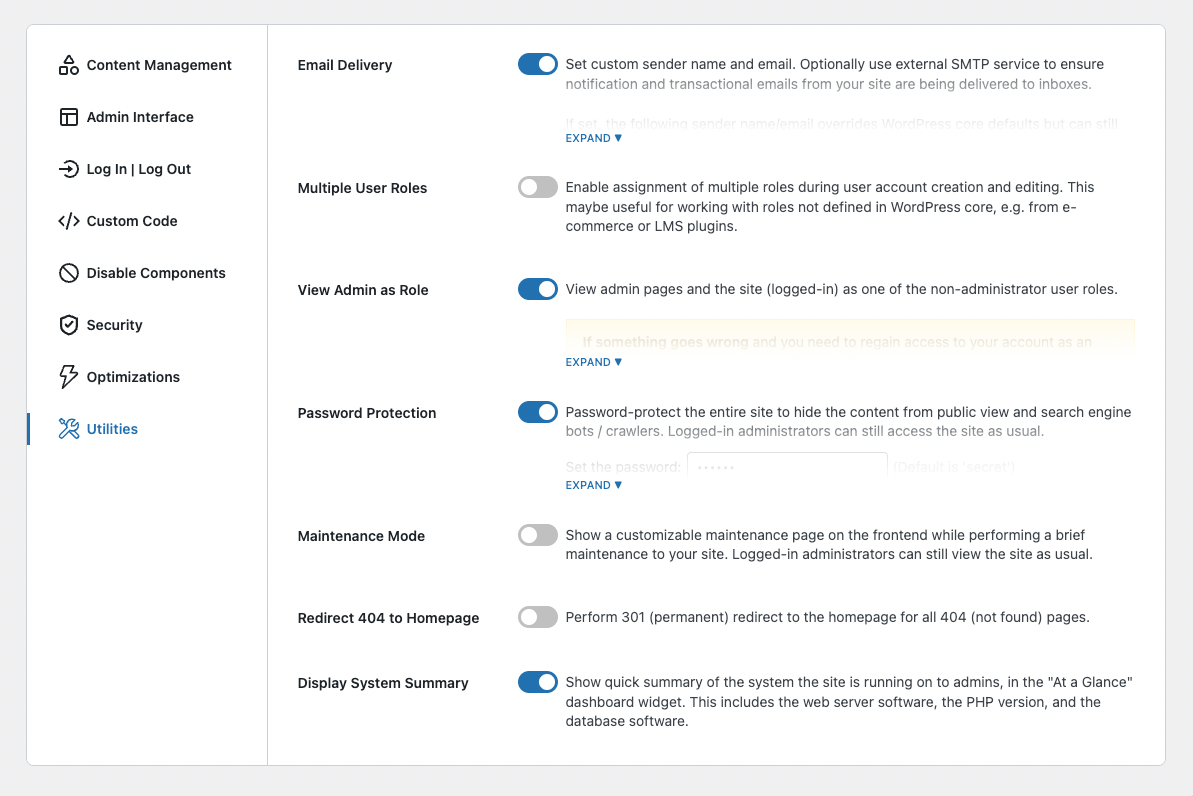
Utilities
- [ASE Pro] Site Backup and Migration. Back up, restore and migrate files and database, and sync components between sites.
- Plugins and Themes Rollback. Roll back or forward to any WordPress.org version. ASE Pro adds premium plugins and themes.
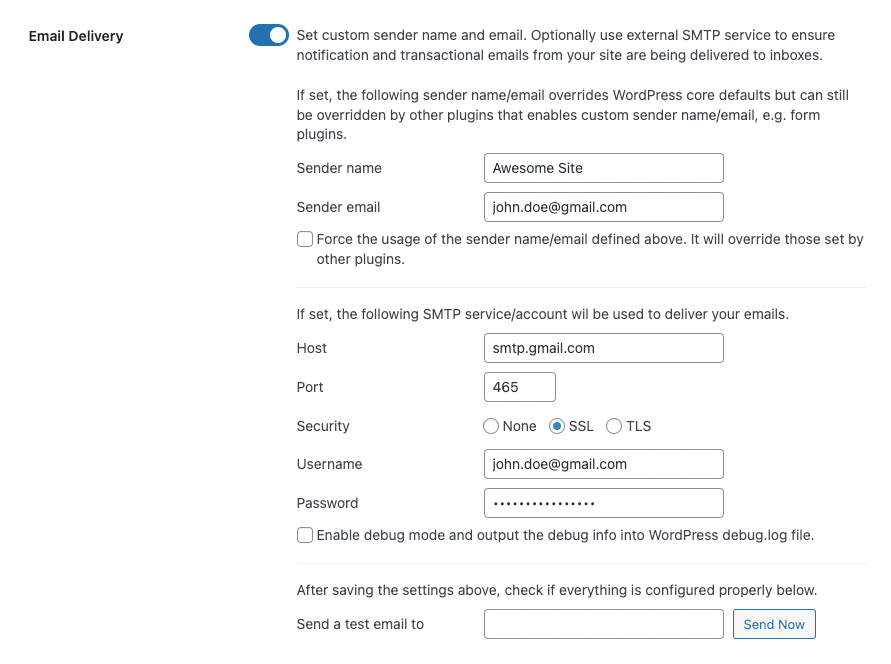
- Email Delivery. Custom sender name and email, with optional external SMTP. ASE Pro adds reply-to, Bcc, fallback connection, connection monitoring and email logging.
- Contact Form. A simple AJAX contact form (shortcode and block) with spam protection, entries and email notifications.
- [ASE Pro] Form Builder. Drag-and-drop forms with 33 field types (incl. NPS, Likert, Matrix and CAPTCHA), custom styles, multi-column layouts, conditional logic, multi-step, notifications, entries and webhooks to Zapier, n8n, etc.
- [ASE Pro] File Manager. Browse, manage and edit files and folders.
- [ASE Pro] Local User Avatar. Use any media library image as a user avatar.
- Multiple User Roles. Assign multiple roles to a user.
- Image Sizes Panel. List and link all sizes of an image in the media library. ASE Pro adds a copy URL button.
- View Admin as Role. View the admin and site as a non-administrator role.
- Password Protection. Password-protect the entire site. ASE Pro adds IP whitelisting, REST API route allowlisting, URL parameter bypass and Login Page Customizer styling.
- Maintenance Mode. Show a simple maintenance message. ASE Pro adds a custom title, WYSIWYG content, backgrounds, custom CSS, using an existing page as the maintenance page, URL exclusions and frontend access for non-admins.
- [ASE Pro] Redirect Manager. Manage 3xx, 4xx and 5xx redirects with wildcards and regex.
- Redirect 404. 301 redirect all 404 pages to the homepage. ASE Pro adds a custom redirect URL.
- Display System Summary. Show server, PHP and database info in the “At a Glance” widget. ASE Pro adds site, database and folder sizes.
- Search Engines Visibility Status. Warn when search engines are discouraged. ASE Pro prevents dev / staging sites from being indexed.
ASE Pro
Lifetime Deal (LTD) is available at www.wpase.com.
LANGUAGES
ASE has been translated into 30+ languages. You can help translate ASE into your language(s).
FAQ
How Do I Reset ASE Settings / Configuration?
If for whatever reason you need to remove ASE and reset the settings / configuration, please follow these steps:
- Access your website via FTP and delete ASE plugin folder at /wp-content/plugins/admin-site-enhancements/
- Login to your site via the default URL, /wp-admin/ or /wp-login.php
- Install SQL Buddy plugin, open it, and click on the wp_options table
- Use the small filter icon at the top of wp_options table rows, and filter for “option_name” => “contains” => “admin_site_enhancements”. You should get 3 options . Click on each one and hit the “Delete” icon in the bottom-right corner.
- Re-install and re-configure ASE as needed.
You can skip step 1 and 2 if you still have access to your wp-admin dashboard.
Does ASE Work With Multisite?
ASE does not officially support multisite. Please use at your own risk. That said, several users have reported that it works fine on their multisite when activated on each sub-site and not through network activation.
Screenshots
Changelog
Admin and Site Enhancements (ASE) v1.0.0 was released on October 17, 2022. Since then, there have been 93 major releases (e.g. 1.1.0 ) and 215 minor releases (e.g. 4.9.1), for a total of 308 releases.
Each major release usually corresponds with the addition of one new module/feature. Each module/feature usually is the equivalent of one (or more) single-purpose plugin. Each minor release usually contain one or more bugfix or improvements to existing modules/features.
Upgrade to ASE Pro. Currently on YEAR END SALE, 20% discount on new license and license upgrade. Lifetime Deal (LTD) available.
9.3.3 (2026.11.16) – ASE Free and Pro
-
[IMPROVED in Free and Pro] Utilities >> View Admin as Role: Screen layout changes made while viewing as another role now only last until you switch back. This covers dashboard widgets and meta box order, collapsed and hidden boxes, hidden list columns and the column count. The administrator’s own layout on the dashboard and edit screens stays as it was. Props to @lucasp1 for reporting the issue in detail.
-
[IMPROVED in Free and Pro] Log In/Out & Register >> Change Login URL: The custom login URL now keeps the query parameters other plugins add to the login URL when it hands over to the login form. This fixes FluentAuth’s two-factor authentication step, where the email verification code field was missing and users could not finish logging in. Props to @berthold1 for reporting the issue.
-
[IMPROVED in Free] Disable Components >> Disable All Updates: Added an admin bar status and switcher to quickly re-enable updates and re-disable it. Props to Edward B. for suggesting this.
-
[IMPROVED and FIXED in Pro] Admin Interface >> Admin Menu Organizer:
- Custom menu separators and section headers can now take a typed color in addition to the color picker. Accepted values are hex, rgb() / rgba(), hsl() / hsla(), named colors and CSS variables.
- Hex backgrounds keep automatic light or dark title text, including 3-digit hex such as #999. Other background colors show a Text color choice of Light or Dark.
- Allow parent menu items to be dragged / repositioned as a submenu of another parent menu, effectively creating a three-level menu structure. Props to Geert L., Naazim M., Rick A., Jarosław K., Nadja v.M. and Benjamin v.d.B.
-
[IMPROVED and FIXED in Pro] Utilities >> Form Builder: Implemented the option to add BCC email addresses for email notification. Props to Simon for suggesting this improvement.
-
[FIXED in Pro] Admin Interface >> Admin Columns Manager:
- Fixed a regression introduced in v9.2.1 causing columns for custom fields to show blank values.
- Sorting by columns that other plugins already made sortable now works again. For example, EventON’s “Start Date” and “End Date” columns no longer fall back to the wrong order when Admin Columns Manager is enabled. Props to Markus F. for reporting the issue in detail and facilitating the troubleshooting process.
- Taxonomy columns that other plugins add and fill in themselves no longer show each term twice. For example, EventON’s “Location”, “Organizer” and “Event Type” columns now list their terms only once when Admin Columns Manager is enabled. Props to Markus F. for reporting the issue.
- Fixed an issue where a column set as the default sort did not take effect on sites where WordPress is installed in a subdirectory, e.g. example.com/sub/. The list table now correctly opens in the default sort order. Props to Markus F. for reporting the issue.
-
[FIXED in Pro] Admin Interface >> Admin Logo: The logo’s hover background in the admin menu now follows the selected admin color scheme, matching how menu items are highlighted, instead of always being dark grey. With the Light scheme, hovering no longer puts a dark patch behind the logo that hides dark-colored logos. Props to Maan D. for reporting the issue in detail along with the code fix.
-
[FIXED in Pro] Content Management >> Custom Content Types >> Custom Field Groups:
- Fixed an issue where WYSIWYG field can not be set to a height smaller than 150 pixels. Props to Stijn V. for reporting the issue.
- Removed extranous border around the WYSIWYG field. Props to Stijn V. for reporting the issue.
-
[FIXED in Pro] Utilities >> Site Backup and Migration: The Sync database export now removes WordPress’s internal % placeholder before sending rows to the other site, as the full backup export already does. Before, the placeholder stayed in the destination database in place of every %. This broke percentage values in post content and styles and made serialized options containing a % unreadable. Please sync again after updating to repair sites that were synced before. Props to Matija S. for reporting the issue in detail.
-
[TRANSLATION in Free and Pro] ASE is now being translated into 41 languages:
- Added new/improved translation for:
- ASE Free: Updated Indonesian, Turkish, Spanish (Spain), Spanish (Chile), Slovak, Portuguese (Brazil), Polish, Norwegian, Hungarian, Galician, French, Dutch.
- ASE Pro: Updated Spanish (Spain), Hungarian, Slovak, Indonesian, Czech.
- More strings have been internationalized. @Translators, please visit the respective project pages for the Free and Pro versions to translate the new strings, if you havent’ done so already.
- Interested to help translate or improve the translation? Please go to https://translate.wpase.com for more info.
- Chinese (China): ASE Free and Pro (completed). Props to @bricksvip et al. Current status: 39 strings untranslated.
- Portuguese (Brazil): ASE Free and ASE Pro (completed). Props to Valdemir M., Dennis F., denisgomesfranco, Denison C. and @ofmarconi. Current status: 0 strings untranslated.
- Hungarian: ASE Free and Pro (completed). Props to R. József G. et al. Current status: 14 strings untranslated.
- Vietnamese: ASE Free and Pro (completed). Props to Hoang N.Q. et al. Current status: 0 strings untranslated.
- Italian: ASE Free and Pro (completed). Props to Fabio P. et. al. Current status: 36 strings untranslated.
- Dutch: ASE Free and Pro (completed). Props to Toine R and Peter S. et al. Current status: 0 strings untranslated.
- Korean: ASE Free and Pro (completed). Props to @chazmlab et al. Current status: 8 strings untranslated.
- German (Formal): ASE Free and Pro (completed). Props to @markussss, Bastian S. et al. Current status: 63 strings untranslated.
- French: ASE Free and Pro (completed). Props to @momo-fr, Stéphan G., @jeanfrancoisdelvin, @srossignol, @lucashw, @skippy43, @anlip, @agencefacton, @injsbx et al. Current status: 25 strings untranslated.
- Polish: ASE Free and Pro (completed). Props to Jaroslaw K., Dziubek and @dziubek et al. Current status: 0 strings untranslated.
- Norwegian: ASE Free and Pro (completed). Props to Alf O.F. et al. Current status: 0 strings untranslated.
- Czech: ASE Free and Pro (completed). Props to Jan S. et al. Current status: 59 strings untranslated.
- Spanish (Spain): ASE Free and Pro (completed). Props to Miguel Á.V., Ignacio B. et al. Current status: 0 strings untranslated.
- Slovak: ASE Free and Pro (completed). Props to Dominik K. et al. Current status: 8 strings untranslated.
- Indonesian: ASE Free and Pro (completed). Props to @pakacil, Wawan S. et al. Current status: 10 strings untranslated.
- Portuguese (Portugal): ASE Free (completed) | ASE Pro (partial). Props to Ricardo C. et al. Current status: 37 strings untranslated.
- Ukrainian: ASE Free (completed) | ASE Pro (partial). Props to Irina et al. Current status: 23 strings untranslated.
- Urdu: ASE Free (completed) | ASE Pro (partial). Props to Ayyaz A. et al. Current status: 135 strings untranslated.
- Swedish: ASE Free (completed) | ASE Pro (partial). Props to Robert M. and Tor-Bjorn F.. Current status: 36 strings untranslated.
- Danish: ASE Free (completed) | ASE Pro (partial). Props to Morten E.L., Helgi P. and Kurt M.A. et al. Current status: 23 strings untranslated.
- Arabic: ASE Free (completed) | ASE Pro (completed). Props to Mohammed J., Yaser M., et al. Current status: 10 strings untranslated.
- Romanian: ASE Free (completed) | ASE Pro (partial). Props to Dan C., @ravishi and @catalinx777. Current status: 19 strings untranslated.
- Turkish: ASE Free (completed). Props to @saeead, @serdaroztrk et al. Current status: 0 strings untranslated.
- Chinese (Taiwan): ASE Free (completed). Props to @gordon168 and Hedula. Current status: 1 strings untranslated
- Spanish (Chile): ASE Free (completed). Props to @srgio. Current status: 35 strings untranslated.
- Serbian: ASE Free (partial). Props to Milan I., Igor E. and @igorel. Current status: 0 strings untranslated.
- Albanian: Props to @algertpateqi. Current status: 34 strings untranslated.
- Persian: ASE Free (completed). Props to @saeead et al. Current status: 0 strings untranslated.
- Russian: ASE Free (completed). Props to @sergey369, @pfgr et al. Current status: 26 strings untranslated.
- Bosnian: ASE Free (completed). Props to @plug-n-play et al. Current status: 76 strings untranslated.
- Croatian: ASE Free (completed). Props to @plug-n-play. Current status: 81 strings untranslated.
- Japanese: ASE Free (completed). Props to @zionote et al. Current status: 38 strings untranslated.
- Catalan: ASE Free and Pro (completed). Props to @agendablanca, @lluishospital et al. Current status: 49 strings untranslated.
- Bengali (Bangladesh): ASE Free (completed) and Pro (partial). Props to Ruhani R.. Current status: 37 strings untranslated.
- Bulgarian: ASE Free (completed) and Pro (partial). Props to Svetoslav S.. Current status, 18 strings untranslated.
- Greek: ASE Free (completed) and Pro (completed). Props to Stelio C.. Current status: 38 strings untranslated.
- Dutch (Belgium): ASE Free (completed). Props to Pieterjan D.. Current status, 0 strings untranslated.
- Azerbaijani: ASE Free (completed). Props to Saeid BGrn. Current status, 1 strings untranslated.
- Estonian: ASE Free (completed) and Pro (completed). Props to Aleksander K.. Current status, 0 strings untranslated.
- Hebrew: ASE Free (completed). Props to @sufti. Current status, 1 strings untranslated.
- Galician: ASE Free (completed). Props to Jesús A.. Current status: 0 strings untranslated.