


Description
AfriDirect Payment lets your customers pay you directly, by bank transfer, Zelle, PayPal, Venmo, Cash App, Wise, Payoneer, Skrill, mobile money, cryptocurrency or any custom method, and then upload proof of payment. You review the proof and approve it. Use it at WooCommerce checkout or on standalone payment forms for services and donations.
Key Features
- Multiple Payment Methods: Support for bank transfers, Zelle, PayPal, Venmo, Cash App, Wise, Payoneer, Skrill, mobile money, cryptocurrency, and custom payment methods
- Guided Setup: An optional step-by-step setup that adds your first payment method, creates your payment page and turns on checkout
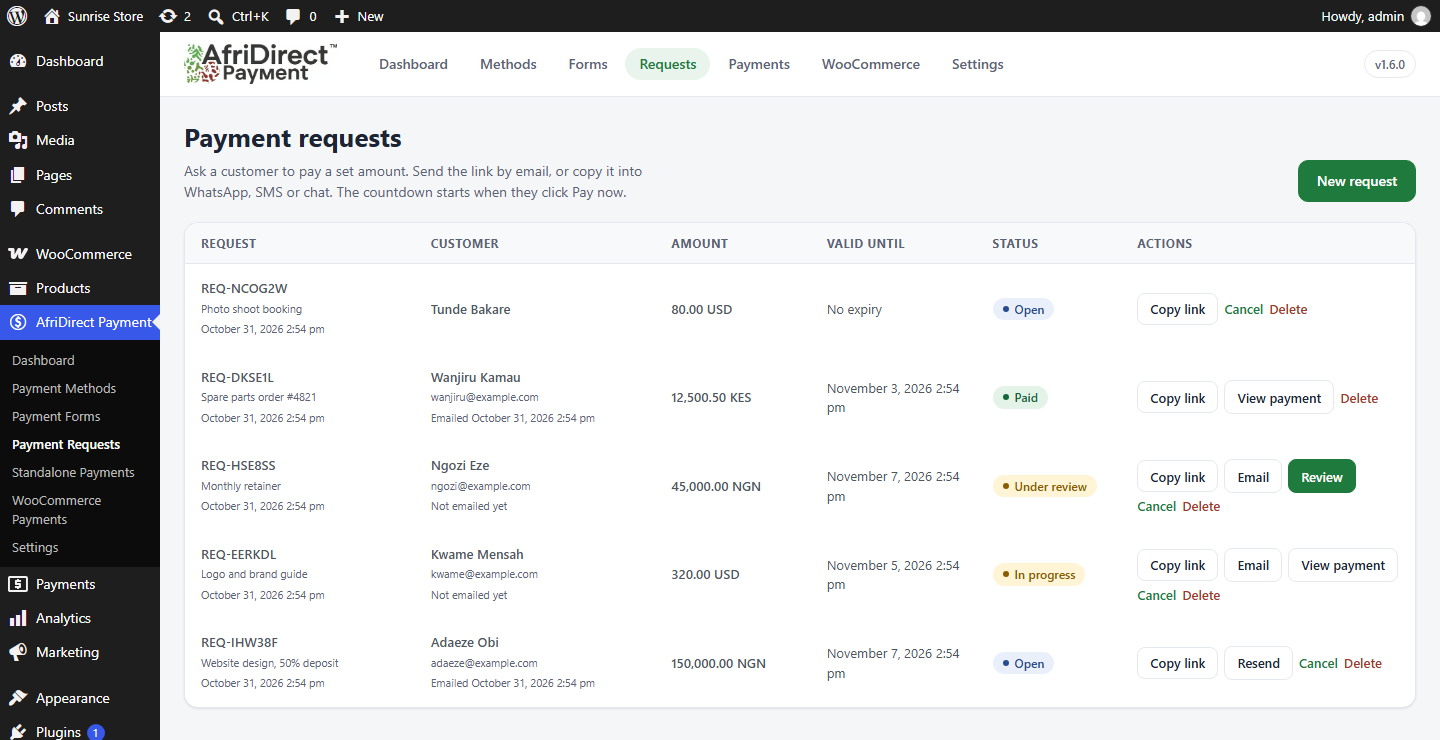
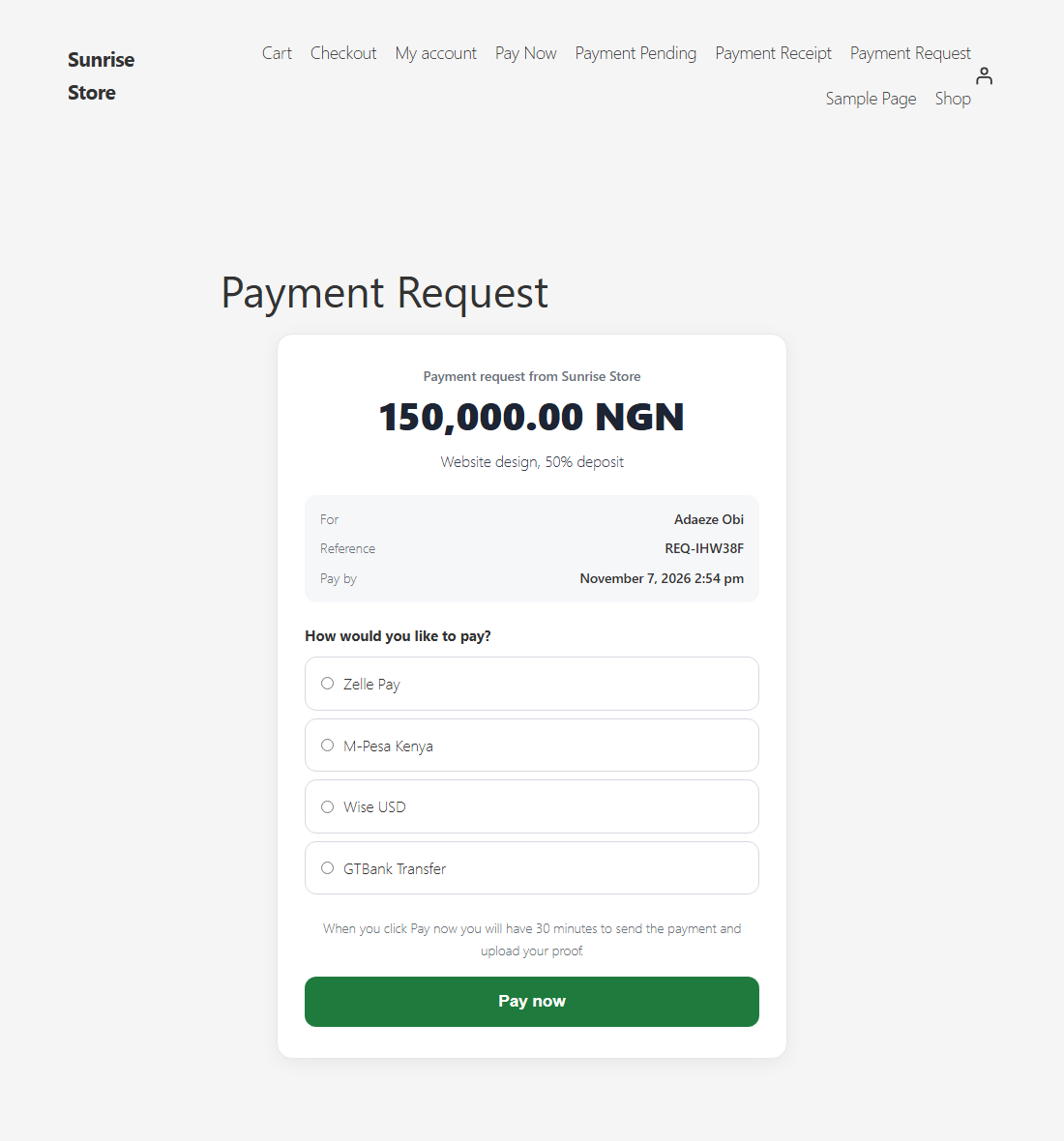
- Payment Requests: Ask a specific customer to pay a set amount. Email the request or copy the private link; the countdown starts when they click Pay now
- Payment Forms Builder: Create unlimited payment forms with different method combinations
- Payment Methods Library: Reusable payment method profiles with rich instructions, QR codes, and copy-to-clipboard fields
- Proof Upload System: Customers can upload payment proof (images or PDFs) with drag-and-drop interface
- Custom Order Statuses: Track orders through pending payment, proof uploaded, approved, rejected, and expired statuses
- Countdown Timer: Visual countdown showing payment deadline
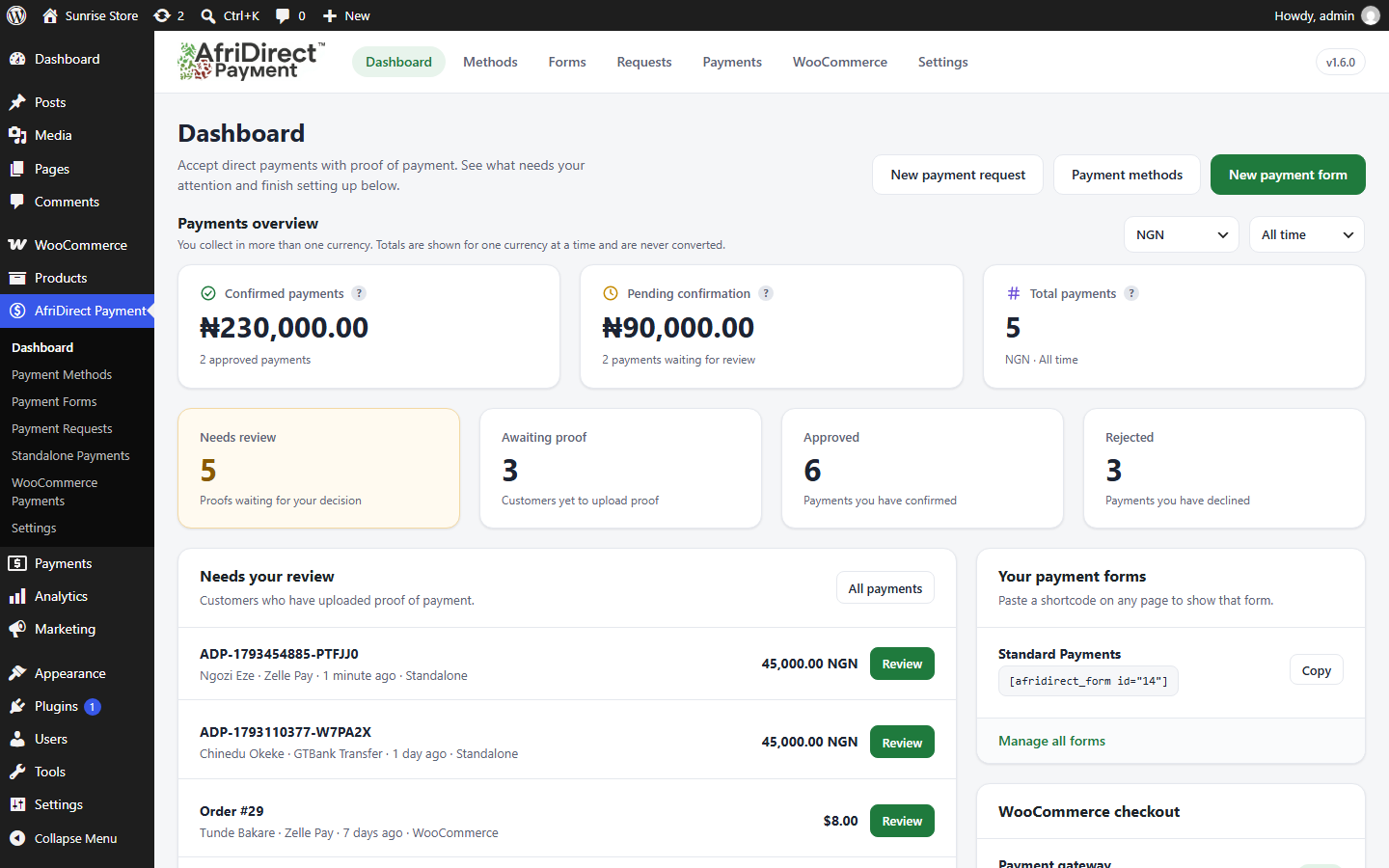
- Admin Dashboard: Payment totals by currency and period, plus a review queue for payment proofs with approve/reject functionality
- Email Notifications: Customers are emailed at every step, and you are told when new proof needs review
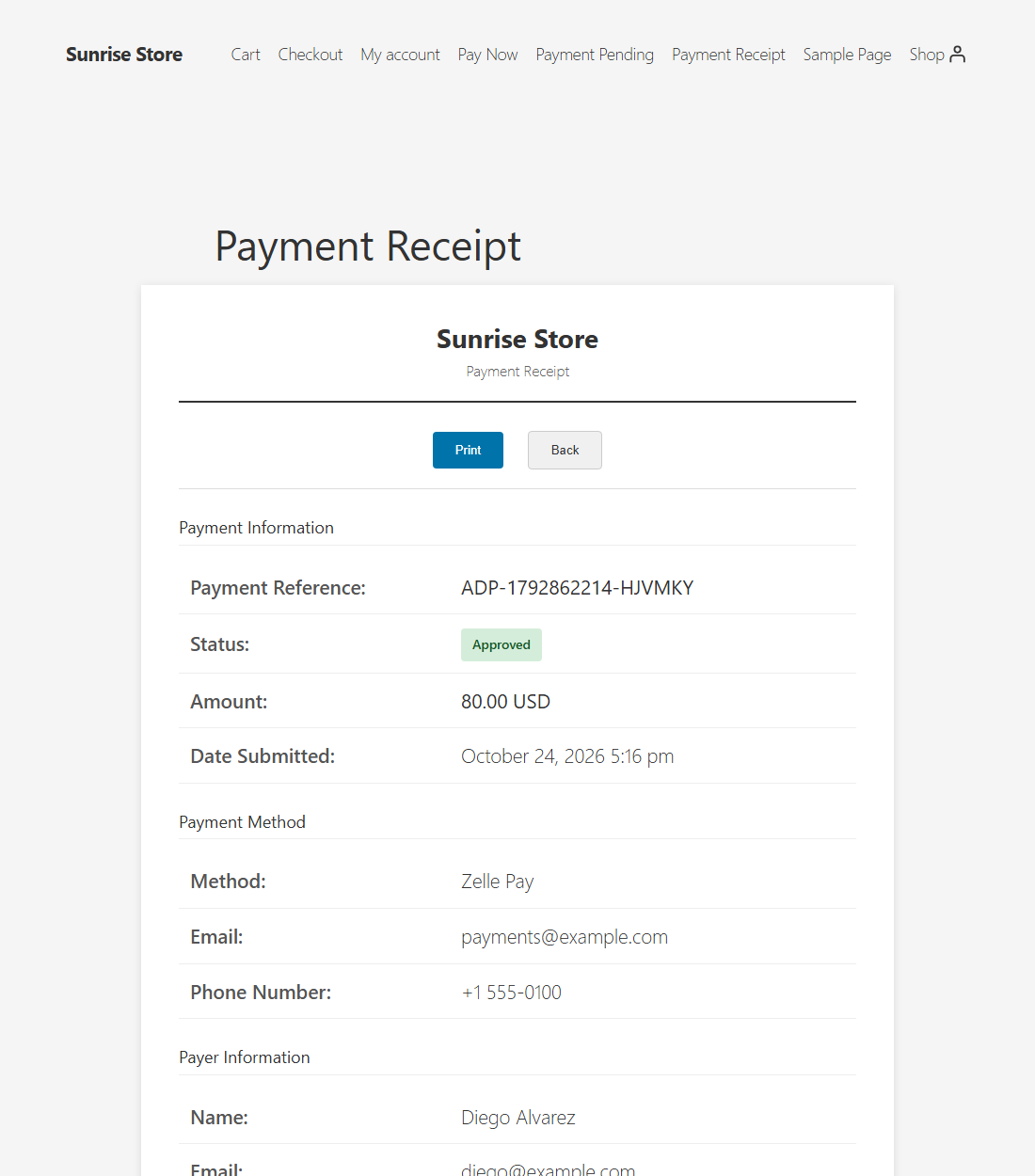
- Receipt Generation: Automatic receipt number generation with year-based counters
- HPOS Compatible: Fully compatible with WooCommerce High-Performance Order Storage
- Accessibility: WCAG 2.1 AA compliant with keyboard navigation and screen reader support
- Mobile Responsive: Beautiful, mobile-first design
How It Works
- Customer selects AfriDirect Payment Plugin at checkout
- Customer chooses a payment method from available options
- Order is created with pending payment status and countdown timer
- Customer completes payment and uploads proof
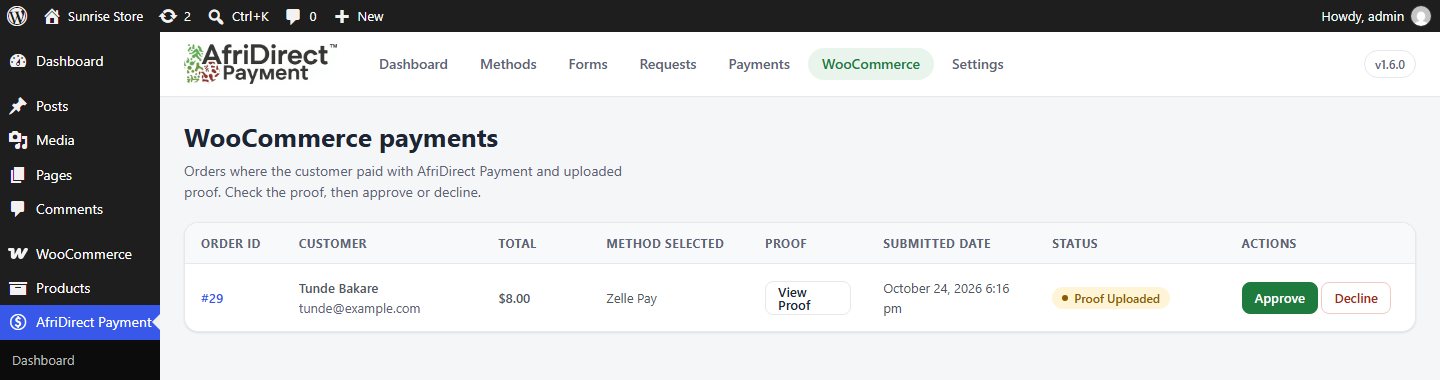
- Admin reviews proof in dashboard
- Admin approves or rejects with notes
- Customer receives email notification and receipt (if approved)
Payment Methods Library
Create reusable payment method profiles with:
* Method type (bank, PayPal, Zelle, Venmo, Cash App, Wise, Payoneer, Skrill, mobile money, crypto, custom)
* Type-specific fields (account numbers, emails, wallet addresses, etc.)
* Rich text instructions
* Optional QR code images
* Copy-to-clipboard fields
Payment Forms Builder
Build unlimited payment forms by:
* Selecting which payment methods to include
* Setting default timer duration
* Drag-and-drop method ordering
* Per-method timer overrides
Security Features
- Nonce verification on all forms
- Capability checks for admin functions
- Input sanitization and output escaping
- Secure file upload validation
- Access control for receipts
Trademarks
PayPal, Zelle, Payoneer, Bitcoin, Tether and other names and logos shown in this plugin’s banner are trademarks of their respective owners. They are used only to show which kinds of payment you can set up. AfriDirect Payment is an independent plugin and is not affiliated with, sponsored by or endorsed by any of them.
Development
Contributing
Contributions are welcome! Please ensure all code follows WordPress coding standards and includes proper security checks.
Support
For support, feature requests, or bug reports, please visit the plugin support forum.
Credits
Built for businesses that take payments directly from customers and need proof of payment before they confirm an order.
Installation
Automatic Installation
- Go to Plugins > Add New in your WordPress admin
- Search for “AfriDirect Payment Plugin”
- Click “Install Now” and then “Activate”
Manual Installation
- Upload the
afridirect-paymentfolder to/wp-content/plugins/ - Activate the plugin through the ‘Plugins’ menu in WordPress
- Go to WooCommerce > Settings > Payments
- Enable “AfriDirect Payment Plugin” payment gateway
- Configure your payment methods and forms
Configuration
-
Set Up Payment Methods:
- Go to WooCommerce > AfriDirect Payment Plugin > AfriDirect Methods
- Add payment methods (bank accounts, PayPal emails, etc.)
- Configure instructions and optional QR codes
-
Create Payment Forms:
- Go to WooCommerce > AfriDirect Payment Plugin > AfriDirect Forms
- Create forms and select which methods to include
- Set timer durations and method order
-
Configure Gateway:
- Go to WooCommerce > Settings > Payments > AfriDirect Payment Plugin
- Select default payment form
- Customize gateway title and description
-
Review Orders:
- Go to WooCommerce > AfriDirect Payment Plugin
- Review uploaded proofs
- Approve or reject orders with notes
FAQ
How do I get started quickly?
On the Dashboard, click Start guided setup. It walks you through adding a payment method, then creates your payment form and a page for it. You can also open it any time from Settings > Help. It is optional and never opens by itself.
What payment methods are supported?
The plugin supports bank transfers, Zelle, PayPal, Venmo, Cash App, Wise, Payoneer, Skrill, mobile money, cryptocurrency, and custom payment methods. You can create unlimited payment method profiles.
Can I customize the payment instructions?
Yes! Each payment method supports rich text instructions, and you can include QR codes and copy-to-clipboard fields.
How long do customers have to upload proof?
You can set a default timer per payment form, and override it per payment method. The timer is displayed as a countdown on the order page.
What file types are accepted for proof upload?
Accepted formats: JPG, JPEG, PNG, WEBP, PDF. Maximum file size: 5MB.
Is this plugin compatible with HPOS?
Yes! AfriDirect Payment Plugin is fully compatible with WooCommerce High-Performance Order Storage (HPOS).
Can customers re-upload proof if rejected?
Yes, if an order is rejected, customers can upload a new proof file. The status will automatically update to “proof uploaded” for review.
Are emails customizable?
Yes, all emails use WooCommerce email templates and can be customized through WooCommerce > Settings > Emails.
What happens if payment deadline expires?
WooCommerce orders automatically move to “expired” status, and customers receive an email notification. Payments made from a payment form or a payment request also expire when no proof arrives in time: the customer sees a “Payment Expired” page, and the payment shows as Expired in your Payments list. A payment where proof has already been uploaded does not expire while it waits for your review. Customers can contact you to resolve the issue.
Is the plugin accessible?
Yes, the plugin follows WCAG 2.1 AA guidelines with keyboard navigation, screen reader support, and proper ARIA attributes.
Screenshots



Changelog
1.7.0
- New: Guided setup. An optional, step-by-step way to get a first payment working: add your first payment method, choose where customers will pay, and the plugin creates the payment form and a page for it (and turns on WooCommerce checkout if you want). It never opens by itself. Start it from the “Get set up” card on the Dashboard, or from Settings > Help.
- Improved: the currency is now picked from a drop-down list (African and world currencies, with the most common first) in the guided setup, in payment requests and in the payment form editor, instead of typing a code.
- New: PayPal payment methods can now include a PayPal.Me link or username as well as an email address.
- Improved: the guided setup lets you add several payment methods in a row (“Save and add another”), so customers can choose the one that suits them.
- New: customers can copy the amount to pay with one tap on a small copy icon next to it on the payment page, including for WooCommerce orders. The Copy buttons next to each payment detail are small icons too.
- Improved: the title of the page that holds your payment form (for example “Pay Now”) is now centered over the form, like the plugin’s other pages.
- New: payments made from a payment form now expire when the customer runs out of time to send proof, just like WooCommerce orders. The customer sees a clear “Payment Expired” page, the payment shows as Expired in your Payments list (with its own tab), and no proof is accepted after the deadline. A payment where proof has already been uploaded never expires while it waits for your review.
- Improved: after a successful proof upload the upload box is replaced by a single success message with the Print Receipt button, instead of showing the message twice.
- Fixed: new proof can no longer be uploaded for a payment or WooCommerce order that has already been approved, so an approved payment cannot be pushed back into review.
- Improved: the payment page is more compact, especially on phones: a slimmer countdown timer, a smaller upload-proof area, and payment details that no longer squash into a narrow column.
- Improved: QR codes. You can add an optional QR code while setting up, a QR thumbnail shows on each payment method, and customers see a larger “Scan to pay” code with a tip for scanning it on a phone. The payment details with their Copy buttons always stay visible next to the QR code.
1.6.3
- The plugin name now says what it does (bank transfer, mobile money and proof of payment), so people can find it when they search.
1.6.2
- Fixed: the Payment Pending, Payment Receipt and Payment Request pages the plugin creates no longer show up in your site’s menus. This covers menus that list pages automatically, menus set to add new pages automatically, and block theme navigation.
- Improved: those pages are now marked noindex and left out of the sitemap, so search engines do not list them. They still work normally when a customer opens their link.
1.6.1
- Improved: the page title on the Payment Request, Payment Pending and Payment Receipt pages is now centred over the payment card.
- Improved: the Payment Request page’s styles now load in the page header, so the page no longer flashes unstyled.
1.6.0
- New: Payment Requests. Ask a specific customer to pay a set amount: create a request, then email it or copy the private link into WhatsApp, SMS or chat. The countdown starts when the customer clicks Pay now, and you can see on one screen who has paid.
- New: the payment page now shows the amount to pay, the reference and your note above the countdown.
- Fixed: on sites whose timezone is not UTC, the payment countdown for standalone payments showed extra time (for example 90 minutes instead of 30 on a UTC+1 site).
1.5.0
- New: you are emailed when a customer starts a payment and again when they upload proof, each with a link to review it. Turn either off or choose another address under Settings > Notifications.
- New: standalone payments now email the customer when the form is submitted (with a link back to their payment page and deadline) and when their proof is received.
- Fixed: approving a WooCommerce order sent the customer no email. The plugin’s own approval email, with the receipt link, is now sent.
- Fixed: declining a WooCommerce order sent only WooCommerce’s generic “unsuccessful” email. Customers now get the plugin’s rejection email with your reason.
- Improved: emails to WooCommerce customers link to the payment page that works without logging in, so guest customers can upload a new proof.
- Improved: standalone approval and rejection emails include a receipt link and an upload-again link.
1.4.1
- Fixed: uploading proof of payment on a standalone payment form failed with an error on sites without WooCommerce.
- Fixed: Shop Managers could open Standalone Payments but could not approve or reject; this now follows the same permission as the plugin menu.
- Improved: a customer with a valid order link can upload proof even when logged in as a different user.
- Improved: uninstalling with data removal enabled now also clears unused draft payment forms.
1.4.0
- New payments overview on the Dashboard: confirmed payments, pending confirmation and total payments.
- Filter the overview by currency (amounts in different currencies are never added together or converted) and by period: all time, this month, last 30 days or last 7 days.
- Works with WooCommerce orders and standalone payments, and without WooCommerce.
1.3.1
- Clearer plugin description.
1.3.0
- New payment method types: Venmo, Cash App, Wise, Payoneer, Skrill and Mobile Money (M-Pesa, MTN MoMo, Airtel Money and more).
1.2.2
- Payment receipts now show your store name instead of a fixed plugin title.
1.2.1
- Fixed: the Payment Methods page showed “You do not have sufficient permissions” on sites without WooCommerce.
1.2.0
- New modern admin interface: branded header with tabs, a Dashboard with payment stats, a review queue and a setup checklist.
- New Settings page with a toggle for checkout, default payment form and data-removal option.
- Payment methods shown as cards; payments lists restyled with status pills and clear Approve/Decline buttons.
- Responsive admin screens for tablets and phones.
- Uninstall now also removes payment forms, payment records and plugin-created pages when “delete data on uninstall” is enabled.
1.1.2
- Fixed the Settings link on the Plugins page for sites without WooCommerce (it showed “not allowed to access this page”).
1.1.1
- Added author link to the plugin header.
1.1.0
- First release on WordPress.org.
1.0.0
- Initial release
- Payment methods library
- Payment forms builder
- Proof upload system
- Custom order statuses
- Admin dashboard
- Email notifications
- Receipt generation
- HPOS compatibility
- Accessibility improvements
- Mobile-responsive design