

Description
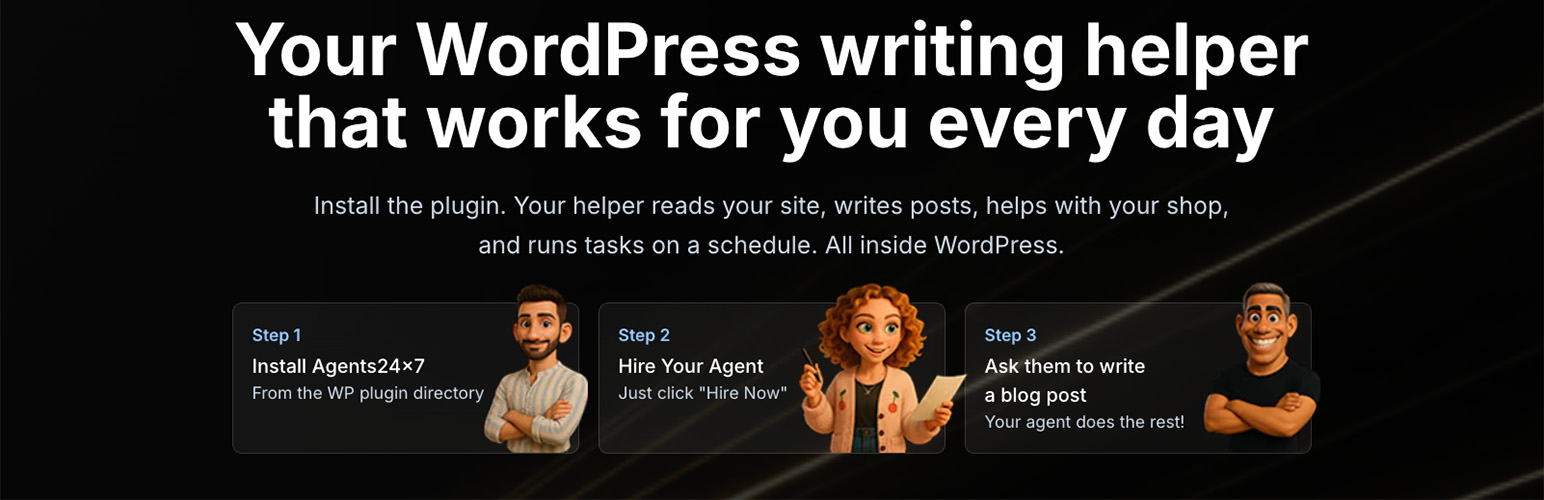
Agents24x7 connects your WordPress site to an AI agent in the WordPress dashboard. Ask questions about available site information, request article or product copy, and review proposed work before it changes your site.
Articles are saved as drafts and wait for your approval. Proposed store changes also wait for approval. You stay in control of what is applied or published.
Features
- Chat with your agent from the WordPress dashboard.
- Use available WordPress and WooCommerce information as context for questions and content requests.
- Prepare article and product copy drafts for review.
- Connect Google Search Console to include available search evidence in recommendations.
- Connect Telegram as an additional chat channel.
- View usage as a percentage in the plugin.
- Offer shopper support chat on your site when a Support Agent is set up. The plugin adds the chat automatically, with a switch in WordPress to turn it off.
- Suspend, resume, or remove your agent from WordPress.
Plans
- Free: one approved work item for your organisation
- Starter: $19 a month or $120 billed yearly
- Growth: $49 a month or $240 billed yearly
- Pro: $99 a month or $600 billed yearly
Payments are not refundable. Cancel any time; your plan runs to the end of the period you paid for. Yearly subscriptions are not refunded pro rata.
Usage is displayed as a percentage.
Try These Prompts
- “Draft an article about {topic} in a friendly, practical tone.”
- “Review this product description and suggest improvements.”
- “What does the available search evidence say about my site?”
- “Summarise the available information about my WooCommerce orders.”
WordPress AI and MCP
Works with WordPress AI and any MCP client.
On WordPress 6.9 or later, a connected site provides three abilities:
agents24x7/list-agents, agents24x7/ask-agent and agents24x7/pending-drafts.
Older WordPress versions continue to work without these abilities.
The abilities are private by default. To use them from an MCP client, install and
configure the WordPress MCP Adapter with authenticated administrator access. Ask
your site developer to opt in each desired ability using the
wp_register_ability_args filter: for that exact ability name, set
$args[‘meta’][‘mcp’][‘public’] = true. Opt in only the abilities you need, then
connect your MCP client to the adapter’s authenticated endpoint. Each call still
requires manage_options and the site’s existing Agents24x7 connection.
Messages request work as the site owner. They cannot approve, publish or make live
site changes. Review drafts and approve proposed changes in Agents24x7.
Privacy
This plugin connects to Agents24x7 services to provide agent features. Site information needed for a request is sent to the service to perform that request. No payment card details are stored by this plugin. See the Agents24x7 privacy policy for more information.
Installation
- Install and activate Agents24x7 from WordPress.org.
- Open Agents24x7 from your WordPress dashboard.
- Sign in or create an account, connect your site, and hire an agent.
FAQ
Will it publish articles automatically?
No. Articles are saved as drafts and wait for your approval before publication.
Do proposed changes happen automatically?
No. Proposed store changes wait for your approval before they are applied.
Does it work with WooCommerce?
The agent can use available WooCommerce information as context for questions and prepare product copy drafts for review.
How is usage shown?
Usage is shown as a percentage in the plugin.
Can I chat outside WordPress?
You can connect Telegram as an additional chat channel.
Do I need to paste code to add shopper support chat?
No. Once your Support Agent and site are set up, the plugin adds the chat automatically. You can switch it off in the plugin settings.
Screenshots


Changelog
1.4.0
- The plugin speaks Hebrew throughout: tabs, tasks, approval cards, chat, run details and dates, with right-to-left text that reads correctly next to English titles.
- Blog drafts and new pages get a publish card in chat and in Needs you. Approve publishes, and a refused approval says why and keeps the card open.
- Work items say what kind of action they are: something the agent can do, something it needs from you, or just for your information. Similar SEO findings are grouped into one item.
- A Stop button for a reply in progress, live steps while the agent works, and a chat you can write in while the agent is being set up.
- The Support page: settings save again, End works on idle chats, and live chats no longer crash on WordPress locales such as en_US or he_IL.
- Weekly business reports open inside the plugin, and usage reads the same everywhere, showing Used up when the allowance is spent.
- Reconnect repairs a broken site connection, and edits saved in the block editor, WP-CLI or the REST API reach the agent.
- On WordPress 6.9 and later, the plugin registers Abilities (list agents, ask an agent, pending drafts) for WordPress AI and MCP clients. They are admin-only.
1.3.0
- A redesigned plugin screen: sign in through a pop-up, clear connection states, a layout that fits a phone, Support case buttons, helpful empty states and a greeting from your agent.
1.2.7
- Your agent can add an llms.txt file at your site root after you approve its card. It never replaces an llms.txt file the site already has, and it says why when the site is a multisite subfolder site or uses Plain permalinks.
1.2.6
- Agent chat replies keep text the agent writes in backticks, such as a page address or branch name, and a full web address there opens as a link. Headings, quotes and tables in a reply keep their text.
1.2.5
- When more than one SEO plugin is active, SEO fields are written to the one whose tags the site’s pages actually show, such as All in One SEO with Rank Math installed but silent. They are refused only when the page head cannot tell the plugins apart.
1.2.4
- With All in One SEO 4 or later, the SEO title, description, social fields and focus keyphrase are saved where All in One SEO reads them, not only as post meta it ignores.
- Blog posts get the same SEO write as pages, and Yoast, Rank Math and SEOPress pages and posts accept a focus keyphrase.
- All in One SEO Pro and its addons count as All in One SEO, not as a conflicting SEO plugin.
1.2.3
- Stop host caches from storing the connection self-test answer.
1.2.2
- Keep the platform connection working on sites where another plugin checks the logged-in user early, such as Slider Revolution.
1.2.1
- Create a new draft page from an existing page template, and remove it again if the request is rolled back.
1.2.0
- Page edits: builder text updates, SEO head updates, cache purge after an approved change.
- Private staging previews of proposed page changes, removed after 24 hours.
- Media listing for reusing existing site images.
1.1.0
- Add an optional Support Agent chat widget, disabled until a hired agent is bound.
1.0.8
- New admin UI matching the web app: tasks with article actions, research documents, agent preferences, communication channels (Telegram), usage in %
1.0.7
- JSON-LD for SEO and GEO Agent posts now stored in post meta and printed in the page head
1.0.6
- UI improvements and code cleanup
1.0.5
- Disabled auto-scroll in chat interface
- Task planner integration improvements
1.0.4
- Performance improvements and bug fixes
1.0.3
- Added “Continue to Telegram” button for seamless channel switching
- Enhanced user experience with external link indicators
1.0.2
- Bug fixes and performance improvements
1.0.1
- Minor updates and stability improvements
1.0.0
- Initial release.