


Description
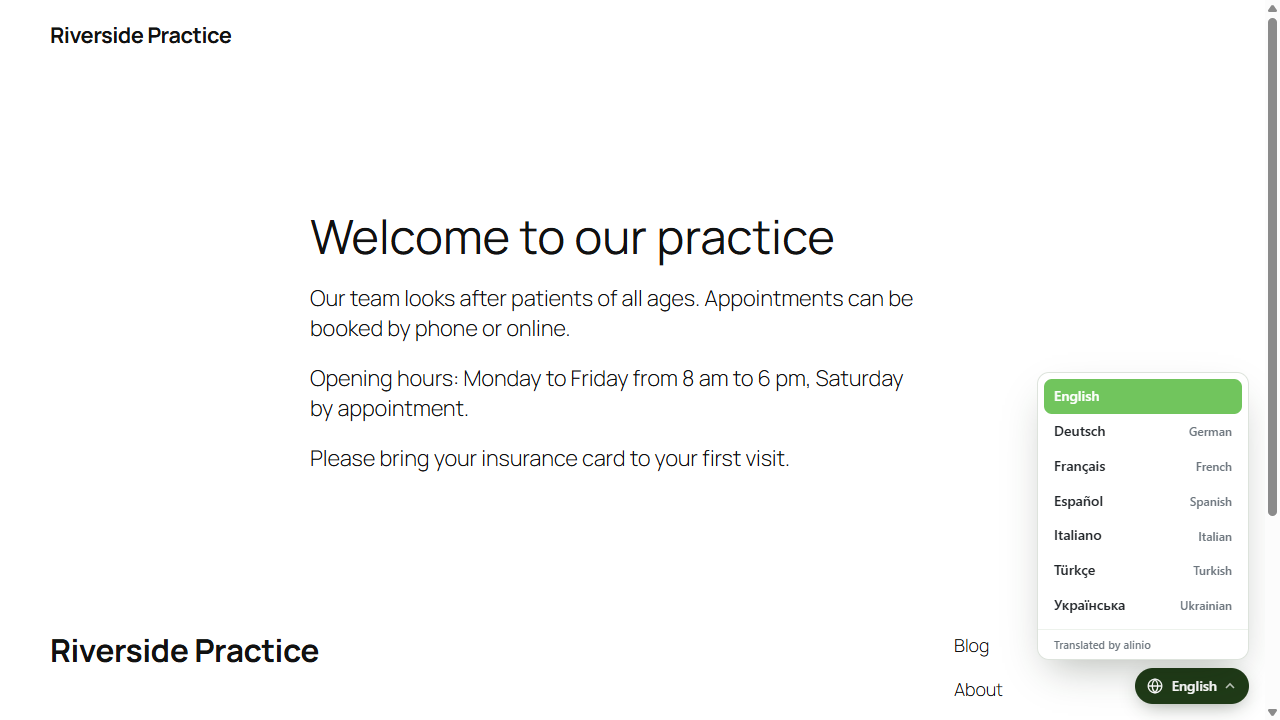
Adds the alinio translation widget to all pages of the website. The widget translates the content and shows a language switcher.
The widget is part of the plugin and asks the website itself, which passes the request on to alinio. The secret key of the website stays on the server, and the browsers of the visitors never connect to alinio: no IP address, user agent or cookie of a visitor reaches alinio.
For privacy the widget can be loaded only after a visitor chooses a language, optionally after a notice about the external service (setting “Load on request”).
The plugin needs an account at the alinio translation service, see External services below.
Content marked with translate=”no” or the class notranslate stays untranslated.
Settings:
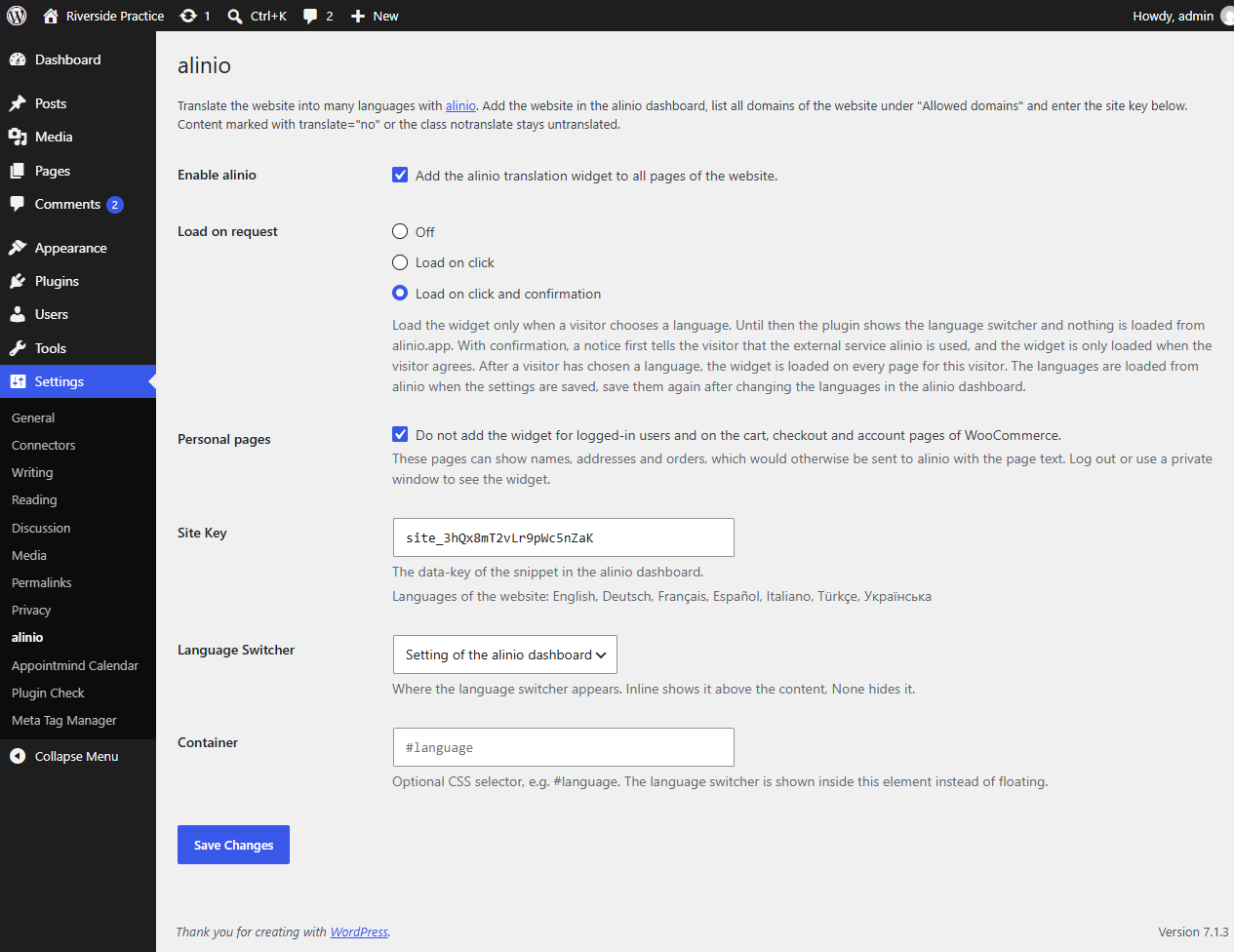
- Enable alinio: Adds the widget script to the head of every frontend page.
- Load on request: “Off” loads the widget on every page. “Load on click” shows the language switcher with the website’s languages and loads the widget only when a visitor chooses a language there, clicks an element with data-alinio-lang or opens a link with ?alinio_lang=. After that the widget is loaded on every page for this visitor until the original language is chosen again. “Load on click and confirmation” first shows a notice that the external service alinio is used, and loads the widget only when the visitor agrees. Browser language detection in the alinio dashboard only applies once the widget is loaded.
- Personal pages: No widget for logged-in users and on the WooCommerce cart, checkout and account pages. These pages can show names, addresses and orders. Developers can mark other pages with the filter alinio_personal_page, e.g.
add_filter('alinio_personal_page', fn ($personal) => $personal || is_page('members'));. - Secret Key: The secret key from the Plugins box of the website in the alinio dashboard. Without a secret key no widget is added. The key stays on the server and never appears in a page. When the settings are saved, alinio checks the key: the settings page names the alinio website of the key and lists its languages below the key. It tells why alinio rejects a key (unknown key, the site key of the script tag instead of the secret key, paused website) and warns if the key belongs to an alinio website at another domain. The key is saved in any case. While visitors use the language switcher, the plugin loads them again at most every 5 minutes.
- Language Switcher: Where the language switcher appears (bottom right, bottom left, top right, top left, inline or none). Leave it at “Setting of the alinio dashboard” to use the position configured there. Inline shows the switcher above the content, None hides it.
- Container: Optional CSS selector, e.g. #language. The language switcher is shown inside this element instead of floating.
The inline language switcher is placed at the top of the page with the wp_body_open hook. Themes that do not call wp_body_open can use the Container setting instead.
The admin bar is marked translate=”no”.
The widget calls the REST endpoint /wp-json/alinio/v1/proxy of the website. The endpoint answers only requests of the website itself and accepts 60 translation requests per minute from one visitor. Developers can change the limit with the filter alinio_visitor_limit (0 turns it off, e.g. behind a proxy that hides the IP addresses of the visitors) and the allowed hosts with the filter alinio_allowed_hosts.
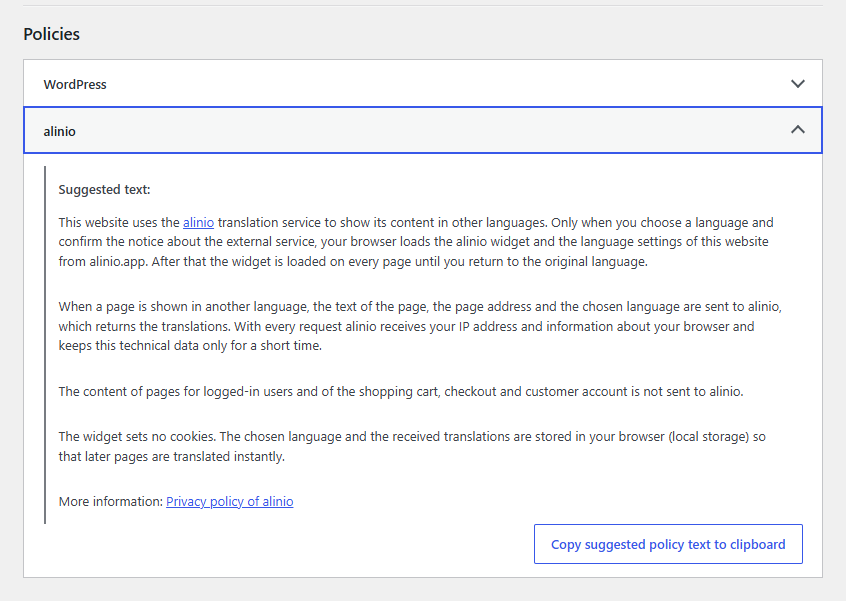
The plugin adds a suggested text for the website’s privacy policy to the Privacy Policy Guide under Settings / Privacy. It links the alinio website and its privacy policy (alinio.de for a German user interface).
External services
This plugin connects the website to the alinio translation service (alinio.app). The service translates the website content. The language switcher (widget) is part of the plugin. Nothing is sent to alinio until the plugin is enabled and a secret key is entered under Settings / alinio.
Only the server of the website connects to alinio, the browsers of the visitors never do. The server identifies the website with the secret key, which never appears in a page.
- When the settings are saved, and at most every 5 minutes while visitors use the language switcher, the server loads the website’s languages and switcher position from https://alinio.app/api/v1/server/config.
- When the settings are saved, the server loads the name, address and domains of the website in alinio from https://alinio.app/api/v1/server/site to check the secret key.
- When a visitor views a page in another language (chosen by the visitor, or detected from the browser language if this is enabled in the alinio dashboard), the server sends the text of the page, the page path and the language to https://alinio.app/api/v1/server/ and passes the translations on to the browser.
No IP address, user agent, cookie or other data of the visitors is sent to alinio. The chosen language and the received translations are stored in the visitor’s browser (local storage). The plugin sets no cookies.
- Terms of service: https://alinio.app/terms
- Privacy policy: https://alinio.app/privacy
Installation
- Install the plugin under Plugins / Add New Plugin (search for “alinio”) and activate it.
- Add the website in the alinio dashboard.
- Copy the secret key from the Plugins box of the website, enter it under Settings / alinio and enable the plugin.
FAQ
Can the widget be loaded only after the visitor’s consent?
Yes. Under Settings / alinio set “Load on request” to “Load on click and confirmation”.
Screenshots

Changelog
1.4.0
- The plugin comes with the alinio widget and answers its requests itself: the web server asks alinio, the browsers of the visitors never connect to alinio and send it no IP address, user agent or cookie.
- The setting “Site Key” is now “Secret Key”: the secret key from the Plugins box of the alinio dashboard. It stays on the server and never appears in a page.
- The settings page checks the secret key: it names the alinio website of the key, tells why alinio rejects a key and warns if the key belongs to a website at another domain.
- The website’s languages are loaded again at most every 5 minutes while visitors use the language switcher.
- The notice about the external service and the suggested privacy policy text describe the new way.
1.3.1
- The plugin list has a link to the review form on WordPress.org.
- After 14 days with a working setup, the settings page and the plugin list ask once for a review.
1.3.0
- The plugin comes with translations into 40 languages. They replace the language packs of translate.wordpress.org.
1.2.3
- The alinio domains are links in the settings, the notice about the external service, the suggested privacy policy text and the readme.
- The alinio link above the settings leads to the alinio website instead of the documentation.
1.2.2
- Author and contributor changed to alinioapp.
1.2.1
- The development notice on the settings page is only shown when the environment variable ALINIO_SHOW_DEVELOPMENT_NOTICE is 1.
1.2.0
- “Load on request” has three options: off, load on click, and load on click and confirmation. With confirmation a notice about the external service is shown before the widget is loaded.
- New setting “Personal pages”: no widget for logged-in users and on the WooCommerce cart, checkout and account pages, extendable with the filter alinio_personal_page.
- The admin bar is marked translate=”no”.
- The widget script is loaded without cookies and without referrer, the badge link opens without referrer.
- The settings page shows a note when browser language detection is turned on in the alinio dashboard, and the suggested privacy policy text mentions it.
- The suggested privacy policy text is translatable.
1.1.0
- New setting “Load on request”: the widget is only loaded when a visitor chooses a language.
- The website’s languages are loaded from alinio when the settings are saved and shown below the site key.
- The inline slot is also added if the position “Inline” is set in the alinio dashboard.
1.0.0
First version.