


Description
PageSchema Studio adds a schema builder to your editor so search engines understand your content and your pages can qualify for rich results — without editing theme files or writing JSON by hand.
Main features
- 10 schema types — Article, WebPage, Product, Local Business, Video, How-To, Person, Organization, Website and BreadcrumbList
- Auto-filled fields — title, excerpt, featured image, author and dates come from your post and stay up to date
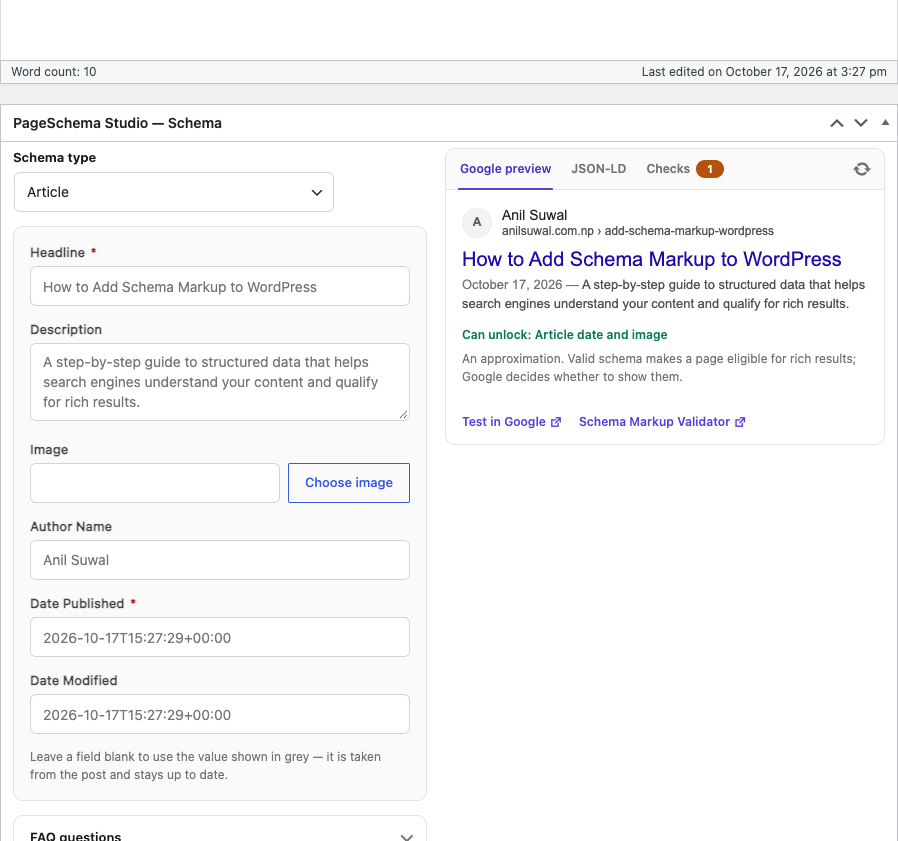
- Live preview — see an approximate Google result, the JSON-LD code and validation checks while you edit
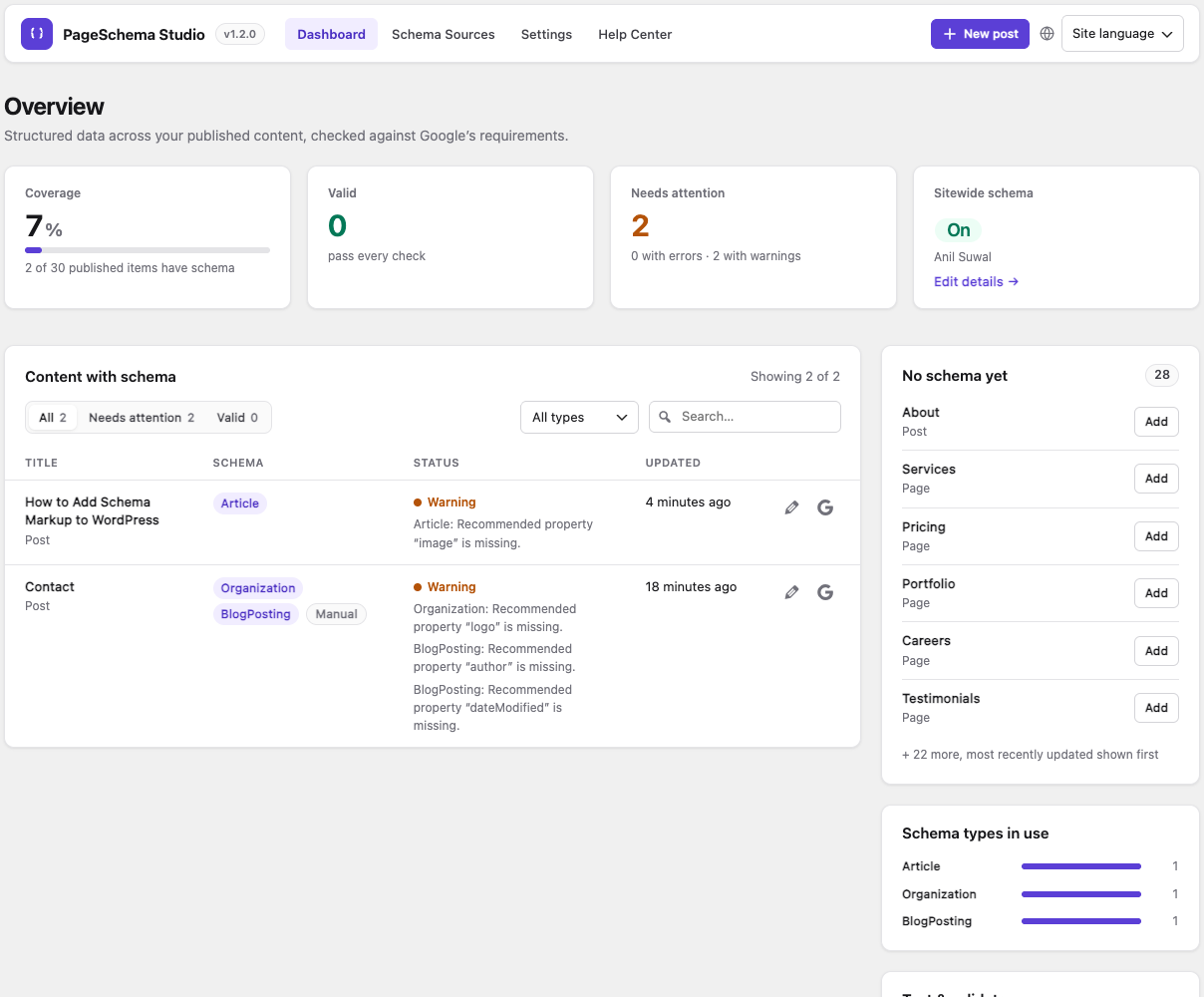
- Validation — checks against Google’s required and recommended properties, on every post and on the dashboard
- FAQ block — show questions on the page and add them to the FAQPage schema in one step
- Manual JSON-LD — paste your own code; it’s checked as you type, and its type and fields are filled in automatically
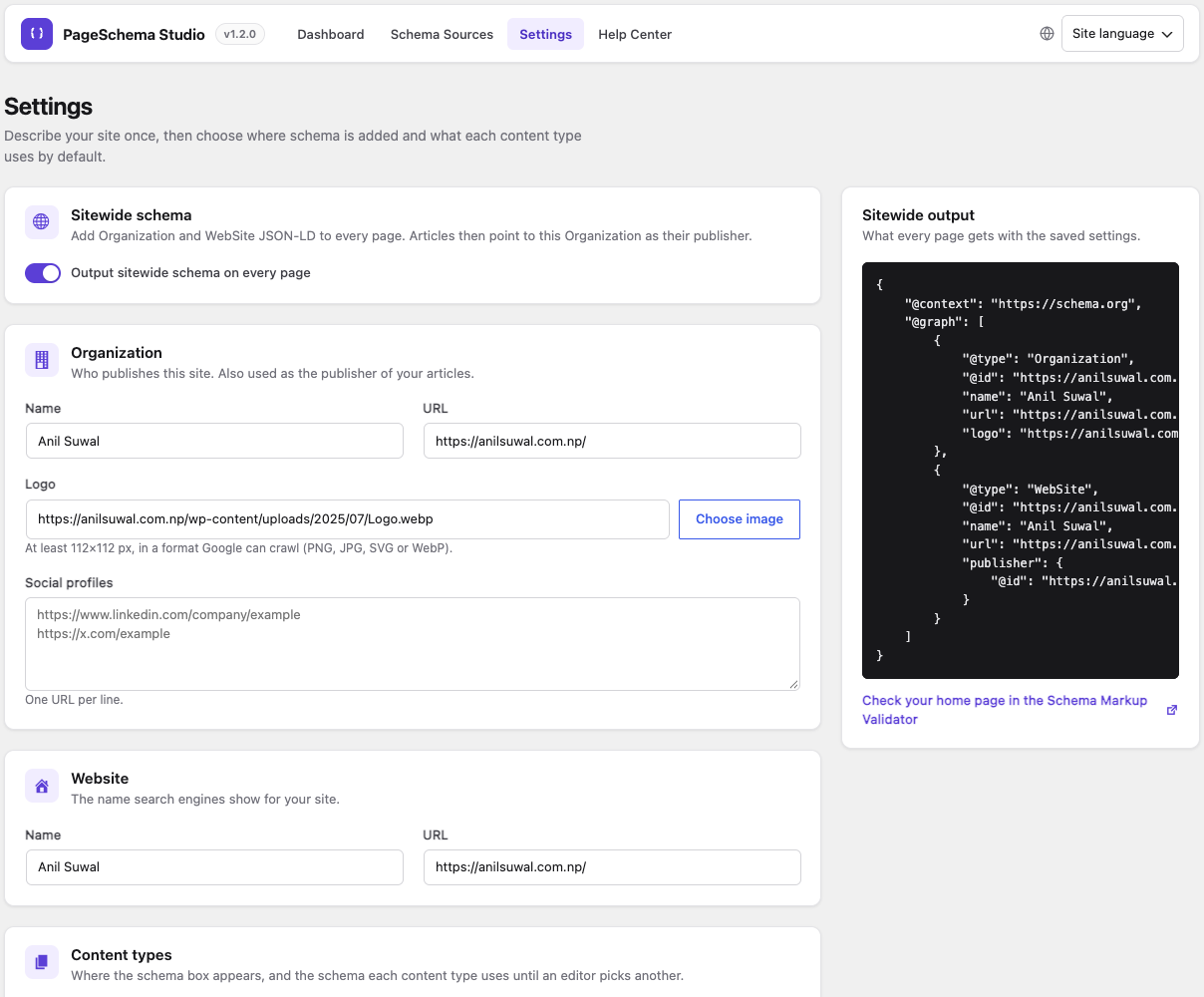
- Sitewide schema — Organization and WebSite on every page, linked to your articles and pages
- Defaults per content type — give every post (or custom post type) a schema without editing each one
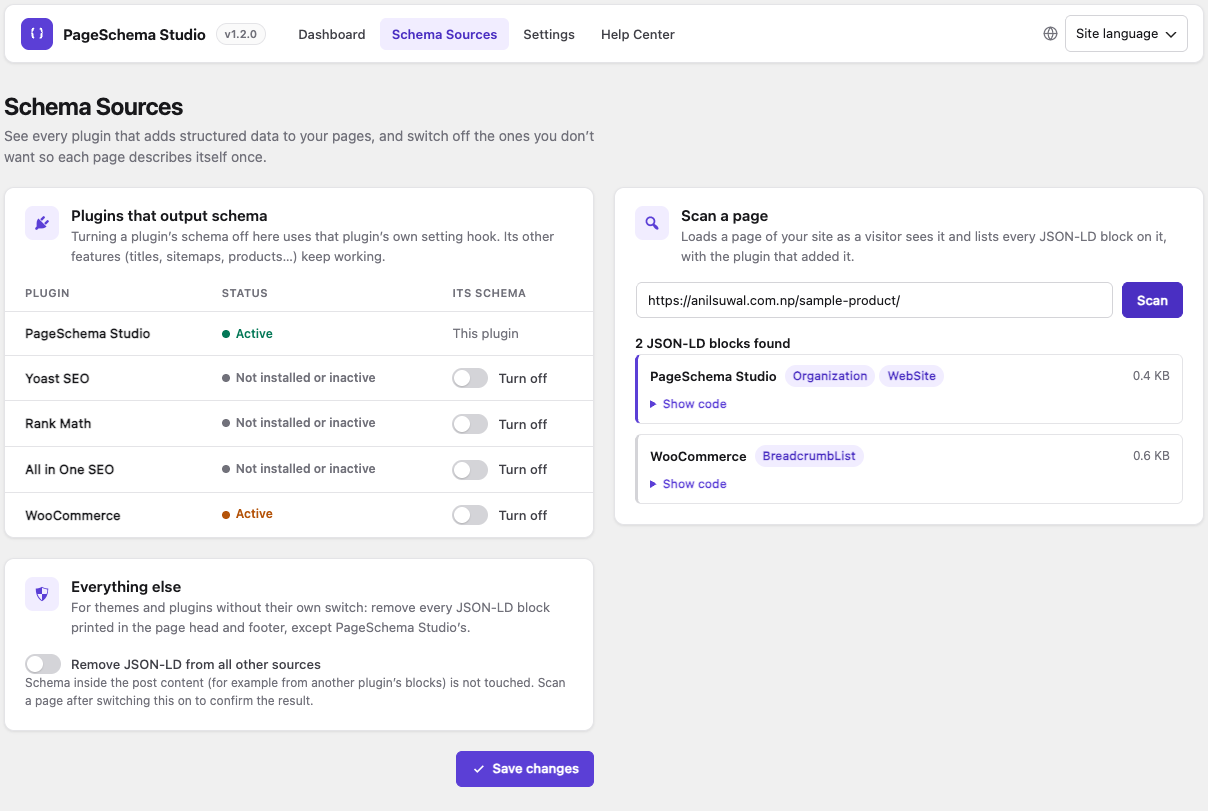
- Schema Sources — scan a page to see schema from other plugins, and turn off Yoast SEO, Rank Math, All in One SEO or WooCommerce schema
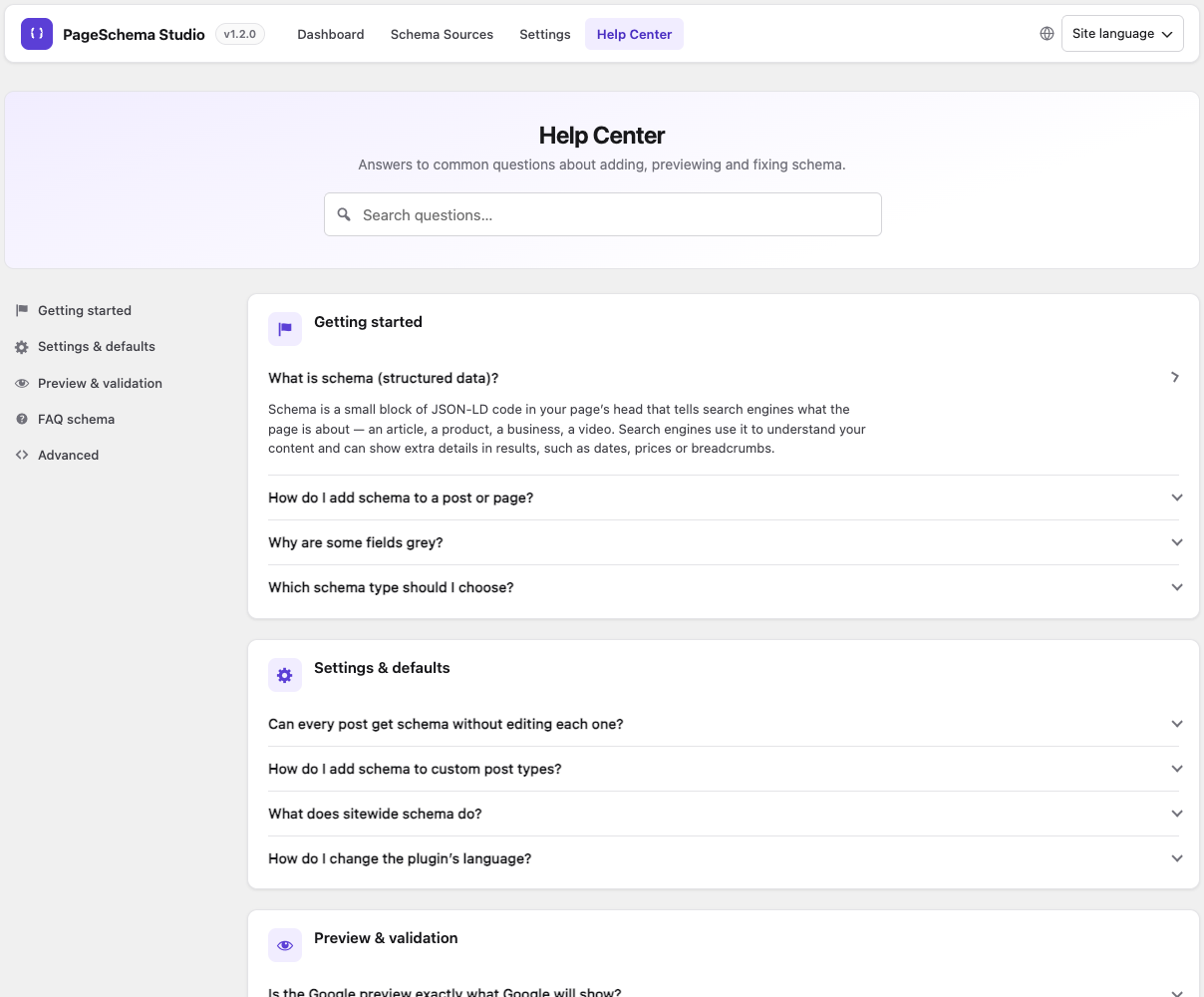
- Dashboard & Help Center — schema coverage and health across your site, plus answers to common questions
- English and French — switch the plugin’s language from the top right of its screens
Developers can add their own schema types by extending Pageschema_Type, and adjust the output with filters.
Installation
- Upload the
anilsuwal-pageschema-studiofolder to/wp-content/plugins/. - Activate the plugin through the ‘Plugins’ menu in WordPress.
- Go to PageSchema Studio → Settings to describe your site and choose a default schema for each content type.
- Edit any post or page and use the “PageSchema Studio — Schema” box (or the “Schema” panel in the block editor sidebar).
FAQ
Will this conflict with Yoast SEO or Rank Math?
They also output schema, so a page could describe the same thing twice. Use PageSchema Studio → Schema Sources to scan a page and turn their schema off with one switch.
Do I have to set up every post by hand?
No. In Settings → Content types, choose a default schema for each content type (for example Article for posts). Fields fill in from the post automatically.
Can I paste my own JSON-LD?
Yes, in the “Manual JSON-LD” box. It is checked as you type, the matching schema type is selected, and its fields are filled from your code.
Is the Google preview exactly what Google will show?
No. It approximates a typical result. Valid schema makes a page eligible for rich results; Google decides whether to show them.
Why don’t my FAQs show in Google?
Google currently shows FAQ rich results only for well-known government and health sites. The markup is still valid and other search engines use it.
Does it work with custom post types?
Yes. Enable them in Settings → Content types.
More answers are in PageSchema Studio → Help Center.
Screenshots
Changelog
1.2.1
- Changed: plugin renamed to PageSchema Studio.
1.2.0
- New: Product, Local Business, Video and How-To schema types.
- New: live preview in the editor — Google result, JSON-LD and validation checks.
- New: FAQ (Schema) block.
- New: manual JSON-LD is validated as you type and fills in the matching type and fields.
- New: default schema per content type, and custom post type support.
- New: Schema Sources screen to scan pages and turn off schema from other plugins.
- New: redesigned dashboard and settings, and a Help Center.
- New: French translation with a per-user language switcher.
- Improved: connected schema — articles name your Organization as publisher, pages link to your WebSite.
- Changed: requires WordPress 6.3 or later.
1.1.1
- Fixed: per-post schema fields were saved under lowercased keys and never output. Existing data is repaired automatically on update.
- Fixed: manual JSON-LD property names (e.g.
mainEntity,sameAs) were lowercased. Manual JSON-LD saved with 1.1.0 needs to be re-entered. - Security: JSON-LD output now escapes
<and>, and manual JSON-LD keys are restricted to valid property names. - Fixed: clearing manual JSON-LD or FAQ items on upgraded sites no longer brings back pre-1.1.0 values. Legacy
_pss_*meta is removed. - Changed: blank fields use the live post value (title, dates, image…) instead of a saved copy, so
dateModifiedstays current. - Fixed: the Google Rich Results Test link now uses the post’s public URL, and appears once the post is published.
- Added: missing-field and invalid-JSON warnings appear in the block editor.
- Fixed: “Use existing SEO title & description” expands Yoast/RankMath template variables.
- Dashboard: status reflects what is actually output, multi-type JSON-LD is labelled correctly, and Quick Add links open the editor.
- Fixed: Settings page styles not loading on translated admin screens.
1.1.0
- Renamed all plugin prefixes from
psstopageschemafor WordPress.org compliance. - Removed FAQ output cap and freemium marketing copy.
- Added proper validation and recursive sanitization for manual JSON-LD input.
- Added database migration for existing installs using legacy
pss_*keys.
1.0.0
- Initial release.