

Description
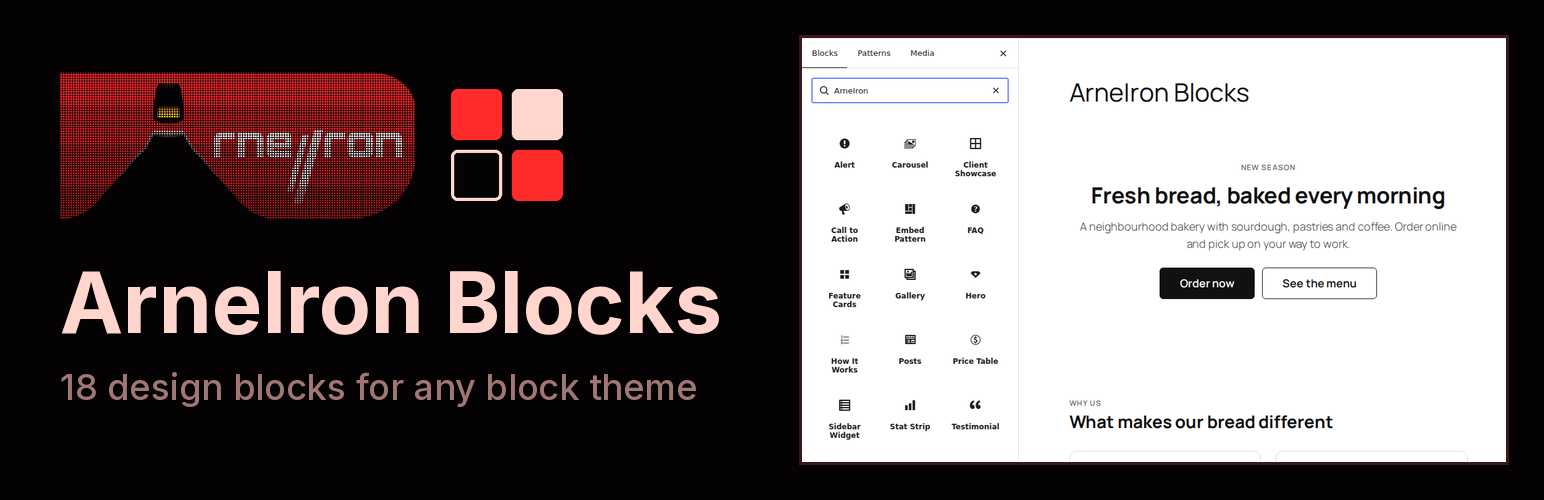
ArneIron Blocks is the companion plugin of ArneIron Lite, a free block theme from the same authors, and it works in any other theme too. It adds eighteen ready-made sections to the block editor, so you can build a landing page, a pricing page or a FAQ without a page builder: page openers, feature cards, pricing, testimonials, carousels, your latest posts and more. Each block works in any theme and takes on its colours and fonts. Every block is complete and free: there is no paid version of this plugin and nothing in it is locked.
- Hero: a large opening section with a headline, short text and up to two buttons.
- Call to Action: a full-width band with a headline, short text and one button.
- Feature Cards: cards with an icon, a title, short text and an optional link.
- How It Works: numbered steps that explain a process.
- Stat Strip: a row of key numbers with labels.
- FAQ: questions that open to show their answers.
- Alert: a coloured notice for information, success, a warning or an error.
- Testimonial: a customer quote with name, position and photo, also as a “Quote Card”.
- Price Table: pricing cards or a comparison table for your plans, also as “Token Packages”.
- Gallery: a grid of images that can open full size.
- Carousel and Slide: a slider whose slides hold any blocks.
- Posts: your latest posts as a grid or a carousel.
- WooCommerce Products: your products with prices and add-to-cart buttons (needs WooCommerce).
- Mega Menu Item: a menu item that opens a large panel built from a pattern.
- Embed Pattern: one pattern, edited in one place, shown wherever you embed it.
- Sidebar Widget: a titled list of links for a sidebar or page menu.
- Client Showcase: cards that present client websites with a preview, name and tags.
Demo content
Appearance > Import Demo Content fills a site with the content of the theme demo in one click: four pages (Home built from these blocks, About, Blog and Contact), six blog posts with photos, and a menu. It is sample text for a fictional studio, made to be replaced, with six public-domain photos and three avatars that ship inside the plugin. The import only adds: it changes no existing page, post or setting, except the front page and posts page (Settings > Reading) when you leave that box ticked. “Remove demo content” on the same page deletes exactly what the import added and puts those settings back.
The plugin also registers one block pattern (a blog posts carousel) and five shortcodes that sites built with earlier versions of the ArneIron theme use in their headers: [arneiron_language_switcher] (needs Polylang), [arneiron_account_menu], [arneiron_mobile_account], [arneiron_mobile_cart] (need WooCommerce) and [arneiron_balance_seam] (needs TeraWallet). Each renders nothing when the plugin it needs is not active.
The blocks are designed with the free ArneIron Lite theme, which styles them through its design tokens. In other themes they use the theme’s colours and fonts.
ArneIron Pro, the commercial edition of the theme, includes all of these blocks itself. If you switch to Pro, it deactivates this plugin for you and your pages stay exactly as they are.
The plugin adds no settings and no credit link on your site, and it makes no requests to external services. In the admin it adds a getting-started page (Appearance > ArneIron Blocks) that lists the blocks, the demo import page (Appearance > Import Demo Content), and one welcome notice on the Plugins screen that disappears for good once you dismiss it or open that page. It stores that per-user “welcome done” flag and, after a demo import, the list of what the import created; it removes both when you delete the plugin.
Build pages with AI (optional)
The authors of ArneIron Blocks also run ArneIron, an AI agent for WordPress: you describe a section or a whole page in plain words, and it builds it on your site as native blocks, these ones included, that you can then edit yourself. ArneIron is a separate commercial service with a free account; you pay only for the AI work you ask for, from a prepaid balance. ArneIron Blocks does not need it and does not connect to it.
The plugin points to arneiron.net in three places, all in the admin and never on your site: a “Build pages with AI” link in its row on the Plugins screen, the ArneIron Lite and AI boxes on its getting-started page, and a collapsed “ArneIron tips” panel in the settings sidebar of its own blocks (ArneIron Lite first, when you use another theme), which “Hide these tips” turns off for good. They are not shown when ArneIron is already in use on the site, and a site builder can remove all of them with add_filter( 'arneiron_blocks_show_arneiron_links', '__return_false' );. The links carry campaign parameters (utm_source=arneiron-blocks) and nothing about your site.
Source code
The editor scripts of alert, call-to-action banner, FAQ, feature cards, hero, how it works, price table, sidebar widget, stat strip and testimonial are built from the readable sources in src/ with build.mjs (npm install && npm run build, esbuild, not minified). The other blocks’ index.js files are hand-written and are their own source. Every stylesheet ships readable; each *-rtl.css file is the right-to-left copy of the stylesheet with the same name. Only the vendored Swiper files are minified, as released upstream (see Third-party resources).
Third-party resources
Swiper 14.0.7, (C) Vladimir Kharlampidi
License: MIT (blocks/carousel/swiper/LICENSE)
Source: https://github.com/nolimits4web/swiper
ArneIron VISOR icons 1.0 (36 icons, in includes/icon-pack-data.php), (C) 2026 ArneIron
License: first-party artwork; redistribution licence pending owner confirmation (hub#5358)
Source: design/theme-build/icon-pack/visor/ in the ArneIron hub repository
Lucide icons 1.54.0 (97 icons, in includes/icon-pack-data.php), (C) Lucide Icons and Contributors; icons derived from Feather (C) Cole Bemis
License: ISC (Feather-derived icons: MIT)
Source: https://lucide.dev
Demo photos in demo/images/ (golden-gate-bridge.jpg, sydney-harbour-bridge.jpg, wind-farm.jpg, rusty-rail.jpg, windmill-fog.jpg, boardwalk.jpg), cropped and resized
License: public domain
Source: Burningwell, https://www.burningwell.org/ (100_5540.jpg, dsc09114.jpg, dsc20050102_192118_51.jpg, dsc20051220_173257_119.jpg, windmill.jpg, dcp_2082.jpg), as credited in the WordPress Theme Unit Test data, https://github.com/WordPress/theme-test-data
Demo avatars in demo/images/ (avatar-am.png, avatar-sr.png, avatar-jl.png), (C) 2026 ArneIron
License: GPLv2 or later
Source: drawn for this plugin’s demo content
Installation
- In your dashboard go to Plugins > Add New, search for “ArneIron Blocks”, install and activate it. Or upload the plugin zip from Plugins > Add New > Upload Plugin.
- In the block editor, open the inserter: the blocks are in the “ArneIron” category.
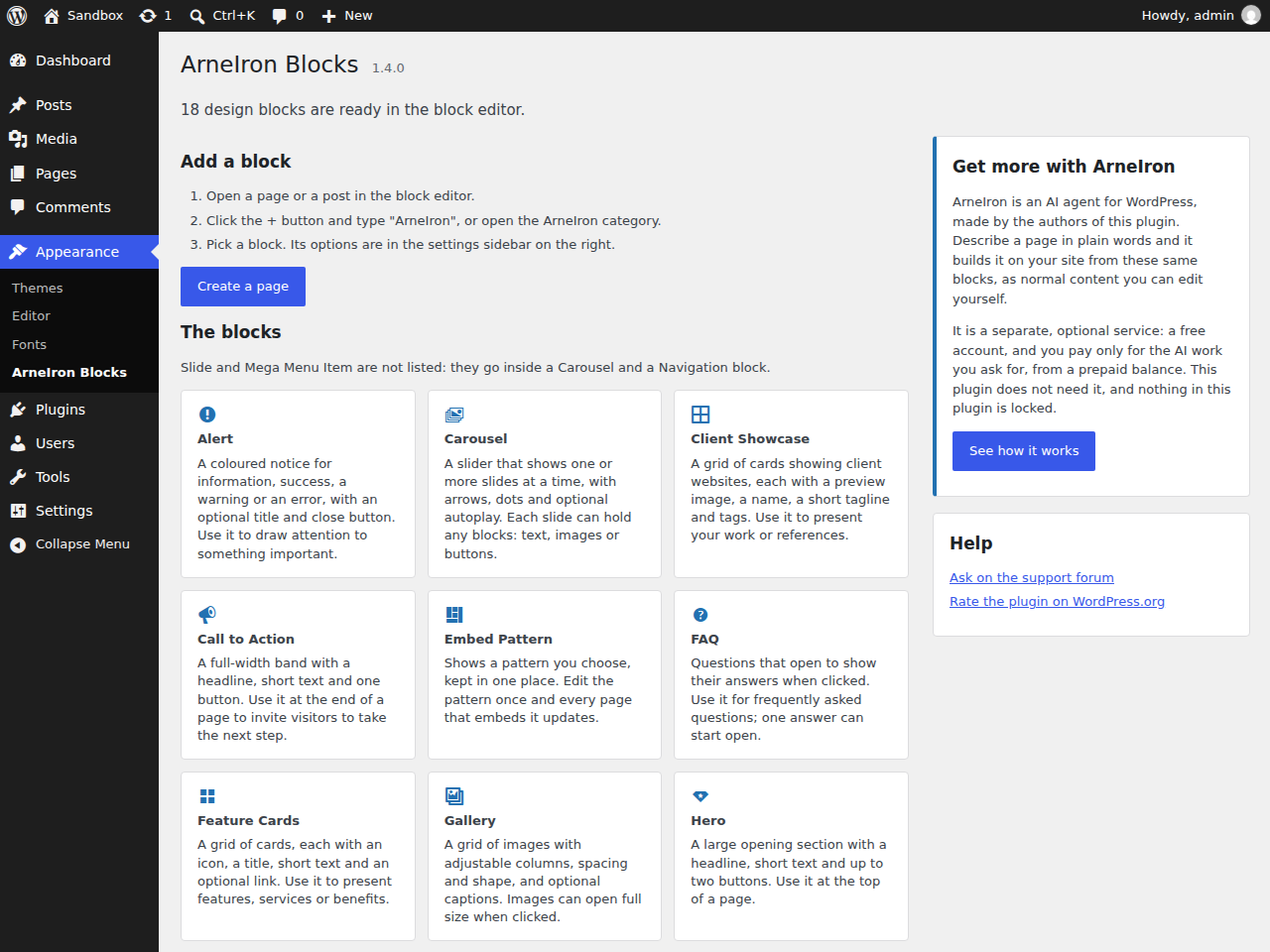
- Appearance > ArneIron Blocks lists every block with a short description.
- Optional: Appearance > Import Demo Content adds the demo pages, posts and menu.
FAQ
Does it need the ArneIron theme?
No. The blocks work in any block or classic theme. They are made for the free ArneIron Lite theme, which styles them to match its design.
What happens when I switch to ArneIron Pro?
ArneIron Pro includes these blocks itself, so it deactivates this plugin when you activate Pro and shows a notice saying so. The plugin is not deleted, your pages keep the same blocks, and they look and work as before. If you later switch from Pro to ArneIron Lite or another theme, Pro activates the plugin again for you.
Is there a Pro version? Is anything locked?
No. Every block in the plugin is complete and free, and it stays that way. ArneIron Pro is a separate product, a theme that comes with an ArneIron account, and the ArneIron AI service is optional. Neither unlocks anything in this plugin.
Can an AI build pages with these blocks?
Yes, if you want it to. ArneIron, from the same authors, is an AI agent that builds and edits WordPress pages from plain-language requests and writes them as native blocks. It is a separate, paid-per-use service with a free account; see “Build pages with AI” above. You do not need it to use the blocks.
How do I make my site look like the demo?
Go to Appearance > Import Demo Content and press “Import demo content”. It adds the demo pages, posts, photos and menu and, if you keep the box ticked, makes the demo Home page your front page. Then edit the text and images. To start over, “Remove demo content” deletes everything the import added; your own content stays.
Does the plugin show ads or notices?
No ads. There is one welcome notice, on the Plugins screen only, until you dismiss it or open the getting-started page. The “ArneIron tips” panel in the block sidebar starts collapsed and “Hide these tips” removes it.
Does it contact an external service?
No. Everything, including the Swiper carousel library, is served from your own site. Links to WordPress.org and arneiron.net in the admin open only when you click them.
What happens to my content if I deactivate the plugin?
Pages keep the block comments in their content. While the plugin is inactive those blocks do not render; activate it again and they render as before. The plugin has no settings; deleting it removes the per-user “welcome done” flag and the record of a demo import. Demo pages and posts you imported are your content and stay until you remove them.
Is it translatable?
Yes. All strings use the arneiron-blocks text domain.
Screenshots


Changelog
1.5.1
- How It Works: the step text now starts under the number and uses the full width of the card, in every layout and in right-to-left languages.
1.5.0
- Demo content: Appearance > Import Demo Content adds the theme demo in one click (Home page built from the ArneIron blocks with a posts carousel, About, Blog and Contact pages, six posts with public-domain photos, three testimonial avatars, a menu) and can make Home the front page. “Remove demo content” deletes exactly what it added and restores the front page settings. Also available in ArneIron Pro, which includes these blocks.
- Posts, carousel layout: a Carousel settings panel like the Carousel block’s: cards per view on a phone, gap, loop, autoplay with its interval (paused under the pointer, off for visitors who reduce motion), arrows and dots on or off. Saved blocks keep their look.
- Posts, carousel layout: where there is no room beside the cards, the arrows sit in the dots row below them instead of covering the first and last card’s title.
1.4.8
- Translations for Dutch, Korean, Persian, Kazakh and Uzbek; inside ArneIron Pro 0.10.40 the bundled copy’s translations load without a separate language pack.
1.4.6
- The companion plugin of the free ArneIron Lite theme, and still works in any theme. ArneIron Pro includes these blocks itself and deactivates the plugin when it is activated; your pages are unchanged.
- Getting-started page (Appearance > ArneIron Blocks): every block with a short description and how to insert it. A welcome notice on the Plugins screen until you dismiss it, “Getting started”, “Support” and “Rate this plugin” links in the plugin’s row, and a collapsed tips panel in the sidebar of the plugin’s own blocks.
- Icon pack: 112 SVG icons, plus 36 ArneIron VISOR icons. Feature Cards, Alert and Sidebar Widget pick an icon in the editor (search + grid). Text glyphs saved before still show as text; Font Awesome names such as “fas fa-handshake” show the matching icon.
- Mega Menu Item: a click no longer leaves the panel open and narrowed; the item opens and closes like the other submenus in the same Navigation, and moving to another menu item closes a panel opened with the arrow button.
1.3.9
- First public release on WordPress.org.