

Description
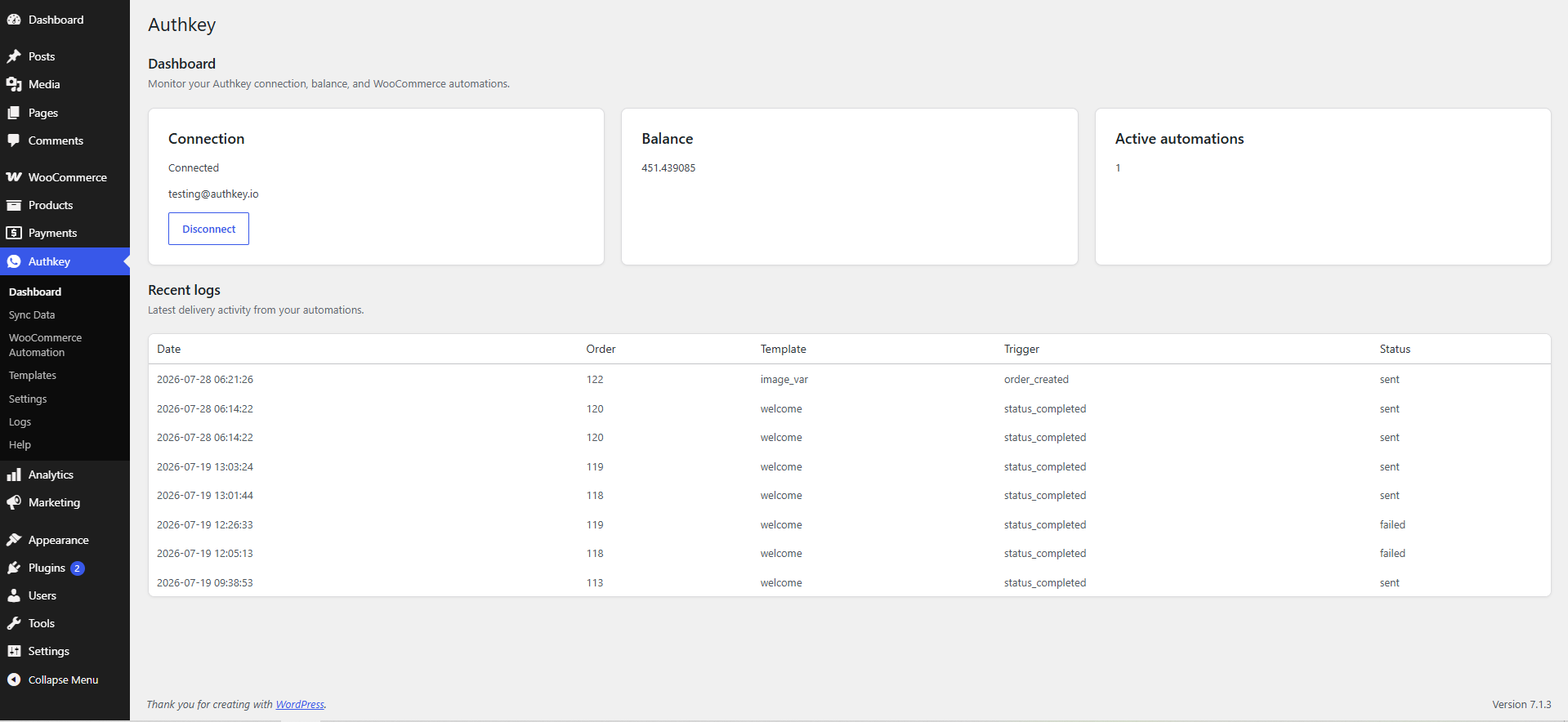
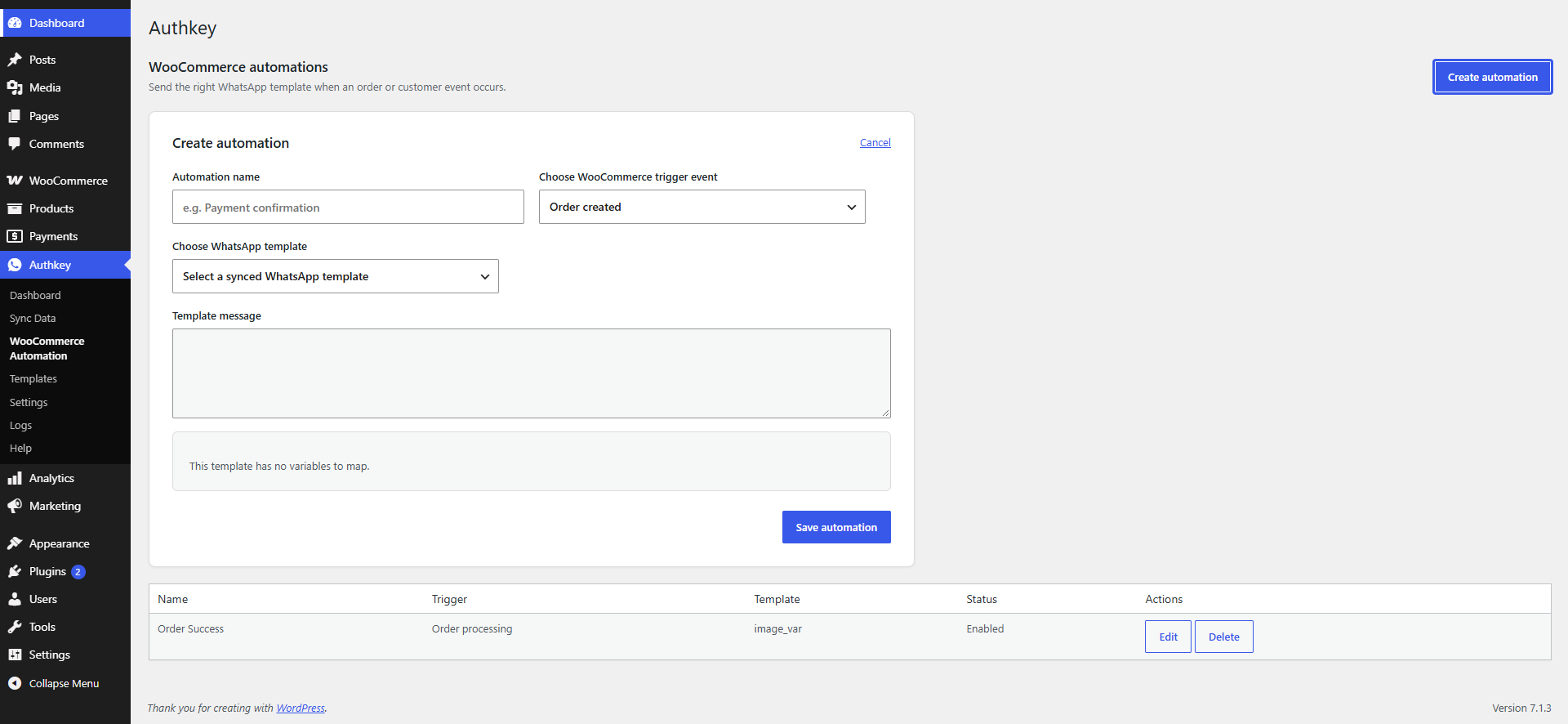
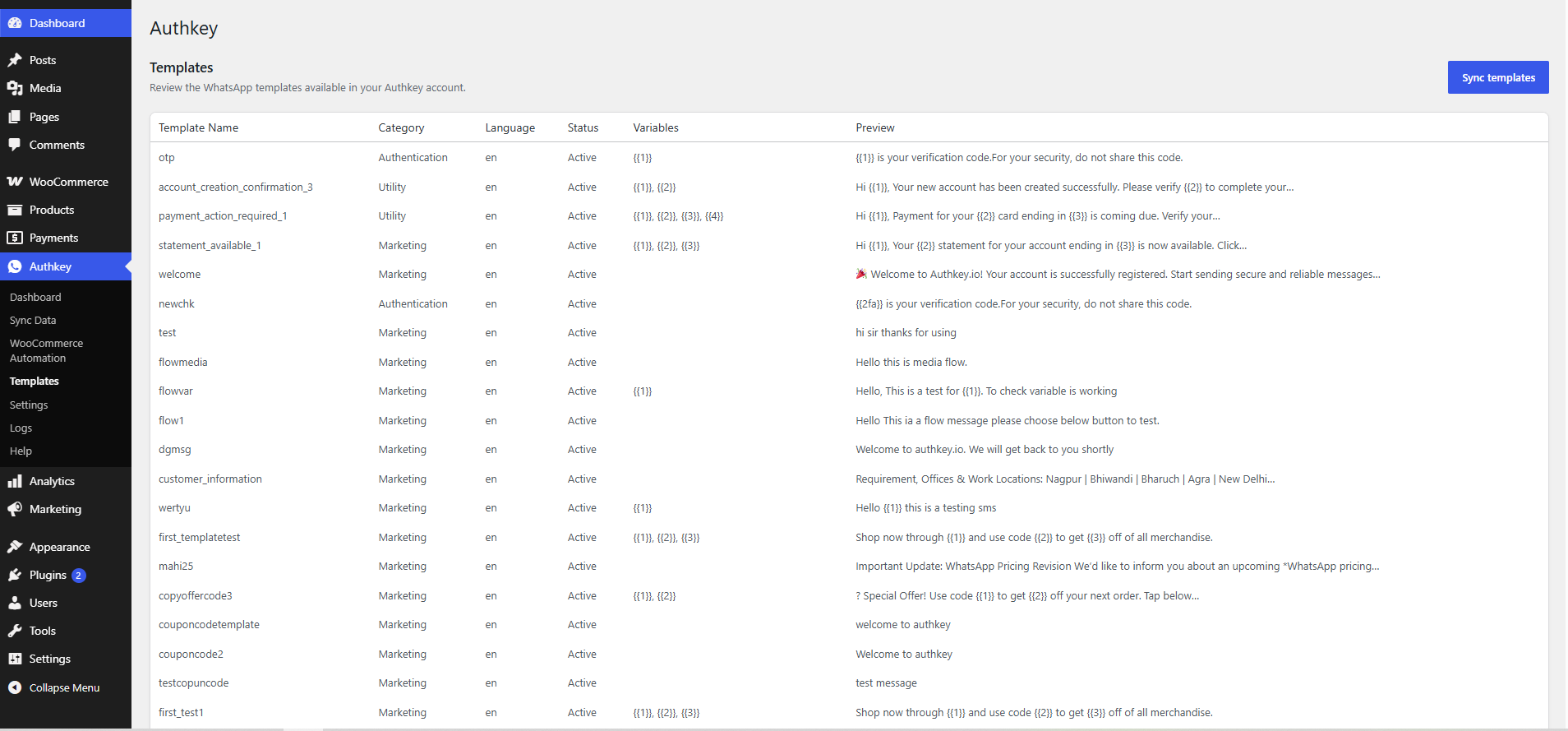
Authkey connects WooCommerce to the Authkey WhatsApp Business API. Store administrators can connect an Authkey account, sync approved WhatsApp templates, and create automations for order and customer events.
Version 1.1.0 also brings the WP Authkey Chat features into the existing Authkey dashboard. Let customers start a WhatsApp conversation from your website without changing your order notification workflow.
WhatsApp Widget features:
- Floating chat widget with five layouts: Chat Button, Text Message, Custom Profile, Shopping Support, and Hospital Support.
- Custom website or team name, greeting, brand color, and profile image from the WordPress media library.
- Prefilled messages with {site}, {title}, and {url} placeholders.
- Typed messages and shopping or hospital quick actions that open WhatsApp.
- Bottom-left or bottom-right positioning, with responsive layouts and keyboard-accessible controls.
- Visibility on all pages, the homepage, or WooCommerce product pages.
- Weekly working hours in the WordPress timezone, including multiple daily ranges and overnight shifts.
- Product help buttons before or after Add to cart, after the short description, or after the long description.
- Per-product agent phone numbers, with a fallback to the default number.
- Live appearance preview and optional, opt-in Authkey attribution.
- Automatic import of existing WP Authkey Chat settings and compatibility with its product phone numbers.
Chat settings are separate from your Authkey connection and automations. Floating chat and product buttons are disabled by default on sites without existing WP Authkey Chat settings. Click-to-chat requires a WhatsApp number but does not require an Authkey account or approved API template.
Requirements:
- WooCommerce 8.0 or later must be installed and active.
- An Authkey account and an approved WhatsApp template are required for automated notifications.
- A WhatsApp-enabled phone number with a country code is required for visitor-initiated chat.
This plugin is free and licensed under GPLv2 or later. Authkey is an external messaging service; its services and message delivery may be subject to separate fees and terms.
Third-Party Service and Privacy
This plugin connects to the Authkey service. An administrator explicitly connects the service by entering Authkey account credentials. The account password is sent to Authkey to authenticate the connection but is not stored by WordPress.
When an administrator syncs contacts to an Authkey contact list, the selected customer name and billing phone number, together with the list name and country code, are sent to Authkey.
When an automation sends a WhatsApp message, the recipient phone number and the values selected for the approved template are sent to Authkey. These values can include a customer name, billing email, order number, product names, order total, order status, store name, and store URL.
The plugin stores the Authkey connection token, account ID, account name, balance details, automation configuration, chat settings, product chat phone overrides, and—when logging is enabled—delivery logs in the WordPress database. Delivery logs can contain an order ID, customer name, template, trigger, delivery status, and the Authkey API response. The plugin does not collect analytics.
WhatsApp click-to-chat is an optional, separate integration. When a visitor follows a chat link or submits a message, their browser opens https://wa.me/ with the configured business phone number and the prefilled or typed message. Prefilled messages can include the website name, page or product title, and page link. The plugin does not store chat messages, contact WhatsApp in the background, or send chat messages through the Authkey API. The visitor completes sending in WhatsApp. Profile images load from the configured image URL; imported external avatar URLs may contact that image host when displayed.
WhatsApp service documents:
Site owners are responsible for obtaining any consent required to send WhatsApp messages and for describing this processing in their own privacy policy.
Authkey service documents:
Installation
- In WordPress, go to Plugins > Add New > Upload Plugin and upload the Authkey ZIP file.
- Activate Authkey. WooCommerce must already be active.
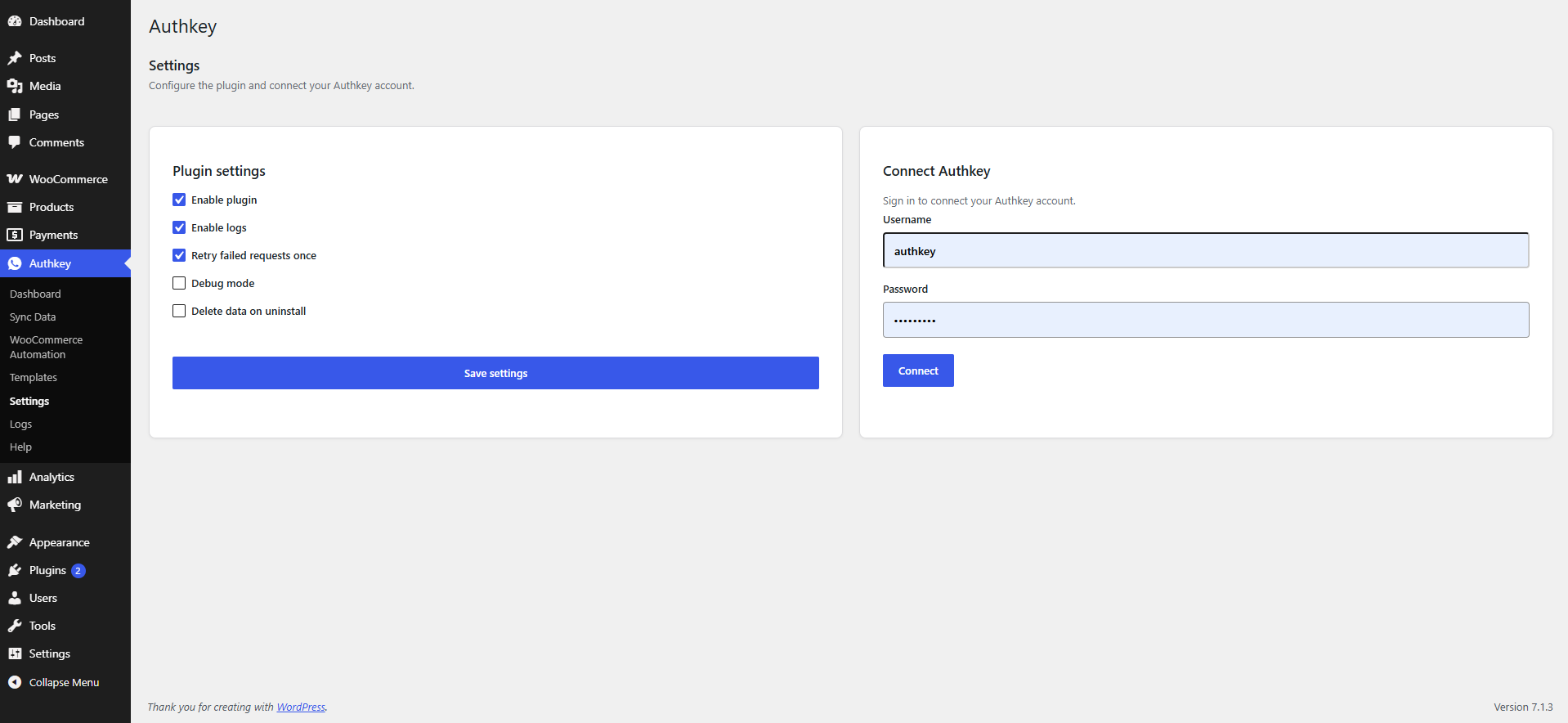
- Open Authkey > Settings and connect your Authkey account.
- Sync approved WhatsApp templates and create an automation.
- Optionally open Authkey > WhatsApp Widget, enter your WhatsApp number, choose a layout, and enable the floating widget or product buttons.
- To route a product to a different agent, edit the product and use the Authkey — WhatsApp Chat box.
Upgrading from WP Authkey Chat:
- Update Authkey to 1.1.0. Existing Authkey credentials, rules, logs, and notification settings are retained.
- While WP Authkey Chat is active, it continues to display chat; Authkey suppresses its integrated widget and product buttons to prevent duplicates.
- Deactivate WP Authkey Chat when ready to switch. Open Authkey > WhatsApp Widget to review the imported settings. Import only runs when integrated chat settings have not already been saved.
- Existing product phone numbers continue to work. Legacy options and metadata are retained for rollback. The public Authkey attribution link is disabled until explicitly enabled.
FAQ
Does this plugin require WooCommerce?
Yes. WooCommerce must be installed and active.
Do I need an Authkey account?
An Authkey account and approved WhatsApp template are required for automated notifications. The visitor chat widget and product buttons only need a WhatsApp-enabled number.
Will this update change my existing automations?
The update retains existing connection credentials, automation rules, delivery logs, and notification settings. New chat settings are stored separately. The existing Enable plugin setting controls both automations and chat; chat has its own widget and product-button switches as well.
How do working hours behave?
Working hours control the floating widget and use the timezone in WordPress Settings > General. Leave a day empty to hide the widget that day. Multiple ranges and overnight shifts are supported; closing times are exclusive. Product help buttons remain available outside widget hours. With full-page caching, use a cache expiry appropriate to the schedule or exclude scheduled chat pages from the cache.
Does chat work with block or custom product templates?
The floating widget works with themes that call wp_footer. Automatic product button positions use the standard WooCommerce single-product hooks. For templates that omit those hooks, place [authkey_chat_button] in a Shortcode block on the single-product template. Product buttons must be enabled in chat settings. The long-description position appends inside the description tab, with a fallback after the product tabs when no description is rendered.
What happens when I uninstall?
Data is retained unless Delete data on uninstall is enabled in Authkey > Settings. When enabled, Authkey removes its own settings, credentials, tables, chat configuration, and new product phone overrides. Legacy WP Authkey Chat options and product metadata are preserved because they belong to the separate plugin.
Who is responsible for WhatsApp consent?
The site owner is responsible for obtaining any consent and complying with all applicable messaging, privacy, and WhatsApp rules.
Screenshots
Changelog
1.1.0
- Add WhatsApp Widget to the existing Authkey menu with five chat layouts, live preview, media-library avatars, brand colors, and greetings.
- Add prefilled messages, typed chat, shopping and hospital quick actions, left/right positioning, and page targeting.
- Add timezone-aware weekly availability with multiple ranges and overnight hours.
- Add four WooCommerce product button positions, a shortcode for custom product templates, and per-product agent numbers.
- Import WP Authkey Chat settings without overwriting saved integrated settings; preserve legacy product numbers and suppress duplicate chat when both plugins are active.
- Keep existing notification settings, account connections, automations, and delivery logs intact. Leave chat disabled on sites without legacy chat settings.
- Add validated chat settings, protected product saves, accessible responsive controls, conditional assets, optional attribution, and WhatsApp privacy documentation.
1.0.9
Validate and sanitize automation mappings on the server, and ensure coupon automations run only after an order with a coupon is available. Remove unsupported stock triggers that do not have a customer recipient.
1.0.8
Update the declared WordPress compatibility, use WordPress.org language packs without a local translation path, and correct database schema migrations.
1.0.7
Synchronize release metadata, declare the WooCommerce dependency, document the Authkey service and data handling, improve localization, avoid front-end database schema checks, and verify baseline compatibility with WordPress 7.0 and WooCommerce 10.9.
1.0.6
Add the template ID database migration required for WhatsApp automation sending.
1.0.0
Initial release.