


Description
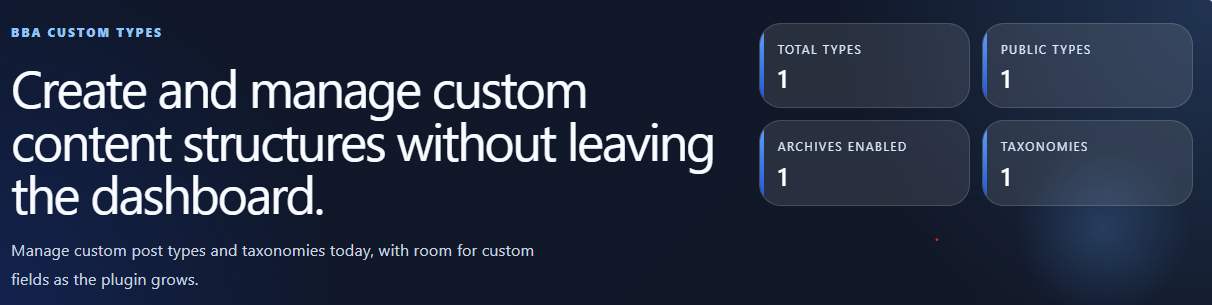
BBA Custom Types lets site owners create and manage custom post types, taxonomies, and custom field groups without editing theme files or writing registration code.
Use it when your site needs structured content beyond posts and pages: projects, testimonials, events, resources, product collections, locations, or any other content model. The plugin gives you a clear admin workflow while keeping WordPress registration keys, rewrite bases, taxonomy relationships, and postmeta fields visible and controllable.
What you can do
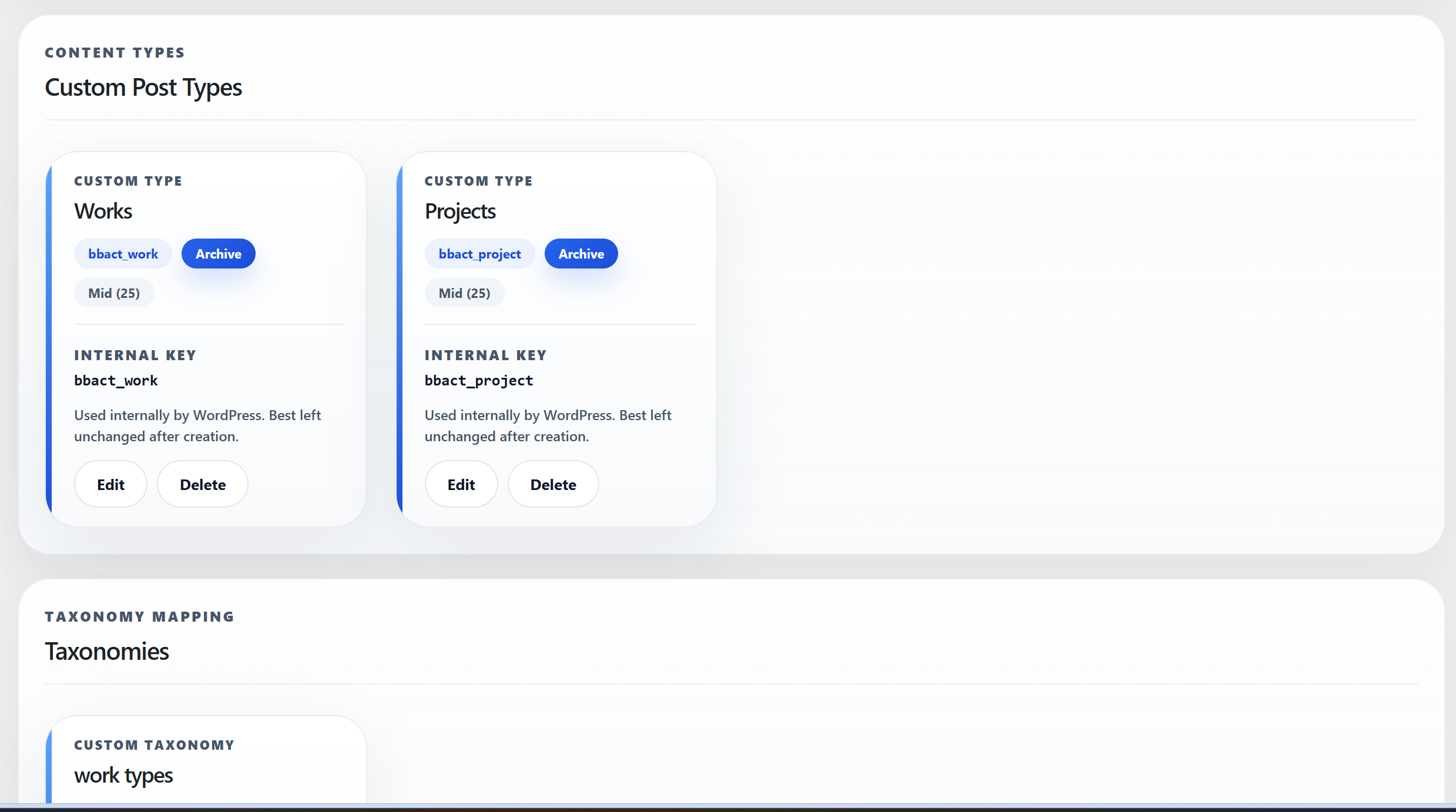
- Create and manage custom post types and taxonomies from a unified dashboard.
- Create and organize custom field groups attached to custom post types, native posts, or pages via the Field Groups submenu.
- Support for custom field types: Text, Textarea, Number, Email, URL, Date, Select (dropdown), Radio buttons, Single Checkbox, Checkbox Group (multi-select), Image (Media Library), WYSIWYG (Rich Text), and Repeater (Single-Field and Multi-Field).
- Build Repeaters with draggable reordering, collapsible cards, minimum/maximum row bounds, initial row counts, and rich Image and WYSIWYG subfields.
- Configure functional field options: Defaults, Required validation, and Show in REST API exposure.
- Seamless editing experience in both Gutenberg (Block Editor) and the Classic Editor.
- Scoped transactional persistence under Gutenberg REST updates: ScopedTransactionCoordinator coordinates single-request REST post updates and exact-row custom field persistence with InnoDB row locking (
FOR UPDATE) and automatic rollbacks on error for qualified post saves. - Set singular and plural labels, public URL slugs, and frontend rewrite bases for custom post types.
- Choose supported post features, including title, editor, excerpt, featured image, author, comments, revisions, custom fields, and page attributes.
- Configure taxonomy visibility, hierarchy, REST API support, and attached post types.
- Receive inline validation for duplicate or invalid slugs, keys, and field options before settings are saved.
- Drag-and-drop field reordering and collapsible field builder cards in the admin dashboard.
How it works
BBA Custom Types stores your definitions in WordPress options and registers them using core WordPress APIs. Generated internal keys such as bbact_project identify content types in the database and remain stable across edits. Public URLs can be adjusted independently with the Frontend URL base setting.
Custom fields are saved directly to native WordPress postmeta with exact-row ownership and bounded tombstones to protect historical data integrity.
The plugin is dependency-free at runtime, does not send data to external services, and does not require an account.
Getting Started
Create a custom post type
- Go to BBA Custom Types and select New Custom Post Type.
- Enter a singular name, for example
Project. The plugin fills related labels for you; you can adjust any of them before saving. - Review the URL slug. This is used to generate the internal key on the first save.
- Optionally set a different Frontend URL base. For example, leave the key based on
projectbut useprojectsfor public URLs. - Configure public visibility, archive support, REST API support, menu position, and supported post features.
- Save the custom post type, then use its new menu in WordPress admin to add content.
Create a taxonomy
- Select New taxonomy from the BBA Custom Types dashboard.
- Enter a singular name, for example
Project Type. - Choose whether it is hierarchical. Hierarchical taxonomies behave like categories; non-hierarchical ones behave like tags.
- Select the custom post types that should use this taxonomy.
- Save the taxonomy. The new taxonomy appears with the selected post types immediately.
Create a custom field group
- In WordPress admin, navigate to BBA Custom Types > Field Groups (or the Field Groups submenu).
- Click the New Field Group button (or Create Field Group if no groups exist yet) in the toolbar to open the full-screen modal field group editor.
- Enter a group title and select the target post types (custom post types, Posts, or Pages).
- Configure group position context (Normal, Side, Advanced), priority, order, and optional instructions.
- In the Fields section, click + Add Field to add dynamic field rows.
- For each field, configure label, field key, field type (from 13 available types including Image, WYSIWYG, and Repeater), placeholder, default value, required toggle, and REST API exposure. Choice-based fields (Select, Radio, Checkbox Group) include a Choices list.
- Click Save Field Group in the modal footer. The modal remains open with in-flight state protections, syncing the assigned group ID and revision token without full page reload.
- Fields render immediately in post edit screens for assigned post types.
- For comprehensive documentation, see the Custom Fields User Guide.
Display custom fields in PHP and Gutenberg
After creating a Field Group and adding values to a post, you can display those values in a theme or plugin using the global PHP helper, or in post content using the [bcf] shortcode.
PHP template example (field key: client_name):
`php
$client = bcf_get( ‘client_name’ );
if ( null !== $client ) {
echo esc_html( (string) $client );
}
$website = bcf_get( ‘project_website’, 123 );
if ( $website ) {
echo ‘Visit website‘;
}
`
bcf_get( 'field_name', $post_id ) returns raw typed PHP data, not HTML. The optional post ID defaults to the current post context. Use WordPress escaping appropriate to your output context (for example `esc_html()` for text or `esc_url()` for links).
Gutenberg Shortcode block example:
- In BBA Custom Types > Field Groups, edit the field you want to display.
- Enable Allow in Shortcodes for that field and save the group. This setting is off by default.
-
Edit a published post or page, insert the native Shortcode block, and paste one of these:
text

[bcf field="client_name"]

[bcf field="client_name" post_id="123"]

[bcf field="services_offered" separator=", "]

[bcf field="hero_image" size="large" class="img-responsive" alt="Project Hero"]

[bcf field="company_overview"]
The shortcode renders context-safe output: plain text for scalar fields, an <img> element for image fields (size, class, and alt attributes supported), and filtered rich-text (wpautop() + wp_kses_post()) for WYSIWYG fields. It only displays opted-in fields on publicly viewable, non-password-protected posts; invalid IDs and inaccessible content produce no output. Fields with multiple choices are joined using the optional separator. Repeater fields fail closed and return an empty string to prevent broken markup; repeaters must be rendered via PHP template iteration with bcf_get(). Unlike the shortcode, the PHP helper returns raw typed data for developers to handle with their own access and escaping logic.
For detailed examples, supported field return types, default behavior, and security restrictions, see the Custom Fields User Guide.
Change a public URL base safely
Once a post type has been saved and contains posts, its internal database key is permanently locked and protected against alteration. To change the public URL path without affecting existing posts or the internal key, edit the Frontend URL base setting. Do not attempt to re-key existing content types.
After changing a rewrite base, go to Settings > Permalinks and select Save Changes once to refresh WordPress rewrite rules.
Installation
- In WordPress admin, go to Plugins > Add New > Upload Plugin.
- Upload the BBA Custom Types ZIP file and activate it.
- Open BBA Custom Types from the WordPress admin menu.
- Create a custom post type, taxonomy, or custom field group using the steps below.
FAQ
Does upgrading to 1.1.0 rename existing internal keys?
No. Upgrades never rename or convert existing internal keys. Existing post types (e.g. bbact_project) and taxonomies (e.g. bbact_genre) retain their exact internal keys in wp_posts and WordPress options. Newly created post types and taxonomies use modern bcpt_* and bct_* prefixes, which peacefully coexist with legacy definitions. For complete upgrade details, consult the v1.0.1 to v1.1.0 Upgrade Guide.
Are pre-existing custom meta fields automatically converted to new field groups?
No. Pre-existing postmeta (such as fields created under v1.0.1 or via the core custom fields interface) is completely preserved in wp_postmeta, but is not automatically converted or reclassified into bcf_* dynamic field definitions. You can create new Field Groups that attach to your legacy post types, and their newly generated bcf_* fields will coexist safely alongside your historical metadata.
Does BBA Custom Types create both post types and taxonomies?
Yes. You can manage post types, taxonomies, and custom field groups from the BBA Custom Types menu.
Does the plugin include a custom field builder?
Yes! BBA Custom Types includes a custom field builder supporting 13 field types (Text, Textarea, Number, Email, URL, Date, Select, Radio, Checkbox, Checkbox Group, Image, WYSIWYG, and Repeater), field defaults, required validation, REST API exposure, and Gutenberg block editor integration. Detailed usage is documented in the Custom Fields User Guide.
How do I display custom field values in my theme templates or posts?
You can retrieve and display custom field values in two ways:
1. PHP Template Helper (bcf_get): Call bcf_get( 'field_name' ) (or bcf_get( 'field_name', $post_id )) in your PHP templates. It returns raw typed PHP data suitable for template logic and formatting with WordPress contextual escaping (esc_html, esc_url).
2. Gutenberg Shortcode Block ([bcf]): Add the [bcf field="field_name"] shortcode in the block editor or post content. For security, fields must have the Allow in Shortcodes option enabled in their field definition, and outputs are strictly plain-text context-escaped.
What happens to my custom field values if I delete a field group?
Existing postmeta values stored in the database are preserved. Deleting a field group definition deletes only the schema configuration; existing row data in wp_postmeta remains intact. Durable tombstones prevent historical keys from colliding with newly registered fields.
Does the plugin support the Gutenberg block editor?
Yes. Both custom post types and custom fields integrate with Gutenberg. Custom fields feature client-side pre-save validation locks and transactional REST persistence for qualified scopes.
What is the exact scope of transactional Gutenberg persistence?
Scoped transactional persistence is coordinated by ScopedTransactionCoordinator. It currently coordinates native post updates with an applicable field group whose required validation criteria are scoped to atomic REST requests with InnoDB row locking (FOR UPDATE) and rollback protections. Other post types, multi-field groups, and Classic Editor saves use standard WordPress postmeta APIs and pre-save authorization workflows.
What is the difference between URL slug, Frontend URL base, and Internal key?
The URL slug is used when first creating a type and helps generate its internal key. The Frontend URL base controls the public permalink path. The Internal key is the WordPress identifier, for example bbact_project; it should remain unchanged after you create content.
Why did my posts disappear after changing the URL slug?
Changing the URL slug can generate a new internal key. WordPress then treats it as a new post type, so posts associated with the old key are no longer shown in the new menu. Restore the original internal key to access that content again. To change only public URLs, use Frontend URL base instead.
Can I edit the generated internal key?
No. The internal key is permanently locked on first save. WordPress uses this key in the post_type column of wp_posts to associate posts, taxonomies, and metadata. To adjust public permalinks without altering database identifiers, change the Frontend URL base.
Why is my new frontend URL not working yet?
Save your permalink settings at Settings > Permalinks after changing a Frontend URL base. This refreshes WordPress rewrite rules.
Does it delete my content when I deactivate the plugin?
No. Deactivation does not delete posts, terms, metadata, or saved definitions. Registered types and fields are inactive until the plugin is reactivated.
Can I display Repeater fields using the [bcf] shortcode?
No. The [bcf] shortcode is reserved for scalar values and flat checkbox groups. Repeater fields contain multi-dimensional structured data arrays. For repeaters, [bcf] fails closed and outputs an empty string to prevent broken markup or leaking PHP array representations. Developers can consume repeater fields cleanly in templates and custom blocks using bcf_get( 'field_name' ).
Does the plugin use an external API or transmit site data?
No. BBA Custom Types works entirely within your WordPress installation and does not require an account or third-party service.
Screenshots
Changelog
1.3.0
- Feature: Native Image Field Type with WordPress Media Library integration, preview size configuration (thumbnail, medium, large, full), and library filtering options.
- Feature: Native WYSIWYG Field Type supporting Basic (essential formatting, Quicktags) and Advanced (full TinyMCE toolbar, media buttons) modes with responsive editor heights.
- Feature: Repeater Field Type supporting Single-Field and Multi-Field layouts with full support for 12 subfield types (including Image and WYSIWYG).
- Feature: Drag-and-drop row reordering and collapsible rows in repeater post edit screens.
- Enhancement: Classic Editor and Gutenberg validation alignment — eliminated browser HTML5 validation cancellations on hidden rich-text controls and added accessible
.bbact-classic-noticeerror summaries. - Enhancement: Developer API support —
bcf_get()seamlessly retrieves typed arrays for repeaters and integer attachment IDs for images;[bcf]shortcode supports image rendering (size,class,alt) and rich text formatting. - Security: Implemented fail-closed protection for repeaters in shortcodes, atomic postmeta updates on validation rejection, and capability-aware HTML sanitization (wp_kses_post / unfiltered_html).
- Compatibility: 100% backward compatibility preserved for historical v1.0.0 CPT/Taxonomy identifiers, v1.1.0 field groups, and legacy shortcodes.
1.2.0
- Feature: Added public PHP template helper
bcf_get()for theme and plugin developers to retrieve typed custom field values. - Feature: Added Gutenberg
[bcf]shortcode with support for the native Shortcode block and active post loop context. - Security: Added field-level “Allow in Shortcodes” opt-in permission guard (defaults to off) with fail-closed security for private, draft, trash, non-public, and password-protected posts.
- Security: Strict context escaping via
esc_htmlat shortcode output sink and collision protection for existing shortcode tags. - Documentation: Added Custom Fields User Guide and comprehensive Field API documentation.
1.1.0
- Feature: Added Custom Field Groups builder with support for 10 core field types (Text, Textarea, Number, Email, URL, Date, Select, Radio, Checkbox, and Checkbox Group).
- Feature: Added functional field options: Default values, Required validation, and Show in REST API exposure.
- Feature: Support for custom field groups on native WordPress
postandpagepost types alongside custom post types via the Field Groups submenu. - Feature: Drag-and-drop field reordering and collapsible field builder cards.
- Enhancement: Gutenberg block editor integration with client-side validation locks and pre-save authorization gates.
- Enhancement: Scoped transactional persistence via ScopedTransactionCoordinator with InnoDB row-level locking (
FOR UPDATE) and rollback safeguards for qualified REST post updates. - Enhancement: Durable field tombstones (
MAX_TOMBSTONES = 500) to protect historical postmeta and prevent key collisions. - Quality: Integrated WordPress Coding Standards (WPCS) ruleset, fine-grained fingerprint regression gate, and PHPCompatibilityWP 8.0+ verification.
1.0.1
- Added the project website link to the plugin header.
1.0.0
- Initial public release.
- Create and manage custom post types and taxonomies from a modern WordPress admin UI.
- Added real-time validation, editable first-save slug workflow, modal editing, and live taxonomy attachment updates.