

Description
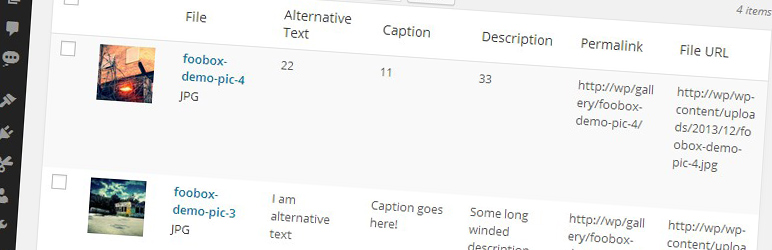
Displays extra columns (Alternative Text, Caption, Description, Permalink and File URL) in the media library view. You can choose to hide or show these new columns using the Screen Options dropdown on the media library page.
There are no settings for this plugin. Simply activate and enjoy!
Read more about why we made this plugin over at fooplugins.com
Installation
- Upload the plugin folder to your
/wp-content/plugins/folder - Activate the plugin through the ‘Plugins’ menu in WordPress
- Goto the Media Library page to see the new columns
FAQ
How do I use this plugin?
Simply activate it and enjoy new columns in your media library.
Screenshots

Changelog
1.0.0
- Initial Relase. First version.