


Description
Blockive – Premium Addon For Block is an essential suite of premium Gutenberg blocks and a powerful Template Builder for WordPress. Create stunning, fast, and responsive websites with ease—no bulky page builders or coding required.
Every block is engineered with performance and clean code standards in mind, ensuring minimal asset footprints, mobile-first responsive controls, and built-in accessibility (a11y).
Key Features
- Lightweight & High Performance: Clean assets loaded conditionally on pages where blocks are used.
- Full Template Builder: Design custom single post and page templates with dynamic template blocks and display conditions.
- Responsive Styling: Mobile, tablet, and desktop controls for spacing, typography, borders, and layouts.
- Modern Design Controls: Gradients, box shadows, text shadows, animations, color states, and hover effects.
- Accessible (A11y): Built-in keyboard navigation, ARIA attributes, and semantic HTML markup.
- SEO Optimized: Schema.org structured data support for FAQ and template blocks.
25 Essential Premium Blocks
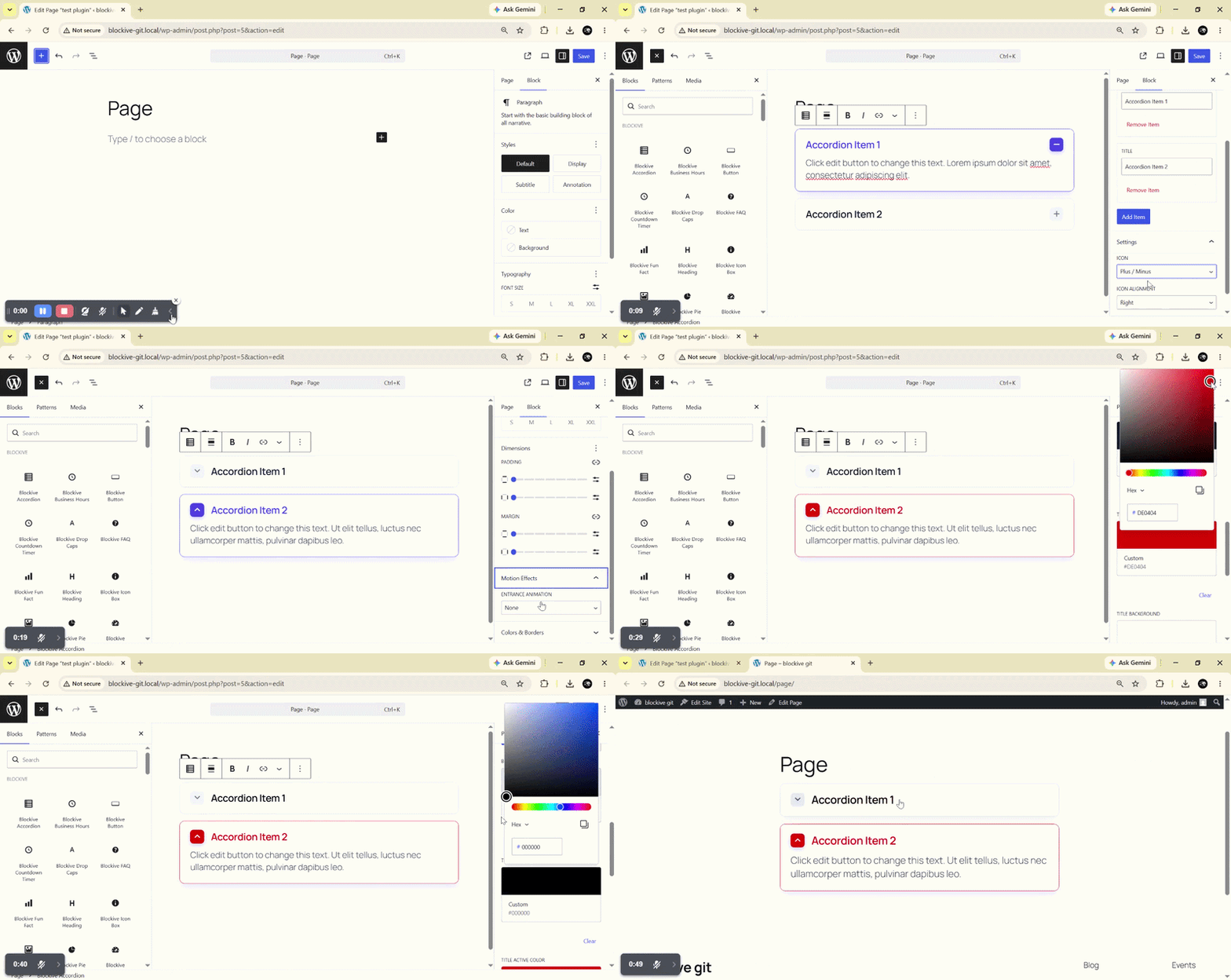
- Accordion: Collapsible content panels with expand/collapse animations, custom icons, and active state styles.
- Business Hours: Display opening and closing schedules with current-day highlighting and custom row borders.
- Button: Highly customizable buttons with icons, badges, hover animations, and preset styles.
- Category List: Styled taxonomy navigation with post counts, hierarchy view, and flexible grid/list layouts.
- Contact Form 7: Seamlessly embed and style CF7 forms directly within the Gutenberg editor.
- Countdown Timer: Urgency-driven countdown timers for product launches, sales, and upcoming events.
- Drop Caps: Elegant editorial initial capitals with shape, background, and typography options.
- FAQ: Accordion-style FAQ lists with automatic Schema.org structured data for rich search results.
- Fun Fact: Animated number counter and milestone statistics with prefixes, suffixes, and custom icons.
- Heading: Advanced headings with text gradients, text stroke highlights, and layered text shadows.
- Icon Box: Feature boxes combining icons, headings, descriptions, and call-to-action links.
- Image Accordion: Interactive hover-expanding image panels with custom text overlays and transitions.
- Image Box: Showcase images with custom layouts, badges, hover zoom effects, and descriptions.
- Image Comparison: Keyboard-accessible before/after slider with horizontal or vertical orientations.
- Lottie Animation: Lightweight vector animations with control over autoplay, loops, speed, and scroll/hover triggers.
- Mailchimp: Clean newsletter subscription forms with custom field styling and direct API submission.
- Pie Chart: Interactive dynamic pie and donut charts powered by Chart.js.
- Post Grid: Dynamic post showcase with custom query filters, taxonomy filters, pagination, and responsive columns.
- Pricing Table: Feature-rich pricing tables with ribbon badges, toggle support, bulleted lists, and CTA buttons.
- Progress Bar: Animated linear and skill progress bars with customizable percentage labels.
- Social Icons: Social profile links with custom SVG shapes (square, circle, rounded) and hover interactions.
- Tabs: Sleek content switchers with segmented pill controls and full keyboard navigation.
- Team: Showcase team members with photos, job titles, bios, and social profile links.
- Testimonial: Testimonials slider with star ratings, author avatars, and customizable autoplay settings.
- Video: Embed responsive video players with custom cover images, play buttons, and lightbox playback.
Dynamic Template Builder Blocks
Build custom WordPress single post and page templates using dynamic blocks:
- Post Title: Dynamic title with custom tags (H1-H6) and typography.
- Post Content: Renders post content with wrapper and container controls.
- Featured Image: Responsive post thumbnail with aspect ratio, overlay, and zoom styling.
- Featured Video: Dynamic video player for video-format posts.
- Author & Author Avatar: Dynamic author name, bio, and avatar.
- Publish Date & Modified Date: Formatted publication and modification dates.
- Categories & Tags: Dynamic taxonomy badges with custom separators and links.
- Comments Count: Dynamic comment count indicator with singular/plural labels.
- Reading Time: Estimated reading time calculator based on word count.
- Breadcrumbs: Hierarchical navigation breadcrumb trail.
- Previous / Next Navigation: Post-to-post navigation links.
- Related Posts: Query-driven related articles based on category or tag matches.
- Post Meta: Flexible container to combine multiple post attributes in a single row.
Advanced Shared Design Controls
- Typography: Custom fonts, weights, font sizes, line heights, letter spacing, and text transforms.
- Spacing: Comprehensive margin and padding controls with responsive unit support (px, em, rem, %, vh, vw).
- Borders & Radius: Solid, dashed, dotted borders, individual side control, and corner rounding.
- Backgrounds: Solid colors, multi-stop linear/radial gradients, and image backgrounds.
- Box Shadows & Text Shadows: Multi-layered shadow effects with customizable blur, spread, and color.
- Animations: Entrance and hover animations with custom speed and delay.
FREE v/s Pro Comparison
Blockive Pro is a standalone plugin that unlocks full-site editing, popups, and advanced blocks. All your existing free blocks and templates continue to work seamlessly when you upgrade.
Free License
✅ 25 Essential Gutenberg blocks: Available
✅ Single Post & Page Template Builder: Available
✅ Display Conditions (include / exclude rules): Available
✅ Advanced styling (margins, padding, borders & animations): Available
✅ Element Manager (turn off unused blocks): Available
✅ Community support on WordPress.org: Available
❌ Header & Footer Builder with Sticky Header: Pro Only
❌ Popup Builder (exit-intent, scroll & delay triggers): Pro Only
❌ WooCommerce & Events Template Blocks: Pro Only
❌ Native Form Builder (submissions & webhooks): Pro Only
❌ Loop Builder (Loop Grid, Carousel & Filters): Pro Only
❌ Mega Menu & Navigation Menu blocks: Pro Only
❌ Dynamic Tags in text & URL fields: Pro Only
❌ Custom Fonts & Code Snippets: Pro Only
Pro License
✅ Everything in Free: Included
✅ 60 Total Blocks (35 additional Pro blocks): Available
✅ Full-Site Builder: Header, Footer, Archive, Search & 404: Available
✅ Sticky Header with scroll-up reveal: Available
✅ Popup Builder (exit-intent, scroll & delay triggers): Available
✅ 22 WooCommerce & 9 Events template blocks: Available
✅ Native Form Builder (submissions, email & webhooks): Available
✅ Loop Builder (Loop Grid, Carousel & Filters): Available
✅ Mega Menu & Navigation Menu blocks: Available
✅ Dynamic Tags for text & URL fields: Available
✅ Site Tools: Custom Fonts, Code Snippets & Role Manager: Available
✅ Priority updates & dedicated 1-on-1 support: Available
Installation
- Upload the
blockive-premium-addon-for-blockfolder to the/wp-content/plugins/directory, or install it via the WordPress Plugins screen (Plugins > Add New). - Activate the plugin through the Plugins menu in WordPress.
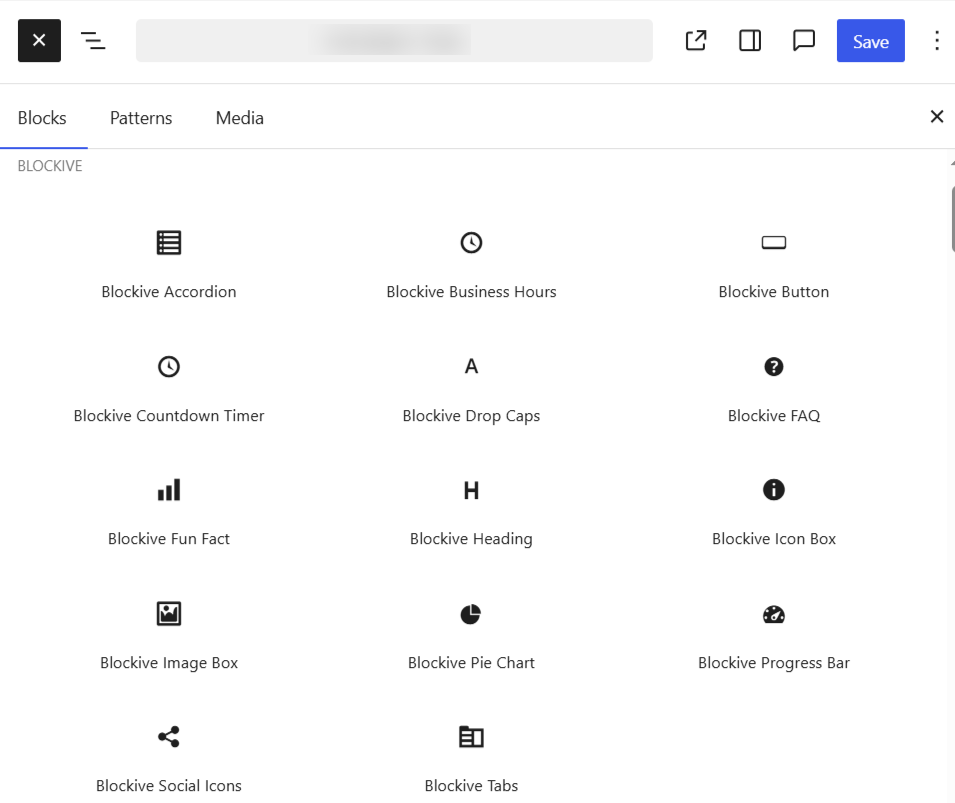
- Open any page or post editor and search for “Blockive” in the block inserter.
FAQ
Are all blocks mobile-responsive?
Yes. Every block is mobile-first and includes dedicated responsive breakpoints for desktop, tablet, and mobile devices.
Does Blockive slow down my website?
No. Blockive enqueues CSS and JavaScript assets on demand, only loading the assets required for the specific blocks used on that page.
Can I use Blockive with any WordPress theme?
Yes. Blockive works with all standard block themes (Full Site Editing) and classic themes supporting the Gutenberg block editor.
How do I create custom single post templates?
Go to Blockive > Templates in your WordPress admin dashboard, create a new template, set your display conditions, and build the layout using the Template Blocks.
What does Blockive Pro add over this free version?
Blockive Pro adds 35 additional blocks (including native Form builder, Mega Menu, and Carousels), full-site template building (Header, Footer, Archive, 404, Search), a Popup Builder, WooCommerce and Events blocks, Dynamic Tags, and priority support. See the comparison section above, or view Blockive Pro pricing.
Screenshots
Changelog
1.1.0
- Added Site Tools dashboard with an Element Manager to easily turn unused blocks on or off.
- Added Free vs Pro comparison tab in the dashboard.
- Added Advanced tab for blocks with margin, padding, border, background, and animation controls.
- Added live preview in the editor for container and advanced styling changes.
- Added hover previews for blocks in the block inserter.
- Added evergreen countdown timer mode and timer expiry actions.
- Added template layout options to hide post title, featured image, comments, and enable full width.
- Added WPML compatibility and FontAwesome 6 icon support.
- Accessibility improvements for Accordion, Tabs, and Image Comparison blocks.
1.0.1
- Tested and confirmed compatibility up to WordPress 7.1.
- Improved template builder block rendering and responsive control performance.
- Enhanced accessibility for Accordion, Tabs, and Image Comparison blocks.
1.0.0
- Initial public release with 25 premium blocks and dynamic Template Builder.