

Description
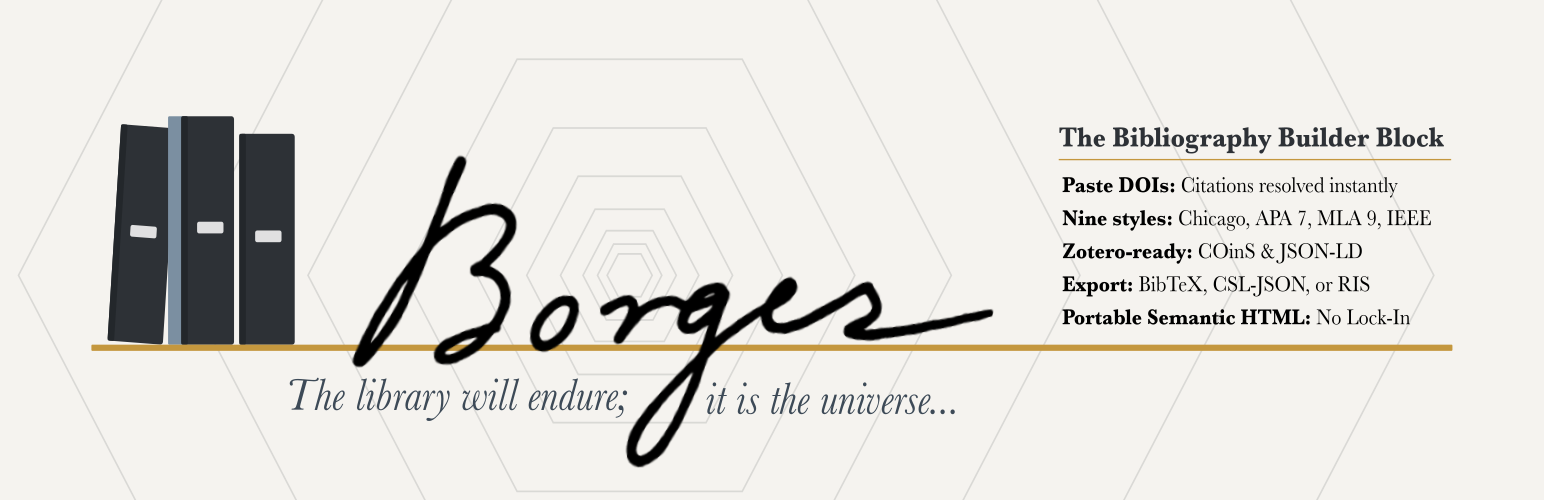
Named for Jorge Luis Borges (1899–1986), the Argentine writer and librarian known for stories about infinite libraries, imaginary books, and labyrinths of knowledge, Borges Bibliography Builder brings order to scholarly references in WordPress.
The Borges Bibliography Builder transforms DOI(s), PubMed/PMID records, BibTeX, RIS, CSL-JSON, manual entries, and supported free-text citations into a semantically rich, deduplicated, auto-sorted reference list with RIS export for citation managers.
One-click import. Paste a DOI and Crossref resolves the metadata instantly. Paste a PubMed/PMID identifier and Borges resolves it through an authenticated WordPress REST proxy to NCBI/PMC citation metadata. Paste BibTeX, RIS, or formatted citations for books, articles, chapters, webpages, reviews, and theses.
Nine citation styles. Choose from Chicago Notes-Bibliography, Chicago Author-Date, APA 7, MLA 9, Harvard, Vancouver, IEEE, OSCOLA, and ABNT (Associação Brasileira de Normas Técnicas / NBR 6023:2025) — all with automatic sorting per style rules, following each manual’s current edition. Each style is a Citation Style Language (CSL) file written for Borges and rendered by the citeproc-php engine.
In-text and margin citations. Choose Cite in any paragraph to link a short citation, such as “(Illich 1973, 12)” or a Chicago short note, to its entry in a bibliography on the same post. It works in running text and in a theme’s margin-note paragraph style, and it is a plain link, so readers need no JavaScript. When you change the bibliography’s style, Update citations rewrites them to match, keeping each page number and leaving citations you reworded alone.
Portable. Static HTML output survives plugin deactivation. No shortcodes. No database tables.
Accessible by default. Semantic list markup, keyboard-operable editing and entry reordering (Alt+Arrow for numeric styles), visible focus, and optional Block Accessibility Checks integration (requires that plugin at version 4.0 or later) help your bibliographies meet accessibility expectations.
Reference-manager friendly. Export and reuse your bibliography in common research workflows. Borges supports CSL-JSON, BibTeX, BibLaTeX, RIS, DOI links, JSON-LD, and optional COinS metadata for compatibility with tools such as Zotero, Mendeley, EndNote, JabRef, BibDesk, and other citation managers.
Annotated bibliographies. Add your own note to any entry, in as many paragraphs as you need, and turn on “Show annotations” to print each note under its entry. Notes are stored with the citation data (CSL annote), so they travel with CSL-JSON, BibTeX, BibLaTeX, and RIS. Off by default; existing bibliographies are unchanged.
Repeated authors your way. MLA’s three hyphens and OSCOLA’s double em dash apply by default. A block setting can write the names out instead, or use Chicago 17’s 3-em dash or ABNT’s pre-2018 underscore line. Screen readers always hear the names.
Reader-facing cite & export. Optionally add a per-entry Cite / Export panel to the published bibliography: a disclosure under each entry with a copy button and one-click downloads in RIS, CSL-JSON, BibTeX, and BibLaTeX. The panel is built on the page, so newsletters and feeds carry a clean bibliography without it. Off by default; enable it per block.
Try it first. Launch a disposable demo in WordPress Playground before installing it on your site.
Translation-ready. Plugin interface strings use the borges-bibliography-builder text domain, and official WordPress.org language packs are generated as community translations are approved on translate.wordpress.org.
Support development. If Borges saves you time by bringing order to your citations and joy to your heart, you can sponsor the author to support ongoing maintenance.
Performance & Footprint
Borges is a static-output block. Formatted bibliography HTML, JSON-LD, and COinS are baked into your post content when you save, so the citeproc formatting engine and the DOI/PubMed lookups run only in the editor — never on the front end.
As a page renders, a light filter adds what the saved JSON-LD cannot know, such as the page’s own URL for each entry’s identifier, and extra identifiers and fields from the stored citations. It also marks each entry as an h-cite microformat for IndieWeb tools. It makes no database queries or remote requests.
What this means for a published page:
- Zero added database queries — no matter how many bibliographies or citations the page contains. Query load does not grow with your content.
- No
render_callback, no REST calls, no shortcodes on the front end. Output is static HTML from the block’ssave(). - No long-lived settings — the plugin registers no settings or autoloaded options, no custom tables, no custom post types, and no cron events. Editor-time PMID and formatting results are cached in the object cache and in short-lived, non-autoloaded transients, written only while editing. DOI imports are deduped in a browser-session cache, not stored server-side.
- Tiny front-end payload — only a small view script (~1.4 KB, with no dependencies) and stylesheet (~2.9 KB) load, and only on pages that actually contain a bibliography.
Installed footprint is roughly 1.9 MB (the bundled citeproc-php formatting engine, translations, and editor/front-end assets account for the total). The latest v1.7.0 downloadable ZIP is 553,699 bytes (about 541 KB compressed).
Because output is static, your bibliographies remain intact as plain HTML even if the plugin is deactivated.
Known Limitations
OSCOLA tables — An OSCOLA bibliography that cites cases, legislation, or treaties lists them in a table of cases, a table of legislation, and a table of treaties before the secondary sources, as OSCOLA 5 asks. The tables are not divided by jurisdiction, statutes have no sub-entries for the sections cited, and “R v” cases file under R, which is OSCOLA’s rule for works other than criminal-law works.
Development
Full developer documentation, source code, issue tracker, and contribution guidelines are on GitHub:
https://github.com/dknauss/Borges
Bug reports, feature requests, and pull requests are welcome. See CONTRIBUTING.md in the repository for development setup, coding standards, and the PR process.
External Services
This plugin connects to fixed scholarly metadata services only when you explicitly add an identifier in the block editor — no citation data is sent automatically or in the background. No account or API key is required for any of the supported DOI, PMID, PMCID, arXiv, ISBN, library catalog, or Internet Archive lookups.
DOI metadata
DOI input connects to the Crossref REST API (https://api.crossref.org/) to resolve citation metadata.
- Crossref service: https://www.crossref.org/
- Crossref REST API documentation: https://api.crossref.org/swagger-ui/index.html
- Crossref privacy policy: https://www.crossref.org/privacy/
- Crossref terms of service: https://www.crossref.org/terms/
PubMed/PMID and PubMed Central/PMCID metadata
PubMed/PMID and PubMed Central/PMCID input connects through the plugin’s authenticated WordPress REST proxy to the NCBI/PMC Literature Citation Exporter CSL endpoints. The proxy uses a fixed upstream host and validates the identifier as numeric before making the outbound request. Only the identifier is sent.
- NCBI APIs: https://www.ncbi.nlm.nih.gov/home/develop/api/
- NCBI/PMC Literature Citation Exporter: https://pmc.ncbi.nlm.nih.gov/api/ctxp/
- NLM Web Policies: https://www.nlm.nih.gov/web_policies.html
arXiv metadata
arXiv IDs, arxiv.org links, and arXiv DOIs connect through the plugin’s authenticated WordPress REST proxy to the arXiv API (https://export.arxiv.org/api/query). The proxy uses a fixed upstream host and validates the arXiv ID pattern before making the outbound request. Only the arXiv ID is sent.
- arXiv API: https://info.arxiv.org/help/api/index.html
- arXiv API Terms of Use: https://info.arxiv.org/help/api/tou.html
- arXiv privacy policy: https://info.arxiv.org/help/policies/privacy_policy.html
ISBN metadata
ISBN input connects through the plugin’s authenticated WordPress REST proxy to Open Library (https://openlibrary.org), run by the Internet Archive: its ISBN edition endpoint (https://openlibrary.org/isbn/) for the book record and its search API (https://openlibrary.org/search.json) for author names. If Open Library has no record or cannot be reached, the proxy falls back to the Google Books API (https://www.googleapis.com/books/v1/volumes). All upstream hosts are fixed, and the ISBN checksum is verified before any outbound request. Only the ISBN is sent, plus the site’s own Google Books API key if one is defined in wp-config.php (the BIBLIOGRAPHY_BUILDER_GOOGLE_BOOKS_API_KEY constant). The key goes only to Google Books and is never sent to the browser.
- Open Library Books API (ISBN endpoint): https://openlibrary.org/dev/docs/api/books
- Open Library Search API: https://openlibrary.org/dev/docs/api/search
- Internet Archive terms of use: https://archive.org/about/terms.php
- Google Books APIs: https://developers.google.com/books
- Google APIs Terms of Service: https://developers.google.com/terms
- Google Privacy Policy: https://policies.google.com/privacy
Library catalog numbers and Internet Archive items
OCLC numbers, LCCNs, and Open Library edition IDs connect through the plugin’s authenticated WordPress REST proxy to Open Library’s Books API (https://openlibrary.org/api/books). Internet Archive item links, ia: identifiers, and Internet Archive ARKs connect to the Internet Archive item metadata API (https://archive.org/metadata/); an ARK is first matched to its item through the Internet Archive’s advanced search (https://archive.org/advancedsearch.php). When the item lists its Open Library edition, ISBN, or LCCN, that identifier is then looked up through Open Library (with the Google Books fallback for an ISBN). All upstream hosts are fixed, and each identifier is validated before any outbound request. Only the identifier is sent.
- Open Library Books API: https://openlibrary.org/dev/docs/api/books
- Internet Archive developer documentation: https://archive.org/developers/
- Internet Archive terms of use: https://archive.org/about/terms.php
Installation
- Upload the plugin files to
/wp-content/plugins/borges-bibliography-builder/, or install directly through the WordPress plugin screen. - Activate the plugin through the ‘Plugins’ screen in WordPress.
- Add the “Bibliography” block to any post or page.
- Paste DOI(s), PubMed/PMID identifiers, BibTeX, RIS, CSL-JSON, or supported citations for books, articles, chapters, and webpages — or add citations manually.
FAQ
Which translations are available?
The WordPress.org plugin page’s Languages list is the canonical list of currently published language packs. English (US) is the source language and is not counted as a translated locale; other locales appear after their Stable plugin translations are approved on translate.wordpress.org and a language pack is generated.
The package includes seed PO/MO files for translator review and import in French (fr_FR), German (de_DE), Dutch (nl_NL), Swedish (sv_SE), Spanish (es_ES), Italian (it_IT), Portuguese (pt_PT), Polish (pl_PL), Russian (ru_RU), Japanese (ja), Simplified Chinese (zh_CN), Korean (ko_KR), Serbian (sr_RS), Croatian (hr), Brazilian Portuguese (pt_BR), Hindi (hi_IN), Bengali (bn_BD), Tamil (ta_IN), and Telugu (te). These files cover plugin interface strings only and should not be read as official WordPress.org language-pack availability.
What citation input formats does the Borges Bibliography Builder support?
Bare DOIs, DOI URLs, PubMed/PMID identifiers, PubMed Central PMCIDs, arXiv IDs and links, ISBNs, OCLC numbers, LCCNs, Open Library edition IDs, Internet Archive item links and ARKs, BibTeX and BibLaTeX, RIS (single records or a whole .ris export), CSL-JSON, manual citation entries, and supported formatted citations for books, articles, chapters, webpages, reviews, and theses/dissertations. Free-text citations that include an inline DOI or labeled PMID are routed through the DOI/PubMed resolvers before falling back to the heuristic parser. You can paste multiple entries at once, up to 50 per paste, and each bibliography holds up to 200 citations in total.
Does the ABNT style implement NBR 6023:2025?
Yes. The ABNT option targets Associação Brasileira de Normas Técnicas bibliography formatting under NBR 6023:2025, uses the pt-BR locale, and defaults new ABNT bibliographies to the heading Referências. Always verify institutional or journal-specific ABNT variants before submission.
What happens if I deactivate the Borges Bibliography Builder?
Your bibliographies remain fully readable. The block uses static HTML output, so all formatted citations stay in your post content.
What happens if I delete the Borges Bibliography Builder?
Your bibliographies stay in your posts — they are saved as static HTML, not in a database table the plugin owns. When you delete the plugin, Borges removes only its own cached lookup data (transient and object-cache entries) and leaves your content untouched.
ISBN lookups sometimes fail with a Google Books error. What can I do?
Borges looks ISBNs up in Open Library first and falls back to Google Books. Without an API key, Google Books lookups share Google’s anonymous daily quota with every other keyless caller, and that quota can run out. Create a key restricted to the Books API in the Google Cloud console and add it to wp-config.php:
define( 'BIBLIOGRAPHY_BUILDER_GOOGLE_BOOKS_API_KEY', 'your-key' );
Developers can supply or override it with the bibliography_builder_google_books_api_key filter instead. Borges stores no settings, so there is no settings screen for it.
Does the Borges Bibliography Builder work with Zotero, Mendeley, EndNote, and other citation managers?
Yes. Borges is built around portable bibliography formats rather than lock-in. Zotero can use DOI links, BibTeX, RIS, CSL-JSON, and optional COinS metadata. Mendeley and EndNote are best supported through BibTeX/RIS exports, with DOI-backed entries also friendly to browser importers. JabRef, BibDesk, and LaTeX/Biber workflows can use UTF-8 BibTeX or BibLaTeX. CSL-JSON is available for citeproc and scholarly data workflows.
Why would I enable CSL-JSON?
Enable CSL-JSON if you want your bibliography data to be reusable by scholarly tools, scripts, or services without scraping the visible citation text.
Can I export the bibliography data?
Yes. In the editor you can download the whole bibliography as CSL-JSON, BibTeX, BibLaTeX, or RIS, copy any single citation, or copy the full bibliography as plain text. You can also enable a per-entry Cite / Export panel that places the same RIS, CSL-JSON, BibTeX, and BibLaTeX downloads — plus the citation text — directly on the published page for your readers. The reader-facing panel is built on the page by a small script (no other script dependencies), stays out of newsletters and feeds, and is off by default.
Can I access bibliography data via API?
Yes. The plugin exposes read-only REST endpoints at /wp-json/bibliography/v1/posts/<post_id>/bibliographies and /wp-json/bibliography/v1/posts/<post_id>/bibliographies/<index> (or the block’s bibliographyId in place of the index). Published posts are readable publicly; non-public posts require permission to edit the post. The single-bibliography route also supports format=json, format=text, and format=csl-json. Users who can edit the post can also validate a bibliography’s entries, list likely duplicates, and preview it in another citation style (/validate, /duplicates, and /preview?style= under the block’s index or bibliographyId); none of these saves anything. Editor-only authenticated endpoints handle CSL formatting and PubMed/PMID resolution; they do not persist citations by themselves. A site can also opt in to write routes that add, change, remove, and reorder citations, change block settings, and switch the citation style over REST. They are off unless a developer enables them with the bibliography_builder_enable_write_routes filter; see docs/rest-write-routes.md in the GitHub repository.
Does the Borges Bibliography Builder work on WordPress Multisite?
Yes. Borges works on WordPress Multisite, including network activation. If you encounter issues on a specific network configuration, please report them.
What PHP and WordPress versions are supported?
PHP 7.4+ and WordPress 6.4+. Borges Bibliography Builder is tested up to WordPress 7.1.
Does Borges work with the Block Accessibility Checks plugin?
Yes, and the integration is entirely optional. When Block Accessibility Checks 4.0 or later is active, the Bibliography block registers four authoring-time checks: an error when the block contains no citations, and warnings for a missing heading, for citations whose link text is a bare URL or DOI, and for having every machine-readable metadata output disabled. You can adjust each check’s severity, or turn it off, from the Block Accessibility Checks settings screen.
Version 4.0 replaced the plugin’s registration API, so the integration requires 4.0 or later. On Block Accessibility Checks 3.x the integration stays dormant and no bibliography checks appear. Borges itself is unaffected and works normally whether that plugin is outdated or not installed at all.
Screenshots


Changelog
1.21.0
- Fixed: bibliographies sent by email, such as WordPress.com and Jetpack newsletters, which build emails from the saved post, no longer show bullets and an indent. Saved lists now carry the no-bullet style inline; numbered lists keep their numbers, and nothing changes on the web. Existing posts stay valid and pick up the change when next saved in the editor.
- Changed: heading alignment moved from the sidebar to an “Align heading” menu in the block toolbar. The setting and saved markup are unchanged.
1.20.0
- Added: a “Repeated authors” setting. MLA 9 and OSCOLA blocks can write repeated names out instead of using their marks, Chicago blocks can use the 17th edition’s 3-em dash (“———.”), and ABNT blocks NBR 6023:2002’s underscore line (“______.”). Screen readers hear the names, and copied text and exports keep them.
- Added: Harvard, IEEE, and Vancouver citations can be pasted as text with no DOI or other identifier, and are read into their fields: journal articles, books, chapters, conference papers, preprints, encyclopedia entries, and web pages (and theses in IEEE). Check the fields before publishing, as the note under each such entry asks.
- Changed: the bibliography heading is centered again, as APA, MLA, Chicago, Turabian, and ABNT ask, with a new “Heading Alignment” setting to put it at the start of the line. A theme can still set its own alignment.
- Changed: clearer wording in the “Citations in this post” panel (“in-text citations”, “edited by hand”).
- Fixed: PubMed and PubMed Central records print cleanly: bare initials get their periods, an issue sent as “Pt 8” prints as “8”, and an NLM journal subtitle (“Brain : a journal of neurology”) is dropped when the record’s short title says so.
- Fixed: pasted citations the editor can’t read are turned away instead of read wrongly, numbered entries (“[1] …”) lose their numbers, and citations read by the parser’s less certain patterns ask you to check their fields.
- Fixed:
POST /bibliography/v1/formatanswers400when a request sends nocslItemslist, instead of an empty bibliography, and acceptsitemsas an alias.
1.19.1
- Fixed: OSCOLA tables of legislation and treaties print titles in roman, as OSCOLA 5 asks, not italics.
- Fixed: OSCOLA statutory instruments keep their SI number (“Air Navigation Order 2016, SI 2016/765”).
- Fixed: JSON-LD author names keep their particles (“Ludwig van Beethoven”). Published posts are corrected without being re-saved.
- Fixed: after Update citations, the “Citation style changed” notice is dismissed.
1.19.0
- Added: in-text and margin citations. A Cite control in the toolbar links a short citation in any paragraph, heading, list item, or quote (including a theme’s margin-note or gloss style) to an entry in a bibliography on the same post, with an optional page, chapter, or section. The short form follows the bibliography’s style: a Chicago short note, “(Author Year, page)”, or “[2]”. Citations are plain links to their entries, so they work with no script on the page.
- Added: Update citations. After a style change, a notice and the bibliography’s new “Citations in this post” panel rewrite every citation the editor wrote in the new style and numbering, keeping its page, as one step you can undo. Citations you reworded are left alone unless you choose otherwise.
- Added: annotated bibliographies. Each entry can carry your own note on the work, stored in CSL
annote, and a new “Show annotations” setting prints the notes under their entries. They import from BibTeX and BibLaTeX and export to CSL-JSON, BibTeX, BibLaTeX, and RIS. - Added: microformats. Each entry is marked up as an
h-cite, with authors, date, DOI, URL, container, and publisher, so IndieWeb tools read the bibliography as citations. Nothing visible changes. - Added: journal abbreviations in the RIS export (
J2), and sentence case in Harvard. - Changed: with Yoast SEO, the page’s schema.org
citationnow carries each cited work’s full record, so Yoast’s schema aggregator and NLWeb receive authors, identifiers, journals, and pages, not just titles. Thebibliography_builder_yoast_citation_recordsfilter restores the short references. - Changed: the bibliography heading is start-aligned by default.
- Fixed: cited works were missing from Yoast SEO graphs built outside the page request, such as NLWeb’s answers over MCP.
1.18.0
- Added: sentence case in APA 7, Vancouver, and IEEE. Titles imported in title case print in sentence case, as the manuals ask; the stored title never changes, so switching styles brings the capitals back. Languages, nationalities, countries, provinces, states, months, and days keep their capitals, and the
bibliography_builder_sentence_case_proper_nounsfilter adds your own. Other names can come out lowercase (“Darwin and wallace”), so each entry has a “Keep title capitalization as entered” checkbox. Existing blocks change only when their entries are next formatted. - Added: journal abbreviations in IEEE and Vancouver, from the record’s abbreviated title when it has one, with a new “Journal abbreviation” field in the entry editor.
- Added: OSCOLA repeated authors. One author’s works come oldest first, and after the first the name becomes a double em dash, as OSCOLA 5 asks.
- Changed: new bibliographies start with an h2 heading, so they appear in the page’s heading outline. Existing blocks keep their level; the
bibliography_builder_new_block_heading_levelfilter sets another. - Changed: the heading takes its size and weight from the theme’s headings, and stays centred.
- Changed: citation links no longer carry
nofollowornoreferrer, which told search engines not to trust the works you cite. They carryrel="noopener", on saved posts too. The newbibliography_builder_citation_link_relfilter can restorenofollow. - Changed: the bibliography is named by its visible heading (
aria-labelledby) rather than a copy of it, on saved posts too. - Fixed: the default heading keeps its look in newsletters and feeds, and two undated works by one author sort by title in author-date styles.
1.17.0
- Added: OSCOLA tables of primary sources. An OSCOLA bibliography with cases, legislation, or treaties lists them as OSCOLA 5 asks: a table of cases, then legislation, then treaties, then the bibliography of secondary sources. Existing blocks stay valid and take the new shape the next time they are edited.
- Added: on sites without Yoast SEO or Rank Math, the page’s own
WebPagestructured data now links the cited works as schema.orgcitation. The newbibliography_builder_page_citation_nodefilter can change or drop it. - Changed: Google’s Rich Results Test no longer reports bibliographies as invalid items: each JSON-LD entry carries
itemwithouturl. Encyclopedia and dictionary entries name their reference work. - Changed: COinS names each entry’s type, so Zotero’s browser connector imports a chapter as a book section, a conference paper with its proceedings, and a book with its edition.
- Fixed: VoiceOver in Safari reads the bibliography as a list again (“list, 12 items”, “7 of 12”). Saved posts need no change.
- Fixed: arXiv numbers print once in APA 7 and IEEE, not as “arXiv:arXiv:1706.03762”.
1.16.0
- Added: RIS import. Paste a whole
.risexport or single records from Zotero, Mendeley, EndNote, or another reference manager, alone or mixed with DOIs and formatted citations, and each record imports as a citation. - Added:
wp borges duplicates, a read-only report of repeated citations within each bibliography and across the bibliographies of one post. Bulk deduplicate now copies any field the kept copy lacks (a DOI, pages, a volume) from the copies it removes. - Changed: richer structured data as pages render: magazine, newspaper, and web citations name their container in JSON-LD, conference papers are part of their proceedings, and COinS lists every author and the PubMed ID, so Zotero’s browser connector imports the whole author list. Saved posts are unchanged. The new
bibliography_builder_enrich_coinsfilter turns the COinS change off. - Fixed: titles stored with straight apostrophes or quotation marks are now italicized.
- Fixed: BC dates. Years before 1000 now print in every style (“334 BCE”, “731”; ABNT “334 AEC”), and string BC years in pasted CSL-JSON are kept.
- Fixed: sorting. In Chicago notes-bibliography and OSCOLA a single author sorts before co-authored works that begin with the same name, and ABNT files titles without Portuguese leading articles (O, A, Os, As, Um, Uma, Uns, Umas).
- Fixed: reference-manager imports: Mendeley’s
cityfield becomes the place of publication, BibTeX thesis and report types get readable genres, EndNote and Mendeley entries without cite keys import, comments in JabRef files are ignored, and pasted XML exports get a clear notice instead of becoming a citation.
1.15.0
- Added: bulk reformat across posts. With the write routes turned on,
POST /bibliography/v1/bulk/reformatswitches every bibliography in up to 25 posts to one citation style and saves each post once. It needsedit_others_postsplusedit_poston each post, previews unlessdry_run=false, and returns the posts it did not reach asremaining. Theborges/bulk-reformatability andwp borges reformat <post-id>... --style=<key> --user=<user>do the same. - Added: bulk deduplicate across posts.
POST /bibliography/v1/bulk/deduplicate, theborges/bulk-deduplicateability, andwp borges deduplicateremove repeated citations within each bibliography, keeping the first copy. A work listed in two bibliographies of one post is reported and left in place. - Added: a rate limit for bulk edits: 250 posts per user per 15 minutes, dry runs included, and one saving bulk request at a time per site. Responses carry
RateLimit-*headers; a request over the limit gets429withRetry-After. Filters let hosts change the numbers. WP-CLI commands spend no budget. - Fixed: editing a citation can no longer turn it into a copy of another citation in the same bibliography. The block’s field editor refuses the edit with a notice, and the REST update route and
borges/update-citationability return409. Repeats across two bibliographies on a page are still allowed.
1.14.0
- Added: WP-CLI commands.
wp borges list <post-id>lists a post’s bibliographies,wp borges export <post-id>prints one as CSL-JSON, plain text, or JSON, andwp borges validate <post-id>reports errors and warnings for every entry and exits 1 when there are errors. They change nothing. Without--userthey read any post, as WordPress’s own commands do; with--userthey apply that user’s permissions, the same as the REST API. - Fixed: works by the same authors in the same year are told apart in APA, Chicago author-date, Harvard, and ABNT: “Jones, T. (2020a).” and “(2020b).”, lettered in the order the bibliography lists them. Saved posts stay valid; a bibliography takes its letters the next time it is formatted (when a citation is added, edited, or removed, or the style changes). The REST write routes and abilities keep the letters current too.
1.13.0
- Added: richer structured data for search engines and AI crawlers. As a page renders, each cited work in the bibliography’s JSON-LD gains an
@id, its DOI, PMID, PMCID, arXiv, and ISBN identifiers withsameAslinks, journal issue and volume, pages, editors and translators, and a closer schema.org type, and each entry links to its place on the page. Published posts get this without being edited. Thebibliography_builder_enrich_json_ldfilter turns it off. - Added: with Yoast SEO or Rank Math, the page’s Article lists the cited works under schema.org
citation. Thebibliography_builder_link_page_citationsfilter turns it off. - Added: the
bibliography_builder_output_defaultsfilter sets which outputs (JSON-LD, COinS, CSL-JSON, Cite / Export) a newly inserted bibliography starts with. Existing blocks keep their settings, and Borges still stores no settings.
1.12.0
- Added: write abilities for AI agents and automation on WordPress 6.9+ (add, update, delete, and reorder citations; change a bibliography’s settings or style). They exist only when a site turns on the write routes with the
bibliography_builder_enable_write_routesfilter, and follow the same rules:edit_poston the post and a preview unless asked to save. - Fixed: bibliographies in newsletters and feeds. Posts sent by email (Jetpack and WordPress.com newsletters, MailPoet, WooCommerce, Newspack) or read in a feed reader no longer show every reference in italics or a broken Cite / Export panel. Posts saved earlier are cleaned up as they are sent, and switch to the new markup the next time they are saved.
- Fixed: names with particles (“van Duijnhoven”, “de la Cruz”) sort where each style puts them: under the surname proper in Chicago and Vancouver, under the particle in APA, MLA, Harvard, and the others.
- Fixed: no period after a quoted title that ends in “?” or “!” in Chicago and MLA.
- Changed: reformatting after an edit is much faster in long bibliographies: only the changed entries are formatted, about 5 ms instead of 65–105 ms for 200 entries.
- Changed: internal restructuring and stricter static analysis, with no change to saved markup or output.
1.11.0
- Fixed: link cards no longer credit a cited source as the post’s author. The JSON-LD listed cited works as top-level objects, and Mastodon takes the first top-level
WebPageon a page to be the page itself, so a post citing a museum’s collection page was shared “by Albertina”. Cited works are now nested in one schema.orgItemList. Published posts are corrected as they are rendered, without being edited. - Fixed: bibliographies over 50 citations. The server formatter now takes up to 200 entries per request, matching the editor, instead of falling back to plain titles with a “Formatter unavailable” notice.
1.10.0
- Added: library catalog numbers. Paste an OCLC number, an LCCN, or an Open Library edition ID (or their WorldCat, lccn.loc.gov, or Open Library links) and the book is looked up through Open Library. When Open Library has no record, Borges says so and suggests the ISBN.
- Added: Internet Archive items. Paste an archive.org item link,
ia:<identifier>, or an Internet Archive ARK. Borges cites the edition the item names (its Open Library edition, ISBN, or LCCN) and keeps the archive.org page as the link, or tidies the scan’s own record when it names none. - Added: an optional Google Books API key for the ISBN fallback, set with the
BIBLIOGRAPHY_BUILDER_GOOGLE_BOOKS_API_KEYconstant or a filter, so lookups no longer depend on Google’s shared anonymous quota. Borges still stores no settings. - Changed: “Edit fields” now works on every citation, not only ones typed as free text. Only the fields you change are saved; untouched DOIs, URLs, authors, and dates stay exactly as imported.
- Fixed: a journal name that is part of its own DOI, such as eLife, is no longer italicized inside the DOI link, which split the link. Bibliographies saved with the broken link stay valid and are fixed the next time they are saved.
- Fixed: “Place: Publisher” in pasted citations (
London: Boyars, 1976) is split into place and publisher. - Fixed: Chinese, Japanese, and Korean author names, and names with a gloss in parentheses, are kept whole in book lookups; a leading Dr., Prof., Mr., Mrs., Ms., Mx., or Rev. is dropped.
Earlier versions
For 1.9.1 and earlier, see the full changelog on GitHub.