

Description
BrandKity for WordPress connects your WordPress site directly to your BrandKity workspace so content creators, designers, and developers can access approved brand and legal assets without leaving the WordPress dashboard.
Key Features:
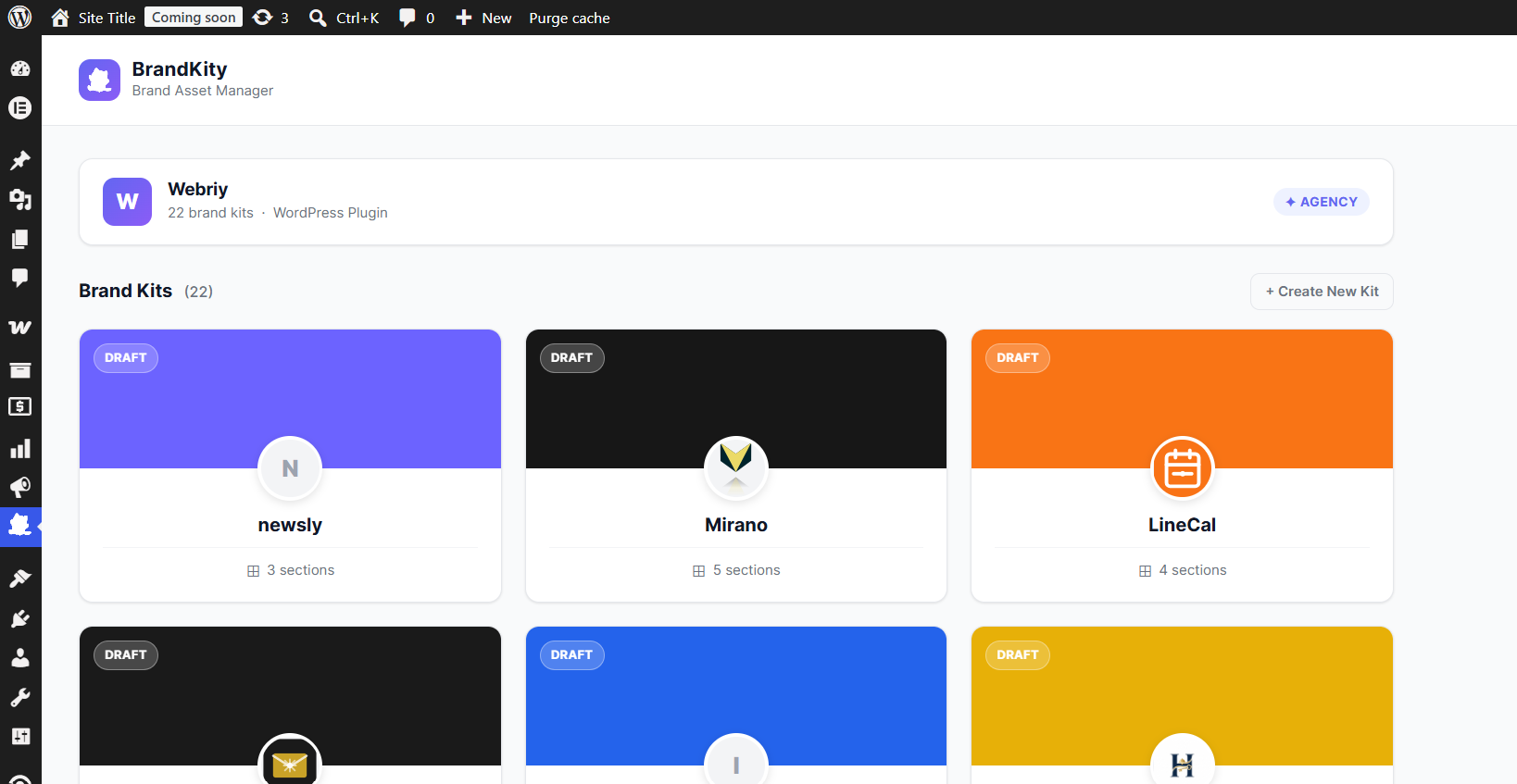
- Workspace Kit Browser — View all Brand Kits and Legal Kits with workspace storage usage, filter tabs, instant search, and direct links to live
/p/and/l/portals. - Complete 12-Block Support — Browse Logos, Colors, Typography (Google, Adobe, and Custom Fonts), Visuals, Icons (including BrandKity 46,000+ Icon Library SVGs), Videos, Collaterals, Resources, Brand Story Rich Text, Curated Links, 3D Models, and Legal Kit Compliance Badges.
- Persistent Media Library Sync — Automatically detects assets you have already imported into your WordPress Media Library (
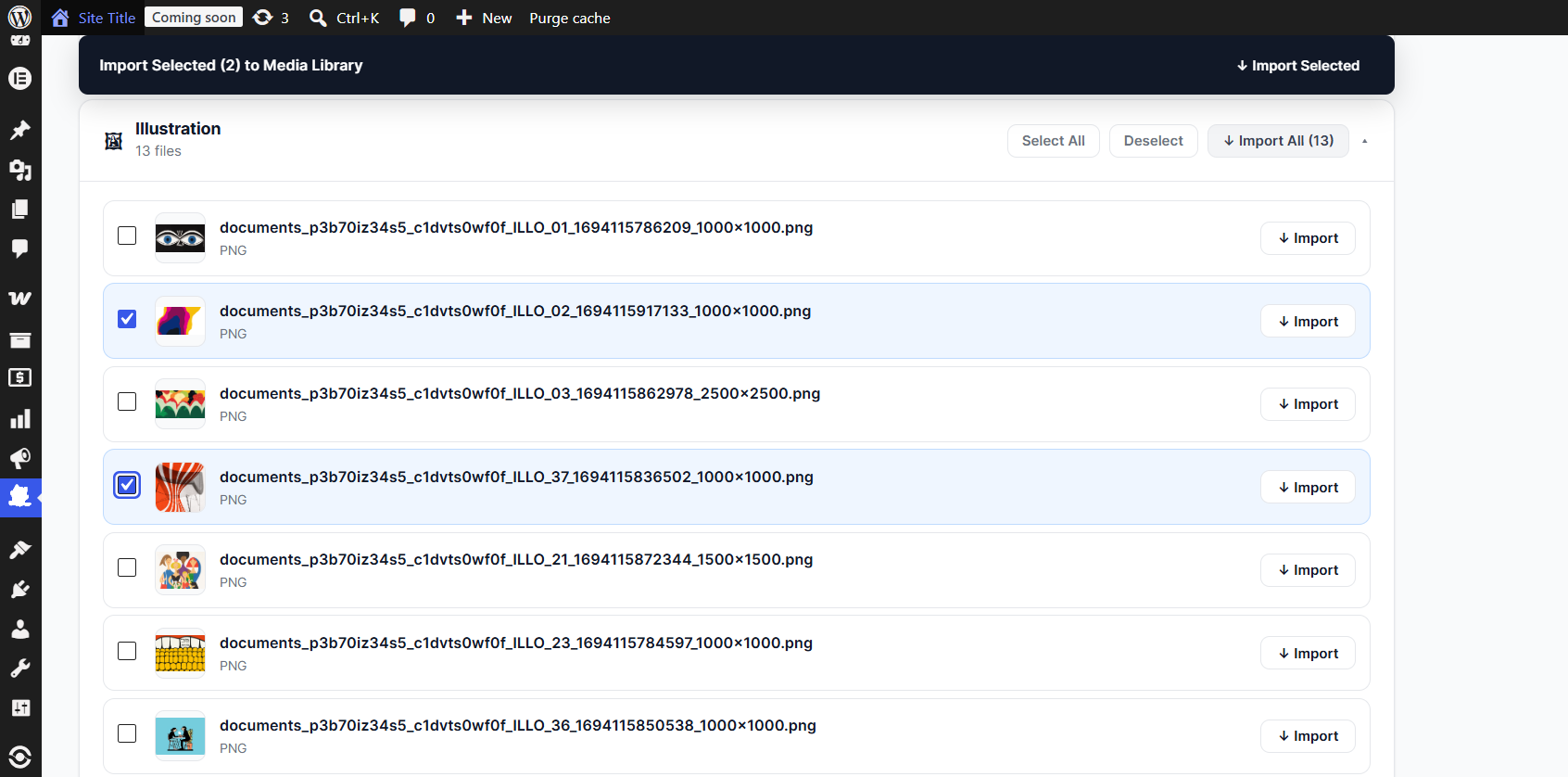
In Media Library) to prevent duplicate uploads, with direct View links and optional Re-import. - Queued Bulk & Section Importing — Import individual items, entire sections, or all unimported assets with a smooth throttled queue, live progress indicator, and Cancel button.
- Sanitized SVG & Extended Asset Support — Strips dangerous XML/script tags before sideloading SVG logos and Icon Library vectors cleanly, and supports modern formats including WebP, AVIF, PDF, ZIP, Office documents, custom fonts, and
.glb/.gltf/.obj/.stl3D files. - One-Click Clipboard Copy — Copy HEX and RGB color values, link URLs, or Brand Story HTML / plain text directly from WordPress.
- Encrypted API Key Storage — Your BrandKity Personal Access Token (
bk_live_...) is stored encrypted in WordPress options and restricted to site administrators. - All Plans Supported — Available on every BrandKity plan, including the Free tier.
External Services & Privacy Policy
This plugin connects to the BrandKity API (https://brandkity.com) and BrandKity Asset CDN (https://cdn.brandkity.com) solely when an authenticated WordPress user views BrandKity admin pages or imports assets into the Media Library. Your encrypted Personal Access Token (bk_live_...) is transmitted over HTTPS solely to fetch your authorized workspace metadata, kit definitions, and media downloads.
For BrandKity’s full privacy policy, visit: https://brandkity.com/privacy-policy
Installation
- Upload the
brandkityfolder to/wp-content/plugins/, or install directly from the WordPress Plugin Directory. - Activate BrandKity: Brand Asset Manager through the Plugins menu in WordPress.
- Navigate to BrandKity in the WordPress admin sidebar.
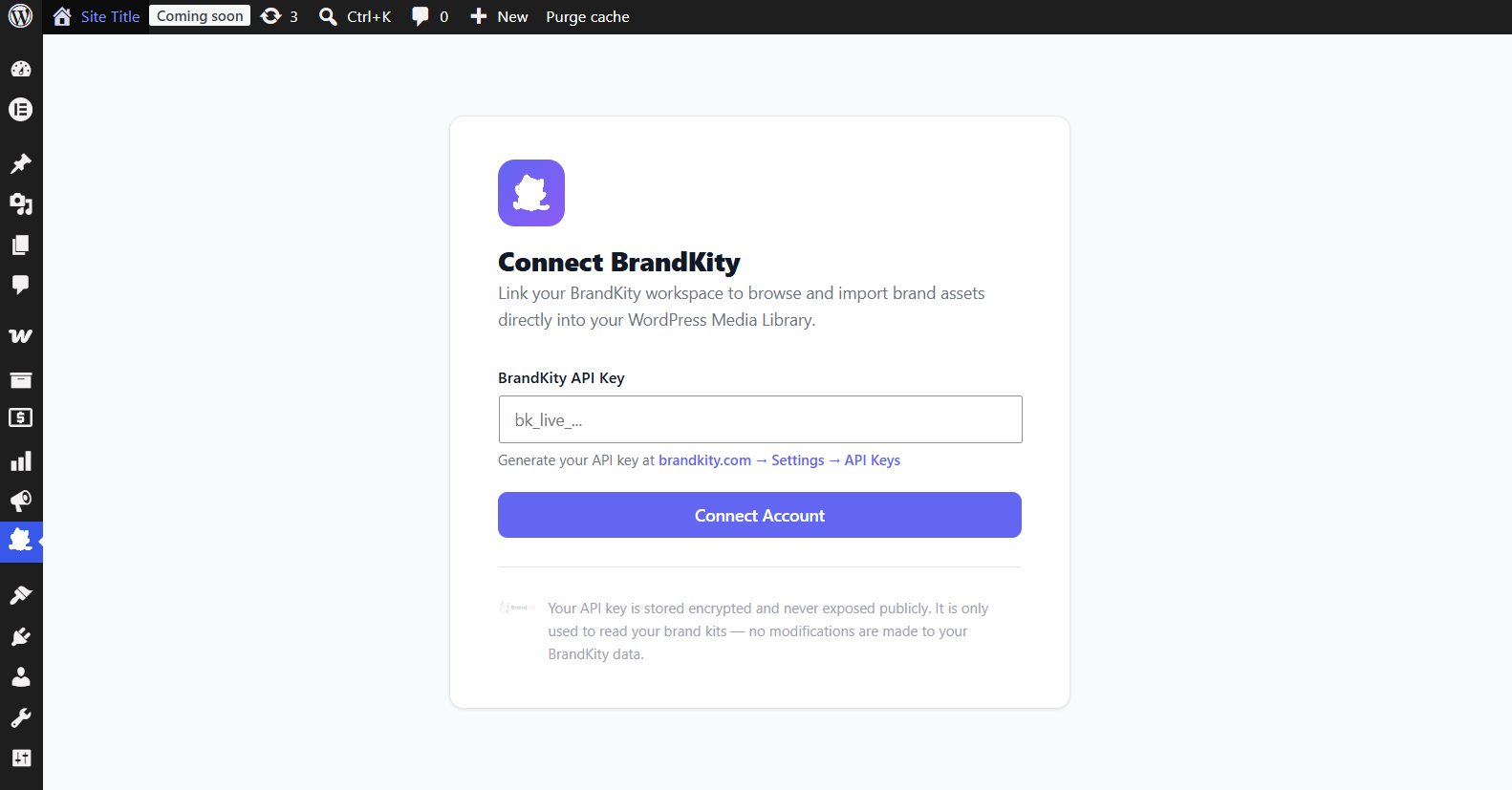
- Generate an API Key at brandkity.com → Settings → API Keys.
- Paste your key (
bk_live_...) into the connection form and click Connect BrandKity.
FAQ
Do I need a paid BrandKity plan to use this plugin?
No. The WordPress plugin works on all BrandKity plans, including Free.
Which asset formats are supported?
Images (PNG, JPG, WebP, GIF, AVIF), sanitized SVGs (both uploaded files and BrandKity Icon Library vectors), Videos (MP4, WebM, MOV, OGV), Collaterals and Documents (PDF, DOCX, XLSX, PPTX, CSV), Resources (ZIP packs, design files), Custom Font files (WOFF2, WOFF, TTF, OTF), and 3D Models (GLB, GLTF, OBJ, STL, FBX).
Will BrandKity re-import assets I already downloaded?
No. Each imported attachment records its BrandKity asset identifier so the plugin highlights already-imported files with an In Media Library badge and skips them during bulk Import All Unimported runs. You can still click Re-import on any single item if needed.
How are BrandKity SVG files handled securely?
WordPress blocks SVG uploads by default for security. BrandKity downloads SVGs (or reconstructs Icon Library vectors), strips DOCTYPE/XXE declarations, <script>, <foreignObject>, external <use>, inline on* handlers, and javascript:/vbscript: URIs, then safely registers them inside the Media Library.
How is my BrandKity API key stored?
Your key is encrypted with AES-256-CBC using your site’s AUTH_KEY salt before being written to WordPress wp_options. Workspace connection and disconnection settings require manage_options capability.
Screenshots
Changelog
1.1.0
- Added support for BrandKity’s new block types: Links, 3D Models (with generated thumbnails & format badges), and Legal Kit Compliance Badges & public documents.
- Added support for importing 46,000+ Icon Library vector icons (
meta.svg_path) directly into WordPress Media Library as sanitized.svgfiles. - Added persistent Media Library tracking (
In Media Librarybadges + direct View link + Re-import support) so already-imported assets are preserved across page refreshes. - Upgraded Bulk & Section Import to use a clean concurrent-2 queue with live progress bar and Cancel button instead of firing parallel requests at once.
- Added Kit type filter pills (
Brand Kits/Legal Kits), Dashboard kit search, Workspace storage meter, and in-kit asset search & section quick-jump toolbar. - Improved Brand Story (
rich_text) rendering usingwp_kses_post()to preserve links, headings, lists, and embedded images, plus one-click Copy HTML / Copy Text buttons. - Fixed SVG & asset previews in plugin assets directory, added SSRF validation (
wp_http_validate_url), enforcedmanage_optionscapability checks on workspace connection/settings AJAX handlers, and fixed PHP 7.4 compatibility inBrandKity_Importer. - Tested up to WordPress 7.1.
1.0.0
- Initial release of BrandKity for WordPress.
- Workspace connection via BrandKity API Key (
bk_live_...). - Browse all Brand Kits, Colors, Typography, Logos, Visuals, Icons, Videos, Collaterals, and Resources.
- One-click and bulk import directly into WordPress Media Library.