


Description
Bulk change date/time for posts.
Changeable
- Posts.
- Pages.
- Medias.
- Custom Post Types.
Picker for date/time
- Work with DateTimePicker. jQuery plugin select date/time.
Logs
- Displays the last 100 logs.
Exif
- Add that allows you to use the Exif shooting date and time, if the media has Exif shooting date and time.
Automatically random update
- Automatically change some random posts to the current date and time at 24 hour intervals.
How it works
Installation
- Upload
bulk-datetime-changedirectory to the/wp-content/plugins/directory - Activate the plugin through the ‘Plugins’ menu in WordPress
FAQ
none
Screenshots
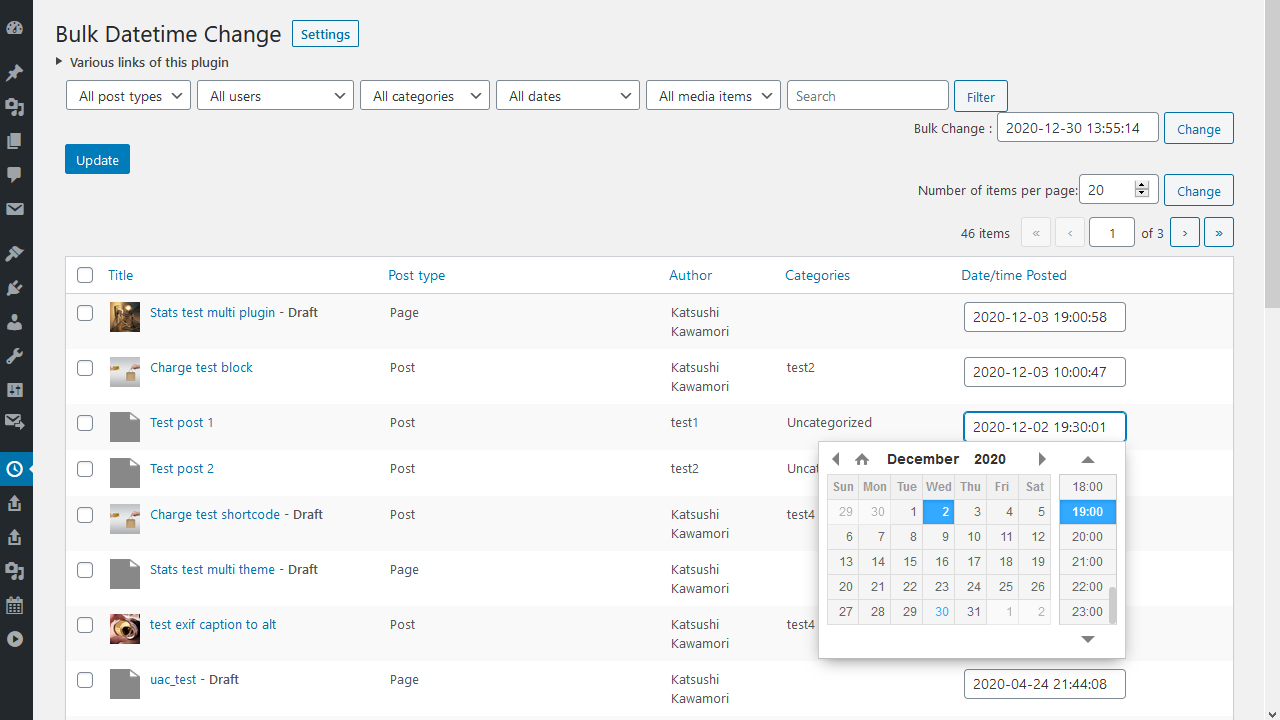

Changelog
[2.00] 2026/10/19
- Added – Editable Custom Post Types.
- Added – View Exif shooting date and time.
- Added – Automatically updates a randomly selected post every 24 hours.
[1.20] 2026/08/18
- Fix – Issue where the screen crashes when there are a large number of posts.
[1.18] 2025/04/15
- Fix – Loading the management screen.
[1.17] 2024/02/09
- Fix – Added nonce when sorting.
- Added – Filter search by post tags.
1.16
Supported WordPress 6.4.
1.15
Additions regarding add-ons.
1.14
The “Filter” for post types now have explanatory tooltips.
1.13
The “Update” and “Change” buttons now have explanatory tooltips.
1.12
Fixed potential security issue.
1.11
Fixed a pagination problem when searching for text.
1.10
Fixed an issue with filtering by category.
1.09
Fixed uninstall.
1.08
Fixed translation.
1.07
Added logging.
1.06
Fixed view of “Last updated”.
1.05
Fixed per_page settings.
1.04
Change the “Date/time” column in the admin page.
1.03
Added post type column.
Added the ability to display an featured image in the title of the post.
1.02
Fixed translation.
1.01
Changed filter search method.
Some of the settings have been moved.
1.00
Initial release.