


Description
Having a problem or a question? Please write to the support forum first. I read it and will try to help you before you leave a review.
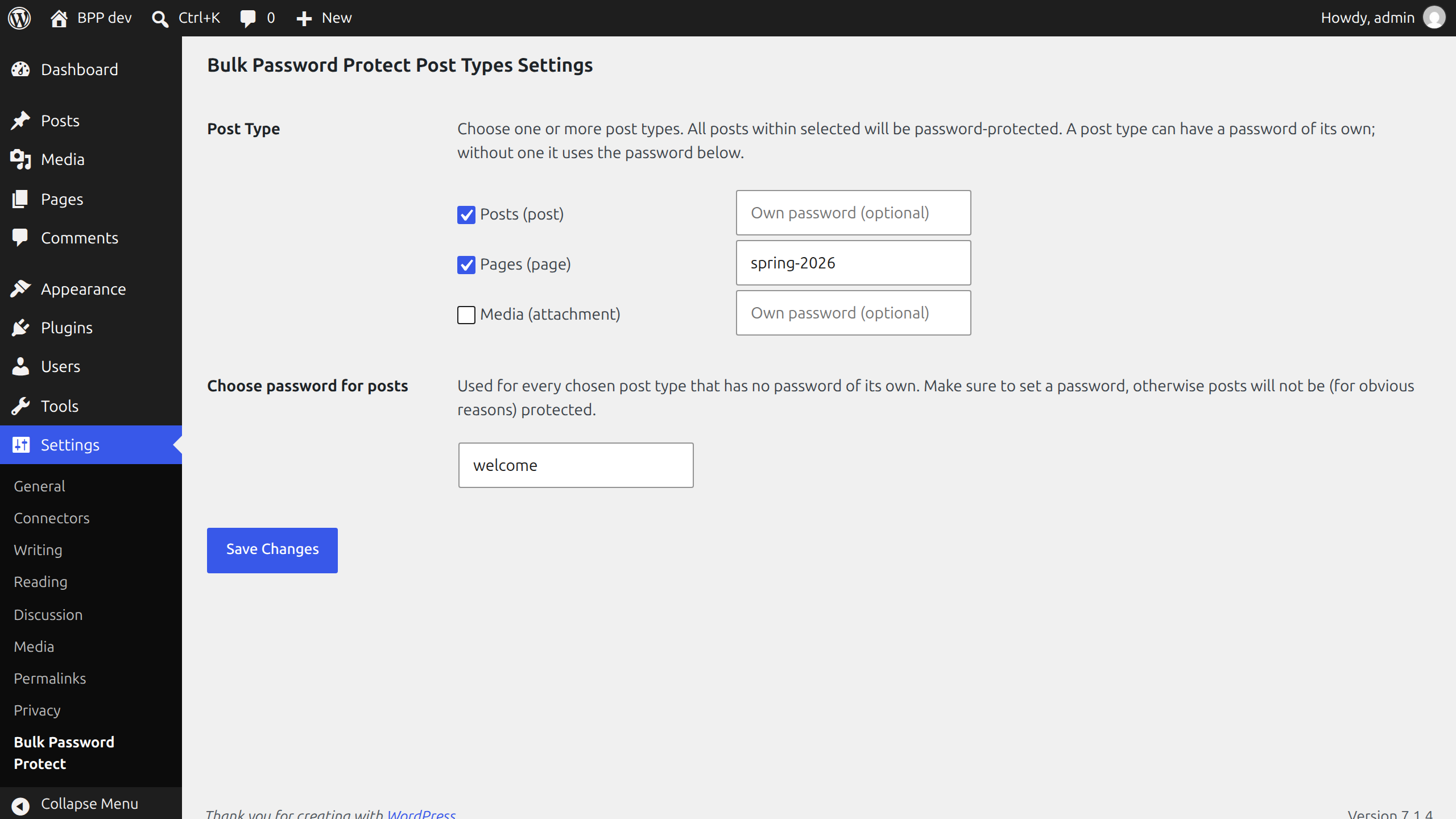
Bulk Password Protect Post Types lets you choose one or more post types and set one password for every post within them. A visitor sees WordPress’s own password form instead of the text, on the page, in search results, in feeds and in the REST API.
Features
- Lists the post types your visitors can see, custom post types included, by the names the admin menu uses.
- One password for all posts of the chosen types, set in one place.
- Or a password of its own for a post type, when you want different ones.
- Uses WordPress’s own password protection, so the form and the cookie behave as they do for a single protected post.
- Posts you add later to a chosen type are protected from the first moment.
Good to know
- The password is saved in the site’s database as plain text, as WordPress saves the password of a single post. Do not use one you use elsewhere.
- The password of the setting replaces the password a post had of its own, for the post types you chose. A post type without a password, its own or the general one, is left as it is.
- Nothing is written to the posts themselves. Remove a post type from the setting, or deactivate the plugin, and its posts are open again.
Installation
- Upload the plugin files to the
/wp-content/plugins/bulk-password-protect-post-typesdirectory, or install the plugin through the WordPress plugins screen directly. - Activate the plugin through the ‘Plugins’ screen in WordPress.
- Click Settings, or go to Settings → Bulk Password Protect.
- Choose one or more post types and a password, and save.
FAQ
Does it change my posts?
No. The password is applied when a post is loaded, and it is never saved to the post. Deactivate the plugin and the posts are open again.
Can I use a different password for each post type?
Yes. Type it in the field next to the post type. A post type without a password of its own uses the general password below the list.
A post type I use is not in the list.
The list shows post types visitors can see (“public” ones). A type that WordPress or a plugin keeps for itself, such as menu items or reusable blocks, is not offered. A type you chose with version 1.0 stays in the list.
How do I leave some posts open, for example one category?
Use the pass_protect_all_post_password filter. It gets the password the post would get and the post, and returns the password to use; an empty string leaves the post open. Put this in your theme’s functions.php or in a small plugin of your own:
add_filter( 'pass_protect_all_post_password', function ( $password, $post ) {
    return has_category( 'public-news', $post ) ? '' : $password;
}, 10, 2 );
The filter runs for every post, also for post types you did not choose, so it can protect a single type of post too: return a password for it.
Does it work on a multisite network?
Yes, each site has its own settings. Deleting the plugin removes the settings of every site.
Screenshots
Changelog
1.2.0
- New: the
pass_protect_all_post_passwordfilter, to leave some posts open (for example a category) or to protect others. The FAQ has an example.
1.1.0
- New: a post type can have a password of its own.
- New: the list offers the post types visitors can see, as “Posts (post)”, instead of every internal type. A type chosen earlier stays listed.
- Fixed: deleting the plugin on a network removes the settings of every site, not only the main one.
- Fixed: the settings page ended in a fatal error on PHP 8.
- Fixed: a chosen post type with an empty password removed the passwords posts had of their own. Now nothing changes until a password is set.
- Security: the chosen post types and the password are sanitized when saved, and everything on the settings page is escaped.
- The text domain is now
bulk-password-protect-post-types, the plugin’s slug, so wordpress.org translations load. - The Settings link on the Plugins screen follows the site’s admin address.
- Requires WordPress 5.9 and PHP 7.4. Tested with WordPress 5.9, 6.0 and 7.1.
- Added automated tests.
1.0
- First stable version