


Description
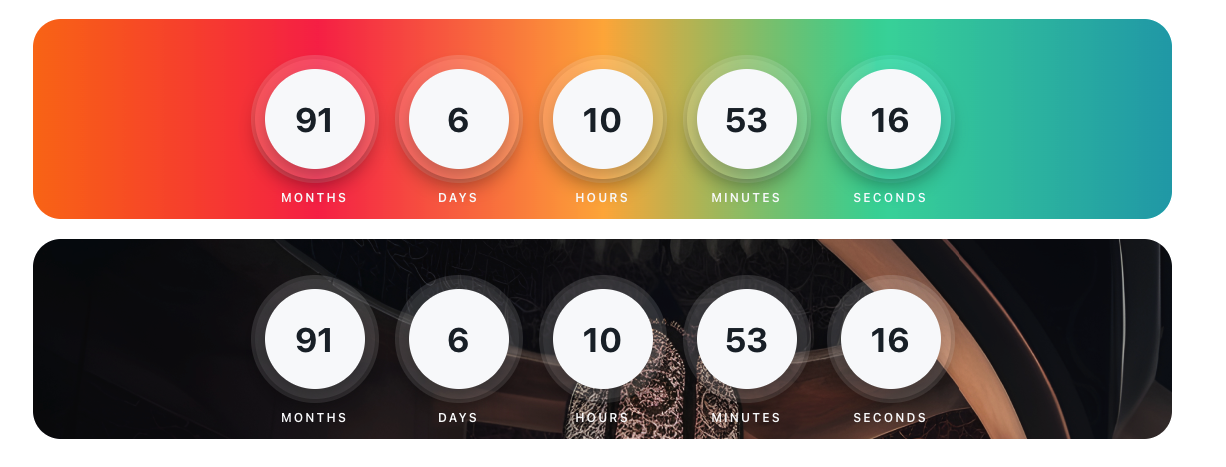
CB Countdown Timer Widget for Elementor is a custom widget that allows you to display a countdown timer on your Elementor-powered website. The widget provides a visually appealing way to showcase countdowns to events, product launches, sales, and more.
Countdown list:
* Months
* Days
* Hours
* Minutes
* Seconds
Installation
- Upload the ‘cb-countdown-widget’ folder to the ‘/wp-content/plugins/’ directory, or install the plugin through the WordPress plugins screen directly.
- Activate the ‘CB Countdown Timer Widget for Elementor’ plugin through the ‘Plugins’ screen in WordPress.
- Drag and drop the ‘Countdown Widget’ element onto your Elementor page.
- Set the target date for the countdown in the widget settings.
- Customize the appearance and styling of the countdown widget to match your website.
FAQ
How can I customize the countdown widget?
You can customize the appearance and styling of the countdown widget using the built-in styling options provided by Elementor. Simply select the widget, go to the Style tab, and modify the settings as desired.
Can I translate the countdown text?
Yes, the countdown widget is translation-ready. It uses the text domain ‘cb-countdown-timer’ for translations. You can translate the countdown text by providing translations in the corresponding language files or using a translation plugin.
Screenshots

Changelog
1.3.0
- Bug fix: removed duplicate setInterval that caused the countdown to fire twice per second.
- Bug fix: clearInterval now correctly stops the real countdown interval on expiry.
- Bug fix: expired state now targets the correct element ID instead of a hardcoded selector.
- Bug fix: negative values no longer flash briefly when the countdown expires.
- Bug fix: fixed double-slash in CSS asset URL.
- Bug fix: aligned minimum PHP version requirement to 7.4 across config and readme.
- Code: removed dead commented-out code.
- CSS: fixed missing semicolon on gap property.
1.2.0
- Style and design update.
1.0
- Initial release.