


Description
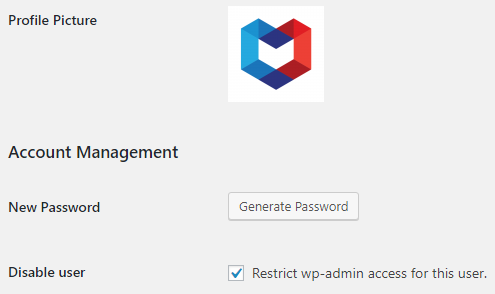
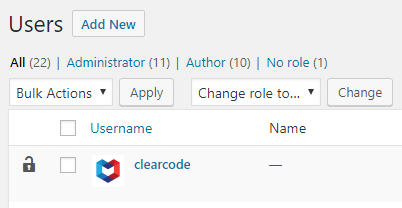
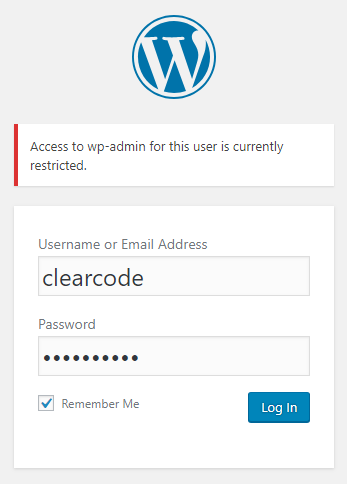
This plugin allows to disable the access to WordPress Dashboard for selected user accounts.
Installation
From your WordPress Dashboard
- Go to ‘Plugins > Add New’
- Search for ‘CC-Disable-Users’
- Activate the plugin from the Plugin section on your WordPress Dashboard.
From WordPress.org
- Download ‘CC-Disable-Users’.
- Upload the ‘cc-disable-users’ directory to your ‘/wp-content/plugins/’ directory using your favorite method (ftp, sftp, scp, etc…)
- Activate the plugin from the Plugin section in your WordPress Dashboard.
Once Activated
- Visit the ‘Update> Settings’ page, select your preferred options and save them.
Multisite
The plugin can be activated and used for just about any use case.
- Activate at the site level to load the plugin on that site only.
- Activate at the network level for full integration with all sites in your network (this is the most common type of multisite installation).
Screenshots
Changelog
1.2.3
Release date: 06.10.2026
- Fixed PHP Notice: Function _load_textdomain_just_in_time was called incorrectly.
- Fixed PHP Deprecated: Creation of dynamic property is deprecated.
1.2.2
Release date: 14.03.2022
- Added PHP 8 support.
1.2.1
Release date: 08.03.2022
- CleanUp.
1.2.0
Release date: 08.03.2022
- QuickFix.
1.1.0
Release date: 08.03.2022
- Fixed Multisite support.
1.0.0
Release date: 18.06.2018
- First stable version of the plugin.