


Description
Chiaro lets store owners ask questions about their own WooCommerce data, in plain language, and get back a short answer, a table and a chart:
- “Which 5 products generated the most revenue this year?”
- “How are sales going this month compared with last year?”
- “Which products are returned the most, and why?”
- “Which size do I sell the most?”
- “Which provinces and countries do my orders come from?”
- “Which products are out of stock but sold well in the last 6 months?”
- “What is my margin this year, by category?” (with WooCommerce “Cost of Goods Sold”)
Chiaro is in beta: it is tested on stores with thousands of orders, but we are still learning from real stores. If an answer looks wrong, the SQL query is always one click away, and we would love to hear from you in the support forum.
What you get
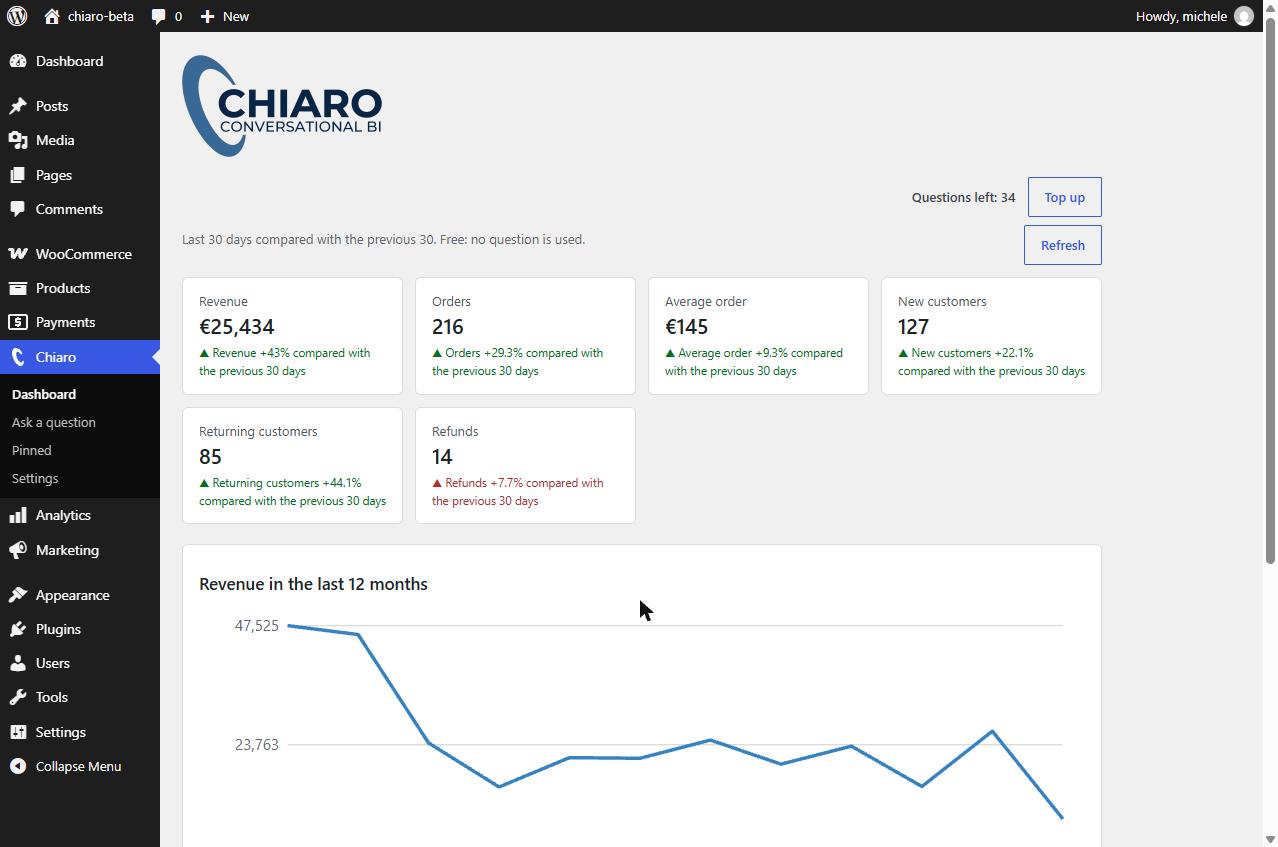
- Dashboard with the key numbers of your store compared with the previous period, the revenue of the last 12 months and the best-selling products. It runs on your site: no question is used.
- Suggested questions based on your own data, one click away.
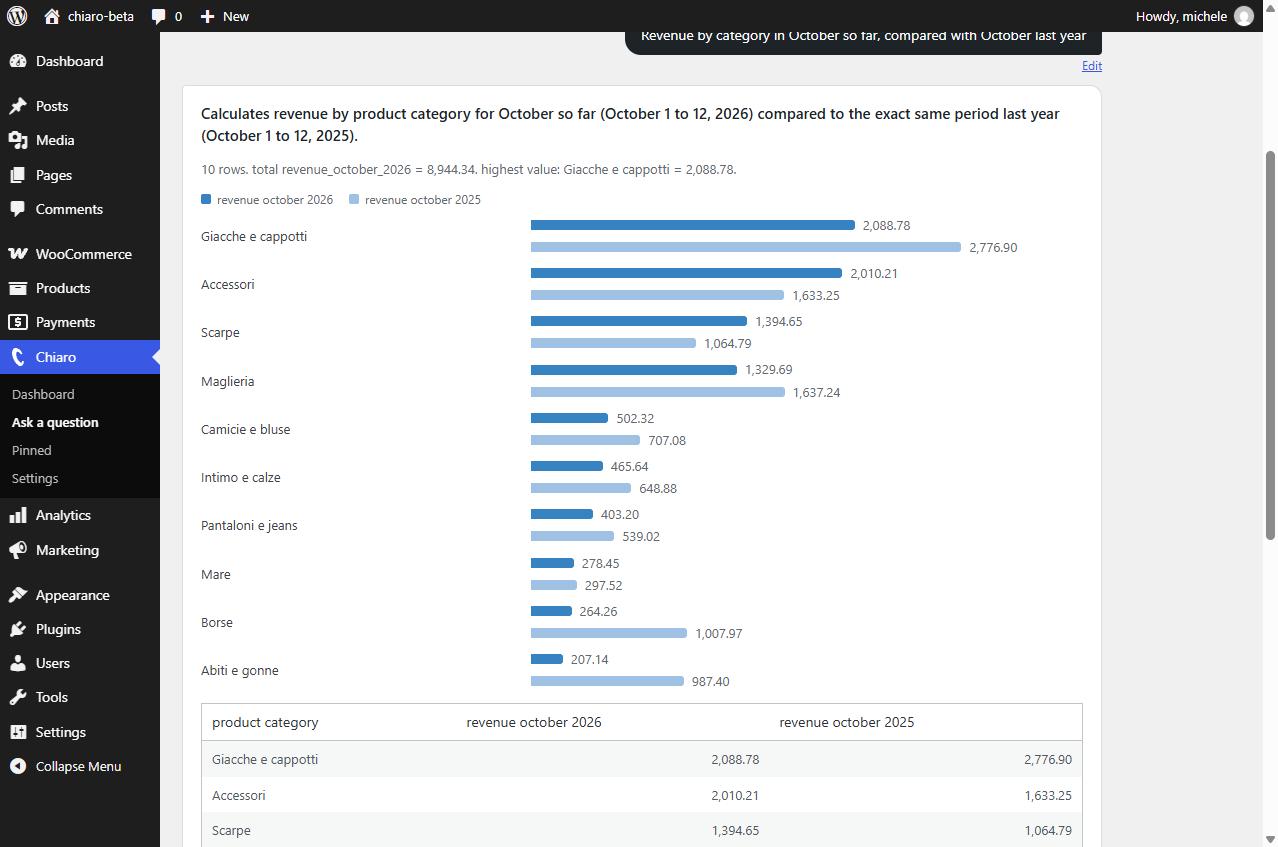
- Answers with a chart and a table, automatically compared with the previous period when the question names one (this month, last year, the last 30 days…), with side-by-side bars for comparisons.
- Follow-up questions: “and in June?”, “only for Milan”, “split it by month”. Chiaro remembers the last questions of the conversation (their text and query, never the data).
- Monday summary by email (optional): last week compared with the week before, the best-selling products and up to three things worth a look (a product running out, a product selling less, refunds going up, days without orders). Calculated on your site: no question is used.
- Alerts every morning in the dashboard, with a counter on the Chiaro menu: a product about to run out or out of stock while it was selling, sales dropping, no orders for 48 hours, refunds going up. Optional email as soon as one appears. Calculated on your site: no question is used.
- “Show orders” under a total: the real orders behind the number, rechecked against the total. The first time costs 1 question (refunded if the check fails), then it is free.
- “Why did it change?”: the Monday summary, the alerts and the dashboard say where a drop or a rise comes from (a product, a country, new or returning customers, a coupon…). Fixed rules calculated on your site: no AI, no question used.
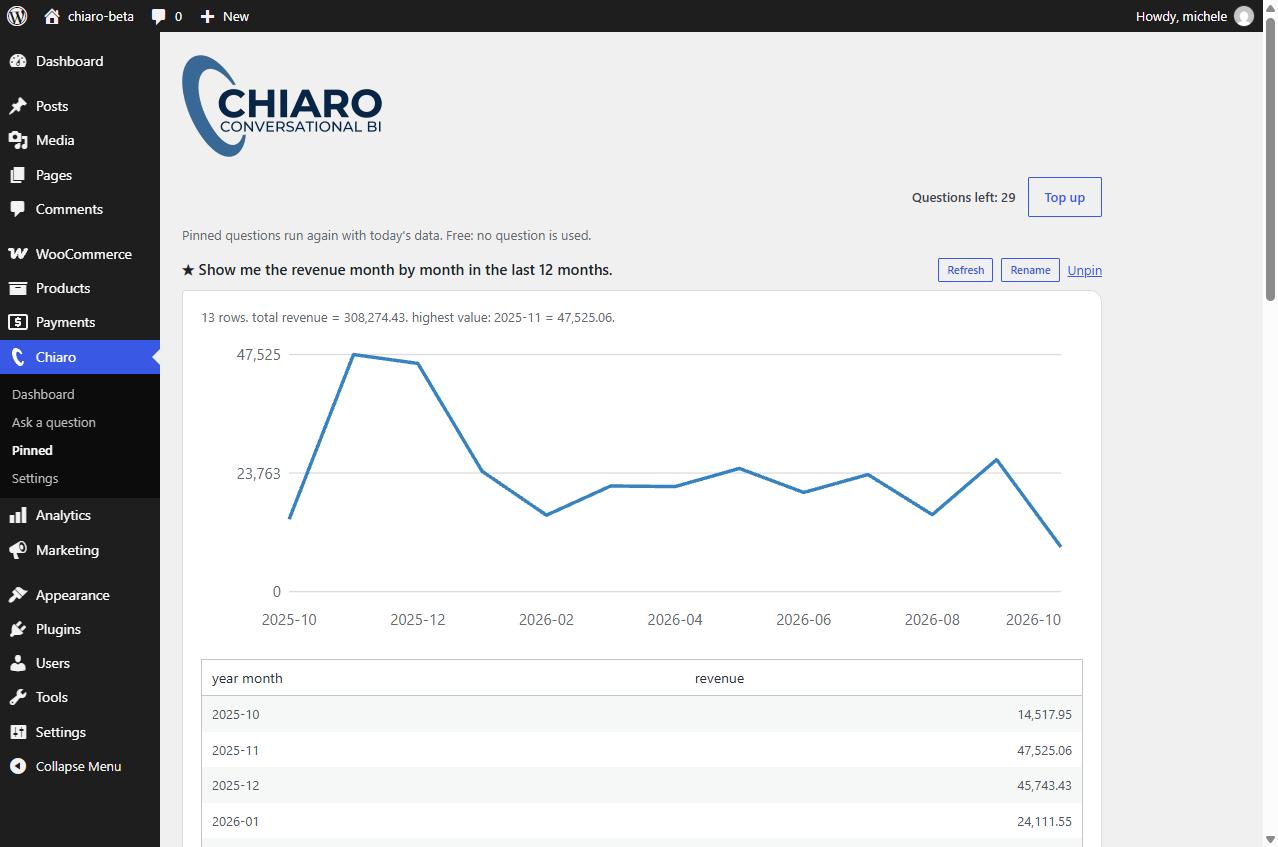
- Pinned questions: pin an answer and it runs again for free with today’s data.
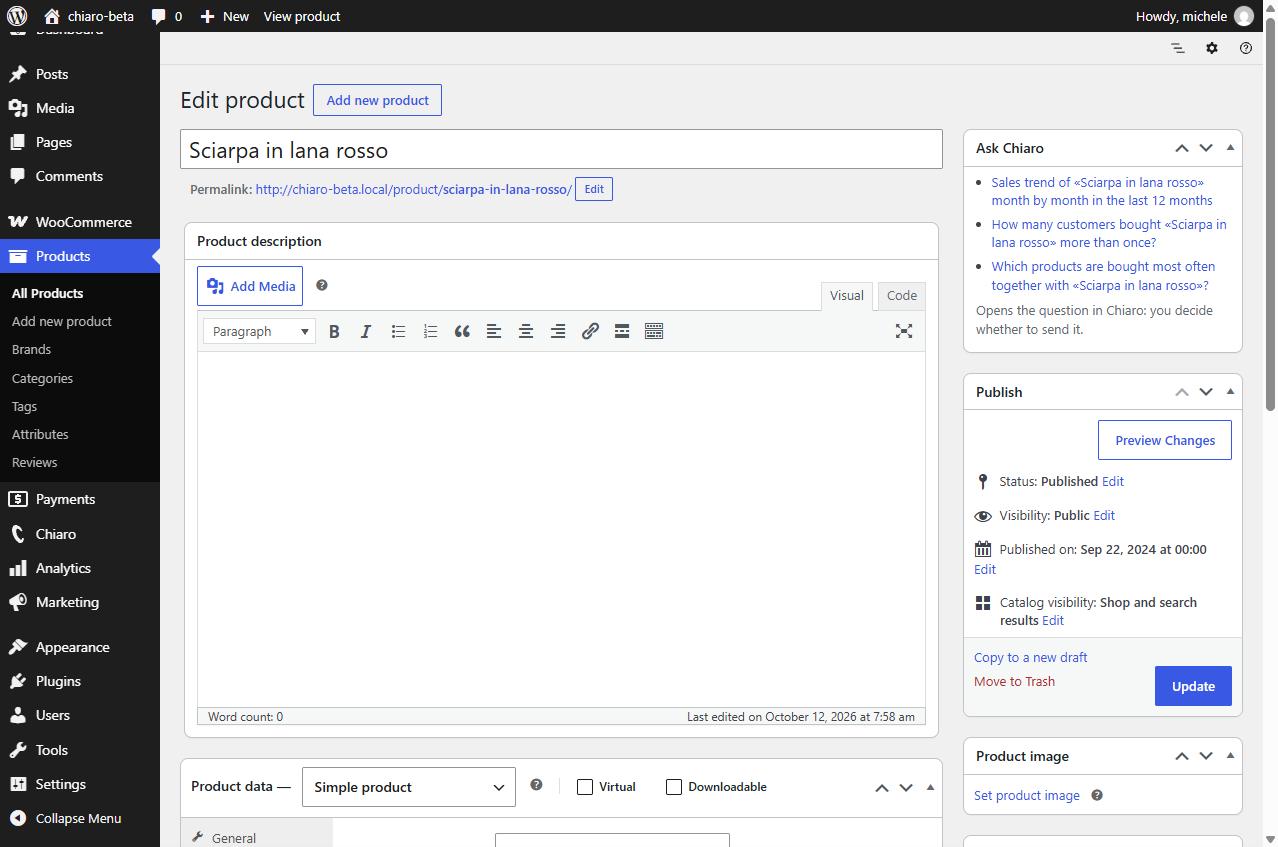
- “Ask Chiaro” buttons on products, orders and customers.
- CSV export of every answer, ready for Excel.
- Voice dictation of the question (Chrome, Edge, Safari).
Your data stays on your site. Only your question and the structure of the data (view and column names) are sent to the AI service. The AI writes a database query; Chiaro checks it and runs it on your own database. The rows of the result are never sent to the AI: the text, the table and the chart are built by the plugin.
Safe by design.
- Chiaro reads the store through 10 read-only database views (
ai_bi_*) that contain no customer names, emails, phone numbers or full addresses. - Every query generated by the AI is checked before it runs: a single
SELECT, only on those views, with a row limit. - Queries run in a read-only database transaction, with a time limit where the database server supports it.
- You can use a dedicated read-only MySQL user.
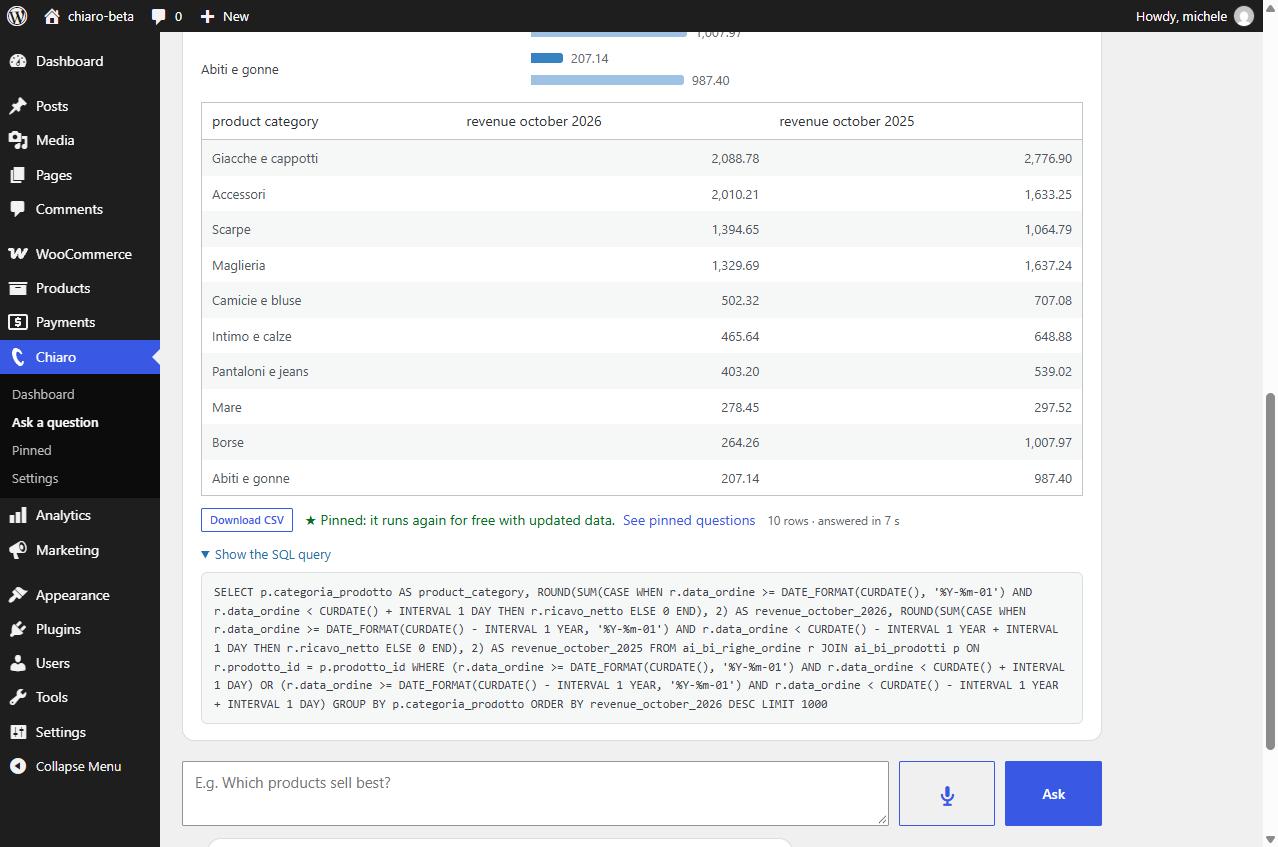
- You can always see the SQL query used for each answer.
Works out of the box. Activate Chiaro with your email and get 50 free questions, with no AI key to set up. When they run out you can buy question packs (see Pricing below), or use your own AI key.
Bring your own AI. Chiaro also works with your API key for Google Gemini, Anthropic Claude, OpenAI or any OpenAI-compatible service (for example a local Ollama server). You pay the AI provider directly and Chiaro is free.
Your language. The interface follows the language of your WordPress profile: English, Italian, French, Spanish and German (other languages use English). Answers follow the language of the question.
Pricing
With the Chiaro questions service the first 50 questions are free. Then you buy packs, with no subscription and no expiry:
- 300 questions: €9
- 1,000 questions: €25
- 3,000 questions: €59
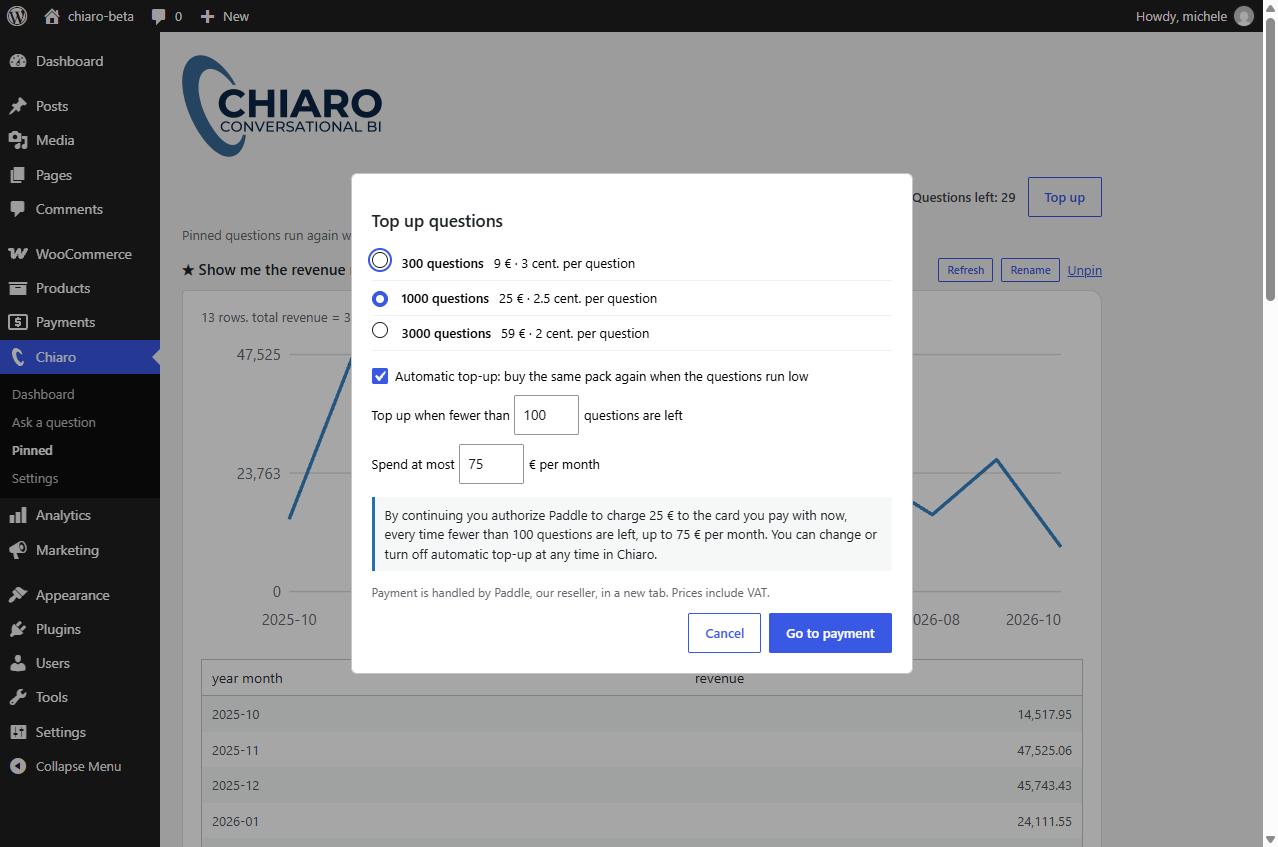
Prices include VAT. Pinned questions and the dashboard run again for free. Optional automatic top-up buys the same pack when the questions run low, up to a monthly limit you choose. An unused pack can be refunded within 14 days from the plugin. With your own AI key Chiaro is free.
External services
Chiaro questions service (default)
When you activate Chiaro with your email, the plugin connects to the Chiaro service at https://chiaro-api.tceitalia.com, run by TCE Italia.
* At activation it sends: the site address, the email you enter and the plugin version.
* For every question it sends: the question, the structure of the Chiaro data views (names and descriptions of the columns) and, for follow-up questions, up to 3 previous questions of the same conversation with their database query. The question text may include product names or customer ids when you use “Ask Chiaro” on a product, order or customer screen. Store data rows (orders, customers, amounts) are never sent: the query runs on your site.
* When you press “Show orders” under an answer, it sends the same service the question, the main query of that answer and the structure of the data views (names and descriptions of the columns), never rows of data; the question is sent as you typed it. If the check of the orders fails, the question is refunded by calling /v1/questions/void with the identifier of that question only.
* To show the questions left and manage top-ups it sends the site identifier, signed with a key stored on your site.
* If you enter a partner code in Settings, it sends that code to link the site to the agency.
The service forwards the question to Google Gemini to write the query. Terms: https://chiaro-api.tceitalia.com/terms – Privacy: https://chiaro-api.tceitalia.com/privacy
Payments
Question packs are sold by Paddle.com (merchant of record). The payment page opens on the Chiaro service and loads Paddle.js. Paddle terms: https://www.paddle.com/legal/terms – Privacy: https://www.paddle.com/legal/privacy
Your own AI key (optional)
To answer a question, Chiaro sends a request to the AI service you choose in Chiaro → Settings. Nothing is sent until you configure a service and ask a question (or press “Test the setup”).
What is sent, every time you ask a question: the text of the question, the names and types of the columns of the ai_bi_* views, a description of the data model, today’s date and, for follow-up questions, up to 3 previous questions of the same conversation with their database query. Your API key is sent to that service only, for authentication. No order, product or customer data is sent.
Depending on your choice, the request goes to one of these services:
- Google Gemini API (Google LLC) – used when “Google Gemini” is selected. Terms of service, Privacy policy.
- Anthropic API (Anthropic PBC) – used when “Anthropic Claude” is selected. Commercial terms, Privacy policy.
- OpenAI API (OpenAI, L.L.C.) – used when “OpenAI” is selected. Terms of use, Privacy policy.
- Another OpenAI-compatible service – used when you enter its URL yourself; its own terms and privacy policy apply.
Voice dictation (optional)
The microphone button in the chat uses the speech recognition built into your browser (the Web Speech API). The plugin does not send audio anywhere: depending on the browser, your voice is processed by Google (Chrome), Microsoft (Edge) or Apple (Safari) under their own terms, and only the recognized text is written in the question box. Nothing is sent until you press the button; you can hide it in Chiaro → Settings.
Installation
- Install and activate the plugin. WooCommerce must be active, with High-Performance Order Storage (HPOS) enabled.
- The setup wizard opens. Choose how to answer: activate Chiaro with your email (a code arrives by email, then you get 50 free questions) or paste your own AI key.
- The wizard prepares the data views and checks the database.
- Optional: in Chiaro → Settings enter a MySQL user with read-only permission. If you leave it empty, Chiaro uses the WordPress database user inside read-only transactions.
- Ask your first question, or start from a suggested one.
FAQ
Is my store data sent to the AI?
No. Only the question and the structure of the views are sent. The query runs on your database and the results stay on your site. The same applies to “Show orders”: the AI only receives the question, the main query and the structure of the views, and the orders are read on your site.
What does “Show orders” cost?
The first time you open the orders of an answer it uses 1 question, because the AI writes the query that lists them. If the orders do not add up to the total, the question is refunded automatically and nothing is shown. Opening them again is free.
Does “Why did it change?” use the AI?
No. It uses fixed rules calculated on your own site and it does not use any question.
How much does it cost?
With your own AI key Chiaro is free. With the Chiaro questions service the first 50 questions are free, then packs start at €9 for 300 questions, with no subscription. See Pricing above.
Do I need to create an account?
No account and no password: you activate the site with your email and a code. Your question balance is linked to that email and site.
Can the AI change or delete data in my store?
No. The plugin only runs a single SELECT on its read-only views, inside a read-only transaction that is always rolled back. For extra protection you can use a MySQL user that can only read the ai_bi_* views.
Which AI service should I use?
Chiaro is tested with Google Gemini (gemini-3.6-flash). Other services work if they follow the OpenAI or Anthropic API.
Can Chiaro calculate my margin?
Yes, if you use the WooCommerce “Cost of Goods Sold” feature: turn it on in WooCommerce > Settings > Advanced > Features and enter the cost of your products. Orders placed before you entered the costs use the current product cost.
Does it work without HPOS?
Not yet: the data views read the High-Performance Order Storage tables.
What happens when I uninstall the plugin?
The ai_bi_* views, the plugin settings and the account data (site connection) are removed. Your store data is never touched. Your question balance stays on the Chiaro service and comes back when you activate again with the same email.
Screenshots
Changelog
0.8.0
- New: “Show orders” under an answer lists the real orders that make up the number and rechecks them against the total. The first time costs 1 question (refunded automatically if the check fails); after that it is free, also on pinned questions.
- New: “Why did it change?” in the Monday summary, the alerts and the dashboard: when revenue moves by 10% or more, Chiaro says where the change comes from (products, categories, countries, new or returning customers, coupons, out-of-stock products). Fixed rules calculated on your site: no AI, no question used.
- The order list request goes through the same service as the questions and sends only the question, the main query and the data structure, never the orders.
0.7.4
- Security: with your own AI key, requests to an external AI service now go through the safe HTTP API of WordPress, which refuses private and internal addresses. An AI server on the same machine (for example Ollama) can be set only by an administrator.
- Security: when the AI service answers with an error page, the page content is no longer shown in the browser.
- New message when the AI leaves too many answers incomplete in one day.
- The script for the read-only database user and the uninstaller now include all 10 data views.
0.7.3
- Stock alerts and the Monday summary now use the same pace as the questions to Chiaro: the last 30 days, without refunded orders, and only for products with at least 5 sales in that time.
- Line charts: dates under the chart are easier to read (for example “Oct 2026”) and no longer overlap.
- Simpler setup: you activate Chiaro with your email and start with 50 free questions. Your own AI key is still available in Settings, under “Advanced”.
- Settings: the data views count now shows all 10 views.
- Partner codes: if a WordPress agency gave you a code, enter it once in Settings (Chiaro questions) to get its discount on question packs.
0.7.2
- Text domain renamed to match the WordPress.org slug (chiaro-ai-sales-analytics-for-woocommerce), so translations can come from translate.wordpress.org.
0.7.1
- Days of stock and reorder: ask which products will run out first at the current sales pace and how many units to reorder to cover the next 30 days (or the days you choose). The stock suggestion now asks this question.
- Up to 9 suggested questions, so every question that fits your store’s data is shown.
0.7.0
- Alerts: every morning at 7 (site time) Chiaro checks the store and shows in the dashboard what is worth a look: a product that will run out within a week, a product out of stock that was selling, yesterday’s sales well below the usual for that weekday, no orders for 48 hours, refunds of the month more than double the usual. Each alert has “Ask Chiaro” and “Dismiss”; the Chiaro menu shows how many are open. Optional email as soon as a new alert appears (off by default). Open alerts also come first in the Monday summary.
0.6.0
- Monday summary by email: every Monday at 8 (site time) the numbers of the past week compared with the week before, the 3 best-selling products and up to three things worth a look: a product that will run out within a week, a product selling much less, refunds going up, days without orders. Turn it on in the setup or in Settings, with “Send me a test now”. Free: no AI, no questions used. Off for sites updated from earlier versions until you turn it on.
0.5.9
- Margin: with WooCommerce “Cost of Goods Sold” turned on, ask for margin, margin percentage, markup and cost of goods sold, by product, category or period. Orders placed before the costs were set use the current product cost. Without costs, Chiaro explains where to turn them on.
- An answer with a comparison and other values shows the compared value once.
0.5.8
- Follow-up questions: continue the conversation with “and in June?”, “only for Milan” or “split it by month” without repeating the question. Chiaro sends the AI the last 3 questions of the conversation with their query, never the data. “New conversation” starts again; a conversation also ends after 30 minutes.
0.5.7
- New questions you can ask: products returned the most, best-selling sizes and variants, cancelled and failed orders, free shipping by period. Stock of products with variants is the sum of the variants.
- Answers follow the language of the question when it differs from your WordPress language.
- Charts: comparisons show side-by-side bars with a legend; product and category names keep their capitals in the summary; the last month label of line charts is no longer cut.
- Fixed: some English answers failed with a database syntax error when a column was named like a reserved MySQL word (for example “year_month”).
- Automatic top-up: before paying (and when you change it) Chiaro shows exactly how much will be charged, when and up to what monthly limit.
0.5.6
- When the hourly question limit is reached, the wait is shown in minutes instead of seconds.
0.5.5
- Clearer activation: after “Send the code” you see where the code went, with “Change email”; “Send a new code” shows the seconds left; the weekly summary option is gone until the feature is ready; without free questions the message explains how to top up.
0.5.4
- Settings are clearer: with Chiaro questions the section for your own AI key is hidden; if the site is not activated yet it opens with “I already have my own AI key”. The status shows “AI service: Chiaro questions” instead of asking for a key.
0.5.3
- Database permission warnings are translated, and an administrator user (such as root) gets one short warning instead of a long list of permissions.
0.5.2
- After a WooCommerce or Chiaro update the data views are recreated automatically, and checked once a day: if one stops working, a notice offers to update them.
0.5.1
- Column headings of the answers are fully translated.
- Years, weeks and months are shown as labels (“2026”, “202639”), without thousands separators.
0.5.0
- Chiaro speaks your language: interface and answers in English, Italian, French, Spanish and German, following the language of your WordPress profile (other languages use English).
- Suggested questions and the dashboard follow the language of each user.
0.4.8
- “Edit” button under each question in the chat: it puts the question back in the box, so you can change it and ask again.
0.4.7
- After an update the browser loads the new logo instead of an old saved copy.
0.4.6
- Fixed a typo in the logo (“Conversational BI”).
0.4.5
- The menu icon shows the whole Chiaro “C”, a little thicker so it reads well at small size.
0.4.4
- The Chiaro menu entry shows the Chiaro “C” instead of a generic chart icon.
0.4.3
- Dictation keeps listening through pauses (it stops after 4 seconds of silence or with another click) and the button stays red while it listens.
0.4.2
- Dictation says when it hears no voice (for example when the browser uses the wrong microphone) instead of stopping silently.
0.4.1
- Voice dictation: a microphone button next to the question box (Chrome, Edge, Safari) writes the question without sending it. It can be hidden in the settings.
0.4.0
- Pinned questions: pin an answer and it runs again for free with today’s data, from the Pinned page and the dashboard (up to 20).
- CSV files are named after the question and the date; text that Excel would read as a formula is written as text.
0.3.4
- “Ask Chiaro” questions show product and customer names; the AI receives only their ids, and customer names never leave the site.
- Setup wizard buttons wait until the page is ready, so the first click is never lost.
0.3.3
- The Chiaro logo at the top of the plugin pages.
0.3.2
- Purchases list in the settings, with a “Request refund” button: unused packs are refunded automatically within 14 days.
0.3.1
- Customer, order and product ids in the answers open the record in WooCommerce.
- Suggested questions are written in the box, not sent: you decide when to ask.
- Answers with a comparison show the value once.
- Amounts always with two decimals.
- The verification code can be pasted from the email.
0.3.0
- Questions without an AI key: 50 free questions, then question packs.
- Setup wizard.
- Dashboard as the first page of Chiaro.
- Suggested questions based on your store data.
- Comparison with the previous period in the answers.
- “Ask Chiaro” on products, orders and customers.
- Fix for answers with a table.
0.2.0
- New name: Chiaro – AI Sales Analytics for WooCommerce.
- Database access through the WordPress database API, in read-only transactions.
- AI requests through the WordPress HTTP API.
- Interface in English with Italian translation.
- Product sales of the last 12 months now count only valid orders, like the orders view.
0.1.1
- Easier to read answers in the chat.
0.1.0
- First version.