


Description
Chiseiko Essential Swatches turns plain WooCommerce variation dropdowns into beautiful, clickable color, image, text, and button swatches — on single product pages and shop, category, and tag archives. Shoppers see their options at a glance, pick the right variation in one click, and add to cart faster.
Lightweight & Fast
Speed matters for conversions. Built for performance from day one:
* Vanilla JavaScript Core: Built in vanilla JS with no jQuery code of its own (only hooking into unavoidable WooCommerce core events).
* Conditional Asset Loading: Scripts and styles load only on product and shop pages.
* Batch AJAX: Archive swatch data is fetched via a single batched request per page, rather than punishing your server with one request per product.
The problem with default WooCommerce variations
Out of the box, WooCommerce hides every product variation behind a generic <select> dropdown. That quietly costs you sales:
* Customers can’t see the colors or styles you sell — they have to open a menu and read text.
* Available options stay hidden until the dropdown is opened, so shoppers miss variants.
* There’s no visual feedback on mobile, where dropdowns are slow and fiddly.
* Shop and category pages show no variation choices at all, so every selection means an extra page load.
How it works
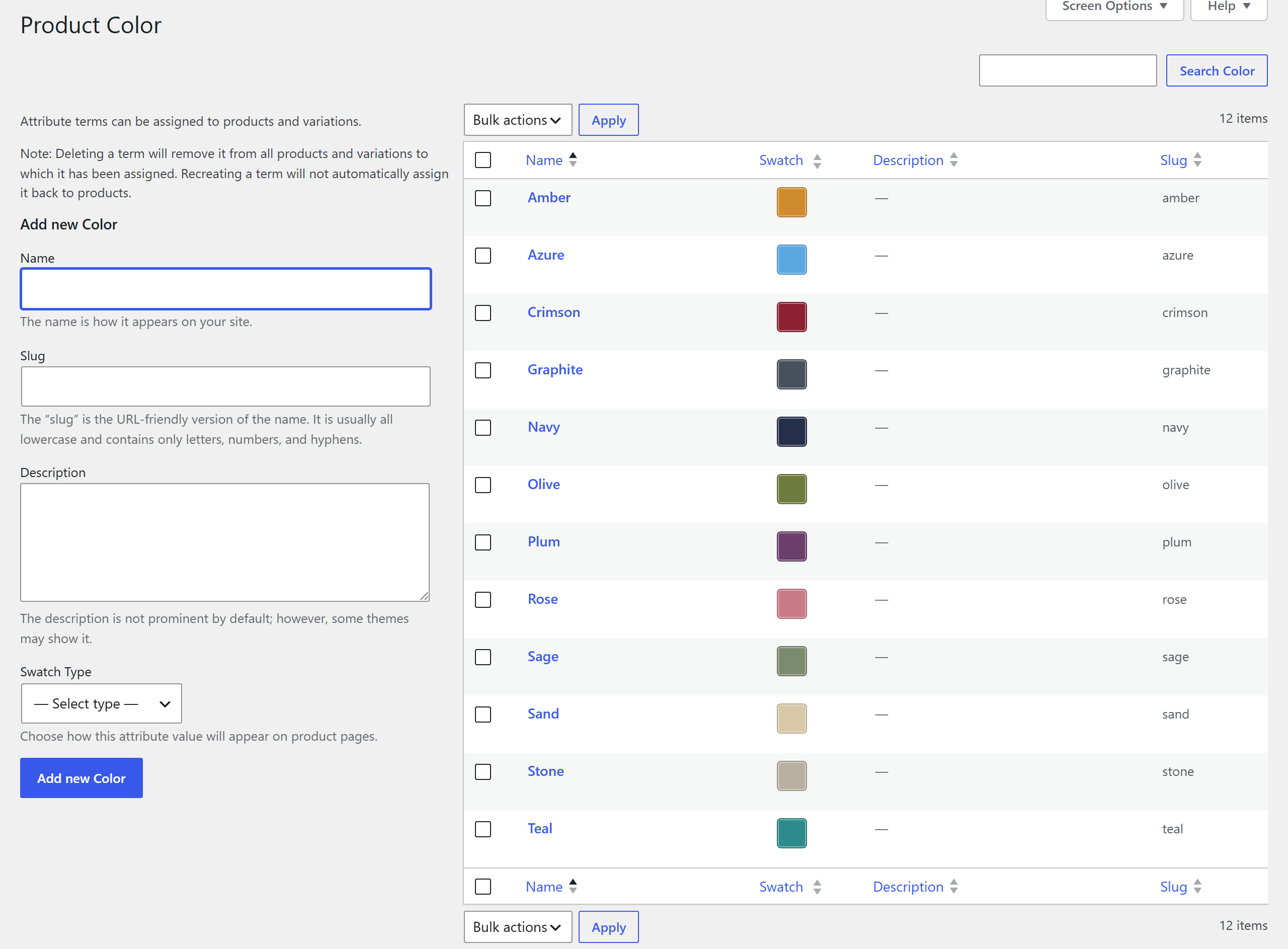
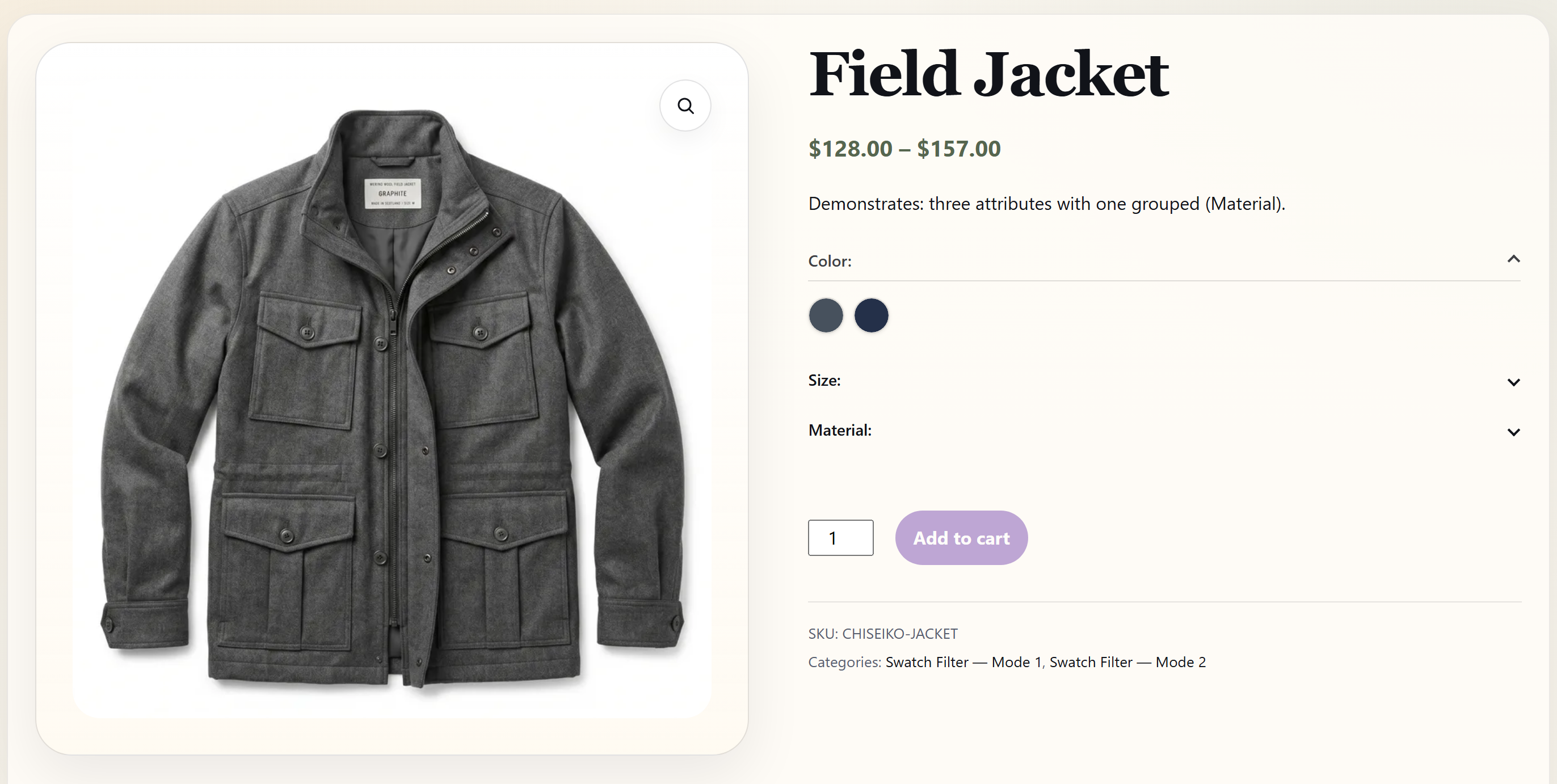
Go to Products > Attributes and edit any global attribute. For each term, choose a swatch type (color, image, label, or radio) and configure it — or set a default swatch type on the attribute itself to turn every term into label or radio buttons in one step. Swatches appear automatically on every product that uses that attribute — no shortcodes or template edits required. Local (custom per-product) attributes render as text pills automatically. A short getting-started notice after activation points you to the right screens.
Swatch types (all four included free)
- Color Swatches — Pick any hex color for each attribute term.
- Image Swatches — Upload a thumbnail from the Media Library.
- Text Pills — Styled labels for attributes without a visual representation.
- Radio Buttons — Round radio indicators with label text for simple selections.
- Attribute-wide Defaults — Show every term of an attribute (such as Size) as label or radio buttons without editing each term; individual terms can still set their own type.
Look & feel
- Global Shape & Size — Circle, rounded square, or square swatches at any size from 24 to 64 px. With rounded or square, label swatches widen to fit their text. Touch screens keep comfortable 44 px tap targets.
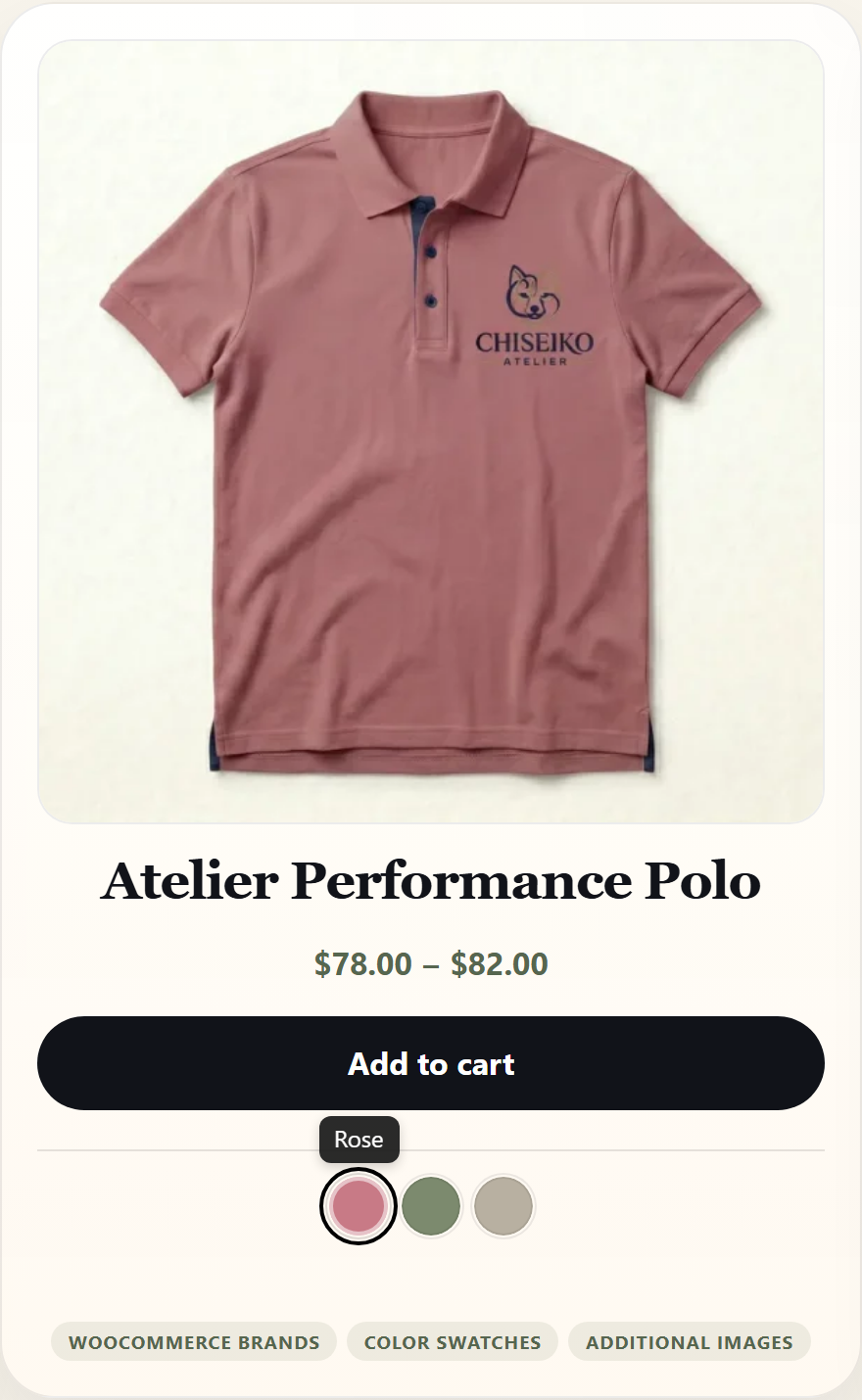
- Tooltips — Term names appear on hover and keyboard focus.
- Attribute Row Alignment — Keep each attribute name aligned with its row of swatches, whatever your theme does by default.
Single product page
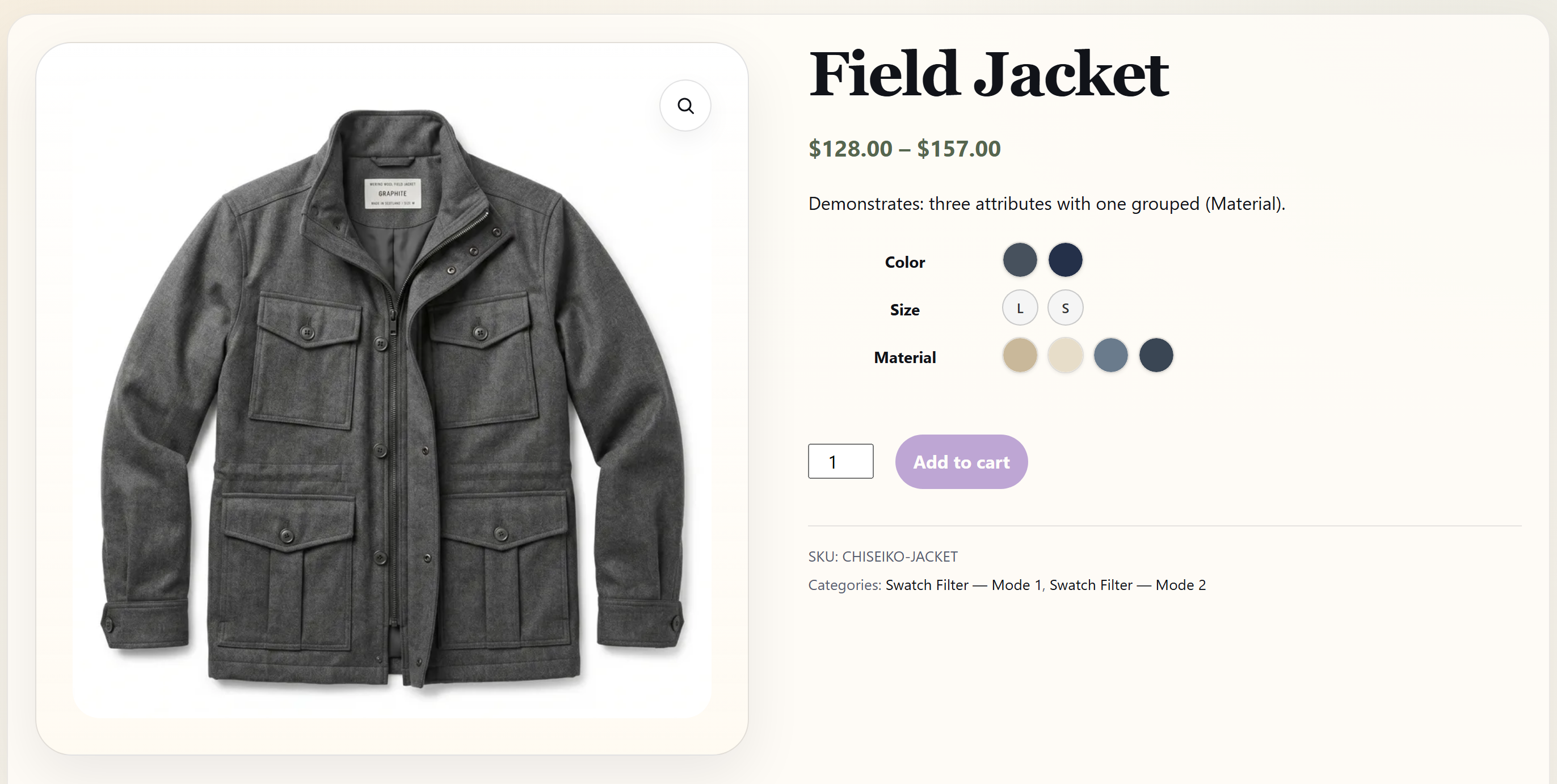
- Instant Gallery Preview — The product gallery updates the moment a swatch is clicked.
- Smart Inventory UX — Out-of-stock swatches are visually dimmed (not hidden), so customers always see available options.
- Layout Options — Inline, accordion (collapsible), overflow (“Show more”), or slider layouts.
- Mobile Auto-Scroll — Auto-scrolls to the gallery after selection so mobile users see the updated image.
- Accessible — Full ARIA support for keyboard navigation and screen readers.
Shop & archive pages
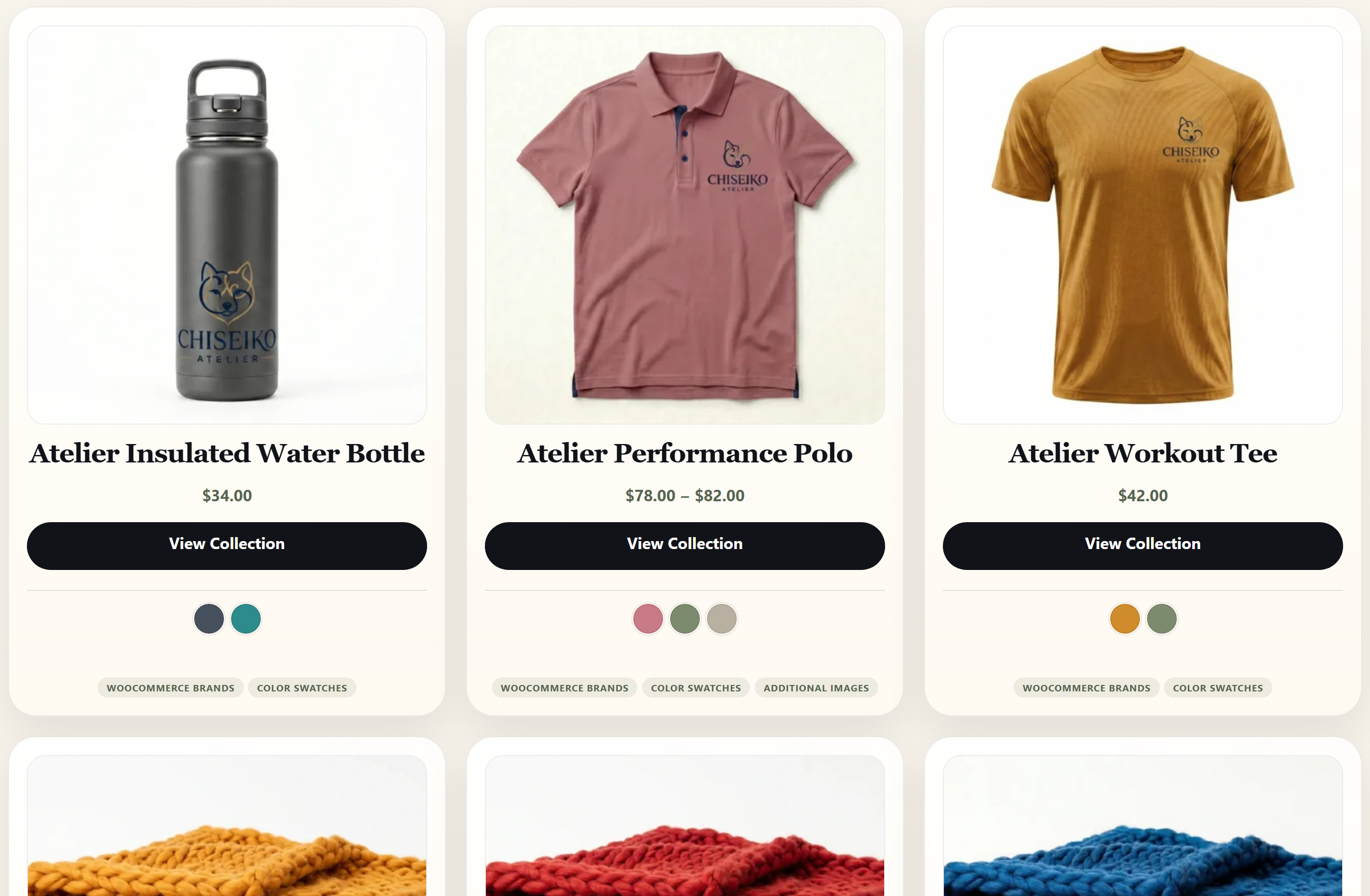
- Interactive Archive Swatches — Clickable swatches on product cards so customers can preview variants directly from the catalog.
- AJAX Add to Cart — An “Add to Cart” button appears right on the grid after selection.
- Catalog Mode — Show only one attribute (like Color) on archives for a cleaner layout.
- Related & Upsell Products — The same interactive swatches appear on related, upsell, and cross-sell product cards on product pages.
Free vs Pro
The free plugin is a complete swatch solution with no caps on the number of swatches, attributes, or products.
Upgrade to Chiseiko Essential Swatches Pro when you need advanced tools for a growing store:
* Linked Simple Products: Tie standalone simple products together into one swatch strip while keeping an indexable URL per variant.
* Advanced Styling: Custom shapes, gradients, tooltips, and out-of-stock display modes (cross-out / blur / hide).
* Swatch Filter Widget: Let shoppers filter your catalog by color or brand.
* Bulk Management: CSV Import/Export, Variable-to-Simple migration, and Auto-Assign Images.
* Conversion Tools: Dynamic Price Sync, Attribute-Based Extra Fees, and a Sticky Mobile Add-to-Cart bar.
* Scale & Compatibility: AJAX Variation Override for large catalogs, Multilingual Sync (WPML/Polylang), and Quick View support.
Installation
- Upload the
chiseiko-essential-swatchesfolder to/wp-content/plugins/, or install directly from the WordPress plugin screen. - Activate the plugin.
- Ensure WooCommerce 8.0 or later is active.
- Go to Products > Attributes, edit an attribute, and configure swatch types for each term — or choose a default swatch type for the whole attribute.
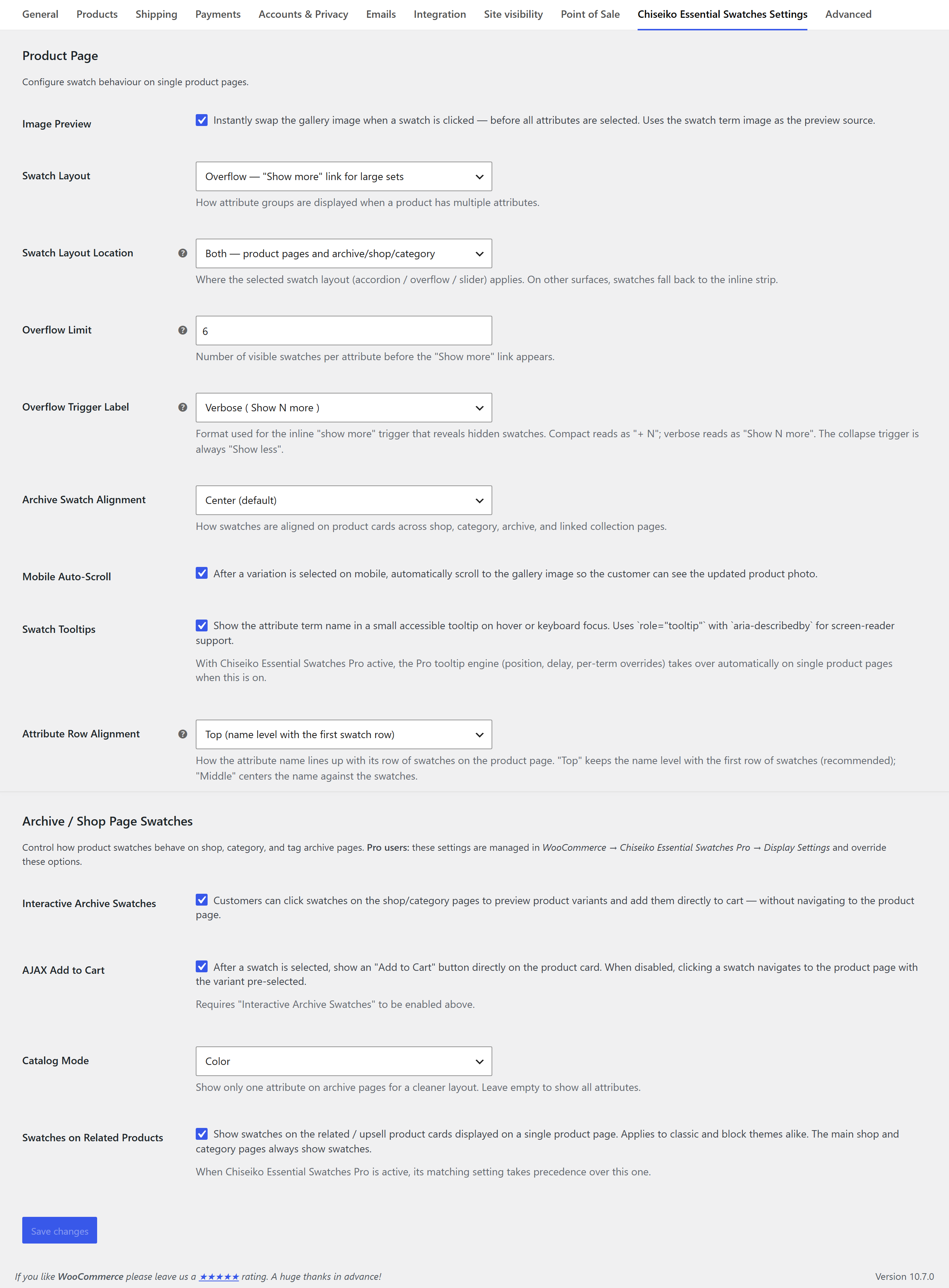
- Optionally configure settings (layout, shape, size, tooltips) at WooCommerce > Settings > Chiseiko Essential Swatches Settings. The plugin’s row on the Plugins screen links straight there and to the built-in guide.
FAQ
Do I need WooCommerce?
Yes. Chiseiko Essential Swatches requires WooCommerce 8.0 or later (tested up to WooCommerce 11.2.1).
Is it really free?
Yes. The free plugin includes all four swatch types, single-product and archive swatches, interactive archive swatches with AJAX add-to-cart, every layout mode, catalog mode, and mobile auto-scroll — with no caps on swatches, attributes, or products. Pro is an optional add-on for advanced features.
Does the plugin slow down my site?
No. All plugin-owned JavaScript is vanilla. Assets load only on product and shop pages. Archive swatch data is cached and served via a single batched AJAX endpoint to protect server performance.
Will it work with my theme?
Chiseiko Essential Swatches uses WooCommerce’s standard variation form hooks and does not override templates, so it is compatible with any properly built WooCommerce theme — including Classic themes, FSE block themes, and page builders (Elementor, Divi, Beaver Builder).
Does it work with custom (local) product attributes?
Yes. Local attributes automatically render as text-pill swatches. To use color or image swatches, convert them to global attributes under Products > Attributes.
Can I show swatches on the shop and category pages?
Yes. Enable archive swatches in settings. You can also make them interactive so customers preview variants and add to cart directly from product cards, or use Catalog Mode to show a single attribute for a cleaner grid.
Can I control the layout for products with many swatches?
Yes. Choose inline (default), accordion (collapsible panels per attribute), overflow (“Show N more” toggle), or slider. Accordion can be set to mobile-only, and the overflow limit is configurable.
Can I hide swatches on archive pages?
Yes. Disable archive swatches in settings, or return false from the chiseikoessw_render_loop_swatches filter to suppress per-product.
Is the plugin translatable?
Yes. All strings use the chiseiko-essential-swatches text domain and are translation-ready.
Screenshots
Changelog
1.1.0
- New: Attribute-wide default swatch type — show every term of an attribute (such as Size) as label or radio buttons in one step. Individual terms can still choose their own type.
- New: Global swatch shape (circle, rounded square, square) for color, image, and label swatches on product pages and shop, category, and related-product cards — with rounded square or square, label swatches widen to fit their text. Global swatch size (24–64 px) on desktop; touch screens keep 44 px tap targets.
- New: Getting-started notice after activation that points to the attribute and settings screens.
- New: Settings and Guide links on the plugin’s row in the Plugins screen.
- New: An occasional, dismissible review request, shown only on the plugin’s own screens to store managers — for WordPress.org, or for Pro on chiseikotech.com when Pro is installed.
- New: “Customizing Swatches” chapter in the built-in guide — tested CSS and PHP examples, including how to let long labels fit their swatch.
- Fix: Shop and category swatch strips (and related-product cards) are laid out correctly — spaced, aligned, and limited to two rows — when interactive archive swatches are off, which is the default.
- Fix: The archive swatch alignment setting (left, center, right) now applies with the default inline layout.
- Fix: Long swatch labels no longer make one product card wider than the others in grid themes such as Astra. Labels too long for a card end in “…”, and the full name stays in the tooltip and screen-reader label.
- Fix: Links in the built-in guide no longer point to chapters that only ship with Pro.
- Maintenance: tested with WordPress 7.1.4 and WooCommerce 11.2.1.
1.0.0
- Initial release.
- Four swatch types: Color, Image, Label, Radio Button.
- Instant gallery preview (single attribute image preview).
- Interactive archive swatches with AJAX add-to-cart.
- Batch AJAX endpoint for archive variation data.
- Catalog Mode for clean archive layouts.
- Accordion, overflow, and slider swatch layouts.
- Mobile auto-scroll to gallery on variant selection.
- Smart Inventory UX with out-of-stock dimming and auto-select.
- Conditional asset loading (product and shop pages only).
- Full ARIA accessibility support.
- Variation direct links (URL query parameter pre-selection).
- Developer hooks:
chiseikoessw_swatch_types,chiseikoessw_swatch_button_classes,chiseikoessw_swatch_button_html,chiseikoessw_swatch_group_html,chiseikoessw_render_loop_swatches, plus action hooks.