


Description
Advanced Comment Form enables you to customize the WordPress comment form right from your dashboard.
You can find the settings page under Comments > Comment Form in the dashboard.
Remove Fields
- remove the email field for standard, and non standard comment forms
- remove the website field for standard, and non standard comment forms
Change Text
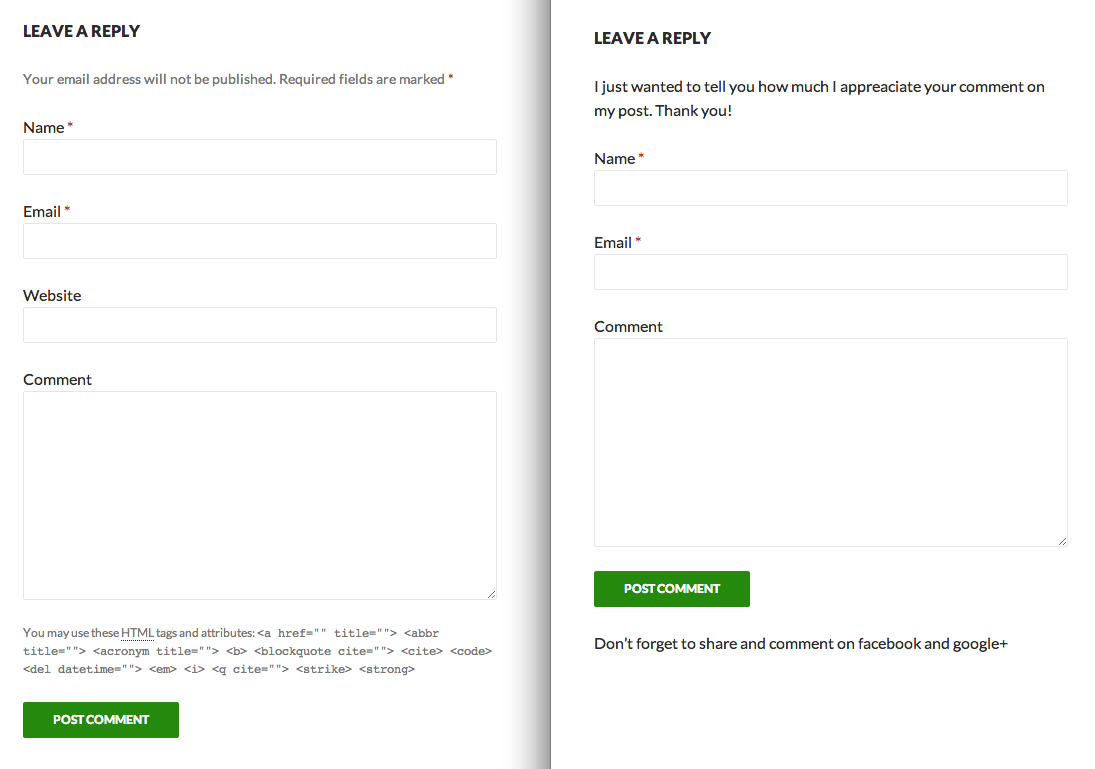
- remove the message that emails are not published and which fields are required
- remove the text about which html tags are allowed
- insert custom text before the form
- insert custom text after the form
Layouts
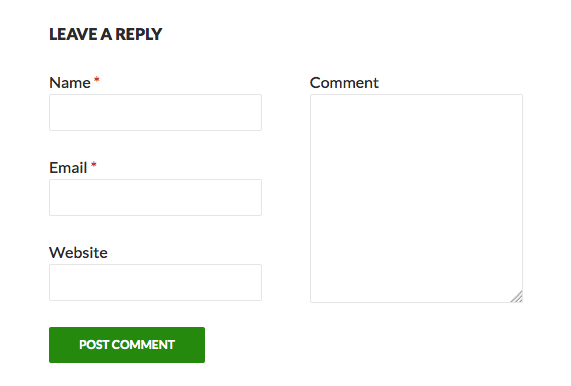
- use a two columns layout for the comment form
Shortcode
[comment-form]shortcode to insert comment form into posts and pages
Important Notes
- the plugin works only, if your theme uses the standard WordPress comment form function
- options that where submitted with the
comment_formfunction in your template overwrite most of the plugin functions
Installation
- Upload the plugin folder to the
/wp-content/plugins/directory - Activate the plugin through the ‘Plugins’ menu in WordPress
- Visit the settings page under
Comments > Comment Formto customize the form
Screenshots
Changelog
1.2.4
- Tested with WordPress 7.1
1.2.3
- Small tweaks
1.2.2
- Ignore two-column style on screens below 480px
1.2.1
- sanitize the input into text options using
wp_kses_postto prevent the usage of scripts and disallowed tags and attributes.
1.2.0
- added two columns layout
- restructured admin area
1.1.0
- renamed the plugin to Advanced Comment Form
- hopefully fixed some issues with the readme file
- remove website field using css as an alternative method
- added
[comment-form]shortcode to insert comment form into posts and pages
1.0.1
- so many plugins written and still not getting the readme.txt right
1.0
- first version of the plugin