

Description
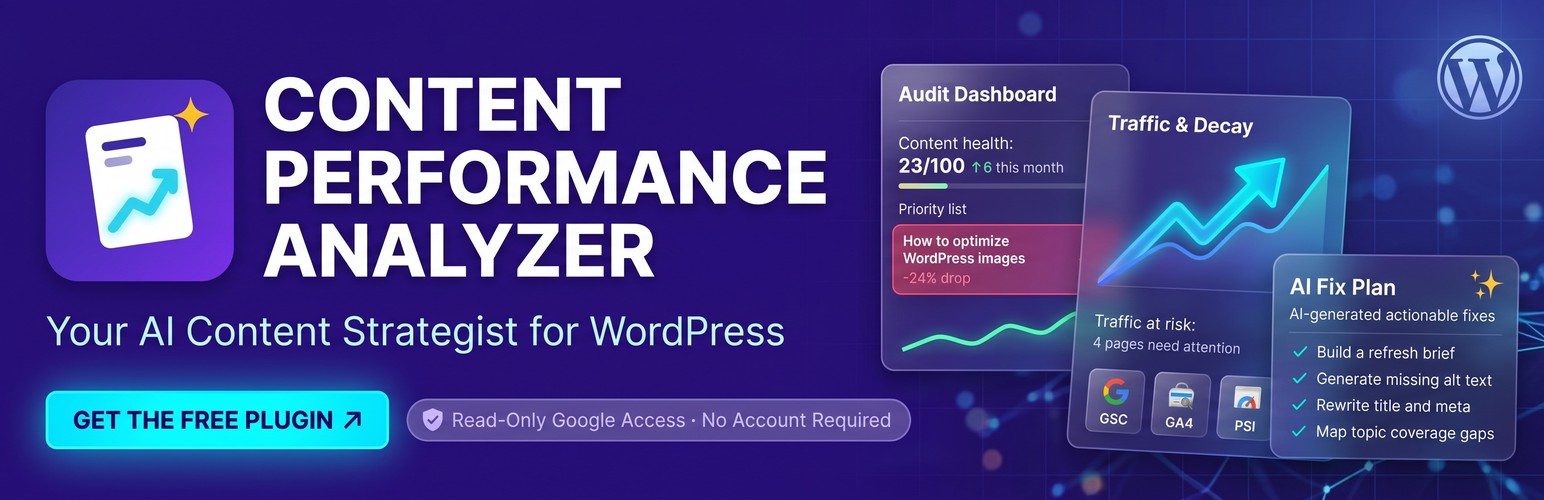
Your AI content strategist for WordPress. Content Performance Analyzer finds the pages that are quietly losing traffic, rankings, or conversions — and tells you exactly how to fix each one. It connects your Google Analytics 4 (GA4) and Google Search Console accounts, joins that data with the actual content of each page, and lets AI turn it into specific, page-level recommendations — so you spend your time refreshing content that matters instead of digging through spreadsheets.
Everything needed to find problems and get clear recommendations is free, with no URL limits. Bring an OpenAI, Groq, or Gemini key for free page-level AI recommendations. The optional Pro plan adds hosted AI with no provider key, ready-to-use draft assets, and full WordPress draft writing.
Every scan checks each page for three common problems:
- Content decay — pages that used to rank and are now losing traffic. Refreshing an old post is far cheaper than writing a new one, and these are the fastest wins.
- SEO opportunities — pages with strong impressions but weak click-through or ranking, where a title or heading change has outsized impact.
- Conversion gaps — pages getting real traffic but few conversions, often just missing a clear call to action.
For each flagged page, the built-in AI analysis writes a specific recommendation you can act on — not generic advice. Add an optional Serper API key and it also compares your page against the pages currently ranking for your keyword, so you can see what top results cover that you don’t. It also maps the likely information branches behind each page’s main search — the query fan-out that AI Mode and AI Overviews run — and marks each branch Covered, Likely covered, Mentioned in text, or No heading found.
This plugin is a strong fit for blogs, resource libraries, and content-heavy sites with dozens to a few hundred posts, and for freelancers or agencies managing content for clients.
What You Get
- AEO readiness score — every page rated 0-100 on a structural readiness checklist for AI search (question headings in the article, direct answers, valid structured data, dates), with each failed check named
- Structured data check — finds JSON-LD that does not parse, types declared twice (such as by two SEO plugins), and FAQ questions that are not on the page
- Question gaps — real Search Console queries you rank for that no heading on the page answers, plus one-click AI answer blocks with FAQ schema
- Coverage map — the likely information branches behind a page’s main search intent, built from real Search Console queries, People Also Ask questions, and the headings of the pages that rank, each marked Covered, Likely covered, Mentioned in text, or No heading found on your page, with the one action to take. Google does not publish the exact sub-queries, so every branch is labeled an estimate
- AI referral tracking — see which pages get visitors from ChatGPT, Perplexity, Copilot, and Gemini
- llms.txt — optional machine-readable site guide for AI crawlers, generated from your analyzed pages
- One-click Google connection — connect Analytics and Search Console with a single sign-in, then pick your property and site from dropdowns. No Google Cloud setup required
- One-click page import — load every published page and post from your site with checkboxes, instead of pasting URLs
- Works before any setup — content-only mode checks pages for missing alt text, thin content, and heading problems with zero credentials
- Performance flagging — every page automatically labeled for decay, SEO opportunity, or conversion gap
- AI content recommendations — specific, page-level refresh guidance powered by OpenAI, Groq, or Google Gemini (free tier)
- AI alt text fixes — lists the exact images in your content missing alt text and writes and applies alt text for you, using image recognition. Images marked decorative outside the article are left alone
- Competitor gap analysis — optional Serper integration compares your content against top-ranking pages
- GA4 conversion tracking — uses your GA4 key events by default, with support for custom conversion events like demo or trial signups
- Keyword insights — shows the primary keyword each page ranks for, pulled from Search Console
- Recovery tracking — mark a page as fixed and the plugin watches it for 28-60 days, then tells you whether the fix worked: recovered, improving, or no lift
- One-click refresh drafts — create a draft copy of any flagged page with its fix plan embedded at the top, so a refresh starts in the editor, not in a spreadsheet
- Dashboard widget — your top priority pages and fix results, right on the WordPress dashboard
- Freshness at a glance — published date, last WordPress edit, the last meaningful content change the plugin detected (with or without WordPress revisions), and a refresh-due status on every page
- AI crawler rules — allow or block each AI crawler in robots.txt from a checklist, with a recommended preset that welcomes AI search engines and turns away training-only crawlers
- Site checks — reads the robots.txt and sitemap your site actually serves, checks that http, https, www and non-www lead to one address, and alerts you when a scan finds a page that turned noindex, started redirecting or stopped returning 200
- IndexNow — tells Bing, Yandex, Seznam, Naver, and Yep the moment you publish, update, or unpublish a page, instead of waiting for the next crawl
- Smart interlinking — safe, AI-suggested internal links inserted only on exact anchor matches
- PageSpeed Insights without a key — Core Web Vitals and performance scores through the free hosted service, or your own API key if you prefer
- Background processing — analyzes hundreds of URLs in batches without timeouts, with live progress
- CSV export — download the full insights table for reporting or further analysis
- Read-only access for your team — Editors, Authors, and Contributors can open Content Insights to read the findings and export them; scans, AI generation, and every change to the site stay with administrators
- Weekly automatic scan — optional full rescan of every page on the day and hour you choose, so the table stays current without anyone starting it
Optional Pro Workflow
Pro does not lock the audit or diagnosis. It removes setup and writing work:
- Hosted AI with no provider key — recommendations work immediately after license activation
- 200 included AI generations per month — the latest remaining allowance is visible in the page-plan modal
- Competitor gap analysis with no Serper key — 600 included searches a month compare your pages against what currently ranks
- Ready-to-use draft assets — finished titles, meta descriptions, question headings, FAQ answers, quotable passages, and evidence-based internal-link suggestions
- Smart relevance and verification notes — only justified assets are generated, and missing or unverified facts are called out for review
- Full draft writing — creates a separate 600–900 word WordPress draft for editorial review; the live page is not changed
- One-click apply — writes the suggested title and meta description straight into Rank Math, Yoast SEO, or SEOPress, with undo
- Evidence audit and section drafts — the claims on a page that need backing, each with what would support it; 40–90 word draft sections for the branches your page misses; and a copyable writer brief that says what to keep, add, restructure, link, or split out
- Bring your own assistant (MCP) — connect Claude Code, Cursor or Claude Desktop to your site’s audit over the Model Context Protocol; your assistant reads the diagnosis, writes the fix plan or draft assets, and saves them back — on your own subscription, with no API key and no hosted-AI usage
Nothing here requires a Google Cloud project. The Google connection and PageSpeed both run through a free hosted service, so setup is a single sign-in. If you would rather run everything yourself, every hosted convenience has a self-hosted alternative: add your own PageSpeed or AI API key in Settings, and enable the cpanalyzer_show_byo_oauth_fields filter to use your own Google OAuth client.
External Services
This plugin connects to the external services below. The full privacy policy — covering the plugin and auth.cpanalyzer.com, data handling, security, and deletion requests — is at https://cpanalyzer.com/privacy.
1. Content Performance Analyzer Hosted Service (auth.cpanalyzer.com)
What it does: The plugin author’s own service. It holds the Google OAuth client so you do not need a Google Cloud project, runs PageSpeed lookups without your own key, and provides the optional hosted AI and competitor search included with a Pro license.
Data sent:
- Registration — your site’s home URL, once, to obtain an installation token
- Google sign-in — the WordPress admin URL to return you to, and the one-time handoff code Google issues
- Token refresh — your Google refresh token, forwarded to Google for a new access token
- PageSpeed — the URL being analyzed, mobile/desktop strategy, and your installation token
- Hosted AI (Pro) — your installation token and license key, plus the page URL, performance metrics, search queries, content structure, and page-text excerpts described in section 5. No site visitor personal data is sent. Nothing is sent when a Pro user selects “My own assistant only (MCP)” as the AI engine
- Competitor search (Pro) — your installation token and license key, plus the page’s primary keyword, forwarded to Serper.dev (section 6) when no personal Serper key is saved
What is stored: Your Google tokens live in your own WordPress database, not on the service. A one-time sign-in handoff entry expires after five minutes. For hosted AI and competitor search, the service stores request counts only — no prompts, page content, metrics, queries, or generated output are retained.
When: On “Connect with Google,” token refresh, keyless PageSpeed analysis, and Pro hosted AI or competitor search.
How to avoid it entirely: Enable the cpanalyzer_show_byo_oauth_fields filter and supply your own Google OAuth client, add your own PageSpeed API key, and use OpenAI, Groq, or Gemini with your own key. The plugin then talks to those providers directly and never uses this service.
Service URL: https://auth.cpanalyzer.com (endpoints: /auth/start, /api/v1/register, /token/exchange, /token/refresh, /api/v1/pagespeed, /api/v1/ai/chat/completions, /api/v1/serper)
Terms: https://cpanalyzer.com/terms — Privacy: https://cpanalyzer.com/privacy
2. Google Analytics 4
What it does: Retrieves traffic and engagement metrics for your pages, and lists your GA4 properties for the settings dropdown.
Data sent: Your GA4 property ID, date ranges, requested URL paths and metrics, and any custom conversion event names, authenticated with an OAuth 2.0 access token — obtained through the hosted service above by default, or directly from Google if you supply your own OAuth client.
When: Manual data collection, the scheduled daily refresh, the optional weekly scan, or URL uploads.
Service URLs: https://analyticsdata.googleapis.com/, https://analyticsadmin.googleapis.com/, https://accounts.google.com/o/oauth2/v2/auth, https://oauth2.googleapis.com/, https://www.googleapis.com/oauth2/v3/tokeninfo
Terms: https://marketingplatform.google.com/about/analytics/terms/ — Privacy: https://policies.google.com/privacy
3. Google Search Console
What it does: Retrieves clicks, impressions, CTR, average position, and search queries for your verified site, and lists your sites for the settings dropdown.
Data sent: Your verified site URL, date ranges, and performance queries, with the same OAuth token as GA4.
When: Manual data collection, the scheduled daily refresh, the optional weekly scan, or URL uploads.
Service URLs: https://searchconsole.googleapis.com/, https://www.googleapis.com/webmasters/v3/sites
Terms: https://support.google.com/webmasters/answer/4559176 — Privacy: https://policies.google.com/privacy
4. Google PageSpeed Insights (Optional)
What it does: Fetches performance scores and Core Web Vitals for specific URLs. Off by default.
Data sent: The URL being analyzed and the mobile/desktop strategy. By default the request rides the hosted relay (section 1), which supplies the API key; add your own key in Settings and the plugin calls Google directly instead.
When: Only when you enable PageSpeed analysis and trigger it.
Service URLs: https://www.googleapis.com/pagespeedonline/v5/runPagespeed (own key), https://auth.cpanalyzer.com/api/v1/pagespeed (default relay)
Terms: https://developers.google.com/terms — Privacy: https://policies.google.com/privacy
5. AI Providers — OpenAI, Groq, or Google Gemini (Optional)
What it does: Generates content recommendations, answer blocks, alt text, and interlinking suggestions from your performance data and page content. You choose one provider and supply its key; without a key, no AI requests are made and the plugin runs in content-check-only mode.
Data sent: Page URLs, performance metrics (traffic, engagement, search queries and rankings), content structure, excerpts of your page text, and up to a few thousand characters of post text for Smart Interlinking. For AI alt text, the image itself is sent for recognition (OpenAI and Gemini only). Your API key is sent with each request. No site visitor data is ever sent.
When: AI analysis of flagged pages (manual, batch, or the background queue), Smart Interlinking, answer blocks, and alt text generation.
Included AI service (Pro): An active Pro license uses “Content Performance AI” automatically, with no key to supply. Choosing “My own assistant only (MCP)” as the AI engine in Settings stops these requests. Requests go to https://auth.cpanalyzer.com/api/v1/ai/chat/completions, a relay run by the plugin author, which authenticates the request, counts it against your monthly allowance, and forwards it to Kimi K3, an open-weight model the plugin author deploys and runs on Modal, a serverless compute platform, in the United States. Modal supplies servers only; no AI company receives the data. The relay never receives your Google credentials or license key, stores request counts only, and nothing sent is used by the plugin author to train any model. If a request cannot be answered, it fails and is not sent to any other provider. Modal terms: https://modal.com/legal/terms — privacy: https://modal.com/legal/privacy
Service URLs: https://api.openai.com/v1/chat/completions, https://api.groq.com/openai/v1/chat/completions, https://generativelanguage.googleapis.com/v1beta/openai/chat/completions, and for the included Pro service https://auth.cpanalyzer.com/api/v1/ai/chat/completions (relay) → the plugin author’s Modal deployment
Terms and privacy: OpenAI https://openai.com/policies/terms-of-use and https://openai.com/policies/privacy-policy — Groq https://groq.com/terms/ and https://groq.com/privacy-policy/ — Gemini https://ai.google.dev/gemini-api/terms and https://policies.google.com/privacy
6. Serper.dev (Optional)
What it does: Retrieves the top Google results for your page’s primary keyword so the plugin can compare your content against ranking competitors, then fetches the public HTML of those competitor pages to extract headings and structure.
Data sent: The search keyword derived for your page, with your Serper API key — or through the hosted relay on Pro.
When: Only when a Serper key is saved, or an active Pro license uses the included service. Otherwise no Serper requests or competitor fetches are made.
Included with Pro: With no personal key saved, searches are relayed through https://auth.cpanalyzer.com/api/v1/serper using the author’s Serper account — 600 searches per license per month. The relay forwards only the query, result count, country, and language, and stores request counts only. A personal key always takes precedence and bypasses the relay entirely.
Service URL: https://google.serper.dev/search — Terms: https://serper.dev/terms — Privacy: https://serper.dev/privacy
7. IndexNow (Optional)
What it does: Notifies participating search engines that one of your pages was published, updated, or unpublished, so they can recrawl it without waiting. One submission to api.indexnow.org is relayed to Bing, Yandex, Seznam, Naver, and Yep. Google does not participate in IndexNow.
Data sent: The URL of the page that changed, your site’s host name, and the IndexNow key the plugin generated for your site, together with the public …
Installation
- Install and activate the plugin through the ‘Plugins’ screen in WordPress
- Go to Content Insights → URL Management and click “Load Pages From Your Site” to import your pages, then start a scan — the content check works with no setup at all
- To add traffic data, go to Content Insights → Settings and click “Connect with Google,” then pick your GA4 property and Search Console site from the dropdowns
- Optional: add an OpenAI, Groq, or Google Gemini API key for AI recommendations, and toggle on PageSpeed analysis (no key needed)
FAQ
Can I use my own Claude or ChatGPT subscription instead of an API key?
Yes, with Pro. Turn on the MCP endpoint in Settings, create a token, and point your assistant at it: Claude Code, Cursor and Claude Desktop (through the mcp-remote bridge) all connect today. Your assistant reads the same audit the dashboard shows — the page list, the diagnosis and its evidence, the content analysis — and writes the fix plan, the coverage map or the draft assets on your own subscription, so it costs no hosted generations. Writing back is opt-in twice over: the site needs “Allow write tools” turned on and the token needs the write scope, or the connection stays read-only. The endpoint requires HTTPS and is off until you turn it on. claude.ai web connectors and ChatGPT need OAuth sign-in, which arrives in a later release.
Does the coverage map show Google’s real fan-out queries?
No. Google does not publish them. The map estimates them from the real searches your page appears for in Search Console, People Also Ask questions, and the headings of the pages that currently rank, and labels every branch an estimate.
Do I need a Google Cloud project or API keys to start?
No. Click “Connect with Google,” sign in, and pick your GA4 property and Search Console site from dropdowns. There is no Cloud Console setup, no OAuth client to create, and no PageSpeed key to obtain. You can also run the content check with no credentials at all.
Is it really free?
The complete audit and recommendation workflow is free, with no URL limits: Google data, decay diagnosis, SEO and conversion flags, AEO checks, question gaps, exports, recovery tracking, and page-level AI recommendations with your own OpenAI, Groq, or Gemini key. Pro is optional and adds hosted AI with no provider key, ready-to-use draft assets, and complete draft writing.
Do I need to pay for AI?
Not necessarily. Groq and Google Gemini offer free tiers that handle typical sites, and Groq is the recommended free provider based on output-quality testing. OpenAI is another BYOK option. Pro includes hosted AI if you do not want a provider account or key. Without any AI key or Pro license, the plugin still imports traffic data, flags decaying pages, diagnoses why they dropped, and runs every content check — you just do not get the AI-written output.
What is content decay?
Content decay is when a page that used to perform well gradually loses traffic and rankings, usually without anything visibly breaking. It is the most common reason older posts quietly stop earning traffic, and refreshing a decayed page is typically far cheaper than writing a new one. This plugin finds those pages and classifies why each one dropped — ranking slide, zero-click capture, falling demand, a self-inflicted edit, or a drop that was never about search at all.
Does this work alongside Google Site Kit?
Yes, and they do different jobs. Site Kit reports your GA4 and Search Console numbers. This plugin joins those numbers to the actual content of each page, works out which pages are losing ground and why, and writes a specific fix for each. Running both is fine — they do not conflict, and each maintains its own Google connection.
What data leaves my site?
Page URLs, performance metrics, content structure, and excerpts of page text go to the BYOK AI provider you configure, or to the hosted service when an active Pro user selects hosted AI. Your site URL and PageSpeed test URLs also go to the hosted service for the no-key Google connection and PageSpeed relay. No site visitor personal data is transmitted. The External Services section documents each endpoint and payload category.
How long does analysis take for large sites?
Most sites see AI suggestions within roughly 6 to 40 minutes for 200 URLs, depending on your AI provider’s rate limits. Progress is shown live and refreshes automatically. If a run hits provider rate limits, the remaining pages fill in on their own in the background, roughly one page every couple of minutes.
Does this plugin slow down my site?
No. All heavy processing runs asynchronously in the background through WordPress cron, so visitors are unaffected.
Will the analysis time out on shared hosting?
It is built for it. Work is processed in small batches with dynamic timeout prediction and a safety buffer, and processing continues even if you close the browser. Very restrictive hosts can still interrupt a batch — if that happens, the next scheduled run picks up where it stopped.
Can I use this on multisite?
Yes, the plugin is multisite compatible.
Can my editors and writers see the audit?
Yes. Every role that can write posts (Editors, Authors, and Contributors) gets the Content Insights page in read-only mode: the table, each page’s AI plan, freshness details, coverage, and the CSV export. Running scans, generating AI output, marking pages fixed, and changing settings stay with administrators. Subscribers don’t see it. Developers can change the required capability with the cpanalyzer_insights_capability filter.
How do I access the plugin settings after activation?
After activation you will see “View Insights” and “Settings” links directly on the WordPress plugins page, or navigate to Content Insights in your admin menu.
Screenshots


Changelog
1.9.10
- Fixes from an audit of live 1.9.9 data. Run a full scan after updating: diagnosis wording, word counts, alt text lists and headings change at scan time
- Word count now counts the article itself, not menus, footer or call-to-action blocks, so the thin-content flag and the answer-readiness length check measure the content. The whole-page count stays available as page_words
- A line break inside a heading or paragraph now reads as a space, so “every
workplace” no longer reads “everyworkplace” - Missing alt text means no alt attribute, or an empty alt on an image inside the article (WordPress prints an empty alt when the field is left blank). An empty alt on a decorative image outside the article, such as a chat icon, and any image marked role=”presentation” or aria-hidden are no longer listed
- The question-heading check reads the article’s own sections, so a “Why choose …?” or “Ready to …?” call-to-action heading no longer passes it. Stored scores correct when read
- A page whose impressions fell while its clicks and views held is flagged SEO instead of decay, and the evidence says traffic held
- A page with too few clicks to judge now says what is low and shows its impressions and views, instead of “Traffic is too low” on pages with thousands of views or no sentence at all. The label reads “Too few clicks or views to judge”
- One position threshold everywhere: a move under 1.5 places is “held,” and 1.5 places or more is a slide
- When the query-level check finds the top queries held, a demand decay reading drops to weak. The daily refresh now applies the check the scan stored, and it now has the year-over-year figures, so both reach the same verdict
- A seasonal pattern no longer overrides a sustained click decline or a lost click-through rate, and the comparison with last year shows the percentage instead of “at last year’s level”
- A redirected URL is diagnosed as the redirect, not as a canonical pointing elsewhere, and Insights shows where it redirects
- The primary keyword compares queries over the same 90 days when a thin 30-day list is topped up from the 90-day pull. The search-results check uses the guarded primary keyword instead of the top query, which could be another language or a competitor’s domain, and drops a stored reading taken for a rejected query
- The search-results reading keeps its People Also Ask questions and related searches for coverage maps, and notes another page of the site that ranks for the same query. Competitor results now cache for seven days, like the reading
- Coverage maps: a branch about a cost, price, template or comparison needs its subject in the heading, so “scheduling software cost” no longer matches “The hidden cost of bad scheduling.” Stored maps re-check in the background
- Search Console page reports are read past their first 2,500 rows, and data health says when a report stopped at its ceiling, which a domain property with many subdomains can reach
- A scan or site check whose next cron event was lost now restarts on its own within the hour, or when the scan status is read, instead of waiting for the weekly scan
- A GA4 view spike that Google search did not bring and visitors did not engage with (views up three times or more and by 500 or more, flat search clicks, short or unengaged visits) is named under the diagnosis and in data health, and no longer flags the page as a conversion gap
- Insights can show only orphan pages, the ones no other scanned page links to
- The freshness baseline says when it is the last WordPress edit before the plugin began tracking, and whether later saves were compared and changed nothing or too little to count, instead of reading like the date of the newest edit
- Wording: “1 day ago,” “1 form fill,” “1 produced no impressions … its,” formatted numbers in evidence (1,500, not 1500), and “in the 30 days before” where the figures are the previous window
- Pro: get_page returns gsc_detail.yoy (it was always null), also_ranks (other tracked pages Search Console shows for the page’s queries, wider than cannibalization), the 90-day figures on topped-up keyword rows, page_words with a note on what word_count counts, the freshness last_observed_gmt and baseline_note, and no canonical, noindex or X-Robots-Tag reading for a redirected page. list_pages takes orphan: true, get_site_summary returns orphan_pages, and collect_coverage_inputs returns paa_source
1.9.9
- New site checks run after every scan and from Check now in Settings. They read the robots.txt your site actually serves, by the robots.txt standard (a port of Google’s open-source parser), and report which crawlers it allows: Googlebot, Bingbot and every AI crawler in the list, for the site root and each tracked page
- The robots.txt check says when your AI crawler rules are not reaching crawlers: a physical robots.txt file, a 404 for /robots.txt, or another plugin, host or CDN serving its own file. It also finds Cloudflare’s managed block and names rules that disagree with your settings. A robots.txt that does not answer is reported, because crawlers then treat the whole site as disallowed
- Each scan now records the page’s HTTP status, any redirect and the X-Robots-Tag header. A header noindex counts like a noindex tag, and a robots meta “none” now counts as noindex
- Indexing changes between scans are tracked: a page that turns noindex, starts redirecting, points its canonical elsewhere or stops returning 200, and robots.txt starting to block Googlebot or Bingbot. A redirect counts as one change: the noindex and canonical of the page it lands on are not read as its own. A notice appears when a scan finds a loss, and Insights lists the last 30 days. The first scan after the update is a baseline
- The sitemap is found from robots.txt or the usual addresses and compared with the scanned pages: listed pages that are not indexable, and indexable pages missing from it (only when the whole sitemap was read)
- The other spellings of the site address (http, https, with and without www) are followed hop by hop to confirm they redirect to the site
- A page that returns empty HTML (no title, no H1, almost no text) is named as such, since crawlers that do not run JavaScript see it empty
- The AI crawler list adds Claude-SearchBot and Claude-User, notes which person-triggered fetchers may not follow robots.txt, marks anthropic-ai as retired and notes that Google-Extended also covers Gemini grounding. A named preset now follows the list, so new crawlers are covered without saving the settings again
- The answer-readiness schema check now scores valid structured data with nothing declared twice, instead of a list of FAQ, Article and HowTo types. Google no longer shows FAQ or HowTo rich results, so product, local business and software pages now pass, and FAQ or HowTo markup passes only as valid markup. Stored scores step once on the first scan after the update
- AI fix plans no longer recommend FAQ or HowTo schema
- Pro: get_site_summary returns site_checks (robots.txt, sitemap, addresses, empty-HTML pages, pages without a canonical, indexing changes) and get_page returns the page’s indexing changes and fetch facts
1.9.8
- Each scan now checks the page’s JSON-LD structured data: blocks that do not parse, types a page should declare once (Article, WebPage, FAQPage, QAPage, HowTo, BreadcrumbList) declared more than once, such as by two SEO plugins, and FAQPage questions that are not in the visible page text. The answer-readiness schema check names any problem it finds; the score does not change
- Pro: get_page and get_page_context return the structured data counts. Pages scanned before 1.9.8 read “Measured on the next scan.” until they are scanned again
- Pro: get_site_summary returns page_changes, the mean, median and total change in clicks, impressions, CTR and views across pages measured in both windows, so one outlier page cannot stand in for the typical page
1.9.7
- A page older than 60 days that Search Console never showed is now diagnosed as technical and flagged as SEO. Search Console returns no row for such a page, so the 1.9.6 check never saw one; a page missing from two complete Search Console results is now recorded as zero impressions in both windows
- Fix plans saved at the same time no longer overwrite each other. Every writer changes the stored plans under one lock against a fresh read, the dashboard sync keeps a plan saved after it started, and save_fix_plan reads the plan back and returns saved: false when it did not persist
- serp_source no longer reads “no_keyword” on a page whose queries all fall under the primary-keyword floor; competitors are looked up under its top query instead. The stored primary keyword keeps the floor
- Coverage inputs take the keyword from the page’s own queries first, then a plan keyword the page no longer ranks for, and the page title only when the page has no queries
- Non-search evidence reads “1 Google search click” instead of “1 Google search clicks”
- “How often”, “how long”, “how far” and “how soon” headings count as questions only with a verb after them, so “How often you pay: common payroll cycles” is not a question heading
1.9.6
- An impression drop of 30% or more is now diagnosed on any page with 1,000 or more impressions, not only on pages with 5,000 or more. A page whose impressions fell while its position improved and its clicks rose is still not called decay
- The “pages that were previously healthy” notice now counts only pages that an earlier scan measured as healthy. Pages still waiting for their first scan and pages missing from one sync no longer read as newly flagged
- The below-peak trend note reads “45.4% below” instead of “-45.4% below”
- The bundled Freemius SDK is updated to 2.13.5
- save_fix_plan accepts every query that get_page and get_page_context show, including the 90-day rows added to a thin list, and the automatic primary keyword picks from the same rows
- serp_source now describes only the competitor cache, looked up for the plan’s keyword and the page’s own best query, so it no longer changes with the last saved plan. A new serp_features_source says whether the scan’s own SERP reading exists
- A page that declares a canonical pointing at another URL, and a page older than 60 days with no search impressions in either window, are diagnosed as technical and flagged as SEO instead of reading as healthy
- Zero-width characters are removed from query text, and a two-letter query is never picked as a primary keyword
1.9.5
- A slow slide is now diagnosed when clicks fell in four of the last five 28-day periods and sit 30% or more below their 6-month peak, even if the newest period ticked up. A non-search drop in the same window is still named in the evidence
- A scan is completed by one request only, so two status checks arriving together no longer log the finish twice
1.9.4
- Data health now reports when GA4 returns no current-period views for more than 10% of the pages that had views last period, with the counts. A failed GA4 request during a scan is retried once with a longer timeout and is no longer reused by the rest of the scan
- A page missing from the GA4 pull is unknown, not zero: diagnosis text shows “n/a” instead of “0 → 0 views”, GA4-based diagnoses and the GA4 drop flag skip the page, and the evidence says only Search Console was judged
- A scheduled scan now finishes itself: the last run sets the status to completed and records the finish time, a status that says “running” with nothing left to do repairs itself, and the assistant’s start_scan works again after a finished scan. Scan start, finish and GA4 failures are kept in a short log that survives past 24 hours
- Reading level reads the article’s own paragraphs instead of the first paragraph on the page, which was template text on every page
- Pages under 60 days old are labeled New page or Building baseline even when traffic is growing
- A zero-click diagnosis drops to weak, and says why, when the search results show no answer box and no AI Overview
- Impression drops of 30% or more on pages seen 5,000 times or more, clicks falling for three or more periods in a row, and impressions falling to zero are now diagnosed
- Diagnosis wording follows the numbers: clicks that rose say “rose”, an improved position is never called “held” or “not recorded”, a ranking slide drops the demand wording, a drop much larger than last year’s is no longer called seasonal, and losing low-ranking impressions while clicks rise is not decay
- Evidence names its date windows: 30-day totals, 28-day trend periods and the 90-day cannibalization pull
- When a page’s 30-day query list is thin, plans and the assistant get extra rows from the page’s 90-day query pull, marked as 90-day rows
- The automatic primary keyword skips login, download and support searches for other pages, and queries another page earns more clicks on
- The question-heading check only counts headings phrased as questions and lists the headings that passed. Pages scanned earlier are judged by the same rule
- The assistant sees every section heading, filtered by the same rule as the coverage map; “Featured resources” and “Related resources” end the article
- Title variations keep the topic of a buyer’s guide, add a year only to dated titles such as lists, guides and laws, keep the brand last, and never end on a dangling list word
- Smaller fixes: tooltips for the No issue and Content flags, plan and coverage local times in the report time zone, every saved plan carries estimated_impact, draft assets written for a replaced plan stop showing, near-empty page responses are fetched again, and the freshness record shows why the last edit did or did not count as a refresh
1.9.3
- Content Insights is now visible to every role that can edit posts (Administrators, Editors, Authors and Contributors). Subscribers still can’t open it
- Non-admin roles see the table, the details modals and the CSV export. Scans, retries, AI generation, Mark fixed, refresh drafts and every other change to the site stay with administrators, and those controls are hidden for other roles
- The Edit link on each row only shows when the viewer can edit that post
- URL Management, Internal Links and Settings stay admin-only
- Developers can change the viewing capability with the
cpanalyzer_insights_capabilityfilter
1.9.2
- Pro: a new AI Engine choice in Settings — “Included hosted AI” (the default) or “My own assistant only (MCP)”. With the assistant engine, Claude Code, Claude Desktop, Cursor, Codex or another MCP client writes fix plans, coverage maps, draft assets and refresh briefs on your own Claude or GPT subscription, and the site makes no AI request at all: scans, retries, background fill-in and every generate button stop before contacting the hosted AI
- Alt text, evidence audits, answer blocks and AI link suggestions have no MCP tool yet, so they stay off while the assistant engine is selected
- Settings warns when the assistant engine is selected but the MCP endpoint is off
- Notices, the scan progress bar and the sync status point at the assistant’s fix_plan prompt instead of asking for a key or a license
- A background AI fill-in scheduled before the AI was switched off now stops instead of retrying
1.9.1
- Coverage labels match their evidence: Covered (an exact phrase, or a heading an AI verdict named), Likely covered (every meaningful word matched a heading), Mentioned in text, and No heading found. The summary reads “3 covered (1 exact), 9 mentioned, 2 not found”, and the dashboard badge counts only exact matches
- A sibling page appears, and turns the advice into a link, only when it also ranks for one of the branch’s queries, the query is not only brand words, and the page earns clicks on it. It is shown as “Also ranks for”, never as already covering the branch
- A “What is …” H1 can answer a definition branch
- With an AI key, the branch call also returns a verdict per branch; a verdict whose heading the page does not have is rejected and the rules verdict stands. Each branch shows whether AI or the rules judged it, and flags a covered-vs-missing disagreement as disputed. A connected assistant can send verdicts through save_coverage_map under the same check
- Competitor search never counts the site’s own pages, even when called with a bare path, and cached results are filtered on read; caches from before 1.8.9 are cleared on update
- The plan-date line names the site’s timezone
1.9.0
- Sibling pages come from Search Console: a page that ranks for one of a branch’s own queries is its sibling, the most clicks winning. The title fallback now needs every specific label word, never matches on one word, and never picks a product page for an article branch. Each sibling says why (shared query or title) in the coverage table, the writer brief and the connected assistant
- Covered verdicts take an exact phrase first, compare words on light stems (detect/detecting, policy/policies), use each heading for one branch only, and need a real definition heading for “X definition” and “what is X” branches. Each covered branch says whether a phrase or its words matched
- Call-to-action headings inside articles (“Future-proof your workforce …”, “Get started today”) no longer count as sections, on new scans and on stored pages (filter: cpanalyzer_cta_patterns)
- Title variations keep only the year, brand-position and trimmed forms; a trimmed title cuts at a colon, comma, dash or bar or not at all, and “vs.”, “vs” and “v.” are written “vs.”
- Search Console query text is cleaned once (trailing punctuation and parentheticals dropped, the raw text kept). Primary keywords go to the most-clicked relevant query, and a brand-only query stays with the page that ranks best for it
- A page whose impressions halved at a steady position reads demand decay, not zero-click
- Cannibalization also reads each page’s stored query rows, so two pages sharing a query at 50 or more impressions each, or three smaller ones, list each other
1.8.9
- The scraper reads section headings and page text from the article itself: notice bars, chat modals, tables of contents, related-article cards and calls to action are left out, and everything from a “What to read next” style heading on is dropped. Stored page text grows from 5,000 to 12,000 characters (filters: cpanalyzer_chrome_markers, cpanalyzer_tail_markers)
- Coverage maps ignore headings that are another page’s title, read up to 120 headings, and are re-checked in the background after the update. Stored pages are cleaned without a rescan
- A sibling page needs the branch’s words in its title or H1, not one shared word
- A question branch is covered only by a question or definition heading, and a one-word branch only by a short heading
- Keyword selection skips version-number, overlong and language-tail queries, brand-only queries on pages that do not own the brand, and queries past position 30 when closer ones exist; it prefers the whole phrase over a truncated one and needs a word from the title or H1. Coverage maps use the 90-day queries when the 30-day rows are empty
- Title variations keep acronyms and the page’s own spelling (ADA, TimeClock), write “vs.”, skip question forms that read wrong, and never exceed 70 characters
- Search Console keyword recovery continues across runs from where it stopped (50 pages per run by default) until every page missing queries has been tried
- A page whose impressions fell by half from 1,000 or more is no longer called low volume because its clicks were few
- The fix-plan tool schema states each text field’s length limit; competitor search skips the site’s own brand domains, login and error pages, and pages under 200 words; the details panel shows when the plan was written and which timezone it uses
1.8.8
- The refresh brief sends the page’s top 10 Search Console queries with every column, its stored coverage map, cached competitor headings for its primary keyword, and a structured page excerpt (title, headings, intro, question answers, close) in place of the first 1,500 characters. A competitor gap claimed with no competitor data is removed
- Fix plans send 10 Search Console queries per page instead of 5
- GA4 reads the same 30 complete days as Search Console, ending at the same lag date, for views, engagement, conversions and the previous period
- Search Console keyword recovery is capped at 25 pages per scan by default (filter: cpanalyzer_gsc_keyword_recovery_limit, 0 lifts the cap)
- Every AI payload and the connected assistant’s page output carry an evidence block: queries sent against queries stored, page text sent against stored, competitor pages analyzed against attempted, where search data came from, and how the freshness date is known
- Deterministic title variations (year, brand last, trimmed; the keyword-first and question forms were retired in 1.9.0) appear in the details panel, the connected assistant’s page output, and Pro draft assets
- Pro draft assets now send each Search Console query’s text; it was sent empty
1.8.7
- Coverage maps use word boundaries, ignore site-wide heading words for sibling suggestions, and require one heading to answer a branch before marking it covered. Existing maps refresh in the background.
- Primary keywords skip operator queries and unrelated Search Console terms. Coverage inputs label title fallbacks and do not search competitors with them.
- Coverage inputs merge up to 100 longer-window queries with sync queries; inbound links include rendered content links.
- MCP output explains why page impressions exceed listed queries and shows local dates alongside UTC dates.
- Scraped and stored titles, descriptions and headings decode HTML entities. Existing stored content is updated without a rescan.
1.8.6
- Sites in a subdirectory (a subdirectory multisite subsite, or WordPress installed under a folder) now resolve analyzed URLs to their posts: the site folder was being added twice, so every per-page feature reported no post there. Root-domain sites are unaffected
1.8.5
- Durable freshness: the plugin keeps its own per-page record of meaningful content changes, compared on every save of a tracked page, so revisions are optional evidence instead of a requirement. Cleaning revisions or deleting the history cache can no longer erase a detected refresh
- A meaningful change is measured, not guessed: formatting, block markup, punctuation, link targets, tracking parameters, a title edit or one changed year never count; several rewritten paragraphs, a new section, a material expansion, replaced statistics, or small edits that add up do. A lone revision with nothing to compare against is no longer treated as proof of a change
- Pages with no change on record get a baseline estimated from the last WordPress edit (or the publish date), frozen when the record is created, so later minor saves no longer keep pushing the refresh date back. Every place that shows freshness – the table, the details panel, the dashboard widget, the CSV export, AI fix plans and the connected assistant – says whether the date was detected, confirmed by you, or estimated
- The details panel now shows the publish date, the last WordPress edit, the last meaningful refresh (or “Unknown”), and the freshness baseline as separate facts, with revision and change-detection coverage
- New “I refreshed the content” control in the details panel records a manually confirmed refresh, shown as such and reversible. Mark fixed keeps its recovery tracking but no longer resets the refresh clock; existing Mark fixed entries keep their recovery verdicts and are not treated as content refreshes
- Freshness safeguards: paragraph splitting and source-line reflow do not count as rewrites; partial content cannot verify a whole-page refresh; the first small edit remains in cumulative comparisons; two saves of the same page landing at once can no longer leave the record describing the older version
- AI plans generated before the freshness upgrade are marked expired without deleting their content or starting automatic regeneration
- Status and the next due date now come from the same calendar: a page baselined on March 1 with a six-month cycle is due on September 1, not already due on August 30
- What to do now follows the diagnosis: a recent drop says monitor and recheck, an unconfirmed drop says find the cause first, a zero-click page is about winning back the click, demand decay says check demand before deciding, and a page that changed recently is checked before another rewrite. The same rules reach AI fix plans and the fallback text
- A plain save inside a traffic drop is no longer described as an edit; only a detected content change is. A technical diagnosis still mentions the last save, labeled as a save
- CSV export: eight columns appended (last WordPress edit, last meaningful refresh, refresh evidence, manual confirmation, freshness baseline and its source, next due date, change-detection coverage). Existing columns are unchanged
- For page builders that keep text outside the editor, the panel reports limited coverage instead of claiming a verified refresh; the cpanalyzer_freshness_content and cpanalyzer_freshness_coverage filters let a site supply that text
1.8.4
- Every heading on a page now reaches a connected assistant as the heading itself. They arrived as the word “Array”, so a plan written outside the site was working from a page that appeared to have no headings at all
- A fix plan saved by a connected assistant can now carry the rest of what the site’s own generator stores – the kind of work, the expected click-through and conversion change, how to measure it, a confidence and an estimate in hours – instead of dropping them on every save. The opportunity score stays the plugin’s own arithmetic, whatever a plan sends
- Coverage maps stored before this release are recomputed in the background after updating, ten at a time: branch impressions, the “link to this page instead” suggestions, the covered, buried and missing verdicts, and the action each branch earns all catch up with the current rules, from data already on the site – no AI call and no competitor search
Earlier releases (1.0.0 to 1.8.3) are listed in changelog.txt.