


Description
Free next order coupons for WooCommerce, sent by email, with no external platform.
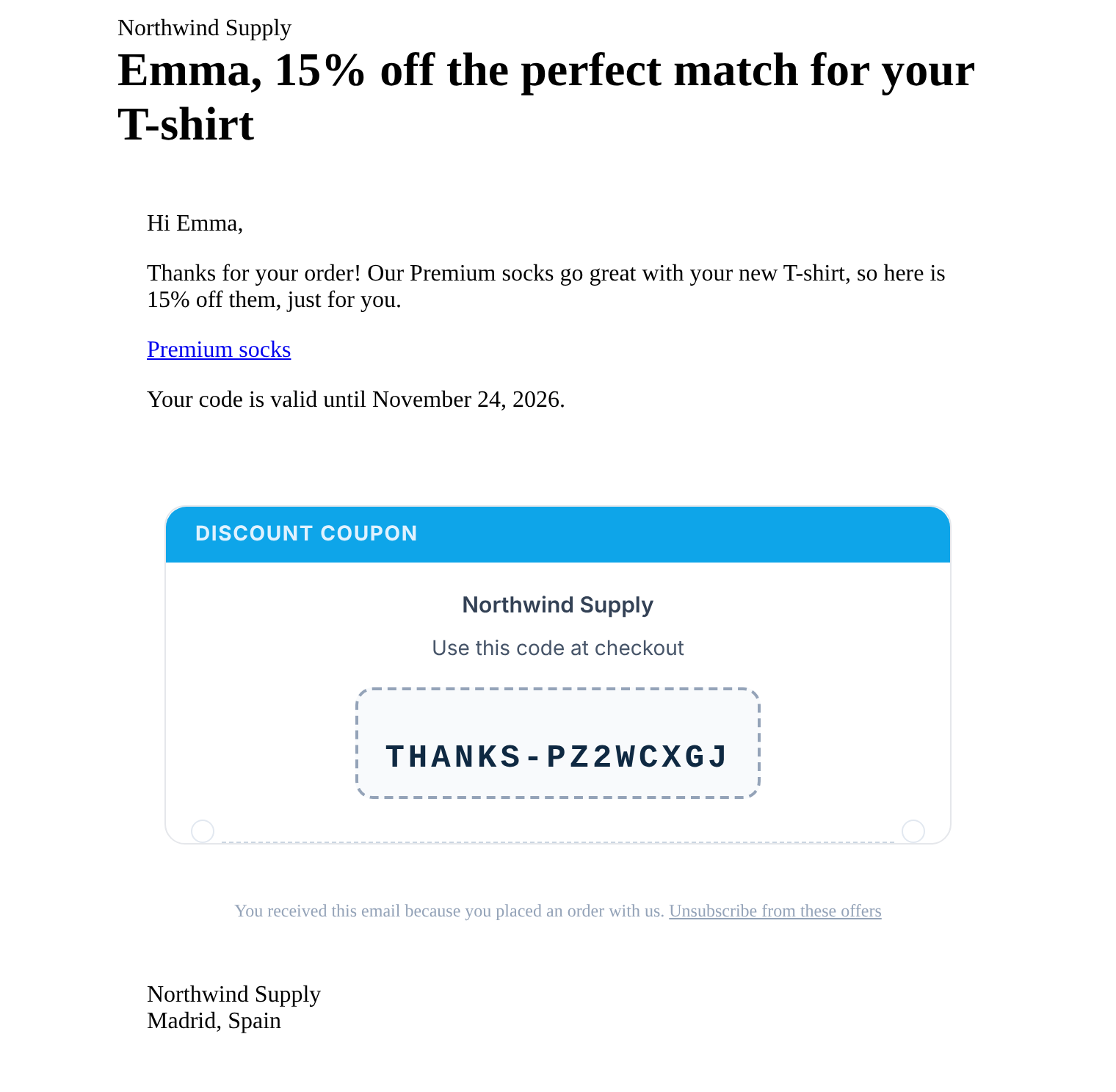
When a customer places an order (any order, or one that contains the products you choose), CrossSell Mailer creates a single-use coupon locked to their email and sends it in a WooCommerce-styled follow-up email, valid for a recommended product or for the whole store.
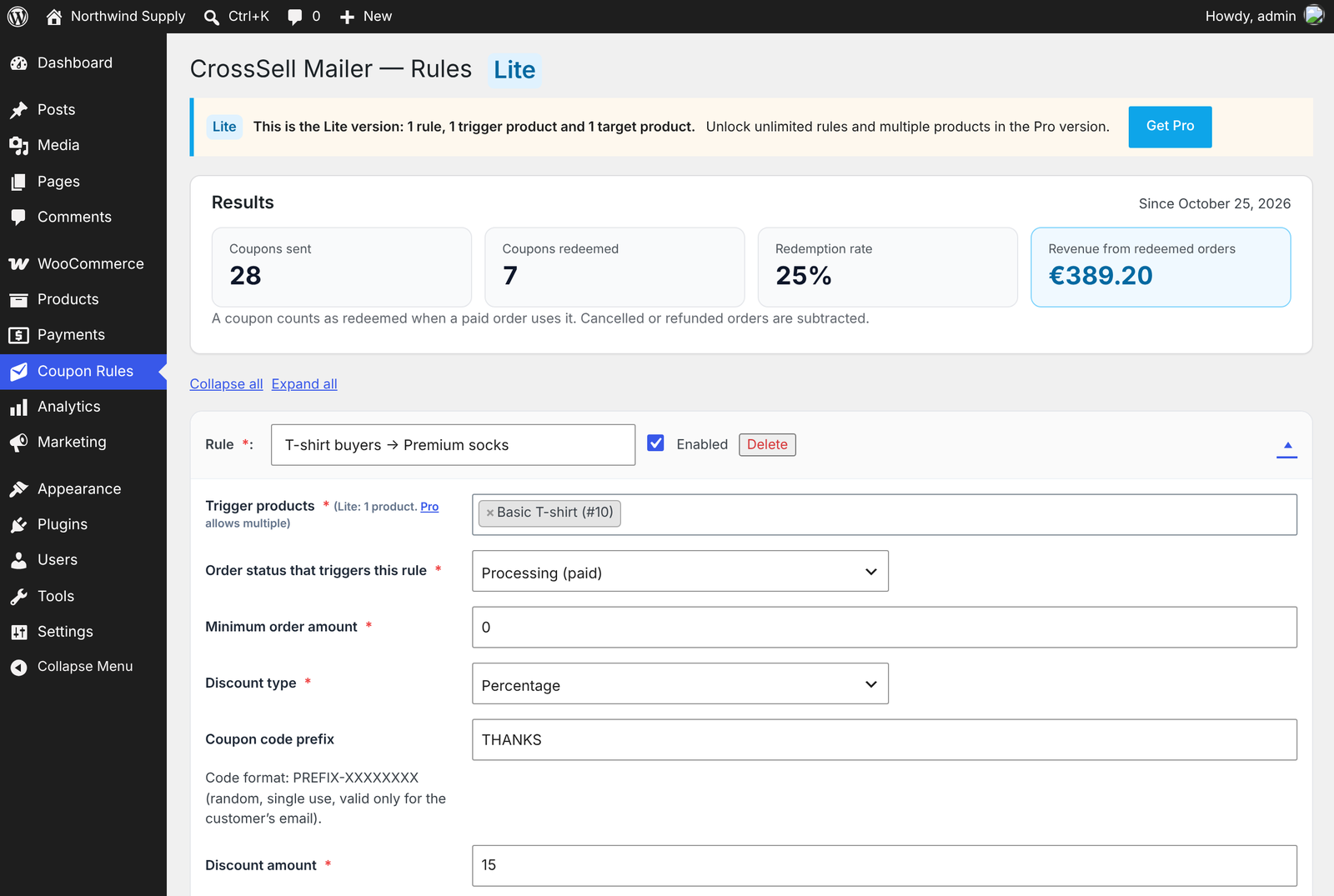
The results panel shows coupons sent, coupons redeemed, redemption rate and the revenue they brought back. Use it for cross-sells, repeat purchase coupons, replenishment reminders and thank-you discounts.
Everything runs inside your store, with your WooCommerce email template. No external email platform, no account to create, no per-email fees, and your customers’ data stays with you.
Use cases
- Complementary product cross-sell: bought the T-shirt? 15% off the matching socks.
- Repeat purchase coupons: a thank-you discount that brings the customer back for the next order.
- Replenishment / reorder reminders: use the same product as trigger and target (coffee, shampoo, pet food) so the customer gets a coupon to buy it again.
- Thank-you and seasonal coupons: loyalty rewards, Black Friday, Christmas, launches.
How it works
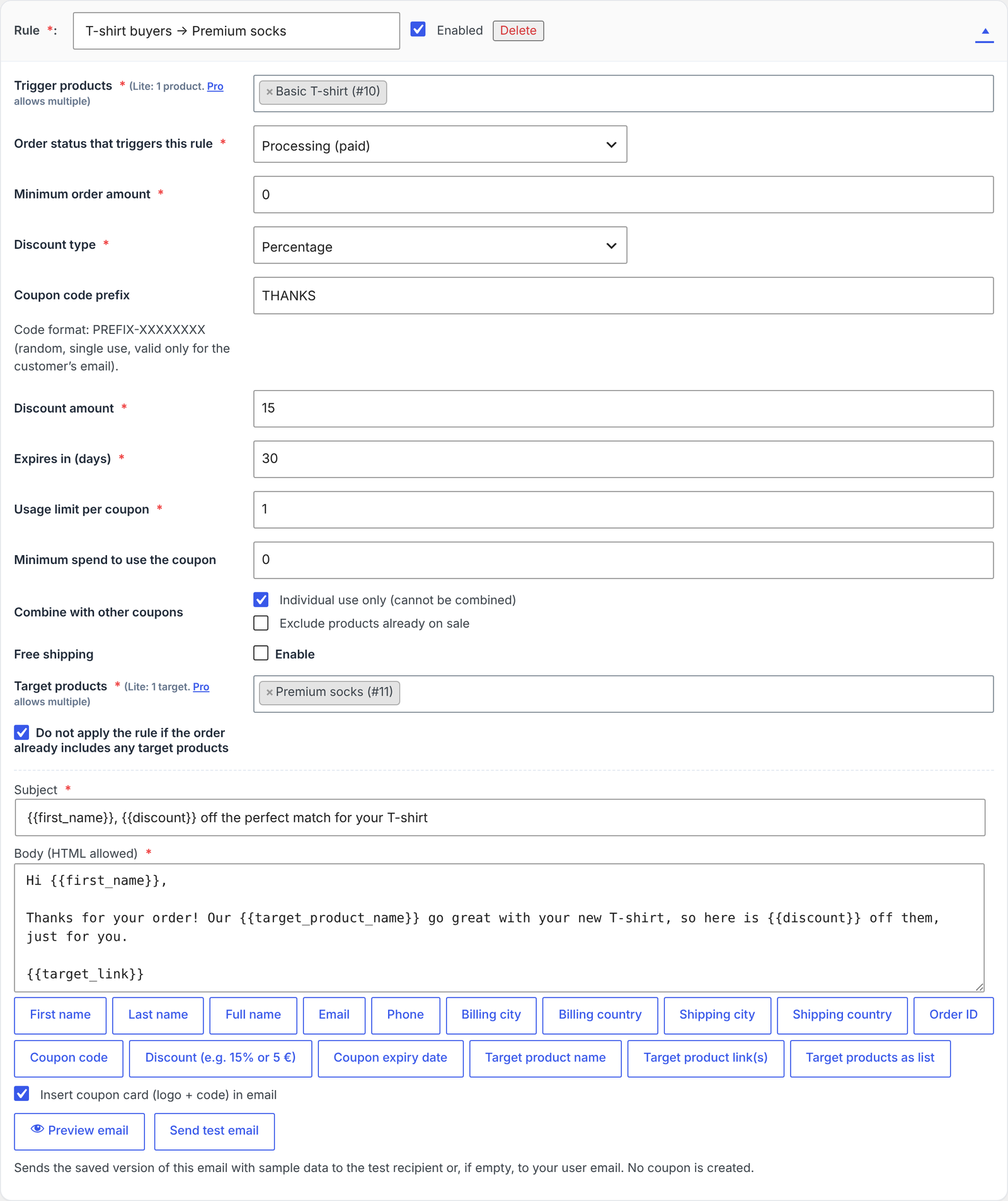
- Create a rule: any order or specific products → a target product or the whole store, discount, expiry and minimum spend.
- When the order is paid, the plugin creates a unique coupon locked to the customer’s email and sends it.
- The results panel counts coupons sent and redeemed, the redemption rate and the revenue of the orders that used them.
Features
Coupons
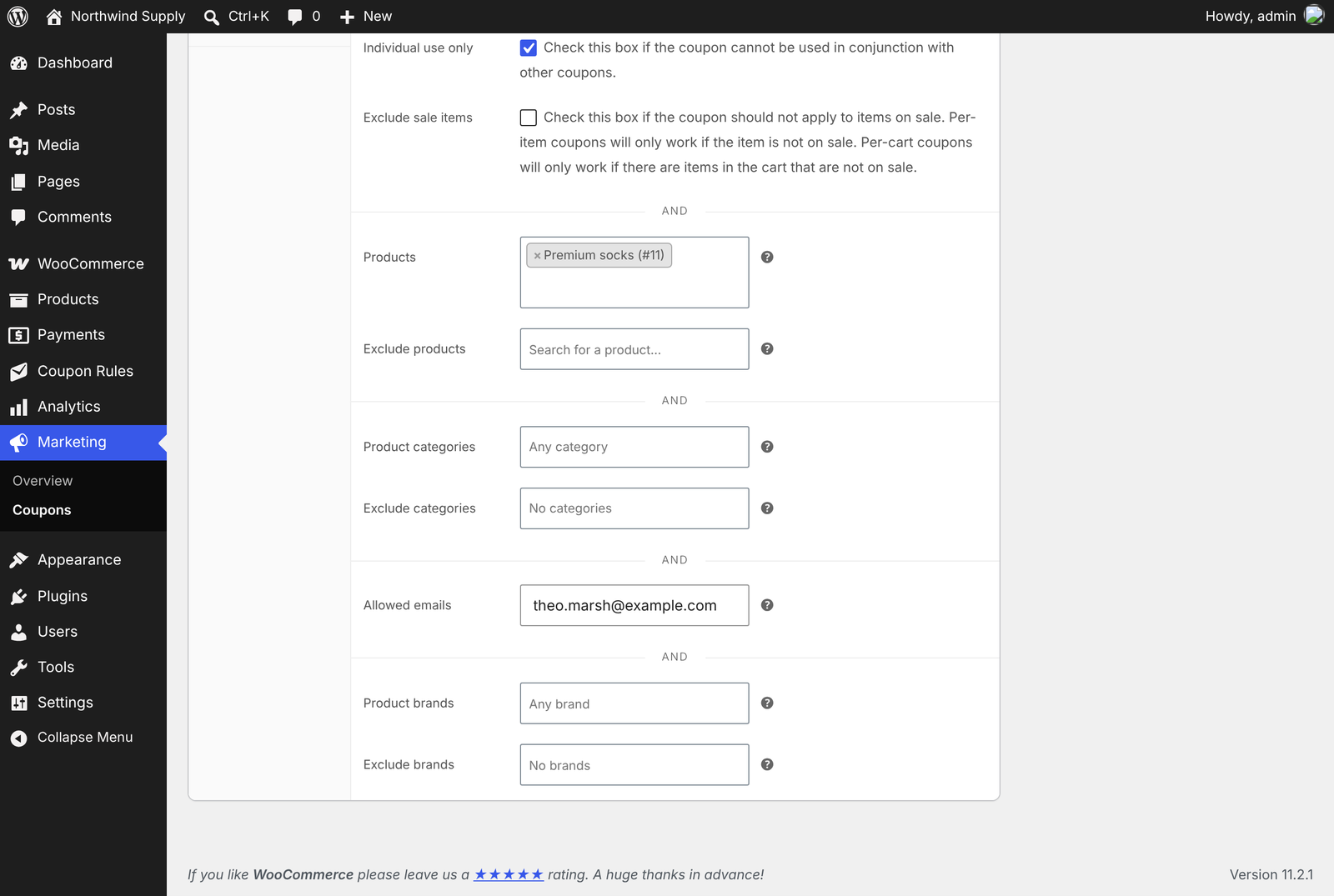
- Unique, unguessable codes (e.g. PROMO-7KQ2M9XA) restricted to the customer’s email
- Percentage or fixed discount, expiry in days, minimum spend, individual use, exclude sale items
- Exactly one coupon per order and rule, even when the order status changes
- Optional cleanup of expired, unused coupons created by the plugin
Emails
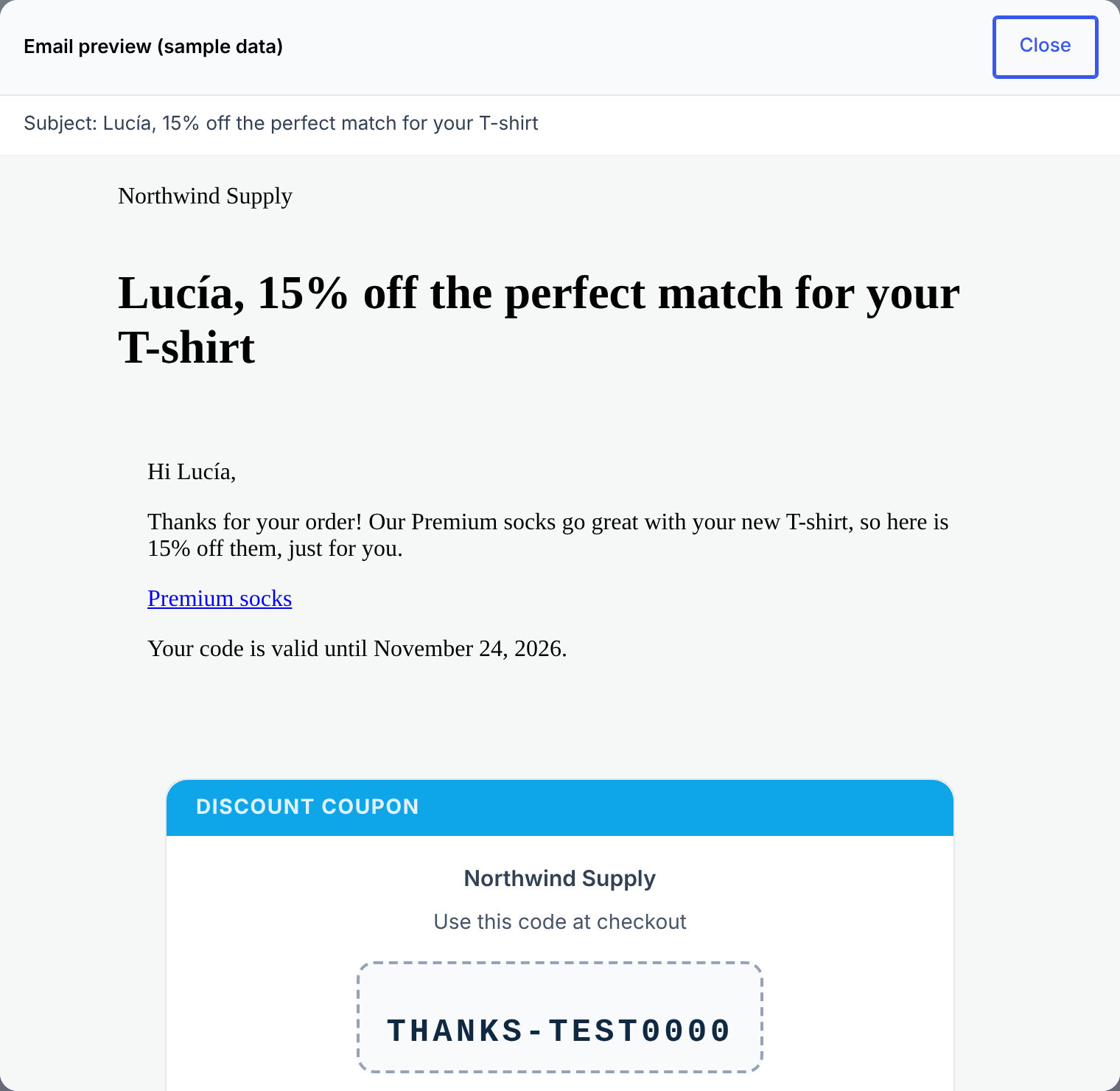
- Subject, heading and body editor with live preview
- Variables:
{{first_name}},{{last_name}},{{coupon_code}},{{discount}},{{coupon_expiry}},{{target_product_name}},{{target_link}},{{target_list}},{{unsubscribe_url}} - Uses the WooCommerce email template and your SMTP plugin
- Send test email button and test mode (all emails go to your address)
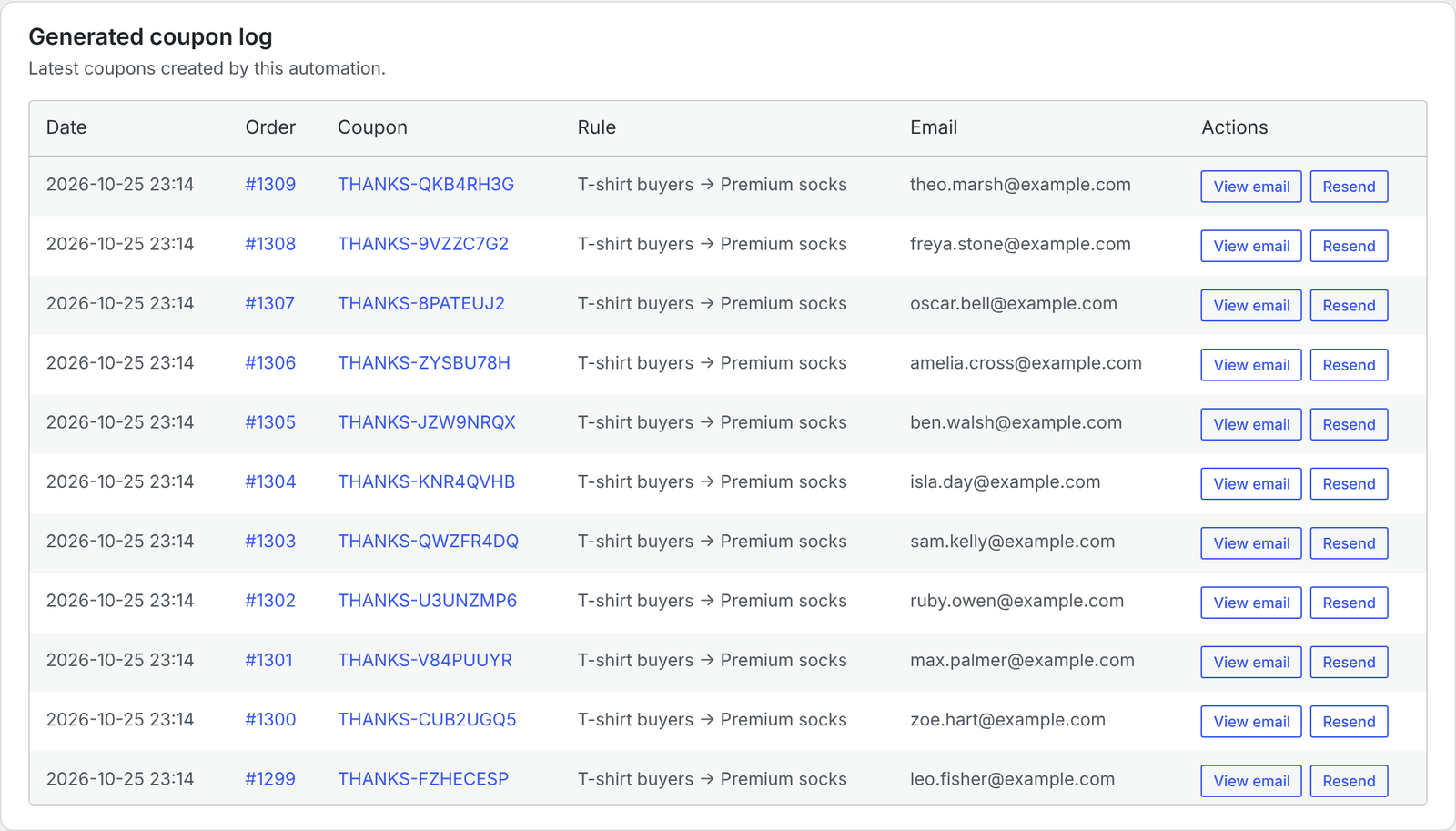
- Coupon history with email preview and resend
Results panel
- Coupons sent, coupons redeemed and redemption rate
- Revenue of the paid orders that used a coupon; cancelled and refunded orders are subtracted
Privacy and GDPR
- One-click unsubscribe in every email (List-Unsubscribe and RFC 8058 one-click headers, as Gmail and Yahoo require)
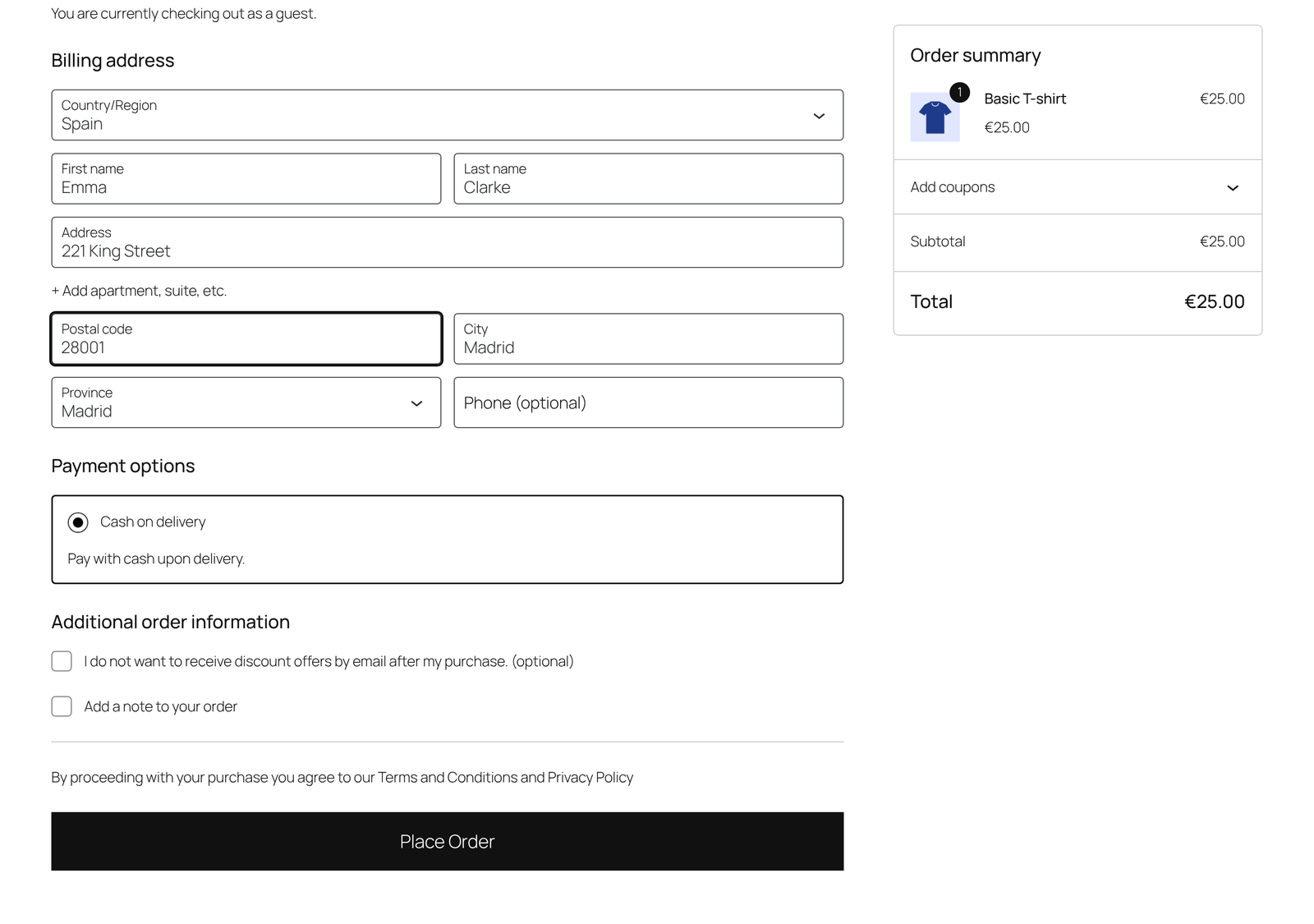
- Optional opt-out checkbox at checkout (classic checkout and Checkout block)
- Integrated with WordPress’ Export / Erase Personal Data tools, with suggested privacy-policy text
Compatibility
- WooCommerce High-Performance Order Storage (HPOS) and the Checkout block
- Simple, variable and subscription products (renewal orders are skipped by default)
- Translations included: Spanish, German, French and Italian
Free version limits
The free version includes 3 complete rules. Each rule is triggered by any order or by the products you choose, and the coupon is valid for one target product or for the whole store. No time limit and no sending limit.
CrossSell Mailer Pro
Need more? CrossSell Mailer Pro adds:
- Unlimited rules, several target products and categories, with ready-made recipes (complementary product, replenishment, second purchase, Black Friday)
- Product cards in the email with a “Buy now” button that applies the coupon automatically
- Win-back emails for inactive customers and coupons for verified reviews
- Category rules, send after N days, expiry reminders, first-time or returning customers
- Reports by period with clicks, UTM tags and CSV export
- WPML and Polylang support, automatic updates and email support
Video tutorial: How to set up CrossSell Mailer
Installation
- In WordPress go to Plugins > Add New, search for “CrossSell Mailer” and click Install Now, then Activate. WooCommerce must be active.
- Go to Coupon Rules in the admin menu.
- Choose what triggers the rule (any order or specific products), what the coupon is valid for (a product or the whole store), the discount and the expiry.
- Write the email (or keep the default one) and check it with the live preview.
- Click Send test email, then save. From now on, every matching order gets its coupon.
FAQ
Is this a next order coupon plugin?
Yes. After each paid order the customer receives a unique coupon for their next purchase. You decide the discount, the expiry, the minimum spend and which product to recommend. It is free, with no limit on the number of coupons or emails.
Does it work with any WooCommerce product type?
Yes. Simple, variable and subscription products are supported. Subscription renewal orders are skipped by default, so customers don’t get a coupon every billing period; you can enable them in Settings.
When is the coupon email sent?
When the order reaches the status you choose in the rule (Processing or Completed), once per order and rule.
Can another customer use a coupon that was not sent to them?
No. Codes are random and restricted to the billing email of the order that generated them. Developers can disable the email restriction with the ppcr_restrict_coupon_to_customer filter.
Can customers opt out?
Yes. Every coupon email includes a one-click unsubscribe link and a List-Unsubscribe header. You can also show an opt-out checkbox at checkout (classic checkout and Checkout block). Order emails are not affected. Only a hash of the address is stored.
How are results measured?
A coupon counts as redeemed when a paid order (Processing or Completed) uses it. The panel adds up the total of those orders and subtracts them if they are later cancelled or refunded. Counting starts with version 1.2.0.
Can I test the email without making a purchase?
Yes. Use the live preview and the “Send test email” button in the rule editor. No coupon is created.
Can I use it as a replenishment or reorder reminder?
Yes. Choose the same product as trigger and target: after the purchase, the customer receives a coupon to buy it again. The free version has an optional global delay in minutes; CrossSell Mailer Pro can send it N days later, when the product is about to run out.
Does it need an external email platform or account?
No. Emails are sent from your own WordPress site with the WooCommerce email template and your SMTP plugin, if you use one. There is no account to create, no monthly fee and no per-email cost, and customer data never leaves your store.
Does this plugin change my existing WooCommerce emails?
No. It sends its own post-purchase email and leaves WooCommerce emails untouched.
Can I send a coupon for the next order after any purchase?
Yes. Choose “Any order” as the trigger and “The whole store” as the target. Every paid order (Processing or Completed) then gets a single-use coupon for the customer’s next order, valid on any product. Unpaid, cancelled and refunded orders never trigger it. Cash on delivery orders count as paid once they reach Processing, as in WooCommerce.
Can I create more rules or send the email days later?
The free version has 3 rules and an optional global delay in minutes. CrossSell Mailer Pro adds unlimited rules, per-rule delays in days, categories and more.
Where do I get help?
Use the support forum on WordPress.org. Documentation is at sellmailer.com/documentation.
Screenshots
Changelog
1.3.0
- New: 3 rules in the free version (it was 1).
- New: “Any order” trigger: send the coupon after every paid order, without choosing products.
- New: whole-store coupons (“next order coupon”): the coupon works on any product and
{{target_link}}links to your shop. - New: several trigger products per rule.
- Improved: rules and settings created in CrossSell Mailer Pro are kept (shown as “Paused rules”) instead of being removed when you save in the free version. Pro rules with conditions the free version does not apply (categories, campaign dates, customer type, languages, delay in days) stay paused instead of running without them.
- Security: the stored email preview in the coupon log is shown in a sandbox.
- Improved: no coupon is created for orders without a valid billing email.
- Improved: declared compatibility with the WooCommerce Checkout block.
- Improved: shop managers (WooCommerce “Shop manager” role) can now use the plugin, not only administrators. Developers can change the capability with the
ppcr_capabilityfilter. - Improved: the Lite notice on the plugin screen can be dismissed, and the plugins list has a “Settings” link.
- Changed: upgrade links go to the new checkout.
1.2.2
- Improved: one-click unsubscribe now follows RFC 8058 (List-Unsubscribe-Post header), as required by Gmail and Yahoo. Opening the link shows a confirmation button, so email security scanners can no longer unsubscribe customers by accident.
- Improved: unsubscribed addresses are stored as a keyed hash (HMAC with your site’s secret salt). Existing entries keep working.
- Improved: the default sender is your WooCommerce email sender instead of the WordPress admin email.
- Security: customer data (name, city, phone…) is escaped before it is placed in the email HTML and in the admin preview.
1.2.1
- New: a short, dismissible message on the plugin screen asks for a WordPress.org review after your customers redeem their first coupon (or after 14 days with 5 coupons sent). “Maybe later” hides it for 30 days.
- Improved: plugin name and description now say what it does: next order coupons and post-purchase emails for WooCommerce.
- Improved: removing the plugin also removes its results and notice settings.
1.2.0
- New: live email preview while editing a rule (no need to save first).
- New: coupon options — minimum spend, individual use only, exclude sale items.
- New: GDPR tools — the plugin’s data appears in Tools > Export / Erase Personal Data, plus suggested privacy-policy text.
- New: subscription renewal orders are skipped by default (no coupon every billing period); can be enabled.
- Fixed: coupons were created without an expiry date (WooCommerce ignored it), so they never expired. They now expire at the end of the configured day.
- New: results panel with coupons sent, coupons redeemed, redemption rate and revenue from redeemed orders.
- New: optional opt-out checkbox at checkout, compatible with the classic checkout and the Checkout block.
- New: “Send test email” button with sample data (no coupon is created).
- New: optional daily cleanup of expired, unused coupons created by the plugin.
- New: rules have a permanent id, so editing a rule never re-sends coupons for past orders.
- Improved: all admin texts use WordPress translations (translate.wordpress.org ready), with Spanish, German, French and Italian included.
- Improved: “Resend” now confirms the result and skips customers who unsubscribed.
- Improved: the setup guide hides itself once the setup is complete.
1.1.3
- Fixed: rules triggered on “Completed” sent two coupons and two emails per order.
- Fixed: an order re-entering the trigger status (e.g. processing > on-hold > processing) received a new coupon. Each rule now runs once per order.
- Fixed:
{{target_product_name}}was not replaced in the subject or body. - Security: coupon codes are now random (PREFIX-XXXXXXXX) instead of PREFIX_{order_id}, and restricted to the customer’s billing email.
- New: one-click unsubscribe link and List-Unsubscribe header in coupon emails.
- New:
{{discount}},{{coupon_expiry}}and{{unsubscribe_url}}variables. - New: order note with the generated coupon; coupon description links back to the order.
- New: Spanish, German, French and Italian translations for email and system texts.
- New: settings are removed when the plugin is deleted (generated coupons are kept).
- Improved: the “only the first rule is active” notice only appears when it applies.
- Compatibility tested up to WordPress 7.1 and WooCommerce 11.2.
1.1.2
- Compatibility tested up to WordPress 7.0.
- Declared WooCommerce HPOS compatibility.
- Fixed internal engine class references for scheduled order processing and cleanup.
- Improved email sender filter cleanup after coupon emails are sent.
1.1.1
- Fixed historical email preview rendering in coupon logs
- Improved WooCommerce email preview consistency
- Fixed coupon card display inside logged email previews
- Improved admin email preview layout and centering
- Better handling of stored HTML email content
1.1.0
- Added generated coupon history log in admin panel
- Added email preview for sent coupon emails
- Added email resend action from coupon history
- Improved WooCommerce email template compatibility
- Improved email preview rendering and styling
- Added responsive admin UI improvements
- Added scrollable coupon history table for large logs
- Improved onboarding and setup experience
- Improved multilingual admin labels and actions
- Improved coupon email card rendering
- Better WooCommerce email style inlining support
- General UI and usability improvements
- Internal code cleanup and stability improvements
1.0.9
- Configurable coupon code prefix per rule
1.0.8
- WordPress 6.9 tested
1.0.7
- Tags fixed
1.0.6
- Performance improvements and UI refinements
- Compatibility fixes for WC 8.x
- Security hardening
1.0.5
- Improved coupon generator engine
- New personalization variables
- Email preview enhancements
1.0.4
- Better product selector performance
- Improved backend UX
1.0.3
- Stable release tweaks
1.0.2
- New collapsible rule panels
- Lite version limits enforcement
- Select2 compatibility improvements
1.0.1
- Visual and UX improvements
- PHP 8.2 compatibility
1.0.0
- Initial public release