


Description
Accept payments in Bitcoin, Ethereum, Bitcoin Cash, Litecoin, BNB, USDT, SHIB, DOGE and many more directly to your crypto wallet, without any sign-ups or lengthy processes.
All you need is to provide your crypto address and verify your domain once.
Allow users to pay with crypto directly on your store
The CryptAPI plugin extends WooCommerce, allowing you to get paid in crypto directly on your store, with a simple setup and no sign-ups required.
Accepted cryptocurrencies & tokens include:
- (BTC) Bitcoin
- (ETH) Ethereum
- (BCH) Bitcoin Cash
- (LTC) Litecoin
- (TRX) Tron
- (BNB) Binance Coin
- (USDT) USDT
- (USDC) USDC
- (SHIB) Shiba Inu
- (DOGE) Dogecoin
- (POL) Polygon
- (SOL) Solana
among many others, for a full list of the supported cryptocurrencies and tokens, check this page.
Stablecoins include USDT on TRC20 (Tron), ERC20, BEP20, Polygon, Solana, Base and TON, and USDC on ERC20, BEP20, Polygon, Solana, Base and Arbitrum.
Features
- Works with both the WooCommerce block checkout and the classic checkout
- Supports WooCommerce Subscriptions
- Supports WooCommerce HPOS (High-Performance Order Storage)
- QR codes with or without the amount
- Handles partial payments and shows a payment history on the order page
- Payment tolerance for small underpayments
- Cancels unpaid orders after a time you choose
- Can add service and blockchain fees at checkout
- Light and dark color schemes
- Translated into German, Spanish, French, Italian, Portuguese, Russian, Ukrainian and Chinese
Auto-value conversion
CryptAPI will attempt to automatically convert the value you set on your store to the cryptocurrency your customer chose.
Exchange rates are fetched every 5 minutes from CoinGecko.
Supported currencies for automatic exchange rates are:
- (USD) United States Dollar
- (EUR) Euro
- (GBP) Great Britain Pound
- (CAD) Canadian Dollar
- (JPY) Japanese Yen
- (AED) UAE Dollar
- (MYR) Malaysian Ringgit
- (IDR) Indonesian Rupiah
- (THB) Thai Baht
- (CHF) Swiss Franc
- (COP) Colombian Peso
- (SGD) Singapore Dollar
- (RUB) Russian Ruble
- (ZAR) South African Rand
- (TRY) Turkish Lira
- (LKR) Sri Lankan Rupee
- (XAF) CFA Franc
- (RON) Romanian Leu
- (BGN) Bulgarian Lev
- (HUF) Hungarian Forint
- (CZK) Czech Koruna
- (PHP) Philippine Peso
- (PLN) Poland Zloti
- (UGX) Uganda Shillings
- (MXN) Mexican Peso
- (INR) Indian Rupee
- (HKD) Hong Kong Dollar
- (CNY) Chinese Yuan
- (BRL) Brazilian Real
- (DKK) Danish Krone
If your WooCommerce’s currency is none of the above, the exchange rates will default to USD.
If you’re using WooCommerce in a different currency not listed here and need support, please contact us via our live chat.
Note: CryptAPI will not exchange your crypto for FIAT or other crypto, just convert the value.
Why choose CryptAPI?
CryptAPI has no setup fees, no monthly fees, no hidden costs, and you don’t even need to sign-up!
Simply set your crypto addresses, verify your domain and you’re ready to go. As soon as your customers pay we forward your earnings directly to your own wallet.
CryptAPI has a low 1% fee on the transactions processed. No hidden costs.
For more info on our fees click here.
Configuration
- Go to WooCommerce settings
- Select the “Payments” tab
- Activate the payment method (if inactive)
- Set the name you wish to show your users on Checkout (for example: “Cryptocurrency”)
- Fill the payment method’s description (for example: “Pay with cryptocurrency”)
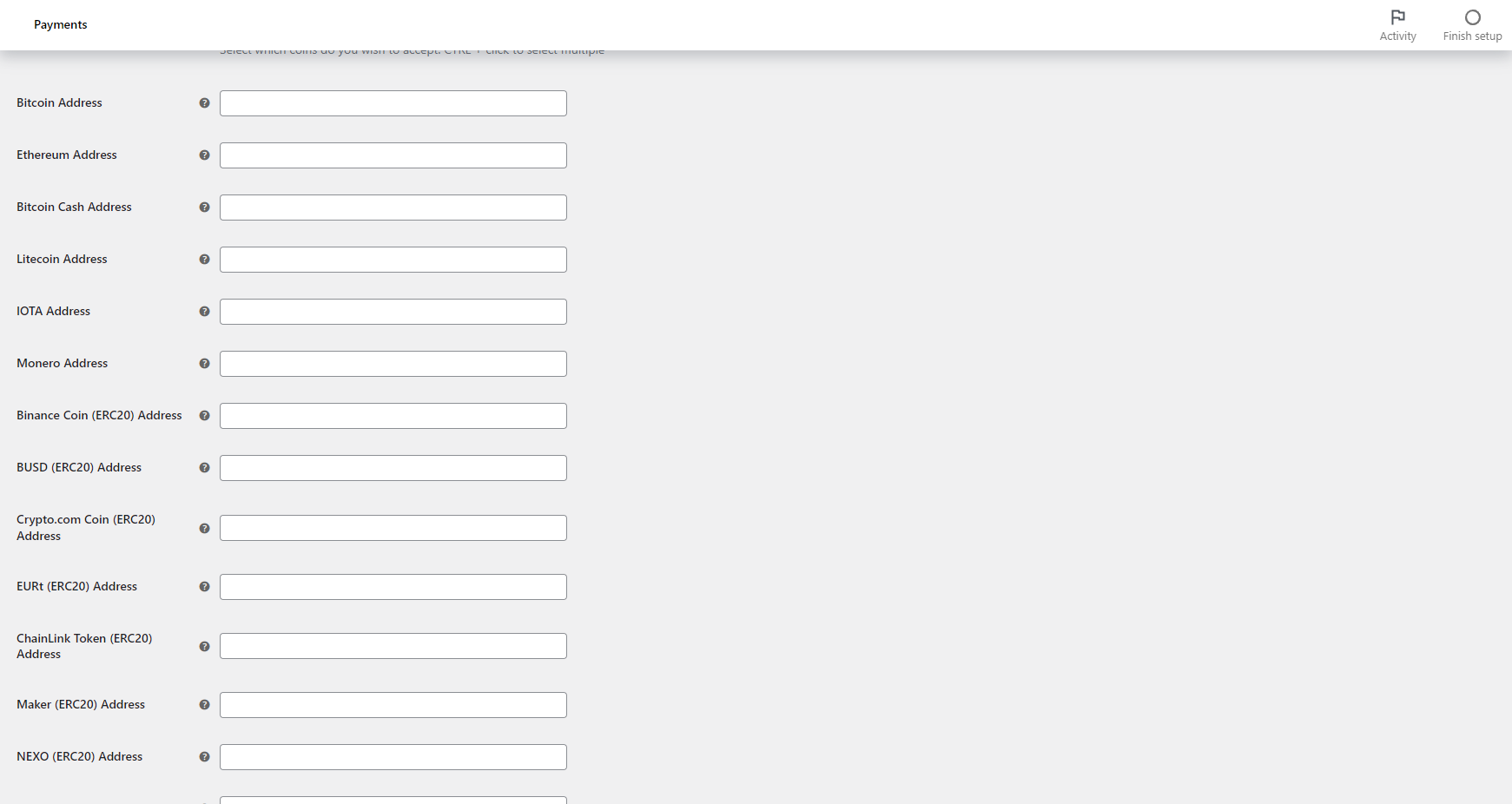
- Select which cryptocurrencies you wish to accept (control + click to select many)
- Input your addresses to the cryptocurrencies you selected. This is where your funds will be sent to, so make sure the addresses are correct.
- Click “Save Changes”
- Verify your store’s domain at cryptapi.io/verify_domain, with a DNS TXT record or an HTTPS file. You only need to do this once, but customers can’t pay with CryptAPI until you do. When you’re done, click “I’ve verified my domain, hide this notice” on the settings page.
- All done!
Installation
Using The WordPress Dashboard
- Go to Plugins > Add New Plugin in the WordPress dashboard
- Search for ‘CryptAPI Crypto Payment Gateway for WooCommerce’
- Click ‘Install Now’
- Activate the plugin on the Plugin dashboard
Uploading in WordPress Dashboard
- Go to Plugins > Add New Plugin in the WordPress dashboard
- Click ‘Upload Plugin’
- Select
cryptapi-payment-gateway-for-woocommerce.zipfrom your computer - Click ‘Install Now’
- Activate the plugin in the Plugin dashboard
Using FTP
- Download
cryptapi-payment-gateway-for-woocommerce.zip - Extract the
cryptapi-payment-gateway-for-woocommercedirectory to your computer - Upload the
cryptapi-payment-gateway-for-woocommercedirectory to the/wp-content/plugins/directory - Activate the plugin in the Plugin dashboard
Updating
Automatic updates should work like a charm; as always though, ensure you backup your site just in case.
FAQ
Do I need an API key?
No. You just need to insert your crypto address of the cryptocurrencies you wish to accept and verify your domain once (see below). Whenever a customer pays, the money will be automatically and instantly forwarded to your address.
Do I need to verify my domain?
Yes. CryptAPI only creates payment addresses for verified domains, so customers can’t pay until you verify the domain your store runs on. You only need to do it once, at cryptapi.io/verify_domain, with a DNS TXT record or an HTTPS file. You don’t need an account.
A DNS record also covers your subdomains. An HTTPS file covers only the exact host, so www.example.com and example.com count as two domains. Payment addresses you already created keep working. Our step-by-step guide shows how.
How long do payments take before they’re confirmed?
This depends on the cryptocurrency you’re using. Bitcoin usually takes up to 11 minutes, Ethereum usually takes less than a minute.
Is there a minimum for a payment?
Yes, the minimums change according to the chosen cryptocurrency and can be checked here.
If the WooCommerce order total is below the chosen cryptocurrency’s minimum, an error is raised to the user.
Where can I find more documentation on your service?
You can find more documentation about our service on our get started page, our technical documentation page or our eCommerce page.
If there’s anything else you need that is not covered on those pages, please get in touch with us, we’re here to help you!
Where can I get support?
The easiest and fastest way is via our live chat on our website, via our contact form, via discord or via telegram.
Screenshots



Changelog
1.0
- Initial release.
2.0
- New coins
- Updated codebase
- New API URL
3.0
- UI Improvements
- Minor Bug Fixes
3.0.2
- New setting to show QR Code by default
- UI Improvements
- Minor Bug Fixes
3.1
- Add support for WooCommerce Subscriptions plugin
- Add new feature to refresh values based on store owner preferences
- Add new feature to cancel orders if they take more than selected time to pay
3.2
- UI Improvements
- Minor Bug Fixes
3.2.1
- Add translations for multiple languages
4.0
- New settings and color schemes to fit dark mode
- New settings to add CryptAPI’s services fees to the checkout
- New settings to add blockchain fees to the checkout
- Upgrade the settings
- UI Improvements
- Minor fixes
4.0.1
- Minor fixes
4.0.2
- Minor fixes
4.0.3
- Minor fixes
4.0.4
- Minor fixes
4.0.5
- UI Improvements
4.0.6
- Disable QR Code with value in certain currencies due to some wallets not supporting it
4.0.7
- Minor fixes
4.1
- Added a history of transactions to the order payment page
- Better handling of partial payments
- Minor fixes
- UI Improvements
4.2
- Improved algorithm
- Minor fixes
- UI Improvements
4.2.1
- Minor fixes
4.2.2
- Minor fixes
4.2.3
- Minor fixes
4.2.4
- Minor fixes
4.3
- Improve calculations
- Minor fixes
4.3.1
- Minor fixes
4.3.2
- Minor fixes
4.3.3
- Minor fixes
4.3.4
- Feature to enable marking virtual products order as completed instead of processing
- Minor fixes
4.4
- Support CryptAPI Pro
- Minor fixes
4.4.1
- Minor fixes
4.4.2
- Minor fixes
4.4.3
- Minor fixes
4.5.0
- Minor fixes
- Improved algorithm
- Added cryptocurrencies logos to the checkout
4.5.1
- Minor fixes
4.5.2
- Minor fixes
4.6.0
- New BlockBee API Url
- Minor fixes
4.6.1
- Minor fixes
4.6.2
- New mechanisms to detect callbacks even if they fail
- Minor fixes
- Added new languages
4.6.3
- Minor fixes
4.6.4
- Minor fixes
4.6.5
- Added option to check for failed callbacks
- Minor fixes
4.6.6
- Minor fixes
4.6.7
- Minor fixes
4.6.8
- Minor fixes
4.6.9
- Minor fixes
4.7.0
- Minor fixes
- Improvements on the callback processing algorithm
4.7.1
- Minor fixes
4.7.2
- Minor fixes
4.7.3
- Minor fixes
4.7.4
- Minor fixes
4.7.5
- Minor fixes
4.7.6
- Performance improvements
- Minor fixes
4.7.7
- Minor fixes
4.7.8
- Minor fixes
4.7.9
- Support for WooCommerce HPOS.
- Minor fixes
4.7.10
- Add new choices for order cancellation.
4.7.11
- Minor fixes and improvements
4.7.12
- Minor fixes and improvements
4.8.0
- Support for new languages: German, French, Ukrainian, Russian and Chinese.
4.8.1
- Minor fixes and improvements
4.8.2
- Minor fixes and improvements
4.8.3
- Minor improvements
4.8.4
- Minor improvements
4.8.5
- Minor improvements
4.8.6
- Minor improvements
4.8.7
- Minor fixes
- Minor improvements
4.8.8
- Minor fixes
- Minor improvements
5.0.0
- Now supports WordPress Blocks.
- Bug fixes.
5.0.1
- Bug fixes.
5.0.2
- Bug fixes.
5.1.0
- Callback improvements
- Minor bugfixes
5.1.1
- Minor bugfixes
5.1.2
- Minor bugfixes
5.1.3
- Minor bugfixes
5.1.4
- Minor bugfixes
- Add a refresh coins option
5.1.5
- Added payment tolerance option to handle minor payment discrepancies
- Minor bugfixes
5.1.6
- Show minimum transaction amount on the payment page
- Translation fixes
- Minor bugfixes
5.2.0
- Bugfixes and security hardening
5.2.1
- Version bump
5.2.2
- Minor improvements
5.2.3
- Version bump
5.2.4
- Minor improvements
5.2.5
- Domain verification notice
- New plugin name
- Translation updates
5.2.6
- Button to hide the domain verification notice