

Description
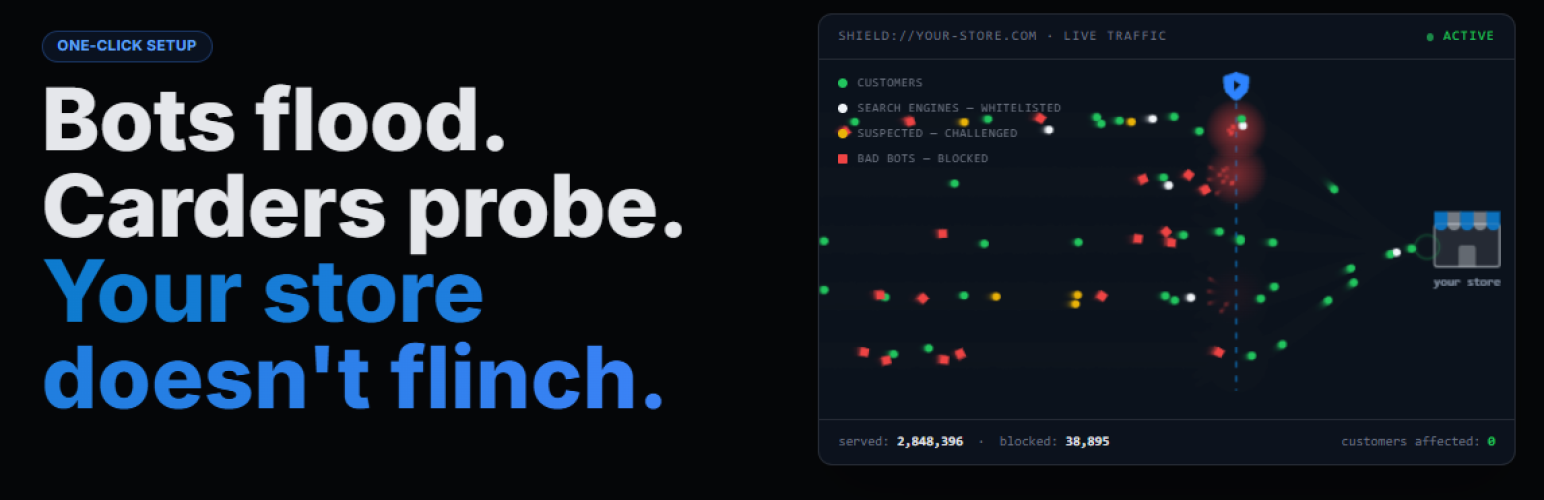
Keep bad bots and Layer 7 DDoS attacks off your WordPress site, so your pages stay fast and real visitors never notice. No DNS changes, no proxy, no developer needed.
ddosNull Shield watches your traffic in the background and steps in only when a visitor looks malicious. Confirmed attackers are blocked, suspicious visitors get a quick automatic check, and everyone else browses and buys as usual.
What You Get
- A site that stays fast under attack. Bot floods are stopped before they eat your CPU and database, so customers are not left with spinning wheels and abandoned carts.
- Real visitors are not locked out. Suspicious traffic gets a silent proof-of-work check instead of a flat block. Only confirmed bots are hard-blocked.
- Proof before you commit. Dry Run Mode shows exactly who would have been blocked, and why, before anything is blocked.
- Nothing to re-plumb. Works on any WordPress host and alongside Cloudflare. Your DNS and CDN stay as they are.
- No heavy lifting on your server. Traffic analysis runs in the ddosNull cloud, not in your PHP workers.
Up and Running in Under 60 Seconds
No server access, no terminal, no config files.
- Install the plugin from your WordPress admin
- Click Connect to ddosNull and sign in (or create a free account)
- Protection activates immediately
Why Slow Is the New Down
Modern attackers rarely try to knock a site offline by brute force. They send thousands of requests that look just like real browsers and force your server to do expensive work for each one. Pages slow down, carts are abandoned, and checkout stops processing, long before the site is officially “down”. This is a Layer 7 (application layer) attack, and because the requests look legitimate, standard firewalls often let them through.
ddosNull’s AI is trained to spot these patterns and stop them before they affect your visitors.
How It Works
- The plugin reports your site’s load and, when a scan is needed, recent request logs to the ddosNull cloud.
- ddosNull analyzes the traffic and identifies malicious IPs and bot networks.
- The resulting block list is pushed back to your site automatically.
- Listed visitors are challenged or blocked at the very start of the request, before WordPress renders the page.
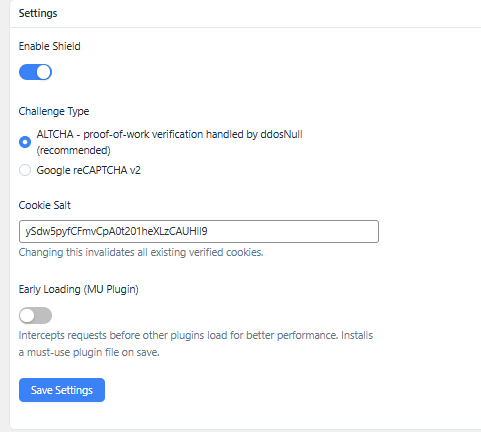
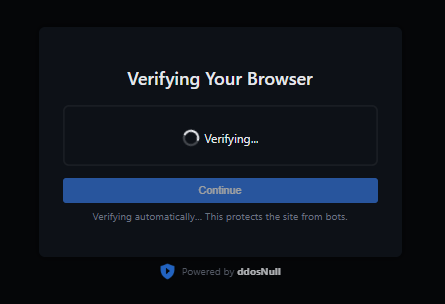
Smart challenges, not hard blocks. Not every suspicious request is an attack. Sometimes it is a real customer on a VPN. ddosNull uses a privacy-friendly proof-of-work challenge (ALTCHA) that resolves in the background for most real visitors. Google reCAPTCHA v2 is supported as an alternative.
Zero Risk: Try It in Dry Run Mode
Enable Dry Run Mode from your dashboard and every request is scored while 100% of traffic is allowed through. You get a detailed log of which IPs would have been blocked and why. When you are confident in the results, activate protection with one click.
Works Everywhere WordPress Works
ddosNull Shield runs inside WordPress at the PHP layer, so it is compatible with any host that supports plugins, including WP Engine, Kinsta, SiteGround, and shared cPanel or Plesk hosting. It is Cloudflare compatible and reads the real visitor IP from the CF-Connecting-IP header.
Features
- AI-driven Layer 7 DDoS and bot detection with automatic IP blocking
- ALTCHA proof-of-work challenge that resolves silently for most real visitors
- Google reCAPTCHA v2 as an alternative challenge
- Hard-block mode (403 response) for confirmed malicious IPs
- Dry Run Mode for zero-risk evaluation
- IP whitelisting, with full IPv4 and IPv6 CIDR range support
- User-agent blacklisting and whitelisting
- URL whitelisting with regex support
- Protected URLs: force verification on specific pages such as login or checkout
- Integrates with the AI Crawler & Scraper Blocker plugin to enforce its per-bot allow/block choices
- Optional early loading (MU Plugin or Auto-Prepend) to stop attacks before WordPress boots
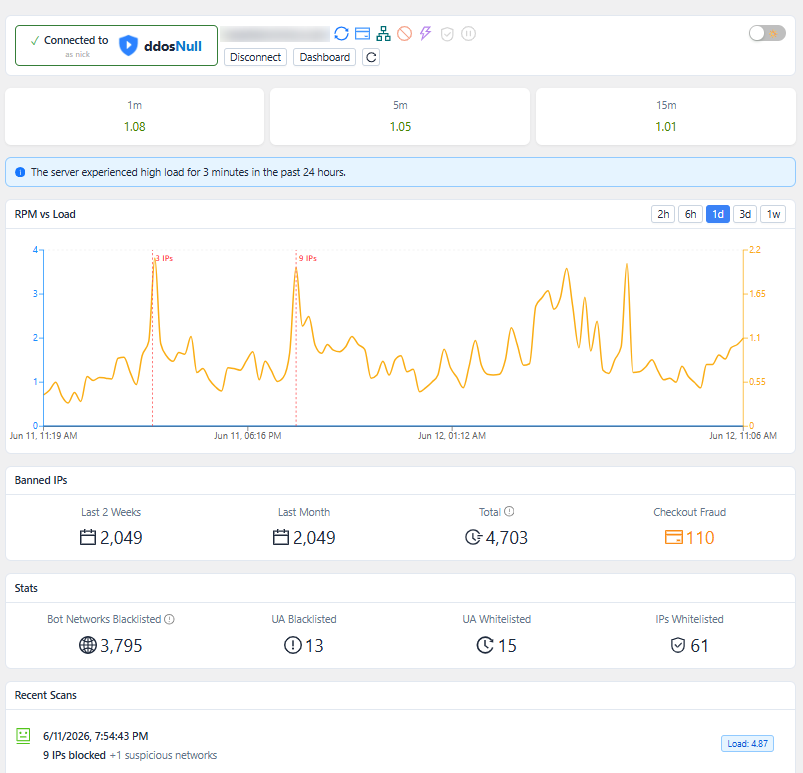
- Dashboard with connection status, server load, blocked IP statistics, and scan results
- Cloudflare compatible
- Works on any WordPress host, with no server access required
A free ddosNull account is required. Sign up and connect your site directly from the plugin settings page.
Running a WooCommerce Store?
This plugin protects your whole site, including your store, from bot floods and Layer 7 attacks. Dedicated checkout protection against carding, card testing, and fake-order bots is part of ddosNull Shield Pro, a separate premium plugin.
Pricing
ddosNull Shield is free to install and use. Connecting your site requires a free ddosNull account. All paid plans come with a 30-day money-back guarantee and no long-term contracts.
Free — $0/month
- 1 WordPress site
- 15,000 protected requests/month
- Layer-7 DDoS mitigation
Paid plans are available with higher request limits and support for multiple sites. See https://ddosnull.com/#pricing for details.
External Services
This plugin connects to the following external services to provide its protection features.
ddosNull (https://app.ddosnull.com)
This is the core service that powers the plugin. It provides AI-driven DDoS and bot traffic analysis, maintains a global IP reputation database, and coordinates automatic blocking across protected sites.
Data sent:
* Server load averages (1 min, 5 min, 15 min) and the server’s public IP address, sent periodically via WP-Cron
* Request log lines, sent when the service requests a scan: visitor IP address, timestamp, request method and path, HTTP status code, referrer, and user-agent, along with per-domain request and unique-IP counts
* ALTCHA proof-of-work tokens submitted by visitors, for server-side verification
Data received: blocked IP lists, whitelisted IPs, protected URL patterns, blacklisted/whitelisted user-agents, DDoS mode flag, scan results.
Google reCAPTCHA (https://www.google.com/recaptcha/)
Only used when you choose reCAPTCHA v2 as the challenge type in settings (the default is ALTCHA, which does not involve Google). When active:
- The reCAPTCHA JavaScript library is loaded from
https://www.google.com/recaptcha/api.jsand shown to visitors who need to be challenged. Google may collect device and browser signals as part of this interaction. - When a visitor submits the reCAPTCHA, their response token is sent from your server to
https://www.google.com/recaptcha/api/siteverifyto verify it.
Privacy Policy · Terms of Service
ipify (https://api.ipify.org)
Used once at plugin startup to detect the server’s own public IP address when it is not available in the PHP server environment. The result is cached locally for 12 hours. No personal data is transmitted.
Terms of Service · Privacy Policy
Source Code
The assets/admin.js file is a compiled and minified JavaScript bundle built from React/TypeScript source. The human-readable source code is publicly available at:
https://github.com/disprozzy/ddosnull-shield-js-source
Build tools: Node.js, Vite, React, TypeScript. To rebuild: npm install && npm run build:admin.
Installation
- Upload the
ddosnull-shieldfolder to/wp-content/plugins/, or install it directly from the WordPress plugin directory. - Activate the plugin through the Plugins menu in WordPress.
- Go to ddosNull Shield in the admin sidebar.
- Click Connect to ddosNull and sign in or create a free account.
- Protection activates immediately after connecting.
Tip: turn on Dry Run Mode first if you want to review what would be blocked before enforcing anything.
FAQ
Will this slow down my WordPress site?
No. The plugin checks each request against a cached block list at the very start of the request, and all traffic analysis happens on ddosNull’s servers, not yours. Normal page loads are not held up by any analysis.
Do I need to change my DNS or use a proxy?
No DNS changes, no proxy, no re-routing your traffic. ddosNull Shield works directly inside WordPress. Your DNS, CDN, and existing Cloudflare setup stay exactly as they are.
How is this different from Cloudflare?
Cloudflare sits in front of your site at the network edge. ddosNull Shield runs on the site itself, so it also sees attacks that reach your server directly or that look legitimate enough to pass an edge firewall. The two work well together, and the plugin reads Cloudflare’s CF-Connecting-IP header so it always acts on the real visitor IP.
What if I accidentally block a real customer?
Use Dry Run Mode first. You’ll see a report of exactly who would have been blocked before any blocking occurs. ddosNull also uses smart challenges (not hard blocks) for suspicious-but-not-confirmed traffic, so edge cases like VPN users get a quick verification step instead of a flat rejection. You can whitelist specific IPs, user-agents, and URLs at any time.
Will it block Google or other search engines?
Known search engine crawlers are whitelisted by user-agent, and IPs caught faking a whitelisted user-agent are blocked. You can add your own user-agent and IP whitelist entries for monitoring tools, payment webhooks, or other services you rely on.
Does this work on shared hosting?
Yes. Because ddosNull Shield works at the PHP/WordPress layer, it runs on any host that supports WordPress plugins, including shared cPanel and Plesk hosting. No server-level access is required.
Do I need WooCommerce?
No. The plugin protects any WordPress site. WooCommerce is only needed for the checkout protection in ddosNull Shield Pro.
What happens if ddosNull goes down?
Your WordPress site keeps running normally. If the ddosNull cloud is temporarily unreachable, hard blocks for confirmed malicious IPs stay in force, and challenge-based protection pauses until the connection is restored so that visitors can never get stuck on a verification page. Nothing breaks.
How does the carding and fake order protection work?
Checkout protection against carding, card testing, and fake orders is available with ddosNull Shield Pro, distributed from ddosnull.com. When active, it collects lightweight browser signals on the checkout page, such as screen dimensions, JavaScript environment, and session timing. Orders that arrive too fast, without a real browser, or from known automation tools are blocked before the order is created.
What is the ALTCHA challenge?
ALTCHA is a privacy-friendly proof-of-work challenge that runs silently in the browser. Most real visitors pass it automatically without clicking anything. It requires no Google account and collects no personal data.
Can I use Google reCAPTCHA instead?
Yes. Switch the challenge type to reCAPTCHA v2 in the plugin settings and enter your site key and secret key from Google.
What does Optimize ddosNull do?
Turning on “Optimize ddosNull” lets you choose how early the plugin intercepts a request, for better performance under heavy traffic. “MU Plugin” installs a small must-use plugin file so the check runs before regular plugins load, but after WordPress core itself has booted. “Auto-Prepend” goes further and intercepts before WordPress loads at all, including serving the verification/challenge page, by adding an auto_prepend_file entry to .user.ini or .htaccess; it requires PHP-FPM, CGI/LiteSpeed, or Apache mod_php with a writable .htaccess/.user.ini. Both are opt-in and can be changed at any time from the plugin settings page.
Is there a free plan or money-back guarantee?
Yes. You can start on the Free plan (15,000 requests/month) and upgrade later. All paid plans include a 30-day money-back guarantee. There are no long-term contracts; you can cancel at any time and protection remains active through the end of your current billing period.
What data does the plugin share with ddosNull?
Your traffic never passes through ddosNull’s servers. To detect attacks, the plugin sends server load averages and, when a scan is requested, request log lines: visitor IP address, time, request method and path, HTTP status code, referrer, and user-agent. It does not send page content, form submissions, cookies, customer account details, or payment information. See the External Services section below for the full list.
Screenshots
Changelog
1.1.41
- Fix a reload loop that could exhaust PHP workers when a client’s page requests and background requests leave through different IP addresses (e.g. rotating proxies): the verification reload triggered after a challenged background request now always shows the challenge instead of re-rendering the page, and the front-end watcher no longer reloads a page that was already reloaded for verification.
1.1.40
- Add integration with the AI Crawler & Scraper Blocker plugin: when both are active, its per-bot block/allow choices are enforced in Shield’s gate (including before WordPress loads in Auto-Prepend mode) and take priority over Shield’s built-in user-agent lists. Allowed AI bots still go through IP and DDoS checks.
1.1.39
- Fix post-verification redirect sending visitors to the wrong page when the original URL had a doubled slash right after the domain (e.g.
example.com//product/), instead of back to the exact page they requested.
1.1.38
- Add “Auto-Prepend” optimize mode: intercepts a request via
auto_prepend_filebefore WordPress loads at all — including serving the verification/challenge page — for sites on PHP-FPM, CGI/LiteSpeed, or Apache mod_php with a writable.htaccess/.user.ini. The existing “MU Plugin” mode (previously “Early Loading”) is still available and remains the default for sites that can’t use auto-prepend. - Add a migration so existing “Early Loading” users are moved onto the equivalent new “MU Plugin” optimize mode automatically.
1.1.36
- Count HTTP 429 (bot-verification challenge) hits during a scan instead of discarding them unrecorded, so the scan results page can show how many requests hit the verification challenge during an attack.
1.1.35
- Fix RPM/load admin chart crashing when it received a degenerate data set (a single stat sample, or a flat line where every value is identical).
- Fix built admin.js executing as an unscoped classic script, which could let a minifier-assigned variable name collide with and overwrite WordPress’s own
wpglobal object, breaking other admin scripts on the page.
1.1.34
- Cache the parsed IP/CIDR lookup structure instead of re-parsing the raw list on every request, reducing overhead on sites with large IP lists.
1.1.33
- Fix CORS error blocking the ALTCHA verification challenge page when a visitor requests a non-canonical host (e.g. the bare domain when the site’s configured URL is the www version). The challenge page’s script now loads from the same origin as the page itself instead of the configured site URL.
1.1.32
- Fix silent verification failure: a background AJAX/fetch call (e.g. WooCommerce’s wc-ajax variation lookup) that needed a challenge previously returned a broken response with no visible prompt. The interceptor now signals this via an X-DdosNull-Verify header, and a small front-end watcher script forces the visitor through the real challenge page instead of leaving the request silently broken.
1.1.31
- Fix fatal error “Argument 1 passed to ddosnull_shield_sanitize_settings() must be an instance of mixed, array given” on PHP 7.4 sites, caused by using the PHP 8-only
mixedtype declaration.
1.1.30
- Fix fatal error “Cannot redeclare function ddosnull_shield_next_9am()” when activating ddosNull Shield Pro while the free plugin is still active.
Older releases are listed in changelog.txt, included with the plugin.