

Description
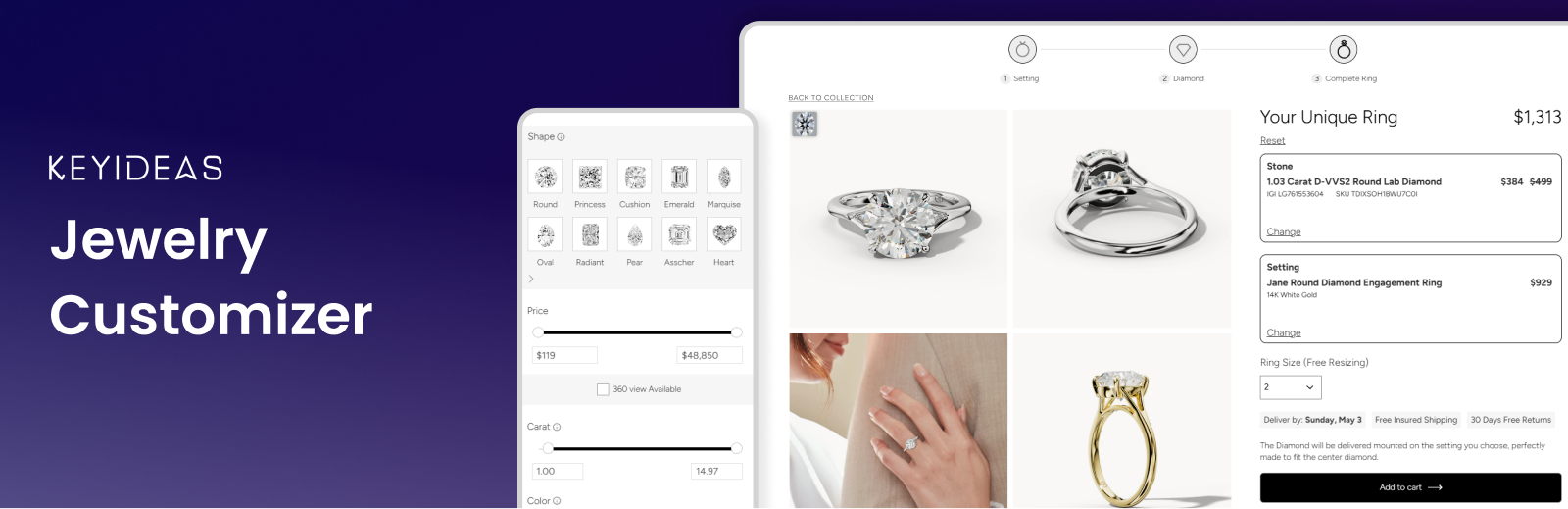
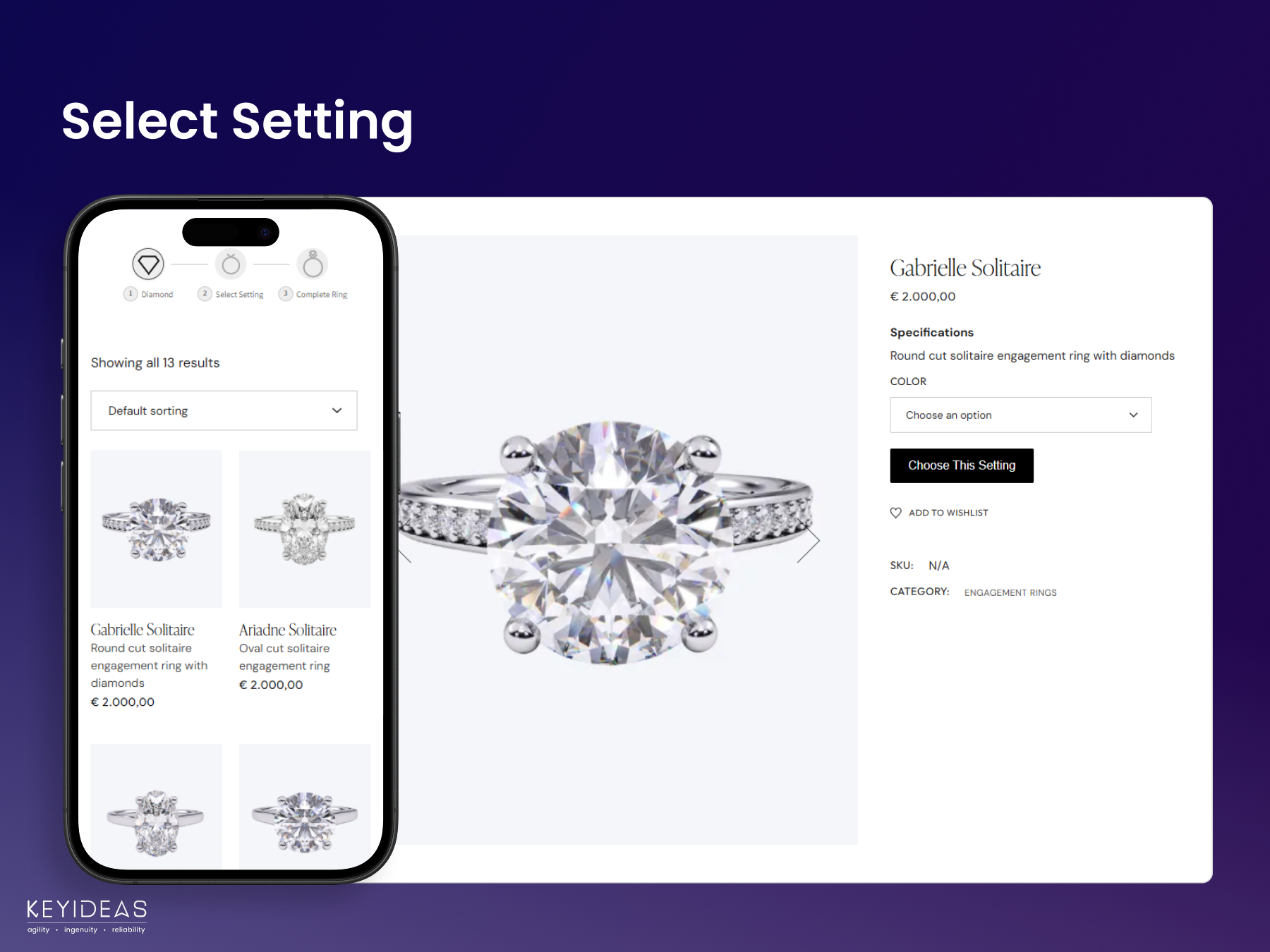
Keyideas Jewelry Customizer adds a 3-step ring builder to WooCommerce. Shoppers choose a diamond or gemstone, pair it with one of your ring settings, pick their ring size and buy the finished ring through your usual WooCommerce checkout.
Activate it, choose the stones you offer and your ring collection, and the diamond listing, detail and review pages are created for you. It works with any WordPress theme and suits jewellery stores of every size, from independent jewellers to diamond retailers such as dimendscaasi.com, bongioielli.com and ramziandco.com.au.
Free Demo | Documentation | Video Tutorials
Features
- Build Your Own Ring – start with a stone or a ring setting; the review page shows both with the total price and the ring size
- Ring, earring and pendant builders – sell fine jewellery beyond rings: matched earring pairs and pendant settings, in the same steps
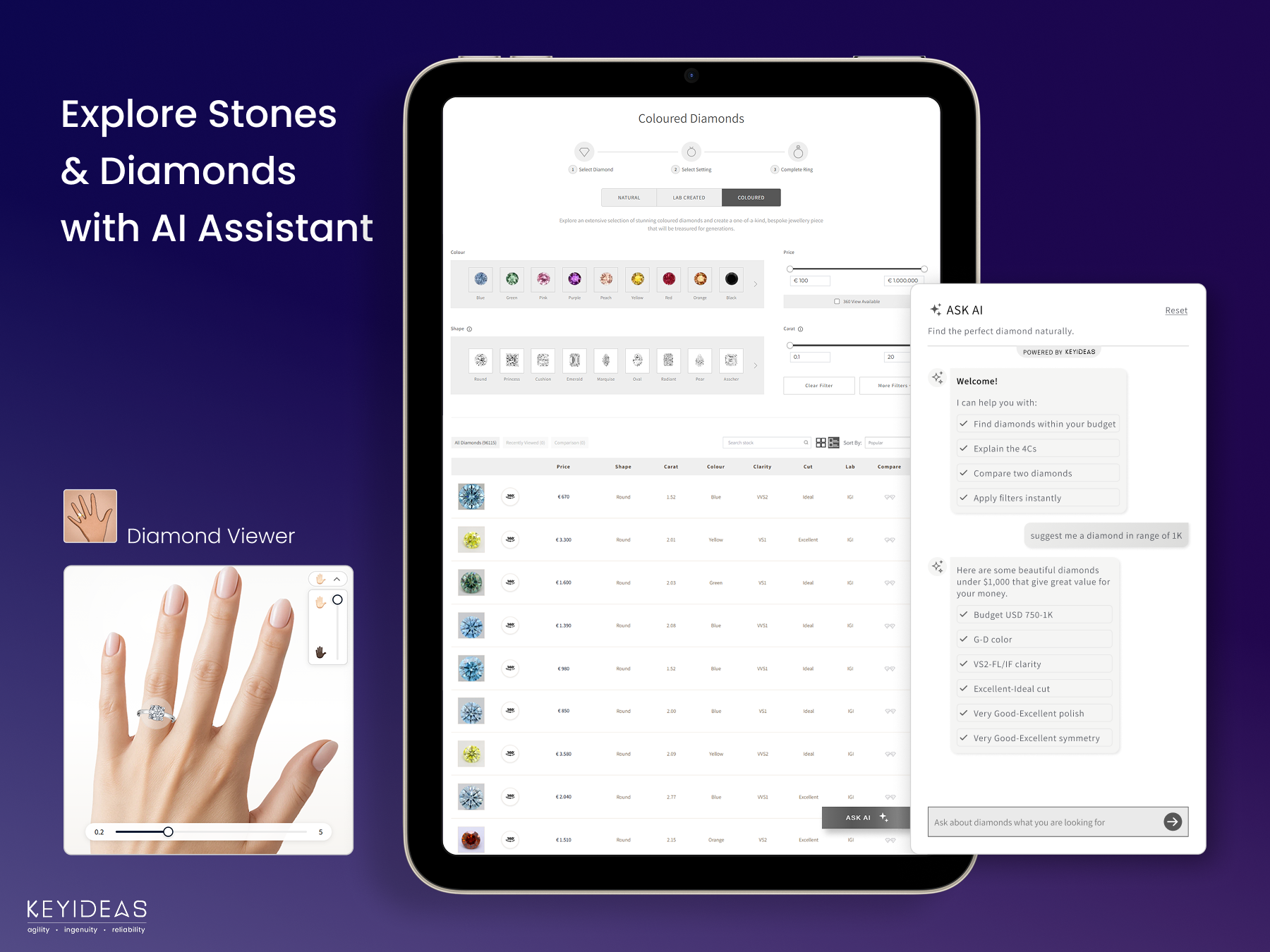
- Diamond search – natural, lab-grown and colored diamonds and gemstones, with shape, carat, color, clarity, cut and price filters, grid or list view, compare and recently viewed
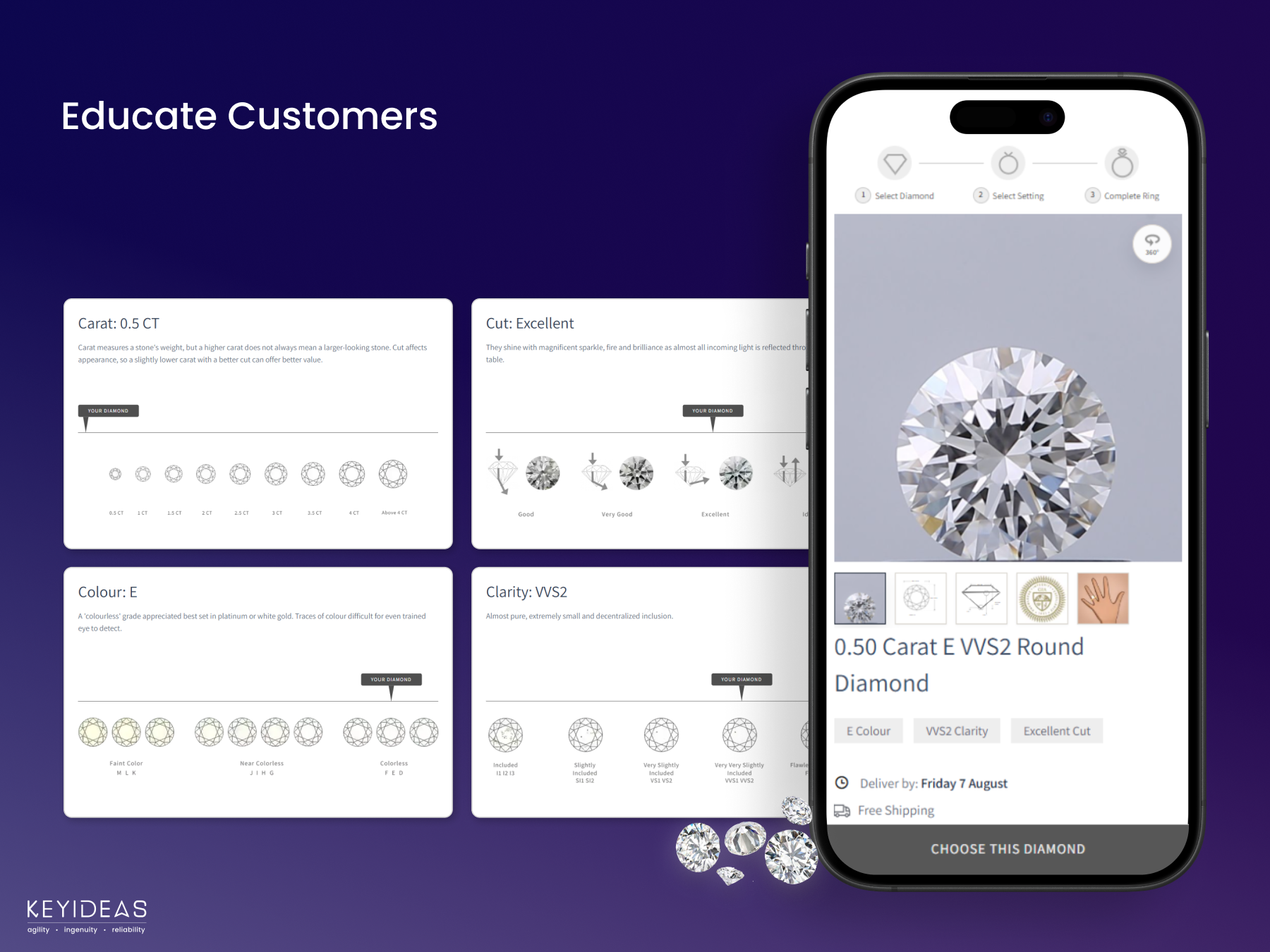
- Diamond detail pages – 360° view, grading certificate, a diamond viewer that shows the stone on a hand, and carat, cut, color and clarity guides
- Feed Center – set margins by price or carat, add discounts and choose which inventory is live
- Your own stones – import diamonds and gemstones with a CSV file and sell them in the same ring builder
- Sales dashboard – stones sold, revenue, profit and monthly trends
- Appearance – brand colors and typography, with a private preview before you save
- Language & Region – English (US/UK), French, German, Italian and Spanish storefronts, editable text and your region’s ring sizes
- WooCommerce – complete rings and loose stones in the cart; each order shows the stone’s stock number and the setting
- SEO and speed – diamond products are noindex, listing pages are cached, mobile-ready and HPOS compatible
Shortcodes
The plugin creates its pages on activation. To place them yourself:
[KIRB-RingBuilder-Listing category="NATURAL"]– diamond listing; categoryNATURAL,LAB CREATED,GEMSTONEorCOLORED DIAMONDS[KIRB-RingBuilder-DetailPage]– diamond detail page[KIRB-RingBuilder-BYORPage]– ring review page[KIRB-RingBuilder-BYORStrip]– the 3-step ring builder bar[KIRB-RingBuilder-SettingButton]– the “Choose This Setting” button
Plans: Free vs Pro
Every store starts on Free, which never expires. The Pro plans are:
- Basic – $49/month billed yearly ($590), or $59 monthly
- Standard – $99/month billed yearly ($1,190), or $119 monthly
- Premium – $141/month billed yearly ($1,690), or $169 monthly
What changes with the plan:
- Nivoda diamonds (Nivoda account needed) – Free: sample diamonds / Pro: 50%, 70% or 100%
- Your own imported diamonds – Free: 30% / Pro: 50%, 70% or 100%
- Ask AI messages a month – Free: 20 / Pro: 40, 60 or 100
- Keyideas logo – Free: shown / Basic and Standard: removable ($330 or $230 one-time) / Premium: no logo
- Advanced CSS – Free: no / Pro: on yearly plans
- Diamond suppliers, grid view on mobile, redacted certificate PDFs – Free: no / Pro: paid add-ons
Every plan, Free included, has the complete ring builder with WooCommerce checkout, the earring and pendant builders, the Feed Center, CSV import, the sales dashboard, Appearance, Language & Region and AI diamond score. Show/hide filters and engraving are free on every plan for a limited time.
Add-ons such as the Product Library (100+ ring designs with 360° videos) and Custom Supplier Integration (RapNet, VDB and others) can be added on any plan. Compare plans and add-ons
More From Keyideas
Keyideas Jewelry Filter and Search for fast filters across every jewellery type, Vizora – 3D Try-On for trying on jewellery with augmented reality, Jewelith – 3D Design Studio for real-time 3D jewellery design, and Timenox for luxury watches.
Support
Use Contact Us in the plugin, book a free consultation or email sales@keyideasinfotech.com. Help translate the plugin at translate.wordpress.org.
Keyideas RingBuilder API (https://engagement-ring-builder-o4hk8.kinsta.app)
Provides diamond inventory and sold-out updates until the store connects to the RingBuilder app (below). Data sent:
* Activation: site domain, store and admin email, currency, name, company, phone and country.
* Listing and detail pages: filters, currency and product IDs.
* Ring built, added to cart or ordered: diamond ID, event type and session ID, for usage statistics.
* Uninstall: owner name, company and email.
Keyideas RingBuilder app and Feed Center (https://ring-builder.apps.keyideasglobal.com)
Provides diamond inventory and the Feed Center once the store connects automatically. Data sent:
* Connecting: site URL and name, admin email and country, currency, plugin version and a one-time code. An admin key is returned to /kirb/v1/admin-secret.
* Listing and detail pages: shop name, store token, filters, currency and product IDs.
* Paid ring builder orders: shop name, stock numbers, order item IDs and product IDs, for the Sales dashboard.
* Feed Center: shop name and a short-lived sign-in token.
Keyideas forms service (https://apps-manager.apps.keyideasglobal.com)
Renders the Contact Us form in the plugin dashboard and the optional feedback form shown when the plugin is deactivated.
* Contact Us: the details the administrator enters are sent when they submit the form.
* Deactivation feedback: the form is only loaded when the administrator clicks “Deactivate” for this plugin. Only if they submit it, the chosen reason, any text they type, the administrator’s email address and the site URL are sent. “Skip & deactivate” sends nothing.
geoPlugin (http://www.geoplugin.net)
Used on the plugin activation form in the admin dashboard to pre-select the administrator’s country. The administrator’s IP address is sent when the activation form is displayed.
Terms and Privacy Policy.
Google Fonts (https://fonts.googleapis.com)
The Poppins and Assistant fonts are loaded from Google Fonts on the ring builder pages, and so are the heading fonts chosen in Appearance → Typography (only when one is chosen; the default inherits the theme’s font). Google receives the visitor’s IP address and browser information.
Terms of Service, Privacy Policy.
Installation
- Install and activate WooCommerce 9.0 or higher, then upload the diamond-ring-builder-jewelry folder to the ‘/wp-content/plugins/’ directory (or install it from Plugins → Add New)
- Activate the plugin through the ‘Plugins’ menu in WordPress
- Open Keyideas Jewelry Customizer in the admin menu and follow the Setup Guide: choose your stones and ring collection in Settings, your colors and languages in Appearance, and your margins in the Feed Center. Add the “Start with…” page links to your menu and you’re done!
FAQ
What is the difference between Free and Pro?
Free has the complete ring builder, with sample diamonds in place of Nivoda and 30% of your own imported diamonds. The Pro plans (Basic, Standard and Premium) add live Nivoda inventory and show 50%, 70% or 100% of your diamonds, with more Ask AI messages, Advanced CSS on yearly plans and the option to remove the Keyideas logo.
There is no time-limited free trial: the Free plan never expires, and you can move to a Pro plan whenever you need more diamonds or features.
How do I upgrade or change my plan? Do you offer refunds?
Contact us (see Support above); our team sets the plan for your store, and the Plan page in the plugin shows it. There is a one-time setup fee of $550-$1,000 depending on your store. Because setup includes server, account and feed configuration, we do not offer refunds after payment, so please try the Free plan first.
Can I import my own diamonds and gemstones?
Yes, upload a CSV file in the Feed Center; your plan sets the share of imported stones shown. Start from a template: natural.csv, lab.csv, colored.csv, gemstones.csv.
Where do the ring settings come from?
From your own WooCommerce products. In Settings → Display Diamonds & Gemstones → Select Ring Collection, choose the product category that holds your ring settings, or create one.
Need designs? The Product Library add-on offers 100+ engagement and wedding ring designs with 360° videos (digital assets only; manufacturing and fulfillment stay with you).
Can I match the ring builder to my brand?
Yes, in Appearance you set your primary and accent colors and the heading and subheading fonts, then click Preview in New Tab to see the storefront with your unsaved changes. Pro adds layout styles and custom CSS.
Can I change the storefront language, text and ring sizes?
Yes, in Appearance → Language & Region. Turn on your languages and set the default one. To change any text, click Download next to a language, edit the Translation column of the CSV, Upload it and save Appearance. Under Select Ring Size, choose your region’s standard (for example United States–Mexico–Canada) and click Edit to add or remove sizes, separated by commas.
How do I order a diamond a customer bought?
Each WooCommerce order shows the stock number of the stone, and the ring setting for rings built in the ring builder. For Nivoda stones, order from Nivoda with that stock number (a Nivoda account is needed). RapNet, VDB and other suppliers can be connected with the Custom Supplier Integration add-on.
Will thousands of diamond products hurt my SEO?
No, diamond products, their categories and the ring builder pages are marked noindex, nofollow automatically. If another SEO plugin such as Yoast or Rank Math still lists them, set the kirb-* diamond product categories to noindex and leave them out of its sitemap.
The diamond or ring pages show “page not found”. What do I do?
Go to Settings → Permalinks and click Save Changes. If the ring builder still does not look right with your theme, contact us and our team will help with theme-specific adjustments.
Where do I report security bugs found in this plugin?
By email to sales@keyideasinfotech.com with the subject “Security”, not in the public support forum. Our team will verify the report and release a fix.
Screenshots

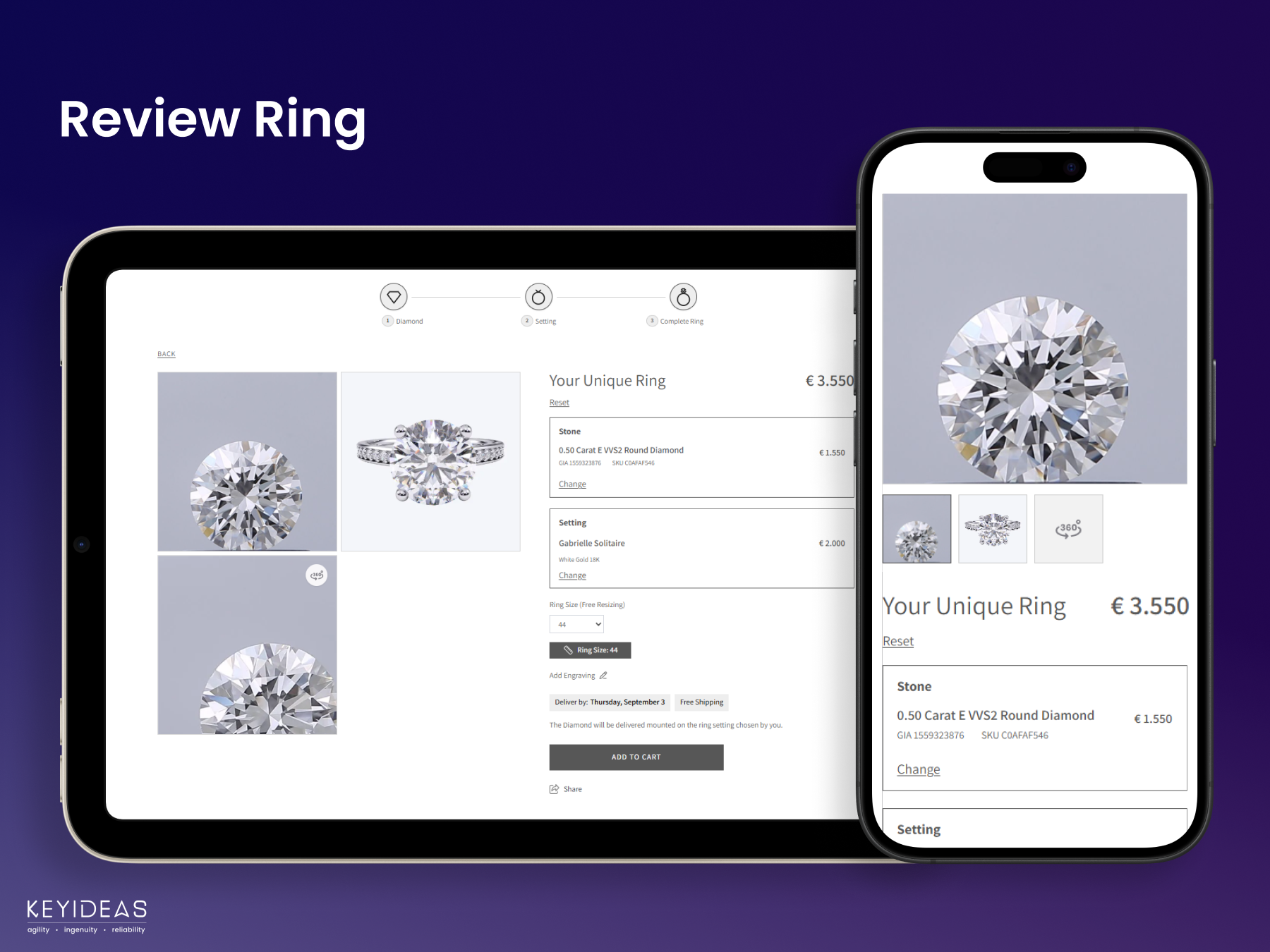
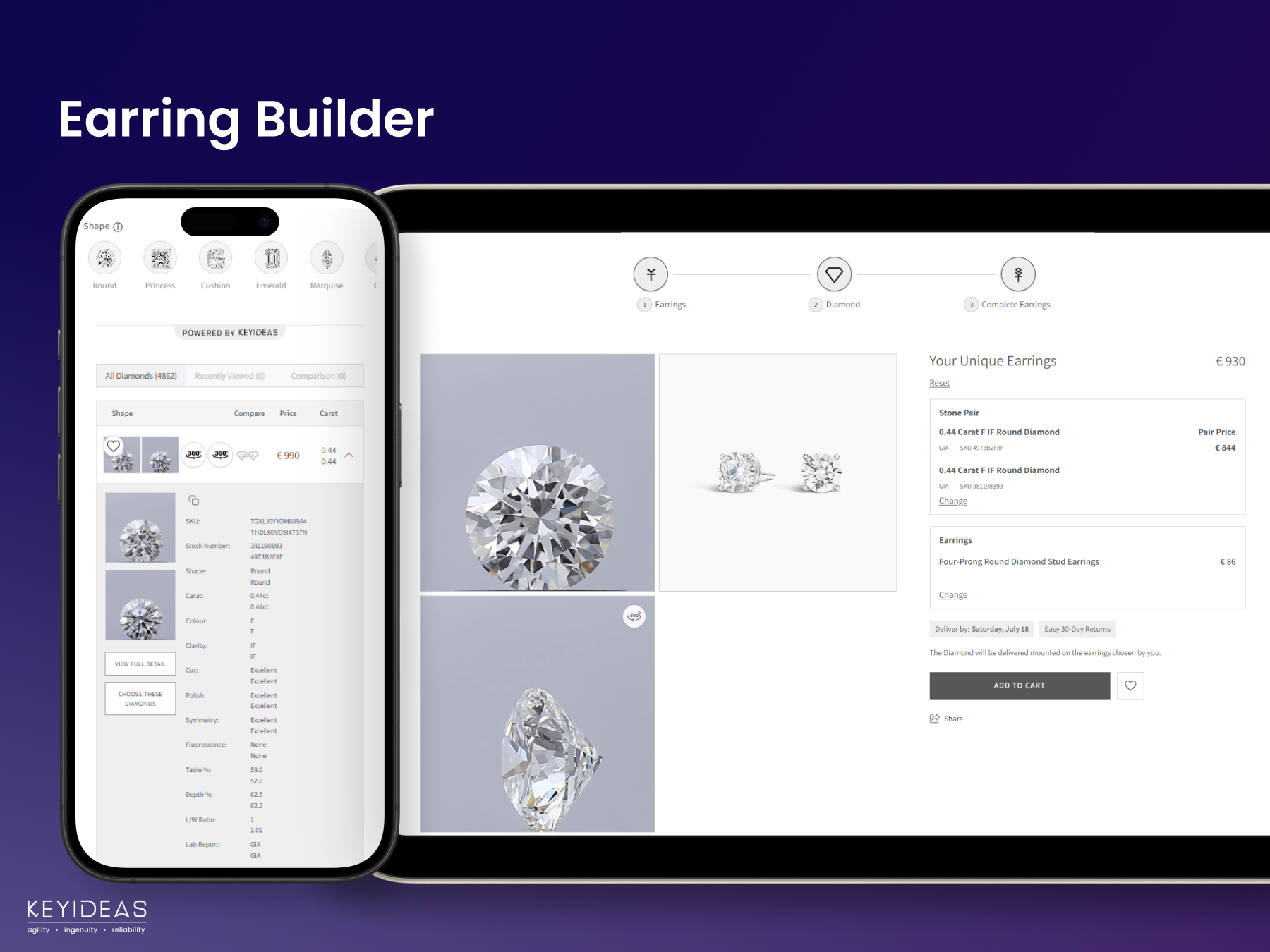
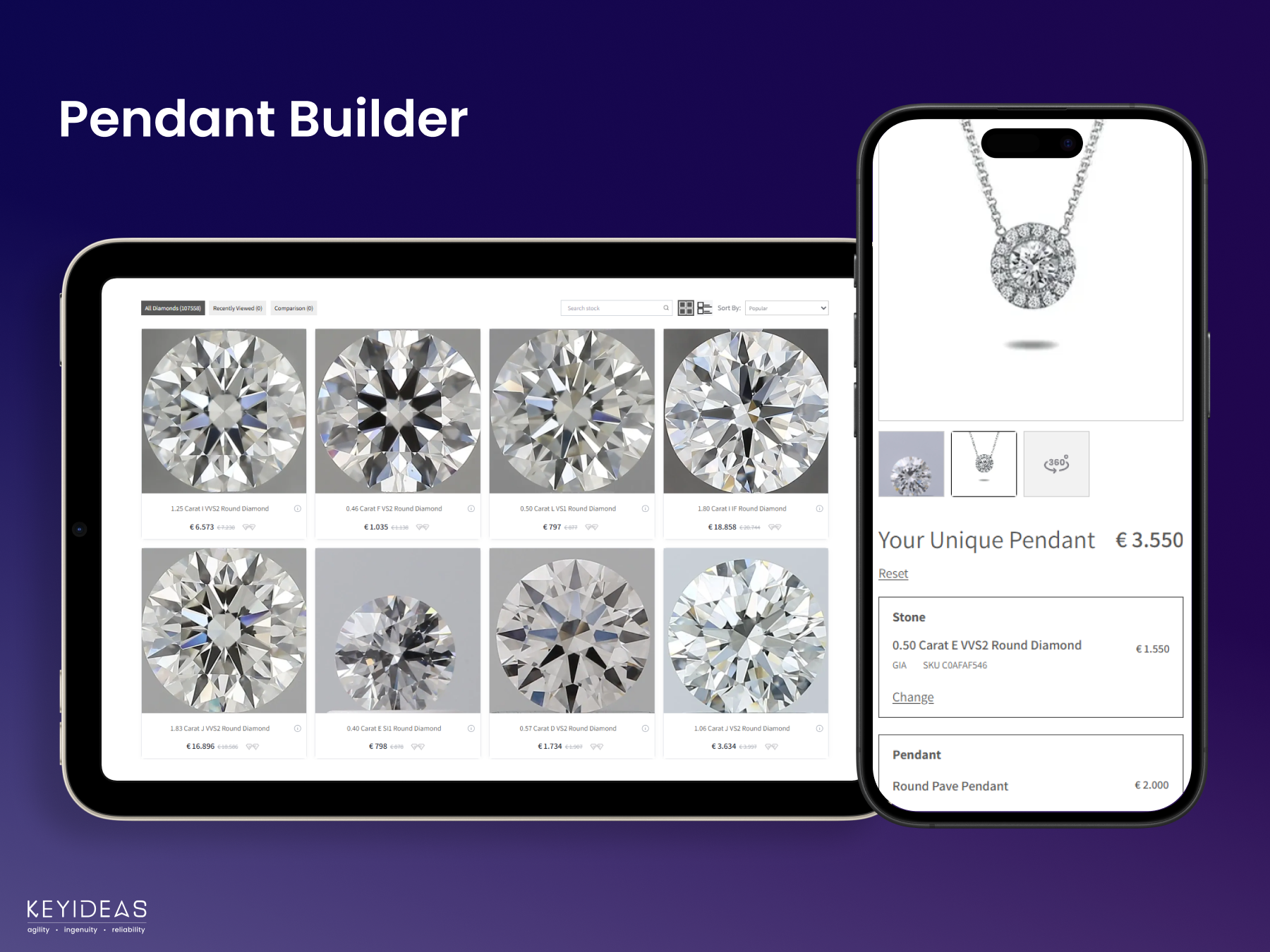
Changelog
1.3.7
- Improvement: On the Plan page’s Compare all plans table, the Add-ons row no longer repeats diamond suppliers (already shown in the “Other suppliers” row) and now lists mobile grid view and redacted certificate PDF
- Improvement: The Plan page’s “Your own diamonds (upload up to 2MB)” row is now labelled “Your own uploaded diamonds (upload up to 2MB)”
1.3.6
- Improvement: Updated the wording of the Compare all plans table on the Plan page, with new rows for Appearance, Language & Region Manager and for other suppliers
- Improvement: The Compare all plans table is easier to read, with equal, left-aligned plan columns, and it scrolls sideways on smaller screens while the feature names stay in view
1.3.5
- Improvement: Updated plan prices on the Plan page: Basic $49/month billed yearly ($590) or $59 monthly, Standard $99/month billed yearly ($1,190) or $119 monthly, Premium $141/month billed yearly ($1,690) or $169 monthly
- Improvement: The “Book a call” link on the Contact Us page opens the new booking page
1.3.2
- Improvement: Settings > Add-ons marks Grid View on Mobile, Hide Certificate Number and Add Diamonds From Your Suppliers as “Paid add-on”
- Improvement: The Plan page’s Compare all plans table shows diamond suppliers, grid view on mobile and redacted certificate PDF as paid add-ons on Basic, Standard and Premium
- Improvement: The Premium Features Add-ons cards show whether each add-on is on in your store, off, or not in your plan, and include Grid View on Mobile, Show/Hide Filters and Add Engraving
1.3.1
- New: Free plan stores show a sample set of natural, lab-grown, colored diamonds and gemstones in place of Nivoda, each with a “Sample” tag on the listing and the diamond detail page
- New: The Feed Center lists the sample stones as Sample Inventory, ready to use with no setup
- Improvement: Redesigned Plan page: a summary of your plan (share of diamonds, Ask AI messages left this month, Keyideas logo, Advanced CSS) and a Compare all plans table
- Improvement: The Compare all plans table shows your own diamonds (uploaded inventory) and Nivoda diamonds (Nivoda account needed) as separate rows
- Fix: 360° videos open in their video-only view, without the viewer’s error page
- Fix: Saving the stone type switches in Settings no longer waits for the app’s cache to clear
1.3.0
- New: Renamed to Keyideas Jewelry Customizer. The plugin slug, settings and features stay the same
- New: Appearance page with brand colors, heading and subheading typography, and Language & Region (languages, default language, ring size standards and CSV translations of the storefront text)
- New: Preview in New Tab shows your unsaved colors, fonts and translations on the storefront, only to you, until you save
- New: The Feed Center opens in a new tab, signed in securely, with a loading animation while it opens
- New: Stores connected to the Keyideas RingBuilder app get their diamond data from it, and paid orders show in the Sales dashboard
- New: Plans: Free and three paid plans, shown on the Plan page; a store’s plan sets the share of diamonds shown, the Keyideas logo and the Ask AI messages
- New: Settings > Add-ons switches on the add-ons in your plan: Grid View on Mobile, Show/Hide Filters, Hide Certificate Number, AI Diamond Score, Pendant Builder, Earring Builder (matched pairs), Add Diamonds From Your Suppliers, Ask AI and Add Engraving
- Improvement: The diamond listing, detail and review pages follow your brand colors
- Improvement: Settings shows evenly sized stone type tiles, and Appearance lists the Pro appearance options
- Improvement: Phone and tablet layouts of the plugin dashboard, and the same page width on every dashboard page
1.2.16
- Redesigned the diamond listing, diamond detail, ring setting and ring review pages.
- Fixed activation output, settings save warnings and rewrite rules after activation.
- Coding standards, escaping and security improvements for WordPress.org.
- Add to Cart and WooCommerce checkout for loose stones and rings built in the ring builder.
- Feed Center, CSV import and the sales dashboard are now available in the free version.
- The plugin now has its own WordPress admin menu, with a submenu item for each dashboard section.
- Redesigned admin dashboard with a plugin header, a Premium Features tab and better phone and tablet layouts.
- Declared compatibility with WooCommerce High-Performance Order Storage (HPOS).
- Redesigned the Contact Us page with a new contact form, pre-filled from your store’s contact details.
- Removed the Video Tutorials and FAQs tabs and the live chat widget from the dashboard.
- Added a “Read Documentation” link on the My Plan page and a RingBuilder 2.0 section on the Premium Features tab.
1.2.0 – 1.2.15
- Renamed the plugin to “Keyideas RingBuilder – Jewelry” (1.2.5)
- Security fixes, SEO and search engine crawling fixes, and diamond listing filter fixes
- Review notice, UI improvements, performance improvements and stability fixes
1.1.0 – 1.1.6
- New: Italian language support
- New: Diamond virtual try-on on the diamond detail page, opening with the diamond’s shape and carat
- New: Teal gemstones
- Improvement: Faster caching with much lower server resource usage
- UI, performance and bug fixes
1.0.0 – 1.0.6
- Initial release (1.0.0)
- New: Two more diamond shapes
- Faster plugin activation, UI fixes on the listing and detail pages, and performance improvements