


Description
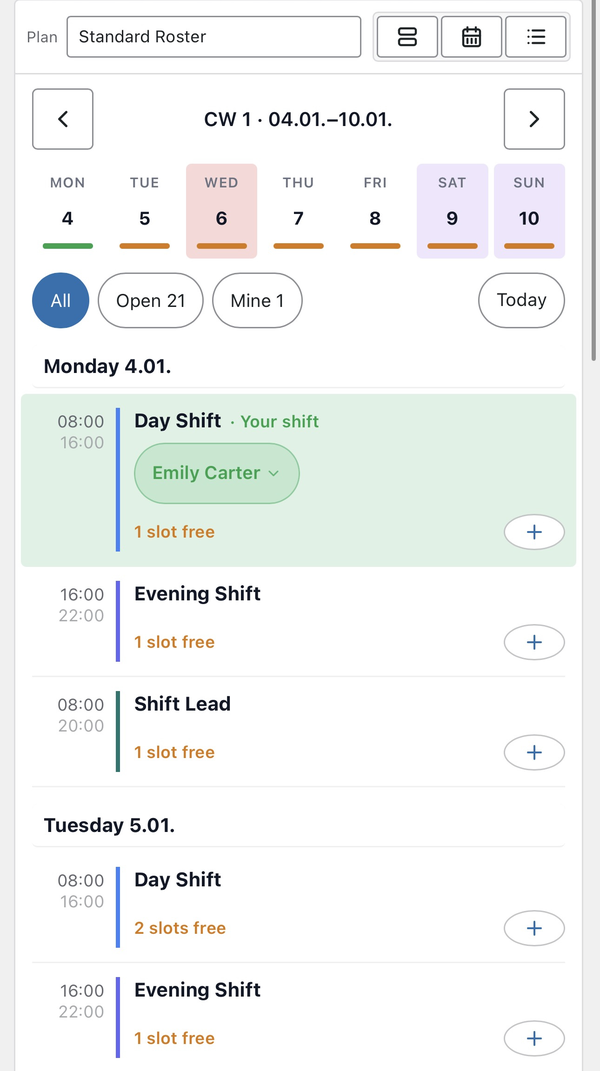
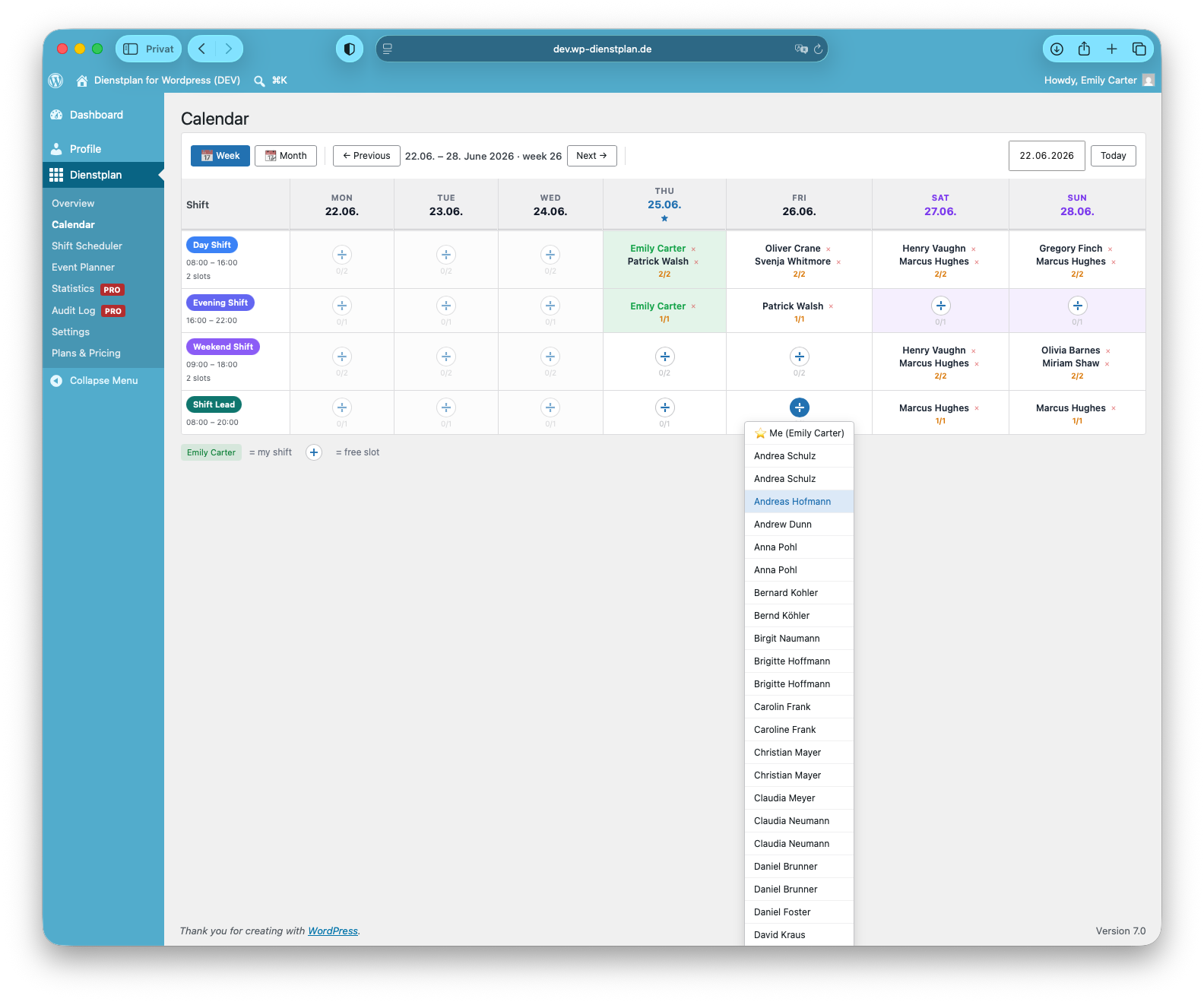
Dienstplan adds a shift roster to your WordPress site. Members open the calendar page, pick an open shift and sign up. Coordinators see which shifts are still open and who is on duty.
Made for fire departments, emergency medical services, first responders, sports clubs and other volunteer teams.
All data stays in your own WordPress database. No external account, no monthly fee.
Features
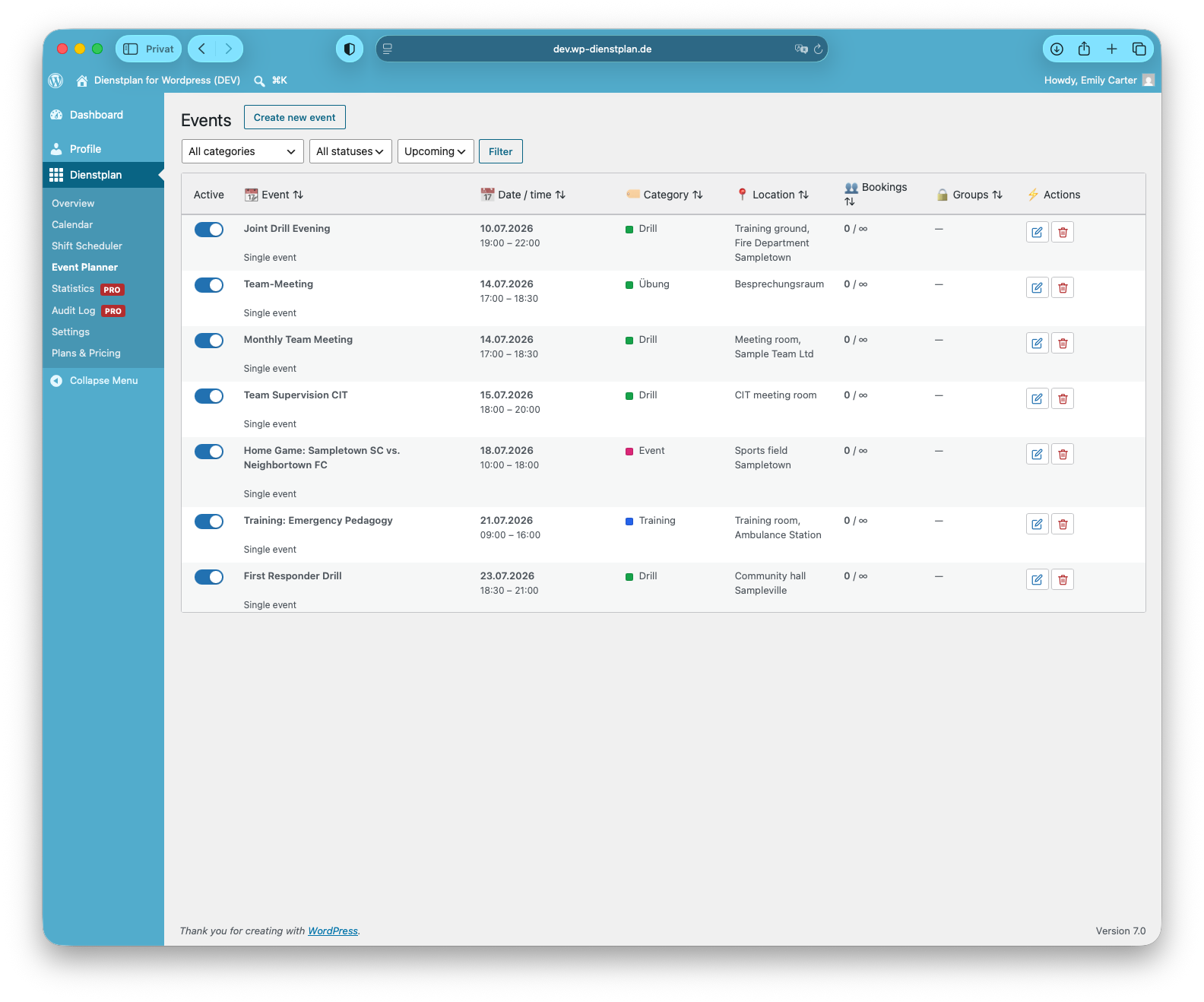
- Shifts and events in a week, month or list view (list view on phones)
- Members sign up for open shifts themselves
- Show the calendar on any page with
[dienstplan] - Show events with
[dienstplan_termine] - Public statistics without names with
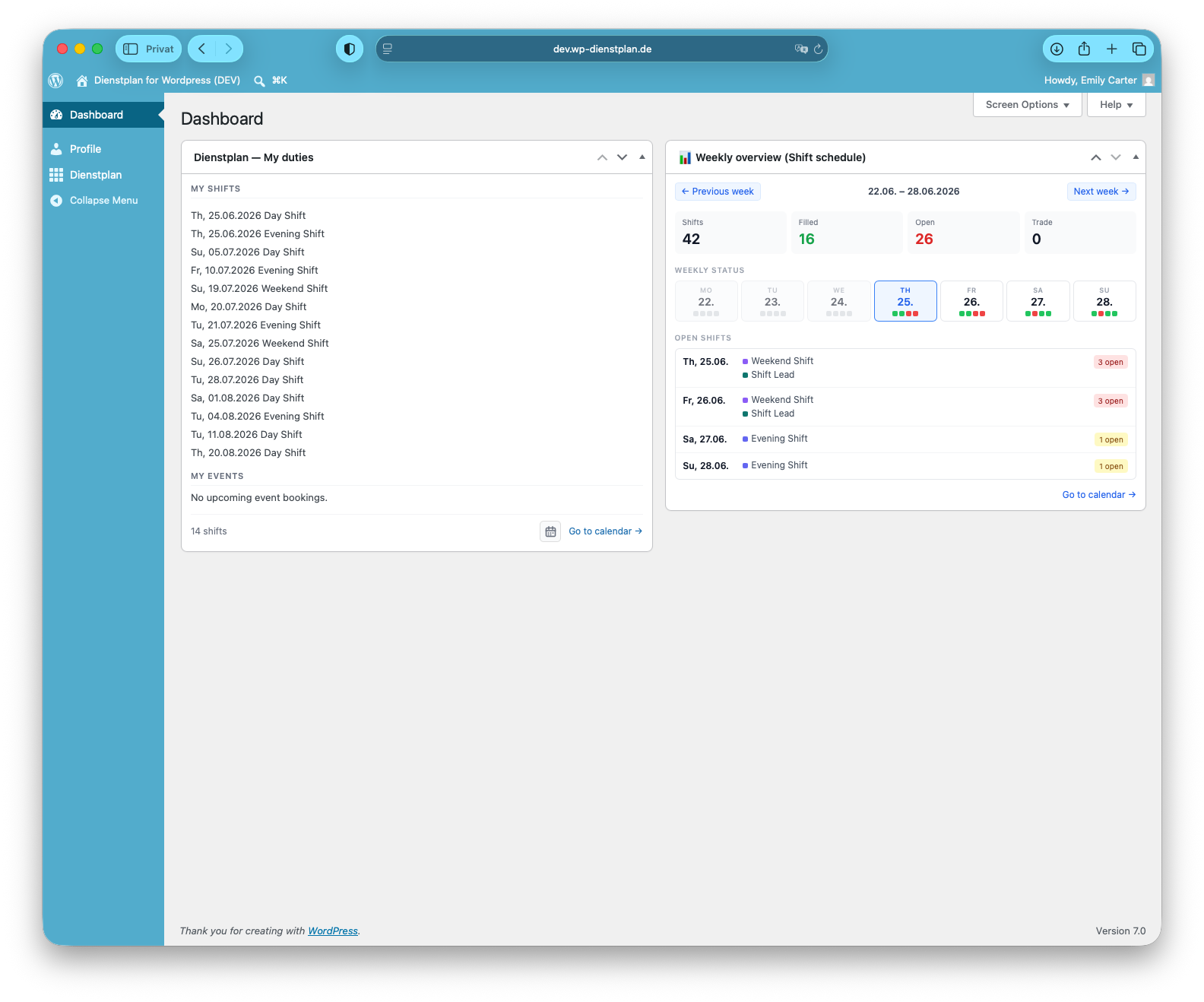
[dienstplan_statistik] - “My shifts” dashboard widget and calendar download (ICS)
- Optional self sign-out, including a 15-minute undo for a mis-click
- Public holidays in the calendar (optional)
- Light and dark color scheme
- English, German, Spanish, French and Italian
Free, Basic and Pro
This plugin is free, with no time limit: one roster, unlimited members, shifts and events.
Basic and Pro are optional add-ons, for example for multiple rosters, a public staffing status without names, recurring events, shift trading and e-mail notifications. Your data stays when you add or remove them. Details at wp-dienstplan.de.
Third-party assets
Calendar icons (assets/icons.svg) are adapted from Tabler Icons, MIT License.
External services
Product notices (wp-dienstplan.de)
On Dienstplan’s own admin screens, the plugin loads https://www.wp-dienstplan.de/plugin/notices.json to show short product notices. It is a plain request without parameters. No personal data, member data or site data is sent. The user agent only contains the plugin name and version, not your site address. The answer is cached for up to 12 hours. Admins can dismiss each notice.
Provided by Nusselt Management GmbH: terms of use, privacy policy.
Public holidays (openholidaysapi.org)
Holidays in the calendar are optional and off by default. The plugin gets them from the OpenHolidays API (https://openholidaysapi.org):
- the country list and the regions of the selected country, when an admin opens Dienstplan → Settings → Holidays (cached for a week; this also happens while holidays are off, so you can pick a country),
- the regions of another country, when you select it there,
- only while holidays are on: the holidays of the current and next year, when you save the settings, once a year and when you refresh them manually.
Only the country, region, language and year you set are sent. No member data. The user agent only contains the plugin name and version, not your site address. Turn holidays off to stop the holiday requests; the country and region lists are then only loaded while you are on the holiday settings page.
Provided by STÜBER SYSTEMS GmbH: terms of use, privacy policy.
Privacy
All member data (names, e-mail addresses, shifts, sign-ups) stays in your own WordPress database. The plugin only makes the requests listed under External services, and none of them contain member data.
Dienstplan sets no cookies of its own and uses no trackers. It uses the normal WordPress login and localStorage to remember the last selected roster.
The optional Basic and Pro add-ons contact lizenz.wp-dienstplan.de to check the license. Only the license key, site URL and a status are sent. This server is not used by this plugin.
Installation
- Go to Plugins → Add New, search for “Dienstplan”, install and activate it.
- Open Dienstplan → Overview and set up your shifts.
- Add
[dienstplan]to the page where members should see the calendar.
FAQ
What do I need?
WordPress 6.3 or newer and PHP 8.1 or newer. Normal shared hosting is enough.
Where is member data stored?
Only in your own WordPress database. The plugin sends no member data to us or anyone else.
How do members sign up?
They log in to your site, open the calendar page and click an open shift. If you allow it under Settings → Sign-up & trading, they can sign themselves out until the shift starts. Otherwise they ask an admin.
Does my data stay if I add Basic or Pro?
Yes. The add-ons use the same data. Nothing is moved or deleted.
Where do I get help?
In the support forum for this plugin. Basic and Pro customers can also write to info@wp-dienstplan.de.
Screenshots



Changelog
3.13.0 — 2026-11-14
- Members can sign themselves out, when you allow it. A mis-click can be undone for 15 minutes. Sign-out stops when the shift starts.
- The “My duties” widget groups duties by day and shows the clock time.
- Members can leave a short info text for planning on their profile (200 characters). Shift leaders and admins see it when assigning shifts. Other members do not.
- Basic: each roster can override the limit on the sign-up period, self sign-out and shift trading. A shift type can be left out of the public staffing status. Leaders are emailed when a shift becomes free again.
- Pro: the log includes self sign-outs. Shift leaders can get a daily summary. Statistics export to CSV for Excel. There is no PDF export.
- Shift e-mails can show the clock time. Update Dienstplan first, then the add-on to 1.13.0.
3.12.1 — 2026-11-12
- Translations updated (German, Spanish, French, Italian) for the add-on’s staffing overview settings.
3.12.0 — 2026-11-10
- A shift that starts and ends at the same time lasts 24 hours and ends the next day. 00:00–00:00 still means no clock time. Calendar, statistics and the ICS download count those hours.
- Members can be limited to signing up a set number of days or weeks ahead, or until the end of the next month. Shift leaders and admins can still sign up later.
- The calendar, dashboard widget and statistics follow “Week starts on” from the WordPress settings.
- Deleting a shift with entries, or changing the time of a shift with past entries, now asks first and shows how many entries are affected.
- Settings → General: “Keep data” is on by default. Deleting the plugin then leaves schedules and entries in place. Turn it off to remove everything.
[dienstplan_statistik plan="…"]accepts plan slugs as well as IDs.- German labels: shift time is “Uhrzeit”; clearer labels in the e-mail settings.
3.11.1 — 2026-10-20
- The Shift Leader role is now part of the Premium add-on.
- Requests for product notices and public holidays no longer send your site address.
3.11.0 — 2026-10-19
- New setting “Calendar page”: links can open a single shift in the calendar.
- List view: the link parameter
dp_filter=openshows only open shifts. - Calendar download uses correct time zones. Shifts you imported before may show up twice once.
- Fixed: names with “&” are shown correctly.
3.10.0 — 2026-10-15
- Fixed: switching a shift on or off no longer resets its settings.
3.9.0 — 2026-10-14
- New list view, used automatically on phones.
- Tap a name in the calendar to see what you can do with it.
- Light and dark color scheme (Settings → General).
- New icons in the calendar.
- Fixed: the calendar updates right after signing up.
- Fixed: long member lists in the admin can be scrolled and searched.
3.8.0 — 2026-10-12
- The calendar hides shifts that are not offered in the visible period.