

Description
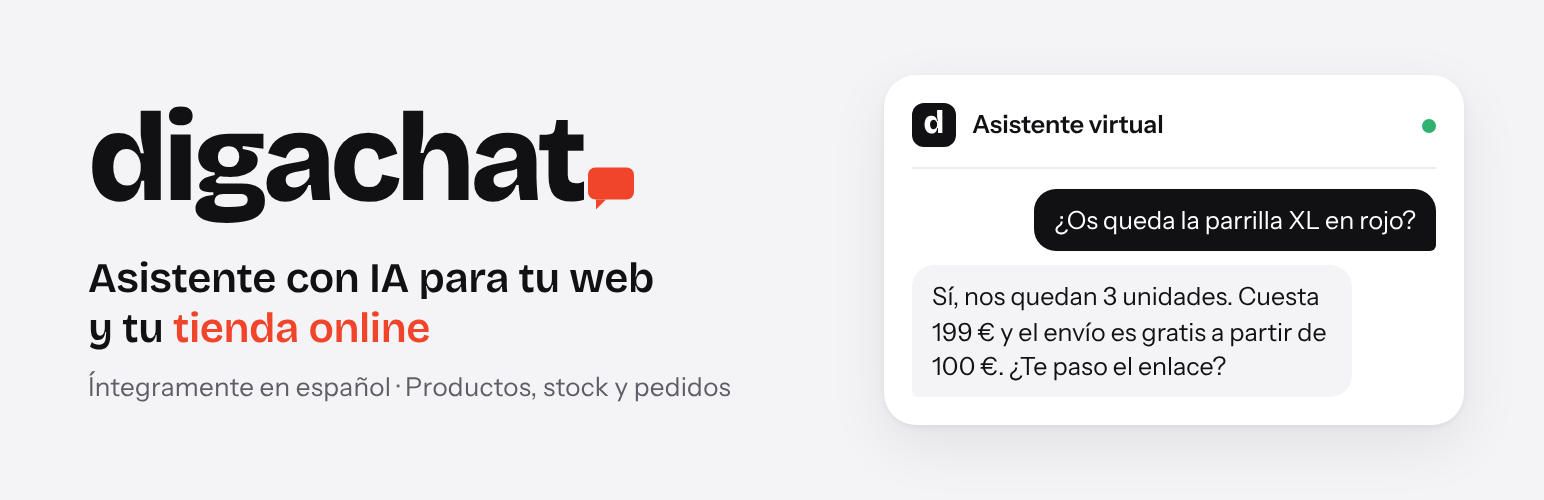
DigaChat adds an AI chatbot to your website: a chat bubble answered day and night by an AI assistant that knows your products and your business. It works as a WooCommerce chatbot for online stores and as a customer service chatbot for service websites (clinics, workshops, agencies, professional services…), without anyone having to be on a live chat.
It is built for small businesses in Spain and Latin America: the settings are in Spanish, the chat texts follow the language of the website (Spanish, Catalan, Galician, Basque, English, French, Portuguese, Italian or German), and the assistant replies to each visitor in their own language.
- Searches your catalogue in real time: products, prices, sales and stock.
- Answers questions about shipping, payment, returns and warranty using the information you give it.
- Replies in each visitor’s language and addresses customers formally or informally, as you prefer. The chat texts follow the language of the page (or of the visitor’s browser for Catalan, Galician and Basque on Spanish websites).
- Works on service websites without a shop too: it answers with the information about your business.
- Reads your website: one click on «Leer la web» drafts the business information from the text of your published pages and the footer (services, shipping, returns, contact details, opening hours, FAQs…), for you to review before the assistant uses it.
- Does not make things up: if it does not know something, it refers the visitor to your contact email.
- Order lookup and shipment tracking on paid plans: with the order number and the purchase email, the assistant explains the order status, dates, products and tracking link.
- Return, exchange and order change requests on paid plans: the assistant checks the order, collects what the customer wants and sends the request to the store by email, with a copy to the customer and a private note on the order. The store decides; the assistant never confirms that a request has been accepted.
- Optional link in the chat to continue on WhatsApp, with a message already written that sums up what the visitor asked, so whoever answers knows what they need. The visitor sees it and can change it before sending. Also the option to email the conversation to the visitor.
- Sales after a conversation, on every plan: the «Uso y planes» tab shows how many paid orders (and their amount) came from customers who wrote in the chat in the 7 days before buying, including those who left and came back later. Counted on your own website.
- Set up in minutes, no technical knowledge needed: no code and no chatbot flows to design. The virtual assistant learns from your website and the information you give it.
Plans
- Free: 50 conversations in total, to try the assistant on your website.
- Básico (12 € per month + VAT): 50 conversations per month, with order lookup, shipment tracking and return, exchange and order change requests.
- Plus (29 € per month + VAT): 150 conversations per month.
- Pro (45 € per month + VAT): 250 conversations per month.
- Business (85 € per month + VAT): 500 conversations per month.
- DigaChat Sales (+29 € per month + VAT, with Pro or Business): abandoned cart recovery with the DigaChat Sales add-on, available from digachat.com, and the assistant on the store’s WhatsApp (set up together with the DigaChat team).
Annual payment: two months free. No commitment. A conversation is everything a visitor says to the assistant from their first message until 30 minutes go by without writing. When the limit is reached, the chat stays visible and shows your contact details. Prices and plans are shown in the «Uso y planes» tab with the data sent by the DigaChat service.
External service
This plugin connects to the DigaChat service (https://api.digachat.com), operated by Compas 1010 S.L., which generates the assistant’s answers with artificial intelligence. Without this service the plugin does not answer. The connection is only made after the site administrator enters an email address, accepts the terms of service and clicks «Conectar la web» (Connect the website).
What data is sent and when:
- When connecting the website: the site URL, the platform (WordPress or WooCommerce), the email address entered and the address of the site’s admin-ajax.php. To check that the website is yours, the service then sends a one-time code back to the website (REST API or, if blocked, admin-ajax.php).
- When the administrator clicks «Leer la web» (Read the website) in the «Asistente» tab: the title, address and text of up to 40 published pages of the website without a password (cart, checkout, account, shop, blog, privacy, cookies and legal notice pages are left out), the text of the footer (the plugin reads the website’s own home page for it, from the website’s server), the site name and URL, the shop details generated from WooCommerce (shipping zones and costs, payment methods, contact email) and the current business information, so that the instructions written for the assistant are kept. The service writes with AI a draft of the business information and returns it to the plugin, which shows it in the «Asistente» tab for review, together with the contact email published on the website, used as the contact email only if that field is empty. The assistant does not use it until the administrator saves the settings. The service does not keep the text of the pages.
- When saving the assistant settings: the assistant’s name, the welcome message, the business information written by the administrator (shipping, payment, returns…), the form of address, the usual delivery time and the notification email.
- With each chat message: the text written by the visitor and an anonymous session identifier. To search products, the service reads the public part of the catalogue (WooCommerce Store API).
- If a customer asks about an order: the service asks the store for that order using the order number and email given by the customer, and only receives its status, dates, products, shipment tracking and the notes sent to the customer when both match.
- If a customer asks for a return, an exchange or a change to an order: the service checks the order as above, sends the request (type, details, order number and purchase email) to the store’s notification email with a copy to the customer, and asks the store to add a private note to that order. The note is only added when the order number and the email match.
- If a visitor asks the business to contact them personally: their name, email and, if given, phone number, which the service sends to the business by email.
- If a visitor asks to receive the conversation by email: their email address, used only for that email.
- If a visitor who has written in the chat clicks the WhatsApp link: the site key and the anonymous session identifier. The service writes, from that conversation, a short message for the visitor to send on WhatsApp, leaving out health, payment and identity data, and returns it to the chat. It does not count as a conversation.
- To show usage in the dashboard: the site key.
- Sales after a conversation (WooCommerce stores, on by default, can be switched off in «Uso y planes»): the count is made on your website. When a visitor writes in the chat, their browser keeps an anonymous conversation identifier for 7 days; if they place an order in that time, it is stored in the order. Once a day the plugin sends the service only the totals for the month and the last 7 days (number of orders and amount, with the currency) and the plugin version. No order, customer or conversation data is sent.
Conversations are kept for a maximum of 12 months. The service uses the following data processors: n8n GmbH (automation), Anthropic PBC and Google (AI models; Google translates the answers when the visitor writes in a language other than Spanish) and Axarnet (hosting).
- Terms of service: https://digachat.com/condiciones/
- Privacy policy: https://digachat.com/privacidad/
Paid plans are purchased on Stripe (Stripe, Inc.). When the administrator clicks «Contratar», «Cambiar a…», «Volver al plan Gratis», «Mantener la suscripción» or «Facturas, tarjeta y datos de facturación» in the «Uso y planes» tab, the plugin sends the site key, the requested action (subscribe, change plan, cancel or open the customer portal), the chosen plan and billing period and the address of that tab to the DigaChat service, which creates the Stripe payment page or the Stripe customer portal session with the account reference, and the browser is taken there. Nothing is sent to Stripe or to the DigaChat service until the administrator clicks one of these buttons. When the administrator clicks «Darme de baja de DigaChat», the plugin sends the site key and the chosen option (end of the paid period or now) to the DigaChat service, which cancels the Stripe subscription and deletes the account and the website’s conversations, contacts and statistics, at once or at the end of the paid period. Card details go directly to Stripe and never pass through the plugin or the DigaChat service. Customers with a subscription manage it (invoices, card, plan changes, cancellation) in the Stripe customer portal. Stripe terms: https://stripe.com/legal/ssa · Stripe privacy policy: https://stripe.com/privacy
The WhatsApp link in the chat opens wa.me (WhatsApp, by Meta) only when the visitor clicks it, with the message already written in the visitor’s WhatsApp; nothing is sent until the visitor sends it. Shipment tracking links go to each carrier’s website (Correos, DHL, UPS, 17TRACK…) only when the customer opens them.
Installation
- Install and activate the plugin.
- Go to DigaChat in the admin menu.
- Enter your email, accept the terms of service and click «Conectar la web».
- In the «Asistente» tab, click «Leer la web» to draft the business information from your pages (or write it yourself), review it and save.
- The chat starts in test mode: only administrators see it. When you are happy with the answers, choose «Activo» under «Chat en la web» in the «Asistente» tab and save.
FAQ
Do I need WooCommerce?
Only if you want the assistant to search your catalogue. On a service website, choose «Web de servicios» and the assistant answers with the information about your business.
What happens when the plan limit is reached?
The chat stays visible and shows your contact details. On the Free plan the 50 conversations are in total; on paid plans the limit renews every month.
Which languages does it support?
The settings are in Spanish, for businesses in Spain and Latin America. The chat texts (welcome message, buttons and notices) follow the language of the website: Spanish, Catalan, Galician, Basque, English, French, Portuguese, Italian or German. The assistant replies to each visitor in the language they write in, whatever it is.
The chat does not answer or the website does not connect
DigaChat answers through the WordPress REST API (/wp-json/) and, if a security or optimisation plugin, a firewall or plain permalinks block it for visitors, through admin-ajax.php, so it usually works without changing anything. If both are blocked, the DigaChat settings page says so and, when it recognises the plugin that may be blocking them, names it. Allow the digachat/v1 route or admin-ajax.php in that plugin, or ask your hosting provider.
Is it a free AI chatbot?
Yes. The Free plan includes the AI chat on your website with 50 conversations in total, with no card and no time limit. Paid plans add more conversations every month and, in WooCommerce stores, order lookup and return, exchange and order change requests.
How do I train the chatbot with my website content?
You do not need to train anything. Click «Leer la web» in DigaChat → Asistente and the assistant drafts the business information from your published pages and the footer. Review it, change what you want and save. In WooCommerce stores it also reads the catalogue live, so prices and stock are always up to date.
Is it a live chat?
The chat is answered by the AI assistant at any time, without anyone having to be online. If the visitor prefers to talk to a person, the link «¿Prefiere seguir por WhatsApp?» opens your WhatsApp with a summary of the conversation, and the visitor can also receive the conversation by email.
Does it work with WooCommerce?
Yes. In WooCommerce stores the assistant searches the catalogue (products, prices, sales and stock) and, on paid plans, explains the status of an order and its tracking and takes return, exchange and order change requests. It also works on websites without a shop.
What about privacy and the GDPR?
The chat messages are sent to the DigaChat service only to generate the reply, and conversations are kept for a maximum of 12 months. DigaChat acts as data processor for your website. WordPress shows a suggested text for your privacy policy in Settings → Privacy, «Policy Guide» tab. See the External services section below for every piece of data that is sent and when.
Where can I get help?
In the DigaChat help pages (https://digachat.com/ayuda/), in the support forum of this plugin on WordPress.org or by email at hola@digachat.com. The links are also at the bottom of the DigaChat settings page.
Where is abandoned cart recovery?
In the DigaChat Sales add-on, available from digachat.com with the DigaChat Sales option (Pro or Business plans).
Screenshots


Changelog
0.5.16
- Links to pages of your own website in the chat replies show «Ver el producto» or «Ver la página» (in the language of the chat) instead of the full address. Links written as text show their text.
- Help and support links at the bottom of the DigaChat settings page and on the Plugins screen: DigaChat help, the support forum on WordPress.org and hola@digachat.com.
- A discreet notice on the DigaChat settings page, only for administrators and after 14 days with the website connected, invites you to leave a review on WordPress.org. Either of its buttons hides it for good.
- «Darse de baja de DigaChat» reminds you that you can ask hola@digachat.com for a copy of your data before leaving.
- Suggested privacy policy text: the assistant asks for a name and a phone number or an email when a visitor wants a personal reply.
- New frequently asked questions in the readme.
0.5.15
- New plugin name in the directory: «DigaChat – AI Chatbot for Websites and WooCommerce». New tags. No functional changes.
0.5.14
- «Uso y planes»: the current plan stands out in both views (monthly and annual), with a «Su plan actual» badge, a vermilion border and a light background, and says how it is paid now. «Recomendado» only appears on websites without a paid plan. The current plan card has a link to switch to annual (or monthly) billing without changing the view, and a scheduled plan change is shown with a dashed border and its date. The usage bar uses DigaChat vermilion instead of the old green.
- «Darse de baja» becomes «Volver al plan Gratis», on the Free plan card: the subscription ends at the end of the paid period and the chat stays on the website with the Free plan.
- New «Darse de baja de DigaChat» at the end of «Uso y planes», separate from going back to the Free plan: with a paid plan, the administrator chooses between the end of the paid period (the chat stays until then and that day the service deletes the account and the website’s data) and right now (the subscription is cancelled without refunding the unused part and everything is deleted at once). Without a paid plan, it is immediate.
- «Desconectar» warns that it does not cancel a paid plan.
- Stripe (payment page and customer portal) opens in a new tab, and «Uso y planes» reloads by itself when the administrator comes back to it.
- With a cancellation pending, the plan buttons stay available: changing plan first cancels the pending cancellation (the plugin asks the DigaChat service to remove it in Stripe) and then opens the change.
0.5.13
- «Leer la web» also reads the footer of the website, where the phone, email, address and opening hours usually are: first from the home page as visitors see it (any theme or page builder), and if the website cannot read itself, from the block theme footer, the Elementor footer templates or the footer widgets of classic themes.
- If the website has no title in Settings → General, the chat uses the domain instead of leaving it blank («Hola, soy el asistente virtual de ejemplo.com…»). Welcome messages saved without a name are treated as the default one again.
0.5.12
- New pricing in the «Uso y planes» tab: Free, Básico, Plus, Pro and Business, with DigaChat Sales as an option for Pro and Business, monthly or annual (two months free). Plan names, prices and conversations come from the DigaChat service, so they are not fixed in the plugin.
- «Contratar» asks the DigaChat service for a Stripe payment page for the chosen plan and goes straight to it.
- Websites with a subscription change plan from the same tab: «Cambiar a…» on each plan (upgrade or downgrade), «Pasar a pago anual / mensual», «Añadir / Quitar DigaChat Sales» and «Darse de baja». Upgrades open a Stripe confirmation with the amount and apply at once; downgrades and the switch to monthly billing open the Stripe plan list and apply at the end of the paid period, and the tab shows the scheduled change. After cancelling, the tab shows until when the plan stays active and a «Mantener la suscripción» button. «Facturas, tarjeta y datos de facturación» opens the Stripe customer portal directly, without asking for a code by email.
- After paying, Stripe brings the administrator back to «Uso y planes» with a notice while the plan is activated.
- Updated definition of a conversation: everything a visitor says from the first message until 30 minutes without writing.
0.5.11
- The chat never shows the WordPress administrator’s email to visitors, since it is often the email of whoever built the website: only the «Email de contacto» written in the «Asistente» tab or filled in by «Leer la web». Without it, the messages shown when the assistant cannot reply leave the email out. The automatic business information does not include it either.
0.5.10
- Chat texts also in English, French, Portuguese, Italian and German: the welcome message, buttons and notices follow the language of the website (until now, only Catalan, Galician and Basque besides Spanish). The default WhatsApp message is also available in Italian and German.
- The default welcome message is no longer stored as a custom message when the settings are saved, so it keeps following the language of the website and the chosen form of address. Help text under the field.
- «Chat en la web» is now a single setting with three options (Activo, Modo prueba, Desactivado) instead of two checkboxes. Existing settings are kept.
- Readme: new short description.
0.5.9
- New «Leer la web» button in the «Asistente» tab: the plugin collects the text of the published pages (front page, menu pages and the rest, up to 40), straight from WordPress, and the DigaChat service drafts the business information with AI. In shops it is combined with the WooCommerce shipping and payment details. Works with the block editor, Elementor and builders based on shortcodes. Products are not included: the assistant already reads the catalogue live.
- If the contact email is empty (the administrator’s email was being used), it is filled in with the email published on the website.
- Instructions already written for the assistant in the business information (for example, what it must not say) are kept in the draft.
- The draft replaces the text in the box but is not used by the assistant until the settings are saved. «Recuperar el texto anterior» brings back the previous text, also after «Rellenar la información desde WooCommerce».
- On computers (768 px wide or more), the chat bubble and panel are 32 px from the side of the window instead of 20 px.
- «Asistente» tab: the help text of the WhatsApp message no longer lists languages; it explains that, once the visitor has written, WhatsApp opens with a summary of their question in their own language.
- Readme: the data sent when reading the website, in the external services section.
0.5.8
- Default chat colour: a dark vermilion (#d63a20) instead of green, on new installations and on websites that have not chosen a colour yet. White text on it meets the WCAG AA contrast ratio. Websites that already saved a colour keep it; it can be changed in DigaChat → Asistente → Color.
0.5.7
- «Continue on WhatsApp»: if the visitor has already written in the chat, WhatsApp opens with a short message that sums up what they need (for example, the product, the service or the preferred days), written by the service from that conversation. The visitor can change it before sending. If it does not arrive within 6 seconds, WhatsApp opens with the usual message. It does not count as a conversation.
- New endpoint /digachat/v1/whatsapp (limited per IP) that asks the service for that message with the site key. Readme: external services updated.
- Works on websites that close the REST API to visitors (security or optimisation plugins, firewalls, plain permalinks): the chat, the conversation email, the WhatsApp link and the website verification also answer through admin-ajax.php, with the same code and the same limits. The chat tries the REST API first and remembers the working route during the visit.
- The settings page checks, as a visitor without a session, whether both routes answer, and explains what to do if they are blocked, naming the plugin that may be blocking them when it recognises it. Clearer error message when the website cannot be verified on connecting.
- Plugin author: DigaChat (digachat.com).
0.5.6
- Sales after a conversation, on every plan: the «Uso y planes» tab shows the paid orders this month and in the last 7 days from customers who wrote in the chat in the 7 days before buying, with their amount (refunds deducted, cancelled orders not counted). Orders get a private note. Can be switched off in the same tab.
- The count is made on the website; once a day only the totals are sent to the service. Readme and suggested privacy policy text updated.
- If the DigaChat Sales add-on 0.5.5–0.5.7 is active, it keeps doing this count until it is updated, so orders are not counted twice.
- The chat closes when a product is added to the cart, so the cart is visible, and it no longer reopens by itself on the cart and checkout pages. The chat panel is a little shorter on computers (at most 70% of the window height).
0.5.5
- New endpoint for the DigaChat service to add a private note to an order when a customer asks in the chat for a return, an exchange or a change to the order. It checks the site key, and the order number and purchase email must match. At most 5 notes per order per day.
- Readme: return, exchange and order change requests on paid plans, and the data they send.
0.5.4
- «Contratar» opens the Stripe payment page for the plan, with the account already identified. The plan is activated automatically once the payment is completed.
- Websites with a subscription see «Cambiar a…» and a link to manage the subscription (invoices, card, plan changes or cancellation) in the Stripe customer portal.
- On the DigaChat Sales plan, the «Uso y planes» tab offers the download of the DigaChat Sales add-on when it is not installed.
- Readme: Stripe added to the external services section.
0.5.3
- While test mode is on, the settings page shows a notice: only administrators see the chat, and how to open it to visitors.
- Readme: test mode step in the installation and wording for service websites.
0.5.2
- The order lookup endpoint checks the site key in its permission callback.
- After connecting, the chat starts in test mode (visible only to administrators), as the confirmation message says.
- Inline CSS is now added with wp_add_inline_style(), on the front end and on the settings page.
- The site verification endpoint no longer returns the registration token: it only confirms whether the token sent by the service matches, and it can be used once.
- Removed the separate green WhatsApp button on mobile. Visitors continue on WhatsApp from the link inside the chat, on computers and on mobile.
- «Hide other floating WhatsApp buttons» now applies on mobile too, since the chat already offers WhatsApp.
0.5.1
- The chat script carries the version in its file name, so browsers and caches that strip query strings always load the new version after an update.
- Translator comments for all strings with placeholders.
0.5.0
- Abandoned cart recovery moves to the DigaChat Sales add-on. Saved carts and settings are kept when it is installed.
- Removed the «DigaChat» credit link from the Free plan.
- Plan limits: 50 conversations in total on Free and 1,500 per month on DigaChat Sales.
- The readme details what data is sent to the service and when.
- The conversation is kept when moving between pages; links to the store’s own products open in the same tab.
- Languages: chat texts in Catalan, Galician or Basque when the page is in that language or the visitor’s browser prefers it; the conversation email is sent in the customer’s language.
0.4.0 – 0.4.9
- Order lookup and shipment tracking in the chat, usual delivery time, shipment tracking box in the order screen, conversation by email, WhatsApp button and compatibility with caching and optimisation plugins.
0.1.0 – 0.3.0
- First versions: connection, assistant settings, usage dashboard, chat on the website, service websites, formal or informal address, contact collection and test mode.