

Description
DigitalM Inside SEO shows you the truth about your site, not a flattering “SEO score 85/100” but concrete facts and real errors.
Instead of a vanity score, Inside SEO explains problems in plain language: “84 people could not reach checkout, here is why and how to fix it.” Everything runs on your own site, and it reads the fields of your existing SEO plugin instead of replacing it.
Who it is for
- WooCommerce stores that get traffic but not enough sales.
- Service businesses that want to measure calls, emails and form submissions.
- Blogs and content sites that want to know which content brings real results.
Connection to Google
- Google Search Console and Google Analytics 4 with one connection, read only.
- Full history by month: clicks, impressions, positions, visits and sales.
- A separate property for each language version on its own domain.
Mirror
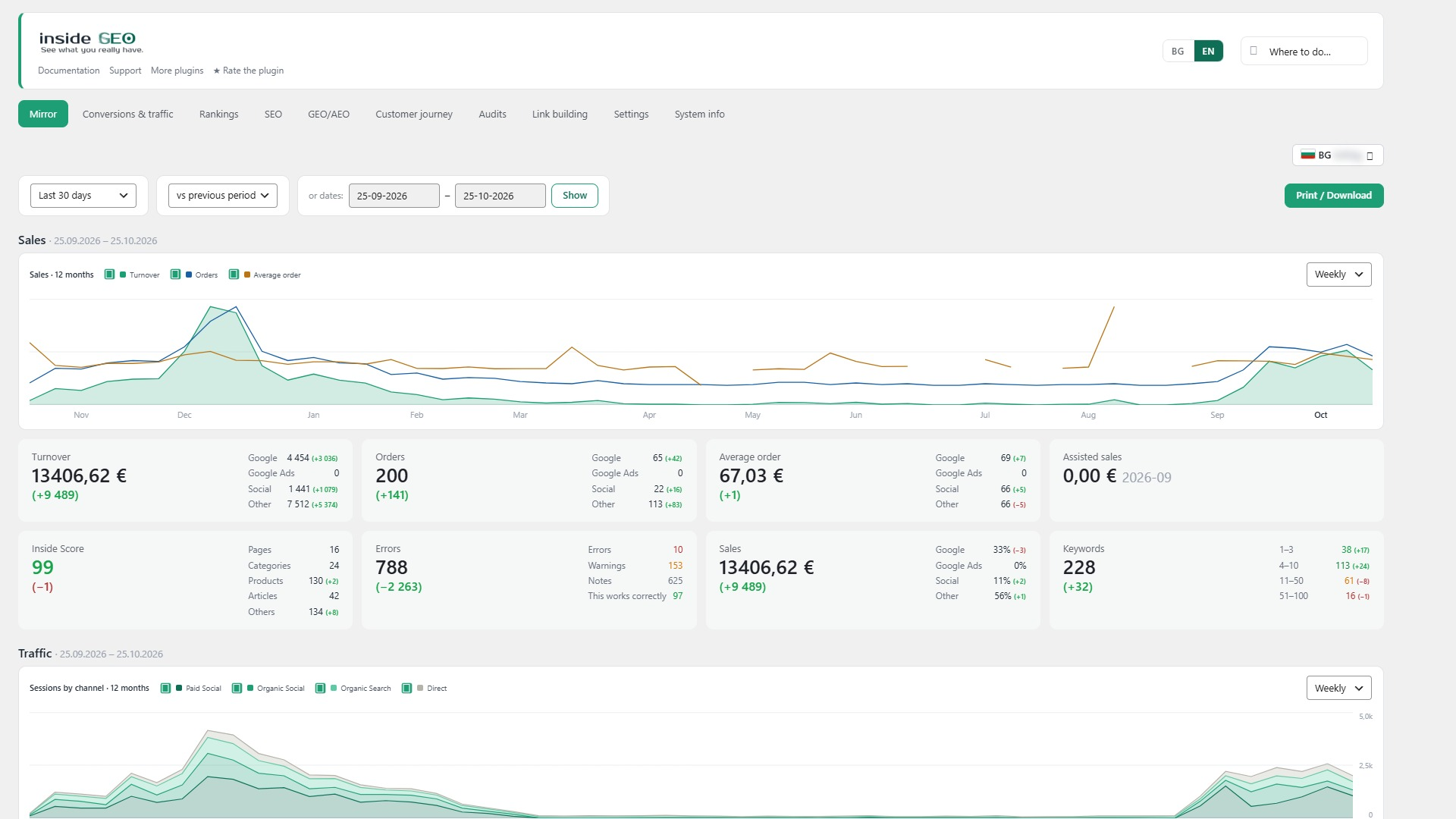
- The most important facts on one screen: sales, traffic, rankings and errors, compared with the previous period.
- Fix first: the problems ordered by traffic and revenue, not by technical detail.
- What search engines and AI assistants really see: indexable pages, structured data, missing titles, descriptions and H1s.
Conversions and traffic
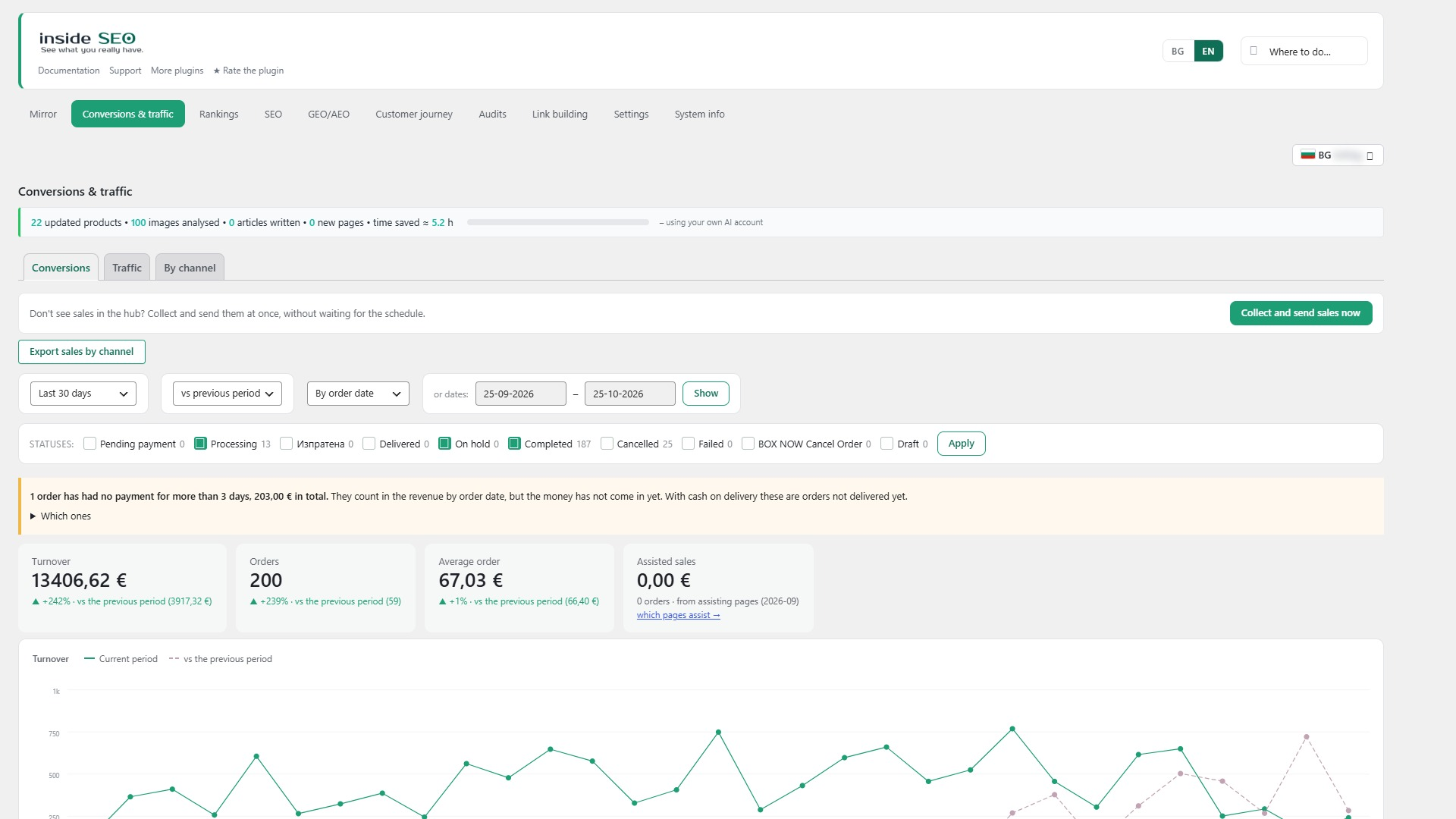
- Conversions: orders, revenue and net sales (minus VAT, shipping and refunds) for stores, and calls, emails, forms, bookings and sign-ups for sites without a shop.
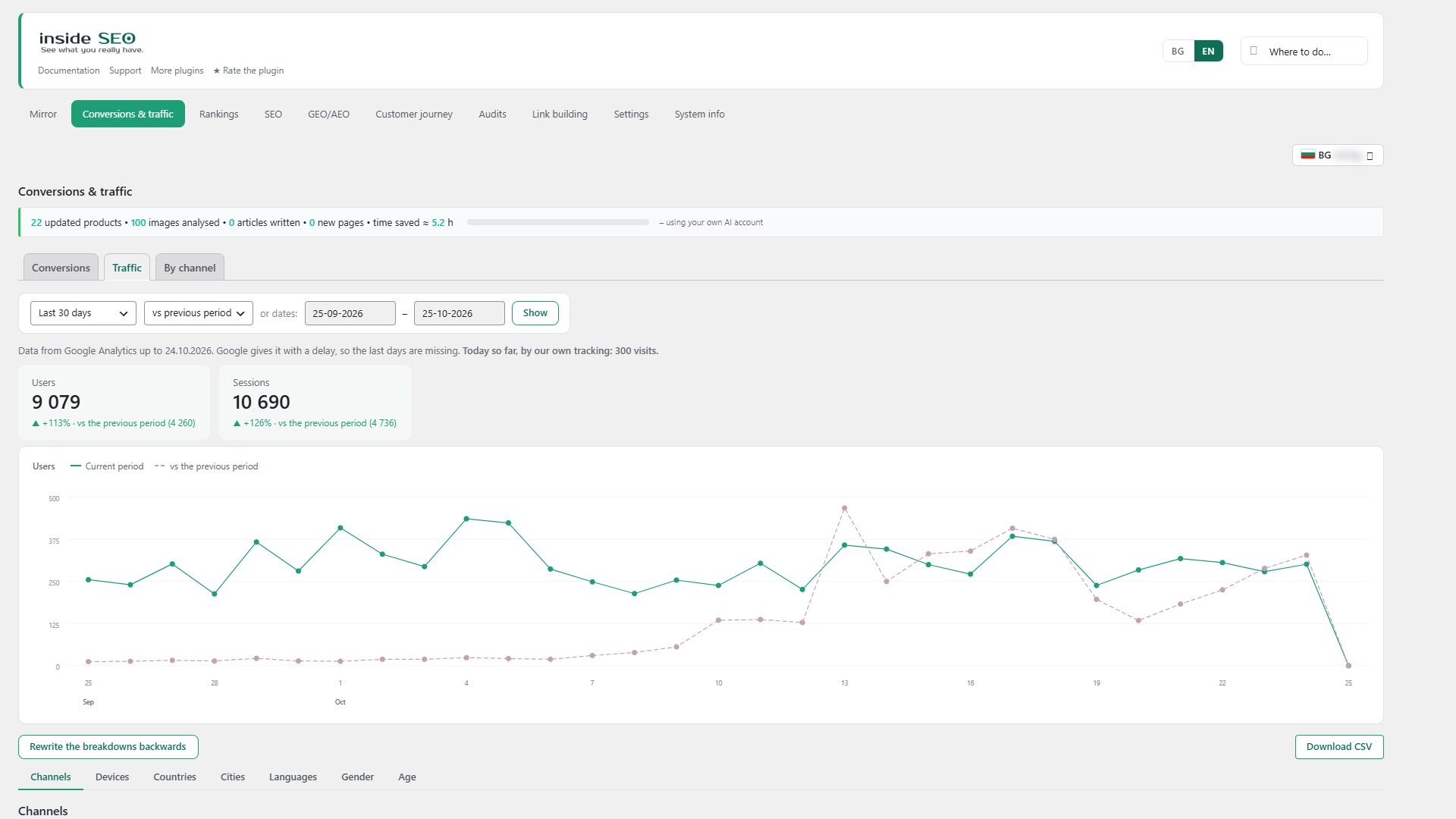
- Traffic: visitors, landing pages, devices, countries, cities and languages from GA4.
- By channel: Google, direct visits, ads, social networks and AI search engines, with visits and revenue for each.
- Every figure is shown against the previous period of the same length.
Rankings
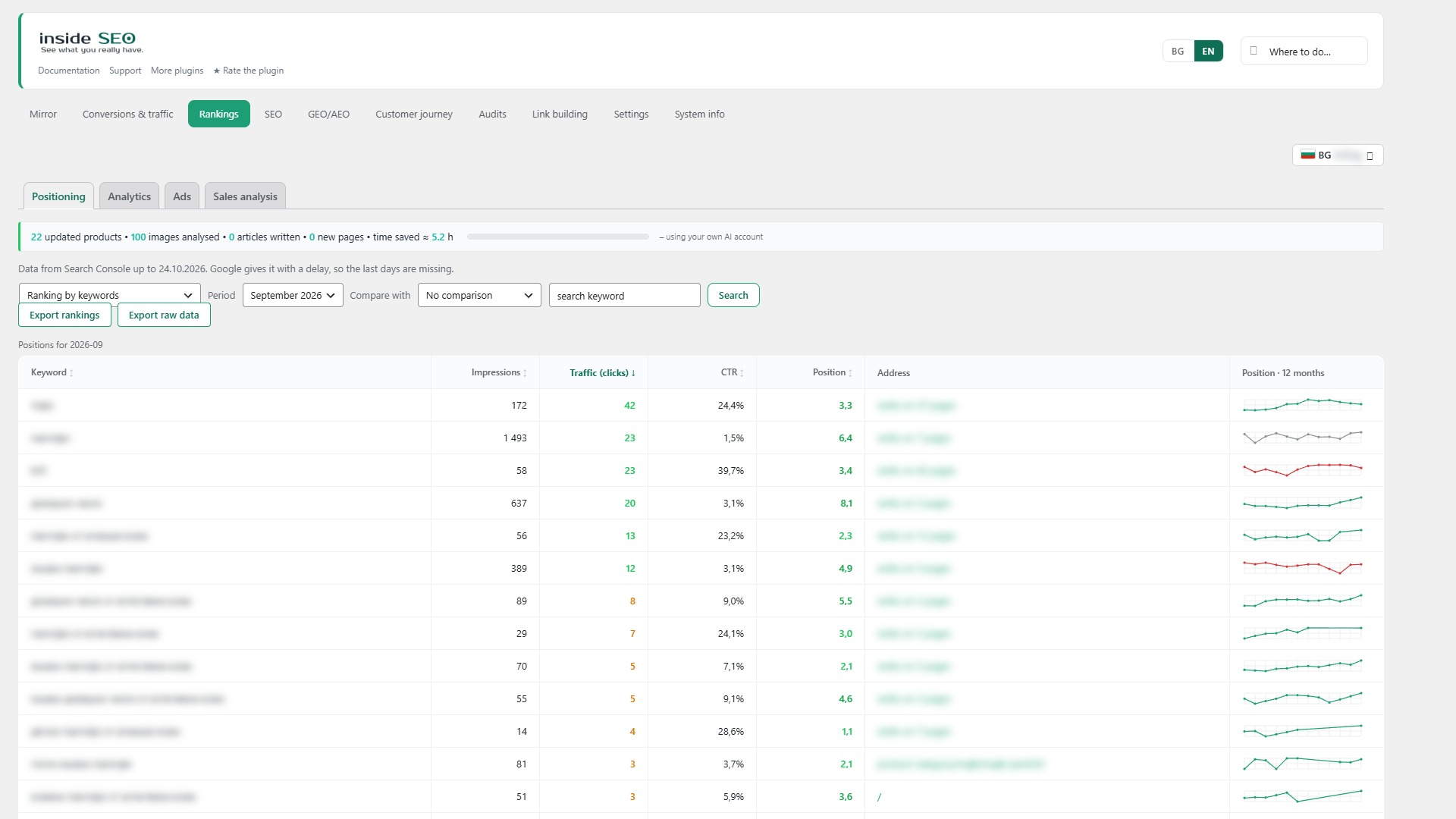
- Positioning: keyword and page positions, impressions, clicks and CTR, winners and losers.
- Queries close to the top 10, so you can see quick wins.
- Ads: spend and return on ad spend from an imported ad file.
SEO
Errors, 143 checks in 11 groups. Indexing and language versions (17), content (23), titles and descriptions (15), clean URLs (8), structure (5), links (8), technical (39), speed (5), structured data and AI search (5), files (12), mixed Cyrillic and Latin letters (6). The findings are ordered by impact: invisible to search engines, visibly wrong, holding rankings back. Each one explains what it is, why it matters, where it is and how to fix it. Titles and descriptions can be fixed right in the table, in bulk, and the check re-runs live.
Reviewed issues. A finding that only a human can judge can be marked as reviewed, with a reason and a note. It drops out of the count but stays in a separate table, so nothing is hidden. A postponed one returns on its own after the date.
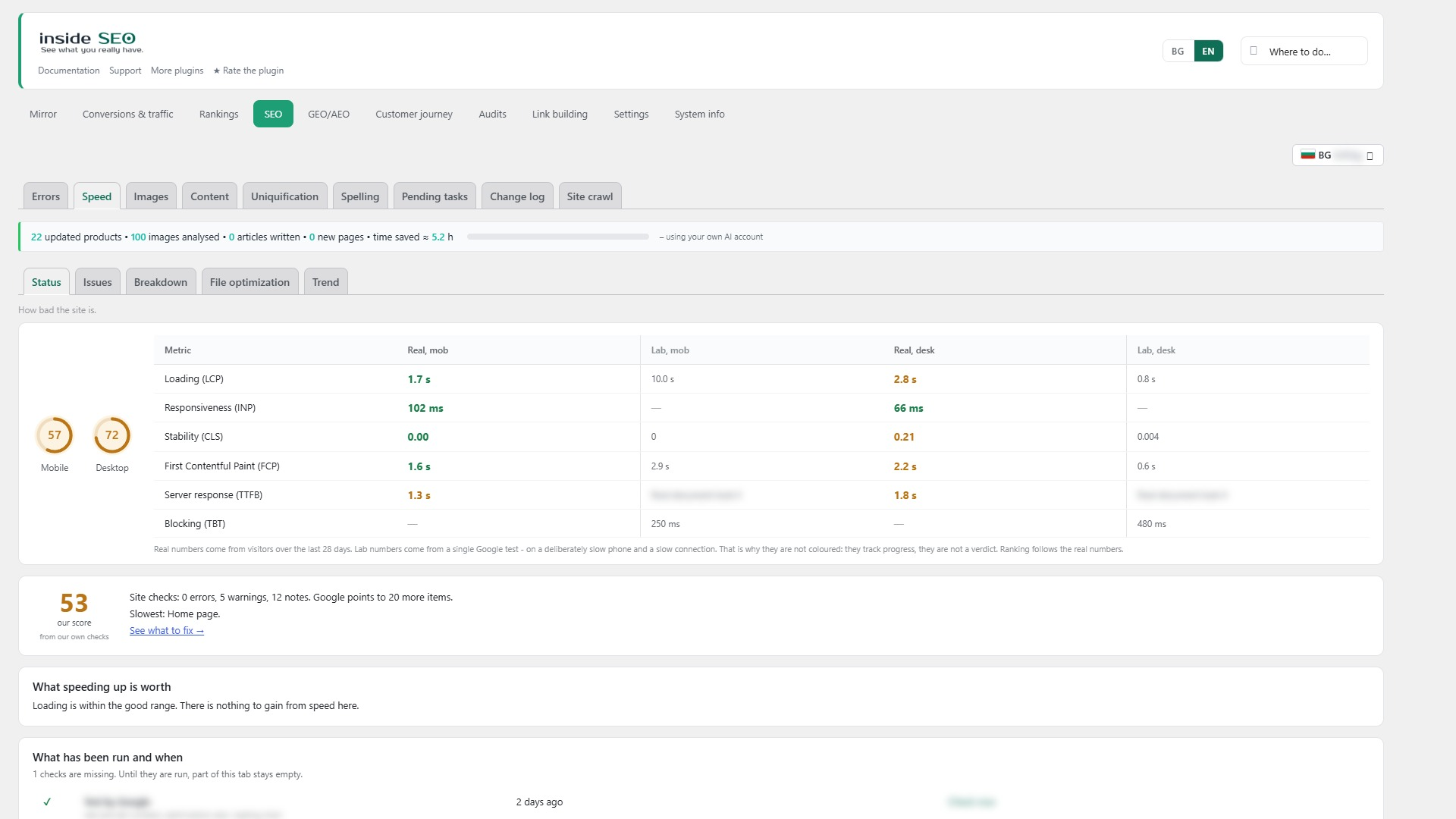
Speed. Google PageSpeed field data for phone and computer (LCP, INP, CLS), a lab test and the plugin’s own load test of your server, files, plugins and database queries, plus 31 checks of its own. “What a plugin costs” loads a page with one plugin’s files disabled, just for that request, and shows the difference. You also get a page-weight breakdown, the slowest pages, a month-by-month history and an optional comparison with up to three competitor addresses.
File loading. Which CSS and JavaScript files load on which pages, so you can stop a plugin’s files where it is not used. A ready exclusions list for your cache plugin, and a warning when another optimization plugin already does the same job.
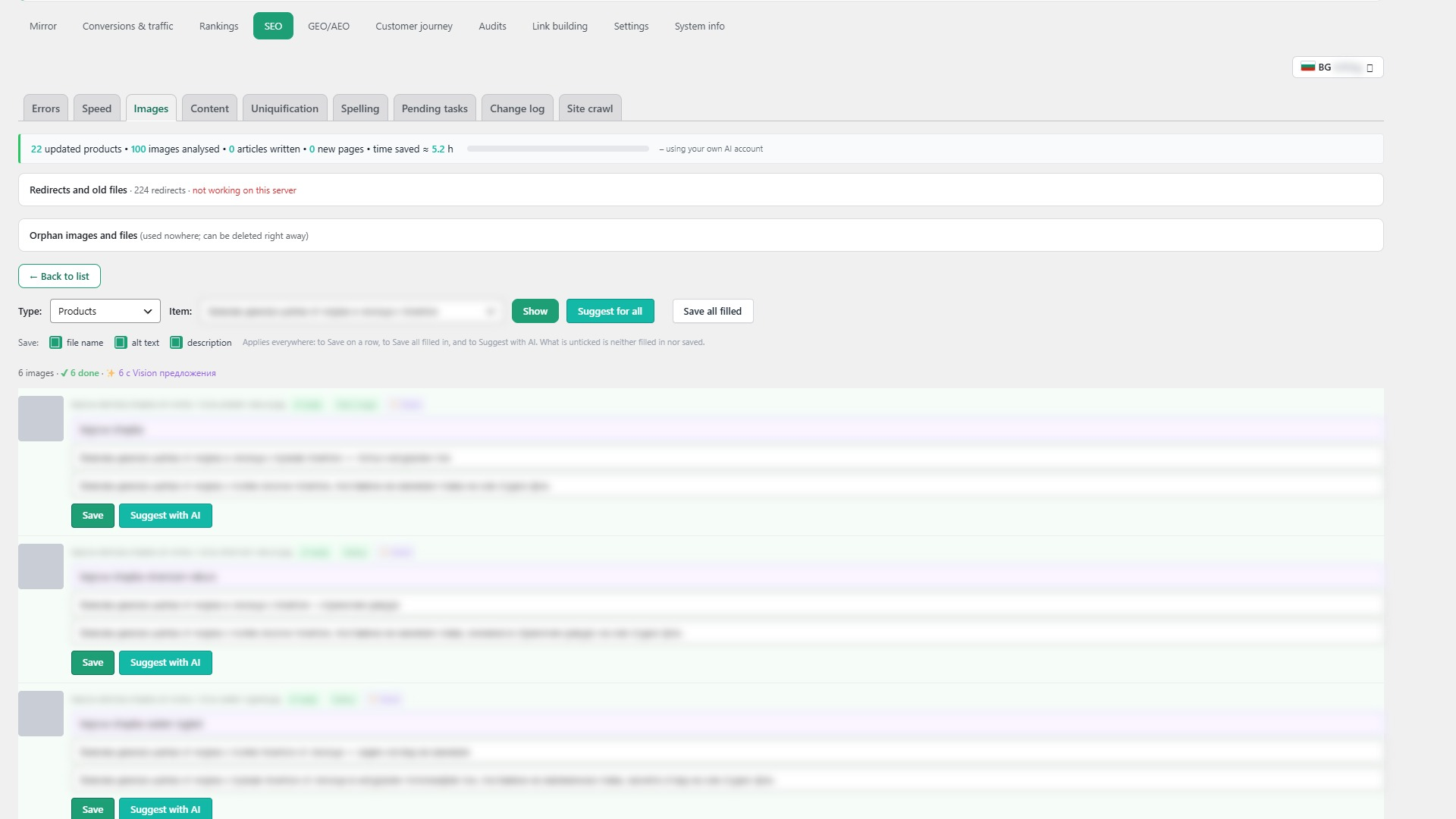
Images. Fix alt text and file names, and find unused images and files (orphans) before you delete them.
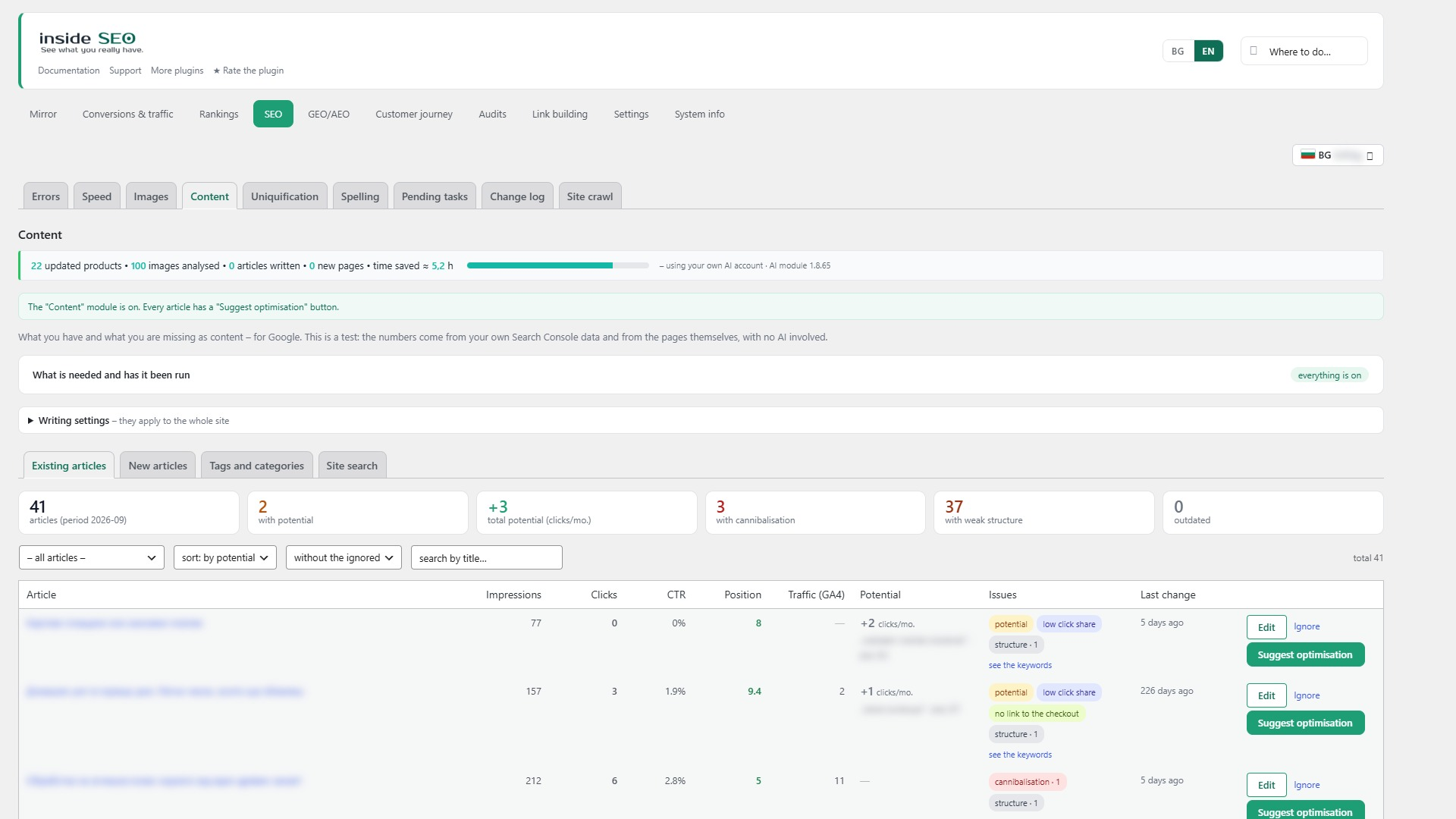
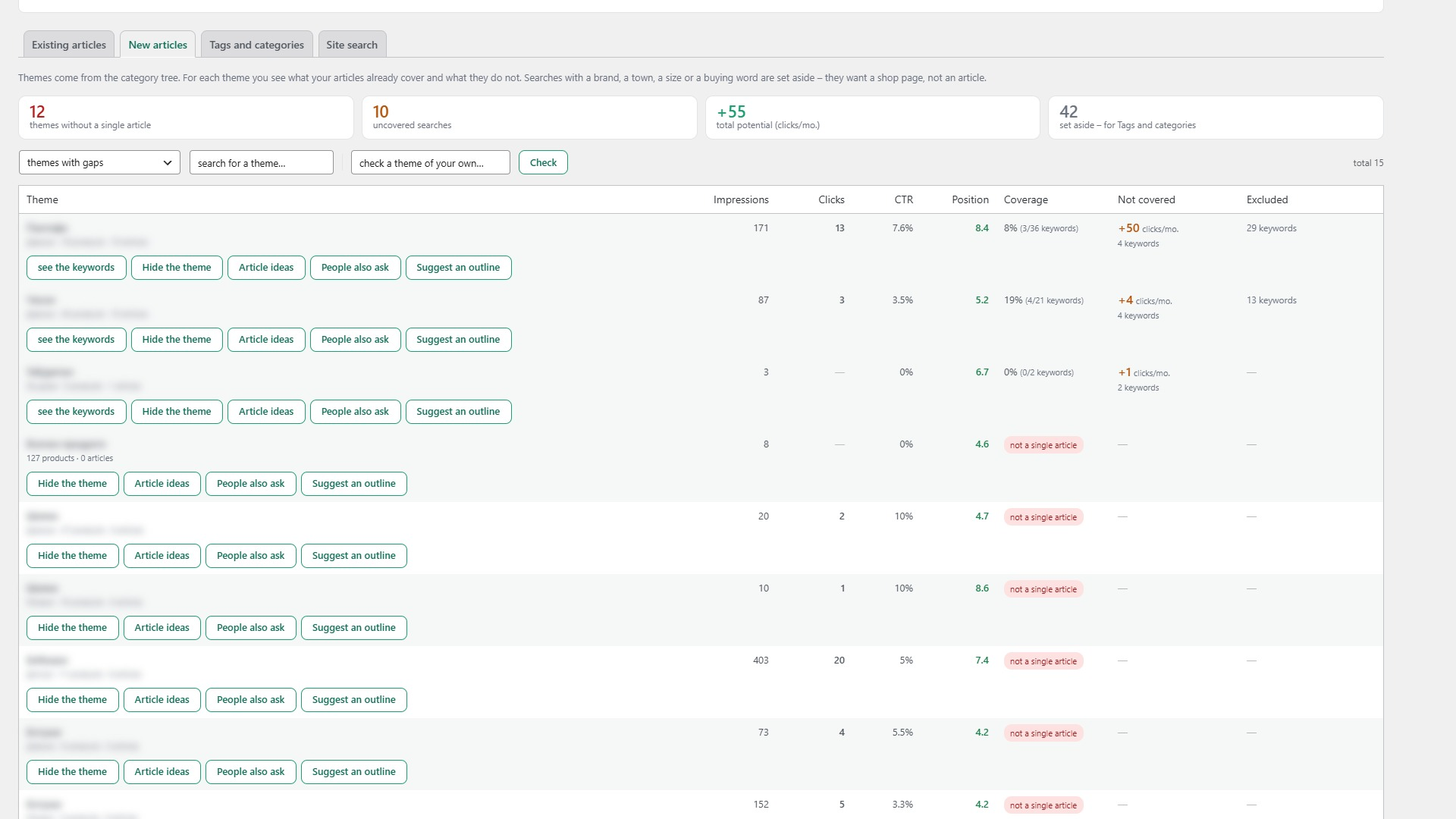
Content. Old articles to update, topics for new articles, what people search for in the site search box, and empty or dead categories and tags.
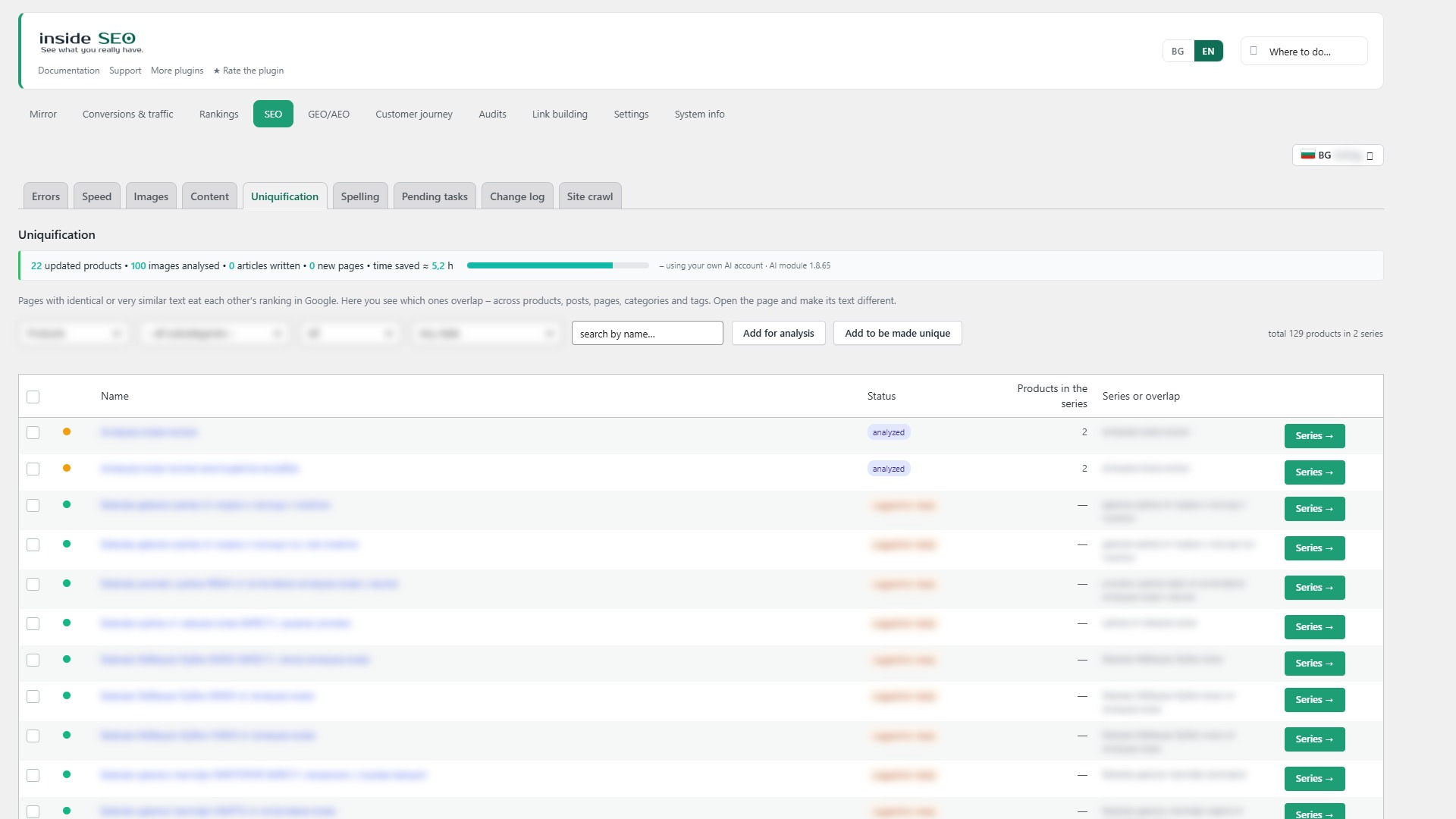
Uniquification. Series of near-identical products and pages, graded by overlap (over 70% red, 40-69% amber), with the pages each one collides with.
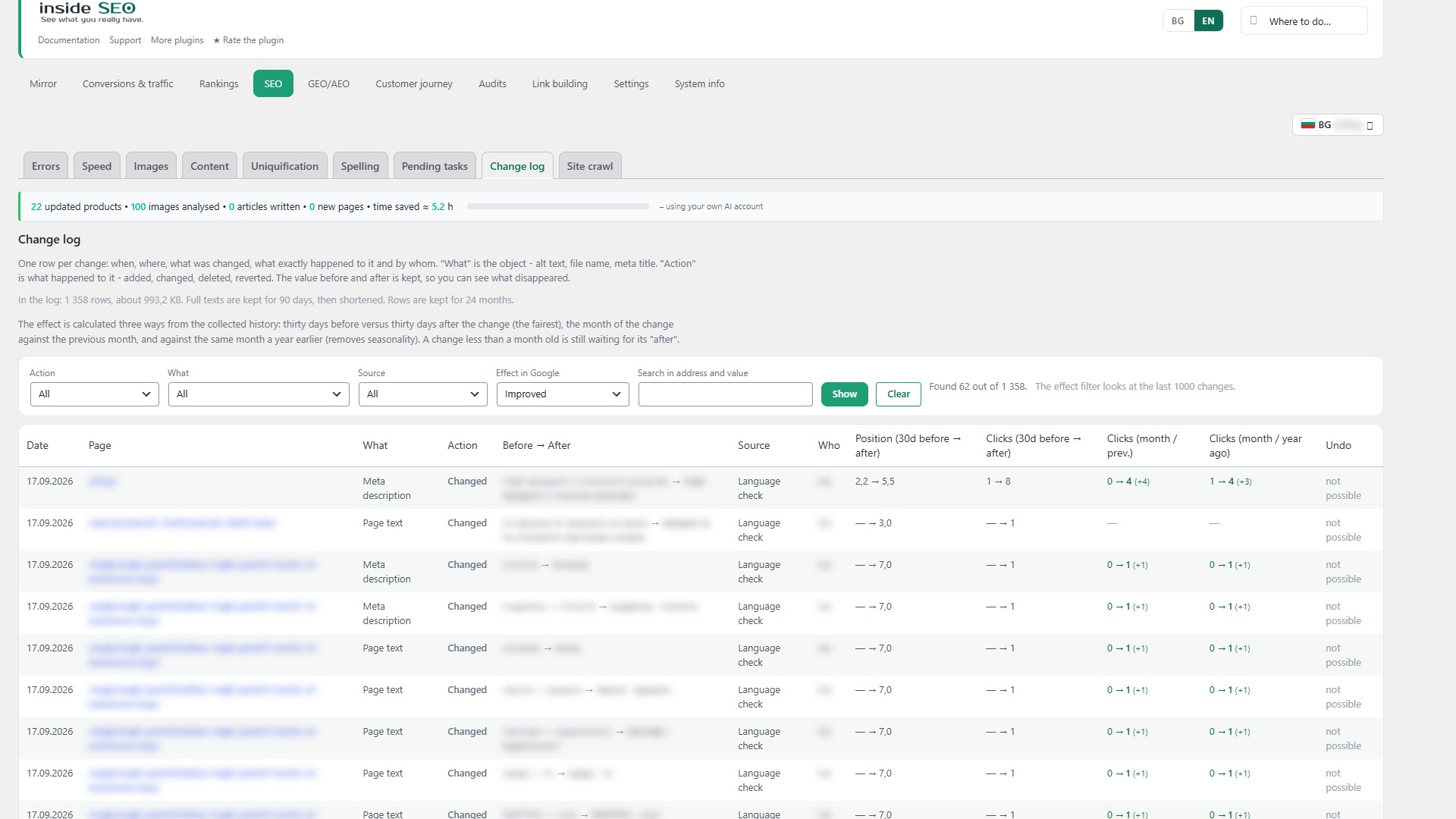
Change log. Every change to titles, descriptions, alt text and file names, with who made it and when. The effect is measured 30 days before and after, month over month and year over year. Speed changes are recorded with the numbers before and after, so you can prove they helped or undo them.
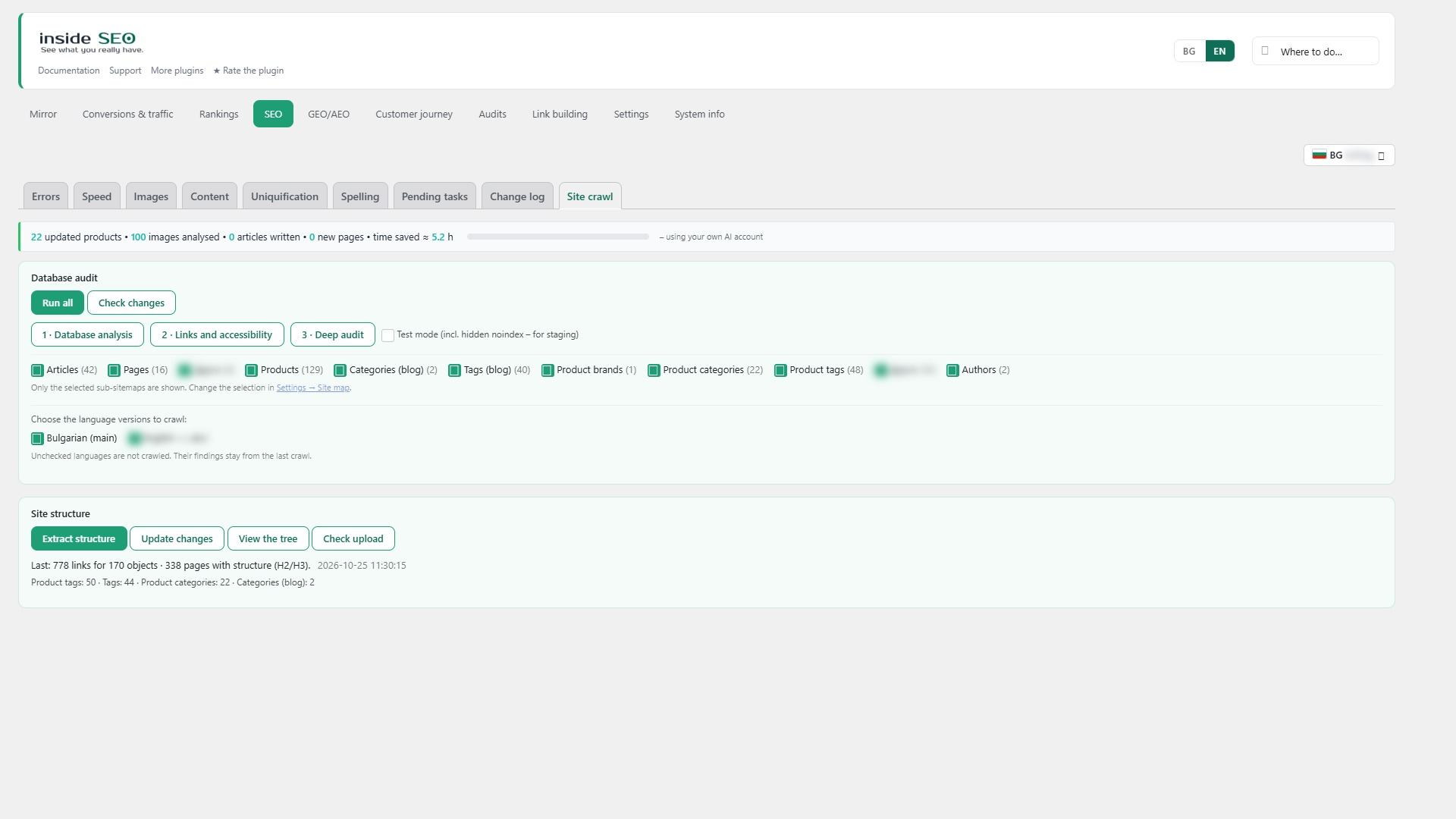
Site crawl. A full crawl of your own site for broken links, orphaned pages, broken canonicals and problematic filter addresses, run as often as you like.
GEO / AEO, search engines with AI
- Results: visits from AI bots, sales from AI sources and pages that AI assistants already reach.
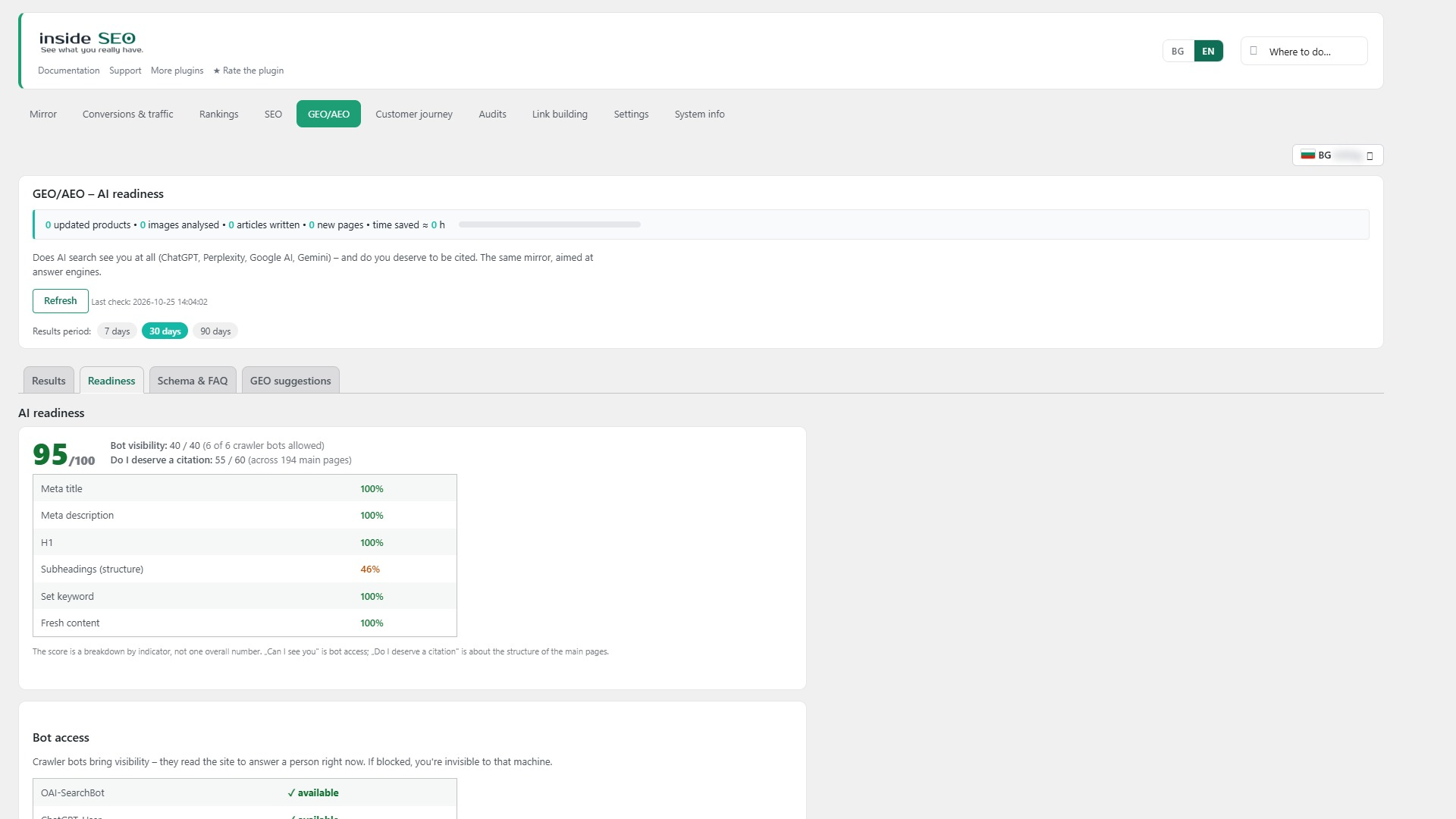
- Readiness: whether ChatGPT, Claude, Perplexity, Gemini and others can reach your site, each AI bot with its robots.txt access, and the structured data they understand.
- Schema and FAQ: structured data and a visible question-and-answer block for your pages.
- An llms.txt map of your key pages and products for AI crawlers, turned on or off from this screen.
System info and Guide
- System info: your SEO plugin, cache plugin, site type, sitemap, PHP and WordPress details in one place.
- Guide: answers “where do I do X” and takes you to the right screen. If something does not work, a form there sends us a short description with the plugin, WordPress and PHP versions, only when you press the button.
Also included
- Removed pages and real 404s: addresses that disappeared, with their Google clicks and impressions, ready to redirect or mark as gone for good (410).
- Moving the site: when the site moves to a new address, the plugin notices, pauses anything tied to the old address and asks you what to do.
- IndexNow (optional, off by default): tells Bing, Yandex and others the moment you publish or update a page.
- Working with an SEO agency (optional): only after you accept an invitation and see exactly what the agency will see and do. Every change is logged on your site, and you can end the connection at any time.
- More of our plugins: a quiet page that lists our other free plugins. Nothing is installed unless you press Install.
- Interface languages: English, Bulgarian, German, French, Spanish, Italian and Russian, with a language menu in the top right corner of every screen. “Automatic” follows the site language.
Everything above is free and fully functional, with no time limit and no locked features. An optional companion plugin from our own site adds AI-prepared suggestions and deeper analyses; this plugin works completely on its own without it.
Requirements
- WordPress 6.2 or newer
- PHP 8.1 or newer
- WooCommerce (optional, for sales data)
- Google Search Console and GA4 accounts for full data
External Services
DigitalM Inside SEO may communicate with the following external services when you use specific features.
seo.digitalmseo.com (our service)
- What: the Google connection uses our service as a connection helper, so you do not have to create your own Google Cloud project.
- When: only when you click “Connect Google account”.
- What is sent: your site URL, plugin version, and a public verification key. Google tokens are stored only on your own site; our service never stores them.
- Privacy Policy: https://seo.digitalmseo.com/en/privacy-policy/
- Terms of Use: https://seo.digitalmseo.com/en/terms/
Google APIs (optional)
- What: Search Console API, GA4 API and Google Ads API (read-only: campaign results and keyword ideas).
- When: when the user connects their accounts.
- What is sent: OAuth tokens and data requests.
- Policy: https://policies.google.com/privacy
seo.digitalmseo.com – SEO agency connection (optional)
- What: our service checks agency invitations and passes approved requests between your site and the agency’s site.
- When: only after you open an invitation link from an agency and confirm it. Nothing is sent before that.
- What is sent: your site URL, plugin version and a public verification key. After you confirm, the agency’s site can read the SEO data shown on the consent page (findings, Google Search Console and GA4 history, rankings, the change log and daily visit figures) and send signed change requests, which are logged on your site. For the agency’s list of clients, our service may read a few summary numbers your site has already calculated and keep them for up to 15 minutes.
- How to stop it: Settings → Agency → end the connection.
seo.digitalmseo.com – problem report form (optional)
- What: the “Something not working?” form on the Guide screen.
- When: only when you press the send button.
- What is sent: your message, the plugin, WordPress and PHP versions, the active SEO plugin, your site URL, and your email only if you tick the consent box.
Meta Graph API (optional, coming soon)
- What: graph.facebook.com – reads the Facebook Page, its linked Instagram business account and Meta ad figures (read-only). The connection goes through seo.digitalmseo.com, like the Google connection.
- When: only after you click “Connect Meta” in Settings → Profiles and sign in with Facebook. The button is turned on after Meta approves the app; until then nothing is sent to Meta.
- What is sent: the access key and read requests for the Page, Instagram and ad accounts you chose. The access key is stored encrypted only on your site; our service deletes it within minutes after the connection.
- Policy: https://www.facebook.com/privacy/policy/ and https://developers.facebook.com/terms/
Google PageSpeed Insights API (optional)
- What: the speed test on the Speed screen.
- When: when you run a speed test or schedule one.
- What is sent: the public URL of the page being tested.
- Policy: https://policies.google.com/privacy
IndexNow (optional, off by default)
- What: api.indexnow.org, shared by Bing, Yandex and other search engines.
- When: only after you turn it on, each time a page is published or updated.
- What is sent: the public URL of the changed page and a key file address on your site.
- Policy: https://www.indexnow.org/terms
WordPress.org plugin directory
- What: the “More of our plugins” page reads the list of our plugins from the WordPress.org directory through the standard WordPress function.
- When: when you open that page; the list is kept for 12 hours.
- What is sent: the author name used for the search; nothing about your site.
AI provider APIs (optional)
- What: AI suggestions for questions (FAQ) and schema on the GEO/AEO screen.
- When: only when the user explicitly clicks a “Suggest” button, using the AI provider configured in WordPress Connectors or the user’s own API key.
- What is sent: page context (title, content excerpt).
- The user pays their AI provider directly; we never see or store the key on our servers.
Credits
Built by Digital M SEO Ltd (digitalmseo.com).
Installation
- Upload the plugin folder to
/wp-content/plugins/, or install it directly from the WordPress admin. - Activate the plugin through the Plugins menu in WordPress.
- Follow the setup wizard, or open Settings and connect Google Search Console and GA4.
- Run the first audit from the SEO screen.
FAQ
Is the plugin free?
Yes. Everything in this plugin works forever with no time limit and no locked features.
What data do you collect and where do you store it?
The plugin collects data about the SEO health of your site (titles, meta descriptions, speed, rankings). This data is stored on your own WordPress site, not on our server.
Does it work with Yoast SEO, RankMath, SEOPress or All in One SEO?
Yes. Inside SEO is built to work alongside them, not to replace them. It reads the meta data from the active SEO plugin and adds deeper analysis.
Do I need Google Search Console and GA4?
Not strictly, but they are strongly recommended. Without them you will not see rankings, impressions, CTR and traffic data, only the technical checks.
Can an SEO agency manage my site through the plugin?
Only if you accept an invitation from that agency. You see what it will receive before you confirm, every change it makes is logged on your site, and you can end the connection at any time.
How do I report a problem?
Use the form at the bottom of the Guide screen. It is sent only when you press the button. Leave the email from your account with us to get the reply as a support ticket.
Does it support multilingual sites?
Yes. It runs hreflang checks automatically when it detects a multilingual setup.
Will the plugin slow down my site?
No. Scans run in small batches and never block a page load.
What is llms.txt?
It is a small map of your key pages and products for AI crawlers, served at yoursite.com/llms.txt. You can turn it on or off from the GEO/AEO screen.
Do you support AI assistants (ChatGPT, Claude, Perplexity, Gemini)?
Yes. The GEO/AEO screen checks whether AI bots can reach your site, whether you have structured data they understand, and whether your content is ready to be quoted.
Screenshots


Changelog
0.294.321
- Fix: the agency again gets the series for Make them unique in the language it chose on multilingual sites (broken in 0.294.319). The language is now passed directly, not through the request.
0.294.320
- Fixed: the readme again has the Upgrade Notice, External Services and Credits sections (they were lost when the older changelog moved to changelog.txt). Google Ads is listed with the Google APIs; the Meta connection is marked “coming soon”.
0.294.319
- Changed: “Connect Meta” in Settings → Profiles and in Ads → Meta shows “coming soon” until Meta approves the app. Sites that are already connected keep working.
- Fix: Plugin Check — translator comments for three strings; the language choice and the metric choice are read only from signed screen links; JSON from the form is cleaned before reading; queries list each value separately.
- Fix: the styles of the language menu and the campaign table moved to the stylesheet (no inline style tags).
0.294.318
- Faster: Site errors reads pages in batches only for the checks that use them (titles, descriptions, headings, addresses, image alt). Site-wide checks such as fonts, files and icons no longer load pages they do not need, which had made them slower in 0.294.317.
0.294.317
- Faster: the Site errors screen reads pages, their fields and categories in batches of 200 instead of one query per row, and no longer looks up every address in the database to spot shop and legal pages. On a test site the queries fell from 1,024 to 106 with the same result; memory stays low because each batch is released after use.
0.294.316
- Fix: three English texts showed a backslash before the quotes (\”Pending tasks\”).
0.294.315
- Fix: fetching a month again no longer deletes that month’s Google Ads, Meta Ads and Facebook/Instagram data from the archive.
- Fix: Proofreading says how many texts were checked when nothing was found, instead of “Nothing has been checked yet”.
- Fix: in Images, an image with alt text no longer counts as “no image description”; an image whose alt is written in the page counts as having alt.
- New: the language menu at the top has “Automatic (by site)”.
- Fix: the Documentation link in English opens the English help (/en/help/).
- Fix: English labels: page types in the freshness table, “not yet” for pages not crawled, the daily collection examples, the dictionary count, the hint in Pending tasks, “Rebuild past breakdowns” and “Open Uniquification”.
0.294.314
- New: search volume from the Google Ads Keyword Planner for each language version. The words of a version (for example the English one in /en/) get their own volumes in its language, worldwide; the Update button refreshes the version on screen.
- New: the agency’s live planner questions (“Keywords this page does not cover yet”, searches per month for article ideas) use the language version chosen in the agency.
0.294.313
- New: the agency gets the Search Console and Google Analytics data of each language version (on another domain or in a folder) in separate tables, as stored here. Older agency plugins still get only the main site.
0.294.312
- New: the agency can ask the client for “Keywords this page does not cover yet” and for searches per month of article ideas (the client’s Google Ads Keyword Planner, read only).
- New: the Facebook and Instagram data (without ads) is shared with the agency, so its Ads → Meta tab shows the same numbers.
0.294.311
- Fixed: German, French, Spanish, Italian and Russian translations for the Meta connection, Meta ads and the Facebook and Instagram data (70 texts were only in English).
0.294.310
- Fixed: the editor box marks a page as “Hidden helper” from the same indirect orders as Sales analysis (last 30 days), not from the hub’s monthly list.
0.294.309
- New: one place for sales. A “Sales by day” table (day, channel, campaign) is the source for Overview, Sales, the charts and the agency. Old days are counted once and kept; the last 60 days are counted again once a day; when an older order changes status or is refunded, only its day is counted again. Today is read live. It replaces the older day table that served only the Overview chart.
- New: one rule for which order is a sale (chosen statuses, not a test order, not fully refunded), used by every place that counts orders. Sales from AI sources no longer count cancelled and failed orders.
- Changed: Sales → By channel shows sessions only. Orders and revenue by channel come from the shop, in Sales → Channels.
- Changed: answers from Google that go into the tables are no longer kept again as temporary records in the WordPress settings. A one-time background step removes the old copies and writes the history shorter (Cyrillic as letters, not codes). No data is lost.
- New: Settings – every table has a readable name, and the size of the plugin records in the WordPress settings table is shown.
0.294.308
- Fixed: Overview reads sales from the same place as Sales (same statuses, test and fully refunded orders left out). Before it had its own count and the numbers could differ.
- Fixed: Overview – Meta ad orders (source “fb”, “ig”) were counted under “Other” instead of “Social”.
- Fixed: Overview – the Errors card follows fixes made in other tabs at once, like the Errors tab, instead of after an hour.
- Changed: Overview – the Keywords card shows its month (the last full month, as in Rankings).
- Changed: sales sent to the hub use the same rule for which order is a sale (same statuses, fully refunded orders left out).
0.294.307
- Fixed: indirect sales are read from one place. The tiles in Overview and Sales and the lists in Sales analysis show the same orders for the same chosen period (needs hub 0.84.132 and Pro 0.4.329). The link “which pages assist” opens Sales analysis for that period.
0.294.306
- Fixed: Sales – the “Assisted sales” tile shows exactly the days of the chosen period, not only the latest month in the hub (needs hub 0.84.131).
- Changed: “Send the orders for analysis” also takes the fresh analysis back from the hub at the end, so the tile changes at once.
0.294.304
- Fixed: Sales – “Send the orders for analysis” sends the paths of the visits first and the sales after them. Sending the months could use up the time of the request, and then the paths were not sent.
0.294.303
- Changed: Sales – the button is now called “Send the orders for analysis”. It also sends the paths of the visits (with the Customer journey module), so indirect sales reach the hub without waiting for the WordPress schedule.
0.294.302
- Changed: the customer journey steps table no longer has the index on the “sent” flag. The steps are never marked as sent (the visits are), so the index only grew with every row.
0.294.301
- Fixed: the Change log showed the page as its address. A long address (Cyrillic, percent-encoded) stretched the table and its right part could not be seen. It now shows the page name, wraps, and keeps the full address in the tooltip.