

Description
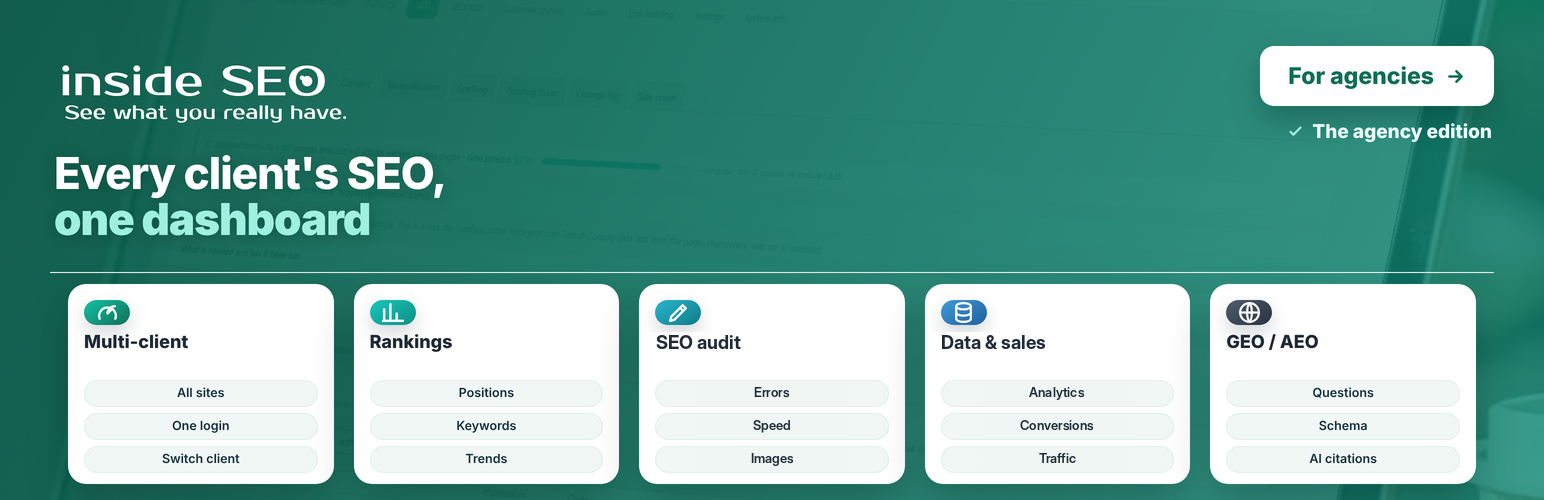
DigitalM Inside SEO Agency lets an SEO agency follow all its client websites from its own WordPress, without logging in to each client’s dashboard.
Each client installs the free DigitalM Inside SEO plugin and accepts your invitation. From then on, their SEO data comes to your site every night, and you work on it here. The client picker sits in the top bar, and every screen shows the selected client’s data.
Who it is for
- SEO agencies and freelancers who look after several WordPress or WooCommerce websites.
- In-house teams that run more than one website.
How the connection works
- You create an invitation for the client in Settings.
- The client installs the free DigitalM Inside SEO plugin and opens the invitation link. A page on their own site shows your agency’s name and exactly what you will see and be able to do.
- The client confirms, and you approve the connection. Their data starts downloading the same night.
The client can end the connection at any time. Every change you make on their site goes through a signed request and is written to a log on their site.
The same screens, for every client
Every screen below shows the data of the client selected in the top bar.
Mirror
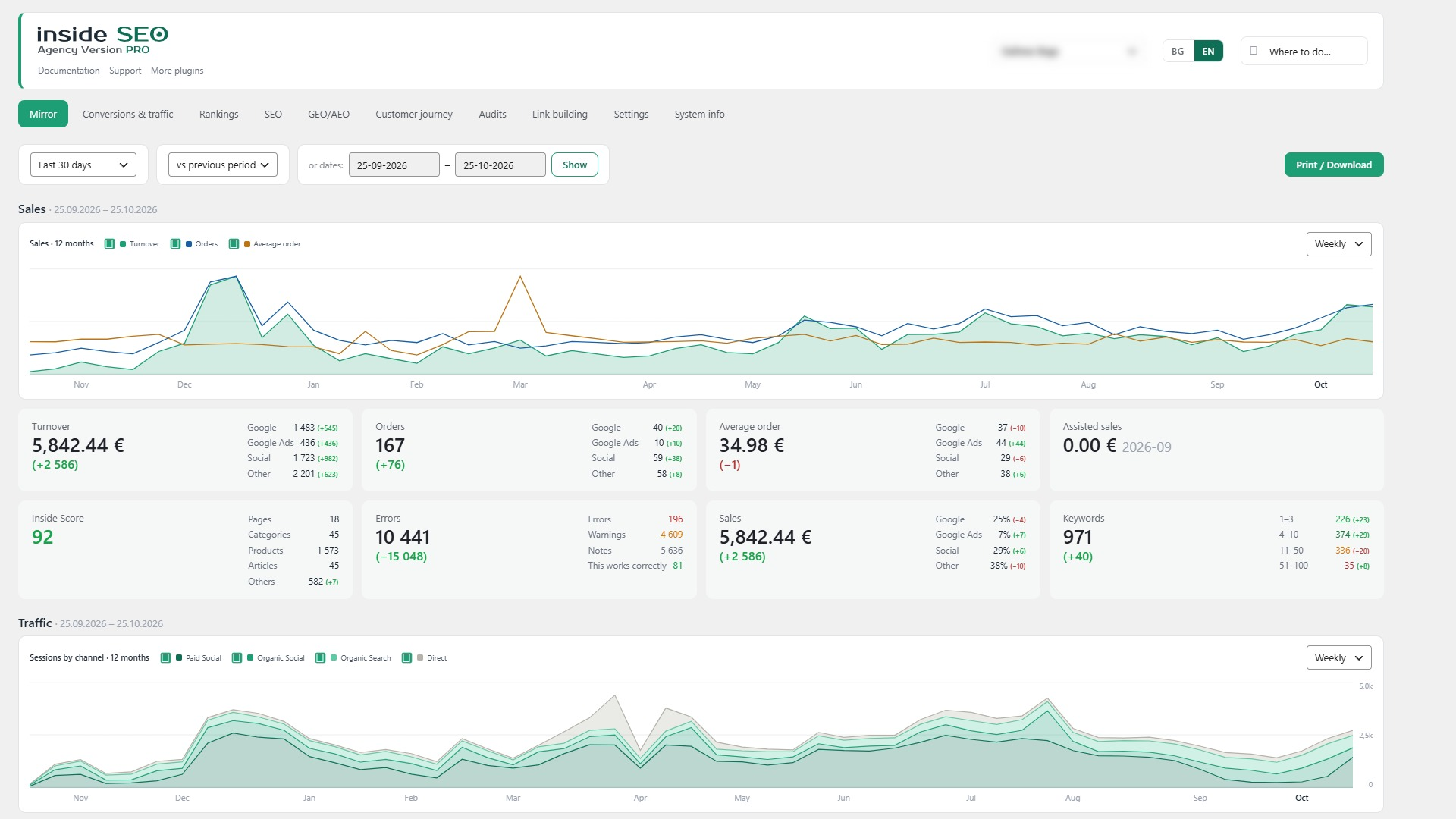
- The most important facts about the client’s site on one screen: sales, traffic, rankings and errors, compared with the previous period.
- Fix first: the problems ordered by traffic and revenue, not by technical detail.
Conversions and traffic
- Conversions: orders, revenue and net sales for stores, and calls, emails, forms, bookings and sign-ups for sites without a shop.
- Traffic: visitors, landing pages, devices, countries, cities and languages.
- By channel: Google, direct visits, ads, social networks and AI search engines, with visits and revenue for each.
- Every figure is shown against the previous period of the same length.
Rankings
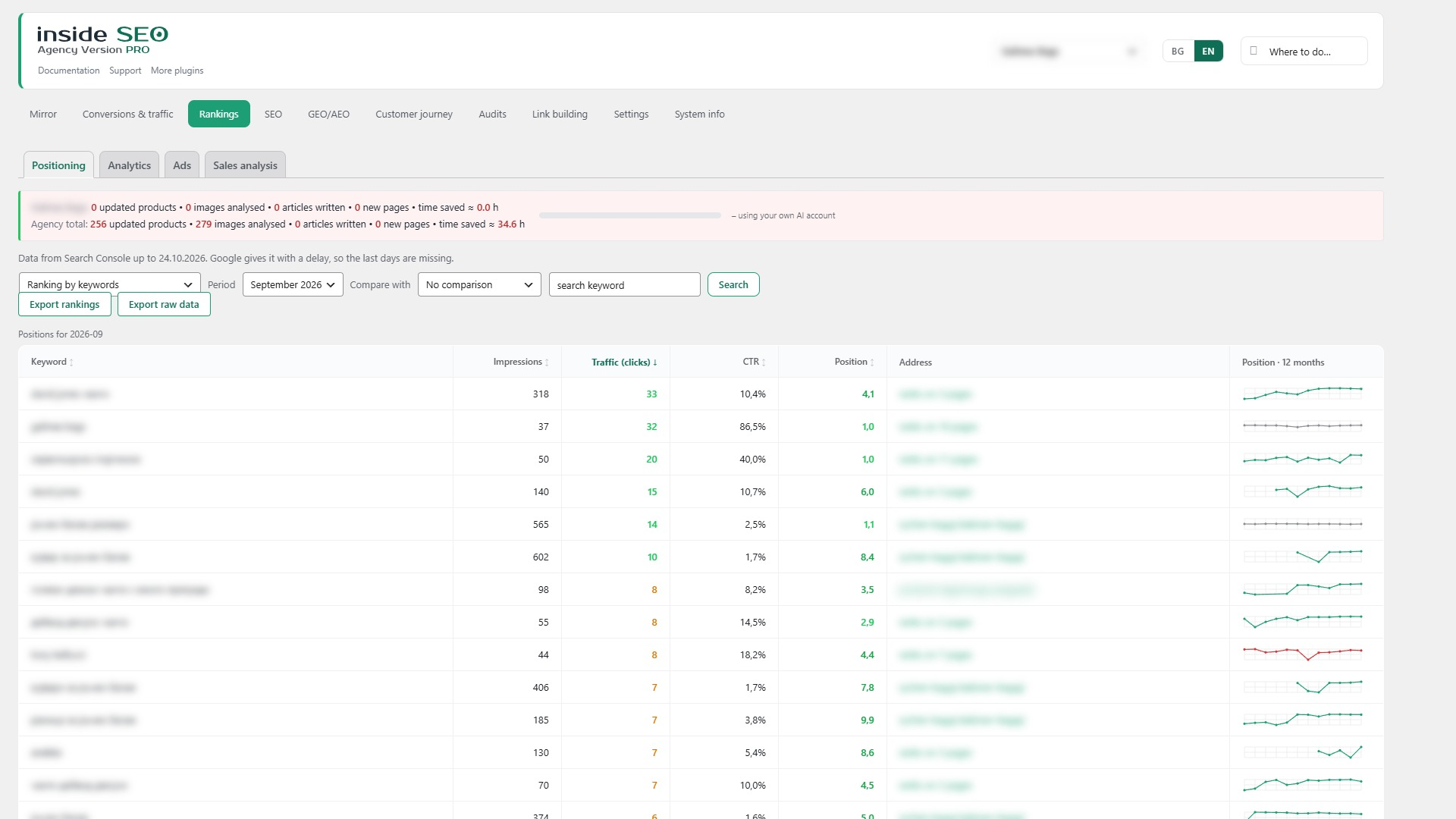
- Positioning: keyword and page positions, impressions, clicks and CTR, winners and losers.
- Queries close to the top 10, so you can see quick wins.
- Ads: spend and return on ad spend from an imported ad file.
SEO
Errors, 143 checks in 11 groups. Indexing and language versions, content, titles and descriptions, clean URLs, structure, links, technical, speed, structured data and AI search, files, and mixed Cyrillic and Latin letters. The findings are ordered by impact, and each one explains what it is, why it matters, where it is and how to fix it.
Speed. Google PageSpeed data for phone and computer (LCP, INP, CLS), the slowest pages and a month-by-month history.
Images. Missing alt text, poor file names and unused images and files (orphans).
Content. Old articles to update, topics for new articles, what people search for in the site search box, and empty or dead categories and tags.
Uniquification. Series of near-identical products and pages, graded by overlap.
Change log. Every change to titles, descriptions, alt text and file names, with who made it, when and with what effect.
Site crawl. Broken links, orphaned pages, broken canonicals and problematic filter addresses.
GEO / AEO, search engines with AI
- Results: visits from AI bots and sales from AI sources.
- Readiness: whether ChatGPT, Gemini, Perplexity and others can reach and quote the client’s site, and the structured data they understand.
- Schema and FAQ: structured data and a visible question-and-answer block for the client’s pages.
System info and Guide
- System info: the client’s SEO plugin, cache plugin, PHP and WordPress versions.
- Removed pages: addresses the client removed, with their Google clicks and impressions, ready to redirect or mark as gone.
- Guide: answers “where do I do X” and takes you to the right screen.
Built for the agency’s daily work
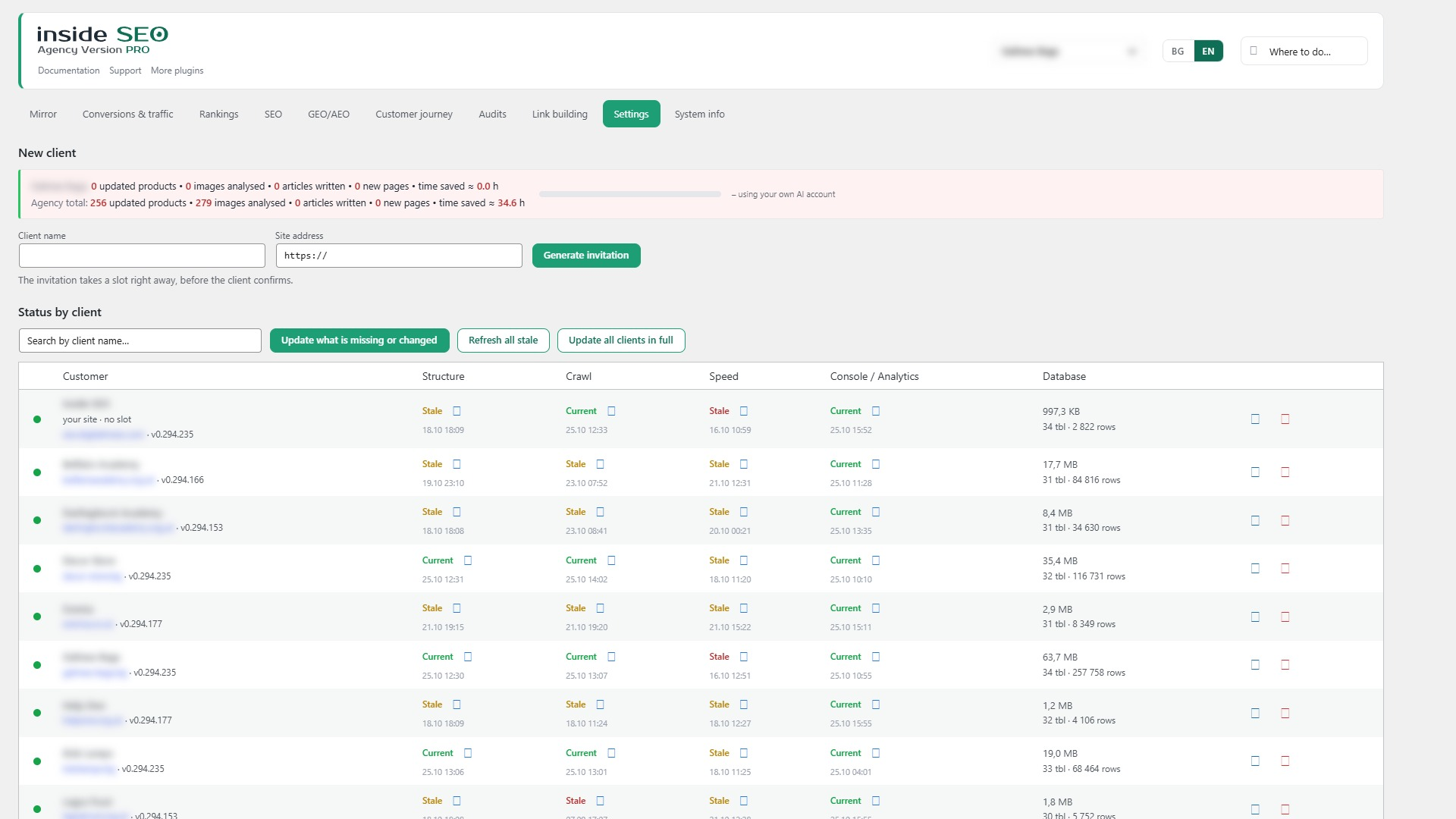
- All clients in one list – the state of each connection, the plugin version on the client’s site and when the data was last refreshed.
- Nightly refresh, only what changed – one client and one request at a time, with a pause between requests, so client websites are not slowed down. You can also refresh a client by hand.
- Your own website without a slot – with one button, the agency follows its own website too. It does not take a client slot.
- Fixes with one approval – titles, descriptions, images and texts are prepared on your side and written to the client’s site only when you approve them, through a signed request.
Help and support
A built-in Guide answers “where do I do X” and takes you to the right screen. If something does not work, a form on the Guide screen sends us a short description together with the plugin, WordPress and PHP versions, only when you press the button. If you leave the email from your account with us and tick the consent box, the message becomes a support ticket, and you see our reply in your account.
More of our plugins
A quiet page in the menu lists our other free plugins from the WordPress.org directory, with a short description. Nothing is installed unless you press the Install button, which opens the standard WordPress installer.
Interface languages
The interface is available in English, Bulgarian, German, French, Spanish, Italian and Russian. A language menu sits in the top right corner of every screen. “Automatic” follows the site language.
Free and paid
The plugin is free and every screen works without a licence. Client connections are managed by our service at seo.digitalmseo.com. The free service plan covers up to 3 client websites at a time. More client websites are available as a paid service plan from our own site. A separate Pro add-on, also offered from our own site, adds AI-prepared fixes and deeper analyses. This plugin works completely on its own without it.
Requirements
- WordPress 6.2 or newer
- PHP 8.1 or newer
- The free DigitalM Inside SEO plugin on each client website
External Services
DigitalM Inside SEO Agency communicates with the following external services.
seo.digitalmseo.com (our service)
- What: creates and checks client invitations, keeps track of connected clients and slots, and verifies that requests between your site and a client’s site are genuine.
- When: when you create an invitation, approve or end a connection, refresh the list of clients, or enter a licence key.
- What is sent: your site URL, plugin version, agency name, licence key if you enter one, a public verification key, and the client site URL you invite.
- Summary numbers: for the clients list, our service may ask connected client sites for a few summary numbers they have already calculated and keep them for up to 15 minutes.
- Privacy Policy: https://seo.digitalmseo.com/en/privacy-policy/
- Terms of Use: https://seo.digitalmseo.com/en/terms/
Your clients’ websites
- What: the free DigitalM Inside SEO plugin on each connected client site.
- When: only after the client has confirmed your invitation and you have approved it; data is downloaded at night or when you refresh by hand, and change requests are sent when you approve a fix.
- What is sent: signed requests for the client’s SEO data (findings, Google Search Console and GA4 history for each language version, rankings, Google Ads and Meta ad figures and keyword search volumes if the client has connected them, the change log and daily visit figures) and signed change requests that you approve.
- Note: this plugin never connects to Google Ads or Meta itself. Those figures are read by the client’s own site and passed on.
seo.digitalmseo.com – problem report form (optional)
- What: the “Something not working?” form on the Guide screen.
- When: only when you press the send button.
- What is sent: your message, the plugin, WordPress and PHP versions, the active SEO plugin, your site URL, and your email only if you tick the consent box.
Google PageSpeed Insights API (optional)
- What: the PageSpeed Insights API.
- When: only when you run a speed test.
- What is sent: the public URL of the page being tested.
- Policy: https://policies.google.com/privacy
WordPress.org plugin directory
- What: the “More of our plugins” page reads the list of our plugins from the WordPress.org directory through the standard WordPress function.
- When: when you open that page; the list is kept for 12 hours.
- What is sent: the author name used for the search; nothing about your site.
AI provider APIs (optional)
- What: AI suggestions (texts, questions, schema) through the AI provider set in WordPress Settings → Connectors.
- When: only when you press a button that asks for a suggestion.
- What is sent: the context of the page (title, a part of the content).
- You pay your AI provider directly; we never see or store the key.
Credits
Built by Digital M SEO Ltd (digitalmseo.com).
Installation
- Upload the plugin folder to
/wp-content/plugins/, or install it directly from the WordPress admin. - Activate the plugin through the Plugins menu in WordPress.
- Open Inside SEO Agency → Settings and enter your agency name.
- Create an invitation for your first client and send them the link.
FAQ
Do I need access to my clients’ dashboards?
No. The client installs the free DigitalM Inside SEO plugin and confirms your invitation. You never need their password.
What does the client see?
Before confirming, the client sees your agency’s name and the list of data you will receive. After that, every change you make is written to a log on their site, and they can end the connection at any time.
Will it slow down my clients’ websites?
No. Data is downloaded at night, only what changed, one client and one request at a time, with a pause between requests.
Where is the client data stored?
On your own WordPress site, in the plugin’s tables. Our service checks invitations and slots. For the clients list it may keep a few summary numbers for up to 15 minutes, so client sites are not asked on every page load. It does not keep the client’s SEO data.
Can I use it with the client plugin on the same site?
Yes. The agency plugin and the free DigitalM Inside SEO plugin can run on the same site. Use “Your site” in Settings to follow your own website without taking a slot.
How do I report a problem?
Use the form at the bottom of the Guide screen. It is sent only when you press the button. Leave the email from your account with us to get the reply as a support ticket.
Screenshots
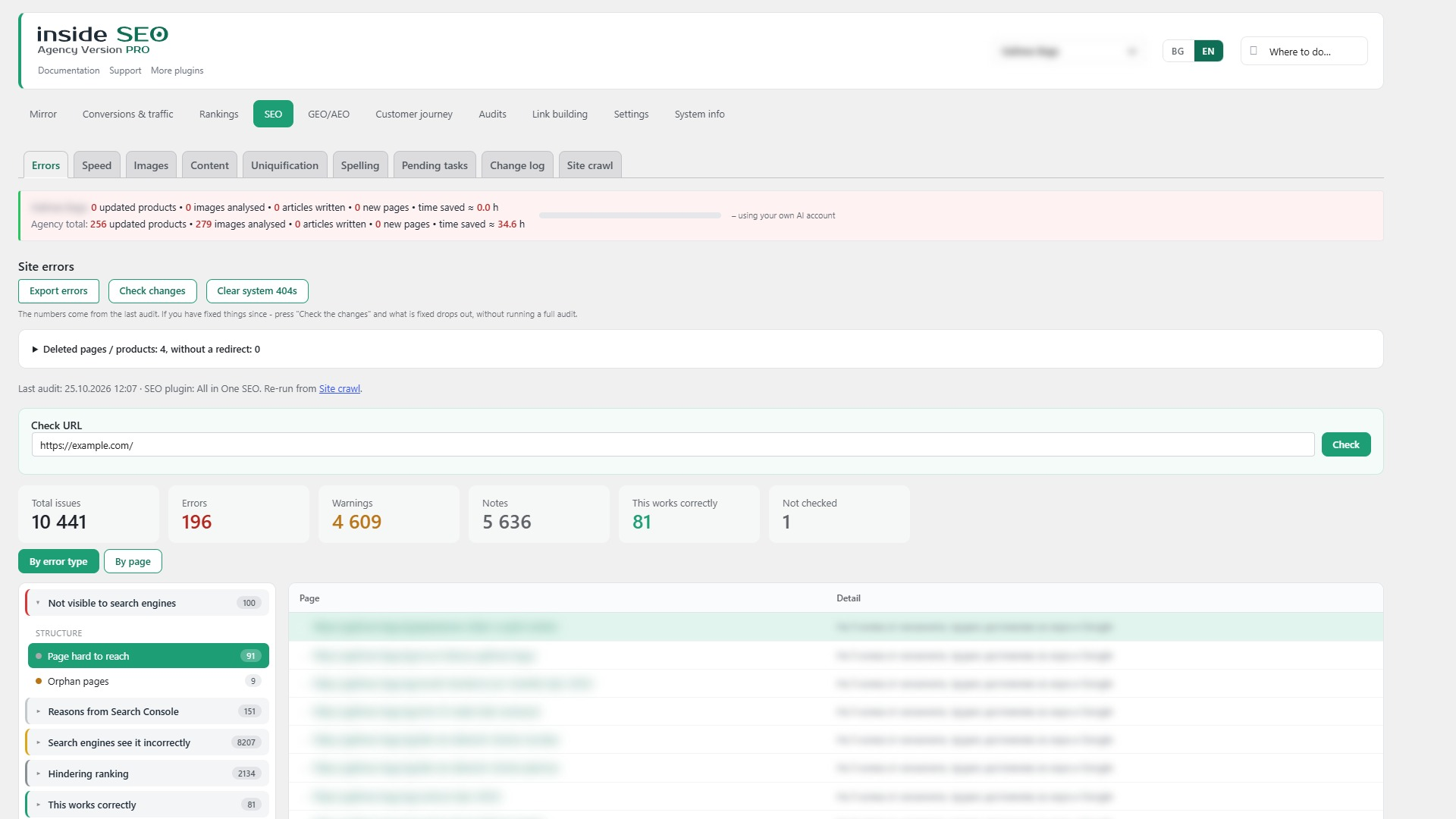
Changelog
1.35.251
- Fixed: the readme again has the Upgrade Notice, External Services and Credits sections (they were lost when the older changelog moved to changelog.txt). The client data list now names Google Ads, Meta and keyword volumes; IndexNow is no longer listed because the agency plugin does not use it; AI providers are listed.
1.35.250
- Fix: Plugin Check — the language choice is read only from signed screen links; the task queue no longer changes the PHP time limit.
- Fix: the styles of the language menu and the campaign table moved to the stylesheet (no inline style tags).
1.35.249
- Fix: the same English texts as in the client plugin 0.294.315: “not yet” for pages not crawled, page types in the freshness table, “Rebuild past breakdowns”, the dictionary count, the hint in Pending tasks, “Open Uniquification” and a backslash before quotes.
1.35.248
- New: the language menu at the top has “Automatic (by site)”.
- Fix: the Documentation link in English opens the English help (/en/help/).
1.35.247
- New: search volumes for each language version of the client, as on the client screen (needs client 0.294.314).
- Fix: “Keywords this page does not cover yet” now asks for the language version chosen in the agency.
1.35.246
- New: language versions. The data of each language version of the client’s site (Search Console and Google Analytics) is pulled into its own tables, as in the client plugin (needs client 0.294.313).
- New: the language switch is on the tab row of Overview, Conversions & traffic, Rankings, SEO, GEO/AEO, Competitors and Audits. Rankings, traffic, keywords and the monthly totals then show the chosen version, the same as on the client’s screen.
1.35.245
- New: Ads has Google Ads and Meta tabs, as in the client plugin: the chart by day, the campaigns of each platform with cost, impressions, clicks, conversions, orders, revenue, cost per order and ROAS, and Facebook and Instagram without ads (needs client 0.294.312).
- New: Rankings by page has “Keywords this page does not cover yet” from the client’s Google Ads Keyword Planner (needs client 0.294.312).
- New: the client list shows each client’s tables with plain names, rows and size.
- New: the stored copies of the clients’ history are written shorter once in the background (same numbers, about half the space), as in the client plugin 0.294.309.
- New: the comparison sources include Google Ads, Meta Ads and Facebook and Instagram, so exports match the client.
1.35.244
- Changed: By channel shows sessions only. Orders and revenue by channel come from the client’s shop, in Conversions → Channels (as in the client plugin 0.294.309).
- Fixed: the error counts no longer count images without alt text that already got one at the client (read from the pulled images), as in the client plugin 0.294.298.
- Fixed: the “Plugin language” tooltip was not translated.
1.35.243
- Fixed: indirect sales are read from one place. The tiles in Overview and Sales and the lists in Sales analysis show the same orders for the same chosen period (needs hub 0.84.132 and Agency PRO 1.7.176).
- Fixed: orders from Meta ads (source “fb”, “ig”) are counted under “Social” in Overview, also for days already pulled from the client.
- Changed: Overview – the Keywords card shows its month (the last full month, as in Rankings).
1.35.242
- Fixed: the Change log of a client showed long percent-encoded addresses that stretched the table. The address is now readable (Cyrillic decoded), wraps, and the full one is in the tooltip.
1.35.241
- Changed: content themes (“New articles”) – the word counts under “Not covered” and “Excluded” open the list of those words. The excluded words are now listed too, each with the reason (a place, a size, a buying word, or a tag, brand or attribute).
1.35.240
- Fixed: an AI answer that is not clean JSON is no longer thrown away when the task asks for a single text field. The model sometimes returns the plain text, adds its thinking, or puts straight quotes inside the text; the text is now taken from it. When an answer still cannot be read, the error shows its beginning. Also: rows whose fix is made on their images (alt texts, file names in the Images tab) or on the products of a series are ticked in Errors when all of those images or products are fixed. Before, the log kept the image or product and the page row was never ticked.
1.35.239
- Fixed: AI requests ask for at least 1500 tokens. The token count is in word pieces, not letters; Cyrillic takes more of them, and models that think first spend the same limit. The monthly audit analyses asked for 400 and stopped half way (“Generation stopped due to token limit, max_tokens”). Only the written text is paid, and the length is still set by the prompt.
1.35.238
- Fixed: comparisons with Google Analytics data (Traffic, By channel, the Mirror traffic cards) stop on the last day that has data. Before, the current period counted the last 1-2 empty days against a full previous period and showed a false drop.
- Fixed: the Mirror error card counts the chosen language version, like the Site errors tab. On multilingual sites it showed all languages.
- Changed: By channel – the order and revenue columns say “(GA4)”. They come from Google Analytics, not from the shop.
1.35.237
- Changed: the paid tabs follow the new order – after Ads come Competitors, Customer journey, Audits and Link building, then Settings. The same order is in the WordPress left menu and the top admin bar.
- Changed: the top admin bar lists all sub-tabs of Rankings (Analyses and Sales analysis with the paid version) and of GEO/AEO (AI visibility and Google questions with the paid version).
1.35.236
- Fixed: the comparison with the previous period counted the first day of the current period twice (for example “last 30 days” from 3 October 08:12 also put 3 October in the previous period). The previous period now ends the day before.
1.35.235
- Fixed: Conversions → channels showed one channel twice when the client sent it in two languages (“Organic: google” and the same in Bulgarian). Now they are one row, in the agency language.
- Fixed: a month counted before it ended stayed incomplete for a week. Now it is counted again until 3 days after the month end.
1.35.234
- Changed: new tab order – Conversions & traffic, Rankings, SEO, GEO/AEO, Ads, Settings. Paid tabs (Link building, Customer journey, Competitors, Audits) go between Ads and Settings.
- Changed: Conversions & traffic has the sub-tabs At a glance (the former Mirror), Conversions, Traffic, By channel and Mobile access (paid).
- Changed: Ads is its own tab (moved from Rankings). Old links to Rankings → Ads open the new tab.
- Changed: System info is a sub-tab of Settings.
- Changed: the WordPress left menu, the top admin bar and the Guide follow the new order.
1.35.233
- New: Rankings by keyword shows the search volume from the client’s Google Ads Keyword Planner – searches per month (sortable), searches per month over the last year and the value of the organic traffic. The data comes from the client site (needs free 0.294.281 there and a connected Google Ads account).
1.35.232
- Changed: the interface language chosen from the menu at the top is remembered for each user. The language in Settings stays the site default for users who have not chosen one.