


Description
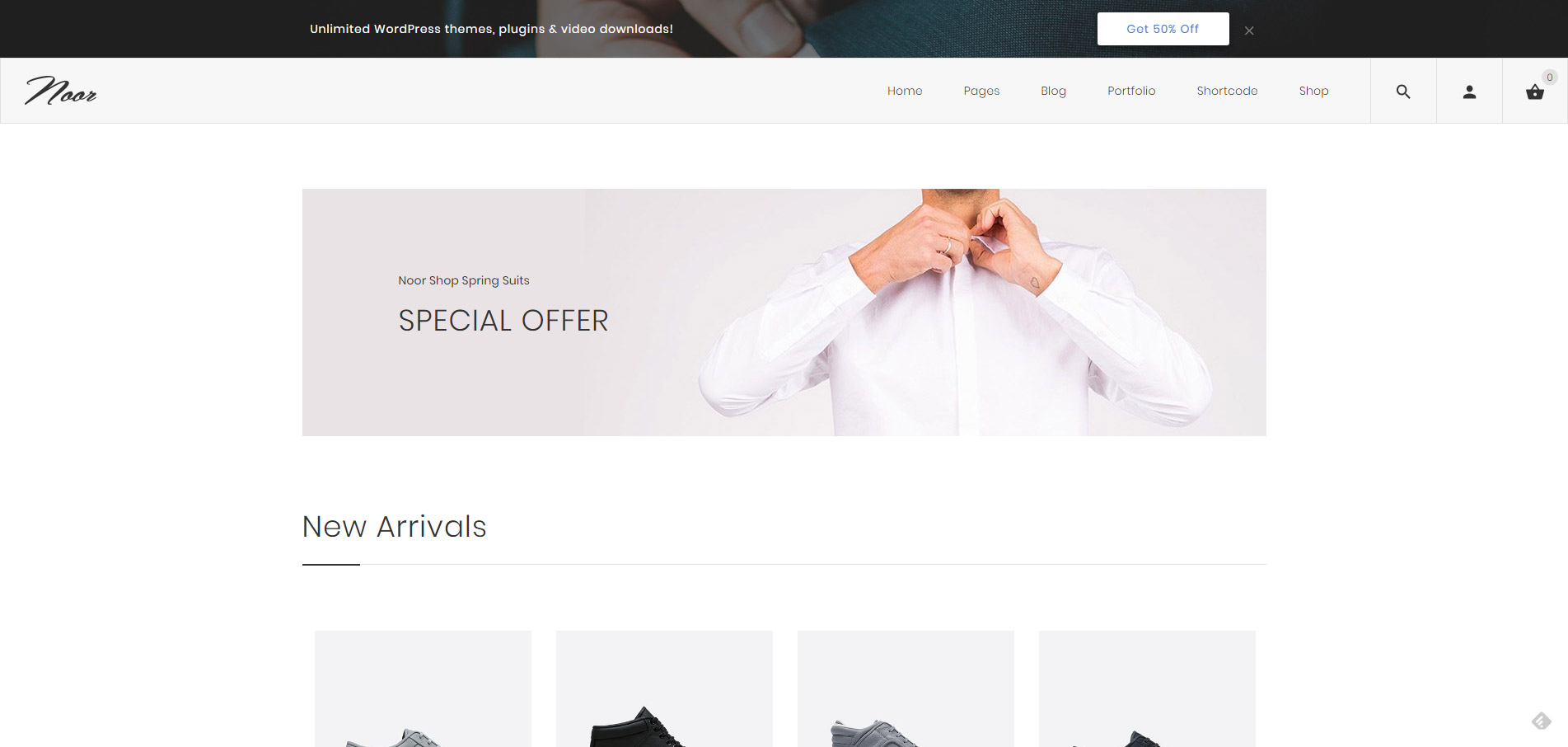
Adds a beautiful, customizable take action banner containe a promotion or a news to the top or the bottom of your WordPress site.
Banner that is dismissable and dismiss is saved by cookie.
Features
- Display a message with a button (optional).
- Background Image, Gradient color, RGBa Color.
- Colors are fully customizable.
- Position the bar on top or bottom.
- Set any height you want.
- Display a close button for the visitor.
- Cookie Bar.
- Floating Button.
- Responsive.
Installation
- Click Plugins/Add New from the WordPress admin panel
- Search for “DIMA Take Action” and install
-or-
- Download the .zip package
- Unzip into the subdirectory ‘dima-tke-action‘ within your local WordPress plugins directory
- Refresh plugin page and activate plugin
- Configure plugin using settings link under plugin ‘DIMA Take Action‘
FAQ
Installation Instructions
- Click Plugins/Add New from the WordPress admin panel
- Search for “DIMA Take Action” and install
-or-
- Download the .zip package
- Unzip into the subdirectory ‘dima-tke-action‘ within your local WordPress plugins directory
- Refresh plugin page and activate plugin
- Configure plugin using settings link under plugin ‘DIMA Take Action‘
Screenshots




Changelog
1.0.5
* Add: New Option gives the user the ability to open links in a new window.
* Fix small bugs.
1.0
- Initial release