

Description
Homepage | Documentation | Support
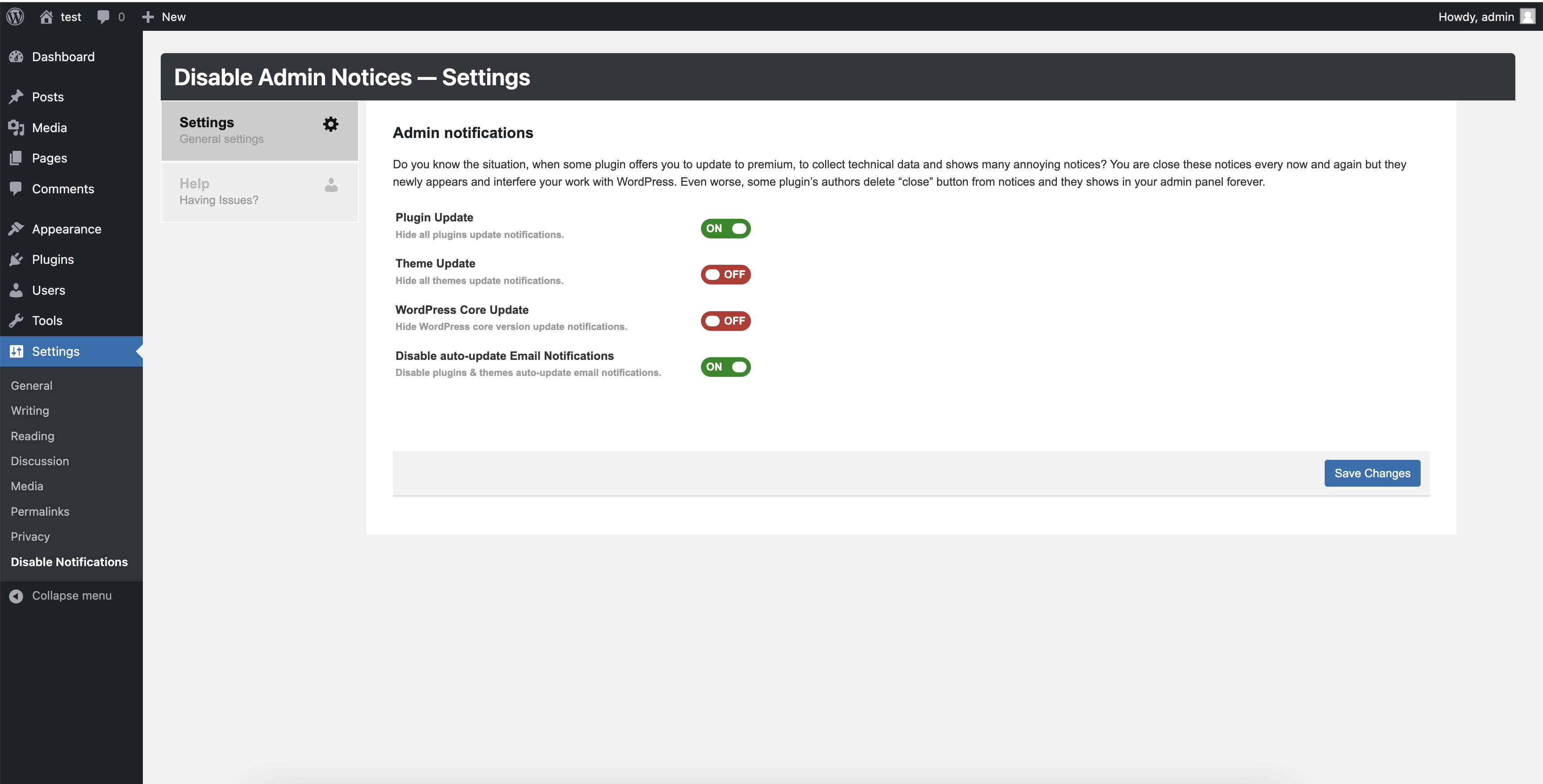
This plugin will completely disables the Plugins, Themes, and WordPress core update notifications displayed by WordPress based on your plugin settings. Apart from this it will also disable auto-update Email Notifications.
🎉 Disable auto-update Email Notifications
Since WordPress 5.5 version, if you have enabled plugin and theme auto-update you will receive an automated email notifications when any plugin or theme auto-update is successful or failed.
If you manage a dozen of websites, then the you will receive the constant stream of auto-update notifications emails and may be it annoying you.
I have added a new feature to cure the problem by automatically Disable auto-update Email Notifications for plugins and themes auto-update email notifications.
👉 Most importantly, This plugin is free and always will be free.
Installation
- Unzip the ZIP file and drop the folder straight into your ‘wp-content/plugins/’ directory.
- Activate the plugin through the wordpress admin >> ‘Plugins’ menu in WordPress.
- For plugin configurations go to settings >> Disable Notification Settings
- Save settings. It’s done.
FAQ
Does this plugin disable the automatic updates in WordPress higher versions?
Yes, will disable the core and plugins update checks.
Can I disable the theme update notifications too?
Yes.
Screenshots

Changelog
2.4.3 – 07/09/2026
- Tested on WordPress 7.1
2.4.2 – 13/03/2024
- Add: Generic function and option names
- Fix: Security and performance issues
2.3.2 – 22/09/2021
- Fix: Hides all checkboxes in admin issue
2.2 – 15/01/2021
- Disable auto-update Email Notifications which was added as part of the WordPress 5.5 version.
- Fixed PHPCS warnings.
2.1.0 – 08/06/2016
- Fixed admin css issues
1.0.0
- Initial release.