


Description
DocBooker lets patients book an appointment with a doctor on your WordPress site, and gives your front desk one place to see and manage every booking.
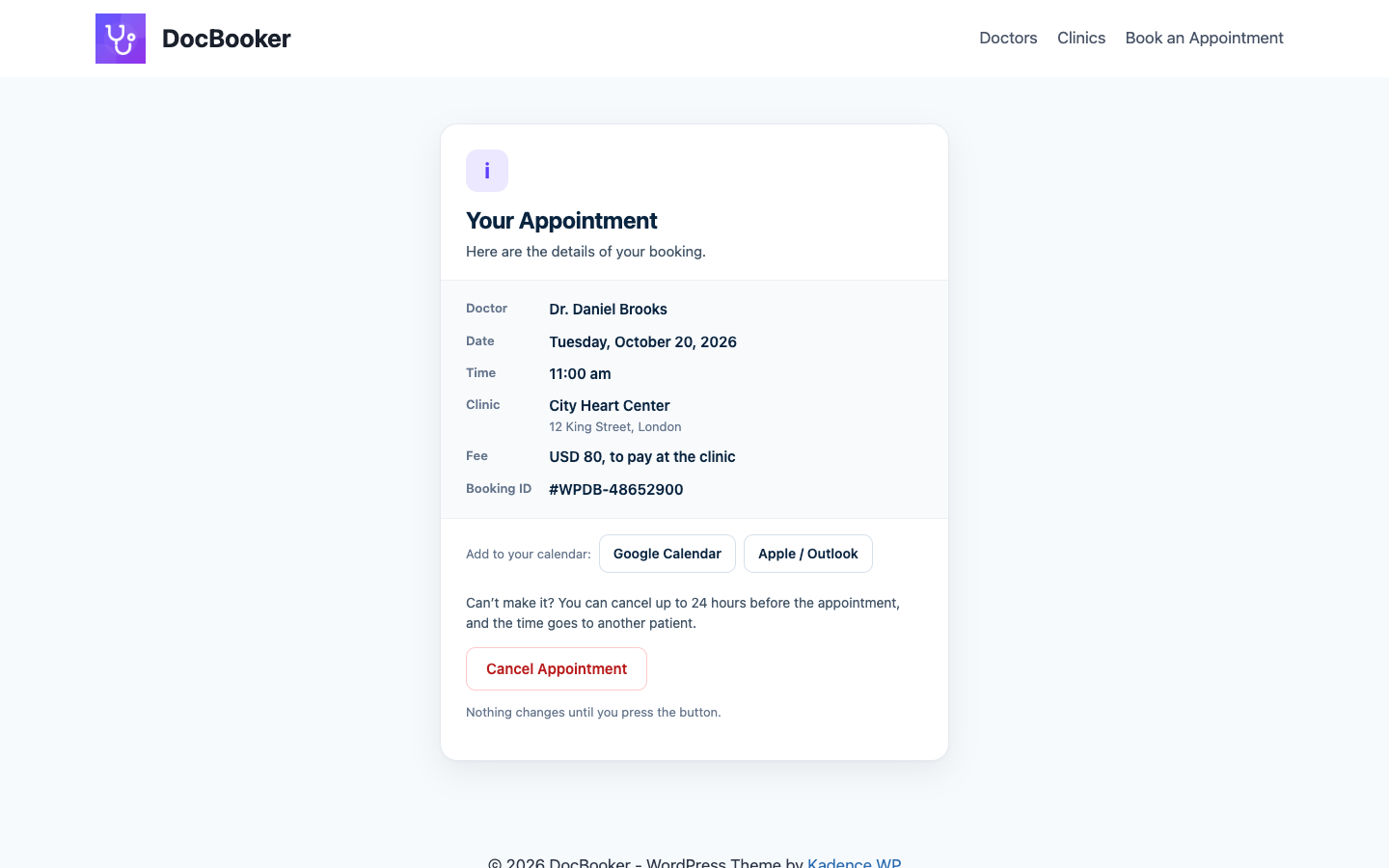
Patients pick a department, a doctor, a day and a free time, enter their details and get a confirmation email with a link to add the visit to their calendar or cancel it. The day before, they get a reminder. You see every booking on a dashboard, new ones highlighted until someone opens them.
It suits a single doctor, a family practice, a dental or eye clinic, a group of clinics or a hospital, and works with any theme. No coding.
👉 Live Demo | Documentation | DocBooker Pro
Set up in five minutes
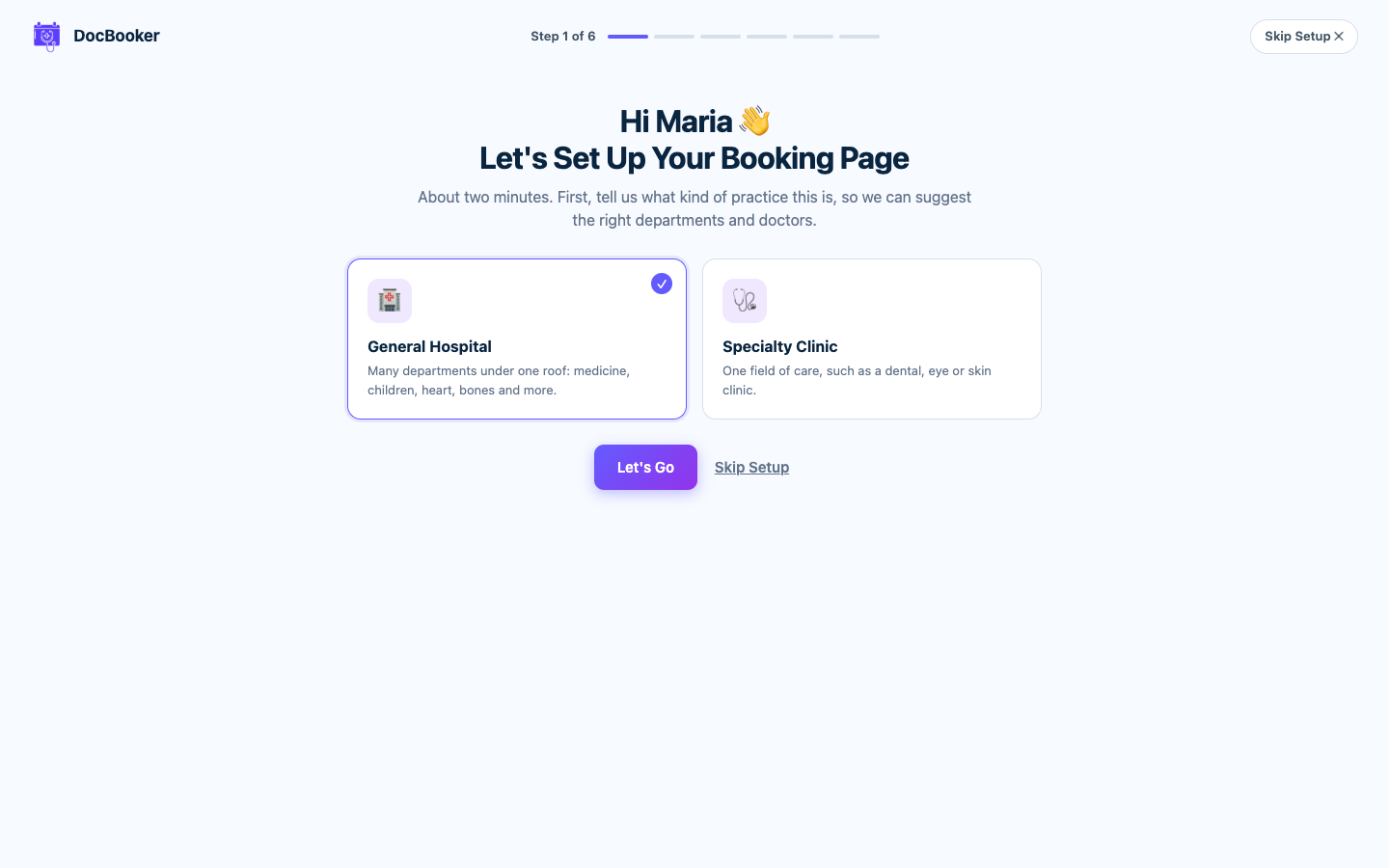
DocBooker makes your Doctors and Clinics pages when you activate it. A short setup wizard then asks what kind of practice you run, makes your booking page, and can add sample doctors, clinics and departments so you can see everything working straight away. Sample data comes out again with one click.
What patients get
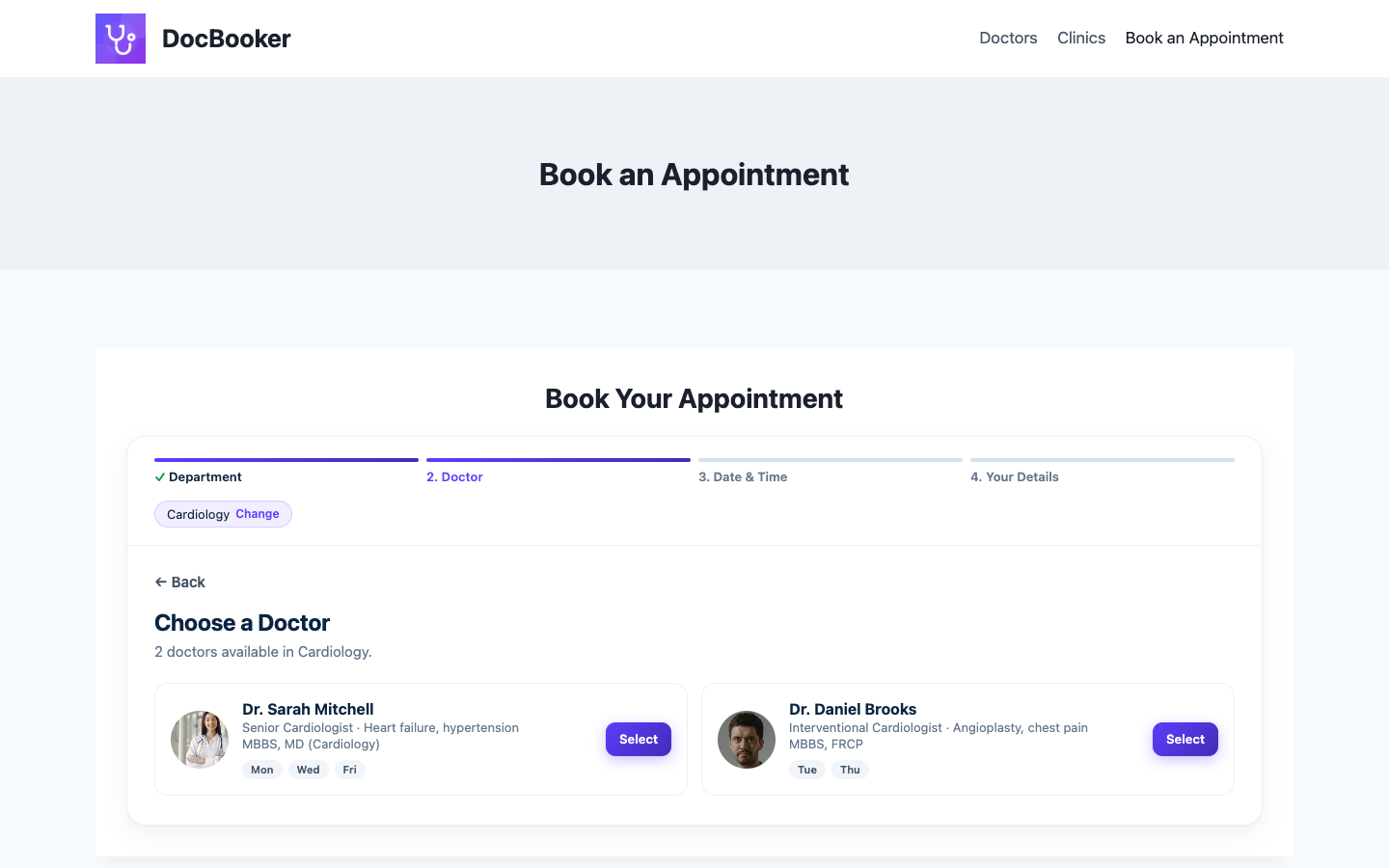
- A booking form that walks them through it — Department → Doctor → Day and time → Details → Done. Place it on any page with
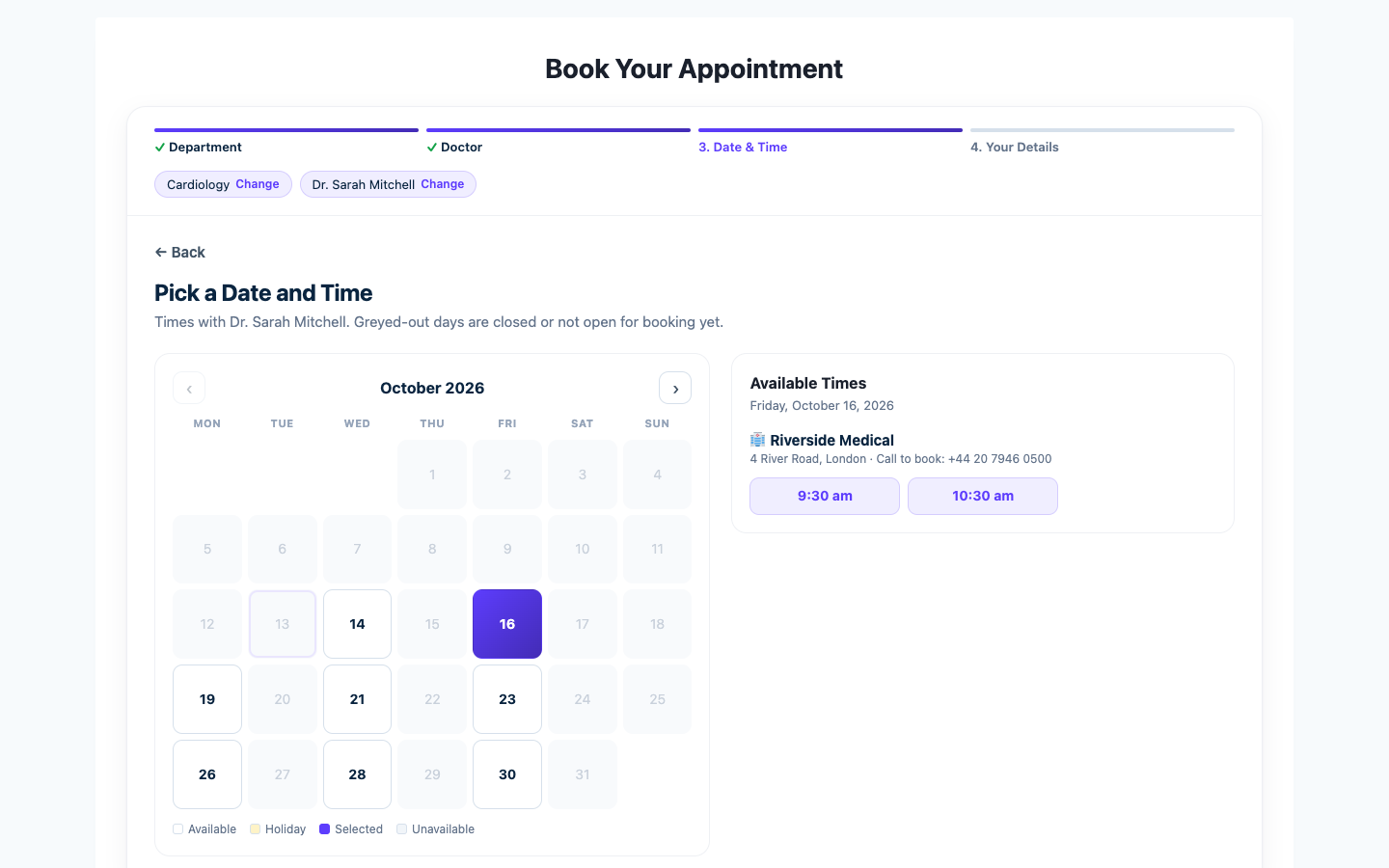
[wpddb_doctor_booking_form]. - Only times that are really free — the calendar shows the doctor’s working days, hides holidays and past times, and never offers a time that is already booked.
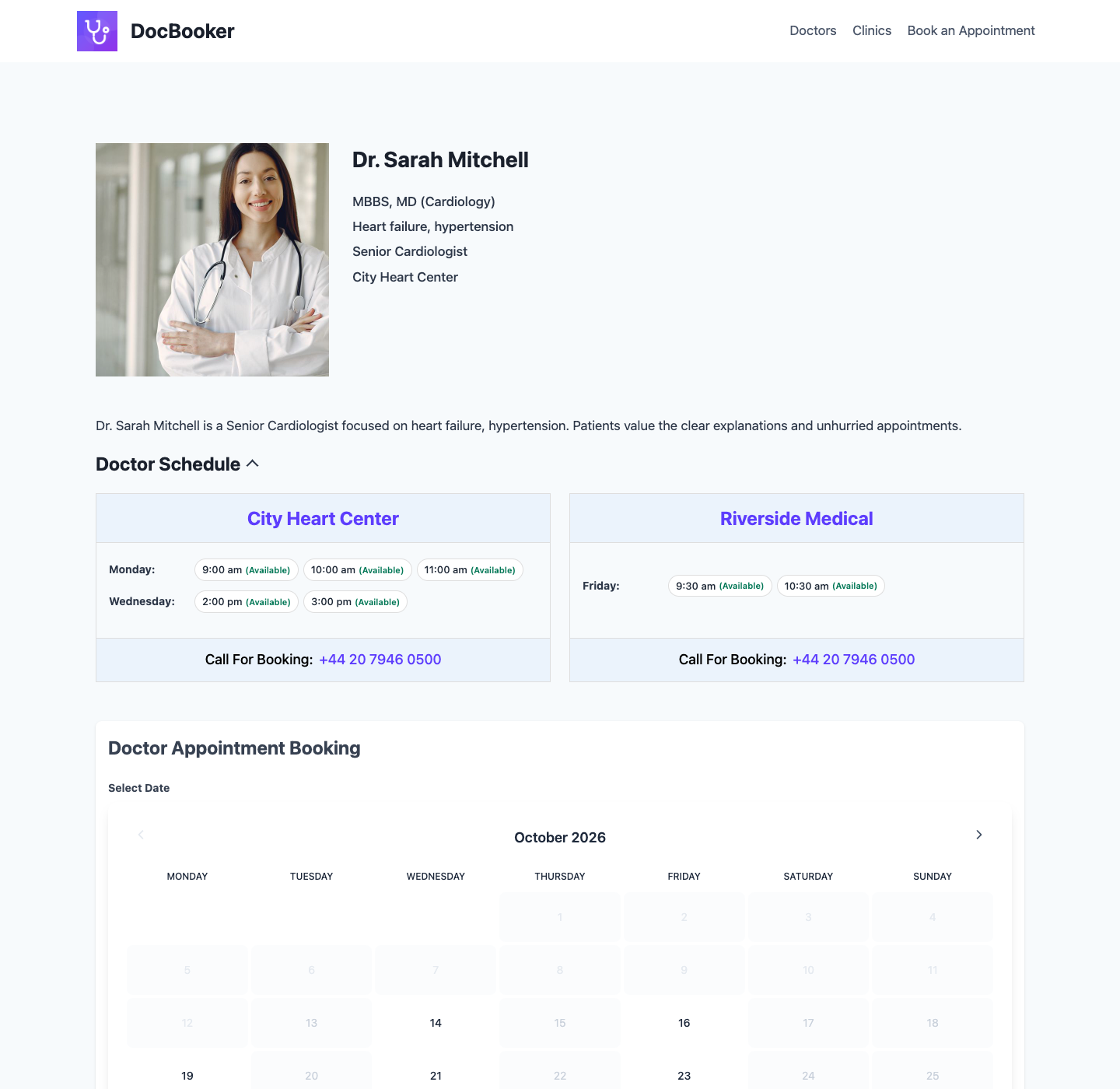
- A booking box on every doctor’s page — patients can book from the doctor’s profile too.
- Confirmation and reminder emails — a confirmation straight away and a reminder the day before.
- Add to calendar — Google Calendar or Apple / Outlook, from the email.
- Cancel from the email — a safe link lets patients cancel up to the time you choose, so the slot goes to someone else.
- The fee up front — show each doctor’s fee in your currency; patients pay at the clinic.
What your clinic gets
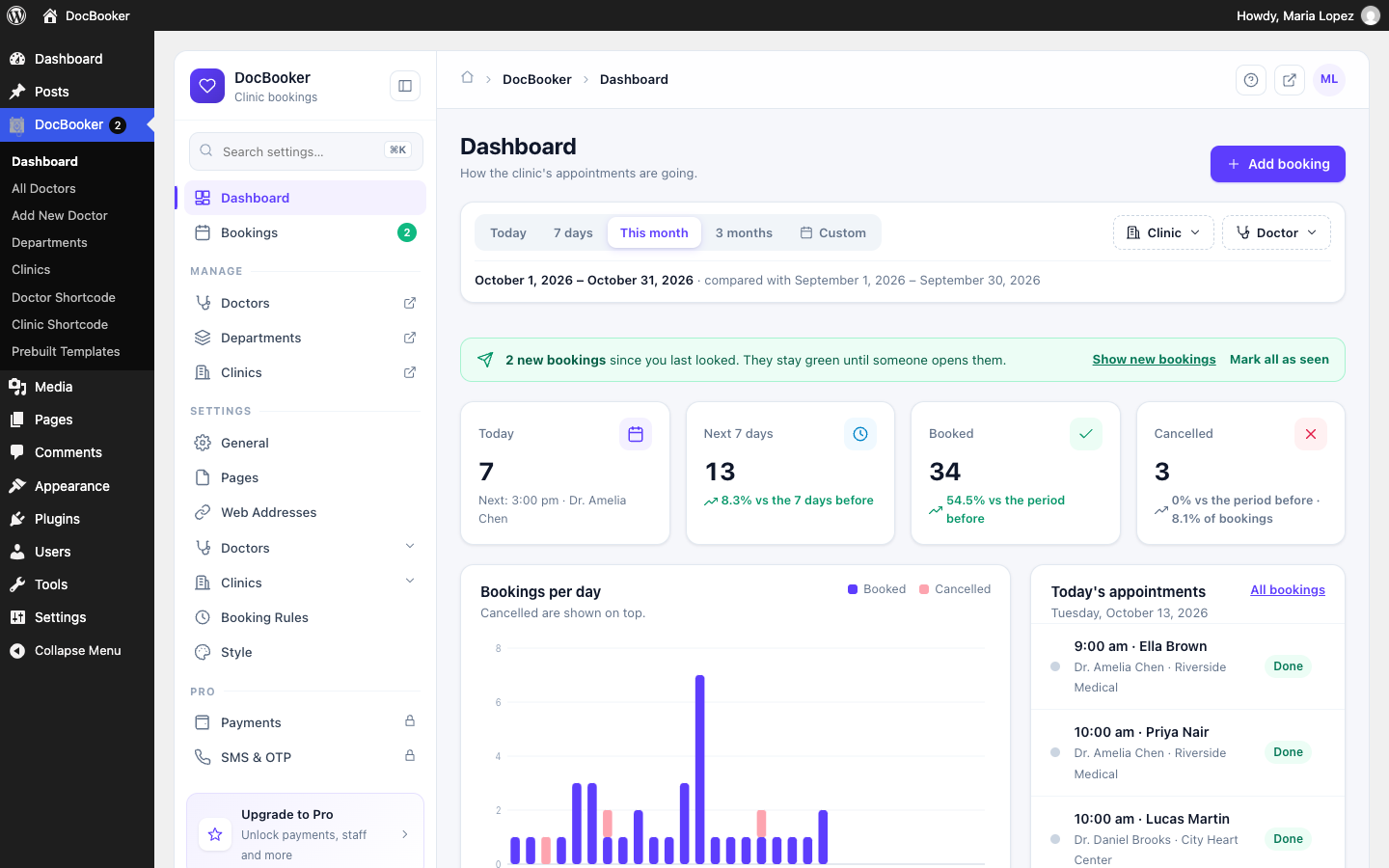
- Dashboard — today’s appointments, the next 7 days, bookings per day, busiest doctors, bookings by department and fees to collect, for any period, clinic or doctor.
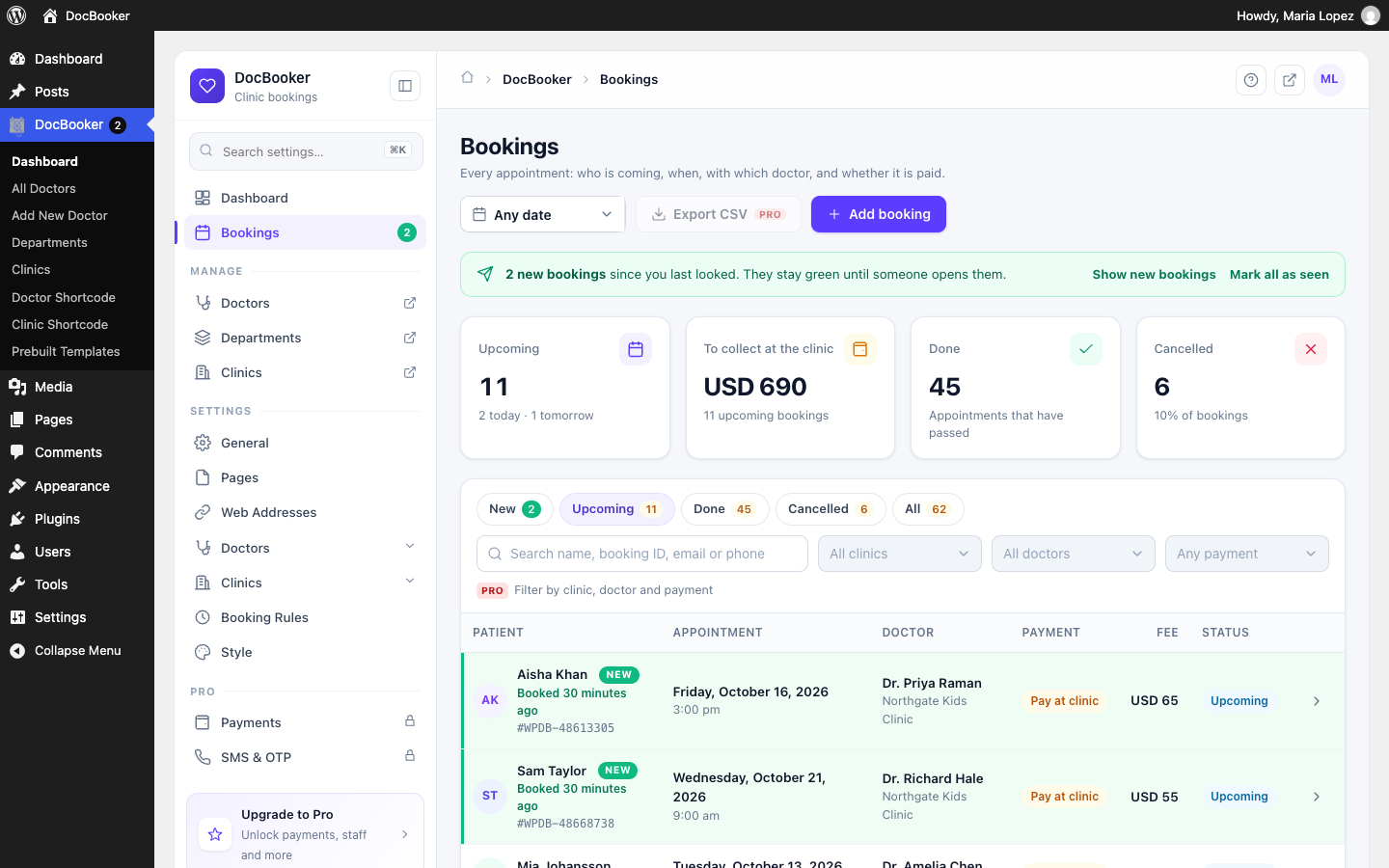
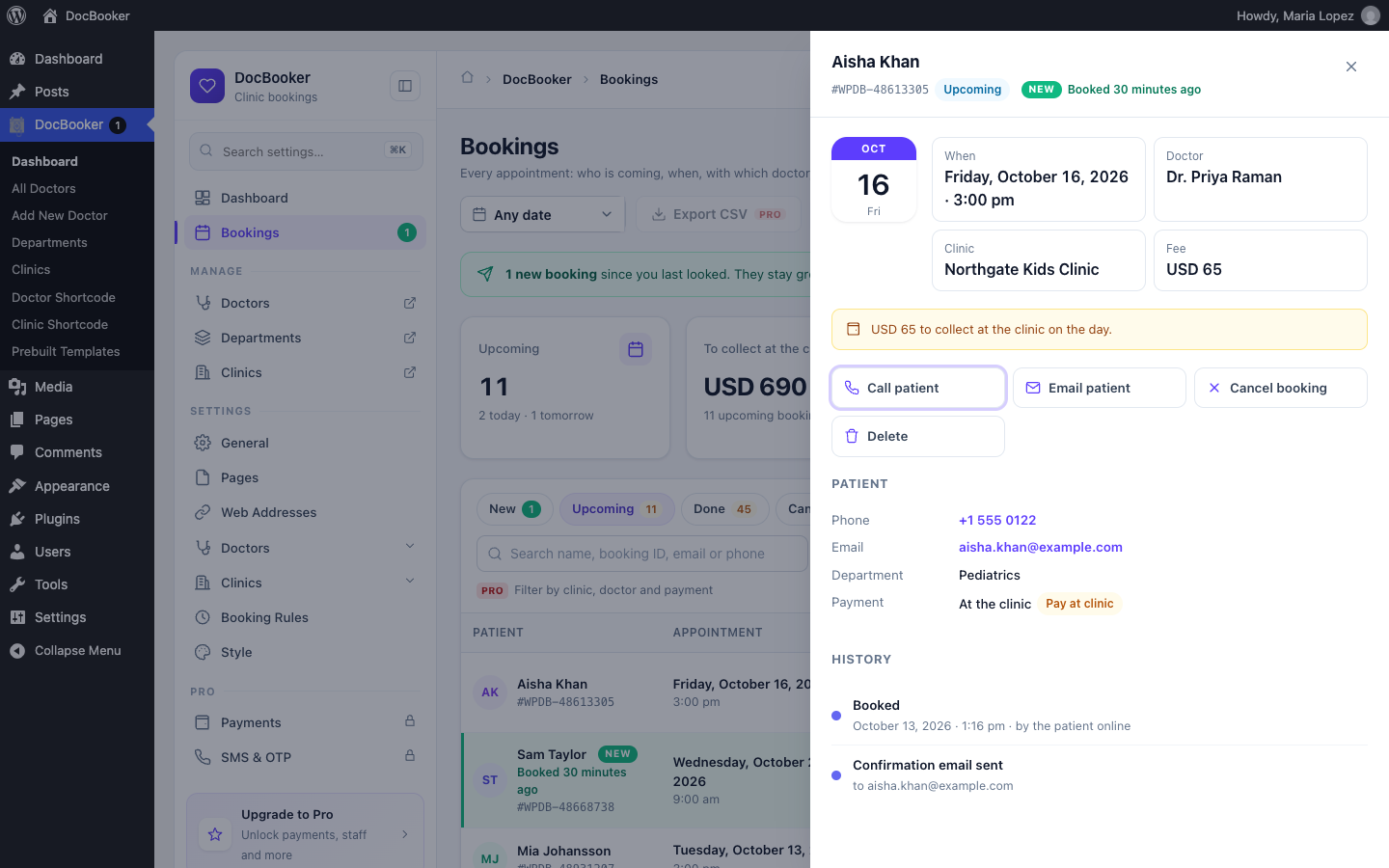
- Bookings — search by name, booking ID, email or phone; filter by date; open a booking to see the patient, the appointment and its history; call, email, cancel or delete.
- New bookings stand out — online bookings stay highlighted until someone opens them, and the menu shows how many are new.
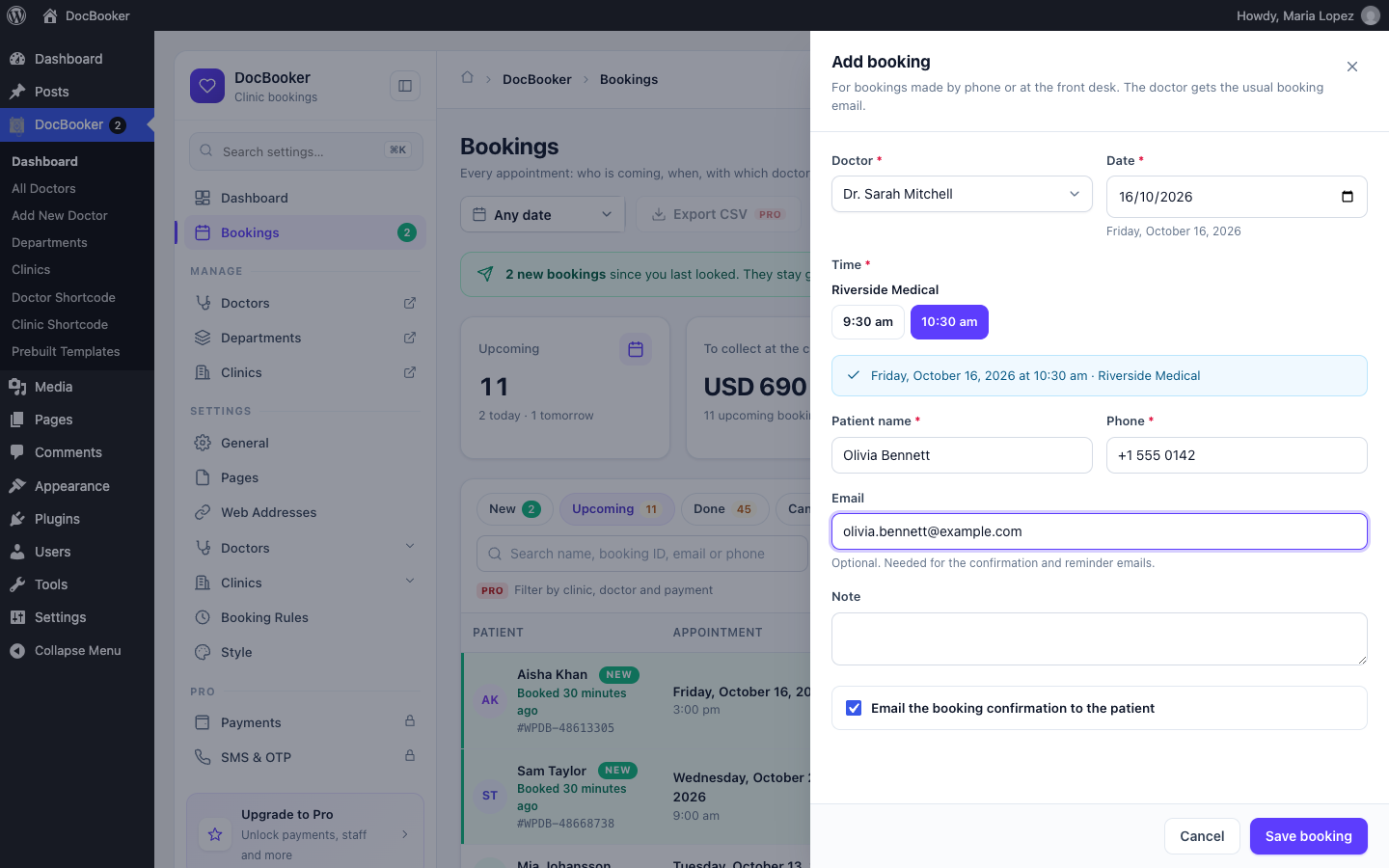
- Add bookings yourself — for phone and walk-in patients, with the doctor’s free times shown.
- Doctors — photo, job title, speciality, degrees, workplace, email, fee and a weekly schedule per clinic, with quick “fill times” and “copy to other days”.
- Clinics — unlimited clinics with address, phone, email and a map.
- Holidays — block a doctor at a clinic for a range of dates.
- Booking rules — how far ahead patients can book, how much notice you need, and how late they can cancel.
- Doctor emails — doctors get their own booking, cancel and reminder emails.
- Booking Manager role — let front-desk staff manage bookings without full admin access.
- Settings in one place — every setting on one screen with search, grouped by what it changes.
What your website gets
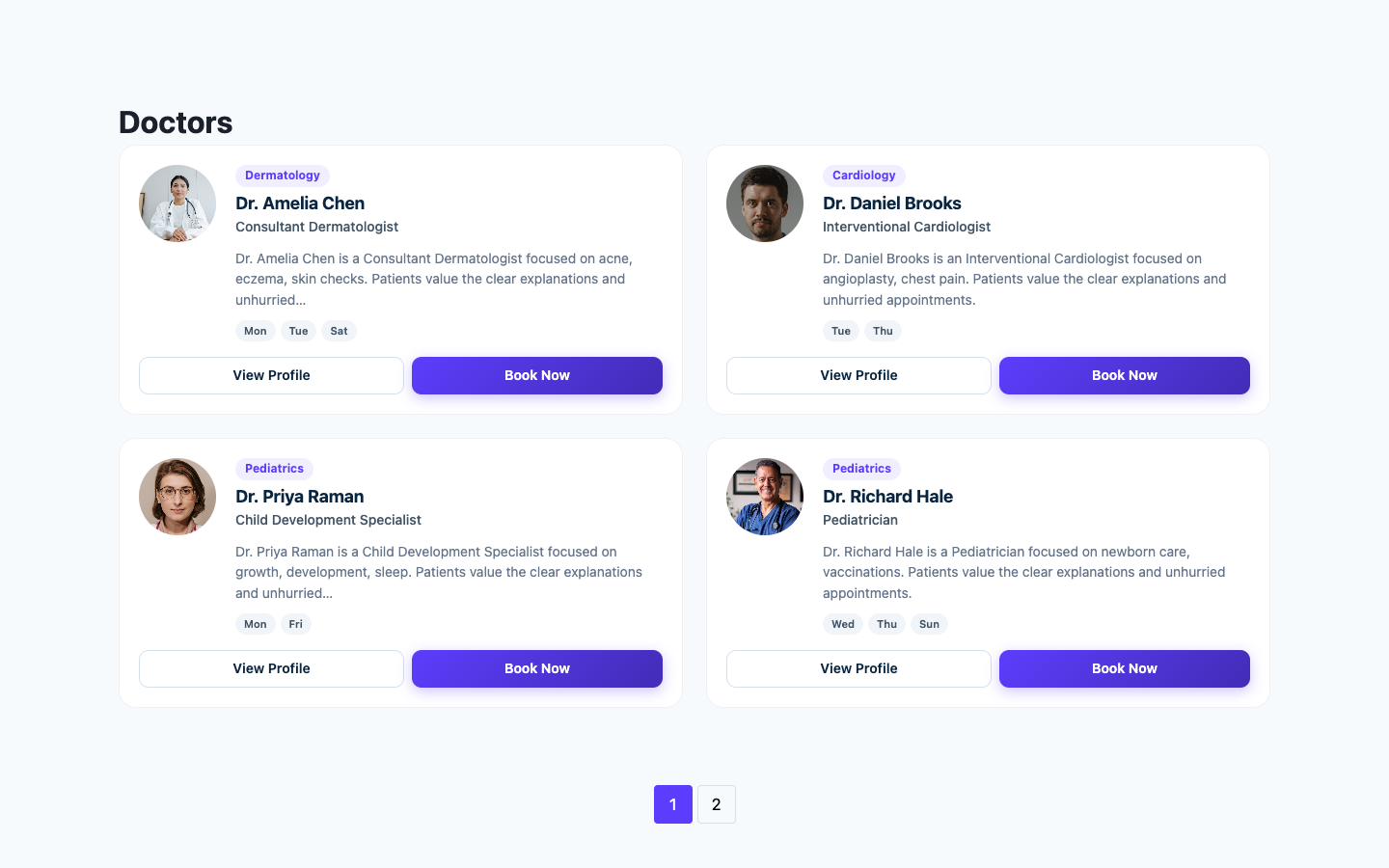
- Doctor and clinic pages — ready-made list and profile pages with two card designs: a portrait card and a directory row.
- Doctor filter widget — visitors filter doctors by department and clinic.
- Shortcodes — show any set of doctors
[wpddbdoctor id="…"]or clinics[wpddbclinic id="…"]anywhere. - Your look — main, second and border colours, card backgrounds and text colours, or leave any of them on “None” to keep your theme’s look.
- Your web addresses — choose the words used in doctor, department and clinic links.
- Works with your theme — tested with Astra, Blocksy, GeneratePress, Kadence, Neve and Storefront.
- Follows your site — dates and times use your WordPress time zone and date and time formats.
- Speaks your patients’ language out of the box — ready-made translations for Arabic, German, French, Spanish, Mexican Spanish, Italian, Dutch, Polish, Hindi and Tamil, across the free plugin and DocBooker Pro; switch your site language and everything follows, with no translation work at all. Arabic sites get a right-to-left layout.
Video tutorials
🏆 How to Create a Multi-Step Doctor Booking Form in WordPress:
🏆 How to Filter Doctors with the Doctor Filter Widget:
🏆 How to use the Clinic Unlimited Shortcode:
🏆 How to use the Doctor Unlimited Shortcode:
🏆 Doctor Appointment from the Doctor Details Page:
🏆 DocBooker Plugin Setup Video:
DocBooker Pro
Everything above stays free. DocBooker Pro adds:
- Online payment — Stripe or Razorpay, with the choice to pay online or at the clinic.
- More control over the look — text sizes, weights and alignment, photo borders, which details each card shows, description length, clinic photo galleries and sliders.
- Export and bulk actions — export bookings to CSV and cancel many at once.
- Clinic staff — clinic manager and front-desk accounts that only see their own clinic, with their own dashboards.
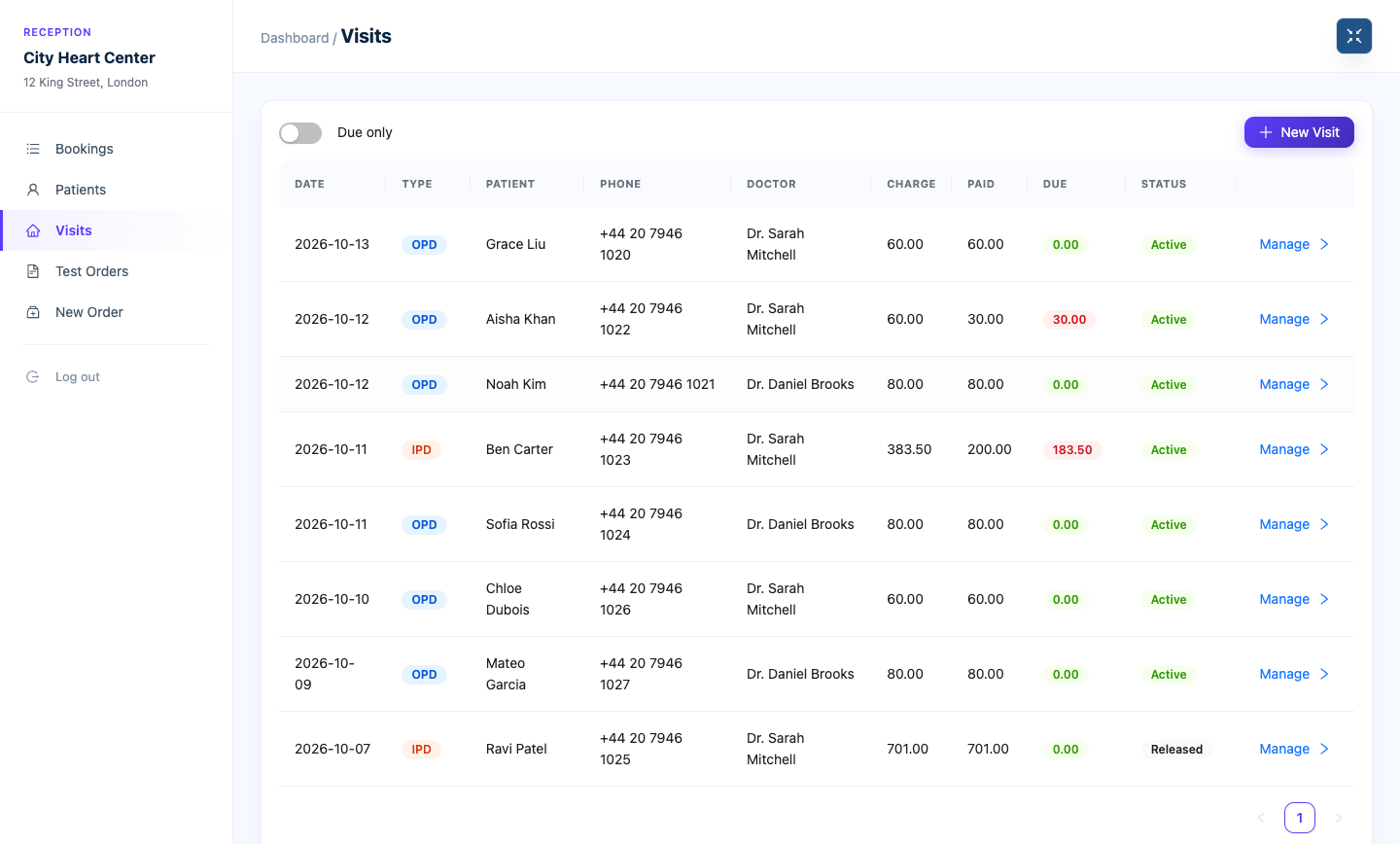
- Patients and visits — a patient directory, outpatient visits and admissions with beds and discharge.
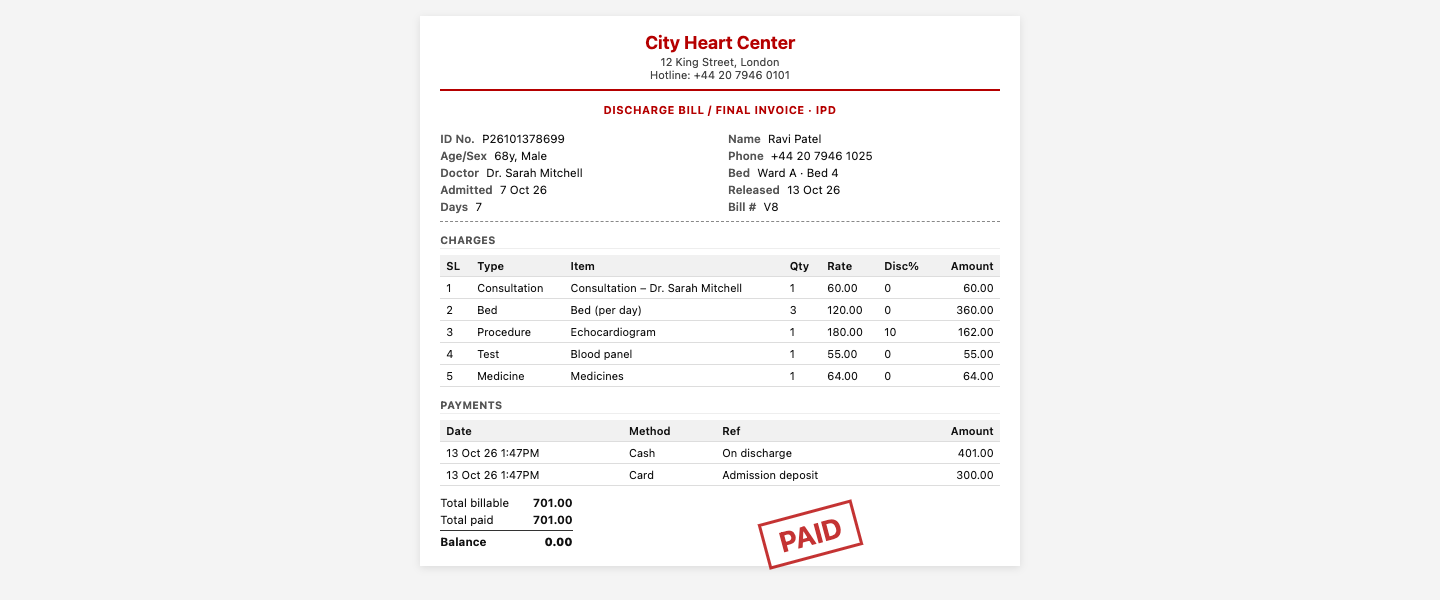
- Billing — running bills with consultation, bed, medicine, procedure and test charges, part payments and printable invoices.
- Lab tests — a test price list, test orders with receipts, and PDF reports.
- Patient report portal — patients sign in with a code sent by SMS to see their own reports.
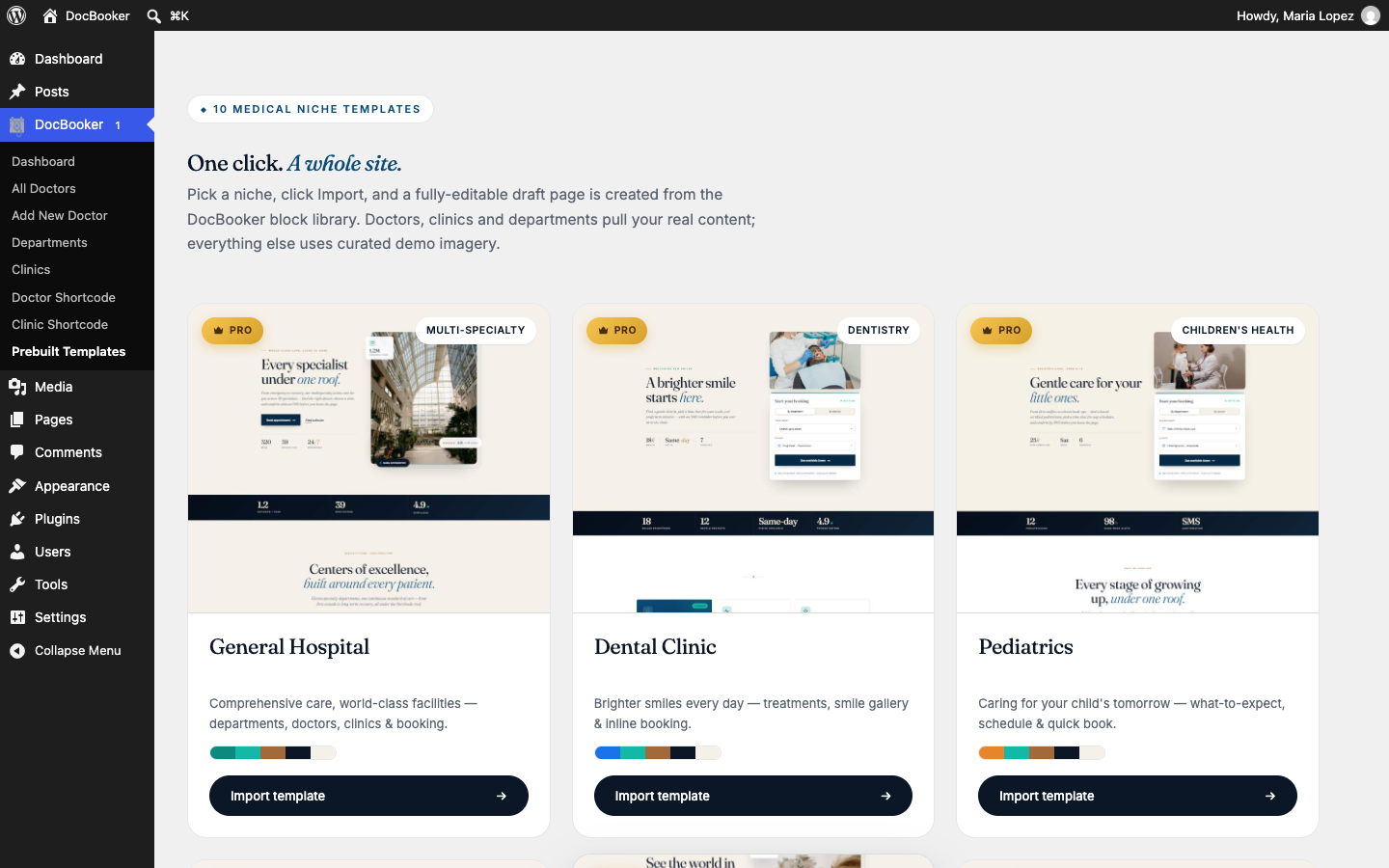
- 21 blocks and 10 ready-made site designs — for general hospitals, dental, children’s, skin, eye, heart, bone, mental health, women’s health and imaging clinics, imported in one click.
DocBooker Pro ships the same ten ready-made languages as the free plugin, so adding it never leaves an English patch in a translated site.
Installation
- In your WordPress admin go to Plugins → Add New, search for DocBooker, then click Install Now and Activate.
- The setup wizard opens. Choose your kind of practice, and add sample data if you want to try things first.
- Go to DocBooker → All Doctors to add your doctors with their clinics and weekly schedules.
- Share your booking page. You can also place the booking form on any page with
[wpddb_doctor_booking_form]. - New bookings appear in DocBooker → Bookings. Settings are under DocBooker → Dashboard, in the menu on the left.
FAQ
Is DocBooker really free?
Yes. Booking, reminders, the cancel link, the dashboard, unlimited doctors and unlimited clinics are all free. DocBooker Pro adds online payment, clinic staff accounts, billing, lab tests, a patient portal, blocks and site designs.
How do patients book?
They open your booking page (or any doctor’s page), choose a department, a doctor, a day and a free time, enter their name, phone and email, and confirm. They get a confirmation email straight away.
Can I have more than one clinic?
Yes, as many as you like, in the free version. Each doctor can work at several clinics on different days. Pro adds clinic manager and front-desk accounts that only see their own clinic.
Do patients get reminders?
Yes. A reminder email goes out about a day before the appointment. You can switch reminders off for patients or doctors.
Can patients cancel?
Yes, from the link in their email, up to the number of hours before the appointment that you choose. You can also turn this off.
Can I take payment online?
Online payment with Stripe or Razorpay is in DocBooker Pro. In the free version the fee is shown and patients pay at the clinic.
Does it work with my theme?
DocBooker works with any well-made theme and is tested with Astra, Blocksy, GeneratePress, Kadence, Neve and Storefront.
Emails don’t arrive. What should I do?
Many hosts don’t send WordPress emails reliably. Install an SMTP plugin (for example WP Mail SMTP or FluentSMTP) and connect it to your email provider.
Does this plugin support multi-language?
Yes, and for ten languages there is nothing for you to do. DocBooker ships already translated into Arabic, German, French, Spanish, Mexican Spanish, Italian, Dutch, Polish, Hindi and Tamil. Change your site language under Settings → General → Site Language and the whole plugin follows — admin screens, setup wizard, doctor and clinic pages, booking forms and emails. Every string is covered, including plurals, so “1 day” and “3 days” read correctly in each language. Arabic sites get a right-to-left layout, and Arabic uses all six of its plural forms. Polish uses all three of its plural forms. Mexican Spanish is a genuine second locale rather than a fallback to Spain, with its own wording (reservación, horario).
DocBooker Pro ships the same ten languages, so payments, clinic staff dashboards, billing, lab tests, the patient report portal, blocks and site designs all switch with the site rather than leaving English islands in a translated site.
For any other language, each plugin ships a complete .pot template in its languages/ folder, so you can translate it with Poedit or Loco Translate. The React admin screens and booking forms are translatable too, through WordPress’s script-translation system.
My site is in Arabic (or German, French, Spanish, Italian, Dutch, Polish, Hindi, Tamil) — do I need to translate anything?
No. Set the site language and you are done, for the free plugin and for DocBooker Pro. If you want to reword something we shipped, copy the matching .po file out of that plugin’s languages/ folder and edit it with Loco Translate or Poedit — saving it to wp-content/languages/plugins/ keeps your wording safe from plugin updates.
Can I still translate DocBooker into a language you do not ship?
Yes. Point Loco Translate or Poedit at languages/doc-booker.pot, which lists every string in the plugin; DocBooker Pro carries its own .pot in the same place. If a language pack for your locale later turns up on translate.wordpress.org, WordPress will load that in preference to anything bundled here, so community translations take over seamlessly.
Where do I get help?
Ask in the DocBooker support forum. We answer every question there, and the answers help other clinics too.
Screenshots


Changelog
2.2.1 ( November 17, 2026 )
- Added: Translation issue fixed.
2.2.0 ( October 17, 2026 )
- Added: Setup wizard with optional sample data, and a setup checklist.
- Added: Dashboard, Bookings and Settings on one screen. New online bookings are highlighted until opened, and the menu shows how many are new.
- Added: Add bookings from the admin for phone and walk-in patients.
- Added: Reminder emails the day before, for patients and doctors.
- Added: Patients can cancel from their email, up to a time you choose.
- Added: Add to calendar (Google, Apple, Outlook) from the email.
- Added: Doctor email field; doctors get booking, cancel and reminder emails.
- Added: Minimum notice for online bookings.
- Added: Doctor fee and currency in the free version; patients pay at the clinic.
- Added: Two new doctor card designs: portrait card and directory row.
- Added: New booking form design.
- Added: Schedule editor with “fill times” and “copy to other days”.
- Added: Every style setting can be left on “None” to keep your theme’s look.
- Added: Ready-made translations for Arabic, German, French, Spanish, Mexican Spanish, Italian, Dutch, Polish, Hindi and Tamil — set your site language and the plugin follows, with no translation work.
- Added: Right-to-left layout for Arabic, with all six Arabic plural forms; Polish with all three plural forms.
- Added: Script translations for the React admin screens and booking forms, so the dashboard, bookings, settings and booking steps translate along with the rest.
- Improved: Dates and times follow your WordPress time zone and date and time formats.
- Improved: Doctor and clinic links work straight after activation.
- Fixed: Description and speciality colours, booking emails, schedule saving, availability checks and many smaller issues.
= 2.1.1 ( July 14, 2026 )=
* Fixed: Clinic Map Issue.
= 2.1.0 ( July 14, 2026 )=
* Fixed: Doctor Booking Calendar Issue.
= 2.0.0 ( July 02, 2026 )=
* Added: DocBooker Pro Plugin Clinic Receptionist Compatible.
= 1.8.1 ( April 26, 2026 )=
* Added: DocBooker Pro Plugin Multi Clinic Compatible.
= 1.8.0 ( April 21, 2026 )=
* Added: Booking Calendar Picker Added.
= 1.7.4 ( January 28, 2026 )=
* Fixed: Minor Css Issue
= 1.7.3 ( January 18, 2026 )=
* Added: DocBooker Pro Compatibility
= 1.7.2 ( January 9, 2026 )=
* Added: DocBooker Pro Compatibility
= 1.7.1 ( December 16, 2025 )=
* Added: WordPress 6.9 Compatibility
= 1.7.0 ( December 2, 2025 )=
* Added: DocBooker Pro Version plugin compatibility
= 1.6.2 ( October 16, 2025 )=
* Fixed: Doctor Single Page Css
= 1.6.1 ( June 29, 2025 )=
* Fixed: Doctor Booking Form Css
= 1.6.0 ( June 4, 2025 )=
* Added: Doctor Booking Form Shortcode
= 1.5.0 ( May 27, 2025 )=
* Added: Doctor Filtering Widget
= 1.4.0 ( May 12, 2025 )=
* Added: Clinic Shortcode Settings
= 1.3.0 ( April 24, 2025 )=
* Added: Doctor Shortcode Settings
= 1.2.0 ( April 8, 2025 )=
* Added: Doctor Booking System
* Added: Custom Role for Booking System Management
= 1.1.0 ( March 13, 2025 )=
* Added: Settings Page
* Added: Doctor Schedule Meta & Doctor Info Meta
* Added: Clinic Map
= 1.0.0 ( February 1, 2025 )=
* Stable version release