


Description
Duplicate PP copies any post, page, WooCommerce product or custom post type in one click — with its custom fields, categories, tags and page builder layouts.
Ways to copy
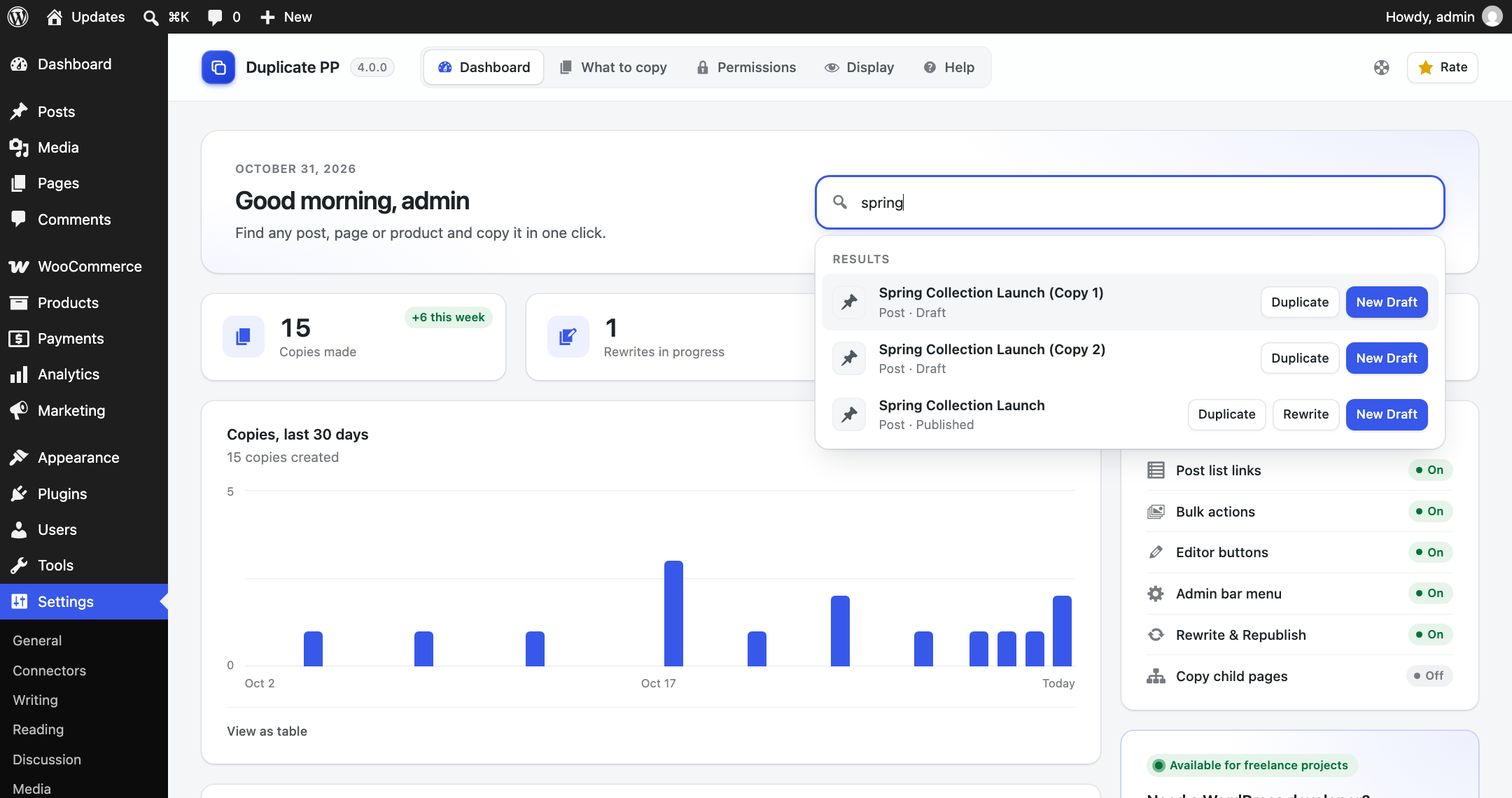
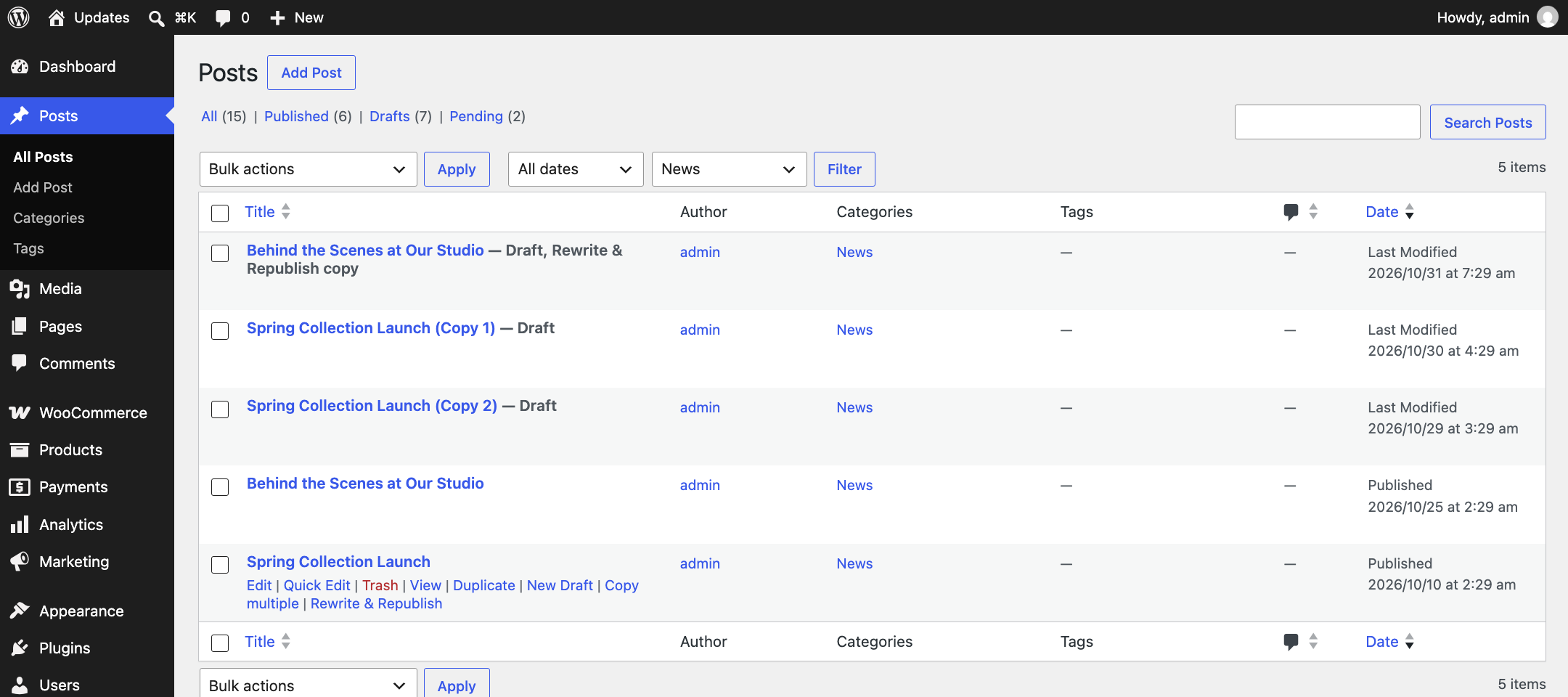
- Duplicate – one click under any title in the list; you stay on the list.
- New Draft – copy to a fresh draft and open it in the editor straight away.
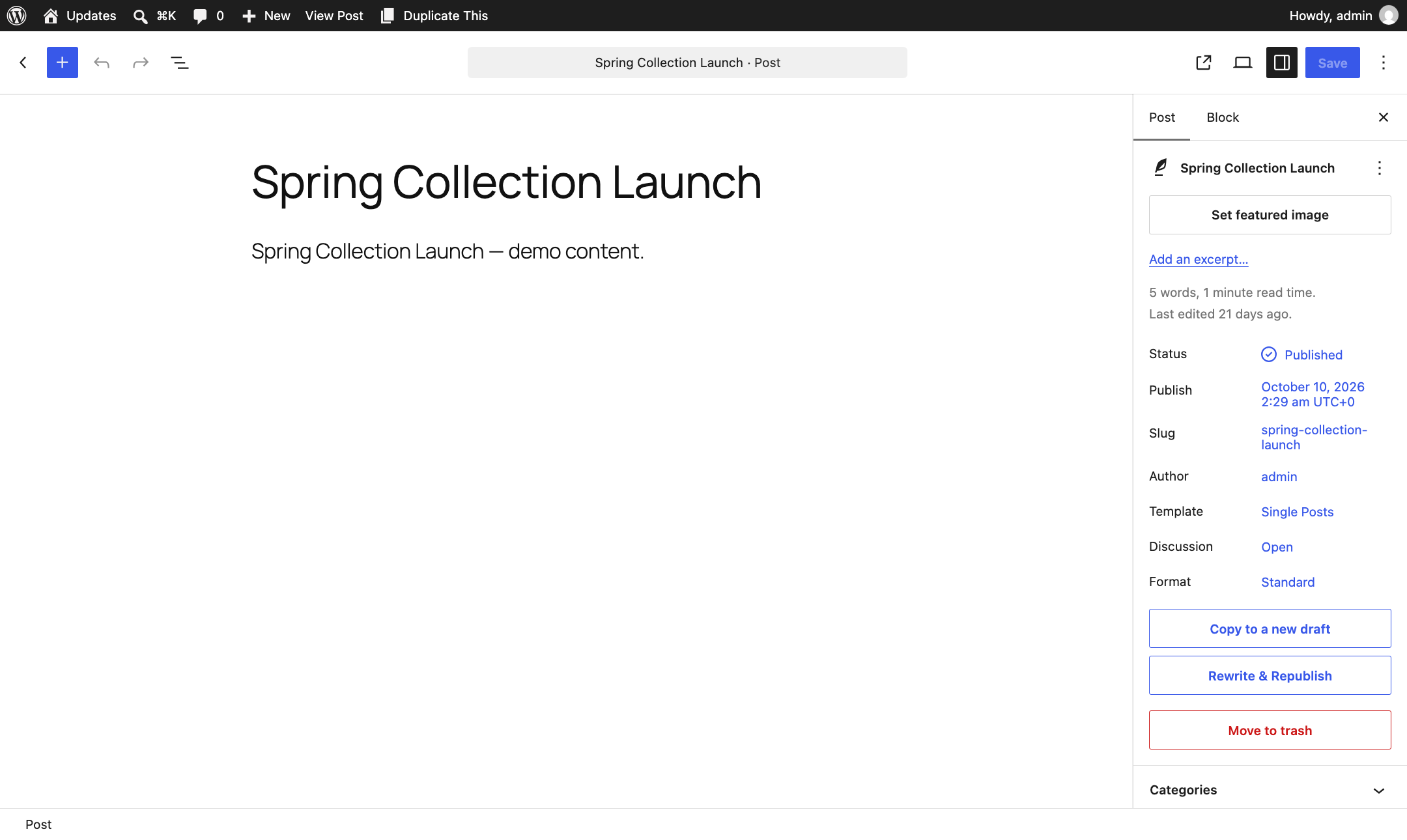
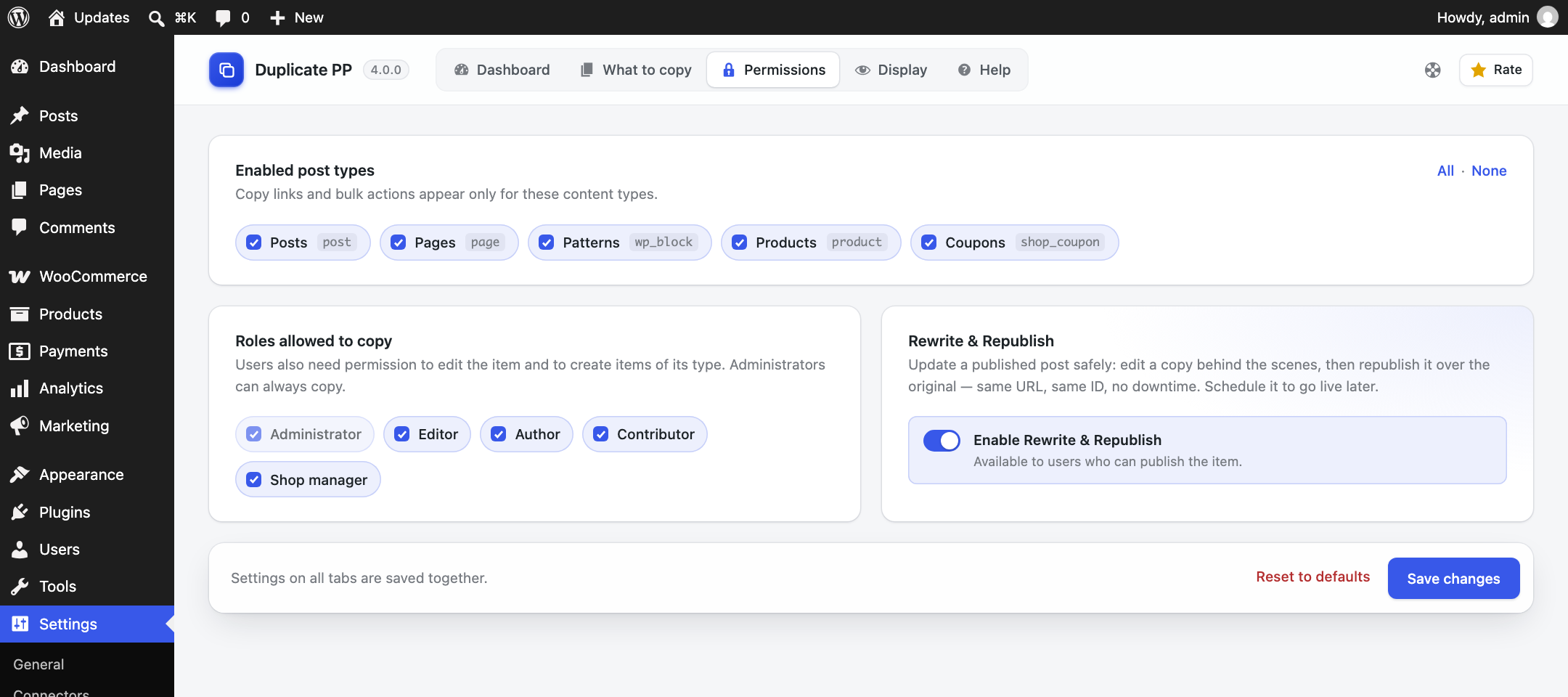
- Rewrite & Republish – rework a published post in a hidden copy, then republish it over the original. Same URL, same ID, no downtime. Schedule it to go live later.
- Copy multiple – make 2, 5, 10… copies of an item in one go, with optional numbered titles (“Copy 1”, “Copy 2″…). Works for one item or many through Bulk actions.
- Bulk Duplicate / Bulk Rewrite & Republish – from the Bulk actions menu.
- From the list table, the block editor, the classic editor and the admin bar (front end and back end).
Full control
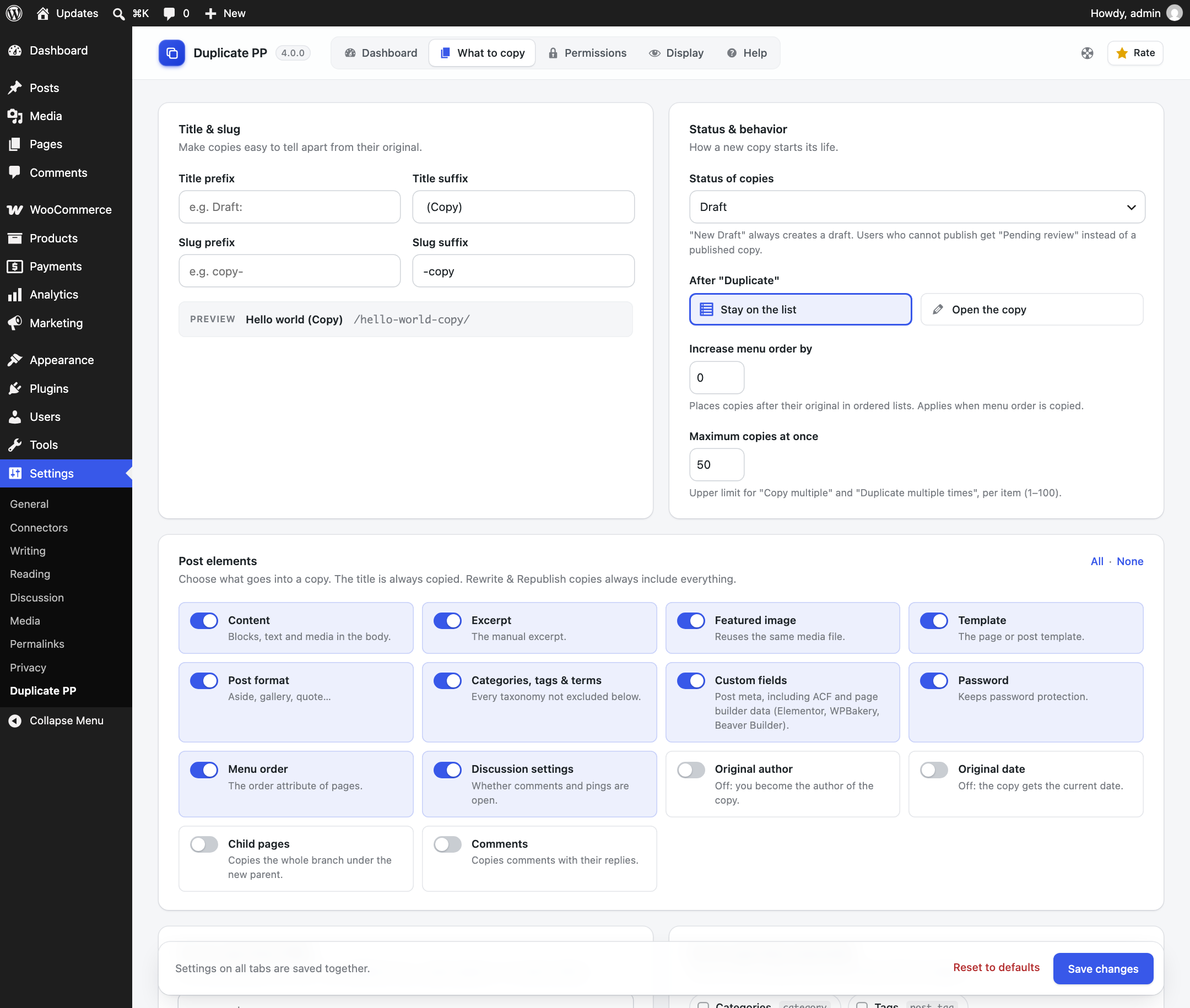
- What to copy: content, excerpt, featured image, template, post format, terms, custom fields, password, menu order, discussion settings, original author, original date, child pages and comments.
- Title & slug prefix/suffix with a live preview, status of copies (draft, pending, private, published or same as original), menu order increment.
- Exclude custom fields (with
*wildcards) and taxonomies. - Permissions: choose the post types and user roles that can copy.
- Display: choose where the links appear, and show the original in the editor, a list column or as a post label.
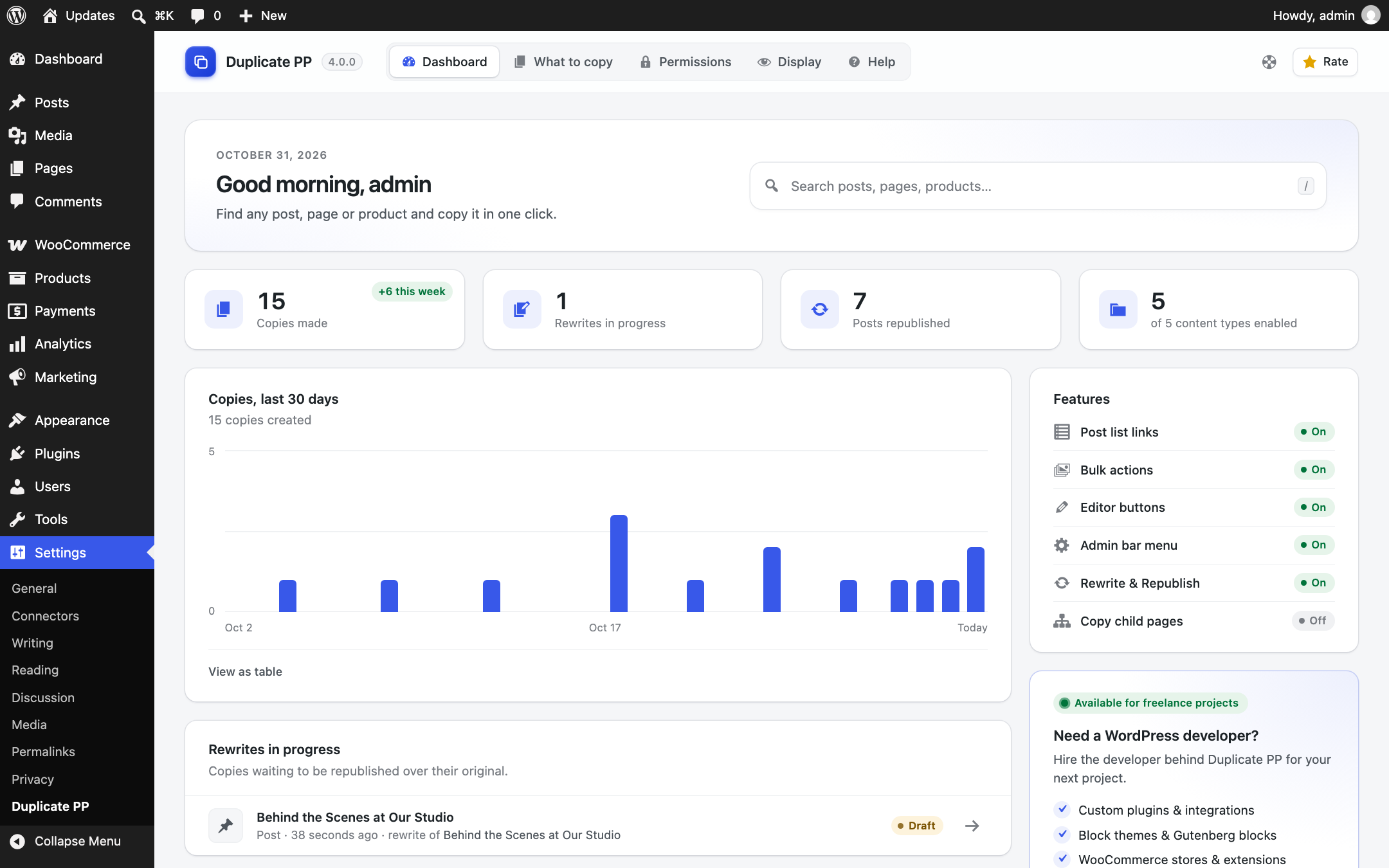
- A dashboard with usage numbers, recent copies and rewrites in progress.
Page builders
Elementor (with fresh element IDs), WPBakery, Beaver Builder, ACF and Codestar Framework data are copied.
For developers
Filters dpp_can_copy, dpp_can_rewrite, dpp_max_copies, dpp_duplicate_post_args, dpp_excluded_meta_keys, dpp_available_post_types, dpp_settings; actions dpp_before_duplicate, dpp_after_duplicate, dpp_before_republish, dpp_after_republish.
From the same team
Cartlet – share, save and track WooCommerce carts. Shoppers send their cart as a link, QR code or WhatsApp message, and can save it for later.
Installation
This section describes how to install the plugin and get it working.
e.g.
- Go to Plugin Menu from your dashboard.
- Click on Add New
- Now upload “duplicate-pp.zip” file and click install now.
- Finally active it. It is done.
Screenshots



Changelog
4.0.1
- Fixed: Fatal error on single posts for logged-in users when the admin bar link was enabled (a backend-only function was called on the front end).
- Fixed: Rewrite & Republish — a failed update of the original no longer wipes its custom fields or deletes the copy; the merge is skipped and the copy kept.
- Fixed: Rewrite & Republish re-checks at publish time that the user may still edit and publish the original; otherwise the copy returns to draft. Scheduled copies remember who scheduled them for the cron check.
- Fixed: Publishing a copy whose original was trashed no longer writes into the trash.
- Fixed: Copies published through other REST routes (e.g. WooCommerce’s API) are now merged at the end of the request instead of staying live next to the original.
- Fixed: Leftover republished copies are cleaned up when a new rewrite starts; republishing one merges again instead of creating a duplicate.
- Fixed: Page parent and sticky status carry over on republish. Deleting an original detaches a colleague’s copy instead of force-deleting it.
- Fixed: Titles containing “&” showed as “&” in the block editor panel.
- Fixed: Bulk duplicate skipped selected child pages whose parent could not be copied; it now copies them.
- Fixed: Taxonomies and roles with uppercase names could not be saved in the settings.
- Fixed: Activation redirect no longer interferes with AJAX, WP-CLI or bulk plugin activation.
- Improved: Rewrite & Republish is not offered for WooCommerce products (a republish would roll back sales and stock counters). Filter: dpp_rewrite_excluded_post_types.
- Improved: Bulk “Duplicate multiple times” is capped at 250 copies per request; the dialog shows the limit for the current selection. Filter: dpp_max_bulk_copies.
- Improved: Quick search only queries items the user can edit; removed the 3.x nonce fallback; stricter JSON escaping.
- Improved: Accessibility — tab names stay available to screen readers on small screens, the quick search announces results, and the copy dialog degrades gracefully in browsers without dialog support.
- Improved: Uninstall removes all plugin post meta.
4.0.0
- Added: Rewrite & Republish — edit a published item in a copy and republish it over the original, immediately or on a schedule.
- Added: “New Draft” action that opens the copy in the editor.
- Added: “Copy multiple” row action and “Duplicate multiple times…” bulk action — choose how many copies to make, with optional numbered titles, up to a configurable limit.
- Added: Bulk actions — Duplicate and Rewrite & Republish.
- Added: Copy buttons and “Copy of” link in the block editor and the classic editor.
- Added: Admin bar “Duplicate This” menu in the admin as well as the front end.
- Added: “What to copy” settings, excluded custom fields (wildcards) and taxonomies, menu order increment, “same as original” status.
- Added: Permissions for post types and user roles; Display settings; optional “Original” column and “Copy” label.
- Added: Child pages and comments can be copied.
- Added: New settings dashboard with stats, recent copies and rewrites in progress, plus a Help tab.
- Fixed: Content and custom fields are now copied byte for byte (backslashes in block attributes and JSON meta were stripped, and HTML entities such as < in code were decoded).
- Fixed: Title suffix ” (Copy)” lost its leading space after saving the settings.
- Fixed: Elementor background images were broken on copies; Elementor meta could be duplicated with empty values.
- Fixed: Hierarchical terms with the same slug are copied correctly.
- Improved: Users who cannot publish get “Pending” copies instead of published ones.
- Improved: WooCommerce SKU and sales/rating counters are not copied to product duplicates.
3.7.0
- Refactored: Full codebase reorganization — every class moved into the
DuplicatePPnamespace, every main class is now a singleton, and the rootduplicate-pp.phpis a clean bootstrap. - Improved: Settings read centralized in
DuplicatePP\Settings\Settings_Serviceso thedpp_settingsoption has a single source of truth. - Improved: Inline CSS and JS extracted from the settings page into
assets/css/admin-settings.cssandassets/js/admin-settings.js. - Improved: Every user-facing string is translatable with the
duplicate-pptext domain; every output is escaped. - Improved: Meta handler converted from a static utility to a
DuplicatePP\Meta\Meta_Handlersingleton. - Added:
uninstall.phpcleans updpp_settingsanddpp_activation_redirecton full uninstall. - Developer: New constants
DPP_PLUGIN_FILE; legacy constants and option keys preserved for backward compatibility.
3.6.1
- Fixed: HTML entities issue fixed for classic editor
3.6
- Added: Setting page
- Fixed: Security issues
- Improved: Performance and code quality
- Compatibility Check
3.5.6
- Fixed: fixed user permission issue
3.5.5
- Fixed: Security issues for user roles
3.5.4
- Fixed: Security issues
- Improved: Performance and code quality
- Compatibility Check
3.5.3
Compatibility Check
3.5.2
Compatibility Check
3.5.0
Compatibility Check
Fixed Post Meta Duplication Issue
3.4.0
Compatibility Check
Secure SQL
3.3.0
Adding Frontend Duplicating
Updating Support Information
Adding Simple Documentation
3.2.2
Testing with WordPress latest version
Updating Support Information
3.2.1
Testing with WordPress latest version
3.2.0
Bug Fixing
3.1.0
Bug Fixing
3.0.0
Compatibility Check with Gutenberg Editor
Support link is added
2.0.0
Add duplicating any custom post type scope
1.0.0
Release Date – 1st Sept, 2019