


Description
Simple popups that look good on every screen
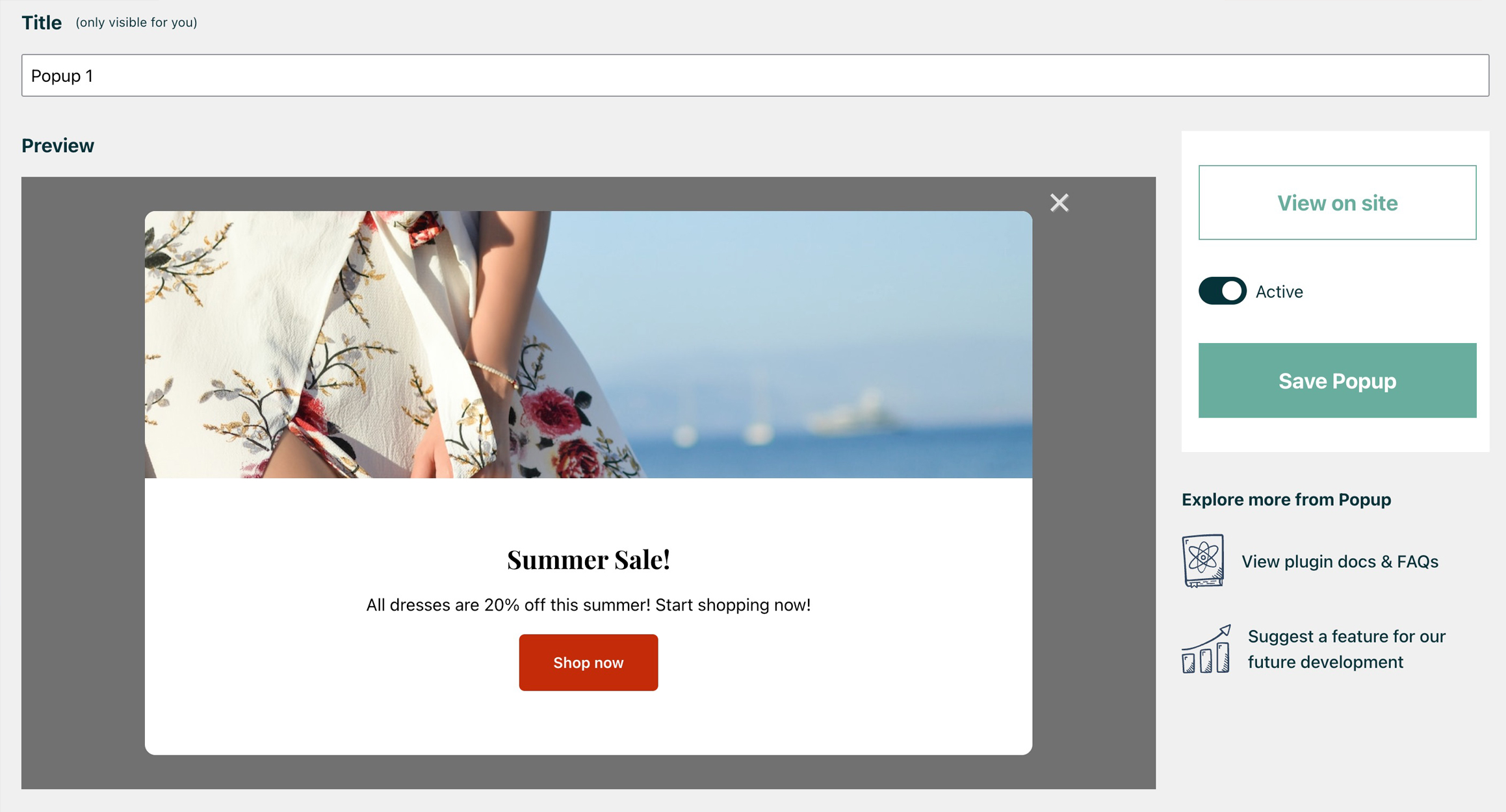
Easy Popups is a simple, lightweight popup builder for WordPress. Create a promo popup, newsletter popup, welcome popup or video popup without a page builder: no drag-and-drop maze and no learning curve. Fill in your message, pick a layout and colours, and watch the live preview update as you type. Publish when it looks right.
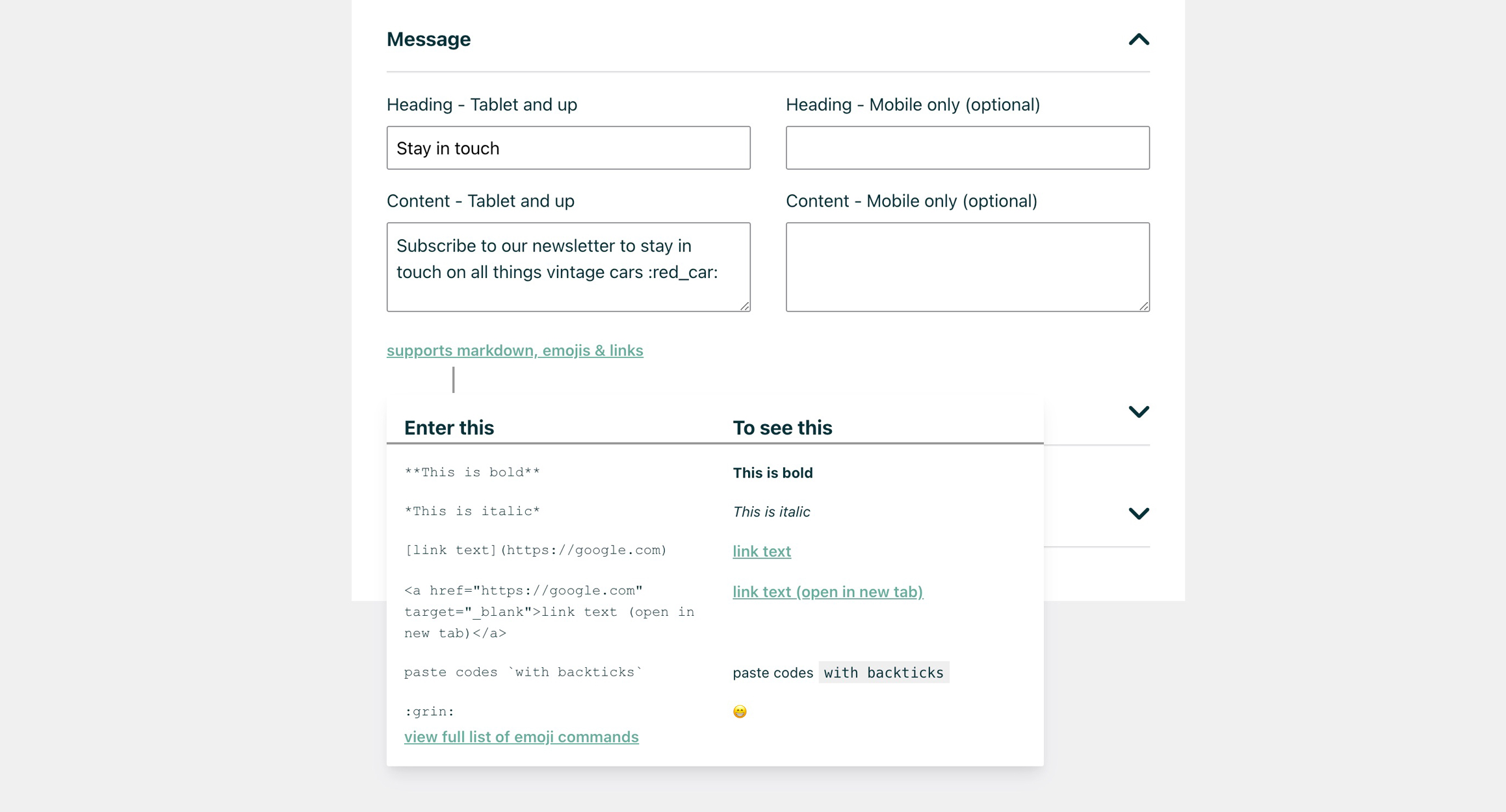
Every popup can have its own heading, content and button text for mobile, so your message never gets cramped on small screens.
From the makers of Bulletin, the announcement bar plugin used on over 2,000 WordPress sites.
What you can use it for
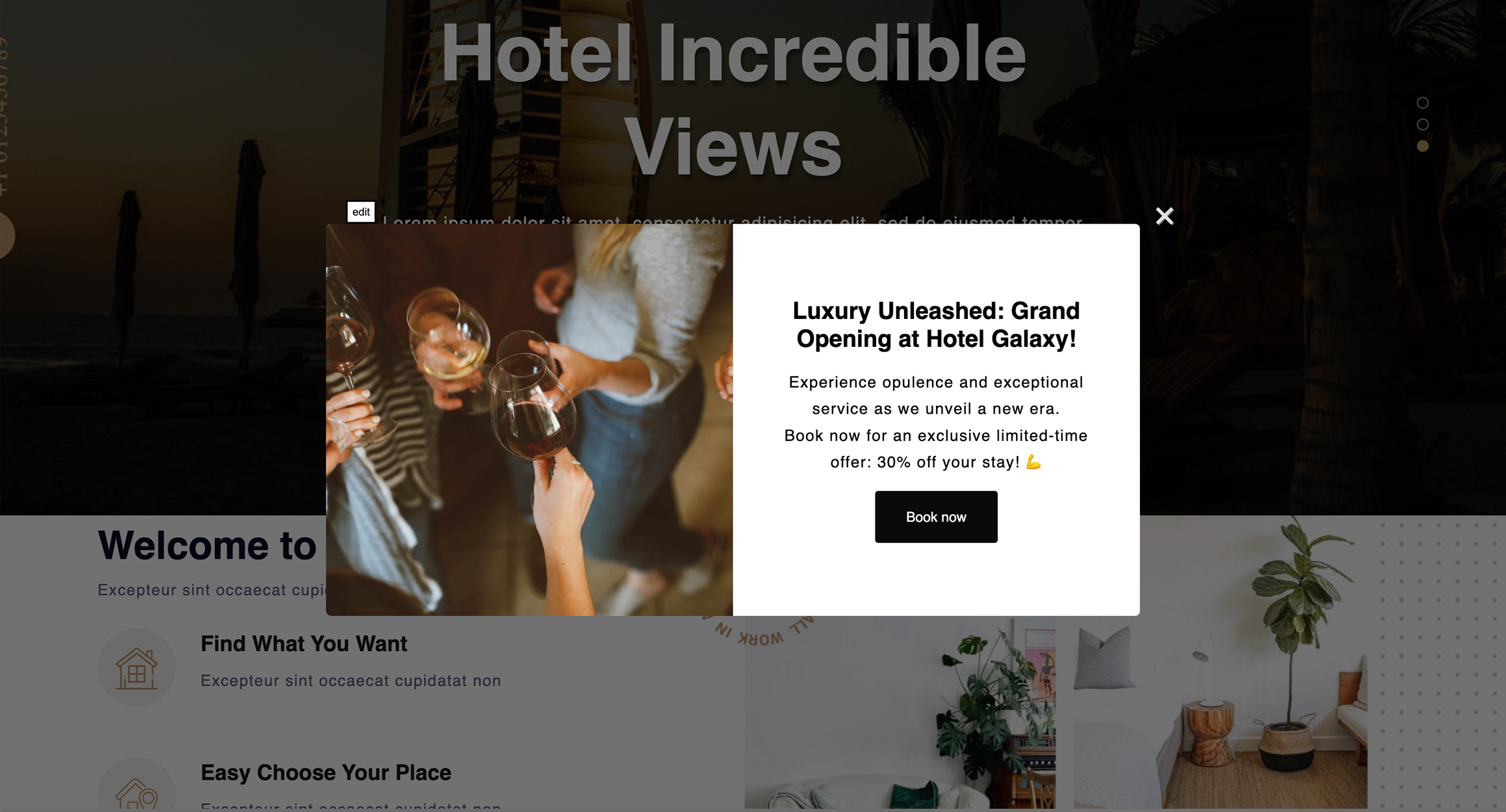
- 🚀 Promote a special offer: highlight a limited-time discount, promo code or flash sale and link straight to the product.
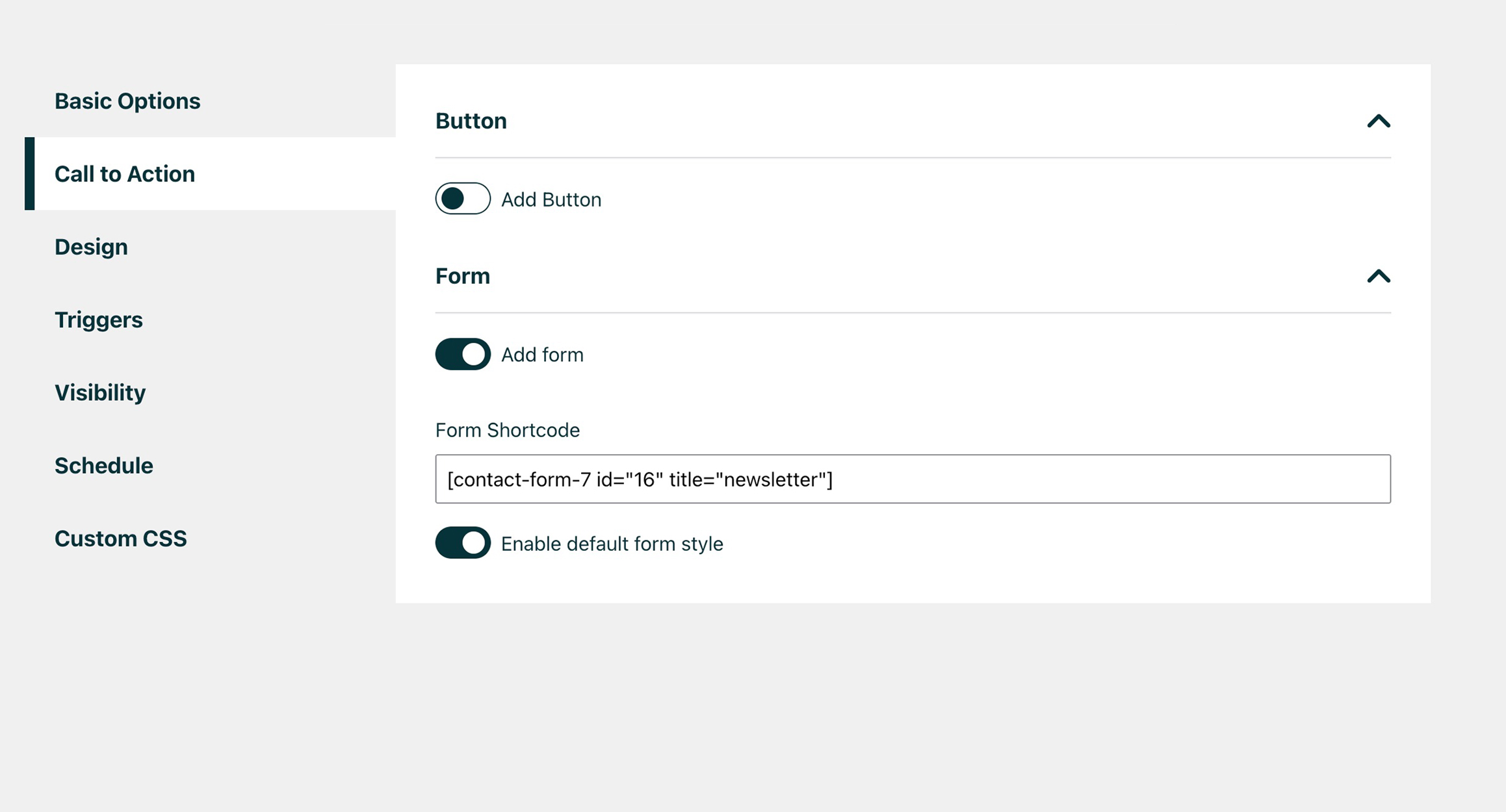
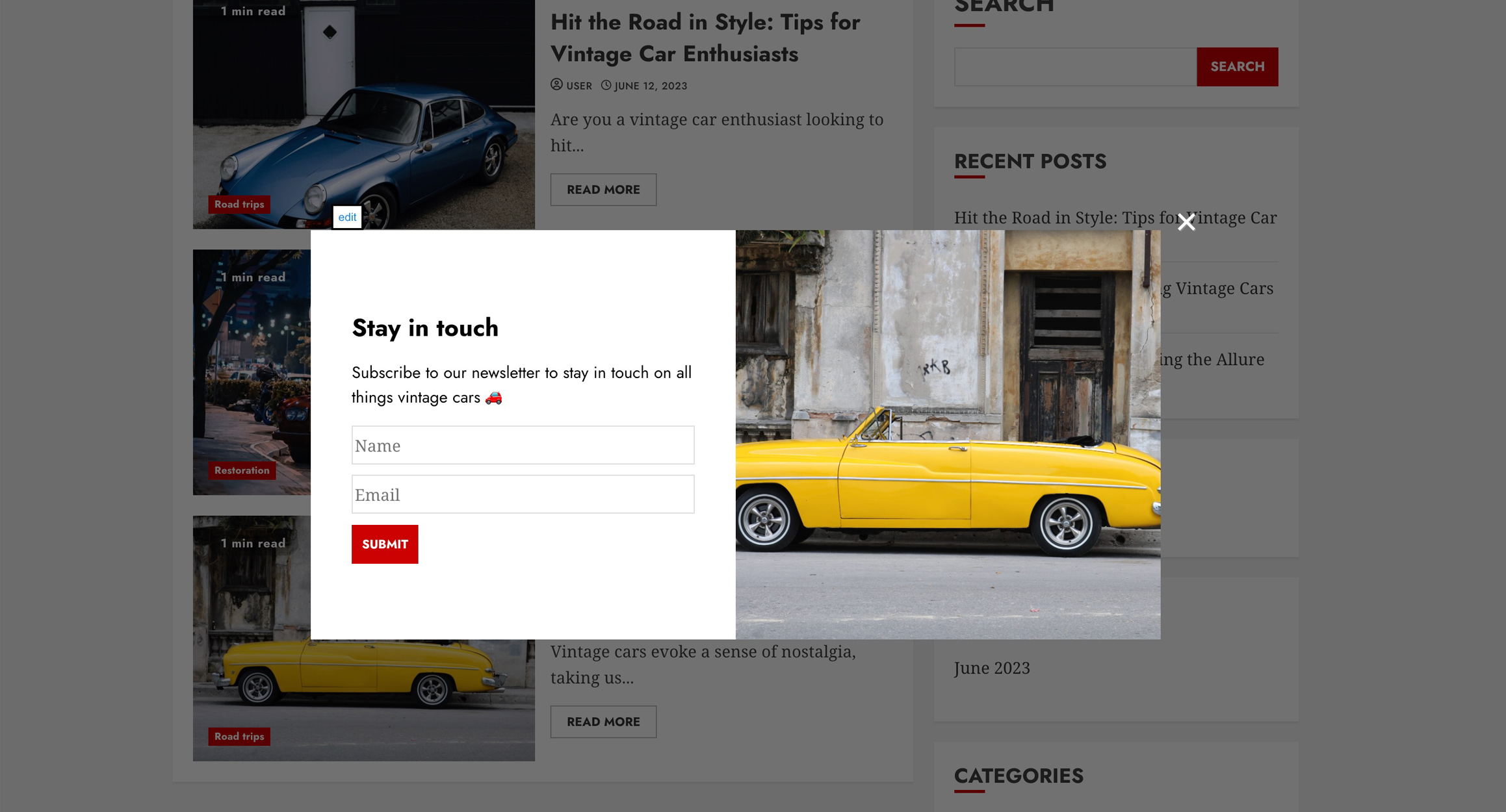
- ✉️ Grow your email list: show a newsletter sign-up form from your favourite form plugin (Pro).
- 📣 Announce something new: a product launch, a new service, opening hours or an important update.
- 💬 Grow your social following: point visitors to your Instagram, Facebook or community.
- 🎬 Show a video or gallery: put a product video or image slider front and centre (Pro).
How it works
Watch a quick video of how it works:
- Create a popup and write your message. Markdown, emojis and links are supported.
- Choose a layout, colours and when it should appear, with a live preview next to the settings.
- Publish. Visitors who close the popup won’t see it again until the hide period you set has passed.
Need help? The docs on our site are extended regularly.
Free features
- Unlimited popups
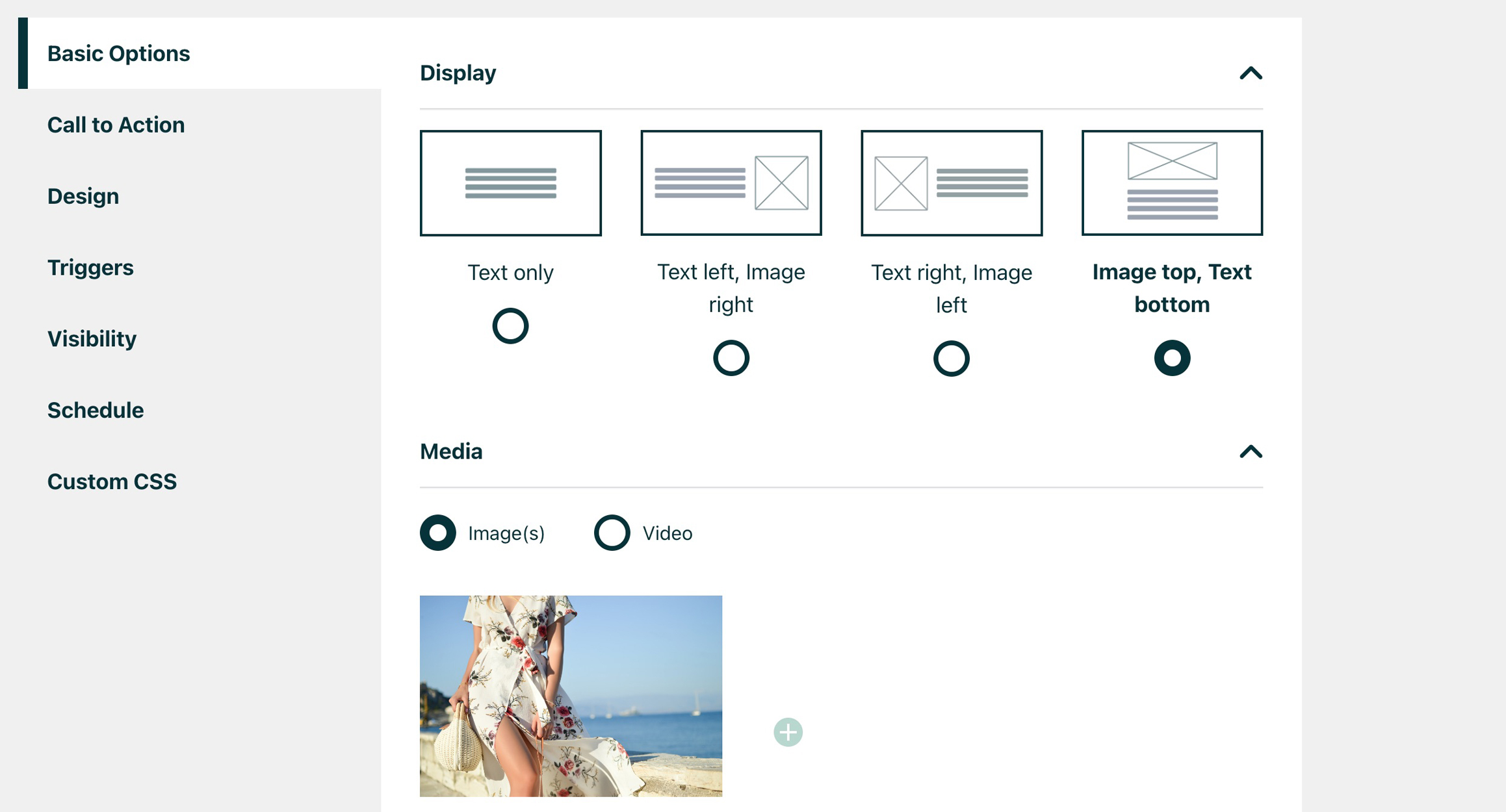
- 4 layouts: text only, text with image left or right, or image on top
- Live preview while you edit, in a top or side view
- Separate mobile content: optional heading, content and button label for mobile
- Markdown, emojis and links in your popup content
- Call-to-action button that links anywhere (same or new tab) or simply closes the popup
- Time-delay trigger: show the popup after a set number of seconds
- Hide duration: choose how many hours a popup stays hidden after a visitor closes it
- Close on background click (optional)
- Full design control: background, text and button colours (including hover), width, alignment, border radius and font sizes
- Fade-in animation
Pro features
Upgrade to Easy Popups Pro for:
- 📝 Forms: show any form plugin’s shortcode inside the popup (for example newsletter or contact forms), with optional default styling
- 👉 Advanced triggers: show after a % or number of pixels scrolled, when a specific element scrolls into view, or manually from a button or link
- 🖼️ Image sliders and video: add an image slider, upload a video or paste an embed code (for example from YouTube or Vimeo)
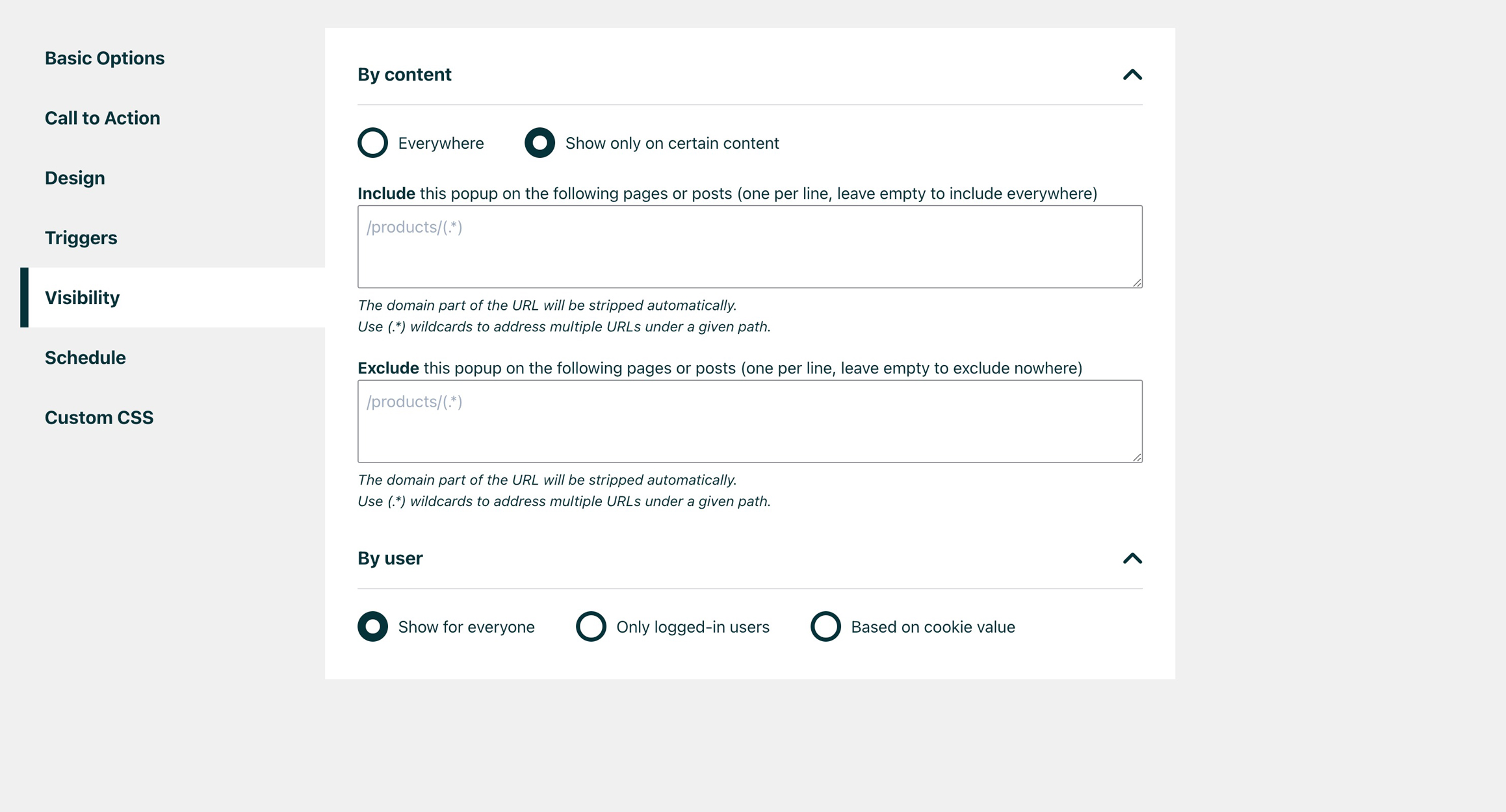
- 🎯 Page targeting: include or exclude specific pages and posts, with wildcard support
- 👤 Audience targeting: show popups only to logged-in users, or by cookie, IP address or visitor country
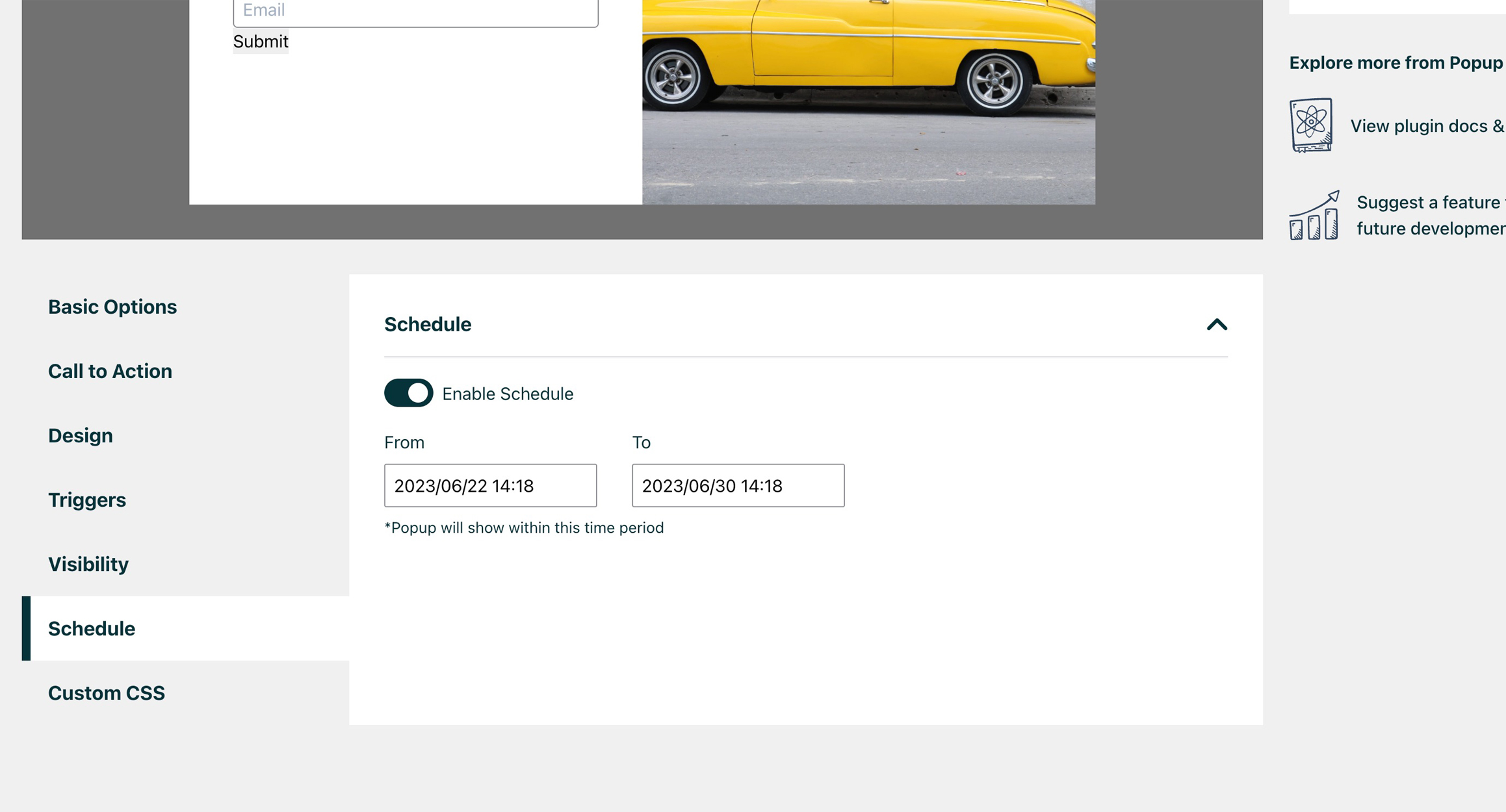
- 🕑 Scheduling: start and end dates and times, so a campaign runs itself
- 🚀 Extra animations and Google Fonts: bounce, slide, flip and zoom, plus a curated selection of Google Fonts
- 🃏 Custom CSS per popup
- 🕺 Multisite support: show a popup across all sites in your network
- Priority support
See it in action:
- Newsletter popup
- Top-image popup with scroll trigger
- Popup with an image slider that zooms in
- No-image popup that hides for 1 hour after closing
- Popup with video
Credits
This plugin is created by Rock Solid Plugins.
Installation
- Install Easy Popups from the WordPress.org plugin directory (Plugins → Add New), or upload the plugin files to your server.
- Go to Easy Popups → Add new popup and add your message, colours, layout and trigger.
- Check the live preview, or use Preview on site to see it on your own pages.
- Click Publish and you’re done!
- Want forms, scroll triggers, targeting or scheduling? Head over to our website for Pro features and pricing.
FAQ
Who is Easy Popups for?
Easy Popups is perfect for business owners, bloggers, WooCommerce shop owners, developers, photographers and basically everyone else who wants a good-looking popup without a complicated builder.
Do I need to know how to code to use Easy Popups?
No. Everything is set up with simple options and a live preview. In rare cases a popup can clash with styles from your theme; a developer can then fix that with a little custom CSS, which you can add per popup in the Pro version.
Will it slow down my site?
Easy Popups only loads its files on pages that actually show a popup. There, the script is around 5 KB compressed, plus a small stylesheet. Pages without a popup load nothing from Easy Popups at all.
Can I show different content on mobile?
Yes. Each popup has optional mobile-only fields for the heading, content and button label, plus separate font sizes and media height for mobile.
Will visitors see the same popup over and over?
No. You decide how many hours a popup stays hidden after a visitor closes it. You can also apply that hide period when the button is clicked.
Does it work with my form plugin?
In the Pro version you can paste the shortcode of any form plugin that provides one, for example a newsletter sign-up or contact form, and it will appear inside the popup.
How does Easy Popups compare to Popup Maker?
Popup Maker does more, including click triggers, exit intent, form integrations and analytics. Easy Popups is simpler and lighter: fill in a few fields, check the live preview, and show different content on mobile, with Pro from $29 a year. Full side-by-side: Easy Popups vs Popup Maker.
Is Easy Popups translated?
Yes. Easy Popups ships complete translations for German, Spanish, French, Dutch, Russian and Simplified Chinese, and picks up community translations from translate.wordpress.org for every other language. Want to help translate it into yours? Head over there and start translating.
How can I get access to all features?
You can get access to more features and priority support by upgrading to our Pro version. A Pro license gets you the full version of Easy Popups, automatic updates and priority support!
Does the plugin contact any external service?
The settings screen shows one small news card (a release note or an offer for our own plugins). Its text comes from a public file, https://rocksolidplugins.com/promo/notices.json, which the plugin reads at most twice a day while you are on its settings screens. The request sends the plugin name and version and nothing about your site or its users. The card can be dismissed. Privacy policy.
Screenshots
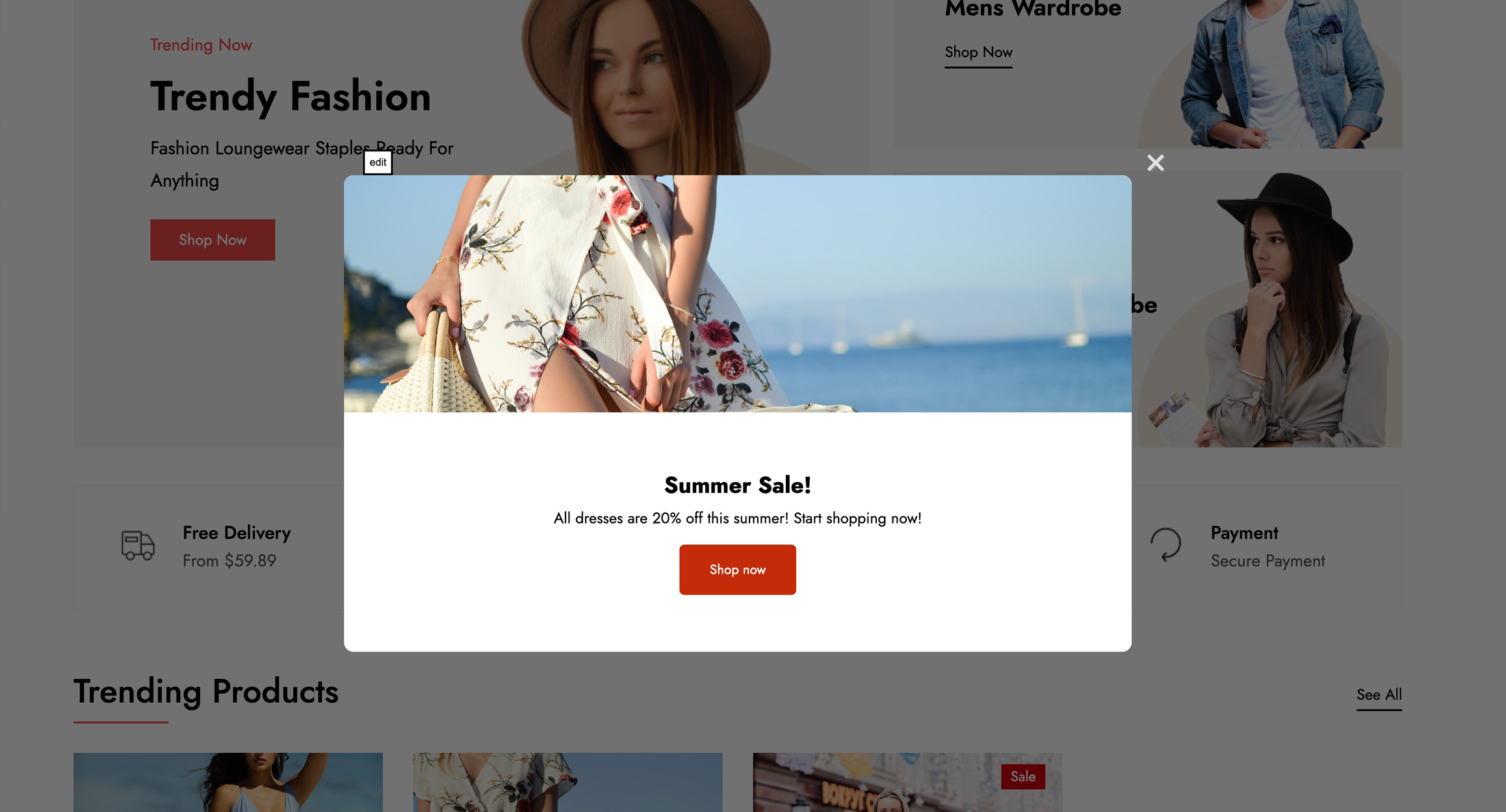
Changelog
1.6.3
- Popup editor: a small news card in the sidebar for release notes and offers. It can be dismissed and reads one public file from rocksolidplugins.com (see the FAQ)
- The pricing page inside WordPress has a cleaner layout and lists prices per year
1.6.2
- Translations: the admin is now fully translated into German, Spanish, French, Dutch, Russian and Simplified Chinese
- Translations: community translations from translate.wordpress.org now load in every other language (bundled files are named
easy-popups-{locale}.mo) - If you added your own
popups-{locale}.mofile, rename it toeasy-popups-{locale}.mo
1.6.1
- Fix: links in other plugins’ admin notices on Easy Popups pages no longer pick up the green Easy Popups link style
- Updated plugin description
1.6.0
- Upgrade Freemius SDK to 2.13.5
- Faster pages: popup scripts and styles only load on pages that show a popup, and the frontend script is about 90% smaller
- Pro: the image slider library and Google Fonts only load when a displayed popup uses them
- Security: hardened popup list actions, video embeds and Google Fonts output
- Fix: Google Fonts with spaces in their name, and custom CSS using > or quotes, now apply correctly
- Fix: HTML in popup headings now displays as formatted text instead of code
- Fix: backslashes in popup text are no longer removed on save
- Fix: closing one popup by clicking the background no longer affects other popups, and clicks inside a popup no longer hide it
- Fix: several scroll-triggered popups on one page now all appear
- Fix: popups no longer fail to load when browser storage is blocked
- Pro: fixed duplicating popups on strict MySQL setups, location targeting for some timezones, and the scheduled status in the popup list
- Multisite: deleting a subsite no longer deletes the popups of the main site
- Saving errors are now shown instead of leaving the Save button stuck
- Requires WordPress 5.3 or higher
- Updated links to rocksolidplugins.com
1.5.3
- upgrade Freemius SDK to 2.13.4
- tested with WordPress 7.1
1.5.2
- upgrade freemius
- small fixes and optimisations
1.4.0
- upgrade freemius
- add option to hide popup by clicking background
- small optimisations
1.3.8
- Added top / side view for editing
1.3.7
- Bug fixes
- Add more translations
1.3.6
- Small tweaks
1.3.5
- Bug fixes and improvements
- Major overhaul for video capability
1.3.2
- Fix emojis in header
- Fix zoom ability for images
1.3.1
- Update Freemius SDK
1.3.0
- Bug fixes
- New feature to show Popups by IP
1.2.3
- Minor updates
1.2.2
- Security update
1.2.1
- Various updates and bug fixes
1.0.9
- Small updates for WP.org release
1.0.4
- First release