

Description
Easily add Google Tag Manager to your blog without having to edit your theme or know how to code.
Installation
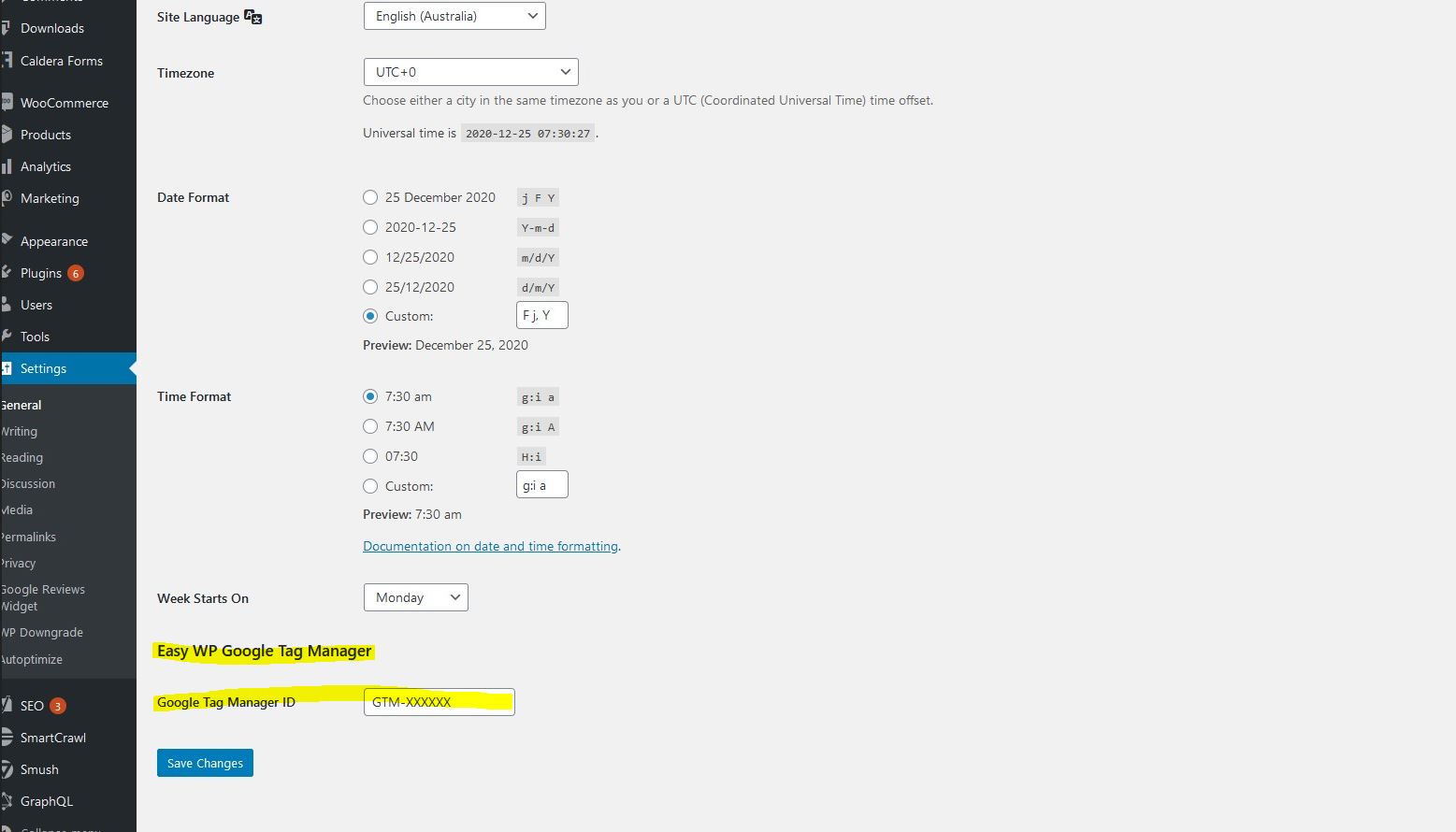
After installing the plugin, go to Settings > General and add your Google Tag Manager’s container ID to the field called ‘Google Tag Manager ID’.
FAQ
Do I need to edit my theme or know coding to add the Google Tag Manager snippet?
No! If you install this plugin, you just need to go to Settings > General and add your Google Tag Manager’s container ID to the field called ‘Google Tag Manager ID’.
Screenshots
Changelog
1.0.1
- Tested with WordPress 7.1.
- The Google Tag Manager snippet is no longer added to the page when the ID field is empty.
- Security hardening: the ID is now escaped when it is printed.
1.0.0
- First version released.