

Description
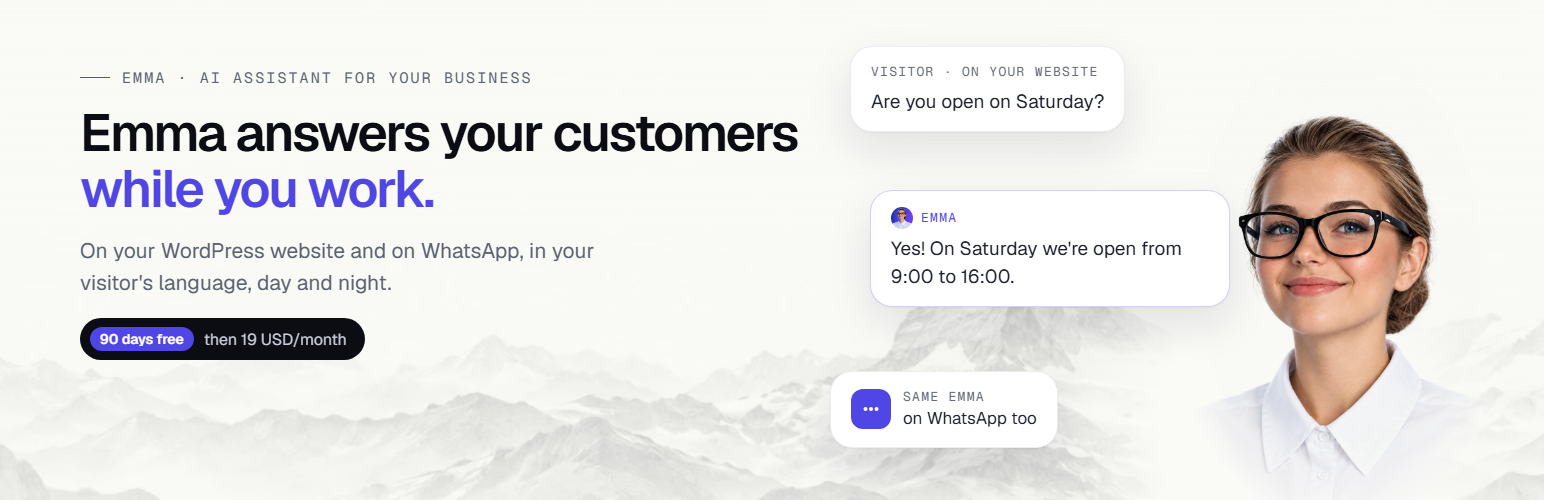
Emma is an AI receptionist and answering service for small businesses: salons, barbers, restaurants, practices, shops and more. Swiss made. Like a virtual receptionist, she answers your customers on your website, on WhatsApp and, on the Full plan, on the phone. Day and night, in your customer’s language, with the information you give her.
Talk to Emma right now, before you install anything: open stimhaus.ai, tap Answer on the ringing phone and ask her anything. It is free, from your browser (microphone needed).
Watch the full setup, step by step:
Why an AI receptionist?
- Calls come in while you are with a customer, and nobody picks up.
- The same questions come back all day: opening hours, prices, address, availability.
- Your website gets visits at night and on Sundays, when nobody is there to answer.
Emma answers all of them, the way you would, and lets you know what matters.
What Emma does
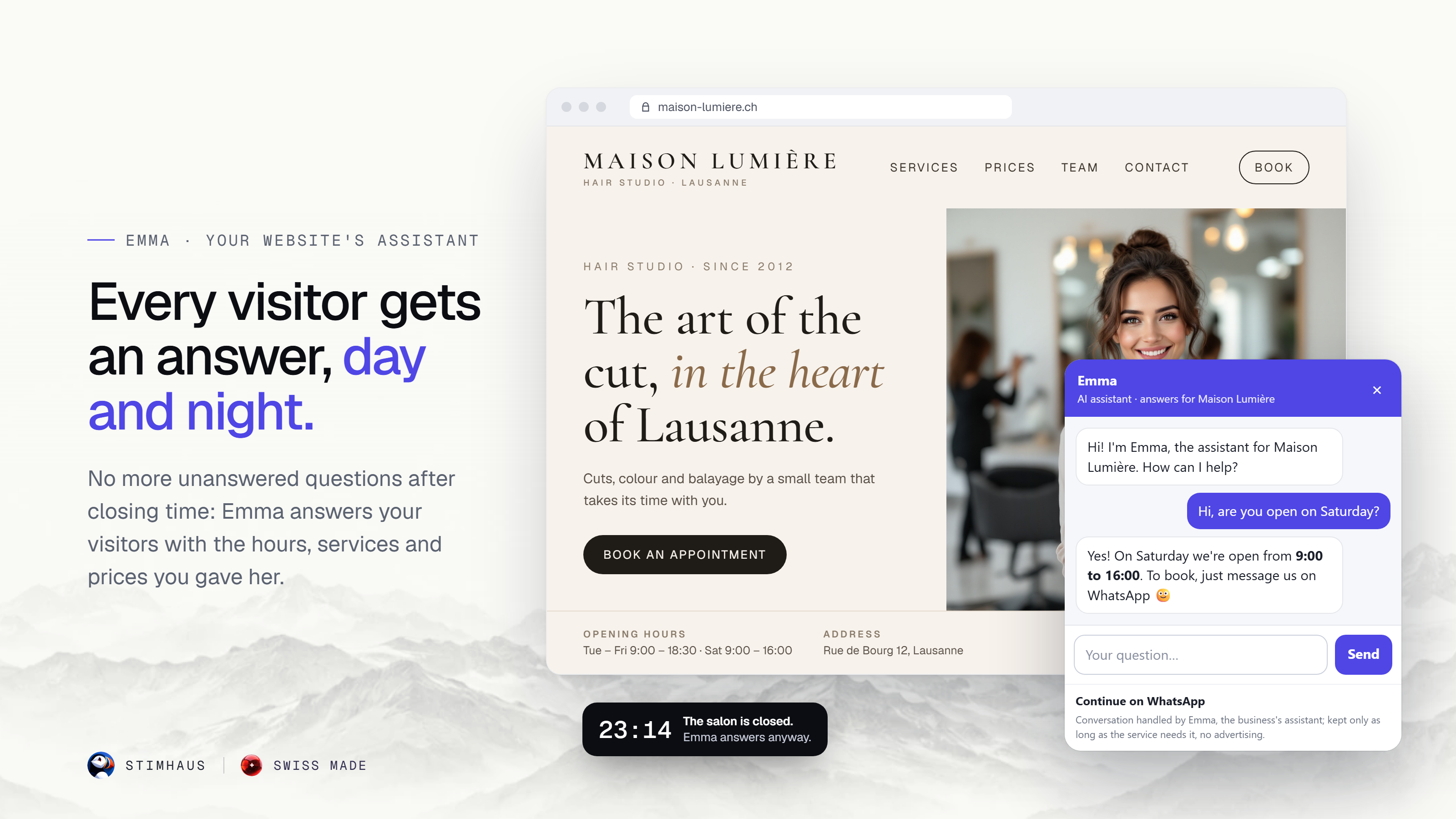
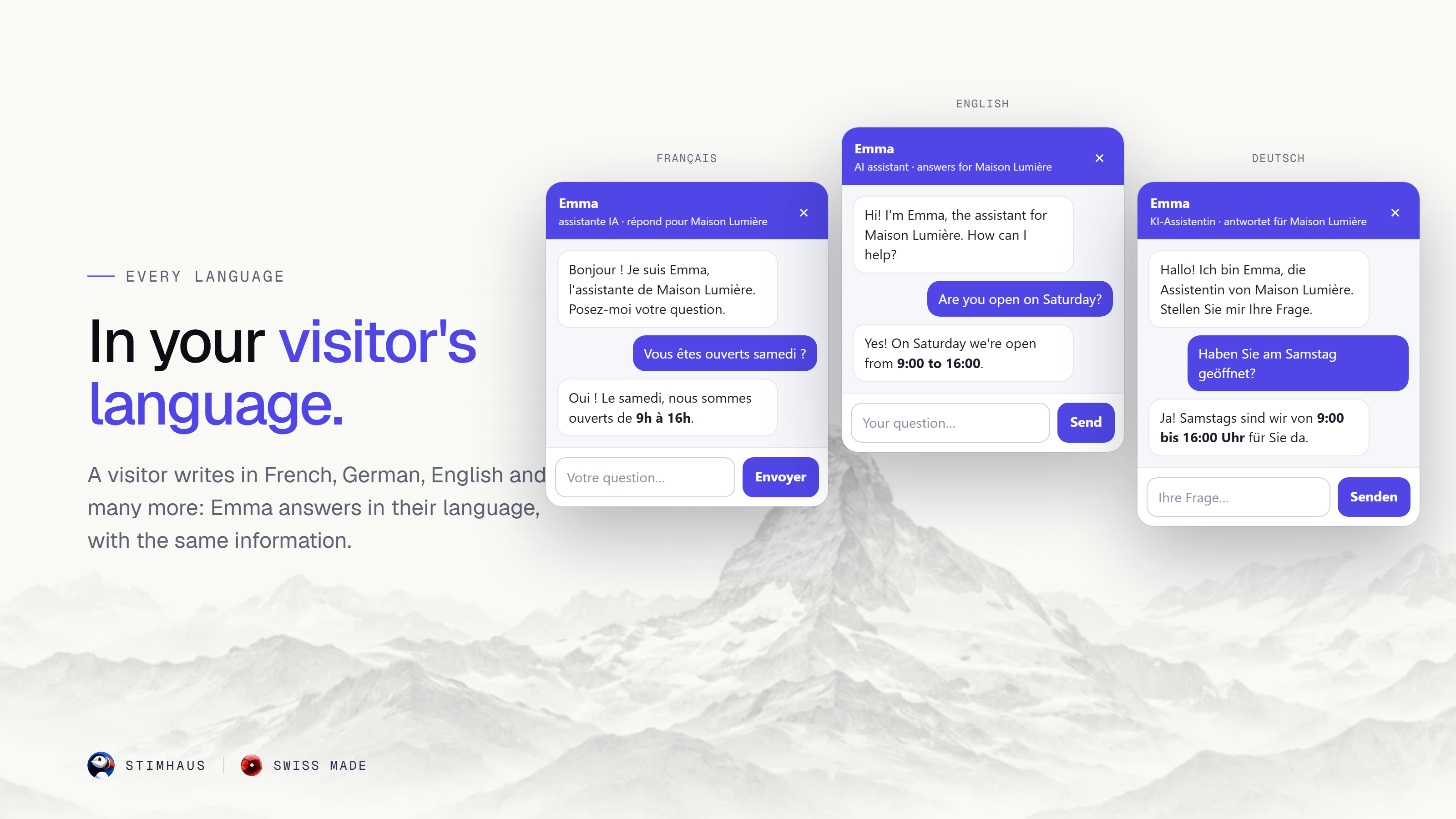
- On your website: a small chat bubble appears in the corner of every page. Visitors ask, Emma answers.
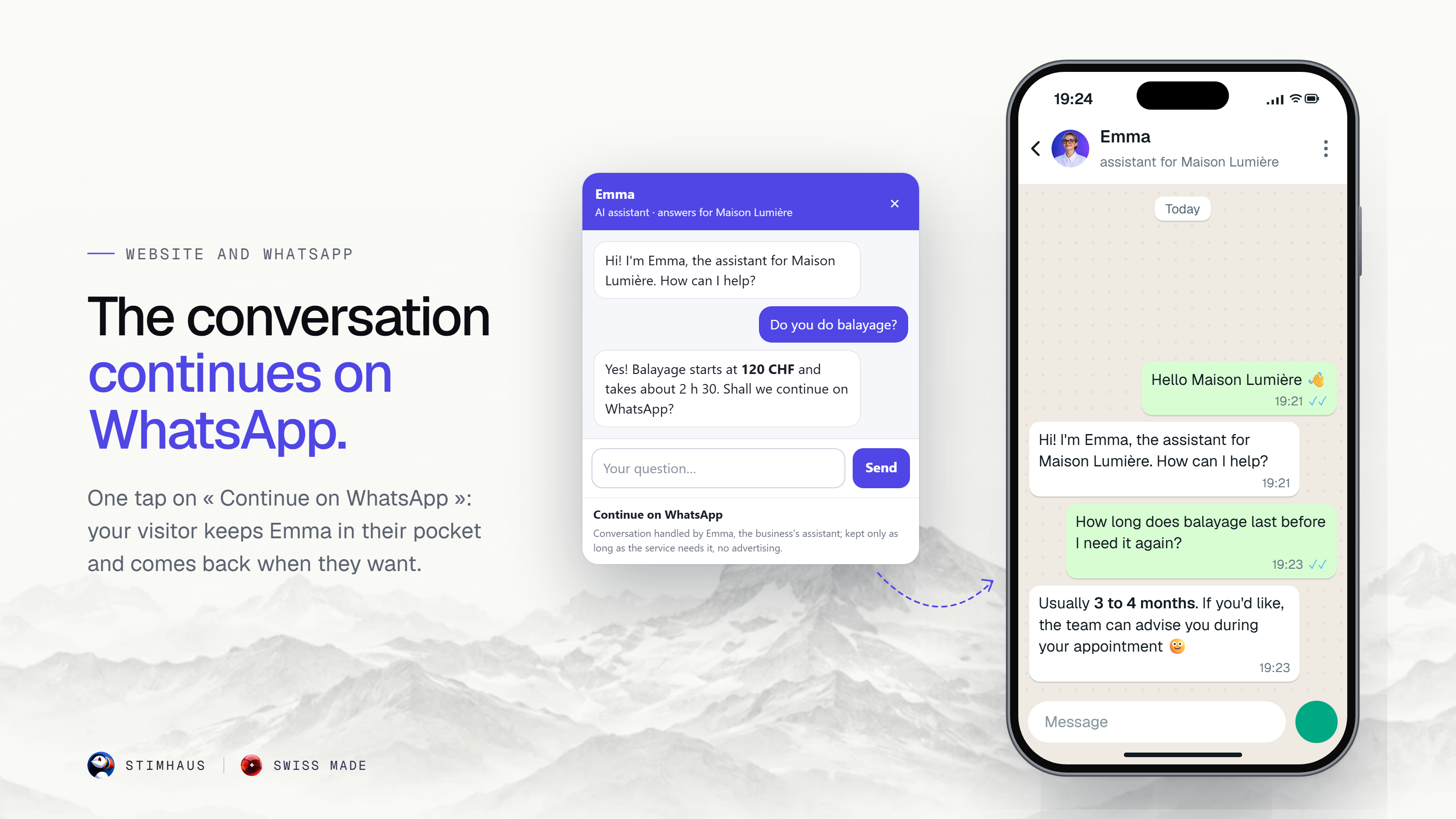
- On WhatsApp: a visitor can start on your site and continue on WhatsApp.
- On the phone (Full plan): Emma picks up your calls day and night, takes and manages bookings, passes messages on to you via WhatsApp, and every call is transcribed.
- In your customer’s language: Emma answers in the language your customer writes or speaks.
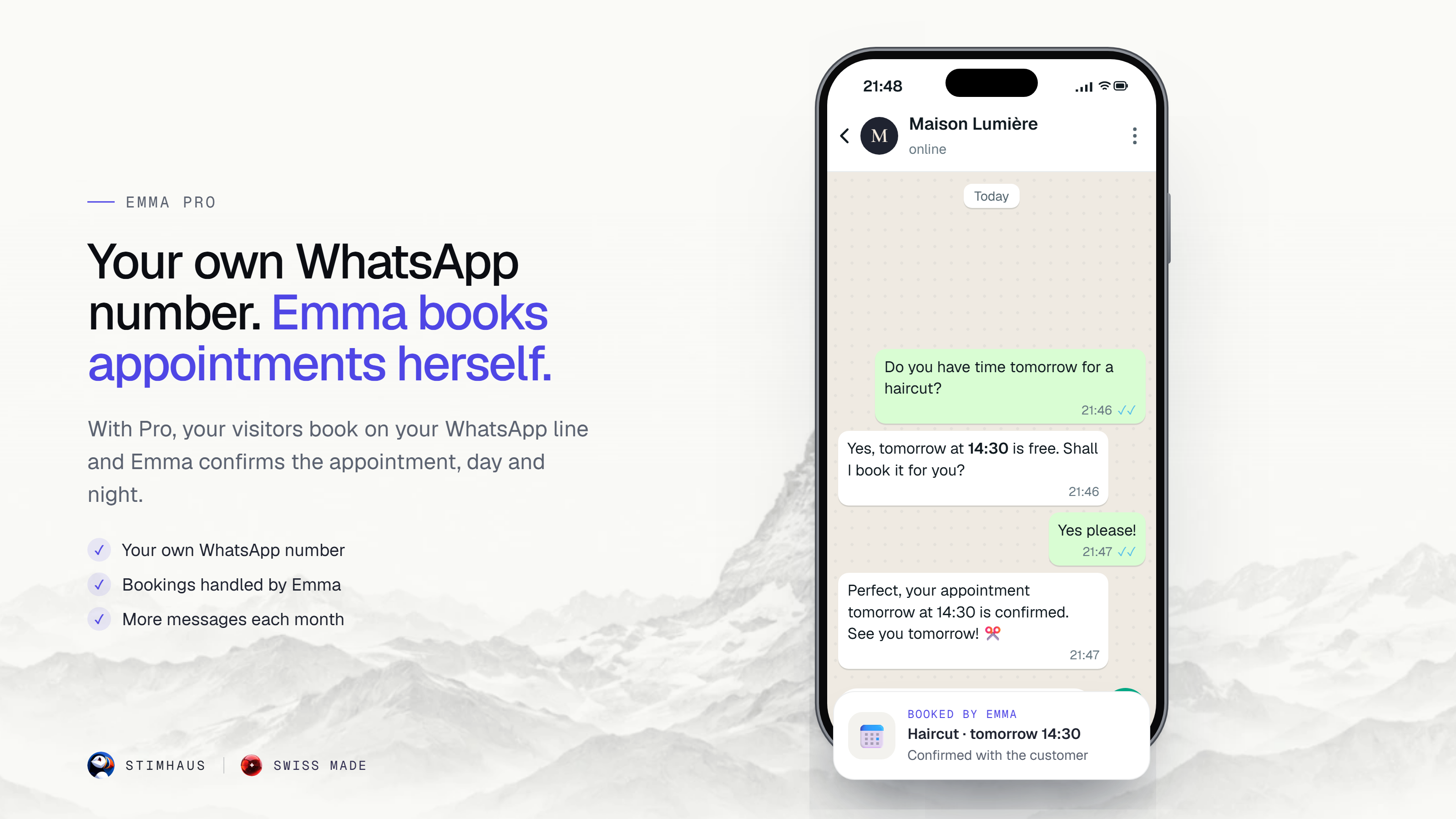
- Bookings (Pro and Full): Emma takes and manages your customers’ bookings, syncs with your calendar and sends a confirmation to the customer. On Light, Emma answers questions and tells customers how to reach you.
- Takeaway orders (Pro and Full): Emma takes your customers’ takeaway orders.
- Your own Emma WhatsApp number (Pro and Full).
Run Emma from your phone
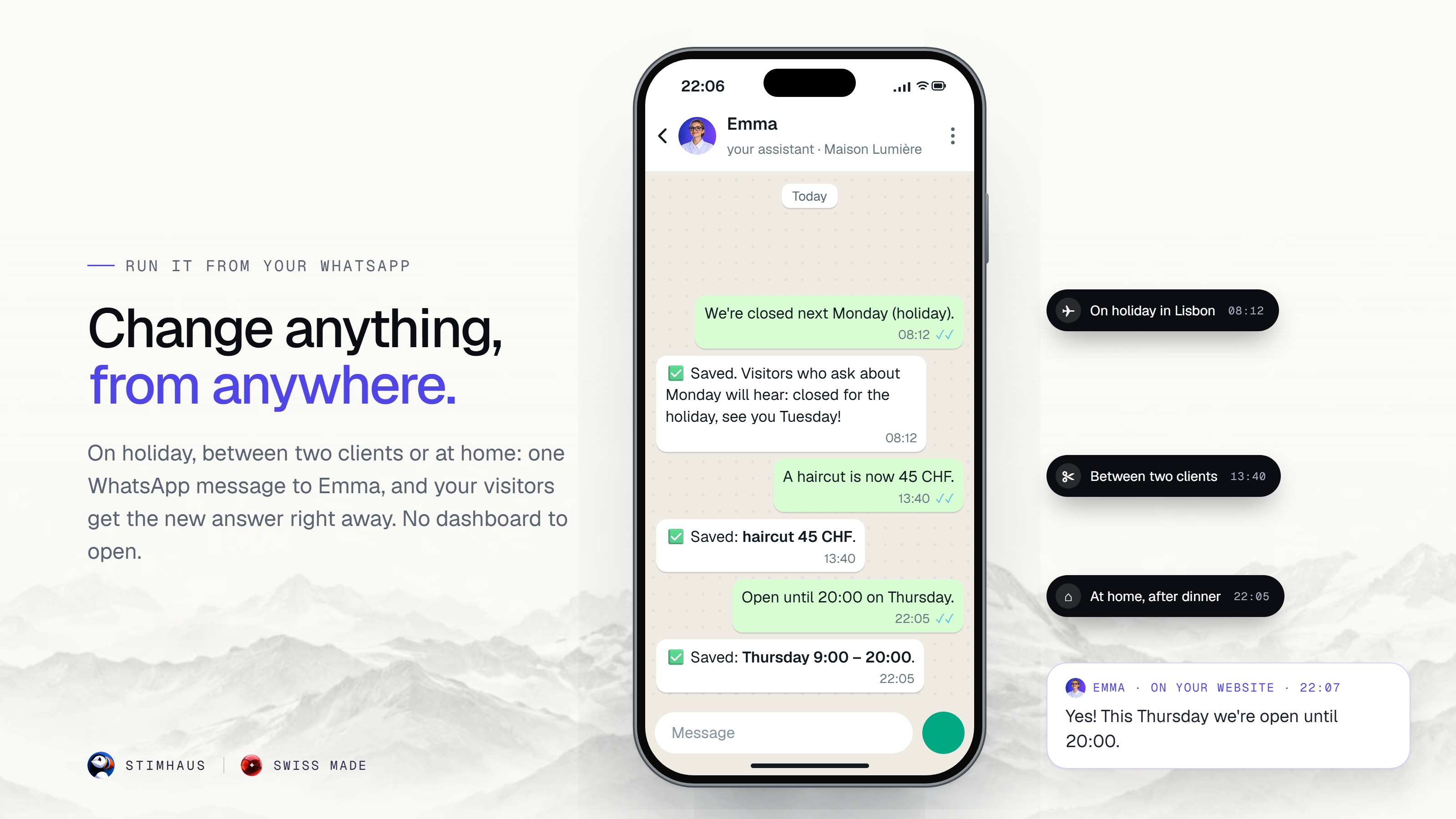
Wherever you are, send Emma a WhatsApp message: “We are now closed on Mondays”, “A haircut is 45 CHF”, “We now offer beard trims”. She updates your hours, prices and services right away, and your customers get the new answer.
On Pro, on your dedicated WhatsApp number, you can also give her dated closures (“Closed this Saturday”) and ready-made answers (“Free delivery this month”): she applies them right away and tells the customers who ask her on that number.
On Pro and Full, you can also teach her your business from your dashboard, with the Configure Emma button.
You stay in control
- Nothing goes live without your approval: Emma shows you what she will tell your customers, and you approve it.
- Read every conversation in your Stimhaus dashboard and reply yourself when you want.
- On Pro and Full, the day’s summary every morning by e-mail.
Who is Emma for?
- Hair salons, barbers, beauty and spas: hours, prices, bookings, by chat and by phone.
- Restaurants and cafés: opening hours, menu questions, bookings and takeaway orders.
- Practices (dentists, physiotherapists, vets and more): opening hours, address, appointments.
- Shops and WooCommerce stores: product questions, delivery, opening hours.
- Web agencies and freelancers: add Emma to the WordPress sites you build for your clients; each business activates its own Emma.
Plans (USD)
- Light: 90 days free, then 19 USD/month. No credit card. The Emma bubble on your website, Emma WhatsApp, answers about prices, opening hours, address and useful details, in your customer’s language, day and night, 100 customer messages per month. We let you know 30 days before the free period ends; cancel at no cost.
- Pro: 49 USD/month. Everything in Light, plus your dedicated Emma WhatsApp number, unlimited messages, bookings taken and managed, takeaway orders, calendar sync, confirmations to the customer, marketing campaigns to your customers that you switch on, and the day’s summary every morning by e-mail.
- Full: 99 USD/month, first month free. Everything in Pro, plus Emma on the phone, day and night: she takes and manages bookings by phone, passes messages on via WhatsApp, and every call is transcribed.
No commitment. Details: stimhaus.ai. This plugin itself is free: it adds Emma to your website once you paste your Emma code.
🇨🇭 Swiss made
Emma is made in Switzerland by Stimhaus, a Swiss company. Your customers’ conversations are used to answer them and to show them to you, with no advertising.
External services
This plugin connects your website to Emma by Stimhaus, an AI assistant service operated by Stimhaus (Switzerland). Nothing is loaded on your public pages until your Emma code is saved in the plugin settings (by the Check button or by pasting it).
- What is loaded: once your code is saved, every public page of your site loads the Emma chat bubble script from
https://stimhaus.ai/emma.js, with its fonts and images fromhttps://stimhaus.ai. - When a page loads: the bubble asks the Stimhaus server (
https://stimhaus.ch) for your Emma settings (your site number only) and records that it was shown on your site (your domain name only; nothing about the visitor). - What is sent, and when: when a visitor writes to Emma in the bubble, their message, your site number, the visitor’s language and a random conversation identifier are sent to the Stimhaus server (
https://stimhaus.ch) so that Emma can answer. On a product page, the product name and its address are sent too. When a visitor taps “Continue on WhatsApp”, the bubble records one click for your site (site number only), and the conversation then continues on WhatsApp (a Meta service). - When you activate Emma from the plugin settings (since 1.1.0): clicking Activate Emma on WhatsApp only opens WhatsApp with a pre-filled message that contains a random activation token created by the plugin (no personal data). Clicking Check sends this token to the Stimhaus server (
https://stimhaus.ch) to ask whether your activation is complete; if it is, the server returns your Emma site number and business name, which the plugin saves. No request is made when the plugin is installed, activated or updated, nor when you open other admin pages. - Terms of service: https://stimhaus.ai/en/cgv
- Privacy policy: https://stimhaus.ai/en/confidentialite
Installation
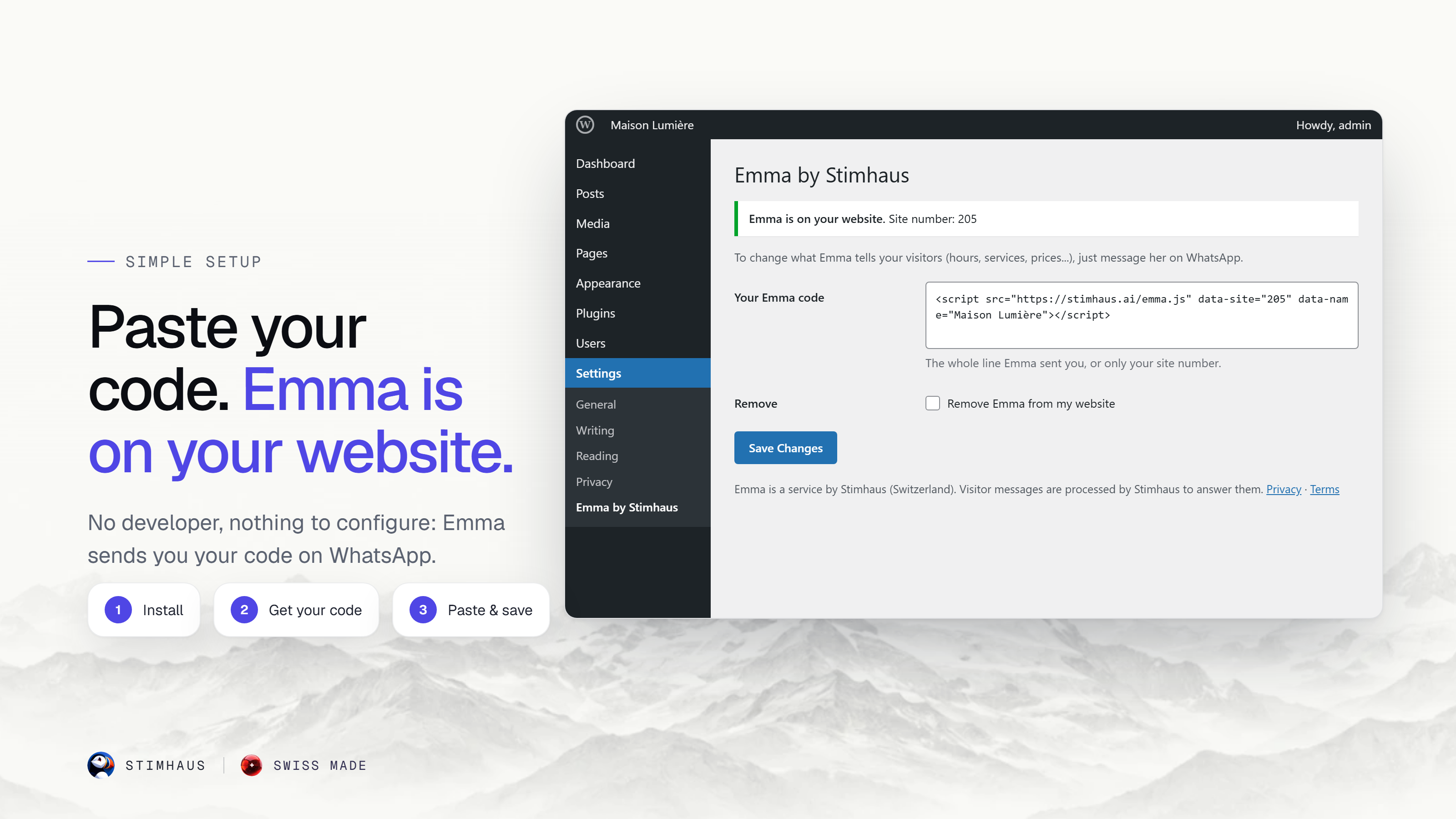
- Install and activate the plugin.
- Open Settings → Emma by Stimhaus and click Activate Emma on WhatsApp: WhatsApp opens with a message ready to send (about 2 minutes). Emma asks a few short questions (business name, city, e-mail, website) and shows you what she will tell your visitors.
- Once you have confirmed with Emma, come back to Settings → Emma by Stimhaus and click Check. Emma appears on your website. You can also paste the code Emma sends you on WhatsApp and click Save.
Want Pro or Full right away? You can activate them directly, without starting on Light: stimhaus.ai.
FAQ
What is an AI receptionist?
An assistant that answers your customers for you: questions about your hours, prices and address, bookings, messages. Emma does it on your website, on WhatsApp and, on the Full plan, on the phone.
Can I try Emma before installing?
Yes. Open stimhaus.ai, tap Answer on the ringing phone and talk to her, for free, from your browser (microphone needed).
Can Emma answer my phone?
Yes, on the Full plan (99 USD/month, first month free). Emma answers the calls to your Emma number day and night. You can forward your usual number to her: the forwarding codes are in your dashboard. Phone availability depends on your country: ask us before you subscribe.
Is Emma a virtual receptionist or an answering service?
Both. Emma answers your customers’ questions like a receptionist (hours, prices, address, services), on your website and on WhatsApp, and on the Full plan she answers your phone. Unlike a human answering service, she is there day and night, in your customer’s language.
Which WhatsApp number does Emma use?
On Light, Emma answers from the shared Stimhaus WhatsApp number. On Pro and Full, your business gets its own dedicated WhatsApp number.
Do I need a Stimhaus account?
Yes. You activate Emma on WhatsApp, in about 2 minutes, from the plugin settings (one click) or from stimhaus.ai. She then sends you your code, which the plugin fetches for you when you click Check, or which you can paste yourself.
What is the activation link?
When you click Activate Emma on WhatsApp in the plugin settings, the plugin creates a random token (32 letters and digits), keeps it on your site and puts it in the pre-filled WhatsApp message. It contains no personal data, is valid for 7 days and is used once. When you click Check, the plugin sends this token to Stimhaus to fetch your Emma code. It is deleted when the plugin is uninstalled.
How much does it cost?
Light: 90 days free, then 19 USD/month, no credit card. Pro: 49 USD/month. Full: 99 USD/month, first month free. No commitment.
Which languages does Emma speak?
Emma answers in your customer’s language: they write or speak in their language, she answers in the same one.
Can Emma take bookings?
On Pro and Full, yes: Emma takes and manages your customers’ bookings, syncs with your calendar and sends a confirmation to the customer. On Light, Emma answers questions and tells customers how to reach you.
Does Emma read my WordPress pages?
No. Emma answers with what you tell her (hours, services, prices, address and more). This keeps her answers exactly as you want them.
Where do I change what Emma says?
Send her a WhatsApp message: your hours, services and prices are updated right away. On Pro and Full, you can also use the Configure Emma button in your dashboard.
Will Emma say things I did not approve?
Nothing goes live without your approval: Emma shows you what she will tell your customers, and you approve it.
Does it work with WooCommerce?
Yes, the bubble works on WooCommerce stores like on any WordPress site. Emma answers with what you tell her about your products, prices and delivery.
Does the plugin slow down my site?
The bubble is loaded at the end of the page (deferred), after your content.
I build websites for clients. Can I add Emma for them?
Yes. Install the plugin on each client’s site; each business activates its own Emma and pastes its own code.
Can I cancel?
Yes, at any time, at no cost. On Light, we let you know 30 days before the free period ends.
Where do I get help?
Ask your question in the support forum of this plugin, or write to admin@stimhaus.ch.
How do I remove Emma?
In Settings → Emma by Stimhaus, tick “Remove Emma from my website” and click Save, or deactivate the plugin.
Screenshots




Changelog
1.2.1
- Listing text: clearer description of what you can change from WhatsApp on each plan, and new questions in the FAQ. No change to how the plugin works.
1.2.0
- After Check, Save or Remove, the plugin clears the page cache of the common cache plugins (WP Super Cache, WP Rocket, W3 Total Cache, WP Fastest Cache, LiteSpeed Cache, SiteGround Optimizer, Autoptimize, Cache Enabler) when they are installed, so the bubble shows up right away. The notice now also says to clear the cache if needed.
1.1.1
- Links now point to the new stimhaus.ai home page (stimhaus.ai/en).
1.1.0
- Activate Emma in one click: from the plugin settings, open WhatsApp with a message ready to send, confirm with Emma, then click Check and the plugin fetches your Emma code. Pasting the code still works.
1.0.0
- First version: adds the Emma chat bubble to your website with your Emma code.