

Description
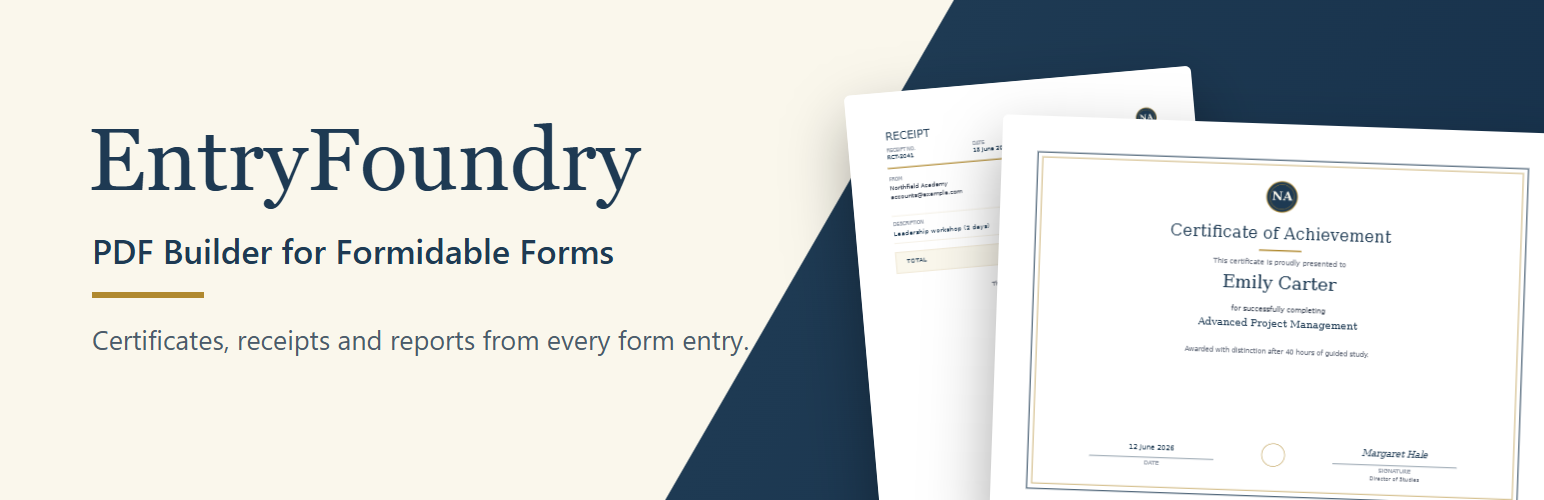
EntryFoundry is a visual PDF builder and PDF generator for Formidable Forms. Create branded certificates, invoices, receipts, and reports from form entries without writing code.
Arrange fields and design elements on a page, preview the document with a real Formidable entry, and publish it without writing a custom PDF template. EntryFoundry works with the free Formidable Forms plugin.
Want to see it first? Click Live Preview on this page to open EntryFoundry in your browser with a sample form and entry, ready to turn into a certificate. Nothing is installed on your site.
What you can make
- Course and training certificates, awards, and certificates of attendance.
- Receipts, simple invoices, and order or booking confirmations.
- Application summaries, inspection reports, and multi-page entry reports.
- Membership cards and ID cards with the submitter’s photo.
- Any document that should be emailed to the submitter or the site owner after a form is submitted.
Included in EntryFoundry Free
- Visual drag-and-drop PDF builder inside WordPress.
- Live previews using an entry from the selected Formidable form.
- Formidable field values placed directly onto the document canvas.
- Heading, text, image, shape, manual-table, and entries-table elements.
- Three starter designs: Certificate, Document / Report, and Receipt / Simple Invoice.
- Fixed-page designs and flowing reports that continue onto additional pages.
- A4 portrait and landscape layouts with background colors and Media Library images.
- Typography, positioning, sizing, alignment, table styling, and image-fit controls.
- Private, capability-gated, entry-owner, and signed public-token document access modes.
- Formidable upload fields printed as photos, such as on ID cards.
- Rich-text fields printed with their bold, italic, list, and link formatting.
- Number and currency formats for fields and table columns.
- Preview PDF in the builder, and a choice of template for each Formidable email action.
- Shortcodes for PDF downloads, embedded PDF viewing, and inline HTML output.
- Shortcodes that can be placed on pages or inside Formidable Views.
- Automatic PDF generation after a new entry is created, with support for email attachments.
- A Generate / Test PDF screen for checking a template and entry before publishing.
EntryFoundry Pro
EntryFoundry Pro is the separately licensed add-on for teams that need advanced document logic and a larger template library. View features, pricing, and purchase options on the EntryFoundry Pro page. Pro is sold exclusively through Freemius and is not hosted on WordPress.org.
EntryFoundry Pro adds:
- QR code and barcode elements with entry-aware values.
- Embedded shortcode elements with Formidable entry-token resolution.
- Conditional element visibility.
- Advanced date formatting.
- Repeater fields rendered as tables or lists, including multi-page flow and totals.
- Advanced entries-table controls, row visibility, and value-column calculations.
- Invoice, ID Card, and Ticket / Pass document profiles.
- Eleven additional premade designs for certificates, reports, invoices, ID cards, and event tickets.
- Flow trailers that keep totals, signatures, QR codes, and footers after variable-length content.
No Pro purchase is required to use the Free features listed above. Pro purchases can be refunded in full within 14 days, with refunds managed by Freemius. See the refund policy for the current terms.
Where documents can appear
EntryFoundry templates can provide:
- A PDF download link.
- An embedded PDF viewer.
- Inline HTML document output.
- A document inside a Formidable View.
- A PDF generated after form submission and attached to the entry’s Formidable email notifications.
EntryFoundry is an independent product and is not affiliated with, endorsed by, or sponsored by Strategy11 or Formidable Forms. Formidable Forms is a trademark of its respective owner.
Source code
Readable source for the visual builder is included in the plugin’s ui/ directory.
Getting Started
Create your first document
- Open EntryFoundry > Add New EntryFoundry Template.
- Choose Certificate, Document / Report, or Receipt / Simple Invoice.
- Select the Formidable form that supplies the document data.
- Choose an entry to use for the live preview.
- Add or reposition fields, text, images, shapes, and tables.
- Set the page background and document access mode.
- Save the template.
- Place the generated shortcode on a page or in a Formidable View.
Test a PDF manually
Go to EntryFoundry > Generate / Test PDF, enter the EntryFoundry template ID and Formidable entry ID, and click Generate PDF. Use the resulting download link to inspect the document.
Shortcode examples
The shortcode shown beside each template creates a PDF download link:
[entryfoundry_template id="123" entry="[id]"]
Render the document as inline HTML:
[entryfoundry_template id="123" entry="[id]" output="html"]
Embed the PDF viewer:
[entryfoundry_template id="123" entry="[id]" output="view"]
You can also use the dedicated output shortcodes:
[entryfoundry_download id="123" entry="[id]" label="Download PDF"]

[entryfoundry_view id="123" entry="[id]"]
Replace 123 with the EntryFoundry template ID. In a Formidable View, [id] resolves to the current entry ID.
Privacy
EntryFoundry Free generates and renders documents on your WordPress site. It does not send Formidable entry data to an external EntryFoundry document-generation service.
EntryFoundry includes the WordPress.org-compliant Freemius SDK for optional usage tracking, account management, and add-on licensing. The opt-in screen explains the information Freemius receives, and you can skip data sharing. Formidable form entries and generated document content are not sent to Freemius.
Installation
- Install and activate Formidable Forms.
- Install EntryFoundry from the WordPress plugin directory and activate it.
- Create a Formidable form and submit at least one test entry.
- Go to EntryFoundry > Add New EntryFoundry Template.
- Choose a starter design or blank profile, then select the Formidable form and a preview entry.
- Map suggested fields when using a starter design.
- Drag fields and elements onto the canvas and adjust their properties.
- Save the template and copy its shortcode from the builder or EntryFoundry template list.
FAQ
How long do PDF download links work?
Links created by the shortcodes stay valid for four days, so links in emails and cached pages keep working. Developers can change this with the entryfoundry_document_link_lifetime filter.
Who can open a document?
Each template has an access mode, set in the builder under Document access:
- Private (default) and Capability gated: only people who can manage EntryFoundry templates.
- Entry owner (logged-in submitter): template managers, plus the logged-in user who submitted the entry. Guests’ entries stay private.
- Public by signed token: anyone who has the signed link. Links expire, but anyone you share one with can open it, and a page that builds links from a URL parameter could reveal other entries. Use Entry owner for documents with personal data.
Managing templates requires Formidable’s “View entries” permission, because templates show entry data.
Is there a limit on document size?
A flowing document stops at 100 pages, so one unusually long entry cannot tie up the server. Developers can change this with the entryfoundry_max_pages filter.
What happens to my data if I delete the plugin?
Deleting EntryFoundry removes generated PDFs and its settings but keeps your templates, so reinstalling restores them. To remove templates too, add define( 'ENTRYFOUNDRY_REMOVE_ALL_DATA', true ); to wp-config.php before deleting the plugin.
Does EntryFoundry require Formidable Forms?
Yes. EntryFoundry is specifically built to turn Formidable Forms entries into documents.
Does it work with the free version of Formidable Forms?
Yes. EntryFoundry Free needs only the free Formidable Forms plugin from WordPress.org. Formidable Forms Pro is not required.
Can I try EntryFoundry before installing it?
Yes. Click Live Preview on this page. It opens a temporary WordPress site in your browser with Formidable Forms, EntryFoundry, and a sample course-completion form and entry, so you can build a certificate right away.
How do I create a PDF from a Formidable Forms entry?
Create an EntryFoundry template, select the Formidable form and a preview entry, arrange the document in the visual builder, then publish it with a shortcode. EntryFoundry hydrates the template with the selected form entry when it generates the PDF.
Do I need EntryFoundry Pro to build PDFs?
No. EntryFoundry Free includes the visual builder, three starter designs, standard fields and elements, flowing reports, shortcodes, secure document links, PDF generation, and email-attachment support.
Which Formidable fields work in the Free version?
Fields made available by the base Formidable Forms field registry can be placed in Free documents. Fields identified by Formidable as Pro-only are clearly marked Pro in the EntryFoundry builder and become available when EntryFoundry Pro is installed and licensed.
Can EntryFoundry generate certificates and invoices?
Yes. EntryFoundry Free includes starter designs for certificates, documents, reports, receipts, and simple invoices. Each design can be customized with Formidable field values, text, images, shapes, and tables.
Can I show a PDF instead of only providing a download?
Yes. Use output="view" to embed a PDF viewer or output="html" to render the hydrated document as HTML.
Can I use EntryFoundry inside a Formidable View?
Yes. Add the generated EntryFoundry shortcode to a Formidable View and use entry="[id]" so each row uses its current entry.
Can generated PDFs be attached to Formidable emails?
Yes. When a published EntryFoundry template is active for the submitted form, EntryFoundry generates the PDF after entry creation and attaches it to that entry’s Formidable email notifications, including notifications resent from the entries screen. If a form has several templates, choose the one to attach with the template’s “Attach PDF to this form’s emails” setting; the EntryFoundry templates list shows which one is attached. Each email action can attach the form default, a different template, or no PDF: open the email action in Formidable and choose under “EntryFoundry PDF”.
Where do I find the template ID?
Go to EntryFoundry in WordPress. The template list includes a complete shortcode containing the template ID.
Is EntryFoundry Pro available now?
Yes. View features, pricing, and purchase options on the EntryFoundry Pro page. Pro is sold exclusively through Freemius. Purchases can be refunded in full within 14 days, with refunds managed by Freemius. EntryFoundry Pro is a separate add-on and is not distributed through WordPress.org.
Where can I find documentation and support?
Start with the EntryFoundry documentation. For help with EntryFoundry Free, use the WordPress.org support forum. Pro customers can use the support options provided with their Freemius purchase.
Screenshots


Changelog
1.0.0
- Added WordPress.org Live Preview with a sample Course Completion form and entry in a temporary WordPress Playground site.
- Updated the Free plugin description and FAQs with demo and supported-use guidance.
- Security: updated the bundled Freemius SDK to 2.13.5.
0.1.6
- Security: added the Entry owner access mode, so logged-in users can open documents for their own entries only.
- Security: managing templates now needs Formidable’s “View entries” permission instead of general post rights.
- Security: capped document size (100 pages,
entryfoundry_max_pagesfilter) and page dimensions, and generate PDFs only when they are used. - Security: upload fields print only images uploaded with that entry, and password fields never print in entries tables.
- Security: very long values without spaces no longer slow down document layout.
- A document that fails to generate no longer stops the Formidable email it was meant to be attached to.
- Fixed: a template that no longer validates (for example, one using Pro elements while Pro is inactive) no longer breaks pages with its shortcode, its document links, or the form’s email action settings.
- Fixed: download and view links now work on sites using plain permalinks.
- Fixed: the builder preview now rounds numbers exactly like generated documents (1.005 shows as 1.01 in both).
- Fixed: switching a template to another design keeps its “Default PDF for this form’s emails” setting.
- New templates get a number when their name is already used (for example “Invoice – Standard 2”), so they can be told apart in email settings.
- Security: generated PDFs get random file names, are deleted after use, and old files are cleaned up; document responses are not cached or indexed.
- Added Preview PDF to the builder.
- Each Formidable email action can attach the form’s default template, a chosen template, or no PDF.
- Added photos from Formidable upload fields, rich-text formatting, and number and currency formats for fields and table columns.
- Added custom fonts for developers (
entryfoundry_pdf_fontsfilter) and site name, logo, and contact details in starter designs. - Document links now stay valid for four days (
entryfoundry_document_link_lifetimefilter). - Long text now shrinks to fit its box, and is shortened with an ellipsis instead of overlapping other elements.
- Images now fit inside their boxes, and non-document fields are hidden from entries tables.
- Deleting the plugin removes generated files and settings; templates are kept unless
ENTRYFOUNDRY_REMOVE_ALL_DATAis defined. - EntryFoundry now waits for Formidable Forms before loading its features.
- Fixed builder toolbar controls overlapping on narrower screens.
0.1.5
- Prevented unavailable Pro template elements from causing a critical error during Formidable entry creation.
- Kept invalid templates from blocking valid templates assigned to the same or another form.
- Restored complete Lite heading validation and flow rendering.
0.1.4
- Added the EntryFoundry Account menu page for managing the Freemius connection and Pro license.
- Improved repeater field discovery and display values for invoice and report tables.
- Improved flow-table pagination for wrapped cell content and preserved configured column widths in generated PDFs.
- Updated the plugin details for the released EntryFoundry Pro add-on, its Freemius purchase and refund terms, and the live documentation.
- Confirmed compatibility with WordPress 7.1.
0.1.3
- Added the Freemius parent integration required for EntryFoundry Pro licensing, account management, and add-on updates.
- Preserved the responsive embedded PDF viewer behavior introduced in version 0.1.2.
0.1.2
- Fixed embedded PDF viewers so they use responsive page width and a practical viewport height.
- Improved the plugin description, tags, and FAQ language to make supported PDF use cases easier to find.
0.1.1
- Added WordPress.org listing screenshots.
- Expanded installation, usage, shortcode, and FAQ documentation.
- Clarified the features included in EntryFoundry Free and EntryFoundry Pro.
0.1.0
- Initial EntryFoundry Free release.