

Description
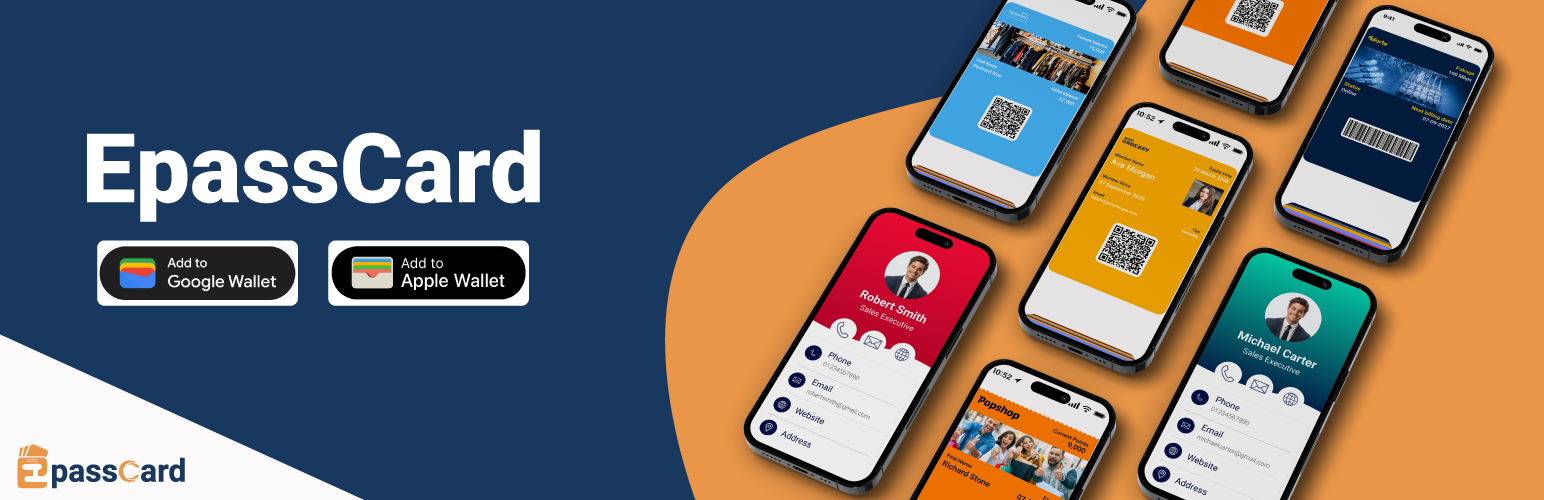
EpassCard turns your WordPress data into Apple Wallet and Google Wallet passes. Loyalty cards for WooCommerce, membership cards, event tickets, appointment cards, vouchers, gift cards and cards from form entries are issued, updated and pushed to your customers’ phones automatically. No code, no Zapier.
Why EpassCard
- Built for WordPress. One plugin with 19 integrations. Most wallet pass tools reach WordPress only through Zapier or cover a single plugin.
- Set up in minutes. A guided Home screen walks you through connect, choose what to give, design the card, try it on your own phone, and go live.
- A loyalty program with a wallet card, built in. Points, tiers and rewards for WooCommerce, with the card living in Apple Wallet and Google Wallet.
- Both wallets from one template. Apple Wallet (
.pkpassfor iPhone, iPad and Apple Watch) and Google Wallet (Android). - Passes stay up to date. When points, a balance, a membership level or an expiry date changes, the pass on the phone changes too, and you can send push notifications.
- Free to start. 20 live passes and 1 template free. Paid plans from $10/month, or $8/month billed yearly.
Documentation | Pricing | Book a demo
WooCommerce loyalty program with an Apple Wallet and Google Wallet card
Give every customer a loyalty card that lives on their phone, not in a forgotten account page.
- Earn points on orders
- Tiers and milestone rewards
- Coupon rewards, and point redemption at checkout
- The wallet card shows the current points balance and updates automatically
- Push notifications to bring customers back
Already use WPLoyalty? EpassCard puts its points, level and referral link on a wallet card too.
Full setup walkthrough (16 minutes, with chapters):
Digital membership cards
Turn memberships into digital membership cards members save to their phone wallet.
- MemberPress – issue a membership wallet pass on signup, renewal and profile updates; expire it on refund or expiry
- Paid Memberships Pro – issue passes when a level is assigned, renewed, cancelled or expires
- Simple Membership – issue passes when members register, change level or change account state
- Ultimate Membership Pro – a card per membership level; you choose what happens when a membership is on hold, paused, cancelled or expired
- Ultimate Member – a member card per user, with a design per role
- WooCommerce Subscriptions – create a subscription wallet pass when a subscription activates or renews
Members find their card on their account page (a “Wallet passes” tab or an “Add to wallet” link, depending on the plugin).
Event tickets in Apple Wallet and Google Wallet
- The Events Calendar (with Event Tickets) – map events to pass templates and issue a wallet ticket to each attendee
- Events Manager – issue wallet passes when bookings are approved, and update them when the status changes
- Tickera – a wallet ticket per attendee; Tickera’s check-in apps scan it
- Amelia – a card per event booking, voided when the booking is canceled
- WooCommerce – sell a ticket as a product; each ticket bought becomes a wallet ticket (no other plugin needed)
Appointments, vouchers and form cards
- Amelia appointments – a card per appointment with the date, time and service, updated when it is rescheduled
- WooCommerce vouchers and product cards – sell a voucher or any card as a WooCommerce product
- WPForms – a wallet card for each form submission (Lite or Pro), sent to the email on the form
Gift cards in the wallet
- PW WooCommerce Gift Cards – issue a pass when a gift card is created, and update the balance on the pass
- YITH WooCommerce Gift Cards – issue and update passes when gift cards are generated or used
Map names, plans, expiry dates, QR codes, barcodes and custom fields from your plugin to your pass template.
Other pass types
Because passes are designed in EpassCard, you can also issue stamp cards, coupons, employee and student ID cards, visitor passes, conference badges, digital business cards (vCard) and reservation passes.
Pricing
Plans are based on live passes: passes in your customers’ wallets that you can update and send notifications to at any time. Delete a pass you no longer need to free its slot.
- Free – 20 live passes, 1 template
- Solo – $10/month – 150 live passes, 3 templates
- Launch – $15/month – 300 live passes, 5 templates
- Team – $29/month – 1,000 live passes, 10 templates
- Plus – $45/month – 2,500 live passes, 15 templates
- Business, Pro, Scale and Scale+ – up to 50,000 live passes
Save 20% with yearly billing.
Static plans are for one-time passes such as coupons, offers and one-off tickets. Static passes can’t be updated and don’t get notifications. Static Basic is $10/month for 500 passes a month and 1 template; Static Plus is $25/month for 2,000 passes a month and 3 templates.
See all plans.
A PassKit alternative for WordPress
Looking for a PassKit, Passcreator or Pass2U alternative that works natively inside WordPress? EpassCard is a wallet pass platform with a built-in WordPress connector, not a middleware automation. Connect your account, map your templates, and passes are created when things happen on your site.
Features
- Apple Wallet and Google Wallet – one integration, both wallets
- Automatic pass issuing – on signup, renewal, purchase, booking, form submission or points earned
- Pass updates – passes stay in sync when the source data changes
- Ready-made card designs – your logo, strip image, colors and labels with a live preview, no template building needed; one design can cover every plan, event or product
- Template mapping – map your plugin’s fields to pass fields, including QR codes, barcodes and any field of the customer’s WordPress profile
- Status rules – choose what happens to the card for each membership, order or booking status
- Try it – send a test card to your own phone before customers get theirs
- Cards – one list of every card from every integration, with search, filters, CSV export, retry for failed cards and “give cards to existing customers”
- Push notifications – reminders before expiry, renewal or an event
- Built-in WooCommerce loyalty program – points, tiers, rewards and checkout redemption, including the Cart and Checkout blocks
- My Account access – customers open their passes from their account area
- Email delivery – the pass link is emailed automatically
- Developer API – issue, update, void and read cards from PHP or the REST API
Who is it for?
- WooCommerce stores that want a loyalty program customers actually use
- Membership sites – gyms, clubs, associations and online courses
- Subscription businesses using WooCommerce Subscriptions
- Event organisers using The Events Calendar, Events Manager, Tickera, Amelia or plain WooCommerce products
- Salons, clinics and studios taking appointments with Amelia
- Gift card and voucher sellers using PW or YITH gift cards, or WooCommerce products
- Anyone collecting sign-ups with WPForms
- Agencies that build WordPress sites and want to offer wallet passes to clients
Requirements
- An EpassCard account (free plan available – sign up from the plugin or at app.epasscard.com)
- For the loyalty program: WooCommerce
- For other passes: at least one supported plugin (MemberPress, Paid Memberships Pro, Simple Membership, Ultimate Membership Pro, Ultimate Member, WooCommerce Subscriptions, The Events Calendar + Event Tickets, Events Manager, Tickera, Amelia, PW Gift Cards, YITH Gift Cards, WPLoyalty or WPForms). Tickets, vouchers and product cards need only WooCommerce.
External services
This plugin relies on the following third-party services. Nothing is sent to them until you use the related feature.
EpassCard API (https://api.epasscard.com) — the service that creates and delivers the wallet passes.
- Every request to the EpassCard API includes your site address in its request headers.
- When you sign up from the plugin, your name, email address and site address are sent to create an EpassCard account.
- When you sign in, your EpassCard email and password are sent once to generate an API key, together with your site name, site address (used to lock the key to your domain) and timezone. The password is not stored by the plugin.
- When you connect, refresh or renew an API key, the key is sent for validation.
- When passes are created, updated, expired or notified, the pass field values you map (for example member name, email, membership level, expiry date, ticket or gift card details, loyalty points) are sent.
- Pass templates and template fields are read from your EpassCard account.
- The sign-up, sign-in and API key forms (Home, Settings → Account & plan, and the setup wizard) say what each one sends and link to the EpassCard terms below. Using them means you agree to those terms.
- EpassCard Terms and Conditions and Privacy Policy.
Crisp (https://client.crisp.chat) — EpassCard’s support chat. Nothing is loaded from Crisp until an administrator clicks “Chat with us” in the EpassCard top bar and starts a chat; the panel says what is sent before that. Starting a chat loads Crisp’s chat window and sends the administrator’s name and email and these site details: site address, WordPress, PHP and plugin versions, the connected EpassCard email and plan, the integrations turned on, the number of card designs and active cards, the EpassCard screen in use, and the last failed call to EpassCard (endpoint and error, never the API key). No data about the site’s customers is sent. Each administrator can hide the button under Settings → Advanced. Crisp Terms of Use and Crisp Privacy Policy.
Google Fonts (https://fonts.googleapis.com) — the WooCommerce Loyalty program page (EpassCard → Loyalty customers) loads the Material Symbols icon font. Your browser requests it from Google when you open that page. The other EpassCard screens make no request to Google. The DM Sans and Inter text fonts are bundled with the plugin. Google Privacy Policy.
YouTube (https://www.youtube-nocookie.com) — when a tutorial video is available in a “How this works” panel or on EpassCard → Help, it plays from YouTube’s privacy-enhanced player. Nothing is requested from YouTube until you click play; then your browser loads the video from YouTube. Google Privacy Policy.
bwip-js barcode API (https://bwipjs-api.metafloor.com) — the WooCommerce Loyalty pass designer shows a barcode preview image generated by this service. Only sample barcode settings are sent (no customer data). bwip-js.
Privacy Policy
EpassCard uses Appsero SDK to collect some telemetry data upon user’s confirmation. This helps us to troubleshoot problems faster & make product improvements.
Appsero SDK does not gather any data by default. The SDK only starts gathering basic telemetry data when a user allows it via the admin notice. We collect the data to ensure a great user experience for all our users.
Integrating Appsero SDK DOES NOT IMMEDIATELY start gathering data, without confirmation from users in any case.
Learn more about how Appsero collects and uses this data.
Installation
- Install EpassCard from Plugins → Add New, or upload the plugin folder to
/wp-content/plugins/epasscard/. - Activate it through the Plugins screen.
- Open EpassCard → Home and connect: create a free EpassCard account or sign in, right from the plugin.
- Setup: choose what you want to give (loyalty cards, member cards, tickets, …). EpassCard detects the plugins you use.
- Design: make the card with the ready-made designer (logo, colors, labels).
- Try it: send a test card to your phone, then go live. Cards are created automatically from then on.
FAQ
How much does EpassCard cost?
The plugin is free. The EpassCard service has a free plan with 20 live passes and 1 template. Paid plans start at $10/month (Solo: 150 live passes, 3 templates), or $8/month billed yearly. For one-time passes that never need updates or notifications, Static Basic is $10/month for 500 passes a month. See pricing.
What is a live pass?
A live pass is a pass in a customer’s wallet that you can update and send notifications to (for example a loyalty card whose points change). Your plan sets how many live passes you can have at once. Delete a pass you no longer need to free its slot.
Do I need an Apple Developer account?
No. EpassCard signs and delivers the passes for you.
How does the WooCommerce loyalty program work?
Enable the WooCommerce Loyalty module, set how customers earn points, and add tiers and rewards. Each customer gets a loyalty card in Apple Wallet or Google Wallet that shows their points and updates automatically. Customers can redeem points at checkout.
Do I need an EpassCard account?
Yes. Create a free account from EpassCard → Home (or at app.epasscard.com) and connect it there. You can change the connection later under Settings → Account & plan.
Which plugins are supported?
WooCommerce (built-in loyalty program, plus tickets, vouchers and cards sold as products), WPLoyalty, MemberPress, Paid Memberships Pro, Simple Membership, Ultimate Membership Pro, Ultimate Member, WooCommerce Subscriptions, The Events Calendar (with Event Tickets), Events Manager, Tickera, Amelia (appointments and events), PW Gift Cards, YITH Gift Cards and WPForms. Turn on only the ones you use.
How do I create an Apple Wallet pass on WordPress?
- Install and activate the EpassCard plugin, then connect your EpassCard account from EpassCard → Home.
- Choose what you want to give in Setup (membership card, loyalty card, event ticket and more).
- Design the card in Design: the ready-made designer creates the pass template for you. You can also map a template you made in EpassCard.
- Send yourself a test card with Try it.
- When a member subscribes, a ticket is purchased, or a booking is approved, they receive a link to add the pass to Apple Wallet or Google Wallet.
How do I add a Google Wallet pass to my WordPress site?
The workflow is the same as Apple Wallet. EpassCard creates passes for both platforms from one Pass Template mapping. Members choose Add to Apple Wallet or Add to Google Wallet from their pass link.
Is there a WordPress plugin for Apple Wallet membership cards?
Yes. EpassCard is a WordPress wallet pass plugin designed for membership and subscription sites. It issues digital membership cards to Apple Wallet and Google Wallet automatically when members sign up or renew.
Does EpassCard work with WooCommerce Apple Wallet and Google Wallet?
Yes. Enable the WooCommerce Subscriptions integration to issue a WooCommerce wallet pass when subscriptions activate, renew, or update. You can also sell tickets, vouchers or any card as a WooCommerce product: each one bought becomes a pass in the buyer’s wallet. And the built-in loyalty program gives every customer a points card.
What is PKPass and does EpassCard support it?
PKPass (.pkpass) is the file format Apple Wallet uses for digital passes. EpassCard issues standard pkpass files compatible with iPhone, iPad, and Apple Watch. You design the pass in EpassCard; the WordPress plugin sends member data and triggers pass creation through the EpassCard API.
Can I use QR codes and barcodes on wallet passes?
Yes. If your EpassCard pass template includes QR code or barcode fields, map membership data (member ID, subscription ID, check-in code, etc.) to those fields. Members scan the code from their mobile wallet pass.
Is EpassCard a PassKit alternative for WordPress?
Yes. EpassCard is a native WordPress wallet pass plugin for issuing Apple Wallet and Google Wallet passes — without Zapier, Make, or custom API development. It is built for membership, subscription, event, and gift card sites using plugins such as MemberPress, Paid Memberships Pro, Ultimate Membership Pro, WooCommerce Subscriptions, The Events Calendar (with Event Tickets), Events Manager, PW Gift Cards, or YITH Gift Cards.
How does wallet pass automation work?
Passes are created automatically when configured membership events occur (signup, renewal, subscription activation). When mapped membership data changes, EpassCard updates the existing pass via the API. Push notification rules can remind members before expiry or renewal.
Can I issue digital loyalty cards or event tickets?
Yes. Create the pass type you need in EpassCard (loyalty card, event ticket, coupon, gift card, employee badge, etc.), then map your WordPress membership or subscription fields to the template. The plugin issues whatever pass type your template defines.
Does EpassCard send wallet pass update notifications?
Yes. Configure push reminder rules in the plugin admin for events like subscription expiry, renewal, trial ending, and card expiration. Reminders are delivered as wallet pass notifications on supported devices.
What is the difference between Passbook and Apple Wallet?
Passbook was renamed to Apple Wallet in 2015. The underlying .pkpass format is the same. EpassCard issues passes for modern Apple Wallet and Google Wallet.
Can I manually create or resend a pass?
Yes. From EpassCard → Cards (or the member screens of your membership plugin) you can update a pass, view it, email the pass link again or expire it. Cards can also give cards to customers who joined before you set up EpassCard.
Screenshots


Changelog
1.2.2
- Changed: the plugin package no longer includes the docs folder (developer and user documentation pages). The plugin never loaded them.
1.2.1
- New: Setup shows each kind of card in its own colour with an icon, and the Install and activate buttons stand out. Plugins from WordPress.org say so; the others say they come from the plugin’s website.
- New: Home’s “What you give customers” list has the same icons, a clear status badge and Cards and Design buttons.
- New: Settings, Reminders & push has a cleaner layout: one card per reminder, the placeholders you can use, and a compact test notification form.
- Fix: “schedule”, “open_in_new” and “data_object” showed as words on Reminders & push; they are icons again.
- Changed: the Customers section is now called Loyalty customers, because it lists the members of the WooCommerce loyalty program. Every integration’s cards are on Cards.
- Changed: on Cards, the “Shows” column is now “Issued for” (also in the CSV export).
- Changed: the plan names, prices and limits in the plugin and this readme follow the new EpassCard plans: Free has 20 live passes and 1 template.
1.2.0
New integrations
- New: WooCommerce tickets, vouchers and product cards. Mark a product as a “Wallet card” (ticket, voucher or card); each unit bought becomes a card in the buyer’s wallet, guests included. No other plugin needed.
- New: Tickera. A wallet ticket per attendee; the barcode carries Tickera’s ticket code, so Tickera’s check-in apps scan it.
- New: Amelia appointments and Amelia events. A card per booking (or one per person), updated when it is rescheduled and voided when it is canceled.
- New: Ultimate Member. A member card per user with a design per role and a “Wallet card” tab on the account page.
- New: WPLoyalty. A loyalty card with the customer’s points, level and referral link, updated on every balance change.
- New: WPForms (Lite or Pro). A wallet card for each submission of a form that has a card design.
A new admin
- New: Home with a five-step checklist (Connect, Setup, Design, Try it, Go live), then an overview of active cards, new cards and failures.
- New: Setup. Choose what you want to give; EpassCard detects the plugins you use and lets you edit the rules (loyalty points, rewards, status rules) before confirming.
- New: Design. The ready-made card designer (logo, strip, colors, labels, live preview) on its own page, and one design per integration that covers every plan, event or product, including the ones you add later.
- New: Try it. A test card with your own name, shown as a QR code or emailed. It counts as one card on your EpassCard plan until you delete it.
- New: Cards. Every card from every integration in one list, with search, filters, Update / View / Email / Expire, Export CSV, and “Give cards to existing customers” in background batches with a check first.
- New: “Retry all failed cards” runs in the background with progress and a result.
- New: Settings with Account & plan (with a forecast of when the plan runs out), Emails, Reminders & push, Integrations, Advanced and the API log.
- New: “How this works” panels on every section and a Help page with the guides, with a short video tutorial for each section.
- New: Customers opens on the customer list (lookup, points, tier, card); the loyalty program’s settings are under Rules & rewards.
- New: “Chat with us” in the EpassCard top bar (administrators only). Nothing loads from the chat service until you start a chat.
- New: Card statuses in plain words (Created, Emailed, Update failed, Revoke pending, Revoked).
- The integration pages are retired: their settings are on Design and Settings, and old links redirect there.
Cards and integrations
- New: “User profile field” in the mapping puts any field of the customer’s WordPress profile on a card (for example a member ID). Fields holding passwords, tokens or keys are refused.
- New: Account pages. “Add to wallet” for Paid Memberships Pro and Simple Membership members, and a “Wallet passes” tab on the Ultimate Membership Pro account page.
- New: Ultimate Membership Pro. Choose what happens to the card when a membership is on hold, paused or has a cancellation pending (default: nothing changes). Pausing, resuming and setting a membership as canceled in UMP’s admin now update the card right away.
- Fix: Ultimate Membership Pro. On current versions the design screen could list no membership levels (9.4 and newer), the EpassCard column in Members shifted the other columns (12.5 and newer), and the latest transaction ID was empty.
- Fix: A record can no longer get two billable passes when two requests handle it at the same moment. Existing duplicates are merged on update; nothing is deleted on EpassCard.
- Fix: Paid Memberships Pro voids the old level’s card when a member switches level, and sends one request per checkout instead of two.
- Fix: The Events Calendar voids tickets when the order is refunded, canceled, failed or abandoned, and sends one request per purchase.
- New: The Events Calendar. A Tickets Commerce ticket gets its card when the payment completes, not while it is pending (new rule “Payment pending (not paid yet)”, default: no card). An RSVP “Not going” gets no card, and changing the reply issues or voids it.
- New: Events Manager and The Events Calendar update the cards when an event’s date, time, venue or name changes (in the background, a minute later).
- Fix: Events Manager voids the cards when an event is deleted, moved to the trash or its bookings are turned off. Restoring the event brings them back.
- Fix: WooCommerce tickets, vouchers and product cards. A partial refund voids the cards of the refunded units, and lowering the quantity or removing a line voids the extra cards. Cancelling an order voids every card it had.
- Fix: Ultimate Member. When a member moves to a role with another design, the old card is voided and a card on the new design is issued; a role without a design voids the card.
- Fix: Ultimate Membership Pro. “Give cards to existing members” follows the status rules (by default only Active members), deleting a user voids their cards, and approving a user applies the rules.
- Fix: Simple Membership. A member who deletes their own account, or a user deleted on the Users screen, no longer keeps a live card.
- Fix: WooCommerce Subscriptions. A new date saved together with a status change now reaches the card.
- Fix: Amelia. A new event booking updates only its own card instead of every card of the event, and editing a customer in Amelia updates their cards.
- Fix: The template list in the design window shows every template in your account, not only the first page.
- Fix: Cards → Export CSV includes the name and email of guest customers.
- New: Product page. A preview of the wallet card next to the “Wallet card” settings, and a play button that opens a short video about tickets, vouchers or cards.
- Fix: Events Manager shows the correct event time on the card, sends the “before the event” reminder, and sets the correct expiry.
- Gift cards: optional card email to the gift recipient instead of the buyer (Settings → Emails, off by default).
Loyalty
- New: “Get my loyalty card” on the My Account loyalty page before the first points are earned.
- New: The points widget is a real Cart and Checkout block integration. Points apply without a page reload and are kept when the cart changes.
- New: “Your reward codes” in My Account, and the reward code shown when a reward is claimed and in the reward email ({reward_code}).
- Fix: A free-product reward gives exactly one free unit.
- Fix: Customers no longer get “points removed” or “you earned” emails for points reserved and released at checkout.
- Fix: A Cancel clicked while past orders are being synced is no longer lost.
- Fix: Customers can use all their points at checkout (rounding no longer left a few unused).
- Fix: Points paid at checkout stay paid when a failed payment is retried.
- Fix: A manual points deduction cannot take a balance below zero.
- Fix: Point expiry takes only points that are still unspent (the soonest to expire are used first), and a refund after points expired no longer takes them again.
For developers
- New: Developer API. epc_issue_pass(), epc_update_pass(), epc_void_pass() and epc_get_pass() in PHP, and REST routes under epasscard/v1/passes.
- New: Hooks epc_job_went_live, epc_loyalty_notify_balance_change, epc_manage_passes_cap, epc_support_chat_enabled and more (see the developer docs).
Security, privacy and performance
- Security: The stored API key uses authenticated encryption (AES-256 with a random IV and HMAC). Keys saved by 1.1 are converted on first use; after that, going back to 1.1 needs a reconnect.
- Security: One access model. Settings are for administrators; card work also for staff who can manage WooCommerce, such as Shop Managers (filter epc_manage_passes_cap). CSV exports neutralize spreadsheet formulas.
- Privacy: Sign-up, sign-in and API key forms say what they send and link to the EpassCard Terms and Privacy Policy.
- New: Optional “Delete all EpassCard data when the plugin is deleted” (Settings → Advanced, off by default).
- Performance: EpassCard loads only the code a request needs (with one integration on, a front-end page reads about 16 files instead of 65), reads its settings in one database query, and no longer autoloads template mappings. The daily reminder job runs in batches, with flat memory use on large sites.
- Accessibility: unique names for screen readers on Design, readable status badges, correct heading levels.
- Requires PHP 7.2 or newer (was 8.1).
- Removed: the Halloween 2026 notice and the “Our Products” page.
1.1.0
- New: “Create pass design for me”. On the Paid Memberships Pro, MemberPress, Simple Membership, Ultimate Membership Pro, WooCommerce Subscriptions, The Events Calendar, Events Manager, PW Gift Cards and YITH Gift Cards pages, one click creates a ready-made pass template in your EpassCard account (fields, QR code, colors and logo) and maps it to every plan, event or product that is not mapped yet. Existing mappings are never changed.
- New: Customize the ready-made pass before or after it is created: your own logo and strip image (from the Media Library or a URL), background, value and label colors, every field label on the front and back, and the QR/barcode format, with a live front and back preview. “Edit design” updates the template in EpassCard and keeps all mappings.
- Images from sites that are not public (localhost, .test, staging) are sent to EpassCard inline, so custom logos and strips also work on local and staging sites.
- New: “Use it for the unmapped items” button applies your ready-made design to plans, events or products you add later.
- New: A “Create a pass design for me” link next to “Create a new template” in the mapping window.
- Each integration creates at most one template, even after a double click or a retry. The design card shows how many items use it.
- Fix: Primary buttons inside EpassCard screens were shown in grey.
- Fix: Empty logo and strip previews on the WooCommerce Loyalty Pass Design screen showed broken images.
- Developer: New filters epc_starter_template_preset and epc_starter_template_payload (now also receives the design), and action epc_starter_template_updated. EPC_Api_Client::create_pass_template_v2() and update_pass_template_v2() accept an optional API Log context.
- Security: Every database query on EpassCard’s own tables now uses prepared table-name placeholders, and request input in the setup wizard, pass actions and loyalty points adjustment is sanitized more strictly. The plugin passes WordPress Plugin Check with no errors.
- New: A dismissible Halloween deal notice for administrators. It stops showing automatically after October 31, 2026.
1.0.9
- Security: API keys, passwords and tokens are now masked in both request and response bodies in the API Log. Existing log entries are cleaned automatically after updating.
- Security: The “Our Products” catalog is now sanitized before display and cached for 12 hours, so the Connection screen no longer waits on a remote request every time it loads.
- Fix: Wallet push reminders are no longer re-sent after a pass is updated, and each new expiry or event date now gets its own reminder.
- Fix: Events Manager pass behavior settings (per booking status) are now applied instead of always using the defaults.
- Fix: Loyalty reward coupon errors now show the correct message at checkout.
- Removed an unused file that was accidentally included in the package.
- Readme: listed all external services used by the plugin.
- Fix: Expiring a pass now uses the documented endpoint (POST /v1/pass-expire/{passUid}). In 1.0.8 expiry calls returned “Not found”, so cancelled or refunded members kept a working pass. Passes revoked since then are re-expired automatically once after updating.
- Fix: Failed expiry calls are retried automatically (up to 3 times). The pass is only marked Revoked once EpassCard confirms it.
- New: “Pass actions that need attention” panel on each integration page, plus an admin notice, lists passes that could not be created, updated or expired, with the error from EpassCard and Retry / Dismiss buttons.
- New: “Create passes for existing members” button on each mapped plan, so members who joined before the mapping get a pass.
- Fix: If a stored pass belongs to a different EpassCard account (for example after reconnecting with another API key), a new pass is created instead of failing on every update.
- Fix: Date and number fields are converted to the format EpassCard expects (for example “$501.00” becomes 501.00 and dates become YYYY-MM-DD). Values that cannot be converted are sent unchanged, as before.
- Mapping: The mapping window now shows which pass fields are Required, Unique, Number or Date, blocks saving when a required field is not mapped, and warns about values that may not fit a number field.
- MemberPress: Refunded and expired transactions now expire the pass, and a new “Pass behavior by transaction status” panel lets you choose what happens for each status.
- Ultimate Membership Pro: Passes are now created when a level is assigned and expired when a level is removed or cancelled in UMP 10.x. The older hooks are still supported.
- Simple Membership: Members added from the admin “Add member” screen now get a pass.
- Gift cards (PW and YITH): Only one pass is created per card, after the balance is set; cards with a zero balance no longer get a pass; sender and recipient fall back to the order’s billing name and email.
- Loyalty: Points are no longer earned on gift card purchases for new programs (option “Gift cards” in Program settings; existing programs keep their current behavior).
- Loyalty: Rewards that are no longer earned after a refund are withdrawn, and re-offered when the points are earned again.
- Loyalty: The order thank-you page shows the points earned, order notes record each points change, the checkout shows “Loyalty points” for the redeem coupon, and the redeem box is hidden when the customer has no points.
- Loyalty: The pass for a customer’s first points is created right away, and the card name uses the pass design name.
- Admin: The Connection screen shows inactive supported plugins with an Activate link and hides the sign-in form once connected. The setup wizard has a proper page title.
- Emails: The pass link email subject now names the pass (new {pass_name} placeholder), so members with several passes can tell them apart. Sites that saved their own subject keep it. New filter epc_pass_email_recipient.
1.0.8
- Pass Expiration system added
1.0.7
- New setup wizard and WooCommerce loyalty system added
1.0.6
- New integration: The Events Calendar (event mapping; Event Tickets attendees; venue/organizer fields; before-event push).
- Removed standalone Event Tickets module — use The Events Calendar only (avoids duplicate passes for the same attendee). Map events under EpassCard → The Events Calendar; Event Tickets remains required as the TEC add-on for attendees.
1.0.5
- Free setup help notice updated
1.0.4
- MemberPress card data fixed
1.0.3
- Pass link email setup fixed
- WooCommerce fatal error fixed
1.0.2
- New integration: Paid Memberships Pro (level mapping, status-based pass behavior, expire push).
- New integration: Simple Membership (level mapping, account-state pass behavior, expire push).
- New integration: Event Tickets (ticket mapping; RSVP / Tickets Commerce / Woo attendees; before-event push).
- New integration: Events Manager (event mapping; booking status sync/revoke; before-event push).
- New integration: PW WooCommerce Gift Cards (product mapping; create/balance/deactivate sync; expire push).
- New integration: YITH WooCommerce Gift Cards (product mapping; generation/status/balance sync; expire push).
- Mapping: Full name (
user_full_name) source field across membership modules. - Expiry: lifetime / empty mapped expiry dates send now + 99 years.
1.0.1
- Rebrand display name to EpassCard.
- Premium SaaS admin UI, AJAX settings saves, and related improvements.
- Readme SEO: expanded Apple Wallet, Google Wallet, pkpass, membership, WooCommerce, and wallet pass management keywords.
1.0.0
- Initial release: Connection, MemberPress module, WooCommerce Subscriptions module.