

Description
Further documentation can be found at http://docs.wp-event-organiser.com/shortcodes/posterboard/.
Basic Usage
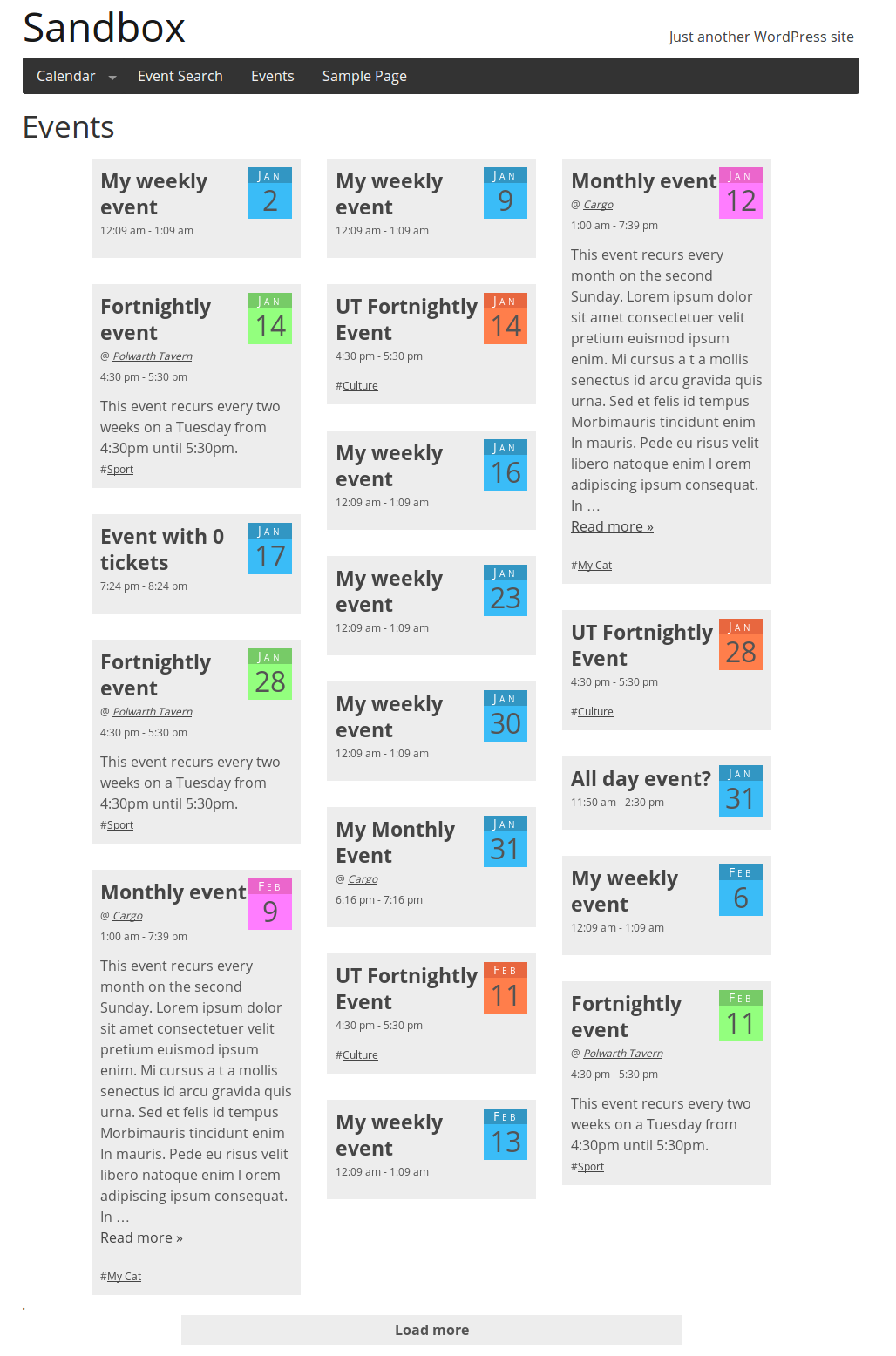
To display the event posterboard simply use the shortcode [event_board] on any page or post. Full width pages work best.
Advanced Usage
The shortcode supports the same arguments as the events list shortcode. This
includes the ability to display only a particular category, or events satisfying a certain query.
For example, to show events only for category “foobar”:
[event_board event_category="foobar"]
To show events starting in the comming 7 days
[event_board event_category="foobar"]
Most arguments supported by the [eo_events] (see documentation) shortcode will also work with
posterboard. Please note that posts_per_page should be used instead of
numberposts and the no_events attributes is not supported.
E.g. to show events which start this week (week starting Monday), three at a time:
[event_board event_start_after="monday this week" event_start_before="sunday this week" posts_per_page=3]
Filters
You can add filters at the top of the event board to filter the events. Supported filters include:
- venue
- category
- city (when installed with Event Organiser Pro)
- state (when installed with Event Organiser Pro)
- country (when installed with Event Organiser Pro)
For example
[event_board filters="state"]
You can display multiple filters by listing them as a comma delimited list
[event_board event_start_after="now" event_start_before="+1 week"]
You can edit the template used for the event board. See the FAQ.
Installation
Installation and set-up is standard and straight forward.
- Upload
event-organiser-event-boardfolder (and all it’s contents!) to the/wp-content/plugins/directory - Activate the plugin through the ‘Plugins’ menu in WordPress
- Add the shortcode to a page.
FAQ
Can I change the content of the event boxes?
Yes. By default the plug-in uses the template found in event-organiser-event-board/templates.
Simply copy that template (single-event-board-item.html) into your theme and edit it there. Please note
that the template uses underscore.js templating.
Can I disable/change the styling?
Yes, the following code in a plug-in/theme can disable (deregister) the stylesheet, and (optionally) register a replacement:
function my_custom_posterboard_styles(){
    //Deregister default styles
    wp_deregister_style( 'eo_posterboard' );

    //Optional, register "event-board.css" from your theme directory.
    wp_register_style( 'eo_posterboard', get_template_directory_uri() . '/event-board.css', array() );
}
add_action( 'init', 'my_custom_posterboard_styles', 999 );
Alternatively you can use the setting in Settings > Event Organiser > General to disable all Event Organiser’s stylesheets. This may affect the
performance of some features if you do not provide your own styling in your theme.
Screenshots

Changelog
3.0.1 – 13th September 2016
- Fixed a bug where the ‘Loading…’ text did not revert to ‘Load more’
3.0.0 – 9th September 2016
For details on breaking changes and how to restore previous behaviour please see: http://wp-event-organiser.com/blog/announcements/event-organiser-posterboard-3-0-0/
* Breaking change: Filter behaviour is now reversed
* Breaking change: Mark-up has changed, multiple posterboards on one page is now supported
2.1.0 – 18th July 2016
- Added support for translations
- Added filter for the posterboard query and added context attribute
- The featured image now links to the event
- Added French translation
2.0.1 – 6th April 2015
- Fixed bug with
posts_per_pageattribute
2.0.0
- Breaking change (for those using customised templates):
<%= event_content %>now displays the event
content not excerpt. Use<%= event_excerpt %>instead. - Fixes grid not refreshed after images loaded (can cause board items to overlap).
- Fixes
suppress_filtersnot set to false in query.
1.1.0
- Supports query arguments. E.g. [event_board event_start_after=”now” event_start_before=”+1 week”]. See readme for details.
- Allows stylesheet to be replaced/disabled (see FAQ)
- Disables stylesheet if this option is set in Settings > Event Organiser > General
1.0.2
- Fixes bug on some installs where the “load more” bar does not appear.
- Fixes rogue “dot” appearing
- Added Hungarian translation (thanks to Daniel Kocsis).
1.0.1
- Renamed classes to use
eo-pb-prefix. - Fixed bug where draft events appeared on the board.
- Fixed bug where ‘load more’ would appear when there were fewer than 10 events.
- Corrected documentation in readme
1.0.0
Initial release