

Description
Extended Page Lists lets you build customized page (and post type) lists with a shortcode, a classic sidebar widget, and full Elementor widgets with Style controls.
Features
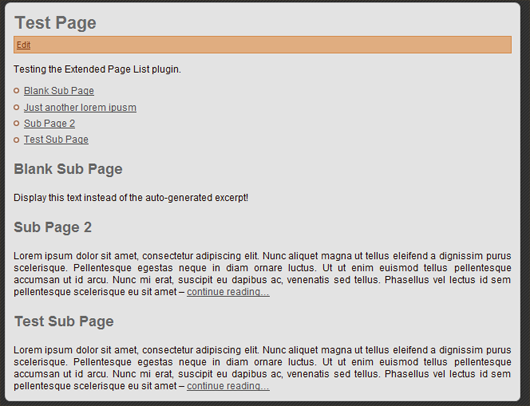
- Shortcode
[epl]with control over HTML tags, classes, excerpts, and content - Optional featured images in list items
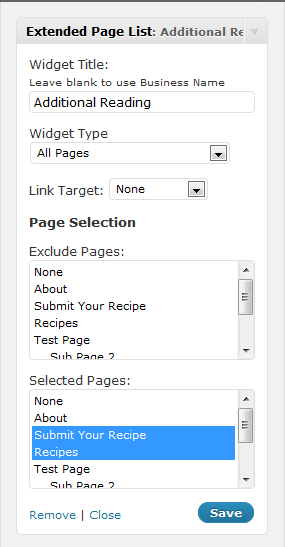
- Classic widget for hierarchical page navigation
- Elementor Extended Page List widget with query sources, card styling, and pagination
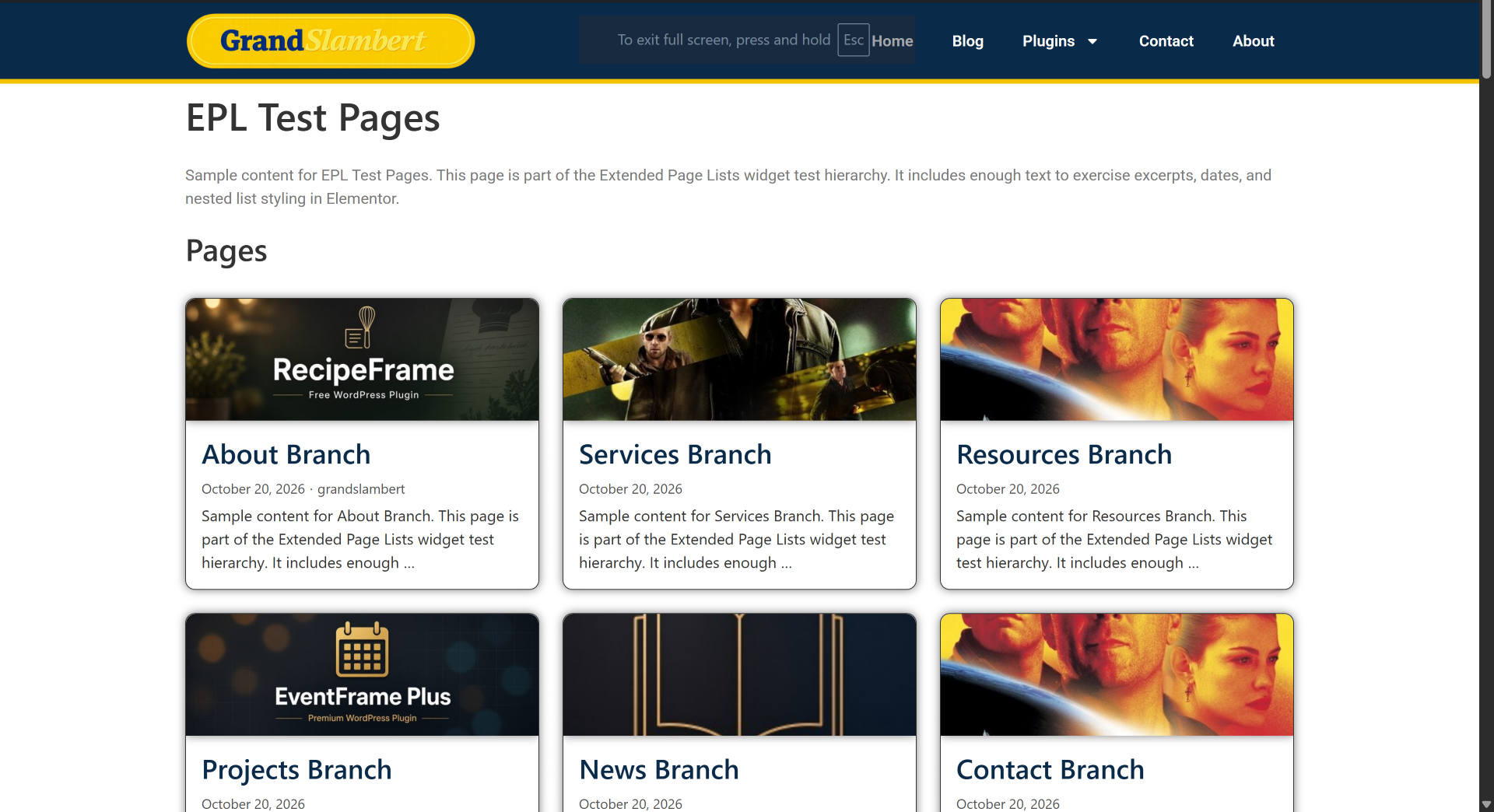
- Elementor Extended Page Grid widget for direct children in a responsive card grid
- Query options: current page, siblings, specific parent, pin to top, custom field sort, depth limits
- Pagination: page numbers, load more, or infinite scroll
- Custom post type support via shortcode attributes
Installation
- Upload the
extended-page-listsfolder to/wp-content/plugins/ - Activate the plugin through the Plugins screen
- Configure defaults under Settings > Extended Page Lists
FAQ
How do I list child pages of the current page?
Add [epl] to the page content.
In Elementor, add the Extended Page List or Extended Page Grid widget. Source defaults to the current page, so the widget lists that page’s children. On a section landing page, that is usually what you want: publish a child page and it shows up in the list or grid.
Can I show excerpts?
Yes. With the shortcode, use [epl show_excerpt="1"].
In either Elementor widget, open Display and turn on Show excerpt. Set the word count and the “more” text there. Link more text to page turns that text into a link. If Link entire card is on, the more text stays plain, because the whole card is already the link.
Where are the Elementor widgets?
In the Elementor panel, open the Extended Page Lists category. Two widgets are there:
- Extended Page List shows pages in a vertical list. It can include nested descendants and indent them by depth.
- Extended Page Grid shows direct child pages as cards in columns.
The old sidebar widget is hidden inside Elementor. Use these widgets instead. The classic widget is still available under Appearance > Widgets for themes that are not built in Elementor.
What is the difference between the list and the grid?
The list is for a page tree. Children can be Direct children only or All descendants. Max depth limits how many levels appear when you show all descendants (0 means no extra limit). Indent by hierarchy offsets deeper pages. Sources include current children, siblings, a specific parent, top-level pages, all pages, or a hand-picked set.
The grid is for one level of cards. It always uses direct children of the current page or of a specific page, or the current page’s siblings. Set Columns for desktop, tablet, and mobile (the defaults are 3, 2, and 1). It does not indent a hierarchy.
Both widgets can show the featured image, title, excerpt, date, and author, and both have Style controls for those parts plus the card.
How do I point a widget at one parent page?
Set Source to Specific page children (list) or Specific page (grid), then choose Parent page. Include parent page adds that parent as the first item, which is useful when the section itself should be a card or a link above its children.
Sibling pages lists pages that share the current page’s parent. Hide current page is on by default so the page you are reading is left out.
How do I style the cards and titles?
Open the Style tab.
- Cards covers background, border, radius, shadow, spacing, and hover (including a lift).
- Page title covers the HTML tag (
h1–h6,div,span, orp), typography, color, spacing, and a background, border, radius, and padding so the title can sit inside its own box. - Featured image, Excerpt, and Post details each have their own section.
- The widget heading (the optional title above the list or grid) has its own tag and typography controls, separate from each page’s title.
Link entire card places one link over the card. Title, image, and more-text links are omitted in that mode so there are not two links to the same page.
How does pagination work?
Under Pagination, choose None (show all), Page numbers, Load more button, or Infinite scroll, then set Items per page.
Page numbers replace the list or grid with that page of results. Load more appends the next set under the items already shown. Infinite scroll does the same as you reach the bottom of the widget; it does not add a Load more button. Use Load more button when you want a click instead of scrolling.
Pagination is available on both Elementor widgets. The shortcode and classic widget are not paginated this way.
Can I sort or pin pages?
Sort by supports menu order, title, publish date, last modified, page ID, or a custom field (text or number). Custom field sorts need the field key. Order is ascending or descending.
Pin pages to top keeps the pages you pick at the front, in the order you select them, and the rest follow the sort. Exclude pages drops pages from the results. On the list widget, Selected pages is used only when Source is Selected pages.
Do the Elementor widgets use the settings screen?
Elementor display and style choices are stored on the widget. Settings > Extended Page Lists still supplies defaults for the shortcode and classic widget, such as excerpt length and link target. If a widget’s Link target is left at None, it can fall back to the target saved in those settings.
Screenshots



Changelog
2.0.0
- Added Elementor widgets: Extended Page List and Extended Page Grid
- Added full Style controls for cards, images, titles, excerpts, and post details
- Added query sources: current children, siblings, specific page, plus list modes for top-level / all / selected
- Added include parent, pin pages to top, max depth, and custom field sorting
- Added whole-card linking
- Added pagination: page numbers, load more, and infinite scroll
- Shared query helper used by classic widget and Elementor widgets
- Classic WordPress widget is hidden in Elementor (use the native Elementor widgets instead)
1.2.0
- Modernized for current WordPress and Plugin Check standards
- Replaced legacy PHP4 constructors,
create_function(), anderegi() - Escaped admin/front output; sanitized settings and widget instances
- Removed remote contributor XML fetch and offloaded donate image
- Replaced direct SQL with
get_pages() - Updated plugin headers, requires (WP 6.0+, PHP 7.4+), and readme metadata
- Moved screenshots into
assets/and added WordPress.org icon and banner assets - Kept
[epl]shortcode and classic widget behavior
1.0
- Bug fixes for shortcode reuse, tags/classes, and language loading