

Description
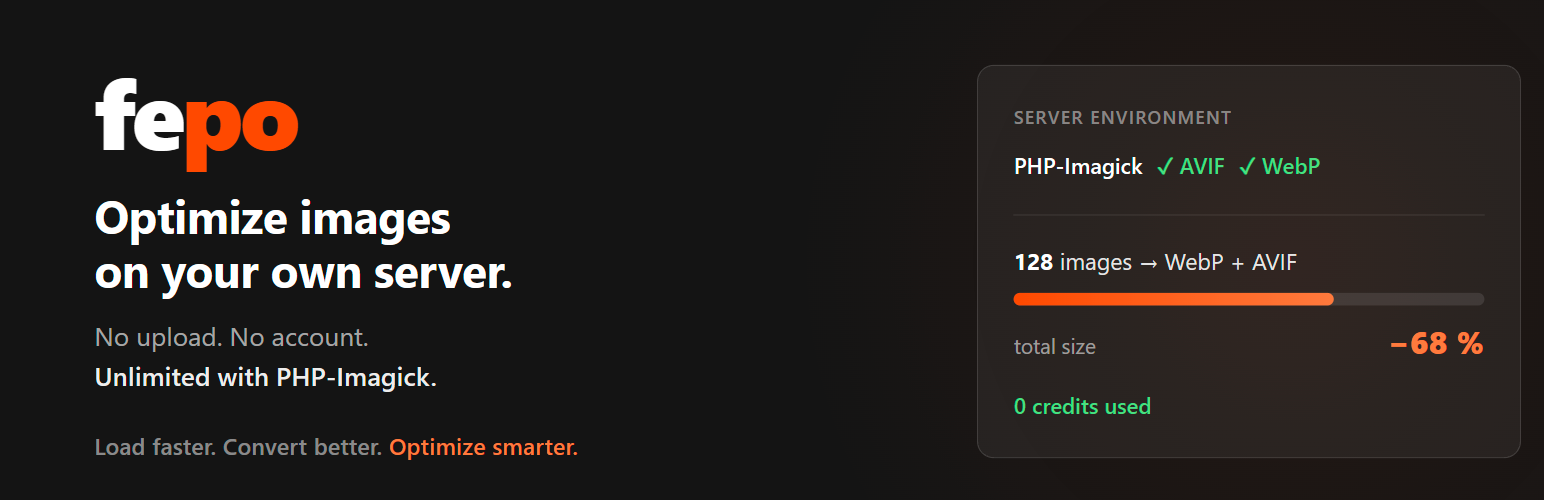
Compress your images to WebP and AVIF without sending them anywhere. If your server has
PHP-Imagick, the conversion happens right there — unlimited and free, and your images never
leave your server.
Our “Server environment” test shows you if PHP-Imagick is enabled. It runs a real test
conversion, so you see whether your server can actually create AVIF and WebP — not just whether
the extension is loaded. If it cannot, everything still works: fepo converts your images instead,
free of charge (fair-use daily limit; large batches may wait in the queue). Local conversion is
faster — ask your hosting provider to enable PHP-Imagick.
Fonts are different: subsetting needs the characters your site uses (collected locally from your
published content, sent as a list of code points only), so it always
runs on fepo’s servers and uses credits. PHP cannot create WOFF2 files.
Every site starts with 50 free font optimizations — no purchase, no account required. After that,
one-time credit packs keep you going, and credits never expire. Images never use credits. Optimised files live on your own
server — no CDN, no monthly lock-in, and deactivating never breaks the site.
The most important image loads first. The second image in the page gets
fetchpriority=”high” — usually the LCP element, the one Core Web Vitals
measures. Everything below it is deferred with loading="lazy". Your theme’s
own loading attribute is always respected, and an image already marked as
high priority is never lazy-loaded.
Originals are always kept as a fallback, so a page can never break.
Coming soon: automatic conversion to WebP/AVIF on upload.
How it works: <img> tags are wrapped in <picture> with AVIF/WebP sources (original kept as
fallback), CSS background-images are served as AVIF via an injected style block, and web fonts
are subsetted and served locally — with the theme’s Google Fonts request removed, so no visitor
IP is sent to Google for fonts.
What gets optimised — and what doesn’t
So you know exactly what to expect — we’d rather under-promise:
- Images from 10 KB are converted to WebP/AVIF (original kept as fallback). Smaller images
are left unchanged — the gain isn’t worth it. - CSS
background-images (raster jpg/png) are served as AVIF via an injected style block
(no edits to your CSS). - Google Fonts from 50 KB are subsetted to the characters your pages actually use and
served locally; the matching Google Fonts<link>is removed (closing the GDPR concern of
visitor IPs going to fonts.googleapis.com). All weights of a family come in one file. - Smaller Google Fonts, italic styles and families without a variable master file are not
subsetted — the plugin copies Google’s files 1:1 to your server instead (no credits), so the
Google request still goes away. - Fonts from other providers (Adobe Fonts, MyFonts and the like) cannot be subsetted —
their master files are not publicly available. They are reported, not changed. - Already-optimal formats are left untouched: images already served as AVIF, and SVG
(vector — stays as-is). - Only assets from your own domain are optimised. Images and fonts embedded from third
parties (maps, external widgets, etc.) are never touched — they stay on their original server. - Known limits: images injected by JavaScript after page load (some sliders/lazy-loaders)
and background<video>are not covered. A font is only replaced when a matching source is
found. Deleting the plugin removes the on-the-fly rewrites (page returns to original) but
leaves the optimised files inwp-content/uploads/fepo/(they belong to you).
External services
This plugin connects to two external services. Both are described below.
1. portal.fepo.app (fepo optimization service)
Operated by fepo, this service generates optimized images and subsetted fonts.
Font subsetting always runs on fepo’s servers. The plugin detects your Google Fonts locally and collects the characters your site uses locally from published content; fepo’s server never fetches your pages for this. Image conversion runs on fepo’s servers only when
your own server cannot do it — with PHP-Imagick available, images and CSS background images are
converted locally and their URLs are never sent anywhere.
What is sent and when:
- When you optimize fonts: the names and weights of the detected Google font families, so fepo’s server can download them from Google Fonts and subset them.
- When you optimize fonts (since 1.3.0): the set of characters your site uses, as a list of Unicode code points (numbers, not text), and your site’s language. The plugin collects them locally from the published and scheduled content in your WordPress database and sends no text, no word order, and nothing from drafts or private posts. fepo adds these characters to its base character set so the subsetted font covers what your site really shows; at most 2000 characters are used, beyond that the base set plus language applies.
- When images or CSS backgrounds have to be converted by fepo (no PHP-Imagick, or it could not produce a smaller file): the URLs of those images, so fepo’s server can fetch and process them. Images converted locally are not sent.
- An anonymous site hash and your site’s hostname, so your credit balance is tied to your account.
- After a run was downloaded and unpacked successfully: the ID of that run, so fepo can delete its temporary copy of the optimized files right away.
- Once a day, while the plugin is active: the same anonymous site hash, as a sign that this installation is still in use. Accounts with no activity for 60 days are deleted automatically (data minimisation), and since images are now converted locally there may otherwise be no contact for months. This daily signal starts only after an account exists and stops when you deactivate the plugin.
- With that daily signal (since 1.1.6): five technical values about your server — the ImageMagick major version (or that it is missing), whether the PHP extension imagick is loaded, whether AVIF and WebP can be written, and the PHP version (e.g. “8.2”). No domain, no file paths, nothing personal. fepo stores them only as anonymous daily totals (“so many sites have AVIF”), never linked to your site, to learn how many hosts can convert images locally.
What is NOT sent: no personal data of your visitors, no text from posts, pages, or comments (only the character list described above), no other database contents, and no file contents of images or fonts that are not being optimized.
Image conversion is performed by fepo’s server fetching the given image URLs (like any browser would) and returning WebP/AVIF images; fonts are subsetted from the font families and character list you send and returned as subsetted files. No private endpoints are accessed. The optimized files are then stored on your own server — not on a CDN — and delivered directly from there.
You must explicitly consent to this data transmission via a checkbox before the first optimization. The consent applies to this plugin and its own wording only — a consent given in another fepo plugin does not count here. It is stored locally and can be withdrawn at any time with the “Withdraw consent” link on the plugin page; this stops all transmission to portal.fepo.app, including the daily signal. Already optimized files stay on your server and keep being delivered.
Terms of service: https://fepo.app/agb
Privacy policy: https://fepo.app/datenschutz
2. Google Fonts (fonts.googleapis.com)
To show the real download size of a Google Font on the Fonts tab, the plugin asks Google’s Fonts API — from your WordPress server, in wp-admin — how large the browser-loaded WOFF2 files for a given font family are.
What is sent and when: only the font family name and its weights (e.g. “Roboto” with weights 400,700), and only while you are viewing the Fonts tab in the admin. No visitor data, no personal data, and no site content are sent. The request is made server-to-server (from your host to Google), not from your visitors’ browsers.
Copying fonts to your server: when you click “Optimize fonts”, fonts that are not subsetted (under 50 KB, italic styles, families without a variable master file) are downloaded once from Google (fonts.googleapis.com for the CSS, fonts.gstatic.com for the WOFF2 files) to your uploads folder and served from there. Only the family name, weights and style are sent; afterwards your visitors no longer contact Google for these fonts.
Terms of service: https://policies.google.com/terms
Privacy policy: https://policies.google.com/privacy
Disclaimer
This plugin is provided “as is”, without warranty of any kind. fepo is not liable for any damage, data loss, or downtime arising from its use. Your originals are always kept as a fallback, so an optimization can never break your page.
Installation
- Upload the plugin ZIP via Plugins → Add New → Upload, or copy the folder to wp-content/plugins/.
- Activate it. Open “fepo → Image & Font Optimizer” in the admin menu and optimize your pages.
Screenshots


Changelog
1.3.1
- All fepo plugins now share one “fepo” admin menu with an overview page. This plugin’s page stays at admin.php?page=fepo-image-font-optimizer.
- Earlier changelog entries are now in English.
1.3.0
- Fonts are now subsetted with the characters your site actually uses. The plugin collects them locally from your WordPress database (published and scheduled posts, pages and products, titles, excerpts, menus, widgets in active sidebars, terms of public taxonomies that are in use, site title and tagline, page-builder data such as Elementor, Bricks, Beaver Builder and Oxygen, visible custom fields) and sends only the list of characters — never text, word order, drafts or private posts — plus the site language.
- New characters are detected whenever content changes. The Fonts tab shows how many new characters were found on your site (free).
- Optional “Keep fonts up to date automatically”: checks once a day via WP-Cron and re-optimizes only the affected fonts, using 1 credit per font. Shows the next automatic check and any run in progress; pauses after 3 failed attempts.
- Fonts tab shows when the automatic update was skipped for lack of credits, with a link to buy credits.
- Vietnamese added to the language character sets.
- Withdrawing consent also turns off the automatic font update.
- Fixed a JavaScript error on the settings page after consent had been withdrawn.
1.2.0
- Image conversion via fepo is now free (daily fair-use limit). Fonts still use credits.
- Images and CSS backgrounds no longer check your credit balance before a run. When a site reaches the daily limit, the run stops and the plugin tells you so; the rest continues the next day. Above 300 images in one day the remainder is converted as soon as the queue is free, and the plugin says so.
- After a run has been downloaded and unpacked successfully, the plugin tells fepo, so fepo can delete its copy of the files straight away.
1.1.7
- Separate consent for this plugin. Until now, consent given in the fepo Audit plugin to that plugin’s text was enough. Now only consent to this plugin’s text counts. The text now also names the technical values the daily contact has sent since 1.1.6 (PHP version, ImageMagick, Imagick, AVIF, WebP). That is why every installation is asked once again.
- Withdraw consent. New “Withdraw consent” link on the plugin page: it stops every transfer to portal.fepo.app, including the daily contact. Optimized files stay on your server and are still served. Before, this was only possible by deactivating the plugin, and after reactivation the daily contact resumed without asking.
- Server side: the technical values are only counted when consent has been given.
1.1.6
- The daily keep-alive contact now also reports five technical values about your server: the ImageMagick major version, whether the PHP extension imagick is loaded, whether AVIF and WebP can be written, and the PHP version. No domain, no paths, nothing personal; fepo stores them only as anonymous daily counters with no link to your site. Purpose: finding out how many hosts can convert images locally (without credits). Details under “External services”.
1.1.5
- More honest numbers in the Fonts tab. “Loaded from Google” used to count every file Google offers for a font — including Cyrillic, Greek and Vietnamese character sets that a browser never loads on a German or English site. That overstated the savings (example: 336 KB instead of the actual 183 KB). Now only what your site really loads counts. Existing measurements are refreshed automatically with the next scan.
1.1.4
- Fonts under 50 KB now come from your server instead of Google. Since 1.1.3 they were no longer subsetted — so they stayed at Google, and your visitors’ IP addresses kept going there. Now the plugin copies the original files from Google 1:1 to your server and serves them from there, without subsetting and without credits.
- Italic styles are also served 1:1 from your server. Subsetting covers only the regular styles; before, the browser synthesized the italics once the Google link was removed.
- Fonts without a variable master file (e.g. Lato), which fepo cannot subset, no longer stay at Google but are also served 1:1 from your server.
- Fixed: several fonts in one Google link in the old format (
family=Roboto:400|Open+Sans:300) were only half recognized. - Fixed: a font could disappear completely. With Google links listing several fonts in the new format (
family=Playfair+Display…&family=Montserrat…), the plugin recognized only the last one. If only that one was local, the whole link was removed — and the other fonts no longer loaded at all. Now all of them are recognized. - If a Google link contains a font that is not local (yet), the link is no longer kept as a whole but shortened to that font. The others then really come from your server.
- Locally served fonts: only the character ranges your website needs (Latin always, Cyrillic/Greek/Vietnamese only for a matching site language), and only the italic weights your theme requests. The
@font-facerules live in a separate, cached file instead of in every page. - Fixed: preloading (
preload) the optimized fonts had stopped working in 1.1.0. The browser loads them early again.
1.1.3
- Fonts whose served file is smaller than 50 KB no longer appear in the Fonts tab and are not optimized — subsetting does not pay off there, and no credit is used for them. What counts is the size your browser actually loads, not the size of the original font file. Below the list you can see which fonts were hidden.
- Smaller images when converting on your server (without credits): AVIF and WebP now each have a suitable quality value (WebP 72, AVIF 52). Before, both used the same value — so the AVIF often ended up larger than the WebP, and the browser loaded the larger file. Measured on real photos, the AVIF files are now about 40 % smaller at the same visible quality. If an AVIF is still not smaller than the WebP, the plugin discards it and the browser uses the WebP. Images that are already converted only change when you optimize them again.
1.1.2
- Fixed: local conversion stopped with “Error” for many images. All images were converted in one single request; AVIF takes several seconds per image with ImageMagick 6, and PHP stopped at its time limit. Now the plugin converts in batches (at most half the time limit per request), continues automatically and shows the progress. If a single image still exceeds the limit, the plugin remembers it and lets fepo convert it from then on — until the time or memory limit changes: if your host raises it, the plugin converts these images itself again, without credits. The PHP error log gets a line with
[fepo-io]for this. - Fixed: with more than 50 images the free credits did not count. With 50 free credits and 56 images it said “You have 0 credits”. Now free and purchased credits are added up, and if they are not enough for all, optimization starts with the first images.
- If the credits are not enough for all selected files, the notice appears right next to the credit packs — with the button “Use the free credits and start optimizing” — instead of a browser dialog.
- New diagnostic log: if something goes wrong while converting on your server (time or memory limit, ImageMagick error), the plugin shows a “Download log” link under “Server environment”. The text file contains the server settings and what happened — to forward to support. It is only created when you click and is available to administrators only; nothing of it is sent automatically.
- “Server environment” is now a checklist: ImageMagick, the PHP extension imagick for your website’s PHP version, AVIF and WebP — each with a tick or a cross. If something is missing, an expandable section explains what to do, with a link to the step-by-step guide (apt, dnf, cPanel, Plesk).
1.1.1
- Images are converted on your own server when PHP Imagick is available — and then use no credits. That is faster, and your images do not leave your server. Only fonts still need credits: subsetting requires knowing which characters your pages use, and Imagick cannot determine that. CSS background images count as images and are also converted locally. Without PHP Imagick everything runs through fepo as before; your hosting provider usually enables the extension on request.
- The new “Server environment” section shows whether your server can create AVIF and WebP itself.
- If you do not need credits right now, the purchase area stays in the background and says why. Buying is still one click away.
- Your access is kept as long as the plugin is active: for this the plugin checks in once a day with an anonymous ID — only with your consent, only if an account exists, and it ends when you deactivate the plugin. Your optimized files are never affected; they are on your server. Because the previous consent did not describe this, the plugin asks for your consent once again.
- Buying credits now also works before the first optimization (it used to stop with “Could not start checkout”). If it fails, a message in the plugin gives the reason and the next step instead of a pop-up.
- Two numbers in the “Did you know?” hints were wrong: the Core Web Vitals figure now gives the documented value (about half of all websites, 48 % on mobile — HTTP Archive Web Almanac 2025) instead of “about 33 %”. The hint about the average loading time was removed; the 2.5 seconds it named were a threshold, not a measurement.
- After a run, a dialog sums up how many files were optimized and how much you saved — with a button to reload.
- The credit balance now shows only the pool currently being used: the free optimizations while some are left, then the purchased credits.
- When no credits are left, the plugin says so clearly and offers the packs — instead of asking whether to start a run that cannot do anything.
- Clearer information about credits: what is sent where and what costs something. A font family counts as one credit regardless of the number of its styles; italic styles and fonts from other providers are not reduced, and skipped families cost nothing.
- Fixed: deleting the plugin could hang at “Deleting…”. Uninstalling now also removes settings of older versions.
- Fixed: after a successful run the page could still show the previous state — outdated numbers, missing buttons.
- Tested with WordPress 7.1.
1.1.0
- The optimized images and fonts are now served on any domain — the former domain binding of delivery was removed. Your locally stored files belong to you and keep working after moving the website.
- The inline CSS (@font-face and CSS backgrounds) is now output the standard WordPress way via wp_add_inline_style().
- The front-end output buffer is now closed explicitly on the shutdown hook.
- Security: when importing a ZIP file, only image and font files are taken over; unexpected file types are removed after unpacking.
- The “External services” section of the readme now also documents the use of the Google Fonts API (to show the download size in the Fonts tab).
- Translations will be provided through translate.wordpress.org; bundled language files were removed.
1.0.9
- Internal: text domain and plugin slug aligned with the WordPress.org slug “fepo-image-font-optimizer” (fixes the Plugin Check text-domain warnings). No change to functionality or stored data.
1.0.8
- Correction: the notice when buying credits without consent no longer names a direction (“above”) — the wording now fits regardless of where the consent box is.
1.0.7
- Improved: consent to data processing is now shown clearly at the top (instead of hidden in a tab). The optimization tabs appear only after consent — making it clear that nothing is transferred before consent.
1.0.6
- Fixed: “Buy credits” showed an empty box before your consent (the credit packs are only loaded after consent). Now a notice says that consent is needed first.
Older versions: https://wordpress.org/plugins/fepo-image-font-optimizer/advanced/