

Description
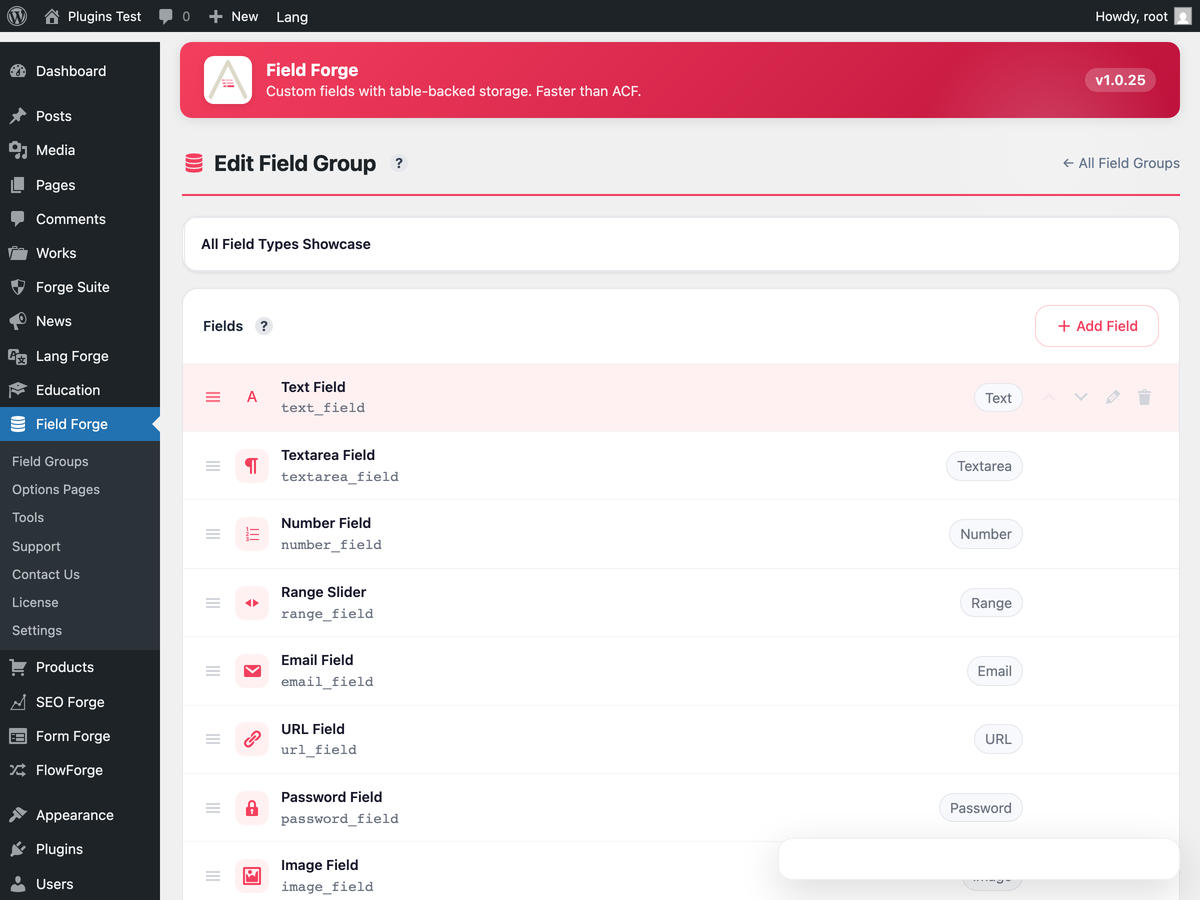
Field Forge adds custom fields to posts, pages, custom post types, taxonomies and users. Build a field group in a visual editor, pick where it appears, and read the values in PHP or over the REST API. The number of field groups is not limited.
Field values are kept in their own table, wp_fieldforge_values, instead of wp_postmeta, so a post with dozens of fields does not fill the core meta table. There are 31 field types: text, textarea, number, select, image, file, WYSIWYG, oEmbed, gallery, calculation, date, time and colour pickers, Google Map and link, plus the relational set: Relationship, Post Object, Page Link, Taxonomy and User.
Location rules decide where a group is shown: by post type, taxonomy, page template or user role. Field groups are written to disk as Local JSON files in wp-content/uploads/fieldforge-json, and a folder you add with the fieldforge/local_json/load_paths filter, for example one kept in your theme under version control, is read too. Every group keeps a schema version and a revision history. Values of options pages can be read and written with get_field() and update_field().
Coming from ACF
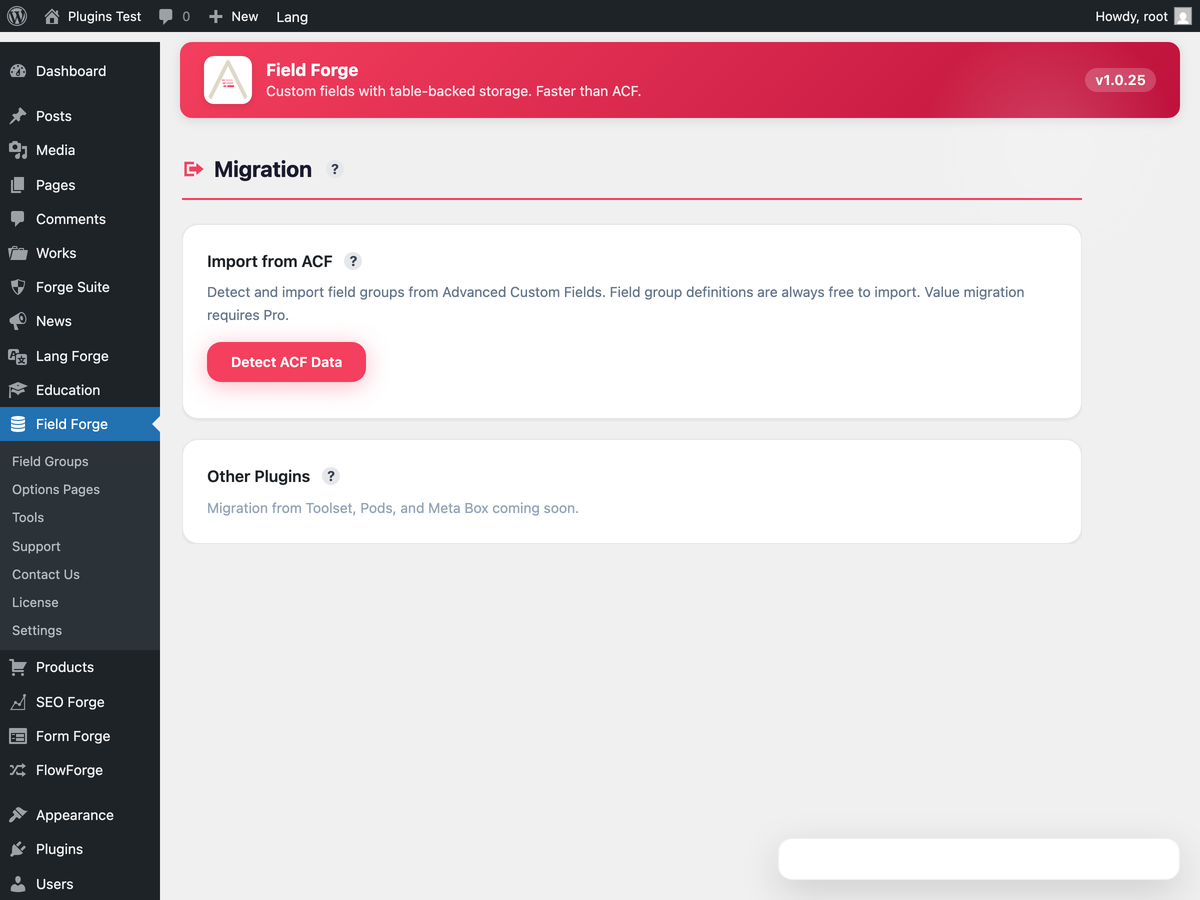
Field Forge → Migration detects your existing ACF field groups and values and imports them into its own tables. A compatibility layer defines the common ACF template functions, including get_field(), the_field(), get_field_object(), get_fields() and have_rows(), so theme code that calls them keeps working while you migrate. acf_register_block_type() is defined too, but it registers a block only when the Pro add-on’s PHP Blocks are active. Check your theme after the switch.
Free
- Unlimited field groups
- 31 field types, including Relationship, Post Object, Page Link, Taxonomy and User
- Location rules by post type, taxonomy, template and user role
- Visual field group builder
- Storage in a custom table, not
wp_postmeta - Import of ACF field groups and values, and an ACF compatibility layer
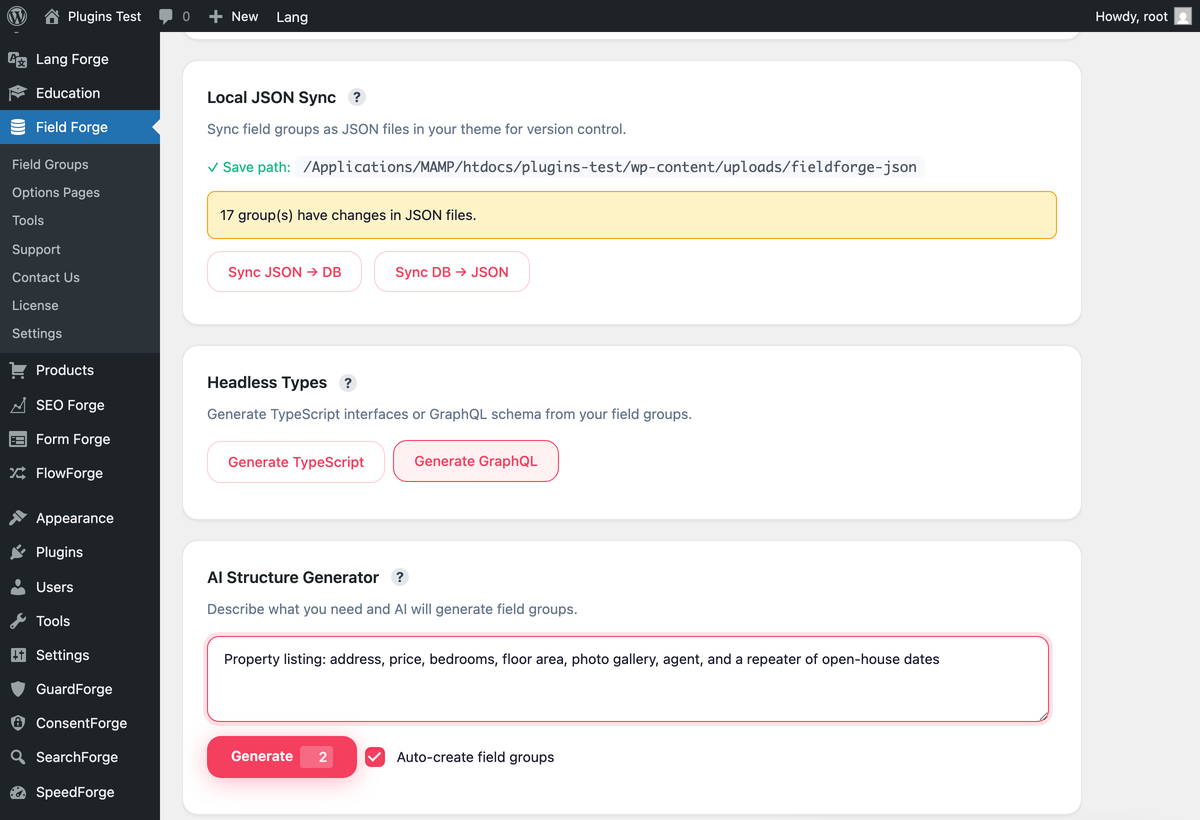
- Local JSON sync
- Options-page values through
get_field()andupdate_field() - REST API exposure of field values
- Schema versioning and revision history for field groups
Pro add-on (separate plugin, not part of this download)
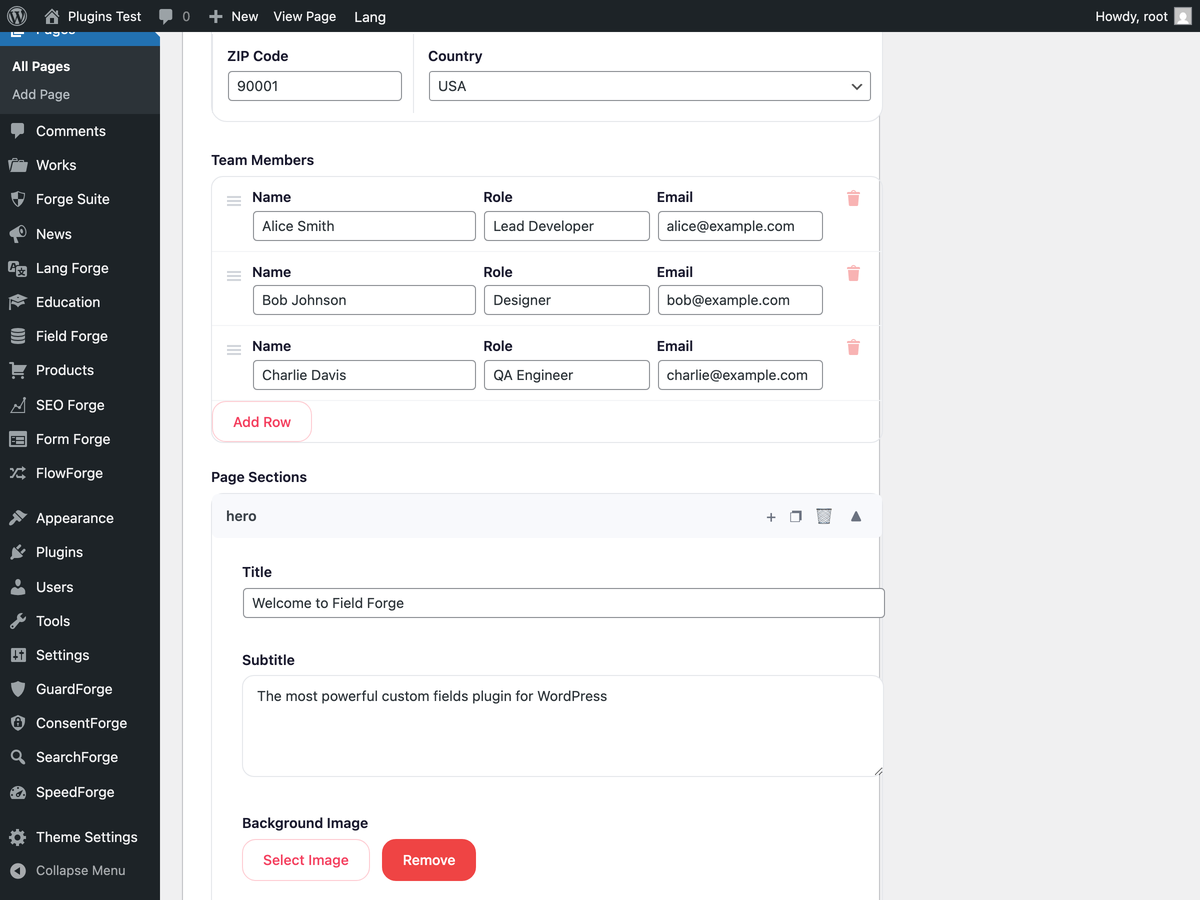
- Compound field types: Repeater, Group, Flexible Content and Clone
- Options pages management screen
- PHP Blocks: register Gutenberg blocks from field groups
- AI schema generator: describe your data and get a field group
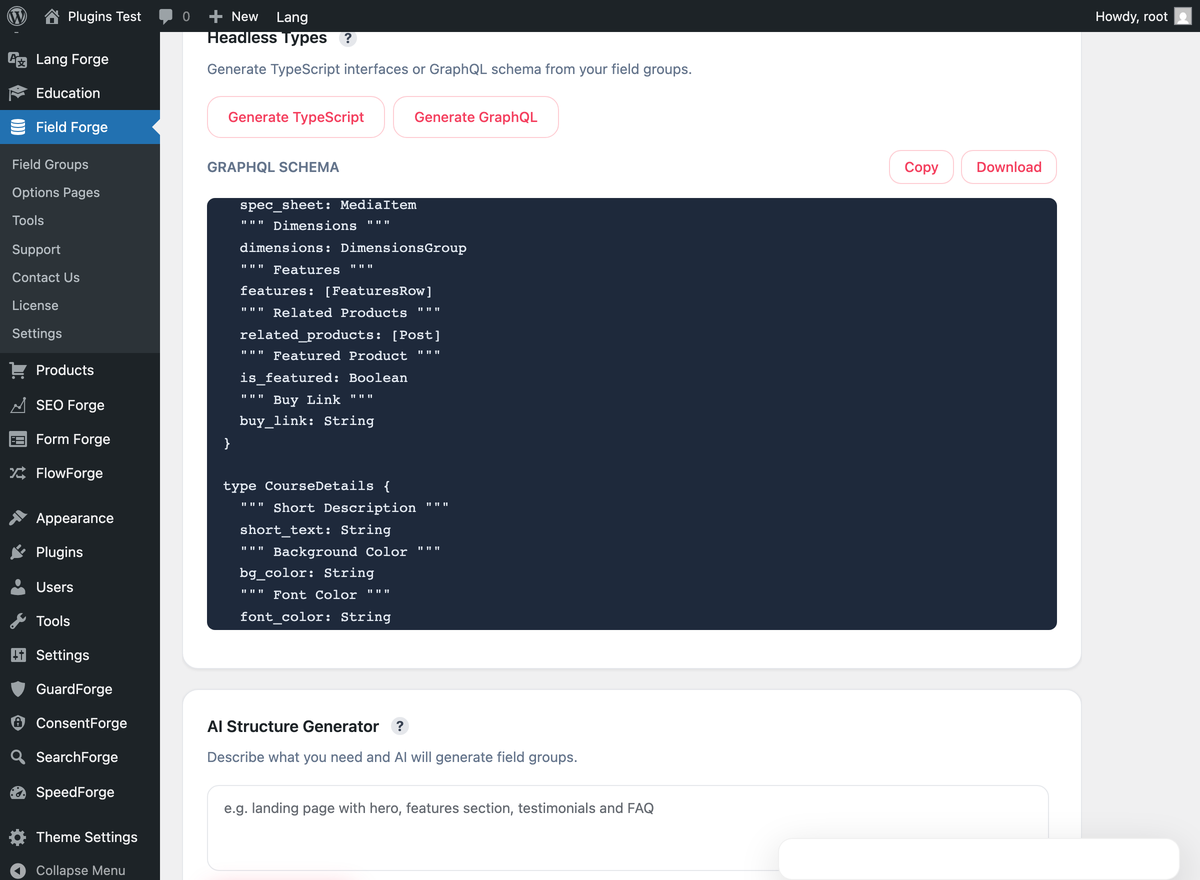
- Native WPGraphQL schema and resolvers
- TypeScript and JSON export of field groups
- Bulk JSON export and import
The only request the free plugin can make is the one WordPress makes for an oEmbed field, to the provider of the URL an editor enters. It has no analytics, no telemetry and no licensing calls.
Documentation: https://fieldforgewp.com/docs/
Guide to moving from ACF: https://fieldforgewp.com/acf-migration-guide/
Comparison with other field plugins: https://fieldforgewp.com/compare/
External services
Every outbound request this plugin makes is listed below. Activating it, and opening its screens, contacts nobody.
- oEmbed field. An oEmbed field asks WordPress to fetch the embed from the provider of the URL an editor enters, exactly as the block editor does: when the field’s value is shown, in the preview under the field in the editor and wherever a theme or a plugin reads the field through the ACF-compatible
get_field(), WordPress asks that provider’s oEmbed address about the URL. The provider receives the URL and sees the network address of your server. Which provider that is depends on the URL; its terms and its privacy policy are its own. A site that uses no oEmbed field makes no such request.
Apart from that this plugin contacts no external service of its own: field groups, values, Local JSON, the ACF importer and REST exposure all run on your site, and there are no analytics, no telemetry and no licensing calls. AI features belong to the separate Field Forge Pro add-on, which describes the services it uses in its own documentation.
Installation
- Upload
fieldforgeto/wp-content/plugins/, or install via Plugins → Add New. - Activate the plugin.
- Go to Field Forge → Field Groups → New Field Group.
- Read values in PHP:
$value = get_field('my_field', $post_id); - Or via REST:
GET /wp-json/wp/v2/posts/123/fieldforge - With the separate Field Forge Pro add-on, also via GraphQL:
posts { nodes { fieldforge { myField } } }
FAQ
Can I keep using my existing ACF field groups?
Yes. Field Forge → Migration detects your ACF field groups and values and imports them into Field Forge’s own tables. The compatibility layer keeps your get_field() calls working during the migration. After you have checked the result, you deactivate ACF.
Which ACF functions does Field Forge define?
The common ACF template functions: get_field(), the_field(), get_field_object(), get_field_objects(), get_fields() and have_rows(), among others. Theme code that calls them keeps working after migration. acf_register_block_type() is defined as well, but a block is registered only when the Pro add-on’s PHP Blocks are active. Compound field types such as Repeater and Flexible Content are in the separate Pro add-on.
Does Field Forge work with Gutenberg, Elementor and WPGraphQL?
Gutenberg and WPGraphQL: yes. Gutenberg blocks can call get_field() in their render callbacks, and the Pro add-on registers its types with WPGraphQL when it is active. Elementor: not directly. Field Forge has no Elementor integration (no dynamic tags), so an Elementor page shows field values through template or shortcode code that calls get_field().
Is there a free version?
This plugin is the free version. It has unlimited field groups, 31 field types including relational fields, the visual builder, location rules, the ACF compatibility layer, Local JSON sync, ACF migration and field values on the REST API. Repeater, Group, Flexible Content and Clone fields, options pages management, PHP blocks, GraphQL and the AI schema generator are in the separate Field Forge Pro add-on.
Do I need an OpenAI API key for AI features?
No key of yours is involved. AI features belong to the Pro add-on and send their requests to the Avakode service, which passes them on to the AI provider. The free plugin makes no AI request.
Where does Field Forge store field values?
Field values are stored in their own table instead of wp_postmeta, so a post with many fields does not add rows to the core meta table.
Is GraphQL support a separate add-on?
No. The WPGraphQL schema is built into the Pro add-on, and you do not need a bridge plugin for it.
Screenshots
Changelog
1.4.0
- AI field generation (with Field Forge Pro): when the connection drops before the answer arrives, the editor says so in plain words, and trying again with the same description does not use your credits a second time. While the first try is still running, you are asked to wait. With an older Field Forge Pro, generation works as before.
- AI field generation: an answer that arrives but cannot be read is reported as such instead of a confusing error.
- Uninstall removes the temporary records Field Forge keeps for AI requests, whether or not “Delete Field Forge data on uninstall” is selected.
1.3.1
- Background jobs: on a site where WP-Cron is switched off (DISABLE_WP_CRON), queuing a job no longer sends the request that wakes WP-Cron. The site’s own cron runner starts the job, as you set it up.
1.3.0
- Uninstall keeps field groups, saved values, settings and migration maps unless “Delete Field Forge data on uninstall” is selected. Older Pro add-ons follow the same choice.
- Removed unused Freemius integration code.
1.2.0
- A site whose Field Forge Pro licence has ended keeps working. Repeater, Group, Flexible Content and Clone values and Options Page values that were saved before are still read and shown, and get_field() returns them as before. Adding, removing or changing those fields and Options Pages is closed until you renew; the other fields of the same group still save, and the editor says which fields are closed. With Field Forge Pro 1.2.0 the same holds for PHP blocks, GraphQL fields, export and code generation.
- Saved values are safer. A post can no longer hold two stored values for the same field: after the update the database is upgraded, duplicates that already exist are collapsed in the background (the one the site shows is kept, the rest are set aside in a separate table) and a unique key is added once that is safe. A value that already sits under a field’s new name when you rename the field is set aside the same way, with a count after the save. Swapping or shifting field names in one save keeps every value, and a save that is refused or breaks off half way keeps them all.
- Field names that are the same apart from capital letters or accents are refused, and the message names both fields, because they would overwrite each other’s values. A field name over 191 characters is refused with a plain message in the editor, the REST API and the ACF import.
- A refused database write while saving a Repeater, Group or Flexible Content field now stops the save instead of wiping the stored values of the post.
- Local JSON Sync now applies a file that differs from the field group it is linked to, compares a file the way it would be written (a file that only reorders choices or layouts is applied), and judges a group of this site by its content, not by the hash line in the file.
- A field group made from a Local JSON file of another site remembers that file, so Sync does not make another copy every time; the Sync screen names the groups a file was linked to and the groups it refused. Groups are announced and caches cleared only after the whole batch is saved, and deleting the plugin removes the links.
- ACF value import: Clone fields now bring their values (Seamless and Group, with and without prefixed names); a Message field keeps its text, new lines and escaping setting; a Textarea without a New Lines setting stays as it was; a stored object or a cut-off serialised value is skipped instead of saved. The result says how many field groups were created, updated and not imported, and which were created as new instead of updating an existing one. The Migration screen lists the importers that are active. Export All shows the server’s message under the button when it is refused.
- ACF functions: get_field(), update_field() and delete_field() accept the key of a field. A user_N or term_N context keeps its own values in user and term meta instead of record 0, and a context that names no record reads and writes nothing. update_field() on a Repeater, Group or Flexible Content saves the rows the way the post screen does. get_field() and have_rows() read Repeater, Flexible Content and Group values saved under ACF’s old meta keys (up to 1000 rows per field, nested levels included) and rows kept as one JSON text. A Relationship saved as comma text is read as a list, and a zero in a Group is a value.
- Option values read for another language (an ACF-style options_xx id) use the language’s own value first and the default language when it has none. acf_register_block_type() and acf_register_block() are declared before acf/init fires.
- Calculation fields read a minus sign in front of a value as the sign of it, in the saved result and in the live preview on the post screen.
- Conditional logic rules that use the operators < and <= are kept when a field group is saved.
- A Password sub-field in a Repeater row is a password box. A stored choice that is no longer in the list is still shown as picked. The value of a Relationship or Post Object field has the shape of its type and Multiple setting, not of the number of saved ids.
- Saving a field group over the REST API is checked: a missing title, a field without a name, fields that are not a list, a group over 1 MB, and Sub Fields or Layouts that are not lists at any depth are refused with a 400 that names the place. A stored value that is not a list reads as empty on the public read paths.
- Reading a list of posts with get_field() in a loop loads their field values in one query per batch of posts instead of one per post.
- The Settings screen has a “Keep my data when Field Forge is deleted” switch. Without it, deleting Field Forge or the Pro add-on from the Plugins screen removes field groups, values, Options Pages and settings, including the new set-aside values table. The Settings form saves without the Pro add-on.
- New messages are translated into the 15 languages the plugin ships with.
- Developers: FIELDFORGE_Field_Groups::begin_batch() and end_batch() let an add-on save several field groups in one transaction, and report_refused_move() lets it report a refused move of stored values.
1.1.8
- Security: Related fields in the public REST API no longer expose private user data, unpublished posts or the content of password-protected posts. With Field Forge Pro 1.1.16 the same holds for GraphQL.
- Security: Field values of password-protected posts in the REST API are no longer shown to visitors who have not entered the password, and totals leave out password-protected posts unless you may edit others’ posts of that type. With Field Forge Pro 1.1.16 the same holds for GraphQL.
- Security: Field values are no longer returned by the Field Forge REST endpoint to logged-in users who cannot edit the post, unless allowed with the fieldforge/rest/public_field_allowed filter.
- Developers: FIELDFORGE_Performance::instance()->flush_all() now also clears the values cache.
1.1.7
- When AI credits run out, the message no longer promises a monthly reset and links to the page where you buy credits.
- The logo in the admin screens is the new mark.
1.1.6
- Text and Textarea fields get a Character limit setting: the box stops at the limit, and a text over it is not saved. The field keeps its previous value and you see a notice. With Field Forge Pro 1.1.14 the limit also holds inside Repeater, Group and Flexible Content fields and on options pages.
- Character limits already stored in your field groups (an ACF import, the SEO Settings template) now take effect. A saved text that is already longer is kept, with a note under the field.
- Checkbox and Radio fields get a Layout setting: vertical or horizontal.
- The Post Template location rule offers a list of your theme’s templates instead of a text box.
1.1.5
- Field group editor: location rules can now be set by Post Category and Post Taxonomy term. Categories with the same name under different parents are listed as “Parent › Name”.
- Fixed: Post Category and Post Taxonomy rules imported from ACF now apply to the right posts. A rule on a term that no longer exists matches no post.
- Fixed: a rule on a term with a non-Latin slug is no longer broken when the group is saved in the editor.
- On the new-post screen, a field group with a Post Category or Post Taxonomy rule is shown only when the new post fits the rule (a new post counts as being in the default category). Before, such a group was shown on every new post of its post type when it also had a Post Type rule, and was not shown at all when it had none.
1.1.4
- With the Field Forge Pro add-on: the sub-fields of a Repeater, Group or Flexible Content field now have Choices, Instructions and Placeholder settings in the group editor, and the edit screen shows them. Choices work for Select, Checkbox, Radio and Button Group, Placeholder for Text, Textarea, Number, Email, URL and Password. Before, a Select, Checkbox or Radio sub-field was drawn as a plain text box and had nowhere to enter its choices. A sub-field of a choice type with no choices entered is still a text box.
- Button Group is now in the sub-field type list. In a Button Group sub-field only the picked button looks pressed, and “Add Row” starts the new row with nothing picked in Radio, Checkbox and Button Group sub-fields.
- A value a row already holds that is not one of the sub-field’s choices (for example text saved while the sub-field was still a text box) is shown as one more picked choice, and Update keeps it. A stored list is shown as text in a Textarea sub-field and as a picked choice in a Radio or Select sub-field.
- Dragging a Repeater or Flexible Content row no longer clears the picked Radio or Button Group choice in the other rows.
- ACF import: Clone fields keep their settings and targets; a target that was not imported is left out and named in the result.
- ACF import with Field Forge Pro (licence active): settings pages made in ACF 6.2+ or registered in code while ACF is active are created, and the values step copies their values for regular, Group and Repeater fields. Values already saved in Field Forge, including a Repeater’s row count, are kept. A page that could not be created is named in the result.
- ACF import without Field Forge Pro: Repeater, Group, Flexible Content and Clone fields are no longer created; the rest of the group is imported and the result lists what was left out. A group made only of such fields is not imported.
- Fixed: a Clone field whose target field sits in a later field group, or lower in its own group, no longer breaks field lookups.
- Fixed (with the Field Forge Pro add-on): a Group in a Flexible Content row added with “Add Layout” lost the values typed into it on the first Update.
1.1.3
- After you rename a field and save the group, the saved values on your posts now show under the new name right away. Before, they could keep showing under the old name for up to five minutes, until the short-lived cache expired. On a site with more than 2000 affected posts it can still take up to five minutes.
- A True/False field whose Default is no, false or off (capitals and spaces around the word do not matter) is no longer shown switched on before its first save. Before, any text in Default switched it on, including “no”. An empty Default or 0 still means off; any other text still means on.
1.1.2
- Importing values from ACF now converts a Date Picker value from the format ACF stores (20261011) to the format Field Forge shows and saves (2026-10-11). Before, an imported date showed as an empty date box. Dates imported earlier are not changed.
- With the Field Forge Pro add-on (1.1.10 or newer): a Repeater inside a Flexible Content layout you have just added now appears at once with its Add Row button. Before, it was only a label, and rows could not be added to it in the editor. A Flexible Content field inside the new layout is drawn the same way.
- Changing the Label of a field that is already saved no longer changes its Name. Before, the Name followed the Label, and saving the group renamed the field. A field you have just added still takes its Name from its Label until you type a Name yourself, and typing a new Name in a saved field still renames it.
- A Date Picker value saved without dashes, such as 20261011 (the way ACF stores dates), is now saved as 2026-10-11 and shown in the date box. Before, the date box looked empty, and updating the post erased the date.
Older versions are listed in changelog.txt in the plugin folder.