


Description
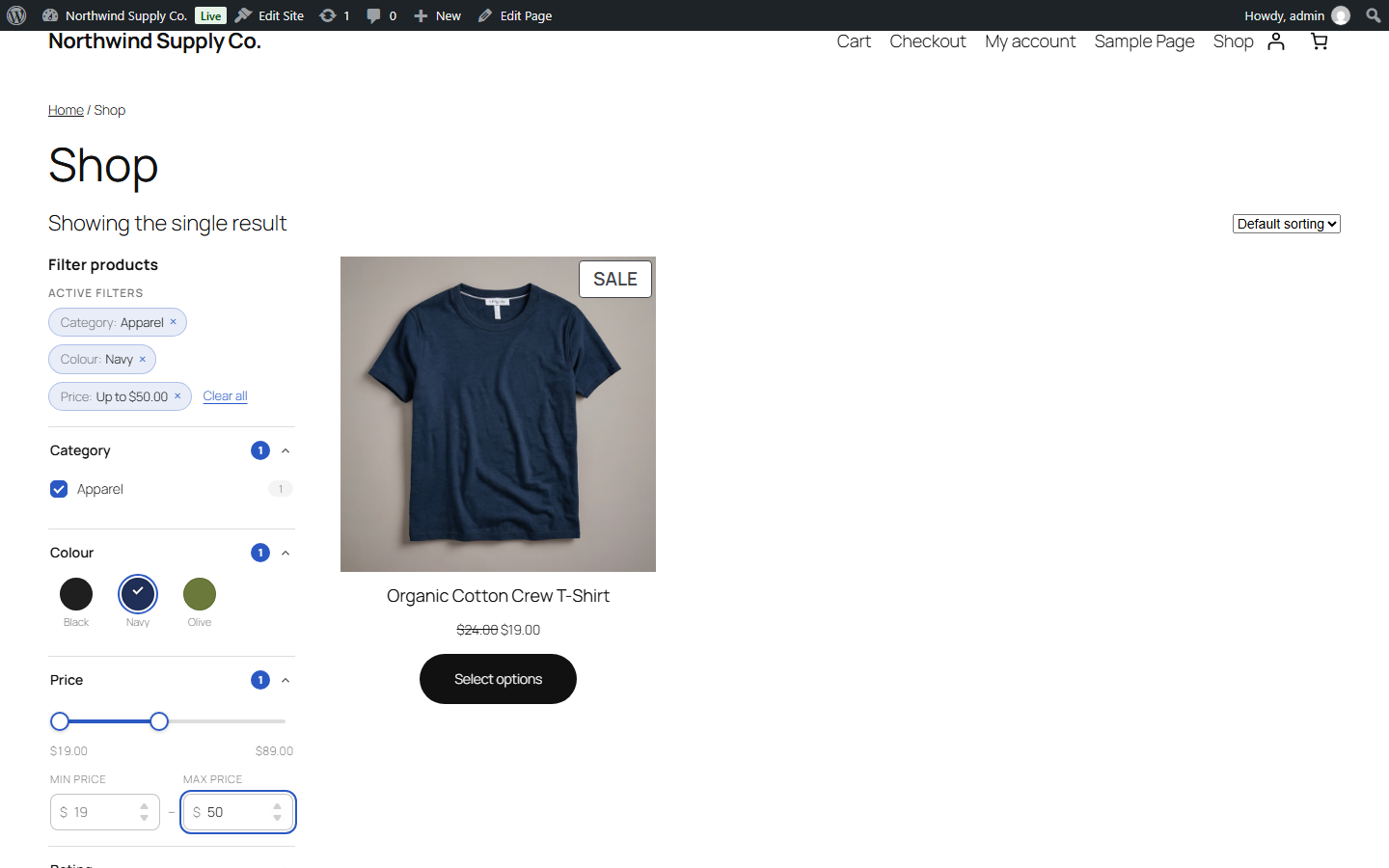
FilterNest is a fast, accessible WooCommerce product filter. Shoppers narrow large catalogues by category, tag, attribute, price and rating, and the product grid updates instantly without a page reload. It works on the shop page and on every product category, tag and attribute archive, with block themes (such as Twenty Twenty-Five and its Product Collection block) and classic themes (such as Storefront).
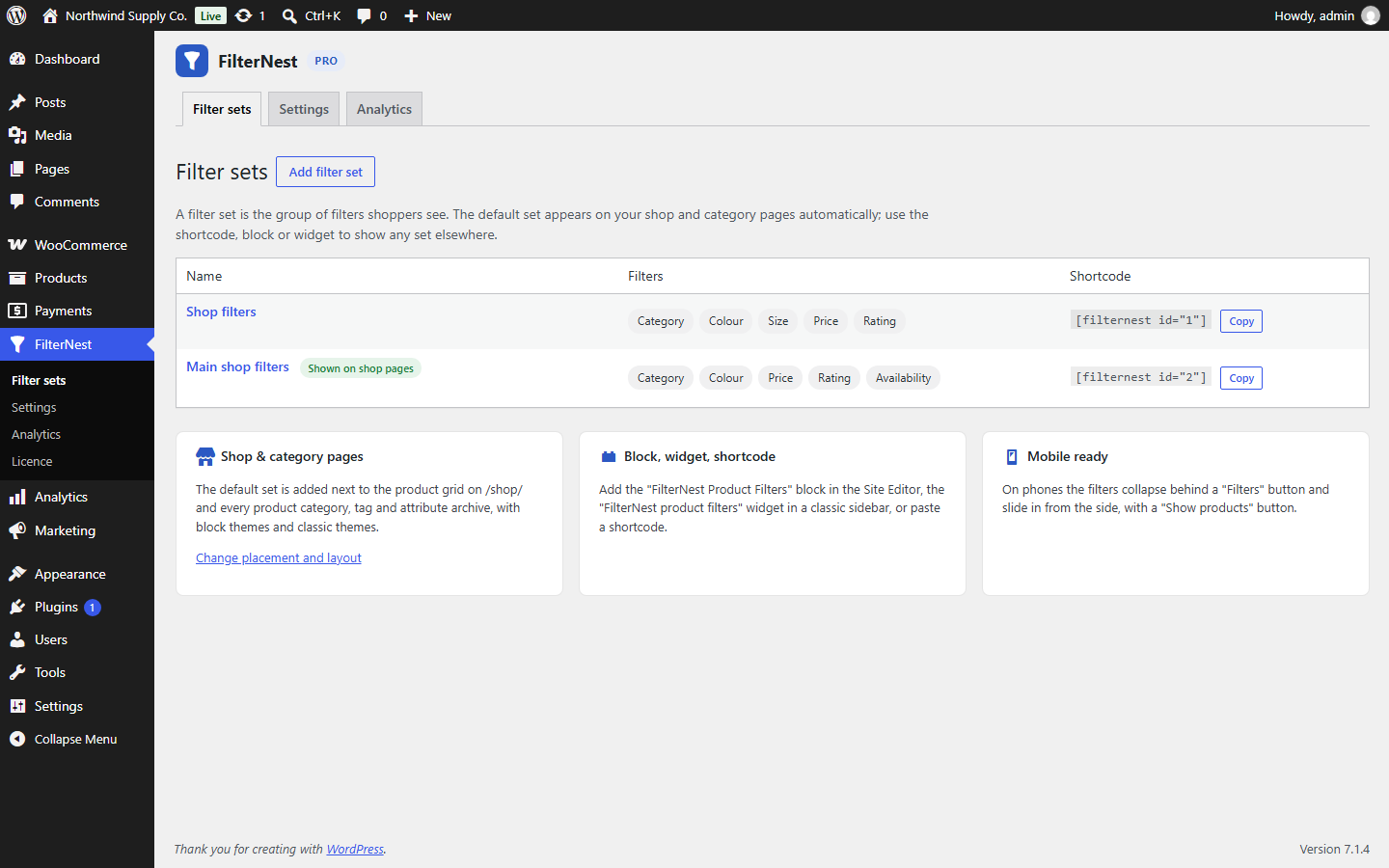
Install it and the filters appear next to your products straight away: FilterNest builds a sensible default filter set from your categories, attributes and prices. Then shape it in FilterNest → Filter sets.
How it works: every filter change updates the address bar, so filtered pages can be bookmarked, shared and navigated with the Back button. FilterNest fetches that address and swaps in the new products, result count and sorting. Without JavaScript, the same filters work as an ordinary form and plain links.
Free features
- Filter by product category (with sub-categories), tag, any global attribute (colour, size…), price and average rating.
- Checkbox, radio button and dropdown styles; “match any” or “match all” for multi-select filters.
- AJAX results without a page reload, with browser Back/Forward support and shareable URLs.
- Active-filter chips with one-click removal and “Clear all”.
- Mobile slide-in filter panel with a “Show products” button.
- Shortcode
[filternest id="1"], a block (“FilterNest Product Filters”) and a classic widget. - Automatic placement on shop and archive pages: a sidebar on block themes, a horizontal filter bar on classic themes (or choose).
- Accessible: real form controls with labels, keyboard support, focus kept after updates, result count announced to screen readers.
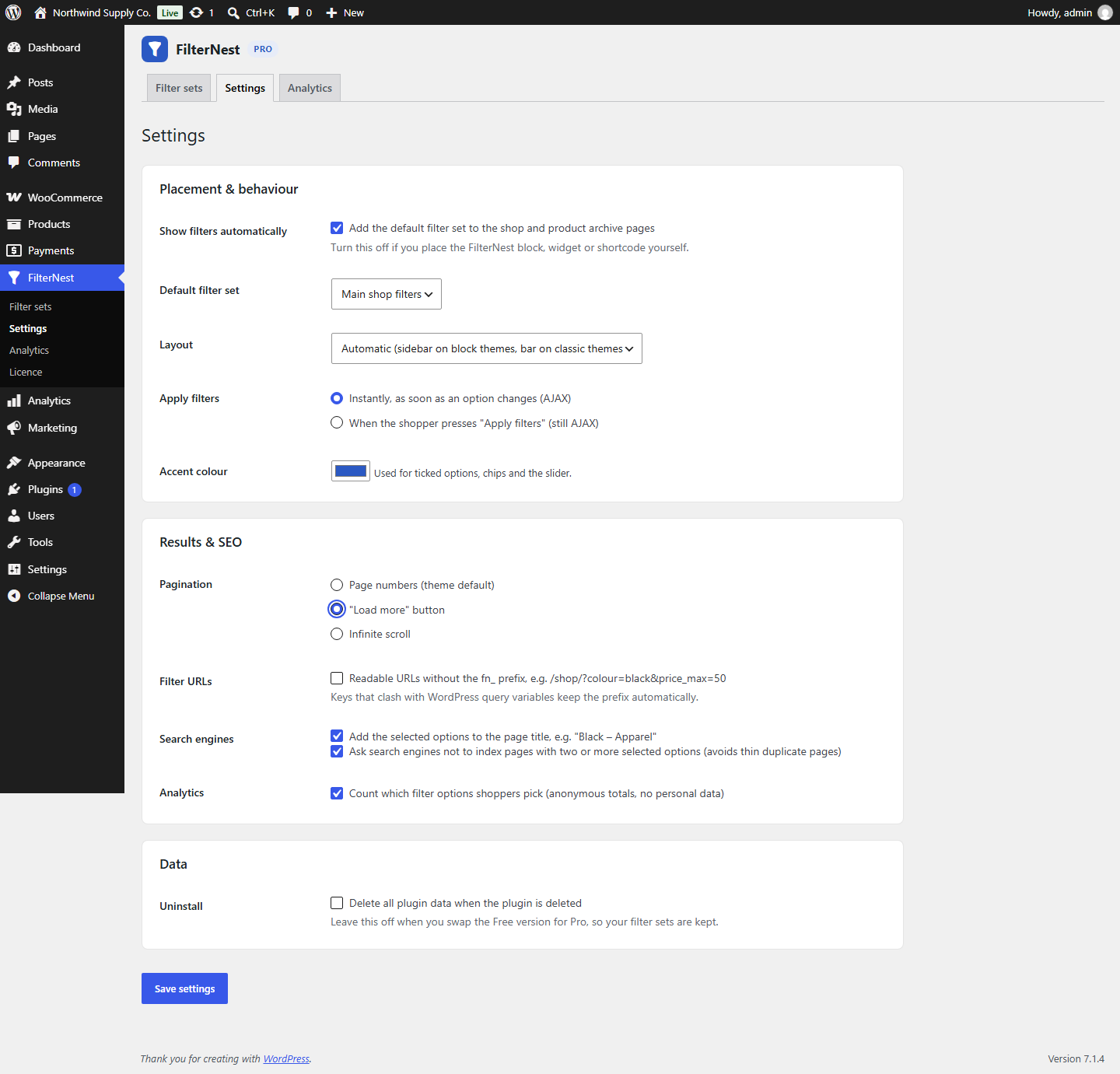
- Accent colour setting to match your store.
A separate paid plugin, FilterNest Pro, adds swatches, a price slider, SEO-friendly URLs, extra filter types, live counts, load more and analytics: FilterNest Pro.
Installation
- Upload the
woo-product-filterfolder to/wp-content/plugins/, or install the zip from Plugins → Add New → Upload Plugin. - Activate the plugin. WooCommerce must be active.
- Visit your shop: the default filters are already there.
- Go to FilterNest → Filter sets to add, remove or reorder filters, and FilterNest → Settings to change placement and layout.
FAQ
Does it work with block themes and the Product Collection block?
Yes. On block themes (Twenty Twenty-Five and others) FilterNest wraps the shop’s Product Collection block and places the filters beside it. On classic themes it uses the standard WooCommerce shop hooks.
Can I place the filters myself?
Yes. Use the “FilterNest Product Filters” block in the Site Editor, the widget in a classic sidebar, or the shortcode [filternest id="1"]. Turn off “Show filters automatically” in Settings so the filters are not shown twice.
Does it slow my shop down?
Filtering uses WooCommerce’s own product query and price lookup table. Price ranges and product ID lists are cached and the cache is cleared automatically whenever a product, its stock, price or terms change.
What happens without JavaScript?
The filter panel is a normal form and the chips are normal links, so filtering still works with a page load.
Which filters can I use?
Product category (with sub-categories), product tag, any global attribute, price and average rating.
Do I lose my filter sets when I deactivate the plugin?
No. Data is only deleted on uninstall if you tick “Delete all plugin data when the plugin is deleted” in Settings.
Screenshots



Changelog
1.0.1
- WordPress.org build: free features only; removed locked Pro settings, Pro-only filter types and the licence screen.
1.0.0
- Initial release.