

Description
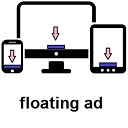
Show floating adsense at the bottom of your visitor screen, increase adsense click with Floating Ads at the Bottom WordPress Plugin. After installing the plugin, just go to Settings > Floating Ads Bottom and input your Adsense Code.
Installation
- Upload
floating-ads-bottomfolder to the/wp-content/plugins/directory - Activate the plugin through the ‘Plugins’ menu in WordPress
- Go to Settings > Floating Ads Bottom to configure.
Screenshots


Changelog
1.0.4
- remove close button.
1.0.3
- fix css style.
1.0.2
- Added close button.
1.0.0
- First Release