


Description
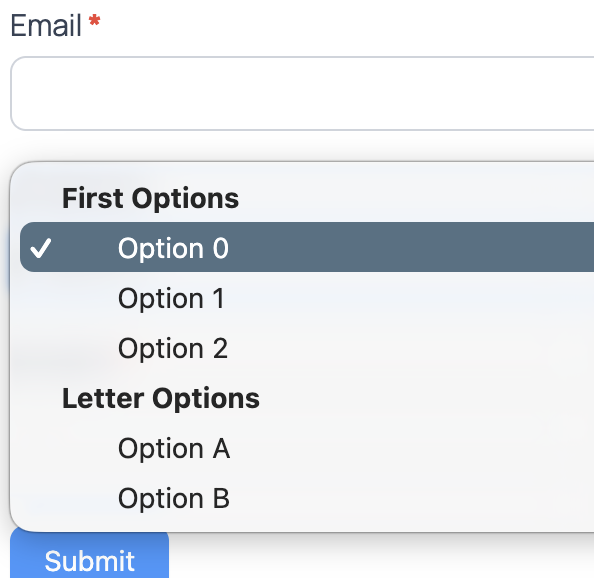
This plugin will allow you to create optgroup’s in your select forms. This was created because Formidable does not give the capability to add optgroups, which is just silly.
Installation
- Upload the plugin folder to the
/wp-content/plugins/directory, or install from the repository - Activate the plugin from the Plugin menu in WordPress
- Install and activate Formidable Forms if it is not already active
- In your Formidable form, add or edit a Dropdown select box
- To create an optgroup, add a line with the group name wrapped in double asterisks, for example Cars, then list options below it
FAQ
- What if I want to use something besides two **’s? If you do, just edit the code to fit your needs. I kept this out of the database for speed, but I can add it in the future if people want it.
- Want to say thanks? donate
Screenshots


Changelog
1.6.1
- All Plugins lists this account’s WordPress.org plugins and shows the installed 53mp loader version.
1.5.1
- Readme Tested up to uses WordPress 7.1.
1.5.0
- Admin screen stays under 53mp Tools. The shared hub is now All Plugins.
1.4.0
- Stricter Group markers, DOM-based option parsing, normalized field data, Requires Plugins: formidable, and Abda53 namespace.
- Admin notice when Formidable is not active.
1.3.0
- Added 53 Minute Tools admin menu and shared suite bootstrap.
1.2
- Updated for latest Formidable changes
1.0
- Initial Development