

Description
Formii is a contact form plugin with an intuitive drag-and-drop form builder and built-in inquiry management — no external service required. It also includes optional fields for Japanese forms, such as furigana and a 47-prefecture address field.
Key Features
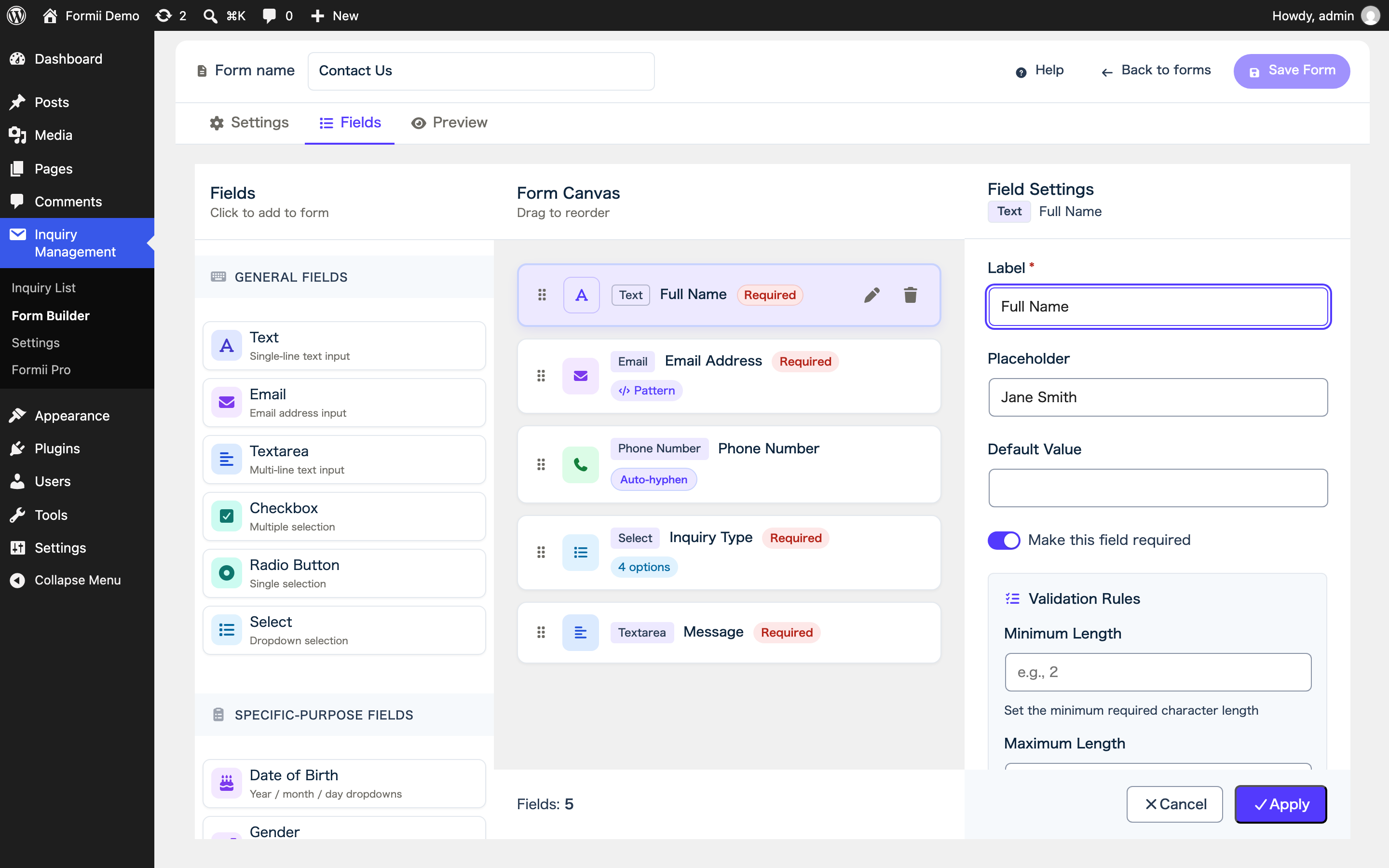
Form Builder
- Drag-and-drop form creation
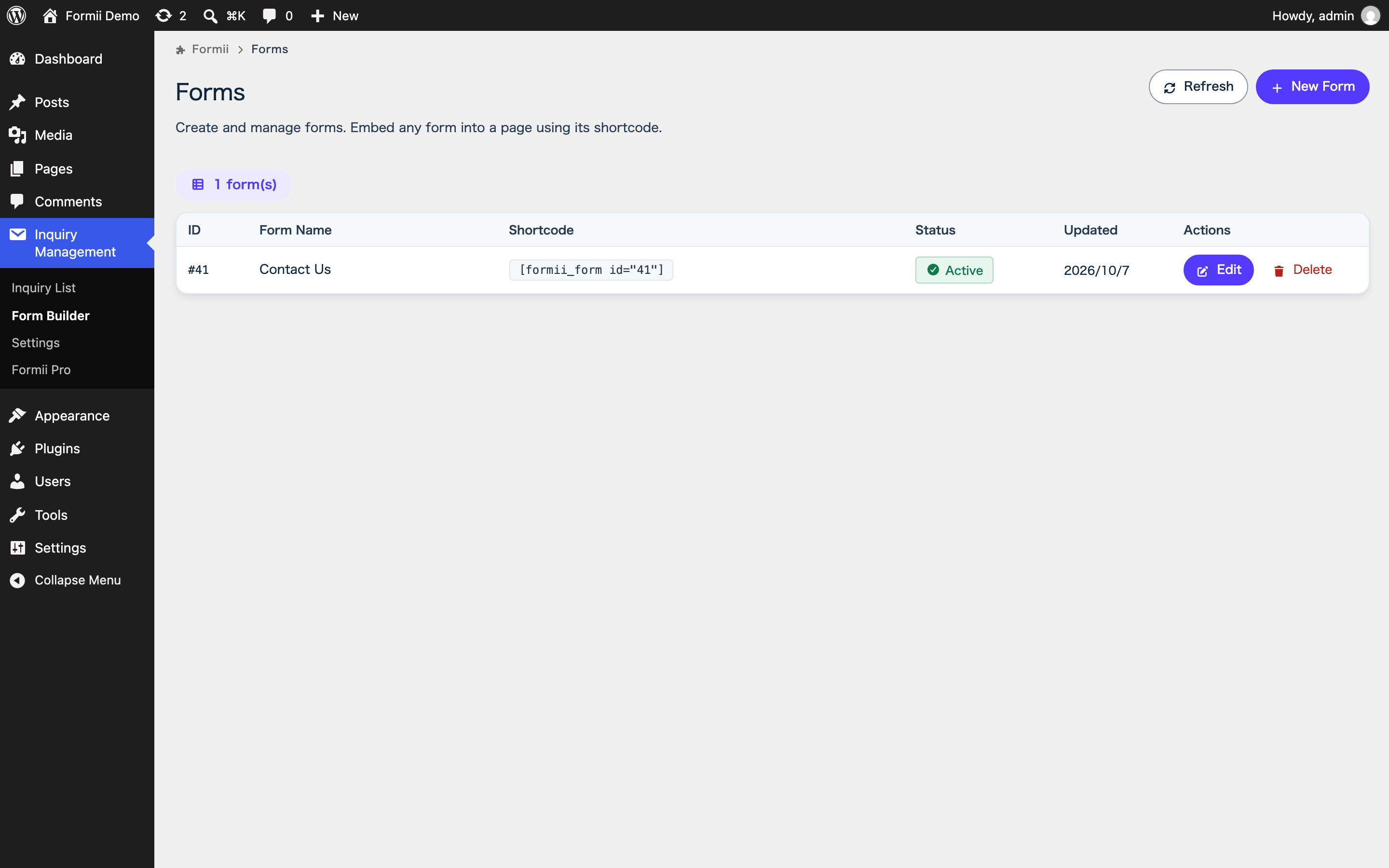
- Create as many forms as you need — each form gets its own shortcode
- Form status management (draft / published)
- Real-time save indicator in the editor
- Live preview tab (see your form before publishing)
- Confirmation screen before submission — on by default, and you can turn it off for each form
Field Types
- Text, email, textarea, select, radio, checkbox, and privacy consent
- Full name (last / first), birthdate, gender, and confirmation email
Fields for Japanese Forms
Use these optional fields when your form collects Japanese contact details:
- Postal code field (auto-inserts hyphens as you type)
- Phone number field (auto-inserts hyphens as you type)
- Address field — postal code, a 47-prefecture select, and city / town / building inputs (all offline; the prefecture list is bundled)
- Furigana field — choose katakana, hiragana, or no restriction; input in the other kana is converted automatically
Note: Postal-code address auto-fill (fills prefecture / city / town from the postal code) is part of Formii Pro (Personal plan and above). The free plugin makes no external network requests.
Validation
- Required field check
- Min/max character length
- Regular expression validation
- Custom error messages per field
Inquiry Management
Formii stores every submission in your own WordPress database and gives you a built-in inbox:
- Inquiry list with keyword search and pagination
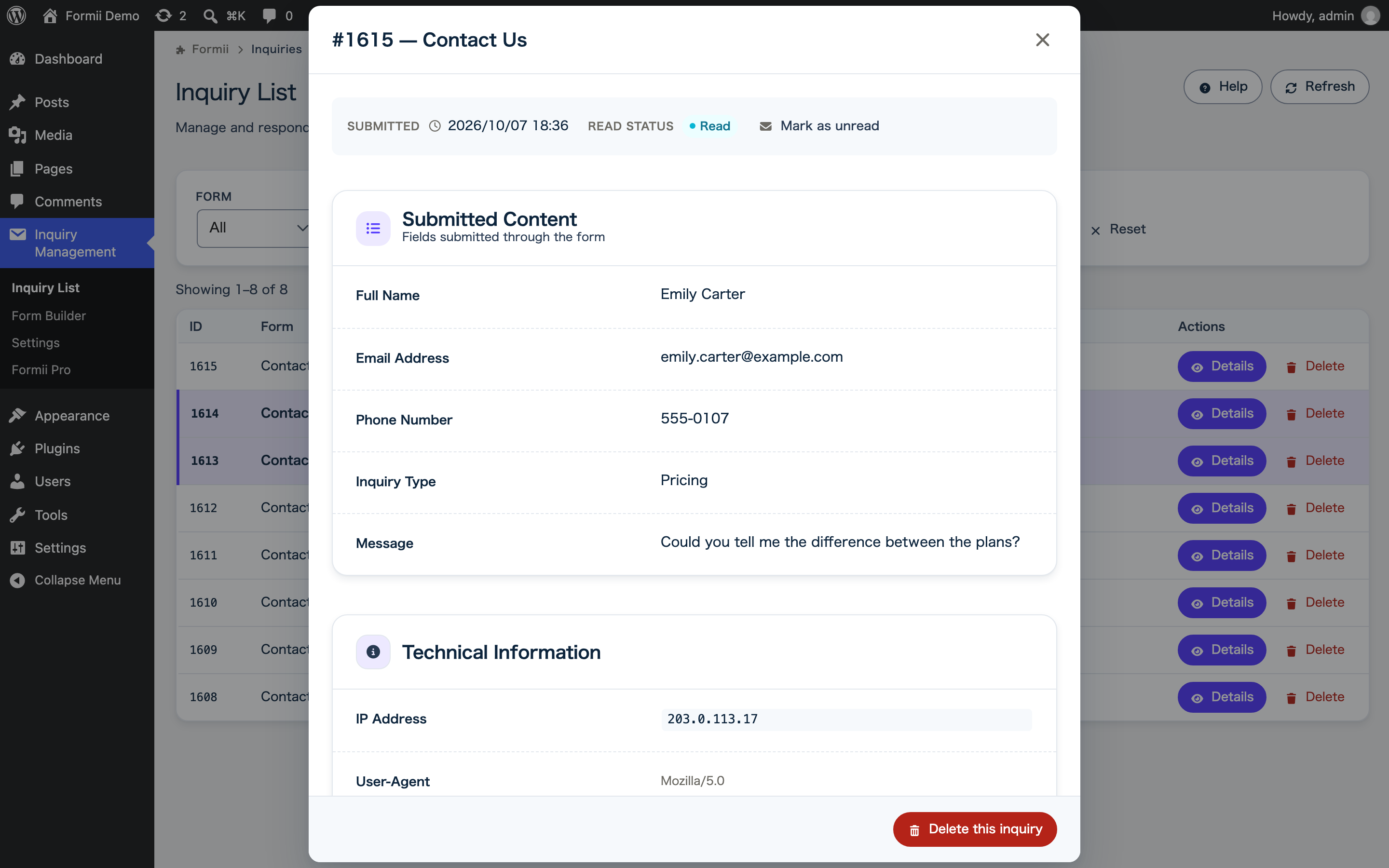
- Inquiry detail view — see all submitted data at a glance
- Read / unread tracking — new inquiries stay highlighted until you open them
Email Notifications
- Admin notification email on new inquiry
- Auto-reply email to the submitter
- Customizable subject and body per form
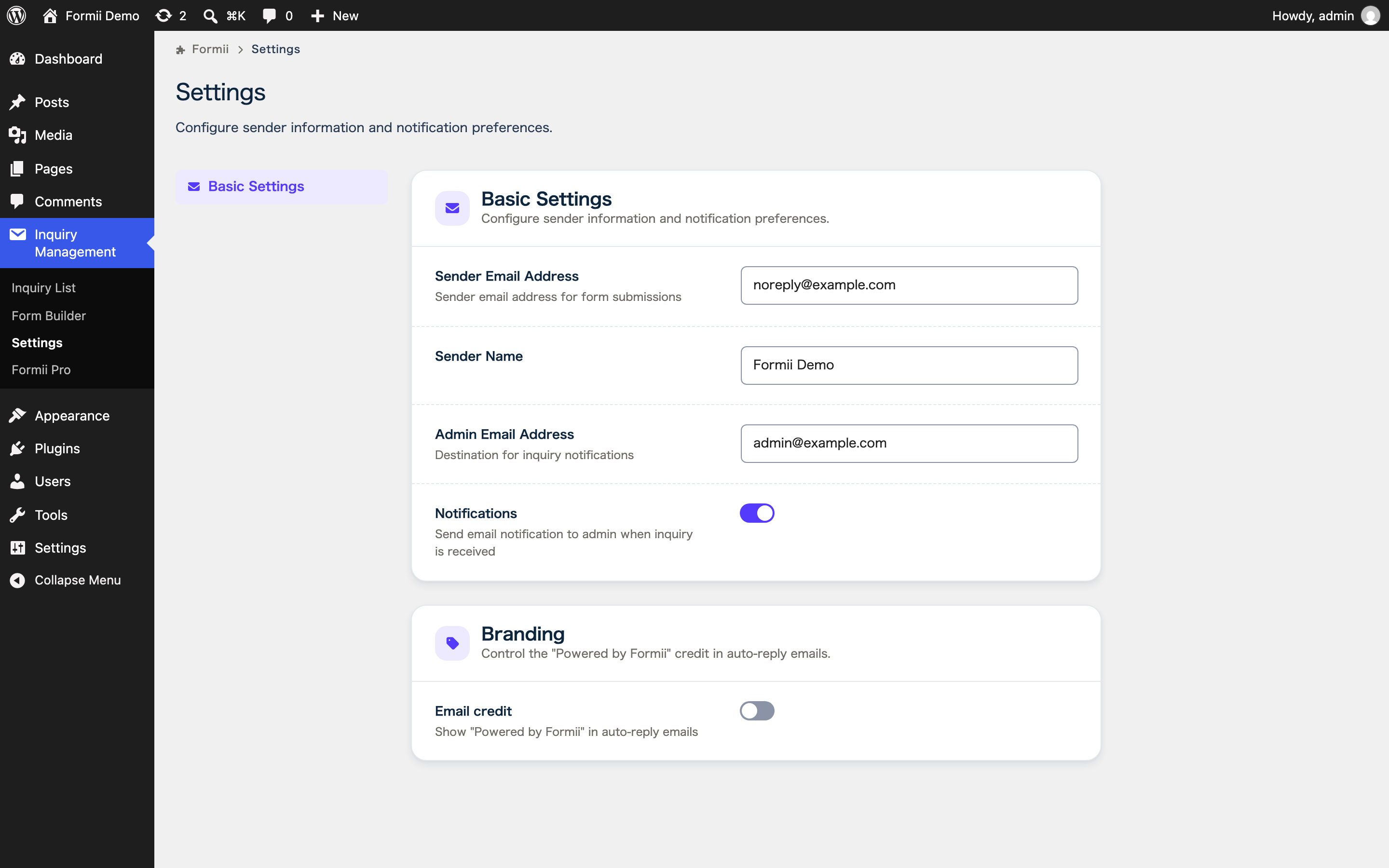
- Optional “Powered by Formii” credit in auto-reply emails — off by default; you can turn it on in Settings
Thank You Page
- Show a custom message after submission
- Or redirect to a URL of your choice
Security
- Nonce verification on all endpoints
- Permission checks (manage_options / edit_posts)
$wpdb->prepare()for all database queries- Output escaping (
esc_html,esc_attr,esc_url) - ABSPATH guard (prevents direct file access)
Accessibility
- Follows WCAG 2.1 AA guidelines — keyboard navigation, ARIA attributes, focus management, and sufficient color contrast
Shortcode
Embed a form in a post or page using:
[formii_form id="1"]
The form ID is shown in the Forms list in the admin panel.
If your form redirects to a separate thank-you page, place the following shortcode on that page:
[formii_notice]
It shows a notice only when it is needed — for example, when the auto-reply email was not sent because the sending limit was reached. Otherwise it outputs nothing.
Formii Pro
Formii Pro is a separate add-on that will be available from https://formii.net/ (coming soon). It adds team workflow and extra field types on top of the free plugin: inquiry status tracking for your team (in progress / completed / spam, plus custom statuses), starred inquiries, advanced field types (date/time, number, rating, confirmation, section, hidden, file upload), internal memos, bulk operations, CSV export (UTF-8 & Shift_JIS), postal-code address auto-fill, furigana auto-fill, adding forms to pages and posts from the form editor, spam protection (reCAPTCHA v3, honeypot, rate limiting), submission periods and capacity limits, inquiry retention (automatic deletion of old inquiries), and conditional logic. Formii Pro is optional — the free plugin above works fully on its own, with no limit on the number of forms.
External Services
This free plugin does not connect to any external services. All data stays in your WordPress site, and no outbound network requests are made.
(Formii Pro, a separate add-on not distributed here, uses Google reCAPTCHA v3 for spam protection when it is enabled. That service is loaded only by Formii Pro, and its disclosure is provided with Formii Pro. Formii Pro’s postal-code address auto-fill reads Japan Post postal code data bundled with Formii Pro and makes no external requests.)
Credits & Bundled Libraries
This plugin bundles the following third-party resource locally (no external CDN is used):
- Font Awesome Free 7.1.0 (https://fontawesome.com) — icon library bundled under
admin/fontawesome/. Licensed under CC BY 4.0 (icons), SIL OFL 1.1 (fonts), and MIT (code), all of which are GPL-compatible. The full license text is included atadmin/fontawesome/LICENSE.txt.
Source Code & Build
The admin screens are built with React. The compiled files in build/ are generated from the human-readable source code in src/, which is included in this plugin.
To rebuild them, install Node.js 22 or later and run the following commands in the plugin directory:
npm installnpm run build
The build uses @wordpress/scripts (webpack); the entry points are defined in webpack.config.js, and the CSS is processed with PostCSS (postcss.config.js, tailwind.config.js).
Installation
- Upload the plugin files to
/wp-content/plugins/formii. - Activate the plugin from the WordPress Plugins menu.
- Go to Inquiry Management → Form Builder and create your first form.
- Copy the generated shortcode (e.g.
[formii_form id="1"]) and paste it into any post or page.
FAQ
Can I create multiple forms?
Yes. The free plugin has no limit on the number of forms, and each form has its own shortcode.
Does it have a confirmation screen?
Yes. The free plugin can show visitors a confirmation screen before they submit. It is on by default, and you can turn it off for each form.
Can I use Formii outside Japan?
Yes. Formii works on any WordPress site, and its screens are in English unless your site uses a language with a translation. The postal code, phone number, address, and furigana fields follow Japanese formats, so for other countries, use text fields instead.
Where is inquiry data stored?
All inquiry data is stored in your own WordPress database (wp_formii_inquiries table). The free plugin makes no external network requests at all — no submission data or any other data ever leaves your site.
Does Formii store the sender’s IP address?
Not by default. Formii does not store the sender’s IP address or browser user agent. To store them with each inquiry, turn on “Sender technical information” in Settings. If you do, mention it in your privacy policy.
Does the address field work offline?
Yes. In the free plugin the prefecture list is bundled and the address field works entirely offline (no external requests). Postal-code address auto-fill — which looks up the address from the postal code — is a Formii Pro feature (Personal plan and above). It uses Japan Post postal code data bundled with Formii Pro, so it also works without external requests.
Does it work with PHP 8.x?
Yes. Formii has been tested with PHP 8.0, 8.1, and 8.2.
Is the plugin accessible?
Yes. The plugin follows WCAG 2.1 AA guidelines — keyboard navigation, ARIA attributes, focus management, and sufficient color contrast are all implemented.
Screenshots

Changelog
1.6.0
- Privacy: the IP address and User-Agent of submitters are no longer saved by default. To keep saving them, turn on “Sender technical information” in the Privacy section of the Basic Settings tab (Formii > Settings). Data saved before the update is kept and still shown in the inquiry details
- New: dedicated capabilities for managing inquiries, granted to administrators. Extensions can use them to let other users handle inquiries
- New: the inquiry list uses filter conditions in the URL as its initial filters
- New: extensions can add templates to the “New Form” menu
- Fixed: duplicate submissions are now prevented on forms without an email field
- Fixed: a confirmation screen message that was saved empty is no longer replaced with the default text when the form is opened again
- Fixed: the placeholder setting is no longer shown for fields that do not display a placeholder, such as the consent field
- Fixed: postal codes entered in full-width characters are converted to half-width before formatting
1.5.0
- New: choose the character type of each furigana field: katakana, hiragana, or no restriction
- Fixed: edits that were canceled or applied in the form builder no longer change what is saved
1.4.0
- New: create a form that already has common contact fields, or start from a blank form. The “New Form” button now opens a menu with both choices. The furigana field is added only when the site language is Japanese, and the new form is saved as a draft
- New: the form editor shows a notice when a consent field has no privacy policy link. If the site has a privacy policy page, a button inserts its URL; otherwise, the notice links to the Privacy settings screen
- Fixed: the confirmation screen is no longer shown when “Enable confirmation screen” is turned off
- Fixed: admin notification emails no longer show the sender’s email address and name twice. The sender name now comes from a name field before a text field
- Fixed: consent text no longer shows
{link}as is when no privacy policy URL is set, and extra spaces around the link are removed - Improved: the help text for allowed file types now says which types can be attached when the field is left blank
1.3.0
- New: the heading at the top of auto-reply emails can now be set per form in the form settings. Placeholders such as
{name}are supported, and the default heading is used when it is left blank - Fixed: hidden fields (a Formii Pro field type) are no longer listed in auto-reply emails. They still appear in admin notifications, and
{field_id}placeholders in the email body still work - Improved: Japanese translations now follow the WordPress Japanese team’s style guide and glossary
1.2.0
- Security: auto-reply emails are now limited to 10 per recipient per day and 200 per site per hour, so the form cannot be abused to send mass email to third parties. Limits can be changed with filters (
formii_auto_reply_recipient_limit,formii_auto_reply_site_limit, and related window filters) - When an auto-reply is skipped because of the limit, the inquiry is still received and the completion screen shows a notice. Use the new
[formii_notice]shortcode to show the same notice on a separate thank-you page - Security: database error messages are no longer included in the response to the submitter when an inquiry fails to save
- Fixed: checkbox default values now pre-check the matching options (multiple values can be given, separated by commas)
- Fixed: the confirmation screen no longer shows “C:\fakepath\” for file attachments
- Fixed: the default label of consent and add-on fields is now the field name
- The Settings screen now shows the save result in the save bar
- Extension settings panels now receive the form ID
1.1.0
- Deleting a single inquiry now also deletes its attachments (including the uploaded files) and memos
- Unified inquiry deletion for all delete paths, with new hooks for extensions (
formii_after_delete_inquiries) - Personal data erasure: the WordPress “Erase Personal Data” tool now deletes a person’s Formii inquiries (including attachments and memos)
- Security: sanitize submission data before passing it to the spam-protection filter, and restrict the HTML allowed from the address-field filter
- The free plugin no longer loads any reCAPTCHA script itself (Formii Pro handles it)
- The source code for the compiled admin scripts (
src/) and the build configuration are now included
1.0.0
- Initial release
- Drag-and-drop form builder with live preview
- Unlimited forms, each with its own shortcode
- Optional “Powered by Formii” credit in auto-reply emails (off by default)
- Japan-specific fields: postal code (auto-hyphenation), phone hyphenation, prefecture select, address, furigana, full name, birthdate, gender, confirmation email
- Inquiry management: automatic saving, list, keyword search, detail view
- Admin notification and auto-reply emails
- Thank you page: message or URL redirect
- Accessibility: WCAG 2.1 AA compliant
- Full GPL v2 license