

Description
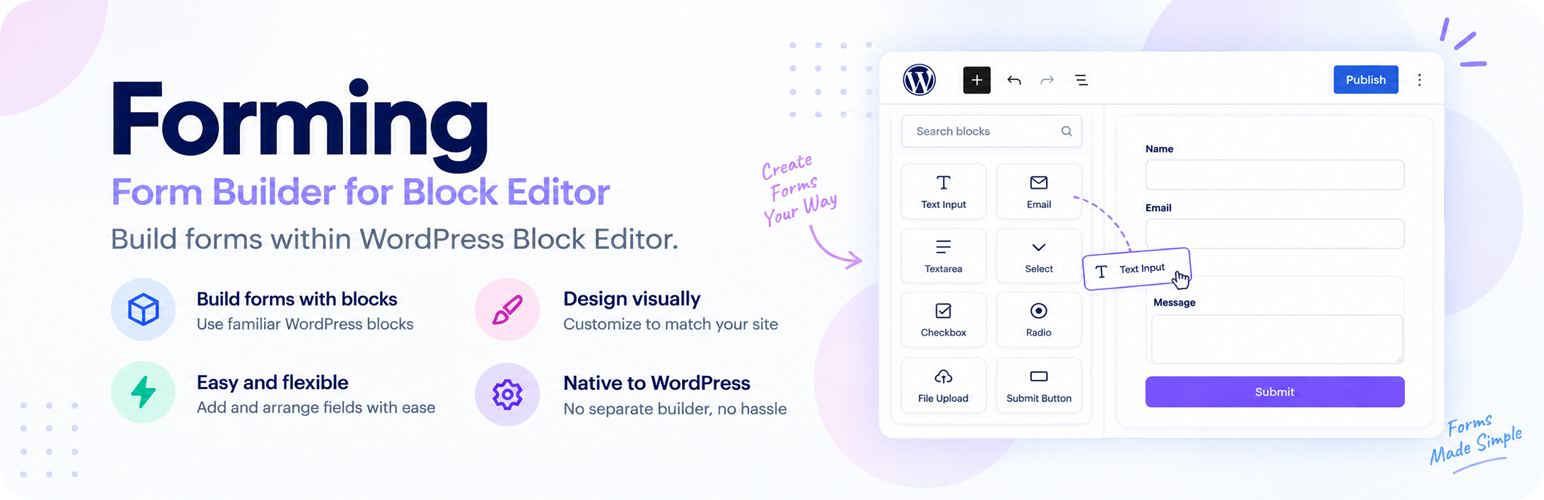
Forming Forms – Form Builder for Block Editor is a lightweight contact form and form builder plugin built entirely on the WordPress block editor. A form is a block: add the Form block to any post or page, nest the field blocks you need, and publish. No shortcodes, no embeds, no separate form builder screen to learn.
Every field — text, email, phone, select, checkbox — is a real WordPress block. That means you build your contact form the same way you build the rest of your page, with the same drag-and-drop, the same undo, and the same design controls you already use every day.
Submissions are validated on the server, checked for spam, emailed to you, and saved as entries in your own WordPress database. The Forming admin menu gives you a dashboard, a list of every form on your site, an entries inbox with CSV export, global settings and support tools.
🚀 Upgrade to Pro | 💻 Live Demo Site | 📄 Plugin Documentation | 🎧 Support
Build forms without shortcodes
Most form builder plugins ask you to compose a form in a separate admin screen and then paste a shortcode into your page. Forming Forms skips that entirely. The form is built where it lives, and what you see in the editor is what your visitors get.
- Add the Form block anywhere — posts, pages, block themes, template parts, widgets.
- Nest field blocks inside it, reorder them by dragging.
- Style with the block editor’s own spacing, typography, color and border controls.
- Lay fields out in columns and add headings, paragraphs, images or separators between them with core blocks.
- Reuse the same contact form across your site with a core synced pattern.
Included form fields
- Text — single-line input, with optional minimum and maximum length and a pattern
- Email — with email format validation
- Textarea — multi-line messages, with optional length limits and a character counter
- Number — with optional min, max and step
- Phone — telephone input with format validation
- URL — website addresses
- Select — dropdown menu, single or multiple choice
- Radio — single choice from a list, stacked or inline, with an optional “Other” answer
- Checkbox — single consent box or multiple choices, with an optional “Other” answer
- Date — date picker with optional earliest and latest dates, including “today”
- Time — time picker with optional earliest and latest times and a minute interval
- Name — first, middle and last name side by side; choose which parts to show
- Address — street, address line 2, city, state, ZIP and a country list; choose the parts and a default country
- File Upload — one or several files, with allowed file types, a size limit per file and in total, and a maximum number of files
- Consent — an always-required checkbox whose text can link to your terms or privacy policy
- Hidden — a fixed value, or the page title or URL, the logged-in visitor’s name or email, a URL parameter, the referring page or the date
- Submit — the send button
Choice fields can be filled from ready-made lists (countries, US states, months, days of the week) or by pasting one option per line. Every field can have its own error message.
The Forming admin
Forms are built in the block editor, and everything that happens after a submission is managed under Forming in your admin menu:
- Dashboard — entries today, this week and this month with the change from the previous period, unread entries, spam blocked, a submissions chart you can filter by form and period, your latest entries and your top forms. A short setup checklist, with a test email, helps you confirm notifications arrive.
- Forms — every form on your site in one list, including forms in synced patterns, templates and template parts, with its entry count. Search, filter, open it in the editor, view its entries or export them. Forms that share an ID are flagged.
- Entries — an inbox for all submissions. Search inside answers, filter by form or status (unread, read, starred, trash), star entries, apply bulk actions, and open a single entry to read, print or move through entries one by one. An unread count appears on the menu.
- CSV export — export a form’s entries, optionally for a date range. Values a spreadsheet would run as formulas are neutralized.
- Settings — default notification recipients, From name and address, and a default success message that every form falls back to; spam protection (CAPTCHA provider and keys, rate limit, Akismet); an optional latest-entries widget on the WordPress dashboard; privacy options.
- Tools — a system status report you can copy for support, settings export and import, a log of failed emails, and a button to rebuild the forms index.
Features
- Native block styling — fields use the block editor’s own spacing, typography, color and border controls. Nothing hand-rolled to relearn, and it inherits your theme.
- Validation on both sides — the browser checks required fields, lengths, patterns, numbers and dates before sending and points to the first problem, and the server checks everything again. The server rebuilds the form’s field schema from the source post, so a tampered form cannot inject fields.
- Spam protection — a honeypot field and a submission time-trap, both on by default, plus a per-visitor submission limit and an optional Akismet check. Need more? Turn on a free CAPTCHA per form: Google reCAPTCHA (v2 checkbox, v2 invisible or v3), hCaptcha or Cloudflare Turnstile. Its script loads only on pages whose form uses it.
- File uploads — files are checked by type and size in the browser and on the server, saved in a protected folder under random names, and downloaded by admins through a link that requires login. They are linked in the email and the entry, can be attached to the email, and are deleted with their entry.
- Email notifications — send each submission to one or more recipients with a configurable subject, from name and from address.
- Entry storage — submissions are saved as a
forming_entrycustom post type, one meta value per field, so your form data stays in your own database. Browse, search and export them from Forming → Entries. - Privacy tools — entries are included in WordPress’s personal data export and erasure tools (matched by email address). You can delete entries automatically after a set number of days, choose whether to store the visitor’s IP address and browser, and add suggested text to your privacy policy.
- Success behavior — show an inline thank-you message or redirect to a URL after submit.
- Accessible markup — real labels and fieldsets, required-field indicators, errors linked to their fields with
aria-describedbyandaria-invalid, focus moved to the first error, and an ARIA live region for the response message. - Lightweight — no jQuery, no page builder dependency, no external service. Assets load only on pages that contain a form.
- Translation ready — fully internationalized and ready for translation.
- Developer friendly — register your own field types, hook into every step of a submission, add settings tabs and admin pages, and manage forms with WP-CLI (
wp forming forms list).
Typical uses
A contact form, a quote request form, a support or feedback form, a newsletter signup, a job application, an RSVP or event registration form, a simple survey — anything you would otherwise build with a shortcode-based form builder.
For developers
Register your own block in the forming category and append its name to the allowlist:
add_filter( 'forming_field_blocks', function ( $blocks ) {
    $blocks[] = 'my-plugin/field-rating';
    return $blocks;
} );
React to a new submission:
add_action( 'forming_submission_saved', function ( $entry_id, $data, $form_id ) {
    // $data is a name => value map of the validated submission.
}, 10, 3 );
Other hooks cover spam checks (forming_spam_check, forming_rate_limit, forming_captcha_providers, forming_akismet_data), hidden field values (forming_dynamic_value), field validation (forming_validate_field), short-circuiting a submission (forming_before_submission), the stored data (forming_submission_data, forming_entry_meta), the success response (forming_success_response), settings tabs and fields (forming_settings_tabs, forming_settings_fields) and admin pages (forming_admin_menu_items). Custom field types can be registered on the forming_register_field_types action, and admin access is filterable with forming_capability.
External services
Forming Forms works without any external service. These optional features contact a third party only after you turn them on:
- Google reCAPTCHA — when reCAPTCHA is your CAPTCHA provider, pages whose form has CAPTCHA turned on load Google’s reCAPTCHA script, which collects information about the visitor’s device and behavior to tell people from bots. On submit, the visitor’s CAPTCHA token and IP address are sent to Google to verify it. Terms, Privacy Policy.
- hCaptcha — the same, with hCaptcha’s script, and the token, IP address and your site key sent to hCaptcha for verification. Terms, Privacy Policy.
- Cloudflare Turnstile — the same, with Cloudflare’s Turnstile script, and the token and IP address sent to Cloudflare for verification. Terms, Privacy Policy.
- Akismet — when the Akismet plugin is active and connected and Check submissions with Akismet is on, each submission is sent to Akismet: the visitor’s name, email address, website, message, IP address, browser and referring page. Terms, Privacy Policy.
License
Forming Forms – Form Builder for Block Editor is distributed under the terms of the GNU General Public License v2 or later. See https://www.gnu.org/licenses/gpl-2.0.html for more details.
Installation
From your WordPress dashboard
- Go to Plugins → Add New and search for “Forming Forms”.
- Click Install Now, then Activate.
- Edit any post or page, add the Form block, and insert the field blocks you need.
- Open the Form block settings to set your recipients and success behavior, then publish.
Manual installation
- Upload the plugin folder to
/wp-content/plugins/forming-form-builder, or upload the ZIP through Plugins → Add New → Upload Plugin. - Activate the plugin from the Plugins screen.
- Add the Form block to a post or page and build your form.
FAQ
How do I add a contact form to a page?
Edit the page, add the Form block, and nest the field blocks you want inside it. The Form block starts with a name, email, message and submit button so you have a working contact form immediately. Set your notification recipients in the block sidebar and publish.
Do I need a shortcode?
No. The form is a block, so it lives directly in your post or page content. There is no shortcode to copy and no separate builder screen.
Where are form submissions stored?
Each submission is saved as a forming_entry custom post type with one meta value per field, so your data stays in your own WordPress database. A notification email is also sent to the recipients you configure.
Where do I see form entries?
Go to Forming → Entries. You can search, filter by form or status, star entries, and open any entry to read it in full. New entries are marked unread, and the unread count appears on the Forming menu.
Can I export entries to CSV?
Yes. On Forming → Forms, choose Export entries (CSV) for a form, optionally limited to a date range. The file opens in Excel, Google Sheets or Numbers.
Can I set default notification settings for all forms?
Yes. In Forming → Settings, set the default recipients, From name, From address and success message. Any form that leaves these blank in its block settings uses the defaults.
Does it help with GDPR and privacy requests?
Entries are included in WordPress’s Export Personal Data and Erase Personal Data tools, matched by email address. In Forming → Settings you can delete entries automatically after a number of days and turn off storing IP addresses and browser details. Suggested text is added to the WordPress privacy policy guide.
Does it send email notifications?
Yes. Set one or more recipients, a subject, and a from name and address in the Form block settings. Notifications use wp_mail(), so any SMTP plugin you already use will handle delivery.
How does the spam protection work?
Two checks run on every submission, both on by default: a honeypot field that is hidden from people but tempting to bots, and a time-trap that rejects submissions completed implausibly fast. Each visitor can also send only a limited number of submissions per hour (20 by default). If you use Akismet, you can have submissions checked by it too.
Can I add a CAPTCHA?
Yes, for free. In Forming → Settings → Spam protection, choose Google reCAPTCHA, hCaptcha or Cloudflare Turnstile and add your keys. Then turn on CAPTCHA in the Spam protection panel of each Form block that should use it.
Can I fill a hidden field from the page URL?
Yes. Set a Hidden field’s Value to URL parameter and enter the parameter name, for example utm_source. Hidden fields can also carry the page title, ID or URL, the logged-in visitor’s name, email or user ID, the referring page or the submission date. Page, visitor and date values are filled in on the server, so visitors cannot change them.
Where are uploaded files kept, and who can open them?
In wp-content/uploads/forming-uploads/, under random file names. Admins open them from the entry or the notification email; the link only works for users who can manage entries. On Apache, the folder’s .htaccess file blocks direct access. On nginx, add a rule such as location ^~ /wp-content/uploads/forming-uploads/ { deny all; } to your server block. Files are deleted when their entry is deleted permanently.
Can I put form fields in columns?
Yes. Add a Columns or Group block inside the form and place fields in it. You can also add headings, paragraphs, images, separators and spacers between fields.
Does it work with the classic editor?
No. Forming Forms is built exclusively for the WordPress block editor.
Does it work with block themes and full site editing?
Yes. The Form block can be placed in posts, pages, templates, template parts and widget areas, and it inherits your theme’s styles through the block editor’s own design controls.
Can I reuse one form across several pages?
Yes. Select the Form block and create a core synced pattern from it, then insert that pattern anywhere. Editing the pattern updates every page at once.
Can I redirect visitors after they submit?
Yes. In the Form block settings, choose to show a thank-you message or to redirect to any URL.
Can developers add their own field types?
Yes. Register a field type on the forming_register_field_types action, or register a block in the forming category and append it to the allowlist with the forming_field_blocks filter. Use the forming_submission_saved action to react to new entries.
Is it free?
Yes. Forming Forms is free and licensed under the GPLv2 or later.
Screenshots

Changelog
1.3.0
- New: File Upload field for one or several files, with allowed file types, size limits per file and in total, and a maximum number of files. Files are stored in a protected folder, linked in the entry and the email, can be attached to the email, and are deleted with their entry.
- New: Name field (first, middle and last name) and Address field (street, line 2, city, state, ZIP and country, with a default country).
- New: Time field with earliest and latest times and a minute interval.
- New: Consent field: a required checkbox whose text can include links to your terms or privacy policy.
- New: Columns, groups, headings, paragraphs, images, separators and spacers can be used inside a form.
- Fix: The field Name setting no longer drops underscores while you type it.
- Tweak: The previous error message is hidden while the form is sending.
- Tweak: Submissions with files report upload progress.
- Dev: New filters
forming_layout_blocksandforming_countries, theforming.fileUpload.uiJS action, and anattachmentskey informing_notification_email. - Dev: Entries screen extension points:
forming_entry_statuses,forming_admin_entries_query_args,forming_admin_entry_item,forming_entry_batch_actions/forming_entry_batch_action, and the JS filtersforming.admin.entriesFields,entriesActions,entriesDefaultColumns,entryBadges,entryFields,entryMain,entryActions,entrySidebarandtoolsTabs. - Dev:
forming_export_formatsandforming_export_entries_{format}for more export formats, with reusableExport::data()andExport::write_csv(). - Dev:
forming_spam_detectedaction,forming_uploaded_filesandforming_upload_server_maxfilters for files uploaded ahead of the submission, and theforming:upload-progressfront-end event.
1.2.0
- New: Free CAPTCHA, turned on per form: Google reCAPTCHA (v2 checkbox, v2 invisible, v3), hCaptcha (checkbox or invisible) and Cloudflare Turnstile. Set it up under Forming → Settings → Spam protection.
- New: Per-visitor submission limit (20 per hour by default) and an optional Akismet check.
- New: Text and textarea length limits, a textarea character counter, and patterns for text and phone fields.
- New: Phone number format validation, earliest and latest dates (including “today”) for date fields, and enforced number steps.
- New: Custom “required” and “not valid” error messages for every field, and an Autofill setting for input and select fields.
- New: Multiple-choice select fields, inline or stacked radio and checkbox groups, and an optional “Other (please specify)” answer.
- New: Bulk edit for choice options: paste one option per line or start from countries, US states, months or days of the week.
- New: Hidden fields can carry the page title, ID or URL, the logged-in visitor’s name, email or user ID, a URL parameter, the referring page or the submission date.
- New: Forms are checked in the browser before sending, with errors that update as the visitor types. The server still checks every submission.
- Tweak: Accessibility: errors are linked to their fields, invalid fields are marked for assistive technology, and focus moves to the first error or to the confirmation message.
- Tweak: Error messages shown by the form script are now translatable.
- Tweak: Settings and Tools have a sidebar with documentation, support and Forming Pro links, and the plugin row has a Settings link.
- Dev: New filters
forming_captcha_providers,forming_rate_limit,forming_client_ip,forming_akismet_data,forming_dynamic_valueandforming_entry_display_value. - Dev: New actions
forming_initandforming_admin_enqueue_scriptsfor add-ons. Field types can own nested fields (inner_fields), settings tabs can hide the Save button ('save' => false), and fields can opt out of client-side validation (data-forming-server-only).
1.1.0
- New: A Forming admin menu with Dashboard, Forms, Entries, Settings and Tools screens.
- New: Dashboard with entry counts, unread and spam-blocked totals, a submissions chart, latest entries, top forms and a setup checklist with a test email.
- New: Forms screen listing every form on the site, including forms in synced patterns, templates and template parts, with entry counts and a warning for duplicate form IDs.
- New: Entries screen with search, form and status filters, starring, bulk actions, a single entry view, printing and an unread count on the menu.
- New: CSV export of a form’s entries, with an optional date range.
- New: Global settings for default recipients, From name and address and success message, used by forms that leave them blank.
- New: Tools screen with a system status report, settings export and import, a log of failed emails and a forms index rebuild.
- New: Privacy tools: personal data export and erasure, automatic entry deletion after a set number of days, optional IP and browser storage, and privacy policy text.
- New: Optional “latest entries” widget on the WordPress dashboard.
- New: “Form name” setting in the Form block.
- New: WP-CLI commands
wp forming forms listandwp forming forms reindex. - New: Developer API: a field type registry and hooks for every step of a submission, settings tabs, admin pages and capabilities. Front-end
forming:before-submit,forming:successandforming:errorevents. - Fix: Duplicating a form on the same page now gives the copy its own form ID.
- Fix: Retyping a field label now keeps the field name in sync instead of locking it to the first character typed.
- Tweak: Choice answers show their option labels and single checkbox answers read “Yes” in the entries screen, CSV and personal data exports, including entries saved before 1.1.0.
- Tweak: The bundled translation template now includes the block editor and admin screen strings.
- Tweak: Now requires WordPress 6.8 or later.
1.0.5
- Fix: Forms placed in synced patterns, templates, template parts, theme patterns and block widgets failed with “This form could not be found.”
- Fix: Line breaks in textarea answers were lost when the entry was saved.
- Fix: Submissions failed with “Your session has expired” on pages served from a page cache; the form now fetches a fresh security token and retries automatically.
- Security: The spam time-trap timestamp is now signed, so bots can no longer skip it by sending a missing or forged value.
- Security: Submissions are tied to a signed form location, so forms in private or draft content cannot be targeted.
- Tweak: Added an uninstall routine. Entries are kept unless the
forming_delete_data_on_uninstalloption or filter is enabled. - Fix: An invalid email address now shows “Please enter a valid email address.” instead of “This field is required.”
- Tweak: Now requires WordPress 6.3 or later; the form blocks rely on block features added in WordPress 6.1–6.3.
1.0.4
- Tweak: Release packaging improvements.
1.0.3
- Fix: Form blocks not loading in the block editor because script dependency files were missing from the release package.
- Fix: Default form field and button styles not applied on the front end.
- Fix: Block stylesheets staying cached after a plugin update.
1.0.2
- Tweak: Improved the plugin description, feature list and FAQ in the readme.
1.0.1
- Fix: Fixed few minor bugs and improved compatibility with WordPress 7.1.
1.0.0
- Initial release.